
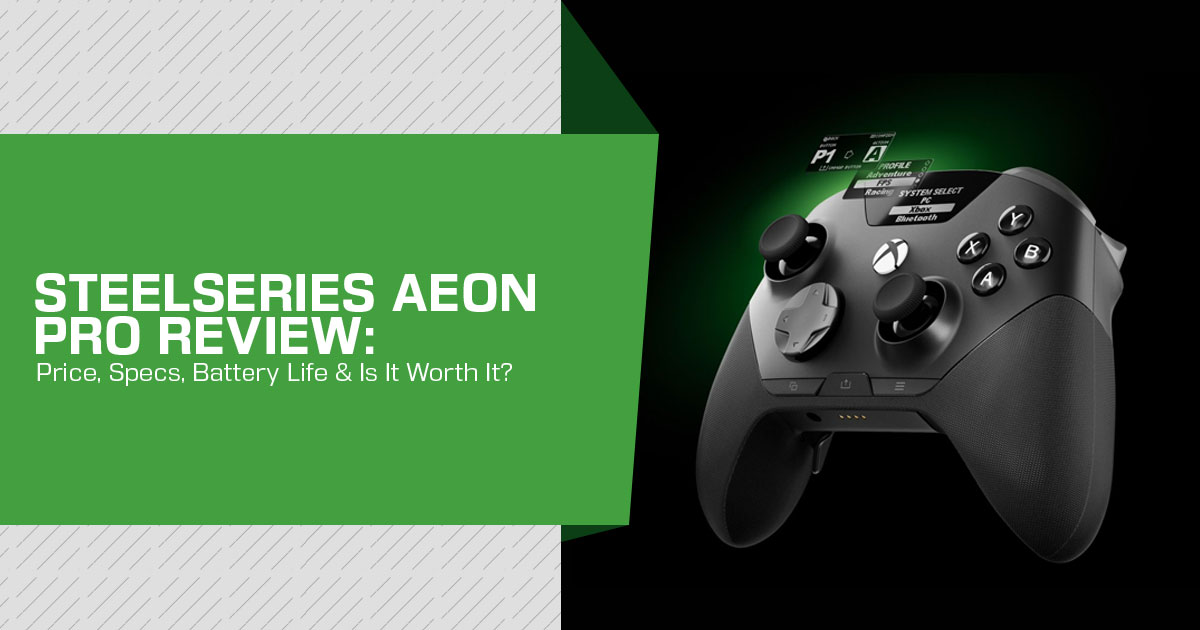
The SteelSeries Aeon Pro is a premium wireless controller for Xbox and PC and SteelSeries’ first high-end controller aimed at this part of the market. Announced on September 8, 2026, it launched at $259.99 in the US, £229.99 in the UK, and €259.99 in the EU, putting it above the list price of every rival in our comparison below. At that price, the biggest question is simple: is the SteelSeries Aeon Pro worth the money?
SteelSeries is targeting two frustrations that matter to people who use more than one gaming system: re-pairing a controller when switching between Xbox and PC and stopping to charge during a gaming session. The Aeon Pro tackles both with its QuickSwitch dock and dual-battery system. The problem is that those conveniences come at a premium, so they need to make a noticeable difference in everyday use.
That makes the Aeon Pro most interesting for competitive Xbox and PC gamers, esports players, serious gaming enthusiasts, and people who regularly switch between Xbox and PC. If you play on one platform, the price is harder to justify because cheaper controllers already offer features such as Hall Effect sticks, mechanical controls, trigger stops, and remappable rear inputs. For multi-system players, however, connectivity, latency, battery life, durability, customization, and long-term comfort can make a real difference.
As technology experts with more than 20 years of experience in hardware and application research and development, we carefully evaluate every product based on real-world performance, durability, usability, and value for money. Our goal is to help you choose the right product for your needs, whether you are looking for the best budget option, performance-focused hardware, reliable everyday use, or something built for long-term ownership. Our recommendations are based on extensive research, component analysis, real-world usability, and industry expertise.
For this SteelSeries Aeon Pro review, we analyzed SteelSeries’ official product documentation and early hands-on coverage from established outlets. We look beyond the feature list to see what the $259.99 price actually gets you, how the controller compares with its rivals, where it falls short, and who should — or should not — buy it.
The Aeon Pro has the hardware of a high-end controller, but a premium controller has to justify a premium price. That is the standard we use throughout this review.
Quick answer: The SteelSeries Aeon Pro is a premium multi-platform controller for Xbox and PC, launched on September 8, 2026, at $259.99 in the US. Its standout features are the QuickSwitch dock, dual hot-swappable batteries, OLED display, Hall Effect thumbsticks, and mechanical controls. It makes the most sense for players who regularly switch between Xbox and PC; single-platform players have cheaper alternatives.
SteelSeries Aeon Pro Overview
SteelSeries is best known for headsets, mice, and keyboards, and its controller range has been limited compared with those categories. With the Aeon Pro, the company has gone straight into the premium market with a controller built around a clear use case: players who want one controller for both Xbox and PC.
The target buyer is fairly specific: someone who owns both an Xbox and a gaming PC and is tired of keeping separate controllers or re-pairing one controller whenever they switch systems. The QuickSwitch dock, dual batteries, OLED display, and modular stick system all support that use case.
The table below summarizes the key specifications. Where a figure comes from a third-party measurement rather than SteelSeries, it is marked as reported.
| Specification | Details |
|---|---|
| Product | SteelSeries Aeon Pro |
| Type | Premium wireless gaming controller |
| Announced | September 8, 2026 |
| Launch Price | $259.99 US / £229.99 UK / €259.99 EU |
| Colors | Black and White |
| Compatibility | Xbox via base station; Windows PC via base station or Bluetooth; mobile devices via Bluetooth |
| Thumbsticks | Hall Effect thumbsticks with magnetic, swappable stick tops |
| Triggers | Hall Effect analog triggers with two-position trigger stops |
| Buttons | Mechanical switches for the ABXY buttons, D-pad, and bumpers |
| Rear Paddles | 4 fixed, remappable rear paddles |
| Display | OLED screen for adjusting settings and managing profiles |
| Battery System | 2 hot-swappable battery packs included; one battery can charge in the dock while the other powers the controller |
| Software | SteelSeries GG (free for Windows) |
| Dimensions & Weight | Reported at approximately 155 × 112 × 55mm and 310g |
| Polling Rate | 250Hz on Xbox; up to 1000Hz on PC via wired or 2.4GHz wireless connection; 250Hz on PC when a headset is connected |
| PlayStation Support | No PlayStation support |
Key Features Explained
QuickSwitch Dock: One Controller for Xbox and PC
The QuickSwitch dock is the main reason to consider the Aeon Pro over many rivals. SteelSeries describes it as a patent-pending system and calls it the world’s first QuickSwitch Dock System for PC and Xbox. We can verify SteelSeries makes that claim, but we have not independently established that no earlier product offered an equivalent system.
The idea is simple. Many wireless controllers require some form of re-pairing or input switching when you move between systems. With the Aeon Pro, the controller communicates with the dock over 2.4GHz wireless, while the dock stays connected to both the Xbox and PC through two USB-C connections. You can switch systems using the controller or the OLED menu, without moving cables.
What this means for the buyer: if your desk has both a PC and an Xbox, the dock removes a small but recurring bit of friction. It also lets the Aeon Pro use its 2.4GHz wireless connection on both supported platforms. If you play on only one platform, the QuickSwitch system — and part of what you are paying for — may not be useful.
Hot-Swappable Batteries: Charging Breaks Become Rare
The Aeon Pro ships with two hot-swappable battery packs. One powers the controller while the other charges in the dock. When the active pack runs low, you can swap it in seconds instead of waiting for the controller to recharge. SteelSeries also says the batteries use the same format as those in the Arctis Nova Pro, Arctis Nova Pro Omni, and Arctis Nova Elite headsets.
SteelSeries now lists battery life of 12.5 hours when connected to Xbox, 12.5 hours with a headset plugged into the controller, 11.5 hours on PC without a headset, and 14 hours over Bluetooth. The exact figure depends on how the controller is used. The important point is the system rather than a single battery rating: while one pack is in use, the other can charge in the dock.
What this means for the buyer: in normal use, you should rarely need to stop playing to charge the controller. The trade-off is that the dock becomes part of your setup, so it needs a dedicated spot. For a living-room setup or a controller that travels between locations, a conventional USB-C charging arrangement may be simpler.
Hall Effect Thumbsticks: More Resistant to Stick Drift
The Hall Effect thumbsticks use magnetic sensing instead of the physical contacts found in traditional potentiometer sticks. That removes one common wear mechanism associated with stick drift, although no controller design is immune to every possible fault. Hall Effect sticks have become popular with buyers who want to reduce the risk of wear-related drift.
The stick tops attach magnetically and can be swapped, with storage slots for the spares built into the dock.
One point worth considering at this price is the move toward TMR (tunneling magnetoresistance) sticks. Some newer controllers use TMR sensors, and cheaper options such as the GameSir G7 Pro already offer them. Hall Effect is still a proven approach for reducing contact-related wear, but buyers comparing controller technology should know that TMR is now available at much lower prices.
Mechanical Buttons, Hair Triggers, and Rear Paddles
The face buttons, D-pad, and bumpers use mechanical switches instead of traditional rubber membranes. Early hands-on coverage found the response crisp and clicky, with less travel before an input registers. The four rear paddles use similar switch-based inputs and are remappable, but they are fixed to the controller. Unlike the Xbox Elite Series 2 and DualSense Edge, you cannot remove them if you prefer a cleaner back shell.
The Hall Effect triggers are analog and have a two-position physical stop. The shorter setting reduces trigger travel for faster actions in shooters, while the full-travel setting suits games that need gradual input, such as racing titles. Further trigger tuning is available in SteelSeries GG on PC.
What this means for the buyer: these are competitive-play features. They matter most in fast-paced shooters; in slower single-player games they offer less practical benefit, and players who prefer the softer feel of a standard Xbox pad may not like the clickier response.
OLED Display: Settings on the Controller
The small OLED display shows battery status and the active connection, and it lets you switch devices, choose profiles, and remap buttons without opening the PC software. More detailed adjustments, including stick dead zones and other tuning options, are handled through SteelSeries GG on PC.
What this means for the buyer: the screen is useful because it puts common settings on the controller itself. It also makes it clear whether the controller is connected to Xbox, PC, or Bluetooth — especially helpful for a device built around switching between systems.
Design and Build Quality
Official images and early hands-on reports show an Xbox-style offset-stick layout with textured grips. The controller weighs about 310 g, based on reported measurements, which puts it on the heavier side compared with a standard Xbox controller but below the weight of the fully equipped Elite Series 2.
Two decisions deserve scrutiny. SteelSeries says non-removable paddles avoid the looseness detachable systems can develop, which is a reasonable engineering argument but removes user choice. And there is no carrying case in the box, an omission several outlets flagged given that cheaper rivals bundle one.
SteelSeries GG: Software and Customization
The SteelSeries GG application handles dead zones, rumble intensity, button remapping, trigger settings, and profile management. SteelSeries says the software can fine-tune every button, trigger, and profile, while the OLED display provides access to common controls without a PC.
One practical limitation is that the deeper GG controls require Windows. Console-only players can still use the controller’s OLED interface for supported remapping and profile controls, but advanced tuning such as detailed dead-zone adjustment requires a PC.
Real-World Performance: What Early Evidence Suggests
We have not tested the Aeon Pro ourselves. This section summarizes launch-day hands-on coverage from outlets with review access and separates what those reports established from questions that still need longer testing.
Points of agreement across early reports:
- Input feel — the microswitch-style buttons and paddles were rated well for fast-paced
- Connectivity — early coverage found the dock-based switching worked as demonstrated, while the 2.4GHz connection avoids relying on Bluetooth for the main Xbox/PC setup.
- Battery system — swaps were quick, and keeping a spare charging in the dock removed mid-session charging during the coverage period.
Open questions at the time of writing:
- Long-term battery endurance, paddle durability, and real-world wireless
- Independent latency and long-term polling behavior are still worth testing, but SteelSeries has now published the controller’s polling rates: 250Hz on Xbox, and 1000Hz on PC when used wired or wirelessly. On PC, the rate drops to 250Hz when a headset is plugged into the controller.
Buyers who make a decision mainly on competitive-input measurements should still wait for full independent reviews covering latency, wireless stability, range, and long-term durability.
SteelSeries Aeon Pro vs the Competition
The table below compares the Aeon Pro with three commonly considered rivals. Competitor prices are standard list prices and can change, so check the current listing before buying.
| Feature | SteelSeries Aeon Pro | Razer Wolverine V3 Pro | Xbox Elite Wireless Controller Series 2 | Sony DualSense Edge |
|---|---|---|---|---|
| List Price | $259.99 US launch price | $199.99 | $179.99 | $199.99 |
| Platforms | Xbox, PC, and Bluetooth mobile devices | Xbox, PC | Xbox, PC | PS5, PC |
| Analog Sticks | Hall Effect | Hall Effect | Potentiometer | Potentiometer with replaceable stick modules |
| Face Buttons | Mechanical switches | Mecha-tactile switches | Rubber membrane | Rubber membrane |
| Rear Inputs | 4 fixed paddles | 6 remappable inputs (2 bumpers + 4 paddles) | 4 detachable paddles | 2 detachable back buttons |
| Battery | 2 swappable battery packs; approximately 11.5–14 hours per pack depending on usage | Internal battery; reported at approximately 20 hours | Internal battery; up to 40 hours per Microsoft | Internal battery |
| Built-in Screen | OLED | No | No | No |
| Multi-System Dock | Yes — QuickSwitch | No | No | No |
| Carrying Case Included | No | Yes | Yes | Yes |
SteelSeries Aeon Pro vs Razer Wolverine V3 Pro
The Razer Wolverine V3 Pro is the closest rival for many buyers. It lists at $199.99, or $60 less than the Aeon Pro, and Razer advertises a 1000Hz PC Tournament Mode. The Aeon Pro counters with hot-swappable batteries, an OLED display, and the QuickSwitch dock. For a single-system competitive player, the Razer may offer better value; for someone who switches between Xbox and PC every day, the Aeon Pro’s extra hardware is more relevant.
SteelSeries Aeon Pro vs Xbox Elite Wireless Controller Series 2 (Elite Series 2)
The Xbox Elite Wireless Controller Series 2 remains a strong alternative for Xbox players. At $179.99, it is $80 below the Aeon Pro and offers more physical customization, including adjustable stick tension, detachable paddles, and interchangeable components. Microsoft rates its internal battery for up to 40 hours. Its potentiometer sticks do not offer the same contactless sensing approach as the Aeon Pro’s Hall Effect sticks, which may matter to buyers concerned about wear-related drift.
SteelSeries Aeon Pro vs Sony DualSense Edge
The Sony DualSense Edge is not compatible with Xbox, so it is mainly relevant to PC and PlayStation users. Its replaceable stick modules let owners replace a worn module rather than replace the whole controller, and its list price is lower than the Aeon Pro. For a buyer who owns both Xbox and PC, however, the Aeon Pro’s dock and Xbox support make it the more relevant comparison.
Cheaper Alternatives
If price is the main concern, the GameSir G7 Pro is a much cheaper option at around $79.99. It uses TMR sticks, offers 1000Hz polling on PC, and supports Xbox, PC, and Android, although its Xbox connection is wired rather than wireless. The Turtle Beach Stealth Ultra is another Xbox-focused alternative with a built-in display, wireless Xbox support, and a carrying case, with a current US list price of $219.99.
Neither offers the Aeon Pro’s QuickSwitch dock and dual-battery system.
Pros and Cons
| Pros | Cons |
|---|---|
| QuickSwitch dock eliminates the need to repeatedly re-pair the controller when switching between Xbox and PC. | US$259.99 launch price makes it more expensive than every competing controller compared here. |
| Hot-swappable batteries minimize charging interruptions during long gaming sessions. | Uses Hall Effect thumbsticks rather than newer TMR technology, which may be disappointing at this price. |
| Hall Effect thumbsticks are designed to improve durability and reduce the risk of stick drift. | Rear paddles are fixed rather than removable, limiting physical customization. |
| Built-in OLED display provides direct access to controller settings and profiles. | No carrying case is included in the box. |
| Mechanical buttons and adjustable trigger stops provide more precise and customizable controls. | Advanced customization requires access to a Windows PC. |
| Supports a dedicated 2.4GHz wireless connection on both Xbox and PC. | No support for PlayStation consoles. |
| Published polling rates reach 250Hz on Xbox and up to 1000Hz on PC through either wired or 2.4GHz wireless connections. | No independent latency measurements are available yet to validate real-world responsiveness. |
Who Should Buy the SteelSeries Aeon Pro?
A stronger fit if you:
- Play regularly on both Xbox and PC — the dock exists for exactly this
- Have lost a controller to stick drift and want sticks designed to resist it
- Dislike mid-session charging and like the idea of a charged spare always waiting
- Already own an Arctis Nova Pro, Nova Pro Omni, or Nova Elite headset and can share spare packs
- Play competitive shooters and will use mechanical buttons and hair triggers
Probably not the right buy if you:
- Play on a single platform — you’d be paying for switching hardware you won’t use
- Are a PlayStation player — the Aeon Pro does not support PS5
- Want maximum physical customization — the Elite Series 2 offers more detachable parts for less
- Shop primarily on published latency specs — SteelSeries now publishes 250Hz on Xbox and up to 1000Hz on PC via wired or 4GHz wireless, while the Wolverine V3 Pro also publishes a 1000Hz PC mode.
- Have a budget under $200 — several capable Hall Effect controllers cost far less
So, is the SteelSeries Aeon Pro worth it? For the dual-system player it was designed around, the features address real daily frustrations, and the premium has a clear functional reason. For everyone else, part of the price pays for hardware you may rarely use.
Price and Availability
The SteelSeries Aeon Pro launched at $259.99 in the US, £229.99 in the UK, and €259.99 in the EU, in Black and White. SteelSeries says it is available through its store and select retailers worldwide from September 8, 2026. Regional pricing, stock, taxes, and delivery times can vary. Indian pricing was not officially confirmed in the sources checked for this review, so avoid assuming that an early import listing reflects official local pricing or warranty coverage.
Check the current listed price on Amazon US — View the latest offers
Frequently Asked Questions
Does the SteelSeries Aeon Pro work with PlayStation 5?
No. The Aeon Pro supports Xbox through the base station, Windows PC through the base station or Bluetooth, and mobile devices through Bluetooth. SteelSeries has not announced a PlayStation version.
How long does the Aeon Pro battery last?
SteelSeries lists 11.5 to 14 hours per charge, depending on how the controller is connected and used: 12.5 hours on Xbox, 12.5 hours with a headset connected, 11.5 hours on PC without a headset, and 14 hours over Bluetooth. Because two batteries are included, you can keep one charging while the other is in use.
How do you switch between Xbox and PC with one controller?
The QuickSwitch dock stays connected to the Xbox and PC through separate USB-C connections. You can switch between them from the controller using a button combination or the OLED menu, without re-pairing or moving cables.
Is the SteelSeries Aeon Pro better than the Razer Wolverine V3 Pro?
It depends on your setup. The Razer Wolverine V3 Pro lists at $60 less and offers a 1000Hz PC Tournament Mode, which will appeal to single-system competitive players. The Aeon Pro adds a swappable battery system, OLED controls, and dual-system dock switching, which are more useful if you regularly move between Xbox and PC.
Do Aeon Pro batteries work with SteelSeries headsets?
SteelSeries states the packs use the same format as those in the Arctis Nova Pro, Arctis Nova Pro Omni, and Arctis Nova Elite, so spare packs can be swapped between the controller and those headsets.
Do Hall Effect sticks get stick drift?
Hall Effect thumbsticks use magnetic sensing rather than the physical contact mechanism used by potentiometer sticks, so they avoid that particular source of wear-related drift. They are not a guarantee against every kind of controller fault, but they can reduce the risk associated with traditional contact wear.
Final Verdict
The SteelSeries Aeon Pro addresses three common frustrations with premium controllers — switching between systems, charging interruptions, and stick drift concerns — with hardware built around those problems. The QuickSwitch dock, hot-swappable batteries, OLED display, and Hall Effect thumbsticks make a coherent package for Xbox-and-PC households.
The biggest hesitation is the $259.99 US launch price. At this level, some buyers will reasonably expect newer TMR stick technology, removable paddles, or a bundled case. The Aeon Pro offers none of those, although it does offer a dock and battery system that its rivals do not.
Our recommendation, based on the specifications and early evidence available at the time of writing: dual-platform players can consider the Aeon Pro, but buyers who care heavily about measured latency or long-term durability should wait for more independent testing. Single-platform players are likely to get better value from the Razer Wolverine V3 Pro or cheaper options such as the GameSir G7 Pro.
Where to Buy
Amazon US
The Aeon Pro’s core strengths — QuickSwitch dock switching, hot-swappable batteries, Hall Effect thumbsticks, mechanical controls, and the OLED display — do not change by retailer, but launch pricing and stock can. The US launch price is $259.99. If you use an affiliate link here, verify the live listing and price immediately before publication.
Check the latest SteelSeries Aeon Pro price on Amazon US
Amazon India
Indian pricing and launch timing were not officially confirmed in the sources checked for this review. If you are in India and the Xbox-plus-PC use case fits your needs, check current listings directly and verify local warranty support, seller identity, and import status before buying. Early import listings can appear before official local stock.
View current SteelSeries Aeon Pro listings on Amazon India
What do you think about the SteelSeries Aeon Pro and its $259.99 price? Share your thoughts in the comments, and if you have any questions about the controller, ask us below. If you find our reviews useful, follow us for more research-based reviews, comparisons, and buying advice.
***Disclaimer***
This blog post reflects our research, analysis, and opinions based on available product information, early hands-on coverage, and industry knowledge. It should not be taken as the official position of any brand, manufacturer, or company mentioned here. We make every effort to keep this guide accurate, but product specifications, pricing, software features, and availability can change after publication. Check important details with the manufacturer or retailer before making a purchase.
Some links in this article may be affiliate links. If you choose to buy through these links, we may earn a small commission at no extra cost to you. This helps support our work and allows us to keep publishing in-depth, unbiased reviews. Affiliate partnerships never influence our recommendations.
Opinions expressed by readers are their own and do not necessarily reflect ours. We are not responsible for outcomes resulting from the use of information on this site. Please seek professional advice where appropriate.
All product names, logos, and brands mentioned are the property of their respective owners. These names are used for identification and informational purposes only and do not imply endorsement.
