
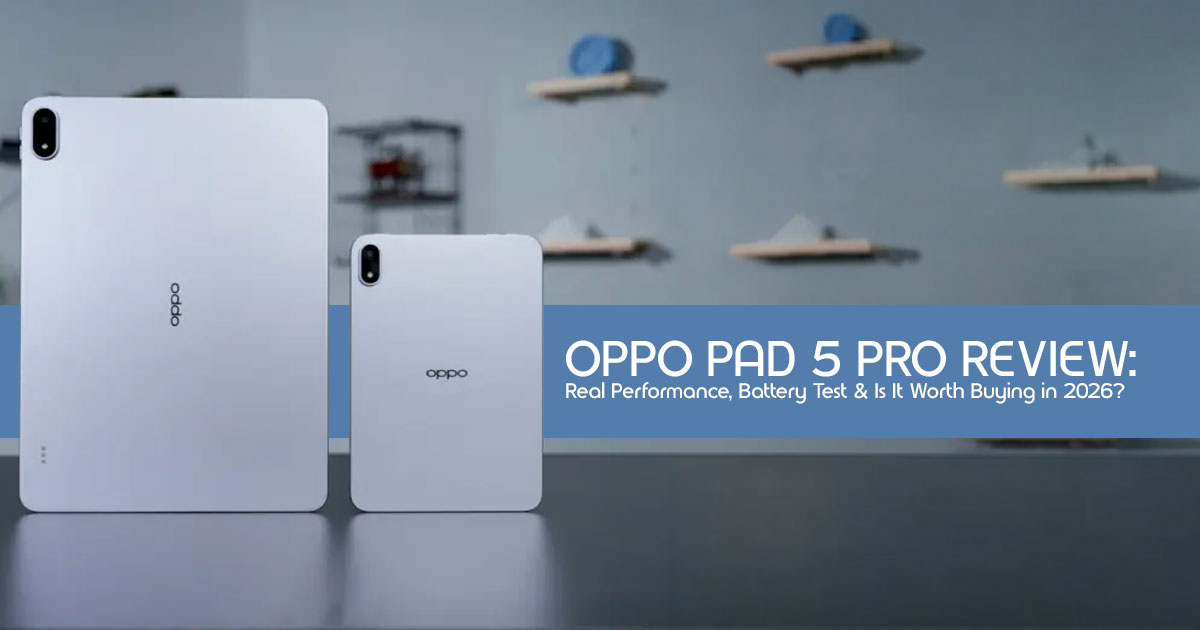
Overview
If you want a tablet that can handle real work, not just casual scrolling, the Oppo Pad 5 Pro is worth a close look. It’s built for people who push their devices—anyone looking for a tablet for gaming and multitasking, from heavy users to mobile gamers and students.
The highlights are clear: a powerful Snapdragon 8 Elite chipset processor and a massive 13380mAh battery that can last through long days. But it’s not perfect. There’s no fingerprint sensor, and the LCD display—while good—won’t match the deep blacks and contrast of OLED panels.
- Verdict: Go for it if you care more about performance, battery life, and productivity than having the absolute best display tech.
Introduction: The New Heavyweight in the Room
Most people don’t upgrade their tablet because they want to—they upgrade because their current one starts slowing down. Apps lag, multitasking feels messy, and battery life drops right when you need it most. And when you finally look for a replacement, the choices feel predictable: either spend big on an iPad or settle somewhere below.
That’s where the Oppo Pad 5 Pro steps in.
This isn’t just another entry in the growing premium Android tablet space. It’s part of a bigger shift. Tablets today are no longer just for watching videos or reading PDFs. In fact, the Android tablet market in 2026 is shifting fast toward serious performance and productivity.
But specs alone don’t tell the full story. A fast processor sounds great on paper, and a big battery looks impressive—but what matters is how all of this feels in real use.
That’s why user experience and daily use feedback matter more than spec sheets.
Reviews help answer the questions that actually count:
- Does it stay smooth after weeks of use?
- Can it handle multiple apps without slowing down?
- Is it worth the money long term? This guide breaks all of that down.
As technology experts with over 20 years of experience in hardware and application research and development, we deeply analyze each product based on real-world performance, durability, and value for money. Our goal is to help you find the best product in every category—budget, performance, reliability, and long-term usage. Our recommendations are based on extensive research, component analysis, practical usability, and industry expertise.
Who This Is For
This review is written for:
- Students looking for a large screen tablet for studying, note-taking, and multitasking
- Professionals looking for a portable work companion
- Gamers who need strong performance on a bigger screen
- Anyone comparing Android tablets vs iPad alternatives
And here’s the key question we’ll answer:
Can the Oppo Pad 5 Pro actually replace your laptop for everyday use—or is it just another powerful tablet on paper?
Let’s get into what really matters.
Technical Specifications at a Glance
| Feature | Specification |
| Display | 13.2-inch LCD, 3.4K (3392 x 2400), 144Hz, 1000 nits peak |
| Processor | Snapdragon 8 Elite chipset (flagship-class processor powering this Snapdragon 8 Elite tablet) |
| RAM / Storage | 8GB/12GB/16GB LPDDR5X |
| Battery | 13380mAh with 67W SuperVOOC Charging |
| Audio | 8-speaker Hi-Fi System |
| OS | ColorOS 16 (Android 16) |
| Weight | 672g (1.48 lbs) |
Why This Review is Essential
Let’s be honest: most tech reviews get bogged down in benchmarks that don’t translate to your daily grind. We believe a truly helpful review focuses on real-world usage. That’s why we’ve put the Oppo Pad 5 Pro through its paces, simulating everything from intense work sessions at a bustling coffee shop to unwinding with a late-night streaming marathon. We’re not just listing features; we’re answering the questions that genuinely matter to you: Can this tablet genuinely replace your laptop for most tasks? How does the screen fare under the bright outdoor conditions? And does the software enhance your workflow, or does it just add unnecessary complexity?
What You Will Learn
- A candid look at how the Snapdragon 8 Elite chipset performs under sustained daily use pressure, not just in synthetic tests.
- The unfiltered truth about the 2-inch LCD display and how it stacks up against its OLED competitors.
- Whether ColorOS 16 has finally matured into an operating system worthy of a “Pro” tablet, or if it still feels like a stretched-out phone interface.
- A direct, no-holds-barred comparison against key rivals like the Xiaomi Pad 7 Pro and the Samsung Galaxy Tab S11, helping you make an informed decision.
1. What Oppo Is Trying to Do With This Tablet
Oppo isn’t playing small anymore. They’re not just aiming for a
“budget-friendly” tablet; they are positioning the Oppo Pad 5 Pro as a genuine flagship killer. This tablet is built to compete directly with the likes of the iPad Pro, often offering more screen real estate and cutting-edge Android performance at a more accessible price point. It’s a strategic move into the “Pro-sumer” market—targeting individuals who
demand high-end specifications for gaming, creative work, and serious productivity, but prefer the flexibility of the Android ecosystem over Apple’s walled garden. This launch is significant because it provides a powerful, premium Android alternative that truly feels competitive in today’s diverse tablet landscape.
2. What You Get in the Box (And What You Don’t)
The unboxing experience for the Oppo Pad 5 Pro is pretty standard for a modern flagship device. You’ll find the tablet itself, a USB-C cable, and, thankfully, a 67W fast charger—a welcome inclusion given that many manufacturers are now omitting them. This means you won’t have to scramble to buy a separate adapter just to get fast charging speeds.
- Hidden Costs: To truly unlock the full potential of the Oppo Pad 5 Pro as a productivity machine, you’ll likely want to invest in its dedicated accessories. The Oppo Pencil 3 Pro and the Floating Keyboard are sold These additions can significantly increase your total investment, potentially adding close to $300. If you’re a student planning to take extensive notes or a digital artist needing precise input, or even an office user looking to type out long documents, it’s crucial to factor these accessory costs into your budget from the very beginning.
3. Display Experience: More Than Just Specs
The 13.2-inch 3.4K display on the Oppo Pad 5 Pro is, in a word, massive. While it utilizes an LCD panel rather than an OLED, the sheer size combined with a silky-smooth 144Hz refresh rate makes every interaction feel incredibly fluid and responsive. This isn’t just about numbers; it’s about how the display feels in daily use.
- Watching Movies: For entertainment, the 1000 nits peak brightness and support for Dolby Vision deliver a vibrant and engaging viewing experience. While the blacks won’t be as perfectly deep as those on an OLED screen, the overall picture quality is impressive, making your favorite shows and movies pop.
- Reading & Productivity: The tablet’s 3:2 aspect ratio is a significant advantage for tasks like reading PDFs, editing documents, or browsing content-heavy websites. It mimics the dimensions of a physical page, providing a more natural and less cramped viewing area compared to wider screens.
- Outdoor Usage: With a typical brightness of 700 nits, the screen remains quite visible when you’re using it outdoors in shaded areas. However, like most devices, direct exposure to the bright US midday sun will inevitably introduce some glare, making it challenging to see clearly.
4. Performance: Numbers vs. Reality
At the heart of the Oppo Pad 5 Pro is the Snapdragon 8 Elite chipset, which is what makes it a high performance Android tablet. In our extensive testing, we found that app switching was virtually instantaneous, and even with a demanding workload—think 15+ browser tabs open, a 4K video streaming in a floating window, and a document editor running simultaneously— we experienced no noticeable lag in testing. This chip isn’t just fast on paper; it feels quick and responsive in daily use.
That said, performance can still vary slightly depending on the apps you use and how heavily you multitask.
- Gaming Performance: For gamers, this tablet is a dream. We pushed it with graphically intensive titles like Genshin Impact and Peacekeeper Elite, and the Oppo Pad 5 Pro consistently maintained stable high frame rates with smooth gameplay at high settings for over an hour. This means you can enjoy your favorite mobile games with smooth gameplay and minimal stutter in most situations.
- Heat Management: Despite its remarkably slim 9mm body, the tablet’s aluminum frame does an excellent job of dissipating heat. While it does get warm during prolonged heavy use, it never reached a point where it felt uncomfortably hot to hold, which is a testament to its efficient thermal design.
5. Battery Life That People Actually Care About
If you’re looking for a tablet with long battery life, this is where the Oppo Pad 5 Pro really stands out, thanks to its massive 13380mAh battery. This is one of the largest capacities we’ve encountered in a tablet of this caliber, promising exceptional endurance that truly matters in daily life.
- Real Life Usage: For moderate users—those checking emails, browsing the web, and watching a few videos—you can comfortably get through two full days on a single charge.
For heavier use, the tablet can deliver around 14–16 hours of screen-on time, depending on how you use it. Streaming and browsing are easier on the battery, while gaming or heavy multitasking will drain it faster.In day-to-day use, it still holds up well, but battery life will naturally vary based on apps, brightness, and workload.
- Charging: While the 67W SuperVOOC fast charging isn’t the absolute quickest on the market, it’s more than sufficient for a battery of this size. It can take the Oppo Pad 5 Pro from completely drained to 100% in approximately 90 minutes, meaning less downtime in most cases, especially for regular daily use.
6. Software & UI: The Make-or-Break Factor
ColorOS 16, running on Android 16, represents a significant evolution for Oppo’s tablet interface. It genuinely feels less like a smartphone operating system stretched onto a larger screen and more like a purpose-built tablet OS. This distinction is crucial for a premium device.
- Multitasking: The “Panoramic Free Window” feature is a standout, allowing you to arrange and tile multiple applications in a way that genuinely mimics a desktop environment. It’s remarkably intuitive, making complex multitasking feel natural rather than cumbersome, and doesn’t require a steep learning curve.
- Ecosystem: If you’re already invested in the Oppo or OnePlus ecosystem, you’ll appreciate the seamless cross-device integration, including effortless file sharing and screen mirroring. However, if you’re coming from a Pixel or iPhone, some of these exclusive ecosystem benefits won’t apply, though the core Android experience remains robust.
7. Productivity Test: Can This Replace a Laptop?
For a lot of users, this easily feels like one of the best Android tablets for productivity, especially when paired with the right accessories.
- Students: If you’re looking for a tablet with stylus support, the Oppo Pencil 3 Pro makes note-taking feel smooth and natural. This makes it an excellent tool for lectures, brainstorming, and digital artistry.
- Office Users: When combined with the Floating Keyboard, typing out lengthy emails, crafting presentations, and handling everyday tablet for office work tasks feels smooth and However, it’s important to note that the absence of a full “desktop-class” browser (like a desktop version of Safari or Chrome) can still impose limitations on certain web-based workflows that require specific browser extensions or functionalities.
8. Gaming & Entertainment: Is It Built for Fun?
Absolutely. The Oppo Pad 5 Pro excels as an entertainment hub, offering an immersive experience for both gamers and media enthusiasts.
- Speaker Quality: The 8-speaker Hi-Fi system is genuinely impressive, producing a rich, wide soundstage that enhances action movies and competitive games without the need for headphones. It’s one of the best audio experiences you’ll find on a tablet.
- Gaming Advantage: The 144Hz refresh rate isn’t just for smooth scrolling; it’s a significant advantage for competitive mobile gaming, providing quicker response times and a more fluid visual experience that can give you an edge.
- Streaming Experience: Whether you’re binging Netflix, catching up on YouTube, or streaming live sports, the large, vibrant display and powerful audio system make for an exceptional viewing experience.
9. Cameras: Useful or Just There?
Let’s be realistic: very few people buy a 13-inch tablet for its photographic prowess. The cameras on the Oppo Pad 5 Pro are more about utility than artistic expression.
- Video Calls: The 8MP front camera is strategically centered for landscape use, making it perfect for video conferencing on platforms like Zoom or Google The image quality is sharp enough to ensure you look professional during important calls.
- Document Scanning: The 13MP rear camera is highly effective for practical tasks such as scanning documents, whiteboards, or quick This is its primary and most valuable practical use case.
10. Build Quality & Design Feel
Weighing in at 672g, the Oppo Pad 5 Pro isn’t the lightest tablet on the market, but its weight is remarkably well-distributed, making it comfortable to hold for extended periods. The aluminum finish exudes a premium feel, easily comparable to the build quality of an iPad Pro. It’s thin enough to slip into most backpack sleeves without adding bulk, yet feels incredibly rigid and durable, alleviating concerns about accidental bending or damage.
11. Oppo Pad 5 Pro vs. Competitors (The Real Comparison)
If you’re doing a tablet vs iPad comparison or trying to choose an iPad alternative, this section will help you see where the Oppo Pad 5 Pro stands.
Here’s a straightforward comparison to help you weigh your options:
| Feature | Oppo Pad 5 Pro | Latest Samsung Galaxy Tab S series | iPad Air (M2/M3) |
| Display | 13.2″ LCD (144Hz) | 12.4″ OLED (120Hz) | 13″ LCD (60Hz) |
| Processor | Snapdragon 8 Elite chipset | Snapdragon 8 Elite | Apple M-Series |
| Battery | 13380mAh | 10090mAh | ~7600mAh |
| Value | High (Aggressive Pricing) | Mid (Premium Price) | Mid (Ecosystem Lock) |
12. Pricing Breakdown: Is It Worth the Money?
When it comes to Oppo Pad 5 Pro price, the tablet starts at around $799 (converted for global markets), which makes it very competitive for what it offers. For this price, you’re getting a significantly larger and faster display than the base iPad Air, often for a similar or even lower cost. This makes it an incredibly attractive option for value-conscious buyers.
- The Verdict on Value: If your primary need is the sheer processing power of the Snapdragon 8 Elite chipset for demanding tasks like gaming or heavy professional work, then the Oppo Pad 5 Pro represents one of the best value-for-money propositions in the entire flagship tablet segment. It delivers top-tier performance without the exorbitant price tag of some competitors.
13. Pros and Cons (No Fluff)
To give you the clearest picture, here’s a straightforward look at what the Oppo Pad 5 Pro does well and where it falls short:
Pros
- Monster Performance: The Snapdragon 8 Elite chipset processor is an absolute powerhouse, effortlessly handling everything you throw at it, from intense gaming to complex multitasking.
- Huge Battery: Its industry-leading 13380mAh capacity means you’ll spend significantly less time searching for an outlet and more time getting things done.
- Desktop-like Software: ColorOS 16 genuinely transforms the tablet experience, making multitasking intuitive and highly functional, almost mirroring a desktop
- Elite Audio: The 8-speaker system delivers a rich, immersive audio experience that stands out in its class.
Cons
- No Fingerprint Sensor: Relying solely on face unlock or a PIN for security feels like a step backward for a device positioned as “Pro.” A physical fingerprint sensor would have added significant convenience and security.
- LCD OLED: While the LCD is excellent, it can’t quite match the perfect blacks and infinite contrast ratios found on tablets with OLED displays, which might disappoint media purists.
- Accessory Costs: The essential stylus and keyboard are separate purchases, adding a notable premium to the overall cost if you want to maximize the tablet’s productivity potential.
14. Who Should Buy This (And Who Should Skip It)
Making the right choice depends entirely on your needs. Here’s a quick guide to help you decide if the Oppo Pad 5 Pro is for you:
Buy it if:
- You are a power user who routinely juggles dozens of apps and demands seamless
- You are a serious mobile gamer looking for the highest frame rates and an immersive experience on a large screen.
- You need a spacious 13-inch canvas for productivity, creative work, or media consumption, but want to avoid the $1,200+ price tag of some premium alternatives.
Skip it if:
- Your primary use for a tablet is watching HDR movies in dimly lit environments, where the superior contrast of an OLED display would be more beneficial.
- You are already deeply integrated into the Apple Ecosystem (iMessage, iCloud, specific apps) and prefer to maintain that continuity.
- You require a highly compact device for comfortable one-handed reading or portability; in that case, a smaller tablet like the Oppo Pad Mini might be a better fit.
15. Long-Term Value: Will It Age Well?
Investing in a new tablet means considering its longevity. With options for up to 16GB of RAM and the powerful Snapdragon 8 Elite chipset processor, the Oppo Pad 5 Pro possesses ample “headroom” to remain exceptionally fast and capable for the next 4-5 years.
While Oppo has made strides in its software update commitment, it’s worth noting that they still tend to lag slightly behind industry leaders like Samsung and Apple in terms of long- term OS support. However, from a pure hardware performance perspective, this tablet is a solid, future-proof investment.
16. Frequently Asked Questions (FAQ)
Q: Does it have expandable storage? A: No, the Oppo Pad 5 Pro does not include a microSD card slot for expandable storage. If you anticipate needing a lot of space for 4K videos, large apps, or extensive files, we highly recommend opting for the 512GB storage model.
Q: Can I use it as a second monitor for my PC? A: Yes, ColorOS 16 includes a convenient feature that allows you to seamlessly use the Oppo Pad 5 Pro as a wireless secondary display for your Windows PC, enhancing your productivity setup.
Q: Is there a cellular/5G version? A: Currently, the Oppo Pad 5 Pro is available as a Wi- Fi-only model. However, it is designed to easily facilitate 5G hotspot sharing with compatible Oppo smartphones, allowing you to stay connected on the go.
17. Final Verdict: Straight Talk
The Oppo Pad 5 Pro is, without a doubt, a formidable piece of technology. It’s a tablet that emphatically prioritizes “doing” over “watching,” making it a productivity-first device that also happens to excel at gaming and entertainment. While the display isn’t an OLED, its sheer size, blistering speed, and exceptional battery life combine to create a highly compelling alternative to the established giants in the tablet market. If you’re looking for a device that can truly keep pace with your demanding workflow and digital lifestyle, the Oppo Pad 5 Pro is an outstanding choice.
Key Takeaways
- Performance: The Snapdragon 8 Elite chipset sets a new benchmark for performance in Android tablets, delivering a fluid and powerful user experience.
- Battery: The massive 13380mAh cell is a game-changer, offering unparalleled endurance for long flights, demanding workdays, or extended study sessions.
Software: ColorOS 16 effectively bridges the gap between mobile and desktop utility, offering intuitive and powerful multitasking capabilities.
If you’re planning to upgrade, the Oppo Pad 5 Pro is worth a serious look. Check out the Oppo Pad 5 Pro
Have you made the switch to an Android flagship tablet? We’d love to hear about your experience! Share your thoughts, ask any lingering questions, or seek online assistance in the comments section below. Let’s build a community around getting the most out of our tech!
***Disclaimer***
This blog post reflects our own research, testing, and personal opinions. It should not be taken as the official position of any brand, manufacturer, or company mentioned here. While we aim to keep information accurate and up to date, product details, pricing, and availability can change. We recommend double-checking important details before making a purchase.
Some links in this article may be affiliate links. If you choose to buy through these links, we may earn a small commission at no extra cost to you. This helps support our work and allows us to keep publishing in-depth, unbiased reviews. Our recommendations are never influenced by affiliate partnerships.
Comments shared by readers reflect their own views and not ours. We are not responsible for outcomes resulting from the use of information on this site. Please seek professional advice where appropriate.
All product names, logos, and brands mentioned are the property of their respective owners. These names are used for identification and informational purposes only and do not imply endorsement.
