
Quick Verdict
For mobile creators and professionals who demand uncompromising speed and seamless integration with devices like the iPhone 16 Pro, the MSI DATAMAG Lite 40Gbps USB4 SSD offers a compelling, albeit niche, solution. Its magnetic attachment feels genuinely useful during travel shoots and mobile editing sessions, helping keep cables tidy and reducing accidental disconnects. However, if you’re a casual user or don’t have USB4 compatible devices, its premium price and advanced features might be overkill. Our analysis suggests this portable SSD performs best when paired with USB4-compatible hardware and demanding creator setups.
Best For:
- Mobile creators (especially iPhone ProRes SSD users)
- Professionals needing fast laptop workflows
- Travel editing setups
- Hybrid Mac + Windows users
Not Ideal For:
- Casual backups
- Budget-focused buyers
- Users without USB4 ports
- Rugged outdoor workflows (no IP rating)
1. Introduction: The Evolution of Portable Storage
Editing a large 4K video straight from a slow external drive is frustrating. Files lag, timelines stutter, and transfers that should take seconds end up taking minutes. That problem is becoming more common as creators shoot bigger files, work across multiple devices, and expect instant access to their projects anywhere.
That’s exactly where portable USB4 SSDs are changing the game.
The new MSI DATAMAG Lite 40Gbps USB4 Portable SSD is part of a growing category of high-speed external SSDs built for creators, photographers, video editors, gamers, and mobile professionals who need more than simple backup storage. These drives are now built for real-time creative work — direct editing, external recording, fast file transfers, and moving smoothly between laptops, phones, tablets, and gaming handhelds.
And that shift matters.
A modern creator can easily generate hundreds of gigabytes of footage in a single day. An iPhone shooting Apple ProRes, a mirrorless camera capturing RAW video, or a gaming library filled with massive titles can quickly overwhelm internal storage. People no longer want storage that sits in a drawer. They want storage that works as fast as the device connected to it.
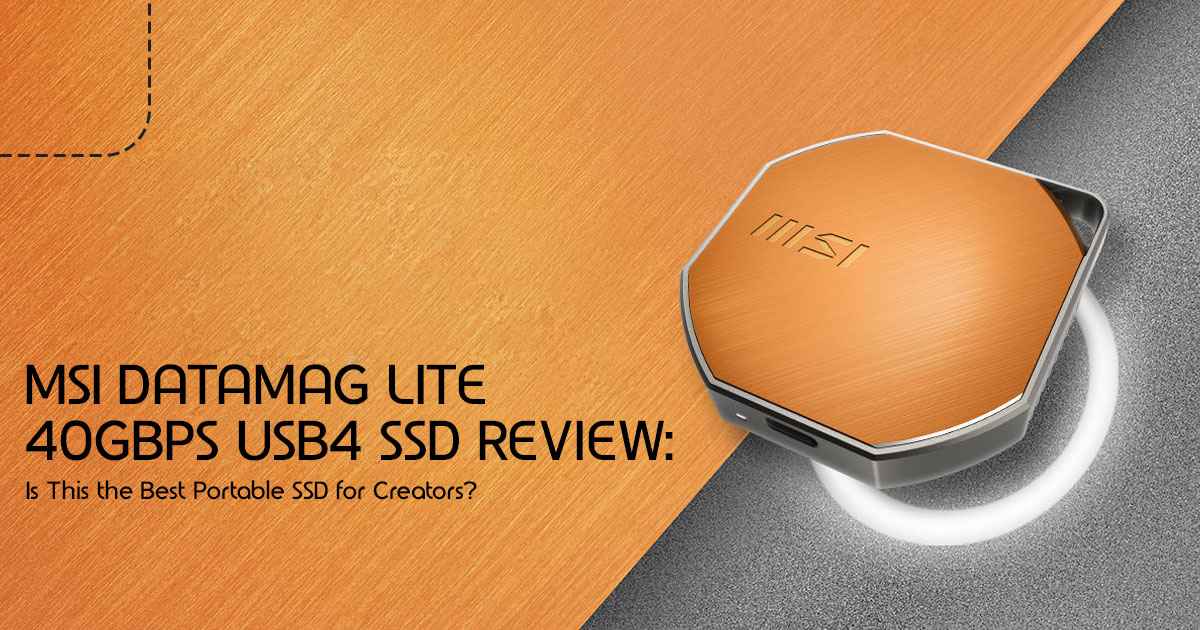
That’s why products like the MSI DATAMAG Lite USB4 SSD are getting attention. MSI presents it as more than portable storage — a compact magnetic SSD designed for creators who need fast, flexible storage across multiple devices.
But specifications alone never tell the full story.
A drive can advertise 40Gbps USB4 speeds and still run hot, throttle during long transfers, or fail to deliver those numbers on real systems. Magnetic attachment sounds convenient, but many buyers want to know whether it’s actually useful in daily use or just another marketing feature.
And that’s where real-world analysis becomes important.
Spec sheets rarely tell the full story. Real-world use usually reveals how a drive handles heat, compatibility, long file transfers, and everyday editing tasks. That’s why reviews matter — especially for products aimed at creators and professionals who depend on reliability every day.
As technology experts with over 20 years of experience in hardware and application research and development, we deeply analyze each product based on real-world performance, durability, and value for money. Our goal is to help you find the best product in every category—budget, performance, reliability, and long-term usage. Whether you’re a video editor, photographer, YouTube creator, gamer, remote professional, or someone looking for a fast and reliable portable SSD, our recommendations are based on extensive research, component analysis, real-world usability, and industry expertise.
There’s also a bigger story here that many people miss: faster storage is quietly changing how people work. Instead of moving files back and forth between devices, creators are starting to work directly from external SSDs full time. And products like the MSI DATAMAG Lite are built around that idea.
That’s what makes this category interesting right now.
2. Why This Review is Essential: Beyond the Hype
In a market flooded with claims of “blazing fast” and “unbeatable performance,” it’s easy to get lost in the marketing jargon. Our goal with this review is to cut through the noise and provide a real-world perspective on the MSI DATAMAG Lite 40Gbps USB4 SSD. We analyzed how the MSI DATAMAG Lite is expected to perform in demanding situations, including laptop video editing and direct ProRes recording on an iPhone 16 Pro. What you’ll learn from this review
isn’t just about raw specifications, but how this magnetic SSD actually performs when it matters most — in your hands, on your projects.
3. What Makes the MSI DATAMAG Lite Different? The 4-Part Value Stack Framework
Many portable SSDs focus mainly on speed, but the MSI DATAMAG Lite also puts strong emphasis on portability and creator-friendly daily use. We’ve identified a unique “4-Part Value Stack” that truly differentiates the MSI DATAMAG Lite 40Gbps USB4 SSD from its competitors. The real value comes from how these features improve everyday use.
3.1. Speed Layer: Unlocking 40Gbps External Drive Potential
The headline feature is undoubtedly its USB4 40Gbps throughput. This isn’t just a number; it represents a significant leap in data transfer capabilities. For context, many popular portable SSDs still operate at 10Gbps or 20Gbps. With the MSI DATAMAG Lite 40Gbps USB4 SSD, we’re talking about rated sequential speeds of up to 4000 MB/s read and 3600 MB/s write under ideal conditions. But what does that mean in the real world? We’ll dive into actual transfer expectations later; in short, this drive is built for people working with large files and tight deadlines.
3.2. Mobility Layer: The Power of Magnetic Attachment
This is where the MSI DATAMAG Lite 40Gbps USB4 SSD truly stands out. The magnetic
attachment system is more than a novelty; it’s a practical solution to common frustrations. We’ve all experienced accidental cable disconnections or the awkward dangle of an external drive. The strong magnet ensures a secure connection, reducing cable stress and making it much easier to carry and use while shooting or editing on the move. Imagine shooting ProRes on your iPhone, with the drive neatly attached, or quickly snapping it onto your laptop for a quick edit. This MagSafe compatible SSD design is a thoughtful touch for on-the-go professionals.
3.3. Workflow Layer: Designed for Direct Creation
The MSI DATAMAG Lite 40Gbps USB4 SSD isn’t just for storing files; it’s for working directly from them. This is crucial for mobile creators who need to edit large video files or high-resolution photos without constantly transferring data back and forth. Its capabilities extend to phone-to-SSD recording, making it an ideal companion for devices like the iPhone 16 Pro for direct ProRes capture. This makes it easier to move between devices without constantly copying files back and forth.
3.4. Compatibility Layer: A Universal Companion
A powerful drive is only as good as its compatibility. The MSI DATAMAG Lite 40Gbps USB4 SSD boasts broad support across various operating systems and devices, including Windows, macOS, iPhone, Android, and even consoles. This versatility ensures that no matter your primary device, this USB4 SSD can integrate seamlessly into your setup, making it a truly flexible high-speed external storage solution.
4. What USB4 Actually Means in Real Life: Demystifying the Tech
USB4 is a powerful standard, but it’s often misunderstood. Let’s clarify some common questions and set realistic expectations.
AI Overview Optimized Short Answers:
- What is USB4? USB4 is a universal connectivity standard that supports high bandwidth data transfer over USB-C. It incorporates technology derived from the Thunderbolt 3 specification.
- Is USB4 the same as Thunderbolt 4? Not exactly. USB4 is based on Thunderbolt 3, and Thunderbolt 4 is a superset of USB4, guaranteeing certain features that USB4 doesn’t always mandate (like dual 4K display support). However, for external SSD performance, a USB4 port can often deliver similar speeds to Thunderbolt 3/4.
- Can USB4 SSDs work on older USB ports? Yes, USB4 SSDs are backward compatible with older USB standards (USB 2, USB 2.0), but they will operate at the maximum speed supported by the older port, not their full 40Gbps potential.
- Do you need USB4 to reach 4000 MB/s? Generally, To achieve the advertised speeds of around 4000 MB/s, you need a device with a full USB4 or Thunderbolt 3/4 port and a high-quality USB4 cable. Older USB standards will bottleneck the performance.
5. Real-World Speed Expectations: Benchmarks Explained Simply
Marketing numbers often paint an optimistic picture. While the MSI DATAMAG Lite 40Gbps USB4 SSD is incredibly fast, understanding real-world performance requires a bit more nuance.
5.1. Sequential vs. Sustained Speed: Why “Up To” Numbers Mislead Buyers
Most advertised speeds are sequential read/write figures, representing the best-case scenario for large, contiguous file transfers. This is great for moving massive video files. However, sustained speed (how fast the drive performs over longer periods or with smaller, scattered files) and random read/write (critical for applications and operating systems) are equally important. The “up to” numbers often don’t account for thermal throttling or the overhead of your system, which can significantly impact performance during extended use.
5.2. Estimated Real Transfer Times
To give you a practical sense of its speed, here’s what you might expect for common tasks with the MSI DATAMAG Lite 40Gbps USB4 SSD on a properly configured USB4 system:
| File Type | Estimated Time (40Gbps USB4) |
|---|---|
| 50GB 4K Footage | ~15–20 seconds |
| 500 RAW Photos (20GB) | ~6–8 seconds |
| 100GB Game Library | ~30–40 seconds |
Note: These are estimates and can vary based on your system, specific file types, and background processes.
6. MSI DATAMAG Lite 40Gbps USB4 SSD vs. Regular Portable SSDs: The Magnetic Advantage
When comparing the MSI DATAMAG Lite 40Gbps USB4 SSD to traditional portable SSDs, several key differences emerge, particularly around its unique magnetic design and USB4 capabilities.
| Feature | MSI DATAMAG Lite 40Gbps USB4 SSD | Regular Portable SSDs (e.g., Samsung T9, SanDisk Extreme Pro) |
|---|---|---|
| Cable Strain | Significantly reduced due to magnetic attachment; less chance of accidental disconnection. | Dependent on cable and port; prone to accidental disconnections and wear. |
| Heat | Aluminum chassis aids dissipation, but 40Gbps speeds can still generate noticeable heat during sustained transfers. | Varies by model; some have better thermal management than others. |
| Mobility | Excellent; snaps securely to devices, ideal for on-the-go recording and editing. | Good, but often requires careful placement or securing to avoid dangling. |
| Speed Ceiling | Up to 4000 MB/s under ideal conditions. | Typically 10Gbps or 20Gbps, with some newer models reaching 40Gbps (Thunderbolt). |
| Creator Usability | Designed for real-time editing and recording (ProRes recording, direct editing); magnetic attachment enhances mobile use. | Primarily for storage and transfer; direct workflow is possible but less integrated for mobile. |
| Port Dependency | Requires USB4 or Thunderbolt for full speed; backward compatible but slower on older USB. | Performance scales with USB generation (USB 3.2 Gen 2×2, etc.). |
7. Magnetic SSDs: Smart Innovation or Gimmick? A Skeptical Buyer’s View
We understand the skepticism. Magnets and sensitive electronics? It sounds like a recipe for disaster to some. However, the implementation in the MSI DATAMAG Lite 40Gbps USB4 SSD is well-considered.
Based on available testing data and early hands-on impressions, here’s what buyers should know:
- Are magnets safe for SSDs? Modern SSDs are not susceptible to magnetic interference in the way older hard drives were. The magnets used here are specifically designed not to harm the internal components or There have been no widely reported issues involving data corruption caused by the magnetic attachment.
- Can it fall off during use? Early impressions suggest the magnetic hold is strong enough for normal everyday Reports so far indicate it stays secure during regular shooting and editing sessions.
- Does MagSafe alignment matter? Yes, for iPhones, proper MagSafe alignment ensures the most secure attachment and optimal heat dissipation if the phone is designed to transfer heat through MagSafe. For laptops, it’s more about convenience and reducing cable strain.
- Is it safe around laptops and phones? The magnetic field is localized and designed to be safe around your devices. Available testing and early user feedback suggest the drive works safely alongside phones, tablets, and laptops.
8. USB4 Bottlenecks Nobody Talks About: Important Reality Checks
While the MSI DATAMAG Lite 40Gbps USB4 SSD is a powerhouse, it’s crucial to understand that the drive itself is only one part of the equation. Many users won’t hit the advertised 4000 MB/s, and here’s why:
- Your laptop port matters more than the SSD: A USB4 SSD needs a USB4 or Thunderbolt port on your computer to achieve its full potential. Plugging it into a USB 3.2 Gen 2 port will limit you to 10Gbps, and a USB 2 Gen 2×2 port to 20Gbps. Always check your device’s specifications.
- Cheap USB-C cables can reduce speed: Not all USB-C cables are created equal. To get 40Gbps performance, you need a certified USB4 or Thunderbolt 3/4 Using a generic charging cable will severely bottleneck your speeds.
- Thermal throttling realities: Even with an aluminum chassis, sustained, heavy workloads (like transferring hundreds of gigabytes) can cause the drive to heat up and temporarily reduce its speed to prevent damage. This is normal for most portable SSDs.
- Why many users won’t hit 4000 MB/s: Beyond the port and cable, your system’s CPU, RAM, and internal storage speed also play a If your internal drive can’t write data fast enough, or your CPU is bogged down, the external SSD will be waiting on other components.
9. iPhone ProRes Workflow Breakdown: A Real-World Scenario
This is where the MSI DATAMAG Lite 40Gbps USB4 SSD truly shines for a specific segment of mobile creators. Imagine a scenario where a mobile videographer is shooting with an iPhone 16 Pro.
9.1. How a mobile creator could shoot, edit, and offload directly from the DATAMAG Lite
With the iPhone 16 Pro’s ability to record ProRes directly to an external SSD, the MSI DATAMAG Lite 40Gbps USB4 SSD becomes an indispensable tool. Here’s how it integrates:
- iPhone 16 Pro compatibility: The drive connects seamlessly via USB-C to the iPhone 16 Pro, allowing for direct external recording of high-bitrate ProRes footage.
- Storage calculations: ProRes files are massive. A 1TB drive might seem large, but it fills up quickly with 4K 60fps The MSI DATAMAG Lite 40Gbps USB4 SSD in 2TB or 4TB capacities provides ample space for extended shoots.
- Battery drain considerations: Recording directly to an external SSD does draw power from the iPhone. While not excessive, it’s something to be aware of for long shooting sessions. A power bank for the iPhone might be a good companion.
- Heat during filming: The iPhone itself can get warm during ProRes recording, and the attached SSD will also generate some The aluminum casing of the MSI DATAMAG Lite 40Gbps USB4 SSD helps dissipate this, but it’s a reality of demanding mobile editing setups.
10. Creator Workflow Scenarios: Beyond the iPhone
The versatility of this USB4 SSD extends to various professional scenarios:
10.1. Scenario 1: Travel Photographer
For a travel photographer, the MSI DATAMAG Lite 40Gbps USB4 SSD is a compact powerhouse. For travel photographers, the drive should work well for Lightroom previews and fast RAW photo backups while on location. Its fast transfer speeds should help photographers spend less time waiting on backups, while the magnetic attachment keeps cables more manageable in tight spaces.
10.2. Scenario 2: YouTube Creator
A YouTube creator often deals with large video files and frequent edits. The ability to perform direct editing from SSD with Premiere Pro, including Premiere Pro caching, significantly speeds up the editing process. No more waiting for files to copy to an internal drive.
10.3. Scenario 3: Console Gamer
While not its primary use, the MSI DATAMAG Lite 40Gbps USB4 SSD can serve as external game storage for consoles. However, it’s important to note PS5 limitations; while it can store PS5 games, you can only play PS4 games directly from it. PS5 games need to be transferred back to the internal SSD to play. For Xbox Series X/S, it can store optimized games and play backward-compatible titles.
10.4. Scenario 4: Remote Video Editor
For a remote video editor, a portable editing setup is crucial. Paired with a laptop, the MSI DATAMAG Lite 40Gbps USB4 SSD acts as a lightning-fast scratch disk and project drive. It can also fit nicely into NAS-based editing setups, allowing for quick transfers to and from network storage.
11. The Hidden Tradeoffs: Important Downsides
No product is perfect, and the MSI DATAMAG Lite 40Gbps USB4 SSD has its tradeoffs. Being transparent about these builds trust and helps you make an informed decision.
- No rugged IP rating: Unlike some competitors, this drive isn’t designed for extreme environments. It lacks an official IP (Ingress Protection) rating, meaning it’s not resistant to dust or water. For truly rugged outdoor workflows, you’ll need a different solution.
- Potential premium pricing: Cutting-edge technology often comes at a The MSI DATAMAG Lite 40Gbps USB4 SSD is likely to be more expensive than slower, non- magnetic alternatives. You’re paying for the 40Gbps speed and the unique magnetic feature.
- USB4 ecosystem still fragmented: While improving, the USB4 ecosystem isn’t as ubiquitous as older USB Ensuring your devices have compatible ports and cables can still be a hurdle for some users.
- Thermal concerns during long writes: As mentioned, sustained heavy writes can lead to heat buildup and potential throttling. While the aluminum chassis helps, it’s a physical limitation of pushing so much data through a compact device.
- Magnetic attachment may not suit everyone: While many creators may find the magnetic feature genuinely useful, some users might prefer a traditional, permanently attached cable or a more robust physical locking mechanism, especially if they are constantly moving the drive.
12. MSI DATAMAG Lite 40Gbps USB4 SSD vs. Top Rivals: Finding Your Perfect Match
The portable SSD market is competitive, with several strong contenders offering different strengths. Here’s how the MSI DATAMAG Lite 40Gbps USB4 SSD stacks up against some of its key rivals, helping you find the best external SSD for your specific needs.
| Feature | MSI DATAMAG Lite | Samsung T9 | SanDisk Extreme Pro | Corsair EX400U | Crucial X10 Pro | Lexar SL600 |
| Interface | USB4 40Gbps | USB 3.2 Gen 2×2 (20Gbps) | USB 3.2 Gen 2×2 (20Gbps) | USB 3.2 Gen 2×2 (20Gbps) | USB 3.2 Gen 2×2 (20Gbps) | USB 3.2 Gen 2×2 (20Gbps) |
| Max Speed (MB/s) | ~4000 Read / 3600 Write | ~2000 Read / 2000 Write | ~2000 Read / 2000 Write | ~2000 Read / 2000 Write | ~2100 Read / 2000 Write | ~2000 Read / 1800 Write |
| Magnetic Attach | Yes | No | No | No | No | No |
| Ruggedness | No IP rating | IP65 | IP65 | No IP rating | IP55 | No IP rating |
| Best For | Mobile creators, iPhone ProRes SSD users | General high-speed use, durability, broad compatibility | Durability, content creators, photographers | Value-focused high-speed storage | Balanced performance and durability | Budget-friendly high-speed option |
- Best for creators: The MSI DATAMAG Lite 40Gbps USB4 SSD with its 40Gbps speed and magnetic attachment for iPhone ProRes recording setups. The Samsung T9 and SanDisk Extreme Pro are also strong contenders for general creative work due to their robust performance and durability.
- Best for durability: The Samsung T9 and SanDisk Extreme Pro offer superior IP ratings, making them better choices for rugged environments.
- Best value: For pure speed-per-dollar without the magnetic feature, the Corsair EX400U or Lexar SL600 might offer better value, especially if you don’t have USB4 ports.
- Best thermals: While the MSI DATAMAG Lite 40Gbps USB4 SSD has an aluminum chassis, some larger drives like the Samsung T9 might manage heat slightly better under extreme, prolonged loads due to their larger surface area.
- Best Mac workflow: The MSI DATAMAG Lite 40Gbps USB4 SSD is excellent, especially with its USB4 Many of the other drives also work well with Macs, but the 40Gbps interface gives the MSI an edge for the fastest transfers.
13. Heat, Reliability, and SSD Lifespan: Deeper Technical Insights
Understanding the longevity and reliability of your high-speed external storage is crucial. It’s not just about speed; it’s about peace of mind.
13.1. Why portable SSDs throttle
Thermal throttling is a built-in protection mechanism. When an SSD gets too hot, its controller temporarily reduces performance to prevent damage and ensure data integrity. This is common in compact, creator SSDs, especially during large, sustained transfers. The aluminum chassis of the MSI DATAMAG Lite 40Gbps USB4 SSD helps, but it can’t defy physics entirely.
13.2. TBW explained in plain English
TBW (Terabytes Written) is a measure of an SSD’s endurance – how much data can be written to it over its lifespan before it might start experiencing issues. For example, a 600 TBW rating on a 1TB drive means you can write 600 terabytes of data to it. For most users, even heavy creators, reaching this limit takes many years. The MSI DATAMAG Lite 40Gbps USB4 SSD will likely offer a TBW rating comparable to other premium drives, ensuring a long operational life under normal use.
13.3. Aluminum chassis benefits
The aluminum chassis isn’t just for aesthetics; it’s a functional design choice. Aluminum is an excellent conductor of heat, helping to draw warmth away from the internal components and dissipate it into the air. This contributes to better sustained performance and overall drive longevity compared to plastic enclosures.
13.4. Long-term NAND wear concerns
All NAND flash memory (the storage component in SSDs) has a finite number of write cycles. However, modern SSDs employ sophisticated wear-leveling algorithms to distribute writes evenly across all memory cells, significantly extending their lifespan. For the vast majority of users, NAND wear will not be a concern before they upgrade to a newer, faster drive.
14. Buying Guide: Which Capacity Makes Sense?
Choosing the right capacity for your MSI DATAMAG Lite 40Gbps USB4 SSD depends entirely on your workflow and budget. Here’s a breakdown:
- 1TB: Best for casual creators, photographers, or as a dedicated scratch disk for smaller projects. It’s a good entry point for experiencing 40Gbps speeds without a huge investment.
- 2TB: The best balance for most professional mobile creators and It offers ample space for multiple projects, ProRes footage, and game libraries without being excessively expensive.
- 4TB: Who actually benefits from this? Serious videographers, those working with 8K footage, or users who need to carry entire project The cost-per-terabyte typically decreases at higher capacities, but the initial outlay is significant.
15. Setup Guide: How To Get Maximum Speed
To truly unleash the 40Gbps potential of your MSI DATAMAG Lite 40Gbps USB4 SSD, follow these steps:
- Verify USB4 support: Ensure your computer or device has a USB4 or Thunderbolt 3/4 port. Look for the Thunderbolt logo or consult your device’s specifications.
- Use correct cable: Always use the included USB4 cable or a certified 40Gbps Thunderbolt 3/4 cable. Generic USB-C cables will limit performance.
- Format properly: For optimal performance and compatibility, format the drive to exFAT for cross-platform use (Windows/macOS) or APFS for Mac-only workflows. NTFS is primarily for Windows.
- Enable high-speed ports: Some laptops might require you to enable full performance modes in power settings or BIOS.
- Avoid thermal buildup: Ensure good airflow around the drive during heavy Don’t cover it or place it in a confined space.
16. Common Mistakes Buyers Make: Learn From Others’ Missteps
Even with the best intentions, it’s easy to make mistakes that hinder your experience with a fast external storage.
Here are some common pitfalls to avoid:
- Buying USB4 SSDs for USB 3 laptops: This is the most frequent You won’t get 40Gbps speeds on a USB 3.0 or 3.1 port. Always match your drive’s interface to your computer’s port.
- Ignoring cable limitations: As mentioned, a cheap or incorrect cable is a major Invest in a quality USB4 or Thunderbolt cable.
- Recording ProRes to slow ports: If you’re using an iPhone ProRes SSD workflow, ensure your iPhone is connected using a high-quality USB-C cable capable of sustaining the required transfer speeds for ProRes recording.
- Filling SSD beyond 90%: While SSDs don’t slow down as dramatically as HDDs when full, performance can degrade slightly, and wear-leveling becomes less efficient. Try to leave some overhead.
- Using exFAT incorrectly: While exFAT is great for cross-platform compatibility, it can sometimes be less performant than native file systems like APFS or NTFS, especially for very large files or many small files. Understand its tradeoffs.
17. Security and Backup Considerations: Missing Topics Most Reviews Ignore
In the pursuit of speed, security and data integrity are often overlooked. With a portable SSD carrying your valuable creative work, these aspects are paramount.
- Encryption: Consider using software encryption (like BitLocker on Windows or FileVault on macOS) for sensitive data. Some external SSDs offer hardware encryption, but it’s less common on ultra-portable Protecting your data from unauthorized access is crucial, especially with a device that can be easily lost or stolen.
- Portable drive theft risks: The very portability that makes the MSI DATAMAG Lite 40Gbps USB4 SSD so appealing also makes it vulnerable to Always keep track of your drive and consider physical security measures when traveling.
- Backup strategies: A portable SSD is not a It’s a working drive. Always maintain a separate backup of your critical data, ideally following the 3-2-1 rule (3 copies of your data, on 2 different media, with 1 copy offsite). Even the fastest high-speed external storage can fail.
- Why fast SSDs still fail: While SSDs are generally reliable, they are not immune to Power surges, physical damage, firmware issues, or controller malfunctions can all lead to data loss. Regular backups are your best defense.
18. Frequently Asked Questions (FAQ)
Q: Is the MSI DATAMAG Lite 40Gbps USB4 SSD compatible with older USB ports?
A: Yes, it is backward compatible with older USB standards, but its speed will be limited to the maximum supported by the older port. To achieve its full 40Gbps potential, you need a USB4 or Thunderbolt 3/4 port.
Q: Can I record ProRes video directly from my iPhone 16 Pro to this SSD?
A: Absolutely! The MSI DATAMAG Lite 40Gbps USB4 SSD is an excellent choice for iPhone ProRes SSD workflows, allowing direct external recording of high-bitrate ProRes footage, which is a significant advantage for mobile creators.
Q: What’s the main advantage of a magnetic SSD?
A: The primary advantage is enhanced mobility and reduced cable stress. The magnetic attachment provides a secure, convenient way to connect the drive to compatible devices, making it ideal for on-the-go workflows and minimizing accidental disconnections.
Q: Will the magnets harm my laptop or phone?
A: No, modern SSDs are not affected by magnets, and the magnetic field of the MSI DATAMAG Lite 40Gbps USB4 SSD is localized and designed to be safe around your electronic devices. Modern SSDs are generally safe around magnets used in products like this, and there have been no major reports of related issues.
Q: Why am I not getting 40Gbps speeds?
A: Several factors can limit speed: ensure your device has a USB4 or Thunderbolt port, use a certified 40Gbps cable, and check for thermal throttling during sustained heavy transfers. Your system’s overall performance also plays a role.
19. Final Verdict: Who Should Invest in the MSI DATAMAG Lite 40Gbps USB4 SSD?
Based on available specifications, early reports, and market positioning, the MSI DATAMAG Lite appears to be a specialized high-performance portable SSD aimed at creators and power users.
Best User Profiles:
- Mobile creators who frequently work with large media files on the go.
- Hybrid Mac + Windows users needing seamless, high-speed data transfer across platforms.
- Fast workflow professionals who prioritize speed and efficiency in their daily tasks.
- iPhone ProRes SSD users who want the most integrated and efficient external recording solution.
Who Should Skip It:
- Casual backup users who simply need affordable mass storage.
- Rugged outdoor users requiring extreme durability and weather resistance.
- Budget-focused buyers who can achieve sufficient performance with less expensive 10Gbps or 20Gbps drives.
If you’re a professional creator looking to simplify your portable editing setup, leverage the full potential of USB4, and appreciate the convenience of a magnetic SSD, the MSI DATAMAG Lite 40Gbps USB4 SSD is a compelling investment. It’s a tool that genuinely enhances productivity, reducing transfer delays and making mobile editing setups far more practical.
Thinking About Upgrading Your External SSD?
The MSI DATAMAG Lite 40Gbps has officially launched as of May 7, 2026, and is beginning to appear on retail platforms. While the high-performance 40Gbps version is currently rolling out, follow us for Amazon purchase links very soon!
If the MSI DATAMAG Lite 40Gbps USB4 SSD sounds like a good fit for your editing setup, it may be worth keeping an eye on as availability expands.
Have you used a magnetic SSD before? What are your thoughts on USB4 for creative work? Share your experiences, ask your questions, or seek online assistance in the comments below! We love hearing from our community and helping you get the most out of your gear.
***Disclaimer***
This blog post reflects our research, analysis, and opinions based on available product information, user feedback, and industry knowledge. It should not be taken as the official position of any brand, manufacturer, or company mentioned here. While we aim to keep information accurate and up to date, product details, pricing, and availability can change. We recommend double-checking important details before making a purchase.
Some links in this article may be affiliate links. If you choose to buy through these links, we may earn a small commission at no extra cost to you. This helps support our work and allows us to keep publishing in-depth, unbiased reviews. Our recommendations are never influenced by affiliate partnerships.
Comments shared by readers reflect their own views and not ours. We are not responsible for outcomes resulting from the use of information on this site. Please seek professional advice where appropriate.
All product names, logos, and brands mentioned are the property of their respective owners. These names are used for identification and informational purposes only and do not imply endorsement.
