
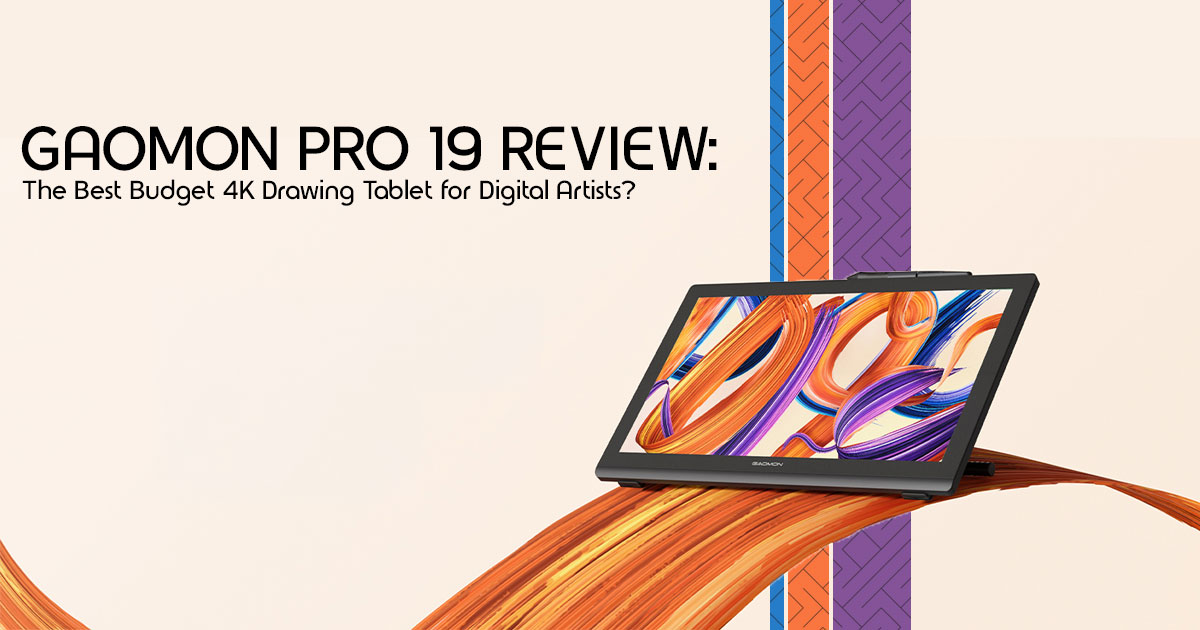
Creating professional digital art still costs more than most artists expect. A good 4K drawing tablet can easily cross the price of a powerful laptop once you start looking at brands like Wacom or Xencelabs. And that leaves many artists stuck in the middle — wanting a larger screen, sharper visuals, and smoother pen control without spending a small fortune.
That’s where the GAOMON Pro 19 starts getting attention.
It promises many of the features artists actually care about: a 4K pen display for illustrators, accurate colors, a large working area, responsive pen performance, and a more affordable price compared to premium competitors. On paper, it sounds like one of the best value options in the growing digital drawing tablet market.
But specs alone never tell the full story.
A drawing display can look impressive in marketing photos and still feel frustrating after a few hours of real work. Some tablets have good screens but weak drivers. Others have decent pen pressure but poor edge accuracy. And sometimes the biggest problem is simple: The cursor response, pen friction, or pressure behavior can sometimes feel disconnected from the artist’s hand movements.
That’s why real user experience matters more than spec sheets.
Customer reviews and long-term testing often reveal the details brands avoid talking about:
- how comfortable the screen feels during long sessions
- whether the pen feels stable while sketching
- if the matte coating improves control or ruins sharpness
- how the tablet performs in apps like Photoshop, Clip Studio Paint, and Krita
- whether the display still feels worth using after weeks of work
This GAOMON Pro 19 review looks beyond the marketing language and focuses on everyday creative use. We’ll break down the real drawing experience, display quality, pen accuracy, ergonomics, software compatibility, workflow performance, and overall value for money.
And more importantly, we’ll answer the question most artists actually care about:
Does the GAOMON Pro 19 feel good enough to use every single day?
As technology experts with over 20 years of experience in hardware and application research and development, we deeply analyze each product based on real-world performance, durability, and value for money. Our goal is to help you find the best product in every category—budget, performance, reliability, and long-term usage. Whether you are a beginner digital artist, professional illustrator, graphic designer, photo editor, manga creator, animation student, or someone upgrading from a smaller drawing tablet with screen, our recommendations are based on extensive research, component analysis, real-world usability, and industry expertise.
Quick Summary
The GAOMON Pro 19 delivers a surprisingly premium drawing experience for its price. The 4K display looks sharp, the pen performance feels responsive and controlled, and the large screen gives artists more room to work comfortably. It is not perfect — brightness could be better, and portability is limited — but for artists who want a serious digital art display tablet without paying premium-brand prices, it offers strong value. This review explains where it performs well, where it struggles, and who should actually buy it.
Who This Tablet Is Actually For
| Best For | Not Ideal For |
| Beginner digital artists upgrading from entry-level tablets and searching for the best budget drawing tablet with screen | Travelers who prioritize portability |
| Freelance illustrators, comic artists, and manga creators | Users who prefer built-in shortcut keys or macro controls |
| Photo editors and graphic designers needing detailed 4K precision | Artists working in extremely bright studio environments |
| Students learning digital illustration, animation, and creative workflows | People expecting standalone tablet functionality without a connected computer |
Quick Verdict: If your goal is getting the closest thing to a premium drawing experience without crossing into luxury pricing, the GAOMON Pro 19 makes a very strong case for itself. It’s a no-frills powerhouse that prioritizes the screen and pen over flashy extras.
2. Technical Specifications at a Glance
| Feature | Specification |
| Display Size | 18.4-inch 4K UHD display |
| Color Gamut | 99% sRGB, 96% Adobe RGB, and 98% DCI-P3 coverage |
| Brightness | 220 nits |
| Pen Technology | Battery-free EMR stylus (AP520) |
| Pressure Levels | 16K pressure sensitivity |
| Surface | Anti-glare etched glass finish |
| Connectivity | Full-featured USB-C or HDMI + USB connection options |
3. First Impressions: Does the GAOMON Pro 19 Feel Cheap?
There’s a common fear when buying a budget professional drawing monitor or pen display: that it will feel hollow or unstable. Online photos can be deceiving, but in person, the Pro 19 avoids the “cheap plastic” trap.
The design is clean and professional. While the back is plastic, it still feels solid and stable on a desk. One of the best surprises is the metal adjustable stand. Unlike the flimsy plastic legs found on some entry-level models, this stand is sturdy and allows for a wide range of angles—from a low drawing tilt to nearly upright for use as a standard monitor.
The built-in pen holder at the top is a simple feature, but it makes everyday use much more convenient. It keeps your desk clutter-free and ensures your pen is always where you left it.
4. The Real Drawing Experience
This is the section that actually decides whether the tablet is good. You can have all the pixels in the world, but if the pen feels like a stick on glass, you won’t use it.
4.1 How the Pen Glides
The etched glass surface provides a satisfying level of resistance. It isn’t slippery like an iPad screen; instead, it feels closer to high-quality paper. When you’re sketching fast, the pen glides naturally, but when you slow down for detailed inking, there’s enough “tooth” to keep your hand from sliding.
4.2 Pen Accuracy & Line Stability
We tested the pen for jitter, especially on slow diagonal strokes—the ultimate test for any 4K drawing tablet. The Pro 19 handles this really well. We noticed very minimal wobble during slow diagonal strokes, which is impressive for a display in this price range. Whether you’re doing thick, heavy inking or delicate shading, the lines taper off exactly where you expect them to.
4.3 Does 16K Pressure Sensitivity Actually Matter?
Let’s be honest: most artists cannot distinguish between 8K and 16K pressure sensitivity in normal use. What actually matters is the activation force—how hard you have to press to get a mark. The Pro 19 has a very low activation force (2g), meaning you can get extremely thin lines with the lightest touch. It feels responsive and predictable, which is far more important than a marketing number.
5. Screen Quality: Beautiful or Just “Good for the Price”?
Moving to 4K on an 18.4-inch screen makes a massive difference for anyone doing high-detail work.
- Sharper Edges: You can see the texture of your brushes without zooming in to 400%.
- Better Workspace: 4K allows you to keep your toolbars small, leaving more room for the actual canvas.
- Reduced Eye Strain: The crispness of the UI text makes long sessions much easier on the eyes.
5.1 Color Accuracy for Real Creative Work
There’s a big difference between a screen that simply looks vibrant and one that is actually color accurate. Many cheaper displays boost saturation to make colors appear brighter, but that can create problems when editing artwork or client projects.
The GAOMON Pro 19 covers 98% of the DCI-P3 color gamut, which is impressive for a display in this price range. Colors look rich without feeling oversaturated, and we found them reliable enough for professional photo editing, illustration work, and digital painting.
If you’re upgrading from a regular 1080p drawing tablet, the jump in color depth and clarity is immediately noticeable.
5.2 The Brightness Weakness: Is 220 Nits a Dealbreaker?
GAOMON rates the display at 220 nits of brightness, which is lower than a high-end MacBook or a Wacom Cintiq. In a standard studio with controlled lighting, it’s perfectly fine.
However, if your desk is right next to a bright window, you might struggle with reflections.
Practical Tip: Position your tablet away from direct overhead lights to minimize the “white haze” that anti-glare coatings can sometimes create.
6. Anti-Glare Coating: Does It Ruin Image Quality?
Many matte screens reduce reflections but add a “grainy” or “sparkly” look to the image. GAOMON did a solid job here. While there’s a tiny bit of softness compared to a glossy iPad screen, the image stays clear. You get that nice paper-like feel without feeling like you’re looking at your art through a foggy window.
7. Long-Term Comfort & Ergonomics
Can you actually work on this for 6–8 hours? Thanks to the included stand, the answer is yes. Being able to adjust the angle means you can switch between a “drafting table” feel for sketching and a more upright position for coloring or browsing.
The tablet stays cool even after hours of use. Some larger displays can get uncomfortably warm near the bottom, but the Pro 19 handles heat dissipation well, keeping your drawing hand comfortable.
8. Software & Driver Experience
Drivers can quietly ruin a great hardware experience. The GAOMON drivers are surprisingly “set it and forget it.” We didn’t run into any random crashes on Windows or macOS. Calibration takes about thirty seconds, and tweaking the pressure curve is intuitive.
One small annoyance: on Windows, the driver window can look tiny on high-res screens. It’s a quick fix in the compatibility settings, but something to keep in mind. We threw Photoshop, Clip Studio Paint, and Krita at it, and it didn’t skip a beat.
9. Real-World Performance Tests
| Workflow | Performance Notes |
| Illustration | Fantastic line tapering and excellent palm rejection create a very natural inking experience |
| Photo Editing | The sharp 4K resolution improves masking precision and detailed retouching workflows |
| Animation | The large 18.4-inch canvas provides ample room for timelines, preview panels, and animation tools |
10. What the GAOMON Pro 19 Gets Right
Compared to more expensive competitors, the Pro 19 performs surprisingly well in a few important areas:
- Value for Money: You’re getting a high-end 4K panel for a mid-range price.
- Included Accessories: It comes with a stand, two types of nibs (felt and POM), and a glove.
- The Stand: Most brands charge extra for a stand this good.
11. Where It Still Feels Like a Mid-Range Product
To keep the GAOMON Pro 19 price low, some sacrifices were made:
- No Shortcut Keys: You’ll need a keyboard or a remote (like the GAOMON Keymini) for your shortcuts.
- Cable Clutter: Unless you have a full-featured USB-C port on your computer, you’ll be dealing with multiple cables.
- No Touch Support: This is a pen-only display.
12. GAOMON Pro 19 vs Competitors
| Feature | GAOMON Pro 19 | Huion Kamvas Pro 19 | XP-Pen Artist Pro 19 |
| Resolution | 4K UHD | 4K UHD | 4K UHD |
| Pressure Sensitivity | 16K Levels | 16K Levels | 16K Levels |
| Shortcut Keys | None | None | Dedicated remote included |
| Stand | Included adjustable stand | Integrated foldable legs | Integrated foldable legs |
| Price | Lowest-priced option | Mid-range pricing | Mid-range pricing |
12.1 GAOMON Pro 19 vs Wacom Cintiq
Wacom still holds the crown for the absolute best pen feel and professional support, but the price gap is massive. For most freelance artists and students, the Pro 19 closes that gap so well that the extra thousands for a Wacom are becoming harder to justify.
13. Common Questions Buyers Ask (FAQ)
Does the GAOMON Pro 19 work with Mac?
Yes, it is fully compatible with macOS 10.13 and later. It also supports Windows and Linux distributions like Ubuntu, although the experience is generally smoother on Windows and macOS.
Can beginners use this comfortably?
Absolutely. While it’s a professional drawing display, it’s very user-friendly. It’s a great digital art tablet for beginners who want to start with a high-quality screen.
Is 18.4 inches too large?
For most artists, the size feels like a good middle ground. It’s larger than a standard 16-inch laptop screen but doesn’t take up your entire desk like a 24-inch monster.
Does the pen need charging?
No, the AP520 pen uses EMR technology, meaning it is battery-free and never needs to be plugged in.
Final Verdict: Is It Worth Your Money?
A great drawing display is not the one with the longest feature list. It’s the one that disappears once you start creating. You spend less time adjusting settings or fighting with the hardware, and more time simply drawing.
The GAOMON Pro 19 comes much closer to that experience than most people would expect at this price.
It delivers what most digital artists actually need from a modern drawing display: a sharp 4K screen, responsive pen performance, reliable color accuracy, and enough workspace to stay comfortable during long creative sessions. And it does all of that while costing far less than many premium competitors from Wacom or Xencelabs.
That balance is a big reason why the Pro 19 stands out in this price range.
Many affordable pen display tablets force users to compromise somewhere — weak drivers, poor calibration, unstable pen tracking, or cheap build quality. The GAOMON Pro 19 avoids most of those common frustrations and focuses on the parts artists notice every day: drawing comfort, screen clarity, pressure consistency, and overall usability.
No, it is not perfect.
The brightness could be stronger for rooms with heavy sunlight, and some artists may still prefer dedicated shortcut keys instead of relying on a keyboard. But those compromises feel reasonable once you look at the overall performance and price.
For:
- digital artists
- illustrators
- graphic designers
- animation students
- manga creators
- and creators upgrading from smaller tablets
…the GAOMON Pro 19 offers genuine value without feeling like a budget compromise. And that is what makes it stand out.
Instead of trying to impress with flashy marketing, this 4K pen display focuses on the experience of simply sitting down and drawing. After extended use, that matters far more than marketing-driven feature lists.
Check the Latest Price
- Amazon Worldwide – GAOMON Pro 19 Drawing Tablet with Screen
- Amazon India – GAOMON Pro 19 Drawing Tablet with Screen
Have you used the GAOMON Pro 19 already? Or are you deciding between this, a Huion Kamvas, or a Wacom Cintiq? Share your setup, workflow, or questions in the comments — helping artists build the right creative workspace is always worth the discussion.
***Disclaimer***
This blog post reflects our research, analysis, and opinions based on available product information, user feedback, and industry knowledge. It should not be taken as the official position of any brand, manufacturer, or company mentioned here. While we aim to keep information accurate and up to date, product details, pricing, and availability can change. We recommend double-checking important details before making a purchase.
Some links in this article may be affiliate links. If you choose to buy through these links, we may earn a small commission at no extra cost to you. This helps support our work and allows us to keep publishing in-depth, unbiased reviews. Our recommendations are never influenced by affiliate partnerships.
Comments shared by readers reflect their own views and not ours. We are not responsible for outcomes resulting from the use of information on this site. Please seek professional advice where appropriate.
All product names, logos, and brands mentioned are the property of their respective owners. These names are used for identification and informational purposes only and do not imply endorsement.
