
Review methodology: This is a research-based OpenAI Codex Micro review, not a hands-on test. We evaluated the published specifications, controls, software support, likely workflow benefits, price, and limitations. Where the available information does not answer an important buying question, we say so rather than make assumptions.
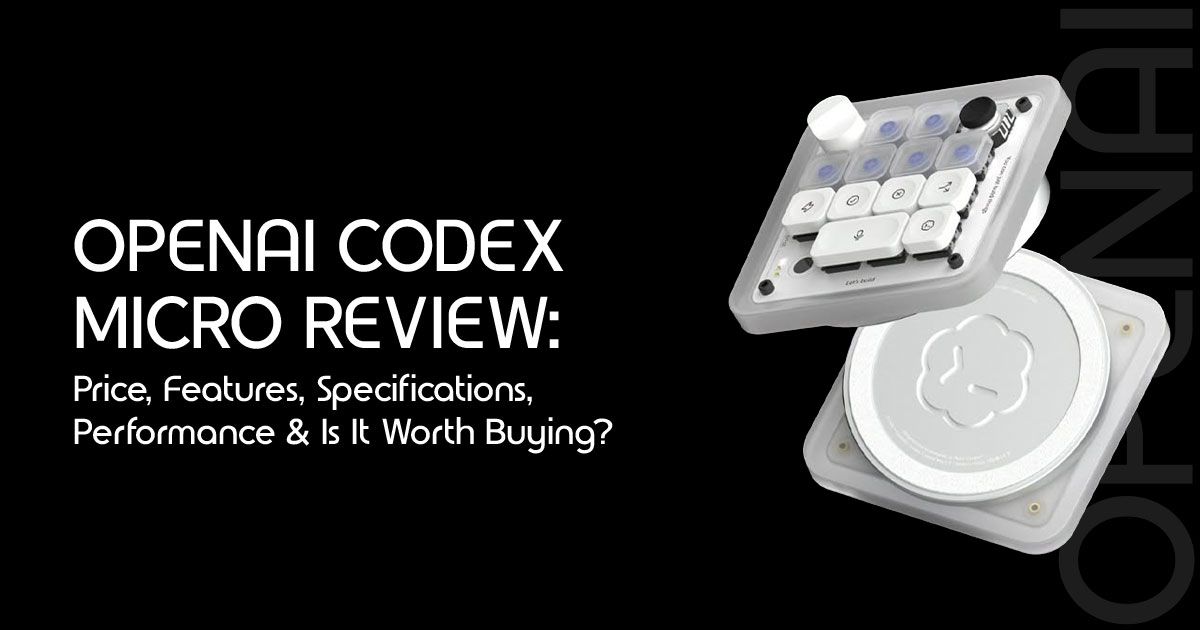
The OpenAI Codex Micro is a programmable mechanical keypad built for a specific type of user.
It is designed for developers who spend much of their day working with OpenAI Codex and want quicker access to common actions without relying on keyboard shortcuts or on-screen menus.
It is designed to streamline AI coding workflows by giving developers quicker access to the ChatGPT Codex actions they use most often.
Dedicated keys let you accept or reject code changes, start a new Codex session, adjust the reasoning level, and track active tasks through the RGB Agent Keys. If these are actions you perform throughout the day, the keypad could make your workflow more efficient. If not, it may offer little benefit over a standard keyboard.
As technology experts with over 20 years of experience in hardware and application research and development, we evaluate products based on real-world performance, build quality, durability, ease of use, and value for money. Our goal is to help you choose the right product, whether you’re looking for the best budget, performance, reliability, or long-term value. This review is written for software developers, AI engineers, programmers, technical professionals, and OpenAI Codex users who want to know whether this keypad is worth adding to their workspace. Our recommendations are based on extensive research, component analysis, real-world usability, and industry expertise.
The OpenAI Codex Micro costs $230, so the decision comes down to one question: does dedicated hardware save enough time to justify the price? In this review, we’ll look at the features, build quality, daily usability, and overall value to help you decide whether it’s the right tool for your workflow.
OpenAI Codex Micro quick verdict
The OpenAI Codex Micro is best viewed as a specialized control panel—not a replacement for a normal keyboard. Its strongest feature is not the mechanical switches or RGB lighting. It is the combination of native Codex integration, visible agent-status feedback, and tactile workflow controls.
Buy it if you:
- Manage several AI coding agents or Codex chats during the workday.
- Repeatedly approve, reject, debug, refactor, or start new Codex tasks.
- Prefer physical controls over keyboard combinations and software menus.
- Value glanceable live RGB agent status.
- Want a premium, compact AI agent controller for a Codex-focused setup.
Skip it if you:
- Use Codex only occasionally.
- Mainly work with Claude Code, GitHub Copilot, Cursor, or another coding tool.
- Want a general-purpose keyboard.
- Are comfortable using ordinary shortcuts.
- Expect the hardware to make Codex itself faster or more capable.
Bottom line: The Codex Micro price makes sense only when Codex already saves enough time to make small workflow improvements financially meaningful.
What is the Codex Micro keyboard?
The Codex Micro keyboard is a compact desktop controller developed by OpenAI with keyboard maker Work Louder. It is designed to sit beside a regular keyboard and provide direct access to common ChatGPT Codex actions.
Although many people will call it a keyboard, macro pad or Codex Micro keypad is more accurate.
It has 13 mechanical switches, but it is not designed for typing documents or writing full lines of code.
Its only job is controlling Codex workflows.
The device lets users:
- Monitor the status of Codex tasks through illuminated Agent Keys.
- Accept or reject changes with dedicated Command Keys.
- Start a new chat without navigating through the app.
- Use push-to-talk for voice prompts.
- Launch workflows with a planar dial.
- Adjust the Codex reasoning level with a rotary dial.
- Build additional layouts with six programmable layers.
Think of it as a physical shortcut panel for agentic coding workflows. It does not replace the developer. It does not replace the main keyboard. It reduces the small interruptions that happen while supervising software agents.
Codex Micro specifications at a glance
Here’s a quick overview of the published specifications and what they mean in everyday use.
| Specification | Published Details | Why It Matters |
|---|---|---|
| Product Type | Programmable Mechanical Keypad | Designed to complement a standard keyboard rather than replace it, providing quick access to AI-specific controls. |
| Launch Price | $230 (approximately ₹22,000) | Premium pricing makes the device most worthwhile for developers who use Codex every day. |
| Collaboration | OpenAI × Work Louder | Combines OpenAI’s Codex integration with Work Louder’s expertise in premium mechanical input devices. |
| Main Controls | 13 Mechanical Switches | Provides dedicated controls for core AI commands while maintaining a compact desktop footprint. |
| Additional Inputs | Touch Sensor, Rotary Encoder, and Planar Joystick | Enables fast navigation between layers, AI reasoning settings, and repetitive workflows without relying solely on key presses. |
| Connectivity | Bluetooth and USB-C | Supports both wireless convenience and dependable wired connectivity. |
| Compatibility | macOS and Windows | Works with the two primary desktop platforms, while Linux support has not been officially listed. |
| Lighting | RGB Lighting | Agent Keys can display visual feedback for Codex task status and workflow progress. |
| Customization | Six Programmable Layers | Allows different shortcut profiles for coding, debugging, AI prompting, and other applications. |
| Keycaps | 32 Custom Icon Keycaps and 11 Solid-Color Keycaps | Makes custom commands easier to recognize and personalize. |
| Software | ChatGPT Codex and Work Louder Input | Provides native Codex integration alongside advanced shortcut programming and device customization. |
| Construction | CNC-Machined Polycarbonate and Aluminum | Premium materials improve durability, rigidity, and overall build quality compared to basic plastic macro pads. |
| Included Cable | USB-C to USB-C Cable | Enables wired operation immediately on compatible computers without requiring additional accessories. |
Why the Codex Micro features matter in daily work
A specifications list explains what is included. It does not explain whether those parts solve a real problem.
Here is what the main Codex Micro features could mean during an actual development workflow.
Agent Keys provide visible task status
The illuminated Agent Keys are the most important part of the product.
Each key can display live RGB status information from Codex. That gives the developer a quick visual indication when an agent is processing, running, waiting, or complete.
Why does that matter?
An agent may spend time reviewing a pull request, investigating an error, or refactoring code. Without a visible signal, the user may keep returning to the relevant window to check progress. Live RGB agent status moves that information onto the desk.
The potential benefit is not raw speed. It is fewer attention shifts.
That benefit becomes more meaningful when several Codex tasks are active. Someone running one short task at a time may gain very little. Someone supervising multiple long-running jobs could find status-at-a-glance feedback genuinely useful.
Command Keys reduce repeated menu navigation
The dedicated Command Keys can handle frequent actions such as:
- Accepting changes
- Rejecting outputs
- Starting a new chat
- Activating push-to-talk
- Triggering custom actions
None of these controls gives Codex a new capability. They make existing actions easier to reach.
That’s an important distinction. The OpenAI Codex Micro is a convenience device, not a performance upgrade for the underlying coding assistant.
The real value comes from performing the same actions dozens of times throughout the day. Saving two seconds once means nothing. Saving two seconds across hundreds of decisions—while also reducing mouse movement and window switching—may improve a demanding daily workflow.
The planar joystick launches common workflows
The joystick can be assigned to workflows such as reviewing a pull request, debugging an error, or refactoring code.
A joystick sounds unusual on a developer keypad, but the idea is straightforward: four directional movements can place several high-frequency actions under one finger.
This works best when the mappings remain consistent. If users constantly change what each direction does, the joystick becomes another control to remember. If the same four actions are used every day, muscle memory can make it efficient.
The reasoning-level dial makes an abstract setting physical
The rotary encoder can adjust the agent’s reasoning level.
In simple terms, the dial lets users adjust the reasoning level depending on the complexity of the task. The exact result still depends on Codex and the selected task; the dial does not add computing power to the keypad.
What it changes is access. A setting that would normally live inside software becomes a physical control.
This is useful when developers regularly move between simple and complex tasks. It is less valuable for users who keep the same reasoning setting all day.
Six programmable layers add range—and complexity
The Codex Micro keypad supports six programmable layers. Each layer can hold a different group of commands, allowing one compact device to cover more actions than the visible key count suggests.
Possible layouts could include:
- A Codex review layer
- A debugging layer
- A refactoring layer
- A documentation layer
- A communication layer
- A general productivity layer
The upside is flexibility. The downside is remembering what each layer does.
A physical control saves time only when the user remembers what it does. Most users should start with one stable layout and add layers gradually. Filling all six on day one may create more friction than it removes.
Design and build quality: premium materials, compact purpose
The published Codex Micro specifications list a CNC-machined polycarbonate and aluminium chassis with a sandblasted, anodized aluminium bottom.
That material combination suggests a more substantial product than an inexpensive plastic shortcut pad. The aluminium base should also help the controller stay in place while the joystick and dial are used.
However, this is where a research-based review must be careful. Without hands-on testing, we cannot confirm:
- The actual weight and desk stability
- Key wobble or switch consistency
- Joystick precision
- Dial resistance
- Wireless reliability
- Long-session comfort
- How easily the keycaps show wear
Buyers are partly paying for boutique keyboard construction. The materials support that positioning, but the quality of assembly matters as much as the materials listed on a specification sheet.
The included 32 icon keycaps and 11 solid-colour caps are practical rather than merely decorative. A remapped key is more useful when its physical label still makes sense.
Codex Micro clicky vs silent switches
The OpenAI Codex Micro is offered with Clicky and Silent switch options. Choose Clicky switches if:
- Audible feedback helps confirm each command.
- The device will be used in a private office.
- A sharper mechanical response is part of the appeal.
Choose Silent switches if:
- The keypad will be used in a shared office.
- Calls and recordings are common.
- Repeated command presses should attract less attention.
Neither version changes the software features. This is a comfort and noise decision, not a performance decision.
For most shared workspaces, Silent is the safer choice. For a private desk setup, the decision comes down to personal preference.
Bluetooth and USB-C connectivity
The Codex Micro keyboard supports both Bluetooth and USB-C connectivity.
USB-C is the straightforward option for a permanent desk setup. It avoids pairing problems and should provide the most consistent connection. Bluetooth reduces cable clutter and makes it easier to move the keypad between positions.
There are still unanswered questions buyers should verify before ordering:
- Published launch information does not specify battery capacity or expected battery
- Charging time is not
- Multi-device Bluetooth switching is not
- Linux, iPadOS, Android, and ChromeOS compatibility are not
Anyone buying primarily for wireless use should check the latest official documentation for these details.
ChatGPT Codex integration and software limitations
The supported software list includes ChatGPT Codex and Work Louder Input.
The key distinction is between native status integration and ordinary shortcut mapping.
The OpenAI Codex Micro is designed to receive live status information from Codex and display it through the Agent Keys. That is its main advantage over a generic macro pad.
Work Louder Input provides broader control over key, dial, and joystick mappings. That can make the hardware useful beyond its default layout. However, buyers should not assume that another coding assistant will provide the same live Agent Key behaviour.
Based on the published specifications, full native integration is not confirmed for:
- Claude Code
- GitHub Copilot
- Cursor
- Other coding assistants
A buyer who mainly uses another platform may still be able to assign ordinary shortcuts, but that is not the same as receiving live task-state feedback.
This matters because the status system is a major part of the $230 value proposition.
How the AI agent controller may perform in a real workflow
Since this is not a hands-on test, it would be misleading to claim measured speed improvements. What we can evaluate is where the design is likely to help—and where it will not.
Where it can reduce friction
The AI agent controller could improve a workflow when:
- Several agents or chats need
- The same approval and navigation commands repeat throughout the
- The user frequently changes reasoning
- Voice prompts are used
- Visual task status prevents unnecessary window
Where it may add friction
The controller may initially slow things down when:
- The user has not learned the key
- Too many programmable layers are
- Codex is only one of several coding platforms in
- Existing keyboard shortcuts already feel
- The device takes up limited desk space without being used
The hardware does not automatically improve productivity. It rewards a stable, repetitive workflow. Buyers who constantly change tools may struggle to build the muscle memory that makes specialized controls valuable.
Codex Micro vs macro pad and software shortcuts
The strongest competitor is not another $200 accessory. It is the keyboard already on the desk.
| Buying Option | Main Advantage | Main Limitation | Best For |
|---|---|---|---|
| OpenAI Codex Micro | Purpose-built for Codex with RGB agent status indicators, a rotary dial, joystick, and dedicated AI workflow controls. | Premium price and highly specialized for Codex-centric workflows. | Developers and power users who work with Codex daily and manage multiple AI coding tasks. |
| Regular Keyboard Shortcuts | No additional hardware cost and no extra desk space required. | Lacks dedicated AI status indicators, and complex shortcuts can be difficult to remember. | Casual Codex users and occasional AI-assisted coding. |
| Generic Programmable Macro Pad | Flexible programmable shortcuts that work across many applications. | Does not guarantee native Codex integration or live agent-status feedback. | Users seeking affordable automation across multiple workflows. |
| Stream Deck-Style Controller | Visual buttons and extensive customization for a wide range of applications. | May not provide a mechanical keyboard feel or native Codex status integration. | Content creators, streamers, and developers using multiple productivity tools. |
| Mouse and Software Menus | Requires no additional setup or hardware investment. | Slower workflow due to frequent clicking and window switching. | Occasional users with simple AI coding or productivity tasks. |
The comparison exposes the central trade-off.
A generic macro pad may perform basic shortcut duties. A display-based controller may work across more applications. The Codex Micro keypad tries to justify its premium through deeper Codex integration, tactile controls, and live status feedback.
If live Agent Key feedback matters, the OpenAI Codex Micro has a clear reason to exist. If it does not, cheaper and broader options become more attractive.
Codex Micro pros and cons
| Pros | Cons |
|---|---|
| Purpose-built for OpenAI Codex AI coding workflows, offering dedicated hardware controls for developers. | The $230 price tag is expensive for a niche AI-focused macropad. |
| RGB Agent Keys provide clear visual feedback on AI task status and progress. | Offers limited value for users who only use Codex occasionally. |
| Dedicated buttons for accepting, rejecting, starting new chats, and push-to-talk improve workflow efficiency. | Cannot replace a full-size keyboard for everyday typing. |
| Integrated joystick allows quick navigation across multiple AI workflows. | Compatibility with other AI coding assistants has not been officially confirmed. |
| Dedicated rotary dial enables fast adjustment of AI reasoning levels. | Battery capacity and runtime specifications were not disclosed at launch. |
| Six programmable layers provide extensive customization for advanced users. | Multiple programmable layers may require time to learn and configure. |
| Supports both Bluetooth wireless connectivity and USB-C wired operation. | Official support for Linux and mobile platforms has not been announced. |
| Premium polycarbonate and aluminum construction offers durability and a high-end feel. | Many of its functions can already be accessed through software shortcuts. |
| Includes additional icon and solid-color keycaps for greater personalization. | Its overall value depends heavily on how frequently you use Codex in your daily workflow. |
Codex Micro price and value
The official launch price is $230, which was reported as roughly ₹22,000 before any regional taxes, shipping charges, or currency-conversion costs.
That is not an impulse-buy price for most developers. At $230, the buyer is paying for three things:
- Premium physical construction
- Specialized controls
- Direct ChatGPT Codex integration
The third item matters most. Mechanical switches and programmable shortcuts are available on other devices. Live Codex status and purpose-built controls are the features that need to justify the premium.
A simple value test can help:
- If Codex is used for less than an hour a day, skip
- If Codex is used throughout the day but only for one task at a time, wait and assess the
- If several Codex workflows run in parallel and constant status checking is a problem, the device becomes easier to justify.
- If a company is buying for a developer whose time is expensive, even modest workflow improvements may matter more than the purchase price.
At launch, the product was offered through OpenAI and Work Louder. Availability can change quickly, so compare any marketplace price with the $230 launch price before buying from a third-party seller.
Who should buy the OpenAI Codex Micro?
Best for: committed Codex power users
The clearest buyer is a developer who already manages several Codex AI coding agents every day. This user understands the current software workflow and can identify exactly which repeated actions deserve physical controls.
Good for: teams standardizing a Codex workflow
A team may benefit when members use similar layouts for reviews, approvals, debugging, and documentation. Standard mappings can reduce setup effort and make the controller easier to learn.
Teams should still review approval permissions carefully. A convenient physical button should not encourage careless acceptance of changes.
Possibly useful for: mechanical-keyboard enthusiasts
The combination of mechanical switches, interchangeable keycaps, aluminium construction, RGB lighting, a dial, and a joystick may appeal to desk-setup enthusiasts.
That is a legitimate reason to like the device, but it is not the same as a productivity justification.
Not recommended for: casual Codex users
If Codex is opened a few times per week, ordinary shortcuts are more sensible. The Codex Micro price is difficult to recover through occasional use.
Not recommended for: users committed to another coding assistant
The published information does not confirm equivalent native status integration with Claude Code, Copilot, Cursor, or other platforms. General shortcut mapping alone may not justify the price.
Important questions to answer before buying
Before placing an order, ask:
- Is Codex used every working day?
- Are multiple tasks or agents active at the same time?
- Is checking agent status a genuine interruption?
- Which four joystick actions would be used repeatedly?
- Would the reasoning dial be changed often?
- Is Mac or Windows compatibility sufficient?
- Is verified support for another coding assistant required?
- Is the current price close to the $230 launch price?
- What warranty applies in the buyer’s region?
- What are the latest battery-life and shipping details?
If the first five questions do not produce clear answers, wait. Specialized tools work best when they solve a problem the buyer can already describe.
Final verdict: Is the Codex Micro worth $230?
The OpenAI Codex Micro is a thoughtful answer to a real but narrow problem: supervising software agents can involve too much checking, clicking, and switching.
Its RGB Agent Keys address the checking. Its Command Keys address the clicking. Its joystick and dial address repeated workflow changes.
That makes the product coherent. Every major control supports the same goal. But coherent does not mean essential.
For most users, the regular keyboard remains the better value. For developers who use Codex occasionally, $230 is too much to pay for faster access to commands that already exist in software.
For serious Codex power users, the calculation is different. If live task feedback prevents constant window checking and the physical controls support hundreds of daily interactions, the AI agent controller may earn its desk space.
Our research-based verdict: Buy the Codex Micro keypad for a proven, high-frequency Codex workflow—not because it looks interesting or because it is OpenAI-branded. The right buyer may use it every hour. The wrong buyer will own a very attractive shortcut pad that rarely gets touched.
Frequently asked questions about the OpenAI Codex Micro
What is the OpenAI Codex Micro?
The OpenAI Codex Micro is a compact programmable keypad created with Work Louder for controlling ChatGPT Codex workflows. It has mechanical keys, RGB Agent Keys, a joystick, a rotary dial, and a touch sensor. It sits beside a normal keyboard and acts as a physical controller for common agent actions.
How much does the Codex Micro cost?
The official Codex Micro price at launch was $230, or roughly ₹22,000 before regional taxes, delivery charges, and currency-conversion costs. Because availability may be limited, buyers should compare marketplace prices with the original price before purchasing from a reseller.
Is the Codex Micro a full keyboard?
No. The Codex Micro keyboard is more accurately described as a programmable macro pad or control keypad. Its 13 mechanical switches provide shortcuts and agent controls, but it is not intended for normal typing.
Does the Codex Micro work with Mac and Windows?
Yes. The published specifications list both Mac and Windows compatibility, with Bluetooth and USB-C connectivity. Linux and mobile operating systems are not listed, so buyers should not assume support without checking current official documentation.
What do the Codex Micro Agent Keys do?
The Agent Keys display live RGB feedback from Codex. They help users see whether assigned tasks are processing, running, waiting, or complete without repeatedly opening each chat window. This feature is most useful when multiple Codex tasks are active.
What does the Codex Micro reasoning dial control?
The rotary dial adjusts the Codex reasoning level. It gives users physical access to the setting, allowing quicker handling for simple work or more considered processing for demanding tasks. The dial changes a software setting; it does not add processing power to the keypad.
Does the Codex Micro work with Claude Code or GitHub Copilot?
The published launch information confirms ChatGPT Codex and Work Louder Input support but does not confirm equivalent native status integration with Claude Code, GitHub Copilot, Cursor, or other coding assistants. General shortcut mapping may be possible, but buyers should verify support for their exact workflow.
Is the Codex Micro worth buying?
The Codex Micro is most likely to be worth buying for developers who use Codex throughout the day, supervise multiple tasks, and repeatedly use the same commands. Casual users will usually get better value from existing keyboard shortcuts or a less specialized macro pad.
What comes with the Codex Micro keypad?
The published package information includes the Codex Micro keypad, a USB-C to USB-C cable, and a Codex icon keyset. The keyset contains custom icon keycaps, while additional solid-colour caps support personalized layouts.
Check Codex Micro availability
The OpenAI Codex Micro combines direct Codex controls, RGB agent-status feedback, mechanical keys, a joystick, and a reasoning dial in one compact device. Amazon availability may vary because the product launched through OpenAI and Work Louder rather than as a standard mass-market accessory.
Before ordering, compare the listing with the $230 launch price, confirm the seller, check the warranty, and review the return policy.
Check the latest Codex Micro price and availability →
What do you think about the Codex Micro?
Let us know in the comments below. If you have any questions or need help deciding whether it’s
worth buying, feel free to ask. And if you enjoy our tech reviews and buying guides, follow us for more updates on the latest gadgets and hardware.
***Disclaimer***
This blog post reflects our research, analysis, and opinions based on available product information, user feedback, and industry knowledge. It should not be taken as the official position of any brand, manufacturer, or company mentioned here. While we aim to keep information accurate and up to date, product details, pricing, and availability can change. We recommend double-checking important details before making a purchase.
Some links in this article may be affiliate links. If you choose to buy through these links, we may earn a small commission at no extra cost to you. This helps support our work and allows us to keep publishing in-depth, unbiased reviews. Our recommendations are never influenced by affiliate partnerships.
Comments shared by readers reflect their own views and not ours. We are not responsible for outcomes resulting from the use of information on this site. Please seek professional advice where appropriate.
All product names, logos, and brands mentioned are the property of their respective owners. These names are used for identification and informational purposes only and do not imply endorsement.
