
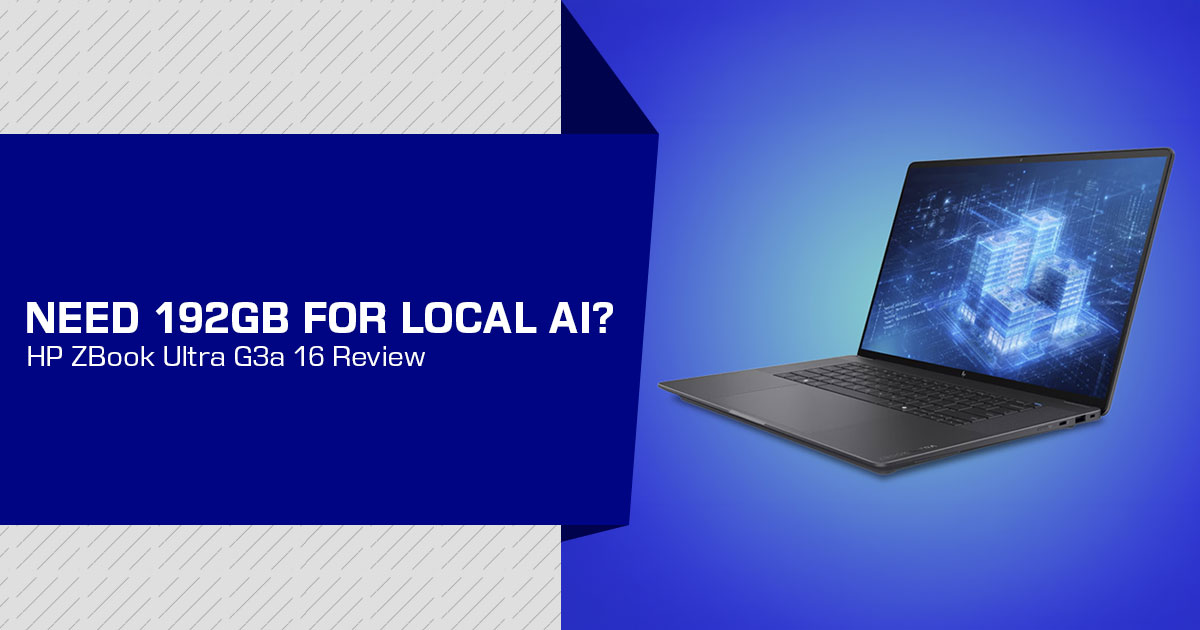
The HP ZBook Ultra G3a 16-inch Mobile Workstation PC is aimed at professionals who need high memory capacity in a portable system. Its main attraction is up to 192GB of LPDDR5X unified memory, with up to 160GB available for GPU workloads. This makes it relevant to AI developers, architects, engineers, designers, researchers, and technical teams working with large AI models, 3D applications, engineering software, and other demanding workloads.
A teardown of a pre-production unit shows a large heat spreader, dual fans, a rear radiator, a user-replaceable 96Wh battery, and one Gen5 M.2 storage slot. The memory is soldered, so the capacity cannot be upgraded after purchase. Buyers need to choose their memory configuration with long-term use in mind.
With over 20 years of experience in hardware and application research and development, we assess products based on performance, durability, and value for money. For the HP ZBook Ultra G3a, we look at its memory capacity, cooling system, storage options, upgradeability, portability, and suitability for local AI, engineering, design, and professional workloads. Our recommendations are based on research, component analysis, real-world usability, and industry experience.
This review is based on the supplied teardown, HP and AMD documentation, and independent launch coverage. It is not based on hands-on testing of a retail unit. Since the available preview hardware was pre-production, retail performance, thermals, fan noise, and battery life may differ.
HP ZBook Ultra G3a 16-inch Mobile Workstation PC at a glance
| Feature | Verified Information | What It Means for Buyers |
|---|---|---|
| Product Type | 16-inch mobile workstation | Designed for professional applications, engineering, content creation, and local AI workloads rather than ordinary office use alone. |
| Processor | Up to AMD Ryzen AI Max+ PRO 495, as reported for the pre-production configuration | A high-core-count SoC combines CPU, GPU, and NPU resources within a single package. |
| Memory | Up to 192GB LPDDR5X unified memory | Provides a very large shared memory pool for large AI models, professional applications, and memory-intensive workloads. |
| GPU Memory Allocation | Up to 160GB can be allocated to the GPU from the unified memory pool | HP describes this allocation as dedicated VRAM, although the underlying capacity comes from the system’s unified LPDDR5X memory pool. |
| Graphics | AMD Radeon 8065S reported for the preview configuration | The integrated GPU can access a substantial portion of system memory, benefiting graphics and local AI workloads with large memory requirements. |
| NPU Performance | Up to 55 TOPS, according to launch coverage | Provides dedicated acceleration for supported AI and machine-learning workloads that can use the onboard NPU. |
| Sustained Power | Up to 100W reported for the redesigned thermal system | Additional power headroom could improve sustained performance during demanding workloads, although retail-unit testing is still required. |
| Battery | 96Wh, described as user-replaceable | Offers better long-term serviceability and repairability than a completely sealed battery design. |
| Storage | One PCIe Gen5 x4 M.2 slot, with capacities up to 8TB reported | Supports extremely fast and high-capacity storage, but the preview design provides no second internal drive bay. |
| Weight & Thickness | Starting at approximately 4.2 lb and 17.9mm thick | Relatively portable for a high-performance mobile workstation, although heavier than a typical thin-and-light office laptop. |
| Expected Availability | October 2026 expected availability | Buyers should verify the final retail release date, specifications, and available configurations before ordering. |
What the HP ZBook Ultra G3a 16-inch Mobile Workstation PC teardown reveals
The teardown is useful because it shows where the headline specifications come from. Removing the bottom panel exposes a compact motherboard with the processor at the center and memory packages arranged around it. That layout is consistent with a unified memory architecture, where the CPU and integrated GPU access the same high-bandwidth memory pool.
The cooling system occupies a significant part of the chassis. A large heat spreader covers the processor and memory area, while two Delta fans direct air through a wide rear radiator. This is important for more than appearance. Large local LLM workloads can run for long periods, and sustained power determines whether the system can maintain performance after the first few minutes.
The lower section contains a battery marked “96,” matching the reported 96Wh capacity. The teardown also shows a single M.2 storage position. The battery and keyboard receive more serviceability attention than the memory: the battery is described as user-replaceable, and HP’s design allows IT departments to replace the keyboard more easily. The memory remains soldered.
Important buying point: The ZBook Ultra G3a 16 is easier to service in selected areas, but it is not a laptop with upgradeable RAM. Choose the memory capacity carefully at purchase.
What does 192GB of unified memory mean?
In a conventional laptop, the processor uses system RAM while a discrete graphics card uses its own VRAM. The two resources are separate. The HP ZBook Ultra G3a 16-inch Mobile Workstation PC takes a different approach by placing the CPU, GPU, and NPU around one shared memory system.
That arrangement can help with workloads that need more memory than a typical laptop GPU provides. A large language model may need memory for its model weights, temporary buffers, conversation context, operating-system processes, and other applications. A large shared pool gives the system more room before it has to move data to much slower storage.
The shared design also avoids some unnecessary duplication between processors. AMD describes this as useful for generative AI because different accelerators can access common data without always creating separate copies.
However, 192GB unified memory should not be interpreted as a promise of workstation-class GPU speed. Capacity answers one question—whether a model can fit. Memory bandwidth, GPU architecture, power limits, software support, quantization, and context length influence how quickly that model runs.
Is the 160GB GPU memory really VRAM?
The short answer is no—not in the same sense as discrete graphics memory.
HP describes the system as having up to 160GB of memory that can be assigned to the GPU through BIOS or graphical controls. This gives the integrated Radeon graphics a very large addressable workspace. It is reasonable to call this GPU-allocatable unified memory.
HP markets the allocation as dedicated VRAM, but the underlying memory comes from the system’s unified LPDDR5X pool. It is not separate GDDR memory on a discrete graphics card. In the ZBook Ultra G3a 16, the CPU and GPU share the system’s soldered LPDDR5X memory pool.
That difference has practical consequences:
- The system can potentially load larger models than many laptops with 8GB, 12GB, or 16GB of discrete VRAM.
- CPU and GPU workloads compete for the same memory resources.
- The GPU does not automatically receive the full 160GB unless the system is configured to allocate it.
- Larger capacity does not guarantee higher tokens-per-second performance.
- Driver and framework support can influence how effectively software uses the shared pool.
For buyers interested in local LLM inference, the 160GB figure is most valuable as a capacity number. It may make larger quantized models practical on a mobile system. It should not be used as a direct performance comparison with a discrete GPU that has 160GB of dedicated high-bandwidth memory.
Local AI performance: capacity first, speed second
HP positions the G3a as a local AI laptop capable of running large language models and agents on the device. HP and launch coverage report support for models up to 300 billion parameters. That is a manufacturer capability claim, not an independent benchmark result.
A buyer should separate three questions:
- Can the model fit in memory? The 192GB configuration gives the system unusual capacity.
- Can the software load and execute it? Support depends on the operating system, drivers, runtime, model format, and quantization.
- Is the speed useful? Generation rate depends on the GPU, memory bandwidth, power budget, model architecture, and context size.
The earlier ZBook Ultra G1a illustrated this distinction. Its 128GB configuration and up to 96GB GPU allocation made it possible to load 70B-class models locally, but independent coverage noted that its 55W power envelope limited generation speed. The G3a increases the memory ceiling and reports a sustained-power target of up to 100W. That could improve throughput, but it remains a question for retail testing rather than a confirmed result.
The most suitable workloads are likely to include:
- Local LLM inference where model capacity matters more than maximum generation speed.
- Retrieval-augmented generation development using private documents.
- AI-assisted engineering and design workflows.
- Concurrent use of large models with desktop applications.
- Prototyping with local agents and automation tools.
- Creative applications that benefit from substantial shared memory.
Cooling and sustained power
The reported move from 55W in the earlier G1a to up to 100W in the G3a is one of the more consequential changes. More sustained power can help the processor and integrated GPU maintain higher operating levels during rendering, compilation, inference, or simulation.
The trade-offs are familiar. A higher power envelope can increase fan activity, chassis temperature, and energy consumption. A larger cooling system also contributes to the G3a’s 4.2-pound starting weight. The teardown suggests that HP has treated cooling as a central part of the product rather than relying on a small ultrabook-style heat pipe.
Until retail tests are available, buyers should avoid assuming that the 100W number will translate into a specific benchmark result. The meaningful questions are sustained performance, fan noise, skin temperature, throttling behavior, and battery drain under long workloads.
Design, battery, storage, and serviceability
Battery
The 96Wh battery is relatively substantial for a mobile workstation of this thickness. HP has reported battery-life figures for the platform, but real-world endurance will depend on the display option, power profile, AI workload, wireless connectivity, and application mix.
The more important serviceability point is that the battery is described as user-replaceable. That can matter to organizations planning to keep devices in service for several years.
Storage
The preview design uses one PCIe Gen5 x4 M.2 slot and supports configurations reported up to 8TB. Gen5 storage can provide high sequential transfer rates, but storage speed is not a replacement for additional GPU memory. Users working with large datasets should consider whether one internal drive is sufficient or whether external storage will be needed.
A single drive bay may be acceptable for a mobile AI workstation that relies on network or external storage. It is less convenient for users who want separate internal drives for the operating system, active datasets, scratch files, and backups.
Memory serviceability
The memory is soldered. There is no later upgrade path from a lower-capacity configuration to 192GB. Buyers who are uncertain about future large language model requirements should treat the higher-capacity configuration as a long-term purchase decision rather than an optional upgrade.
Display and chassis
Reported display options include a 16-inch high-resolution DreamColor-oriented panel and an OLED touch option. The most suitable choice depends on the workload. Designers and visual professionals may prefer color coverage and resolution, while mobile developers may prioritize battery life and reduced power consumption.
HP ZBook Ultra G3a 16-inch Mobile Workstation PC versus ZBook Ultra G1a 14
| Category | ZBook Ultra G3a 16 | ZBook Ultra G1a 14 | Buying Significance |
|---|---|---|---|
| Unified Memory | Up to 192GB | Up to 128GB | The G3a provides substantially more memory headroom for larger local AI models, datasets, and concurrent professional applications. |
| Maximum Reported GPU Allocation | Up to 160GB | Up to 96GB | The G3a extends the memory-capacity advantage for GPU-heavy local AI workloads and large-model inference. |
| Reported Sustained Power | Up to 100W | About 55W | The higher sustained power target may make the G3a better suited to long-running, intensive workstation workloads. |
| Display Size | 16 inches | 14 inches | The G3a provides more screen workspace, while the G1a offers a more compact form factor. |
| Starting Weight | About 4.2 lb | About 3.3 lb | The G1a is lighter and better suited to users who frequently carry their workstation. |
| Memory Upgrade Path | Soldered | Soldered | Neither system offers conventional RAM upgrades, making it important to choose the required memory capacity at purchase. |
| Best Fit | Large local AI models and heavier sustained workstation workloads | Portable workstation use with substantial but lower memory capacity | The key trade-off is maximum capacity and sustained performance versus portability. |
The G1a remains relevant for buyers who value lower weight and do not need the largest possible local model capacity. The G3a makes more sense for developers, BIM managers, researchers, and technical professionals who expect to run larger models or several demanding applications at once.
HP ZBook Ultra G3a 16-inch Mobile Workstation PC versus a discrete-GPU laptop
A discrete-GPU laptop can still be the better choice for users who prioritize graphics throughput, mature CUDA software support, or gaming performance. Dedicated VRAM offers a more traditional GPU memory path and can provide higher performance in applications optimized for discrete graphics hardware.
The ZBook Ultra G3a takes the opposite position. It prioritizes a large shared pool that can fit models many laptop GPUs cannot hold. This is particularly relevant for running large LLMs locally, private document processing, and workloads where model capacity is the first limitation.
| Choose the ZBook Ultra G3a 16 When… | Choose a Discrete-GPU Laptop When… |
|---|---|
| Model capacity and the ability to handle larger workloads are more important than achieving maximum generation speed. | GPU throughput and maximum benchmark performance are your primary priorities. |
| A large shared memory pool is valuable for workloads that need flexible memory access across the CPU, GPU, and applications. | Your applications depend heavily on CUDA, dedicated GPU acceleration, or large amounts of dedicated VRAM. |
| Local processing, privacy, and maintaining greater control over sensitive data are important requirements. | Your workload is already optimized for a specific discrete GPU architecture or acceleration platform. |
| You want a professional mobile workstation designed to combine demanding compute workloads with portability. | Gaming performance, faster 3D rendering, or broad compatibility with GPU-accelerated applications matters most. |
This is not a universal replacement for an RTX workstation. It is a different compromise built around memory capacity and local processing.
Revit, Perplexity, and professional software
The G3a’s software story extends beyond hardware specifications. HP and its launch partners describe local AI tools that can work alongside professional applications, including Autodesk Revit. Perplexity Computer is preloaded, with an MCP connection to Revit for questions about building models, schedules, and related project data.
A potential privacy benefit is that local inference can reduce the need to send sensitive project information to a cloud service. That does not mean every workflow remains completely offline. Some tasks may still benefit from or require a cloud model, and organizations must evaluate their own security, licensing, and governance requirements.
For architects and engineers, the relevant question is not simply whether the laptop “has AI.” It is whether the software integration can answer useful project questions, preserve data controls, and save time without adding a complicated setup burden.
Pros and limitations
| Potential Strengths | Important Limitations |
|---|---|
| Up to 192GB of unified memory, providing substantial capacity for demanding professional and AI workloads. | The memory is soldered and cannot be upgraded after purchase. |
| Up to 160GB of shared memory can reportedly be allocated to the GPU for memory-intensive workloads. | 160GB of shared GPU memory should not be treated as equivalent to 160GB of dedicated high-bandwidth GDDR VRAM. |
| Designed to handle large local AI models and other memory-intensive professional workloads. | Actual AI inference and generation speeds will need to be confirmed through independent retail-unit benchmarks. |
| Reported 100W sustained-power target could provide substantial performance for a mobile workstation. | Higher sustained power can result in increased heat and cooling-fan noise under demanding workloads. |
| User-replaceable 96Wh battery improves long-term serviceability compared with fully sealed designs. | A single internal M.2 storage slot limits multi-drive configurations and internal storage expansion. |
| Professional workstation positioning and software integrations target demanding technical and enterprise workflows. | Final pricing, availability, and hardware configurations may differ depending on the market. |
| 16-inch display options provide additional workspace for engineering, creative, development, and technical applications. | The larger chassis is likely to be heavier and less portable than a compact 14-inch mobile workstation. |
Who should buy the HP ZBook Ultra G3a 16-inch Mobile Workstation PC?
The HP ZBook Ultra G3a 16-inch Mobile Workstation PC is worth considering for buyers who need a mobile system with unusually high memory capacity. It is especially relevant to:
- AI developers experimenting with local LLM inference.
- Professionals who work with private documents or project data.
- Architects, engineers, and BIM managers using Revit alongside AI tools.
- Researchers who need to load large models without a desktop GPU server.
- Technical users who run several memory-heavy applications at the same time.
- Organizations that value a replaceable battery and fleet-serviceable keyboard.
The 192GB configuration is harder to justify for ordinary office work, light photo editing, web development, or users who mainly use cloud AI services. Those buyers may be better served by a lighter laptop, a lower-capacity configuration, or a machine with a faster discrete GPU.
Who should wait or choose another laptop?
Consider waiting for retail reviews if the purchase depends on any of the following:
- Specific tokens-per-second results for a 70B, 100B, or 300B model.
- Low fan noise during sustained AI workloads.
- Reliable CUDA compatibility.
- Long battery life under GPU or NPU workloads.
- A confirmed retail CPU, display, storage, or operating-system configuration.
- A price that can be compared directly with RTX-based workstations.
The lack of upgradeable memory also makes an incorrect capacity choice expensive. Buyers should estimate future model sizes, context windows, and concurrent applications before ordering.
Frequently asked questions
Does the HP ZBook Ultra G3a 16-inch Mobile Workstation PC have 192GB of memory?
HP lists configurations with up to 192GB of unified memory. The memory is soldered, so the selected capacity is fixed for the life of the laptop.
Does it have 160GB of dedicated VRAM?
HP describes up to 160GB as dedicated VRAM, but the underlying memory is shared LPDDR5X unified memory rather than 160GB of separate GDDR graphics memory.
Can the HP ZBook Ultra G3a 16-inch Mobile Workstation PC run a 300B-parameter model?
HP and launch coverage report support for models up to 300B parameters locally. Actual usability depends on quantization, context size, software support, available memory, and generation speed. The claim should not be treated as an independent performance benchmark.
Can the memory be upgraded?
No. The memory is soldered. Buyers should select the required capacity before purchase.
Is the battery replaceable?
The teardown and independent preview describe a user-replaceable 96Wh battery. Confirm the exact service procedure and warranty terms for the retail configuration.
Is it better than a laptop with an RTX GPU?
That depends on the workload. The ZBook’s advantage is memory capacity for large local models. An RTX laptop may offer higher graphics throughput, dedicated VRAM, and broader support in software built around CUDA.
Is the HP ZBook Ultra G3a 16-inch Mobile Workstation PC suitable for Revit?
The product is positioned for professional workflows including Revit, and coverage describes a local AI connection through an MCP connector for Revit. Buyers should confirm the supported software versions and whether the specific AI features are available in their region and organization’s environment.
Pricing and availability
HP and independent launch coverage report October 2026 availability, with pricing to be announced closer to shipment. Because configurations can differ substantially, compare the installed memory, processor, display, storage, warranty, and operating system rather than relying on the product name alone.
For the latest HP ZBook Ultra G3a 16-inch Mobile Workstation PC price, availability, and configuration details, check the current listings before making a purchase.
Check Amazon US pricing
The main reason to check the latest HP ZBook Ultra G3a 16-inch Mobile Workstation PC deals on Amazon US is configuration verification. Confirm that the listing includes the desired memory capacity, processor, display, storage, and warranty before ordering.
Check Amazon India pricing
Indian pricing may differ because of taxes, warranty coverage, seller inventory, and configuration availability. Review the seller details and warranty terms carefully, especially for a workstation with soldered memory.
Final verdict
The HP ZBook Ultra G3a 16-inch Mobile Workstation PC is a capacity-focused mobile workstation. Its defining feature is not simply the amount of RAM. It is the ability to make a very large shared memory pool available to the CPU and integrated GPU in a relatively portable professional system.
The reported 192GB configuration and 160GB GPU allocation could make the laptop useful for large local AI models, private document workflows, and professional applications that need substantial memory. The dual-fan cooling system and reported 100W power target show that HP designed the G3a for a higher sustained-power level than the earlier G1a, although comparative retail testing is still needed.
The limitations are equally important. The memory is soldered. The 160GB figure describes GPU-allocatable unified memory rather than discrete VRAM. One M.2 slot may restrict internal storage expansion. The most important performance questions—generation speed, noise, thermals, and battery endurance—still require retail testing.
For buyers who need a large local-AI memory pool in a mobile workstation, the G3a is worth considering. For buyers who prioritize maximum GPU speed, CUDA compatibility, upgradeable memory, or a lower purchase price, a discrete-GPU workstation may be more appropriate.
Have questions about the HP ZBook Ultra G3a, its 192GB memory option, local AI capabilities, or workstation performance? Leave a comment below and let us know what you want to know. If you find our hardware coverage useful, follow us for more product reviews, comparisons, and buying guides.
Disclaimer

This blog post reflects our research, analysis, and opinions based on available product information, user feedback, and industry knowledge. It should not be taken as the official position of any brand, manufacturer, or company mentioned here. We make every effort to keep this guide accurate, but product specifications, pricing, and availability may change after publication. We recommend double-checking important details before making a purchase.

Some links in this article may be affiliate links. If you choose to buy through these links, we may earn a small commission at no extra cost to you. This helps support our work and allows us to keep publishing in-depth, unbiased reviews. Affiliate partnerships never influence our recommendations.

Opinions expressed by readers are their own and do not necessarily reflect ours. We are not responsible for outcomes resulting from the use of information on this site. Please seek professional advice where appropriate.

All product names, logos, and brands mentioned are the property of their respective owners. These names are used for identification and informational purposes only and do not imply endorsement.
