
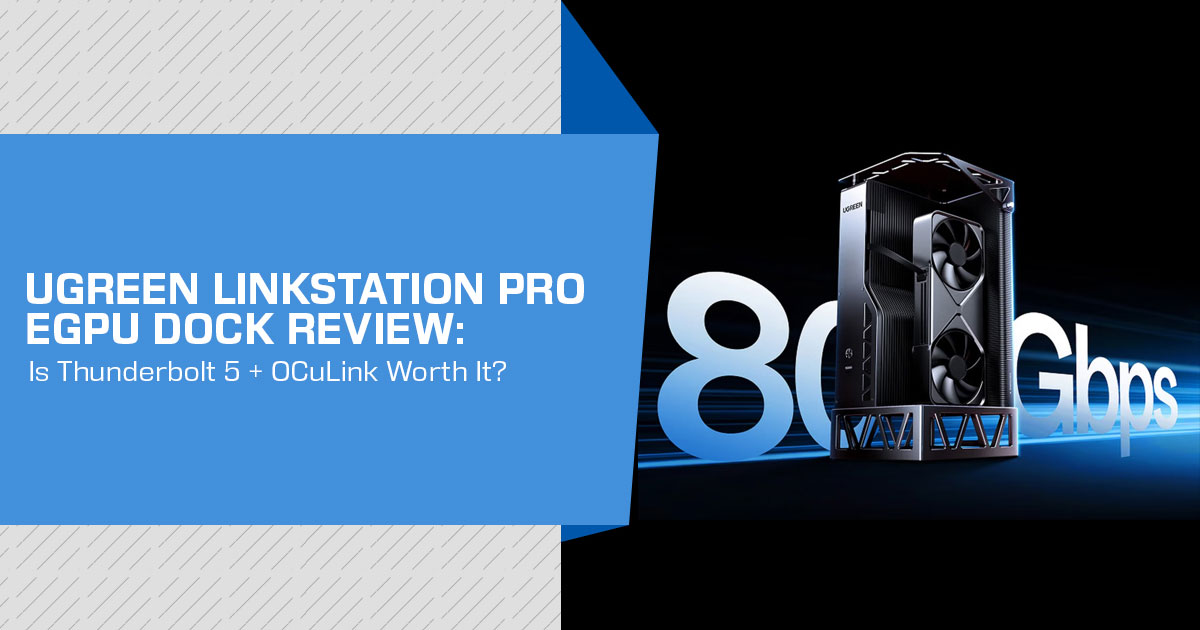
The UGREEN LinkStation Pro eGPU dock lets you connect a desktop graphics card to a laptop, mini PC, handheld gaming device, or compatible NAS. It supports Thunderbolt 5 with up to 80 Gbps bandwidth, a separate 64 Gbps OCuLink connection, and includes an 850W ATX 3.1 power supply. That makes it relevant to gamers, content creators, developers, and professionals who need more graphics power without moving to a full desktop PC.
The dock launched in China for a reported 2,999 yuan, or about $447 at the exchange rate cited in coverage. International availability was not confirmed in the reports available to us. So, before looking at the specifications alone, it is worth checking whether your computer supports the required connection and whether an external GPU makes sense for your workload.
As technology experts with over 20 years of experience in hardware and application research and development, we analyze products based on real-world performance, durability, and value for money. For the UGREEN LinkStation Pro, we focus on compatibility, connection performance, graphics card support, build quality, and long-term use. Our recommendations are based on research, component analysis, real-world usability, and industry experience.
If you are considering an eGPU dock for gaming, creative work, development, or other GPU-heavy tasks, the key question is simple: does the UGREEN LinkStation Pro fit your hardware and your needs? That is what we examine in this review.
UGREEN LinkStation Pro specifications at a glance
| Feature | Reported Specification | What It Means for Buyers |
|---|---|---|
| Product Type | External GPU dock / enclosure | The buyer supplies a compatible desktop graphics card. |
| Host Connections | Thunderbolt 5 and OCuLink | Provides a choice between a flexible Thunderbolt connection and a more direct PCIe-oriented OCuLink connection, provided the host supports it. |
| Thunderbolt 5 Bandwidth | Up to 80 Gbps | This is the advertised Thunderbolt connection rate and should not be interpreted as a guarantee of a specific gaming frame rate or GPU performance level. |
| GPU Data Path | Up to 64 Gbps via PCIe 4.0 ×4, as reported | The reported GPU data path is a separate measurement and should not be treated as equivalent to the 80 Gbps Thunderbolt 5 link rate. |
| OCuLink Bandwidth | Up to 64 Gbps via PCIe 4.0 ×4 | OCuLink may appeal to users who prioritize a direct PCIe-oriented connection over Thunderbolt’s one-cable convenience. |
| Power Supply | Integrated 850W ATX 3.1 PSU, reportedly 80 Plus Gold | Eliminates the need to purchase a separate desktop PSU, provided the integrated supply meets the selected GPU’s power requirements. |
| GPU Power Connectors | Reported native 12V-2×6 connector plus additional PCIe power cabling | Supports different generations of high-power graphics cards, although buyers should verify the exact connector requirements of their chosen GPU. |
| Laptop Charging | Up to 140W USB Power Delivery 3.1 | A compatible laptop can potentially receive data and power through one cable, reducing desk clutter. |
| Expansion Ports | 3× Thunderbolt 5 and 1× USB-A 3.2 10 Gbps | Allows the enclosure to double as a basic high-speed peripheral hub. |
| GPU Clearance | Up to 370mm long and 155mm high, as reported | Length and height are only part of compatibility; slot thickness, cooler dimensions, and power-connector clearance should also be checked. |
| Operating Systems | Windows, Linux, and Intel-based macOS are reported | Linux may require manual driver installation. Apple silicon Mac compatibility is not established by the available information. |
| Display Support | Up to three displays and 8K output are reported | Buyers should confirm the supported resolution, refresh rate, GPU, and display combinations required for their setup. |
| Reported Limitations | No M.2 SSD slot or Ethernet port | Users requiring integrated storage or wired networking may still need additional peripherals, so it is not a complete workstation dock replacement. |
What is the UGREEN LinkStation Pro?
The UGREEN LinkStation Pro is an eGPU enclosure with a built-in power supply. An eGPU, or external graphics processing unit, lets a compatible computer use a separate desktop graphics card instead of relying only on its internal graphics hardware.
The product is an upgraded version of UGREEN’s earlier LinkStation. The older model used USB4 at 40 Gbps and supported OCuLink. The UGREEN LinkStation Pro moves the main dock connection to Thunderbolt 5, increases reported laptop charging from 100W to 140W, and adds more Thunderbolt ports.
The upgrade makes the dock useful beyond a basic GPU adapter. It is designed for users who want external graphics, laptop charging, displays, and peripherals in one enclosure. However, the buyer still needs a computer with a suitable Thunderbolt 5 or OCuLink implementation. A USB-C port that looks similar may not provide the required functionality.
Why Thunderbolt 5 matters for an external GPU
Older eGPU docks commonly used USB4 or Thunderbolt 4 connections with a 40 Gbps headline rate. The UGREEN LinkStation Pro’s 80 Gbps Thunderbolt 5 connection is intended to provide a wider data path between the host computer and the graphics card.
For the buyer, the main benefit is a higher bandwidth ceiling between the computer and the external GPU. A desktop graphics card installed directly into a motherboard still has a more direct path than an external GPU connected through a cable. Thunderbolt 5 does not turn an eGPU into an internal PCIe slot. It does, however, improve the bandwidth ceiling compared with earlier 40 Gbps connections.
The reports describe up to 64 Gbps of dedicated PCIe 4.0 x4 bandwidth for the GPU. That distinction matters. The 80 Gbps figure describes the Thunderbolt connection, while the GPU data path is described separately. These numbers should not be treated as identical measures of real-world performance.
Actual results will depend on the host processor, laptop cooling, game engine, resolution, driver support, monitor connection, and graphics card. Buyers should treat the bandwidth specification as an infrastructure improvement rather than a guaranteed percentage increase in frame rate.
Thunderbolt 5 vs OCuLink: which connection is better?
The UGREEN LinkStation Pro is unusual because it offers both Thunderbolt 5 and OCuLink. Those connections serve different priorities.
Thunderbolt 5 is the more flexible option for many laptop users. It can carry the eGPU connection over a single cable, support laptop charging, connect external displays, and allow daisy-chaining through the dock’s additional Thunderbolt ports. It may fit better when the external GPU is part of a broader desk setup.
OCuLink is a more direct PCIe-oriented connection. It is useful for a mini PC or another host that includes an OCuLink port and does not need the same one-cable docking experience. Users who already have a suitable OCuLink interface may prefer it for a simpler GPU data path.
The available reports describe vendor-supplied comparisons in which Thunderbolt 5 leads in some Time Spy Extreme results, while OCuLink remains competitive or faster in some Port Royal results. Those figures should not be treated as independent testing of every GPU or computer. The better fit depends on the connection your host supports and the way you plan to use the GPU.
| Buyer Priority | More Suitable Connection | Reason |
|---|---|---|
| One-cable setup with charging and peripherals | Thunderbolt 5 | Combines the external GPU connection with docking, data, display, and charging capabilities through a single interface. |
| Mini PC with a native OCuLink port | OCuLink | Provides a direct PCIe-oriented connection without requiring Thunderbolt support on the host system. |
| Single-cable docking convenience | Thunderbolt 5 | Designed for a conventional dock-style setup that can consolidate multiple device connections into one cable. |
| Lowest-complexity GPU connection on a compatible host | OCuLink | Focuses on a direct PCIe link and avoids relying on the broader Thunderbolt docking feature set. |
| Connecting multiple external devices through one dock | Thunderbolt 5 | The UGREEN LinkStation Pro includes three Thunderbolt 5 ports and supports daisy-chaining compatible devices. |
Is the integrated 850W power supply useful?
The built-in 850W ATX 3.1 power supply is a material practical feature of the UGREEN LinkStation Pro. Many eGPU products require buyers to source a separate desktop power supply. That adds cost, cables, and another component to place on or under a desk.
The reported native 12V-2×6 connector is relevant to newer high-power graphics cards. Additional PCIe cabling is also reported for cards that use conventional 6+2-pin inputs. Even so, buyers should check the exact power requirement and connector arrangement of the GPU they intend to install.
An 850W rating does not mean that every watt is available to the graphics card under every condition. The enclosure also powers its own electronics and may provide laptop charging. The correct check is whether the total system load remains within the enclosure’s rated capacity with appropriate headroom.
The integrated PSU also affects portability. The UGREEN LinkStation Pro combines the enclosure and power supply in one unit, but it is not a lightweight travel accessory. Buyers looking for a portable handheld setup should consider the enclosure’s size, weight, cable count, and the separate desktop graphics card.
GPU compatibility and physical clearance
The available reports consistently identify support for graphics cards up to 370 mm in length. That covers many
full-size desktop cards, including high-end models from NVIDIA, AMD, and Intel. It does not automatically confirm compatibility with every card.
Before ordering, check these four requirements:
- Card length: The reported 370 mm limit is the starting point.
- Card height and slot width: Sources describe broad dual-slot and triple-slot support, but the exact clearance measurements should be checked against the specific revision.
- Power connectors: Confirm whether the card uses 12V-2×6, 8-pin connectors, or another arrangement.
- Host and driver support: Physical fit does not guarantee that the computer will detect or use the GPU correctly.
The enclosure uses a semi-open aluminum design that leaves room for large cards and airflow. This can help with cooling, but it also exposes more of the installed hardware than a closed chassis. Buyers should think about dust, placement, fan noise from the graphics card, and the location of the enclosure on the desk.
Docking features, displays, and missing ports
The UGREEN LinkStation Pro adds three Thunderbolt 5 ports and one USB-A 3.2 10 Gbps port. This lets it function as more than a graphics adapter. A laptop could connect to the eGPU, a monitor, storage, and peripherals through the same general desk setup.
Daisy-chaining can also reduce the number of cables connected directly to a laptop. The final setup depends on the monitor and peripheral specifications.
Coverage also reports support for up to three displays and 8K output. That description should not be read as “three 8K displays” without checking the actual output modes. Display results can depend on the installed GPU, operating system, cable standards, monitor inputs, and whether displays connect through the GPU or the dock.
The product does not include every feature found on a full desktop dock. Notebookcheck reports no Ethernet port and no M.2 slot. A buyer who needs wired networking or internal SSD expansion may need additional hardware.
Software and operating-system considerations
The available information identifies support for Windows, Linux, and Intel-based macOS. Linux users may need to install drivers manually. The sources do not establish equivalent support for Apple-silicon Macs, so MacBook owners should not assume compatibility from the presence of Thunderbolt 5 alone.
External GPU support involves more than a single driver package. The host operating system, graphics driver, firmware, display route, and application behavior all influence the experience. Buyers should look for compatibility information for their exact laptop or mini PC rather than relying only on the connector name.
The same caution applies to eGPU use on handhelds. A handheld may have a suitable USB4, Thunderbolt, or OCuLink interface, but its firmware, power profile, display routing, and operating system may impose additional limits.
UGREEN LinkStation Pro vs the previous LinkStation
| Feature | Earlier LinkStation | UGREEN LinkStation Pro |
|---|---|---|
| Main High-Speed Connection | USB4, up to 40 Gbps | Thunderbolt 5, up to 80 Gbps |
| OCuLink | Up to 64 Gbps | Up to 64 Gbps |
| Integrated Power Supply | 850W ATX 3.1 reported | 850W ATX 3.1 reported |
| Laptop Charging | Up to 100W reported | Up to 140W USB PD 3.1 reported |
| Expansion & I/O | More limited expansion compared with the Pro model | Reportedly includes three Thunderbolt 5 ports and one USB-A port |
| GPU Compatibility | Supports graphics cards up to a reported 370mm in length | Supports GPUs up to a reported 370mm, with broader graphics-card slot compatibility also reported |
| Primary Reason to Choose | Earlier-generation design with a lower reported launch price | Higher-bandwidth Thunderbolt 5 connectivity, faster laptop charging, and expanded I/O |
The UGREEN LinkStation Pro is a specification upgrade for someone who already wants the LinkStation format and has a Thunderbolt 5 laptop or mini PC. It may offer less value to a buyer who already owns a suitable OCuLink setup and does not need charging or additional Thunderbolt ports.
UGREEN LinkStation Pro vs Minisforum DEG2 and other eGPU enclosures
The Minisforum DEG2 is a relevant comparison because it is another external GPU dock, but VideoCardz notes that it does not include an integrated PSU. That difference affects the total system cost. A lower-priced enclosure may cost more after adding a suitable power supply and the required cables.
Other Thunderbolt 5 eGPU enclosures are also relevant alternatives. Buyers should compare more than the Thunderbolt generation. The key checks are whether the power supply is included, whether OCuLink is available, how much laptop charging is provided, which GPU sizes fit, and whether the product is available in your region.
| Buyer Situation | Sensible Direction |
|---|---|
| Wants an integrated high-capacity PSU | Consider the UGREEN LinkStation Pro or another eGPU enclosure with a built-in high-capacity power supply. |
| Already owns a suitable separate PSU | A bare eGPU enclosure may provide better value if its connectivity, GPU compatibility, and other features meet your requirements. |
| Needs both OCuLink and Thunderbolt 5 | The UGREEN LinkStation Pro combines OCuLink and Thunderbolt 5 connectivity in the same enclosure. |
| Needs Ethernet or an internal SSD slot | Consider another dock with these features built in, or budget for separate Ethernet and external storage accessories. |
| Wants a compact travel eGPU | Compare enclosure dimensions, weight, PSU design, and portability before prioritizing maximum interface bandwidth. |
Advantages and limitations Potential advantages
- Thunderbolt 5 and OCuLink are available in the same enclosure.
- The reported 850W ATX 1 power supply is integrated.
- 140W laptop charging may reduce the need for a separate charger in compatible setups.
- Three Thunderbolt 5 ports support a broader desk setup than a basic eGPU adapter.
- The reported 370 mm GPU length supports many full-size desktop graphics cards.
- The design is relevant to laptops, mini PCs, handhelds, and selected NAS workloads.
Important limitations
- The product launched in China, and global availability is unconfirmed in the available reports.
- The reported price is a China launch figure and may not match the eventual international retail price.
- No independent performance testing was found in the source material reviewed for this article.
- Vendor benchmark results should not be treated as universal Thunderbolt 5 versus OCuLink performance results.
- Linux may require manual driver installation.
- Intel-based macOS is reported; Apple-silicon support is not established.
- Ethernet and an 2 slot are reportedly absent.
- GPU length alone does not confirm complete graphics-card compatibility.
Who should consider buying the UGREEN LinkStation Pro?
The UGREEN LinkStation Pro makes the most sense for a buyer who already owns, or plans to buy, a compatible high-performance GPU and wants one enclosure for graphics, charging, and peripherals. It is particularly relevant to a laptop or mini PC user whose system has Thunderbolt 5 and who values a dock-style connection.
It also suits an OCuLink-equipped mini PC user who wants the option to use a direct GPU link or a broader Thunderbolt 5 setup. The integrated power supply can simplify a build compared with a bare eGPU enclosure.
Who should skip it or wait?
If the product cannot be purchased with a clear warranty and return policy, wait for confirmed local availability. A user whose computer has only a standard USB-C port should not buy the dock without confirming the port’s data and eGPU capabilities.
The UGREEN LinkStation Pro may also be unnecessary for someone who already has a separate PSU and only needs an OCuLink adapter. Similarly, users who require built-in Ethernet, an M.2 slot, or confirmed Apple-silicon Mac support should look for a product that documents those features explicitly.
Price and availability
Notebookcheck reported a China launch price of 2,999 yuan, approximately $447 at the time of reporting. Other coverage has reported 3,489 yuan, so buyers should treat the reported figures as launch or retail references rather than a confirmed international price.
No official global launch details were confirmed in the available information. Import costs, shipping, taxes, regional warranty coverage, and marketplace pricing could all change the final purchase cost.
Amazon US: check current price and availability
U.S. availability was not confirmed in the research used for this article. Before buying, check whether an official or authorized listing is available and review the seller, return policy, warranty terms, and the exact model number.
Check current UGREEN LinkStation Pro offers on Amazon US
If the UGREEN LinkStation Pro is not listed, buyers may encounter the earlier UGREEN LinkStation eGPU dock with OCuLink and USB4 instead. That is a different model with a 40 Gbps USB4 connection and lower reported laptop charging, so the listing should be read carefully before ordering.
Amazon India: check current price and availability
An official India launch was not confirmed in the available reports. Indian buyers should check whether the listing includes GST-inclusive pricing, a valid local warranty, suitable power-cable support, and a return option for a large graphics enclosure.
Check current UGREEN LinkStation Pro offers on Amazon India
If no direct listing is available, importing from another region may affect warranty support and total cost. The final price should be compared with a locally available eGPU enclosure plus a separate PSU.
Frequently asked questions
Is the UGREEN LinkStation Pro a Thunderbolt 5 eGPU dock?
Yes. The product is reported as a Thunderbolt 5 eGPU dock with an advertised connection speed of up to 80 Gbps. It also retains a separate OCuLink connection rated at up to 64 Gbps through PCIe 4.0 x4.
Does the UGREEN LinkStation Pro include a power supply?
Yes. Reports identify an integrated 850W ATX 3.1 power supply, described as 80 Plus Gold-rated. Buyers should still confirm the exact included cables and the power requirements of the chosen GPU.
Can it charge a gaming laptop at 140W?
The dock is reported to support up to 140W USB Power Delivery 3.1. The actual charging behavior depends on the laptop, its firmware, the cable, and the amount of power it requires under load.
Is Thunderbolt 5 faster than OCuLink for eGPUs?
Neither connection is universally faster in every workload. Thunderbolt 5 offers more dock functionality and up to 80 Gbps link bandwidth, while OCuLink provides a direct PCIe-oriented connection. The host computer and application affect the result.
What graphics cards fit inside the UGREEN LinkStation Pro?
The available reports consistently identify support for cards up to 370 mm in length. Buyers must also check height, slot width, connector placement, power demand, cooling space, operating-system support, and host compatibility.
Is the UGREEN LinkStation Pro available worldwide?
The product was reported as launched in China. Global availability was not confirmed in the available source material. Buyers should check an official regional store or authorized marketplace before importing.
Final verdict
The UGREEN LinkStation Pro eGPU dock has a clear and practical design goal: combine the flexible behavior of a Thunderbolt 5 dock with the direct-connection option of OCuLink and the simpler installation of an integrated 850W PSU.
This makes it a broader option than a basic eGPU adapter for buyers who need charging, displays, and peripherals around a laptop or mini PC. The reported 140W charging and three Thunderbolt 5 ports also make the UGREEN LinkStation Pro a more complete desk accessory than the earlier USB4 model.
The limitations are equally important. There is no confirmed global launch in the available information, no independent testing in the supplied report, and no guarantee that every large GPU, operating system, or host port will work as expected. Buyers should verify the computer, graphics card, clearance, connector, driver, display, and warranty details before placing an order.
Bottom line: the UGREEN LinkStation Pro is worth watching for users who need a Thunderbolt 5 eGPU enclosure with OCuLink and an integrated 850W PSU. It is not an automatic upgrade for every eGPU buyer, and the right choice depends more on the host computer and intended workflow than on the 80 Gbps headline alone.
If you have questions about the UGREEN LinkStation Pro, its Thunderbolt 5 and OCuLink connections, or eGPU compatibility, leave a comment below. Follow us for more hardware reviews, buying guides, and technology updates, and let us know if there is a product you would like us to cover.
Disclaimer

This blog post reflects our research, analysis, and opinions based on available product information, user feedback, and industry knowledge. It should not be taken as the official position of any brand, manufacturer, or company mentioned here. We make every effort to keep this guide accurate, but product specifications, pricing, and availability may change after publication. We recommend double-checking important details before making a purchase.

Some links in this article may be affiliate links. If you choose to buy through these links, we may earn a small commission at no extra cost to you. This helps support our work and allows us to keep publishing in-depth, unbiased reviews. Affiliate partnerships never influence our recommendations.

Opinions expressed by readers are their own and do not necessarily reflect ours. We are not responsible for outcomes resulting from the use of information on this site. Please seek professional advice where appropriate.

All product names, logos, and brands mentioned are the property of their respective owners. These names are used for identification and informational purposes only and do not imply endorsement.
