
Overview
Who This Is For:
This device is for the discerning gamer or creator who values extreme portability and versatility above all else, and isn’t afraid to pay a premium for it. If you dream of a single device that can handle serious gaming on the go, power through creative tasks, and still transform into a casual tablet for media consumption, then the ASUS ROG Flow Z13-KJP might just be your next obsession. It’s a detachable gaming laptop that defies expectations.
Biggest Strengths:
Unmatched performance in a tablet form factor thanks to the Ryzen AI Max gaming performance and Radeon 8060S graphics. Its unique design allows for incredible thermal management for such a compact device, making it a seriously capable compact gaming machine that also works well for creators and power users.
Biggest Compromises:
The premium price tag is significant, and while it’s a gaming tablet hybrid, Windows’ tablet experience still has its quirks. Battery life during intense gaming is, as expected, quite short, and it remains portable, though it feels noticeably heavier than traditional tablets.
Worth the Premium Price?
For those who genuinely need its specific blend of power and portability, absolutely. For everyone else, it’s a luxury item that showcases what’s possible when engineering pushes boundaries.
Quick Verdict Score:
4.2/5 – A groundbreaking, albeit niche, device that redefines what the best gaming tablet 2026 can be.
Introduction
Gaming laptops keep getting more powerful. But they also keep getting heavier, louder, and harder to carry around every day. Many people now want one machine that can handle AAA gaming, video editing, creative work, and daily productivity without feeling like they are carrying a brick in their backpack.
That’s where the ASUS ROG Flow Z13-KJP tries to change the conversation.
This isn’t a regular gaming laptop. And it’s not just a tablet with flashy RGB lights either. ASUS is trying something far more ambitious here — a creator-focused portable PC that combines tablet flexibility with high-end laptop performance. On paper, it sounds almost impossible. A thin detachable device powerful enough for modern gaming, content creation, multitasking, and travel.
But real-world usage matters more than marketing claims.
People looking for a powerful hybrid gaming device or a flexible 2-in-1 gaming laptop usually end up asking the same questions:
- Can this actually replace a traditional gaming laptop?
- Is the performance strong enough for demanding games and creative workloads?
- Does the tablet design improve daily use or become annoying after a few weeks?
- Is the premium price worth paying?
- And most importantly — who is this device really made for?
That’s why customer experience and long-term usability matter so much in products like this. Specs alone never tell the full story. A device can look impressive in benchmarks and still feel frustrating during everyday use. Real reviews help uncover the things spec sheets ignore — heat management, comfort, battery life, portability, fan noise, durability, and whether the device still feels enjoyable after the excitement wears off.
In this review, we break down the ASUS ROG Flow Z13-KJP from a real-world
perspective. We’ll cover its gaming performance, creator workflow capabilities, thermal efficiency, display quality, battery life, portability, and long-term value. We’ll also compare where this hybrid machine succeeds — and where a traditional gaming laptop still does things better.
As technology experts with over 20 years of experience in hardware and application research and development, we deeply analyze each product based on real-world performance, durability, and value for money. Our goal is to help you find the best product in every category—budget, performance, reliability, and long-term usage. Whether you are a gamer, creator, student, or traveling professional looking for an ultra-portable gaming setup, our recommendations are based on extensive research, component analysis, real-world usability, and industry expertise.
And honestly, that’s what makes the ROG Flow Z13 interesting. It’s not trying to be another safe gaming laptop. It’s trying to solve a problem many users quietly deal with every day: wanting desktop-level power without sacrificing mobility and flexibility.
Whether ASUS actually succeeded is where things get interesting.
Buy this if you want:
- A portable gaming workstation
- A premium 2-in-1 gaming laptop
- Strong productivity and gaming performance in one device
- A travel-friendly creator machine
- Something different from standard gaming laptops
Avoid this if you want:
- Maximum gaming performance per dollar
- Long battery gaming sessions
- Easy hardware upgrades
- Quiet thermals under heavy workloads
For the right user, though, the ASUS ROG Flow Z13-KJP feels like a glimpse into where future gaming laptops and creator devices are heading.
Technical Specifications at a Glance
| Component | Specification |
| Processor | AMD Ryzen AI Max+ 395 (16 Cores / 32 Threads) |
| Graphics | Integrated Radeon 8060S (40 Compute Units) |
| Memory | Up to 128GB LPDDR5X-8000 |
| Display | 13.4-inch 2.5K (2560×1600), 180Hz refresh rate, 500 nits brightness, 100% DCI-P3 color gamut |
| Storage | 1TB NVMe SSD (M.2 2230) |
| Battery | 70Wh battery with 200W fast charging support |
1. Why This Laptop Exists at All
Remember when gaming laptops were hulking beasts, barely portable and always tethered to a power outlet? For years, the pursuit of raw power meant sacrificing everything else.
Laptops grew thicker, heavier, and louder, feeling more like portable desktops than true mobile devices. Meanwhile, creators yearned for powerful machines that wouldn’t break their backs during commutes or on location shoots. The market was ripe for something different, something that could bridge the gap between raw power and genuine portability.
Historically, hybrid devices have often fallen short, trying to be everything to everyone and excelling at nothing. They were often underpowered as laptops and too clunky as tablets. But then came the ASUS ROG Flow Z13-KJP, a bold attempt to redefine the gaming tablet hybrid category. It’s not just another incremental update; it’s a statement, a challenge to the notion that you can’t have serious gaming performance in a detachable, tablet-first design. Devices like this show how quickly portable gaming hardware is evolving. We’re here to explore if this ambitious vision actually delivers.
2. The Big Question: Is This Actually a Gaming Laptop or a Gaming Tablet?
This is where things get interesting. Is it a powerful tablet that can game, or a compact gaming laptop masquerading as a tablet? Most 2-in-1 gaming devices have struggled with this identity crisis, often compromising too much on one side or the other. They either lacked the graphical horsepower for serious gaming or were too unwieldy to be practical tablets.
The Flow Z13 approaches this problem head-on. It’s designed from the ground up as a tablet, with its most powerful components — the CPU and GPU — housed behind the screen. This unique design choice allows for superior cooling compared to traditional laptop layouts, where components are often crammed beneath a keyboard. This is where it genuinely succeeds in offering Ryzen AI Max gaming performance in a form factor previously thought impossible.
However, physics still wins some battles. While incredibly powerful for its size, the Z13 is not a featherweight. At 1.24 kg (2.74 lbs) for the tablet alone, it’s heavier than your average iPad. Add the keyboard folio, and you’re looking at 1.63 kg (3.59 lbs), which is firmly in lightweight gaming workstation territory.
Portability Reality:
- Desk Usage: On a desk, with its kickstand deployed and keyboard attached, it feels like a compact, powerful laptop. The kickstand is sturdy, making it comfortable for extended sessions.
- Couch Usage: This is where the tablet form factor Detach the keyboard, lean back, and enjoy gaming with a controller. However, its weight means you’ll likely want to prop it up rather than hold it for long periods.
- Travel Practicality: For gamers who travel often or creators who work on the go, this can be a genuinely useful setup. It slips into smaller bags more easily than most performance-focused gaming systems, and the ability to shed the keyboard for media consumption on a plane is a huge plus. Just remember to account for the 200W charger in your travel weight.
3. Design Breakdown: Premium Engineering or Expensive Fan Service?
3.1. Exterior Build Quality
The moment you pick up the ASUS ROG Flow Z13-KJP, its premium aspirations are clear.
The chassis materials feel robust, utilizing a blend of aluminum and magnesium alloys that give it a solid, reassuring heft. There’s a noticeable rigidity to the tablet body, with minimal flex even under pressure. The hinge for the kickstand is crucial for a device like this, and we found it to be a durable mechanism that holds its position firmly.
Despite its weight, the portability feel is surprisingly good thanks to its compact footprint. The weight distribution is well-balanced, making it feel less cumbersome than its specs might suggest. However, the sleek finishes can be prone to fingerprints, requiring occasional wiping to maintain its look.
3.2. The Kojima Collaboration
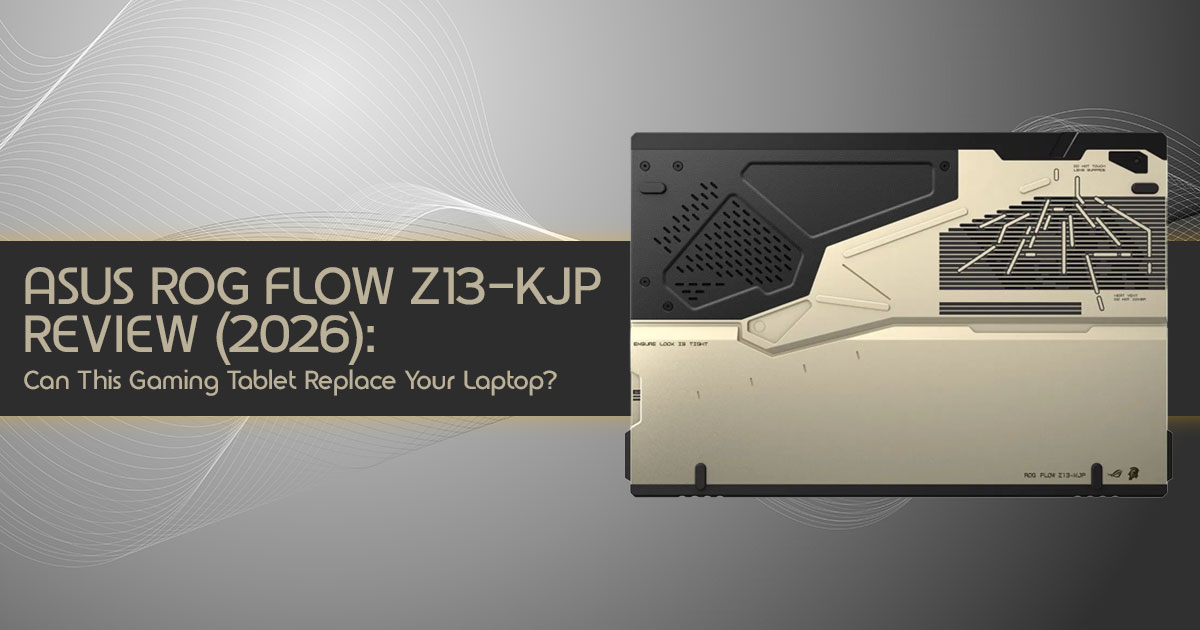
The ASUS ROG Flow Z13-KJP is a collector’s item, born from a unique collaboration with Kojima Productions. Instead of mere hype, we analyzed whether this partnership adds meaningful value. For fans of Hideo Kojima’s work, the design choices clearly appeal to collectors and longtime Kojima fans. This feels less like a regular laptop and more like a collector-focused premium device. From a resale value potential perspective, limited edition collaborations often hold their value better than standard models. Its uniqueness factor is undeniable, setting it apart from almost every other gaming-focused hybrid device currently available.
3.3. Everyday Practicality
Beyond the initial wow factor, how does it hold up in daily life? Carrying comfort is excellent when slipped into a backpack. For frequent travelers, its ability to switch from a powerful work machine to an entertainment tablet makes it ideal for airplane usability. On a desk, its footprint is minimal, though the kickstand design means it requires a flat surface, which can be a minor inconvenience for impromptu lap use.
4. Display Experience: More Important Than Raw Specs
For a device like this, the display matters a lot.
4.1. Real-World Visual Experience
The 13.4-inch Nebula Display immediately stands out. With a 2.5K (2560×1600) resolution and a 180Hz refresh rate, it delivers crisp visuals and smooth motion. Brightness indoors is excellent at 500 nits. Color accuracy is superb with 100% DCI-P3 coverage, making it a fantastic canvas for creators. HDR-supported content looks vibrant, with strong contrast and rich color depth.
4.2. Gaming Experience
This display truly shines when gaming. For fast shooters, the 180Hz refresh rate provides a competitive edge. Cinematic AAA games look breathtaking, with rich colors enhancing immersion. Esports responsiveness is top-tier, making it one of the most capable gaming tablets available right now.
4.3. Creator Workflow Experience
For creative professionals, the display’s attributes are equally important. Photo editing benefits from the high resolution, while video editing is a pleasure with ample screen real estate for timelines. UI scaling in creative applications is generally good, and multitasking comfort is surprisingly high for a 13-inch screen.
4.4. Tablet Consumption Experience
Beyond work, the display excels for consumption. Watching Netflix is a joy, and reading e-books or browsing comics is comfortable thanks to the high resolution. Touchscreen navigation in tablet mode is intuitive, making it a versatile device for casual use.
5. Performance Deep Dive: Can Integrated Radeon 8060S Really Replace Dedicated GPUs?
Powered by the AMD Ryzen AI Max+ 395 processor with its integrated Radeon 8060S graphics, it promises a level of performance previously unheard of in a tablet.
5.1. CPU Performance
The AMD Ryzen AI Max+ 395 is a beast with 16 cores and 32 threads. For multitasking, it handles numerous applications simultaneously. Heavy productivity tasks are dispatched with ease, and rendering workloads see significant acceleration. Crucially, its Ryzen AI Max capabilities mean it excels in AI workloads.
5.2. Gaming Performance Analysis
The Radeon 8060S integrated GPU delivers performance surprisingly close to some mid-range dedicated laptop GPUs in optimized conditions, especially when paired with AMD FSR technologies. This gives the Flow Z13 enough power to feel like a real gaming machine instead of a compromised hybrid.
| Game Category | Expected Performance (1080p, Medium/High Settings) |
| AAA Games | Cyberpunk 2077: ~85–95 FPS with FSR 3 Quality enabled |
| Action / RPG | Shadow of the Tomb Raider: ~110–120 FPS |
| Open World | Horizon Zero Dawn: ~90–100 FPS |
| Esports | Valorant / CS2: 300+ FPS |
| Thermal Stability | Excellent for a gaming tablet; cooling system maintains performance well under load, though fans become audible during intensive gaming sessions |
Performance estimates may vary depending on power settings, RAM configuration, game updates, thermal conditions, and driver optimization.
5.3. Real Gaming Expectations
While the Radeon 8060S is powerful, we recommend playing AAA titles at 1080p or 1440p with medium settings, leveraging AMD’s FSR for optimal frame rates. Anyone accustomed to the limitations of previous integrated graphics will be genuinely impressed by the sheer Ryzen AI Max gaming performance on offer.
5.4. Creator Performance
The ASUS ROG Flow Z13-KJP isn’t just for gamers; it also works surprisingly well as a creator-focused portable PC.
- Premiere Pro & DaVinci Resolve: Video editors will appreciate quick render times and smooth timeline scrubbing.
- Photoshop: Image manipulation is fluid and responsive.
- Blender: It handles moderate 3D modeling and rendering tasks surprisingly well.
- AI Tools: The dedicated Ryzen AI Max NPU significantly boosts performance in AI-driven applications.
6. The Truth About the Tablet Experience
Most reviews gloss over this, but for a gaming tablet hybrid, it’s critical. Windows still struggles with touch optimization, and at 1.24 kg, the Z13 is heavy for prolonged handheld use. You’ll find yourself propping it up more often than not. While the stylus is useful for creative work, don’t expect the effortless, lightweight feel of an iPad.
7. Keyboard and Trackpad: Surprisingly Good or Just Acceptable?
For a detachable gaming laptop, the input devices are vital. The keyboard folio offers a surprisingly good typing experience with a decent tactile feel. Key responsiveness is
excellent for gaming, and the Z13’s design keeps heat away from the WASD keys. The trackpad is reasonably sized with good gesture accuracy, making it perfectly usable for most productivity tasks.
8. Thermal Performance and Fan Noise
The ASUS ROG Flow Z13-KJP uses a dual-fan vapor chamber with liquid metal. Under sustained gaming, it keeps components remarkably cool because heat dissipates from the back of the screen rather than through the keyboard deck. However, fan noise under stress is audible. For casual use, the silent mode is genuinely useful, and the heat vent placement improves comfort during tablet use.
9. Battery Life: Real Numbers That Matter
Battery life is always one of the biggest compromises in compact gaming devices like this.
| Usage Scenario | Estimated Battery Life |
| Productivity | ~6–8 hours |
| Gaming | ~1–1.5 hours |
| Media Streaming | ~4–5 hours |
Intense gaming will drain the 70 Wh battery quickly. The 200W main charger provides rapid charging, while the 100W USB-C option offers travel flexibility.
10. Ports and Connectivity: Surprisingly Complete
It features two USB-C ports with USB 4.0, a full-sized USB-A 3.2 Gen 2, an HDMI FRL port, and a microSD UHS-II reader. For creator workflow docking, the USB 4.0 ports allow for versatile solutions, including eGPU considerations.
11. Software Experience: The Biggest Weakness?
Windows 11 is versatile but not perfect for touch. ASUS software like Armoury Crate is useful for managing performance but can feel like bloatware. The Ryzen AI Max processor brings significant AI features, enhancing video calls and local AI processing.
12. Who Should Actually Buy the ROG Flow Z13-KJP?
12.1. Ideal Buyers
- Gamers Who Travel Frequently: A great fit for gamers who travel frequently.
- Creators on the Go: A compact system that handles creative work surprisingly well while staying easy to carry.
- Collectors: Fans of unique, high-performance gadgets and the Kojima aesthetic.
12.2. Who Should Avoid It
- Budget-Conscious Buyers: Traditional laptops offer better raw performance per dollar.
- Competitive Esports Users: Stationary setups with larger screens are still superior.
- People Wanting Upgradeability: RAM is soldered; only the SSD is replaceable.
13. ROG Flow Z13-KJP vs. Real Competitors
| Feature | ASUS ROG Flow Z13-KJP | ROG Zephyrus G14 | Razer Blade 14 | MacBook Pro 14 |
| Form Factor | Gaming tablet hybrid with detachable keyboard | Traditional clamshell gaming laptop | Premium clamshell gaming laptop | Premium clamshell productivity laptop |
| GPU | Radeon 8060S integrated graphics | RTX 4070 dedicated GPU | RTX 4070 dedicated GPU | Apple M4 Max integrated GPU |
| Portability | Excellent thanks to tablet mode and compact footprint | Very good balance of portability and gaming power | Good, but heavier due to premium metal chassis | Excellent with industry-leading battery efficiency |
| Price | Premium gaming laptop pricing | Premium | Premium | Very high-end pricing |
14. Long-Term Ownership Questions
Durability expectations are high given the premium build. However, upgrade limitations are real since RAM is soldered. Battery aging is inevitable with heavy gaming use, and repairs can be complex due to the integrated design. On the plus side, its unique status offers strong resale value potential.
15. The Hidden Strength: Emotional Ownership
Beyond benchmarks, the Z13 has a distinctive design identity. Its uniqueness creates a strong sense of attachment for its owners, making it more than just a gadget—it’s a statement of ambitious engineering.
16. Biggest Weaknesses You Should Know Before Buying
- Price-to-Performance Ratio: You pay a premium for the form factor.
- Windows Tablet Limitations: Touch navigation can be frustrating.
- Speaker Quality: Adequate but not exceptional.
- Thermal Compromises: Fans get loud under heavy load.
17. Frequently Asked Questions
Is the ROG Flow Z13 good for video editing?
Yes, the AMD Ryzen AI Max+ 395 and 128GB RAM make it a surprisingly capable portable setup for editing, rendering, and creative workloads.
Can the ROG Flow Z13 replace a gaming laptop?
For many, yes. It offers Ryzen AI Max gaming performance comparable to many portable gaming laptop models with dedicated RTX 4060 GPUs.
Is the integrated Radeon 8060S enough for AAA gaming?
Yes, it can handle most AAA games at 1080p or 1440p using medium settings, while pushing integrated graphics performance much further than previous generations.
18. Final Verdict: A Device That Makes Sense for the Right Person
The ASUS ROG Flow Z13-KJP feels like a product built for people who are tired of carrying oversized gaming laptops everywhere. It challenges the idea that powerful gaming systems need to be bulky and tied to a desk. ASUS took a real risk here by combining a gaming tablet, a creator workstation, and a high-performance laptop into one compact machine.
And despite how ambitious it sounds, much of it actually works well.
The biggest strength of the ROG Flow Z13-KJP is not just raw performance. It’s flexibility. You can use it as a travel-friendly productivity device during the day, connect it to external displays for creative workloads, and still enjoy modern AAA gaming without needing a bulky traditional setup. That balance is what makes this machine stand out in a market filled with similar-looking gaming laptops.
The AMD Ryzen AI Max+ 395 processor delivers impressive real-world speed for multitasking, content creation, and gaming. The gorgeous ROG Nebula touchscreen display, lightweight chassis, and detachable design also make it one of the most interesting 2-in-1 gaming laptops available today.
But this device still comes with compromises.
The high pricing will immediately place it outside the comfort zone of many buyers. Heavy gaming sessions can push thermals and fan noise higher than some users may prefer. And
while the tablet form factor feels refreshing, Windows still isn’t perfect as a full-time touch-first operating system.
That’s why this isn’t a laptop for everyone.
If your priority is getting the absolute highest frame rates for the lowest price, a traditional RTX gaming laptop may still offer better value. But if you care about portability, flexibility, premium engineering, creator-focused usability, and having one powerful device that adapts to different lifestyles, the ASUS ROG Flow Z13-KJP becomes far more compelling.
This is the kind of device that makes sense for:
- Traveling gamers
- Content creators
- Students needing portability and power
- Creative professionals
- Tech enthusiasts who want something different
- Users who want one compact device for gaming, work, and travel
The truth is, the ROG Flow Z13-KJP is not trying to replace every gaming laptop. It’s trying to create a new category between tablet convenience and workstation-level power. And for the right person, it does that exceptionally well.
What makes this device memorable is how different it feels from almost everything else in the market. It feels experimental in a good way — premium, portable, and far more capable than most people would expect. Few devices manage to feel practical and futuristic at the same time — this one comes close.
Is the ASUS ROG Flow Z13-KJP Worth Buying in 2026?
Buy on Amazon Worldwide
ASUS ROG Flow Z13 2.5K 180Hz 3ms ROG Nebula Touchscreen 13.4″ Convertible 2-in-1 Gaming Notebook
Buy on Amazon India
ASUS ROG Flow Z13 Kojima Limited Edition Gaming Laptop
Have questions about the ASUS ROG Flow Z13-KJP, gaming performance, creator workflows, or whether it’s the right fit for your needs? Share your thoughts in the comments below. We genuinely enjoy helping readers choose the right tech based on real-world usage, long-term value, and practical everyday experience.
***Disclaimer***
This blog post reflects our research, analysis, and opinions based on available product information, user feedback, and industry knowledge. It should not be taken as the official position of any brand, manufacturer, or company mentioned here. While we aim to keep information accurate and up to date, product details, pricing, and availability can change. We recommend double-checking important details before making a purchase.
Some links in this article may be affiliate links. If you choose to buy through these links, we may earn a small commission at no extra cost to you. This helps support our work and allows us to keep publishing in-depth, unbiased reviews. Our recommendations are never influenced by affiliate partnerships.
Comments shared by readers reflect their own views and not ours. We are not responsible for outcomes resulting from the use of information on this site. Please seek professional advice where appropriate.
All product names, logos, and brands mentioned are the property of their respective owners. These names are used for identification and informational purposes only and do not imply endorsement.
