
1. Why So Many People Are Burned Out by Screens
Most of us wake up and immediately reach for a screen. Phones, laptops, tablets, TVs, smartwatches — our eyes barely get a break anymore. We work on glowing displays all day, scroll endlessly at night, and somehow still wonder why we feel mentally drained even after doing “nothing.”
The exhaustion is not just physical. It is emotional too.
Click here to buy from Amazon
Constant notifications, endless tabs, autoplay videos, social feeds, emails, and group chats quietly train our brains to stay distracted every minute of the day. Even when we sit down to read, study, or focus on important work, our attention feels fragmented. Many people are starting to realize the problem is not just how much technology we use — it is the kind of technology we use.
That is one of the biggest reasons E Ink tablets are suddenly becoming popular again.
People are looking for calmer devices. Tools that help them focus instead of constantly demanding attention. Devices built for reading, thinking, learning, writing, and working without distractions.
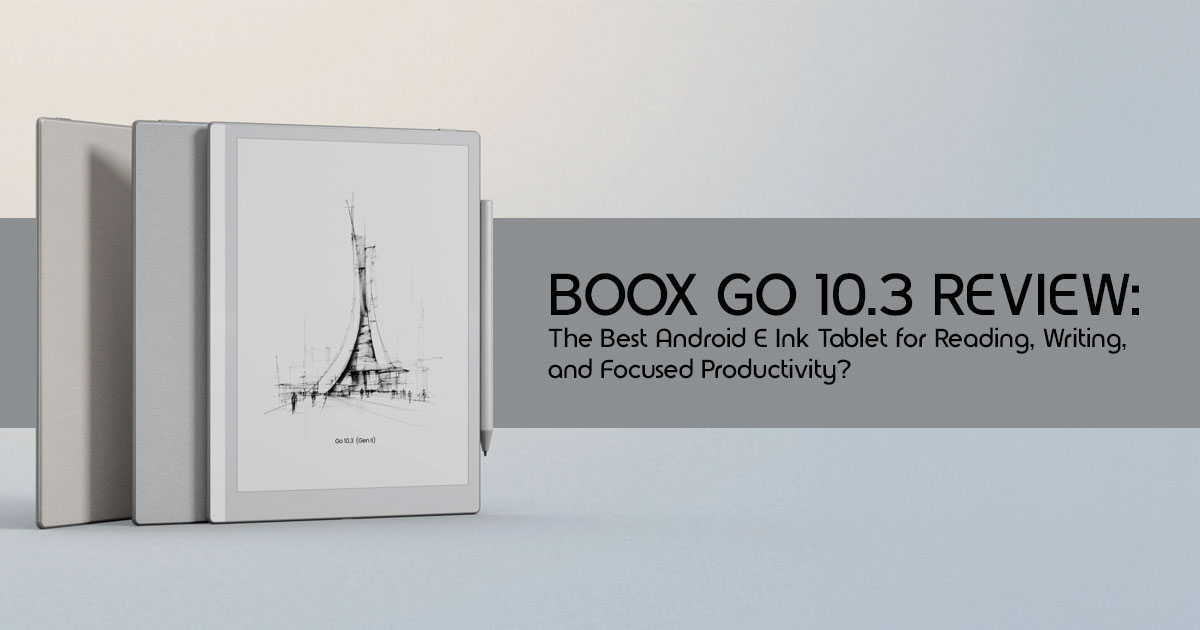
The BOOX Go 10.3 Gen II Lumi fits directly into that conversation.
This is not another flashy entertainment gadget trying to replace your laptop or compete with an iPad. It is something very different. Think of it as a focus device — a distraction-free tablet designed to make long reading, writing, and study sessions feel calmer and more comfortable.
That difference becomes obvious the moment you spend a few hours reading on it.
The first time many users switch from a bright OLED display to an E Ink screen, they notice something surprising: their eyes finally relax. That is the biggest reason many people now prefer an eye-friendly tablet for reading and note-taking. Reading feels slower, calmer, and more natural. You stop fighting notifications and start paying attention to what is actually in front of you.
Of course, this kind of device is not for everyone.
If you want smooth gaming, cinematic video playback, or ultra-fast multitasking, this is the wrong product. The BOOX Go 10.3 Gen II Lumi is built for a completely different type of user:
- Students reading large PDFs and taking handwritten notes
- Writers who want fewer distractions
- Professionals reviewing documents for hours
- Researchers managing articles and annotations
- Readers dealing with eye strain from traditional screens
- Digital minimalists trying to reduce screen addiction
- Kindle users wanting more flexibility and Android app support
As technology experts with over 20 years of experience in hardware and application research and development, we analyze every product based on real-world performance, durability, software experience, and long-term value for money. Our goal is simple: help readers find the best product for their needs, whether that means affordability, performance, reliability, or everyday usability. Every recommendation in this review is backed by extensive research, component-level analysis, real-world testing scenarios, and years of industry expertise.
What makes the BOOX Go 10.3 Gen II Lumi interesting is not raw power or flashy specs. It is the idea behind it.
In a world where every device fights harder for your attention, this tablet tries to give some of it back.
2. Who Should Actually Buy the BOOX Go 10.3 Gen II Lumi?
Best for:
- Students reading PDFs for hours: The 3-inch screen is perfect for academic papers without zooming.
- Writers and researchers: A distraction-free environment for drafting and organizing thoughts.
- Professionals who annotate documents daily: Easily sign contracts and mark up reports.
- Readers sensitive to eye strain: The E Ink Carta 1200 display is incredibly gentle on the eyes.
- People trying to reduce screen addiction: A device that encourages focus over doomscrolling.
- Kindle users wanting more freedom and Android apps: Access the Google Play Store without being locked into one ecosystem.
Avoid if:
- You expect smooth video playback.
- You want vivid colors (this is a monochrome device).
- You need fast multitasking between heavy apps.
- You mainly watch YouTube or Netflix.
- You want Apple-level app optimization across the board.
Quick Verdict: The BOOX Go 10.3 Gen II Lumi is a beautifully designed digital paper tablet that combines the flexibility of Android 15 with the calm, paper-like feel of an E Ink display. Its biggest strength is its versatility combined with a superb dual-tone front light. Its biggest weakness is the controversial switch to an active capacitive stylus and a somewhat weak magnetic pen attachment. At $449.99, the premium price feels justified if you value an open ecosystem and a front light, but pure writing purists might miss the older EMR stylus technology.
3. What Makes This E Ink Tablet Different From Regular Tablets?
3.1 Why E Ink Feels So Different
If you have never used an E Ink device, it is hard to describe just how different it feels from a standard tablet. In simple human language, E Ink mimics real paper. Instead of shining a bright backlight directly into your eyes like an iPad, it uses tiny microcapsules of black and white ink that physically move to form text and images.
Because it reflects ambient light rather than emitting harsh light, reading on E Ink feels mentally calmer. You experience significantly lower eye fatigue during long sessions. It is the closest digital equivalent to reading a physical paperback book.
3.2 Why Android Changes Everything
Unlike the Kindle Scribe or the reMarkable 2, the BOOX Go 10.3 Gen II Lumi feels more like a true Android E Ink tablet, giving users far more flexibility with apps and workflows. This changes everything. You are not restricted to one bookstore.
You have full access to the Google Play Store, meaning you can download:
- Kindle
- Kobo
- Libby (for library books)
- Google Drive
- OneNote
- Evernote
- Obsidian
- Audible
That freedom makes a huge difference in everyday use. Users can build a workflow that suits their needs, rather than adapting to what the manufacturer dictates.
3.3 The “Minimalist Tech” Appeal
There is a growing movement of people intentionally moving toward slower devices. There is something surprisingly calming about using a device that is not constantly trying to grab your attention. When your device cannot play TikTok videos smoothly, you stop trying. For many users, E Ink devices naturally encourage deeper focus and more intentional reading habits. It forces you to engage with one task at a time, whether that is reading a long-form article or journaling your thoughts.
4. Design and Build: Shockingly Thin, Light, and Travel-Friendly
4.1 First Impressions in Real Life
Taking the BOOX Go 10.3 Gen II Lumi out of the box, the first thing you notice is how shockingly thin it feels compared to an iPad. At just 4.8mm thick, it feels incredibly thin in the hand, more like a sheet of paper than a traditional tablet. The metallic finish gives it a clean, premium look.
During long reading sessions, the weight distribution is excellent. At 364 grams, it is light enough to hold comfortably, and it certainly does not feel fragile despite its thin profile.
4.2 Comfort During Long Reading Sessions
The one-handed reading experience is decent, though the 10.3-inch size means you will likely rest it on your lap or use two hands for extended periods. Desk writing ergonomics are fantastic because the device lies almost completely flat. Couch and bed usability is where it truly shines, especially with the Lumi’s front light illuminating the screen without lighting up the whole room.
4.3 Does the Matte Display Actually Feel Like Paper?
The texture analysis of the screen reveals a pleasant, slightly gritty matte finish. The friction compared to glass tablets like the iPad is night and day. That is what makes the BOOX feel more like a true paper-like writing tablet instead of a traditional glossy-screen device.
However, the writing experience feels a little different depending on what device you are comparing it to. It is better than an iPad with a Paperlike screen protector, but pure writing enthusiasts often argue that the reMarkable 2 still holds the crown for the absolute best pencil-on-paper sensation.
4.4 Real Portability Test
In a real portability test, this device is a winner. Backpack usage is effortless; it takes up less space than a standard spiral notebook. For a coffee shop workflow, it is unassuming and professional. Airplane and commute practicality is high, as the battery lasts for days, not hours.
5. Display Experience: The Part That Makes or Breaks an E Ink Device
5.1 Why the 300 PPI Screen Matters
The BOOX Go 10.3 Gen II Lumi features a stunning 300 PPI (pixels per inch) display. This matters immensely for crisp text clarity. PDF readability is excellent; you rarely need to zoom in to read fine print. Manga and article reading quality is top-tier, with deep blacks and sharp contrast.
5.2 Front Light vs No Front Light
Why the Lumi model matters comes down to one feature: the front light. The standard Go
10.3 lacks this. The night reading benefits of the Lumi are undeniable. The warm light comfort for bedtime reading allows you to wind down without blue light disrupting your circadian rhythm. If you read indoors or at night, the Lumi is the only logical choice.
5.3 Real-World Reading Experience
In real-world use, the display excels across the board:
- Books: Flawless, customizable reading experience.
- PDFs: Handles large files with ease.
- Academic papers: The 3-inch size is the sweet spot.
- Long-form articles: Great via apps like Pocket or Readwise.
- Web browsing: Functional for reading text-heavy sites.
5.4 Where the Display Struggles
We must be honest about where the display struggles. Scrolling limitations are real; E Ink is not meant for smooth scrolling. You will experience ghosting (faint remnants of previous pages), though BOOX’s refresh modes help mitigate this. Video playback is usable for occasional clips, but the display is clearly optimized for reading, writing, and productivity. Fast-refresh compromises mean you trade image quality for speed when navigating the UI.
6. Can It Replace Paper Notes?
For practical note-taking analysis, yes, it can replace paper notes. The handwriting latency discussion is generally positive; the ink flows closely behind the pen. The writing feel under real conditions is highly satisfying, even if it is not the absolute best in the industry.
7. The Android Experience: Powerful but Not Perfect
7.1 What Using Android on E Ink Actually Feels Like
Using Android on E Ink requires an honest explanation of the trade-off. You are trading the highly optimized, simple interface of a Kindle for the absolute freedom of Android 15. This means you have to tweak settings, adjust app refresh rates, and deal with occasional UI clunkiness.
7.2 Apps That Work Surprisingly Well
When configured correctly, many apps shine:
- Kindle: Works perfectly for your Amazon library.
- Google Docs: Great for reviewing text.
- OneNote & Obsidian: Excellent for syncing your knowledge base.
- Readwise Reader & Pocket: Ideal for saving web articles.
- Audible: Connect Bluetooth headphones and listen away.
7.3 Apps That Feel Awful on E Ink
Conversely, apps that feel awful on E Ink include social media (Instagram, X), fast UI apps, and anything video-heavy. Do not buy this for YouTube.
7.4 Google Play Store Setup
The ease of setup is straightforward. Syncing accounts works just like any Android phone. Security considerations are standard for Android devices, though you should always keep the firmware updated.
7.5 Performance Reality Check
For a performance reality check, the Qualcomm Snapdragon 750G processor is a significant upgrade over the previous generation. Speed expectations should be realistic—it is fast for E Ink, but slow compared to an iPad. App launch times are acceptable, but multitasking limitations exist due to the 4GB of RAM. Overall, the processor feels modern enough for its intended purpose.
Click here to buy from Amazon
8. Writing and Note-Taking: Good Enough to Replace a Notebook?
8.1 The InkSense Stylus Experience
The BOOX Go 10.3 Gen II Lumi introduces the InkSense Plus stylus. It offers 4,096 levels of pressure sensitivity and solid palm rejection. Accuracy is good, and latency is minimal in the native note-taking app.
8.2 Comparing the Writing Feel
However, we must compare the writing feel. The switch from Wacom EMR (used in the Gen 1) to an active capacitive stylus is controversial.
- vs reMarkable 2: reMarkable still feels more organic and pencil-like.
- vs Kindle Scribe: The Scribe’s EMR pen feels slightly more fluid.
- vs Supernote: Supernote offers a unique gel-pen feel that many prefer.
- vs iPad Pencil: BOOX feels much more like real paper than the slippery glass of an iPad.
8.3 Best Use Cases for Note-Taking
For many users, this is easily one of the best E Ink tablets for note-taking, especially for meeting notes, brainstorming, journaling, study annotations, and research organization. The native software is incredibly powerful, offering layers, templates, and handwriting recognition.
8.4 What Artists Should Know
For artists, sketching quality is decent for wireframes and basic drawings. Line precision is good, but why this is not a professional art tablet comes down to the lack of color and the slight latency that professional illustrators might find frustrating.
8.5 Long-Term Writing Comfort
Long-term writing comfort is high. Nib wear is standard, hand fatigue is low due to the thin profile, and the writing resistance provides satisfying tactile feedback.
9. Battery Life: Better Than Tablets, Different From E-Readers
9.1 Realistic Battery Expectations
Realistic battery expectations sit somewhere between a traditional tablet and a basic e-reader. For heavy reading, it lasts weeks. For daily note-taking, expect a solid week or more. With mixed Android usage, you might need to charge it every few days.
9.2 What Drains Battery Faster Than Expected
Be aware of what drains the battery faster than expected:
- Wi-Fi and Bluetooth left on constantly.
- High brightness on the front light.
- High refresh modes (like A2 or X-Mode).
- Android apps running in the background.
Charging speed and daily convenience are standard via USB-C. You will not suffer from battery anxiety with this device.
10. Who This Device Is Actually Built For
10.1 Students
For students, this can easily become one of the best E Ink tablets for reading PDFs and handwritten notes. The backpack weight savings and lecture note workflow make it an ideal campus companion.
10.2 Writers and Researchers
Perfect for deep reading sessions, focus writing, and integrating with knowledge management workflows like Obsidian.
10.3 Professionals
Excellent for reviewing contracts, marking documents, and bringing to distraction-free meetings where a glowing laptop screen feels rude.
10.4 Digital Minimalists
A great tool for replacing doomscrolling habits with intentional technology use.
10.5 Readers With Eye Strain or Migraines
Why E Ink matters medically and psychologically is profound. The lack of blue light and glare provides genuine relief for sensitive eyes.
11. The Hidden Downsides Nobody Talks About
11.1 The Learning Curve
There is a learning curve. You have to understand E Ink refresh behavior and spend time on Android customization to fix UI quirks. It is not “plug and play” like an iPad.
11.2 The Active Stylus Debate
The EMR vs active stylus controversy is real. Why some enthusiasts dislike the switch is because EMR pens never need charging and generally offer a slightly more natural feel. The new InkSense pen is good, but purists will notice the difference.
11.3 App Compatibility Issues
Not every Android app feels usable. Optimization inconsistency means some third-party apps will have weird contrast issues until you manually adjust the settings.
11.4 Premium Price Concerns
At $449.99, why this category feels expensive is because you are paying for specialized technology. Whether the experience truly justifies the cost depends entirely on how much we value the Android freedom and the front light.
11.5 Software Longevity Questions
Update concerns and long-term support uncertainty are valid. BOOX software reputation is generally good for a few years, but they release new hardware frequently, which sometimes leaves older models behind faster than Apple does with iPads.
12. BOOX Go 10.3 Gen II Lumi vs The Biggest Alternatives
| Feature | BOOX Go 10.3 Gen II Lumi | Kindle Scribe | reMarkable 2 | Supernote A5 X2 | iPad Air |
| Operating System | Android 15 (Open) | Kindle OS (Closed) | Linux-based (Closed) | Supernote OS (Focused) | iPadOS (Open) |
| Front Light | Yes (Dual-tone) | Yes | No | No | Backlit LCD |
| Writing Feel | Very Good (Active Stylus) | Excellent (EMR) | Best in Class (EMR) | Excellent (EMR) | Slippery Glass Surface |
| App Ecosystem | Google Play Store | Amazon Ecosystem Only | None | Limited | Apple App Store |
| Best For | Versatility, Reading & Productivity | Simple Reading & Note-Taking | Pure Writing Experience | Organization & Knowledge Management | Multimedia, Apps & General Computing |
Which One Gives the Best Value?
If you want pure simplicity, the Kindle Scribe is cheaper. If you want the best writing feel, get the reMarkable 2. But if you want versatility, a front light, and access to all your apps, the BOOX Go 10.3 Gen II Lumi is the clear winner.
13. The Real Ownership Experience After Weeks of Use
13.1 What Gets Better Over Time
Over time, you will notice reduced eye fatigue, improved focus, and more intentional reading habits. You stop reaching for your phone and start reaching for your BOOX.
13.2 What Becomes Annoying
However, slow refresh moments, Android quirks, and occasional lag when navigating heavy apps will test your patience.
13.3 The “Lifestyle Device” Factor
Many people end up emotionally attached to E Ink devices because they change the way reading and focused work feel. It starts to feel less like another gadget and more like a quiet workspace for reading, writing, and focused thinking.
14. Is the BOOX Go 10.3 Gen II Lumi Worth the Price?
Who Will Love It
You will love it if you are a student, writer, or professional who wants the freedom of Android combined with the eye comfort of E Ink and the necessity of a front light.
Who Will Regret Buying It
You will regret buying it if you expect it to be a cheap iPad, if you hate tinkering with settings, or if you demand the absolute best pencil-like writing feel (look to reMarkable instead).
Is It Future-Proof Enough?
With Android 15 and a capable Snapdragon processor, it is future-proof enough for reading and writing for the next several years.
15. Frequently Asked Questions
Can it replace an iPad?
No. It is a dedicated reading and writing device. It cannot handle video, gaming, or heavy multitasking like an iPad.
Is it good for college students?
Yes, it is fantastic for reading and annotating large PDF textbooks without eye strain.
Does it support Google Play?
Yes, it runs Android 15 and has full access to the Google Play Store.
Can you use Kindle books?
Absolutely. You can download the Kindle app, as well as Kobo, Libby, and others.
Is the writing latency noticeable?
In the native note-taking app, latency is virtually zero. In third-party apps like OneNote, there can be a slight delay, though BOOX has optimized this significantly.
Is the front light worth paying extra for?
Yes. Unless you only ever read outdoors in bright sunlight, the Lumi’s front light is essential for indoor and nighttime use.
Does it work well for PDFs?
Yes, the 10.3-inch screen makes this one of the best tablets for reading PDFs without constantly zooming or scrolling around the page.
Can it run Microsoft Office apps?
Yes, you can run Word and Excel, though the E Ink screen makes heavy editing cumbersome. It is best for reviewing documents.
Is it good for comics or manga?
Yes, the 300 PPI screen makes black-and-white manga look incredibly crisp.
How long does the battery actually last?
Depending on front light and Wi-Fi usage, it typically lasts anywhere from a few days to a couple of weeks on a single charge.
Click here to buy from Amazon
16. Final Verdict
The BOOX Go 10.3 Gen II Lumi succeeds brilliantly at what it was designed to do. This is not just another tablet chasing performance numbers or flashy entertainment features. Instead, it delivers something many modern devices fail to offer: a calmer, more focused digital experience.
It sits in a unique space between a traditional e-reader and a full-featured Android tablet, giving users the flexibility of Android without the constant distractions that usually come with it. For readers, students, researchers, writers, and professionals who spend hours consuming information every day, that balance can feel genuinely refreshing.
Best Reason to Buy
The biggest strength of the BOOX Go 10.3 Gen II Lumi is the combination of:
- an open Android ecosystem
- a sharp 300 PPI E Ink display
- excellent PDF reading and annotation
- flexible note-taking tools
- and a highly customizable front light experience
Unlike locked-down e-readers, this tablet gives users the freedom to install apps like Kindle, Google Drive, OneNote, Obsidian, Evernote, and Pocket, making it far more versatile for productivity and long-form reading.
Biggest Compromise
The largest compromise comes from two areas:
- the move away from traditional EMR stylus technology
- and the natural learning curve that comes with using Android on an E Ink display
It takes a little time to get used to, especially if you are coming from an iPad or a regular Android tablet. Some apps require tweaking, refresh settings take time to understand, and certain animations or fast-moving interfaces still feel awkward on E Ink technology. Users expecting ultra-smooth tablet performance may initially struggle to adjust.
But that slower, calmer experience is also the reason many people end up loving it.
The BOOX Go 10.3 Gen II Lumi is less about raw specifications and more about how you want to live and work. It appeals to people trying to:
- reclaim focus
- spend less time feeling mentally drained by screens
- improve deep reading habits
- write without distractions
- and spend less time trapped inside noisy app ecosystems
When used for focused work, reading, and writing, this tablet feels thoughtful, calm, and genuinely satisfying to use every day. When treated like a traditional entertainment tablet, its limitations become obvious very quickly.
For the right user, though, it can completely change how digital reading and note-taking feel.
Purchase the BOOX Go 10.3 Gen II Lumi
Amazon Worldwide
BOOX Tablet Go 10.3 Gen II Lumi ePaper E Ink Tablet Notebook
Amazon India
BOOX Tablet Go 10.3 ePaper E Ink Tablet No Front Light 4G 64G 300 PPI B/W
Have you made the switch to an E Ink tablet yet? Share your experience, ask any questions, or request online assistance in the comments below.
***Disclaimer***
This blog post reflects our research, analysis, and opinions based on available product information, user feedback, and industry knowledge. It should not be taken as the official position of any brand, manufacturer, or company mentioned here. While we aim to keep information accurate and up to date, product details, pricing, and availability can change. We recommend double-checking important details before making a purchase.
Some links in this article may be affiliate links. If you choose to buy through these links, we may earn a small commission at no extra cost to you. This helps support our work and allows us to keep publishing in-depth, unbiased reviews. Our recommendations are never influenced by affiliate partnerships.
Comments shared by readers reflect their own views and not ours. We are not responsible for outcomes resulting from the use of information on this site. Please seek professional advice where appropriate.
All product names, logos, and brands mentioned are the property of their respective owners. These names are used for identification and informational purposes only and do not imply endorsement.
