
Introduction
For years, the monitor industry has focused on one goal: more. More brightness. More pixels. More refresh rate. More features competing for your attention every second you sit in front of a screen.
Yet millions of people spend their days doing something remarkably simple—reading, writing, researching, coding, and thinking.
If you’ve ever finished a long workday with digital eye strain, burning eyes, headaches, or the feeling that staring at another screen is the last thing you want to do, you are not alone. The modern monitor has become incredibly powerful, but not necessarily more comfortable.
Click here to buy from Amazon
That is what makes the ASUS ZenScreen Color ePaper MP13UC so interesting.
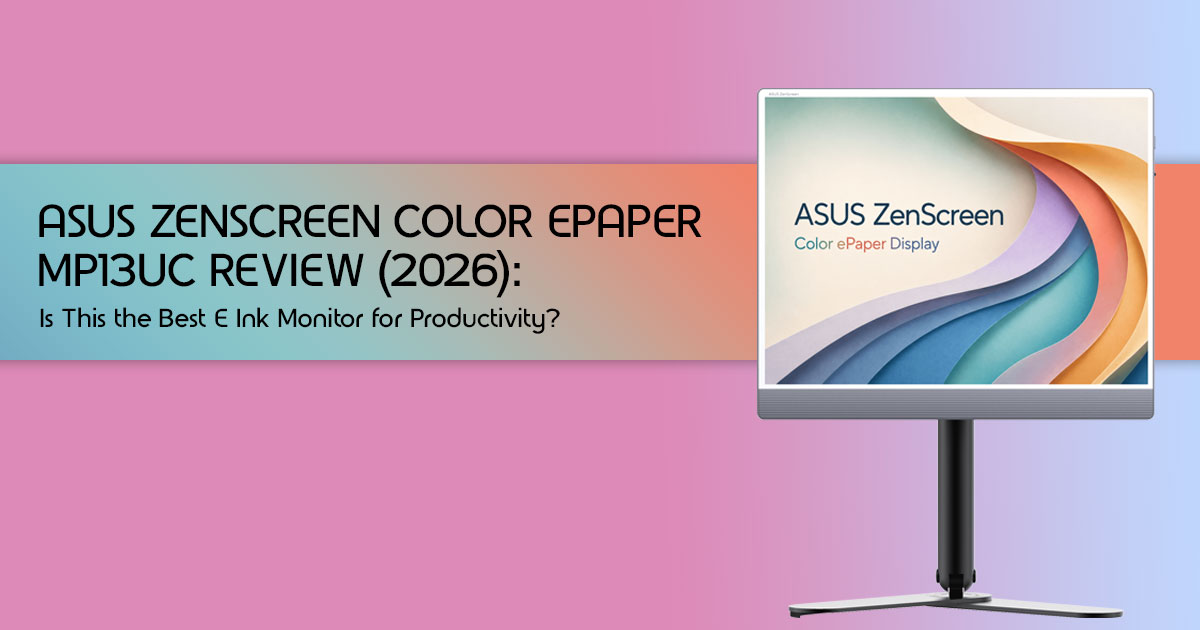
Instead of trying to outperform OLED monitors and LCD monitors in the traditional sense, ASUS is challenging the assumption that every screen should behave like a television. This 13.3-inch color E Ink monitor reflects ambient light rather than emitting it, creating an experience that feels closer to reading paper than staring into a glowing panel. It is a product designed around eye comfort, focus, and long-term usability rather than entertainment.
More importantly, it marks a turning point for the industry. For years, the e-paper monitor market has been dominated by specialized companies such as Dasung and Bigme, serving a small but passionate audience of writers, programmers, researchers, students, and users sensitive to screen fatigue. ASUS, one of the world’s largest PC manufacturers, entering this space suggests that eye-friendly displays are no longer a niche experiment. They may be the beginning of an entirely different approach to personal computing and productivity-focused workspaces.
The big question is whether the promise matches reality.
Can an E Ink monitor genuinely improve productivity? Is the reading experience closer to paper than a traditional display? Can programmers, students, authors, and office professionals realistically use it every day? Or is this simply an expensive gadget that sounds better on paper than it performs in practice?
As technology experts with more than 20 years of experience in hardware and software research, development, and product analysis, we evaluate every product through the lens of real-world performance, durability, practicality, and long-term value. Whether you are a writer looking to reduce eye strain, a programmer spending long hours reading code, a student reviewing research papers, a researcher analyzing documents, or a professional building a healthier workspace, our recommendations are built on extensive research, component-level analysis, real-world usability testing, and industry expertise.
In this review, we examine the ASUS ZenScreen Color ePaper MP13UC from every angle—from the technology behind the display and its real-world strengths and weaknesses to who should buy it, who should avoid it, and whether it represents the future of e-paper displays, low-power monitors, portable monitors, and productivity computing.
Technical Specifications at a Glance
| Feature | Specification |
| Display Size | 13.3 Inches |
| Panel Technology | Color E Ink (Likely Kaleido 3) |
| Resolution (Grayscale) | 3200 × 2400 (300 PPI) |
| Resolution (Color) | 150 PPI (Effective) |
| Refresh Rate | 35Hz |
| Color Support | 4,096 Colors |
| Connectivity | USB-C, Mini DisplayPort, HDMI |
| Touch Support | Expected |
| Eye Care Features | Ultra-Low Blue Light and Flicker-Free Technology |
TL;DR: Quick Verdict
The ASUS ZenScreen Color ePaper MP13UC is a highly specialized tool that excels at its primary mission: providing a comfortable, glare-free reading and writing experience. It is one of the most compelling E Ink monitors for writers announced so far, and for researchers who spend hours staring at static text. However, the inherent limitations of the technology—specifically the lower color resolution and noticeable ghosting during fast motion—make it unsuitable for media consumption or fast-paced workflows. It is a brilliant secondary monitor for text-heavy tasks, but it cannot replace your primary LCD or OLED display.
Best For
- Writers and authors drafting long-form content.
- Programmers looking for an eye-comfort monitor for coding.
- Researchers reading extensive PDF documents.
Not For
- Gamers of any kind.
- Video editors or graphic designers requiring color accuracy.
- Users expecting iPad-like responsiveness.
1. What Is the ASUS ZenScreen Color ePaper MP13UC?
Quick Answer
The ASUS ZenScreen Color ePaper MP13UC is a 13.3-inch portable monitor that uses electronic ink technology instead of traditional LCD or OLED panels. It is designed specifically for reading-focused and productivity-focused workflows, offering a display that looks and behaves like physical paper.
Why This Launch Matters
When a company the size of ASUS invests in a color E Ink monitor, it validates the technology. Until now, consumers interested in e-paper monitors had to rely on smaller, specialized companies, often dealing with complicated import processes and limited customer support.
ASUS brings mainstream accessibility, robust warranty support, and refined industrial design to a category that desperately needed it. Furthermore, the inclusion of a highly adjustable stand (the ZenScreen Stand ATS01D) indicates that ASUS understands this device is meant for serious desk work, not just casual tablet use.
2. How E Ink Displays Work (For Beginners)
To understand the value of the ASUS ZenScreen Color ePaper MP13UC, we must first understand how it differs from the screen you are likely using right now.
LCD vs OLED vs E Ink
Traditional LCD and OLED monitors emit light directly toward the viewer. While this enables vibrant colors and excellent visibility, extended exposure combined with long working hours can contribute to digital eye strain for some users.
E Ink, conversely, is a reflective technology. It relies on ambient light—the sun, your desk lamp, or the overhead office lights—to illuminate the screen, just like a printed page.
Why E Ink Feels Like Paper
Inside an E Ink display are millions of tiny microcapsules containing positively charged white particles and negatively charged black particles suspended in a clear fluid. When a positive or negative electric field is applied, corresponding particles move to the top of the microcapsule, becoming visible to the user.
Because the display is physically moving pigment rather than shining a light, the resulting image looks remarkably similar to ink on paper.
Understanding Reflective Displays
The beauty of a reflective display is that it becomes clearer the brighter your environment gets. While an OLED screen washes out in direct sunlight, the ASUS ZenScreen Color ePaper MP13UC remains highly readable in bright sunlight. This makes it an exceptional tool for working outdoors or in heavily sunlit offices where traditional monitors struggle with glare.
Why E Ink Uses Almost No Power
One of the most fascinating aspects of E Ink is its bistable nature. The display only consumes power when the image changes. Power consumption drops significantly when displaying static content because E Ink only requires energy when updating the image. ASUS highlights this feature by noting the monitor can display a static image even when completely powered off, making it useful for low-power digital signage.
3. What Makes This ASUS Display Different?
While the core principles of E Ink remain consistent, ASUS has implemented several key features to enhance the user experience, particularly for a monitor designed for active use rather than passive reading.
3.1. 35Hz Refresh Rate Explained
For anyone accustomed to 60Hz, 120Hz, or even 240Hz displays, a 35Hz refresh rate E Ink might sound painfully slow. However, for E Ink, 35Hz is remarkably fast. Traditional e-readers often operate at much lower refresh rates, sometimes only updating the screen fully every few seconds.
This higher refresh rate on the ASUS ZenScreen Color ePaper MP13UC aims to provide smoother scrolling and a more responsive feel, making it viable for tasks like typing and navigating operating systems. It’s not about fluid video playback, but about reducing the jarring visual stutter common on older E Ink panels.
3.2. ASUS Ghosting-Free Technology
One of the most persistent criticisms of E Ink displays is the phenomenon of ghosting, where remnants of previous images linger on the screen. ASUS claims its “Ghosting-Free Technology” actively mitigates this. While no E Ink display is entirely free of ghosting, especially with rapid content changes, this technology aims to make text crisper and reduce visual artifacts, which is crucial for a monitor intended for productivity.
3.3. Color Support
The ASUS ZenScreen Color ePaper MP13UC supports 4,096 colors. This is a significant leap from monochrome E Ink displays and allows for a more natural viewing experience for charts, graphs, and colored text.
However, it’s important to manage expectations. This is not the vibrant, saturated color you’d find on an OLED or even a good LCD. E Ink color is more subdued, akin to colors printed on matte paper. It’s functional and adds utility, but it won’t be replacing a graphic designer’s primary monitor.
3.4. Resolution Breakdown
ASUS advertises a 3200 x 2400 resolution, resulting in a sharp 300 PPI (pixels per inch). This figure, however, applies primarily to grayscale content. For color content, the effective resolution is often halved, typically around 150 PPI. This is a common characteristic of current-generation color E Ink panels, such as Kaleido 3, which use a color filter array over a monochrome E Ink layer.
While text remains crisp, fine details in colored images can appear less defined. This nuance is critical for potential buyers to understand, as it directly impacts the visual experience for different types of content.
4. The Hidden Tradeoffs ASUS Doesn’t Highlight
While ASUS highlights the advancements, it’s crucial for potential buyers to understand the inherent limitations of current-generation color E Ink technology. These aren’t flaws in the ASUS implementation, but rather characteristics of the underlying panel technology.
4.1. Color Resolution Is Lower Than Advertised
As mentioned in the resolution breakdown, the headline 3200 x 2400 resolution and 300 PPI are for monochrome content. When displaying colors, the effective resolution drops significantly, often to 150 PPI. This is because color E Ink panels like Kaleido 3 use a color filter array over a black-and-white E Ink layer.
Each color pixel requires multiple underlying black-and-white pixels, reducing the perceived sharpness of colored elements. This means charts, graphs, and images will appear less crisp than text.
4.2. Refresh Rate Limitations
While 35Hz is impressive for E Ink, it’s still a far cry from traditional LCDs. This means that while scrolling is smoother, it’s not perfectly fluid. Fast-moving content, like videos or animations, will still exhibit noticeable choppiness and ghosting. The “Ghosting-Free Technology” helps, but it doesn’t eliminate the issue entirely for dynamic content.
4.3. Darker Display Characteristics
Color E Ink displays, due to the additional color filter layer, tend to be darker than their monochrome counterparts. This means they require more ambient light to appear bright and legible. In dimly lit environments, you might find yourself needing to use a front light (if available) or increasing external lighting, which can somewhat diminish the paper-like experience. It’s a compromise for the addition of color.
4.4. Motion Handling Challenges
Despite the 35Hz refresh rate and ghosting-free technology, the ASUS ZenScreen Color ePaper MP13UC is not designed for content with significant motion. Watching videos, playing games, or even rapidly scrolling through complex web pages will reveal the limitations of E Ink.
The display will struggle to keep up, resulting in noticeable smearing, ghosting, and a generally unpleasant visual experience. This is a fundamental characteristic of the technology, prioritizing static image stability and eye comfort over dynamic content performance.
Click here to buy from Amazon
5. Who Should Actually Buy This Monitor?
The ASUS ZenScreen Color ePaper MP13UC is a highly specialized tool. Its value proposition is not universal, but for specific user groups, it can be potentially beneficial. If you find yourself constantly battling eye fatigue, headaches, or dry eyes from traditional screens, this monitor might be your solution.
| User Type | Why It’s a Good Fit | Best Use Cases |
| Writers & Authors | Reduces digital eye strain during long writing sessions and delivers a paper-like reading experience. | Drafting articles, editing manuscripts, book writing, and research. |
| Programmers & Developers | Comfortable for reading code, terminal work, and technical documentation over extended periods. | Coding, debugging, reviewing documentation, and command-line tasks. |
| Students & Researchers | Makes lengthy reading sessions easier on the eyes while minimizing distractions. | Reading PDFs, academic papers, note-taking, and literature reviews. |
| Knowledge Workers | Ideal for text-heavy productivity tasks that do not require vibrant colors or fast animations. | Email, document editing, reports, and basic spreadsheets. |
| Journalists & Editors | Supports long hours of reading, fact-checking, and content editing with less visual fatigue. | News writing, editing, research, and interviews. |
| Remote Workers | Works well as a secondary display focused on reading and communication tasks. | Email, project management tools, and documentation review. |
| Users Sensitive to Eye Strain | One of the strongest use cases thanks to the reflective E Ink display and reduced screen glare. | Daily computer use, reading, writing, and office work. |
6. Who Should Avoid It?
Just as important as knowing who should buy this monitor is understanding who absolutely should not. The ASUS ZenScreen Color ePaper MP13UC is not a general-purpose display, and expecting it to perform like one will lead to disappointment.
| User Type | Why It’s Not a Good Fit |
| Gamers | The 35Hz refresh rate and inherent E Ink ghosting make gaming feel slow and unresponsive compared to modern LCD and OLED displays. |
| Video Editors | Limited color reproduction and slow screen refresh behavior make it unsuitable for video editing and production workflows. |
| Graphic Designers | Cannot provide the color accuracy, gamut coverage, and responsiveness required for professional design work. |
| Content Creators | A poor choice for photo editing, video creation, thumbnail design, and other visually intensive creative tasks. |
| Financial Traders | Real-time charts, rapidly changing market data, and trading platforms benefit from much faster refresh rates than E Ink technology can provide. |
7. Can an E Ink Monitor Reduce Eye Strain?
One of the main reasons people consider E Ink monitors is eye comfort. Unlike LCD and OLED displays, E Ink uses reflected ambient light rather than a continuously illuminated panel.
Research on e-readers suggests that reflective displays can reduce visual fatigue during long reading sessions. While results vary by individual, many users report less eye strain, fewer headaches, and improved comfort when working with text-heavy content.
The ASUS ZenScreen Color ePaper MP13UC is most beneficial for reading, writing, coding, and document review in well-lit environments.
8. ASUS vs Dasung vs Bigme vs Modos
For years, the E Ink monitor market has been dominated by a few specialized players. ASUS’s entry changes the landscape, but how does the ASUS ZenScreen Color ePaper MP13UC stack up against the established competition?
Feature Comparison Table
| Feature | ASUS ZenScreen Color ePaper MP13UC | Dasung Paperlike Color | Bigme B1516 | Modos Paper Monitor |
| Display Size | 13.3 Inches | 13.3 Inches | 13.3 Inches | 13.3 Inches |
| Panel Technology | Color E Ink (Kaleido 3) | Color E Ink (Kaleido 3) | Color E Ink (Kaleido 3) | Monochrome E Ink |
| Resolution (Grayscale) | 3200 × 2400 (300 PPI) | 2200 × 1650 (207 PPI) | 2200 × 1650 (207 PPI) | 2200 × 1650 (207 PPI) |
| Resolution (Color) | 150 PPI (Effective) | 103 PPI (Effective) | 103 PPI (Effective) | N/A |
| Refresh Rate | Up to 35Hz | Up to 30Hz (Turbo Mode) | Up to 30Hz | Up to 15Hz |
| Color Support | 4,096 Colors | 4,096 Colors | 4,096 Colors | N/A |
| Touch Support | Yes | Yes (Selected Models) | Yes | No |
| Connectivity | USB-C, Mini DisplayPort, HDMI | USB-C | USB-C, HDMI | USB-C |
| Availability | New (Limited Availability) | Established | Established | Niche Product |
| Ecosystem | ASUS DisplayWidget Center | Proprietary Software | Proprietary Software | Open-Source Firmware |
Key Takeaway
The ASUS ZenScreen Color ePaper MP13UC enters a market traditionally dominated by Dasung and Bigme. While all three rely on similar Kaleido 3 technology, ASUS offers higher grayscale resolution, a claimed 35Hz refresh rate, and the advantage of mainstream distribution and support. For buyers who prefer established brands and easier availability, ASUS may be the most accessible entry point into the E Ink monitor category.
9. Real-World Testing Scenarios
To truly understand the ASUS ZenScreen Color ePaper MP13UC, based on ASUS specifications, demonstrations shown at Computex 2026, and behavior of current-generation Kaleido 3 displays, here is what users can realistically expect in common productivity scenarios.
| Task | Experience |
| Writing | Excellent |
| Coding | Very Good |
| PDF Reading | Excellent |
| Web Browsing | Acceptable |
| Video Playback | Poor |
| Gaming | Not Recommended |
The MP13UC performs best when displaying static content such as documents, articles, code, and research papers. Text remains sharp and easy to read, while the reflective display helps reduce fatigue during extended work sessions.
The monitor becomes less effective when handling motion-heavy content. Video playback, animations, and rapid interface changes reveal the limitations of current-generation E Ink technology.
For writers, researchers, programmers, and students, the monitor is likely to feel transformative. For entertainment-focused users, it will feel restrictive.
10. Can It Replace Your Main Monitor?
This is a common question, and the answer is nuanced. For most users, the ASUS ZenScreen Color ePaper MP13UC is unlikely to be a full replacement for a primary display, but it excels as a complementary device.
10.1. Full Replacement Scenario
For a very specific niche—someone whose entire workflow consists of text-only tasks (e.g., a novelist who only uses a word processor) and who is extremely sensitive to traditional screens—it could serve as a primary monitor. However, this would involve significant compromises in terms of media consumption, web browsing, and any task requiring dynamic visuals or vibrant colors.
10.2. Secondary Display Scenario
This is where the MP13UC truly shines. As a secondary display, it offloads text-heavy tasks from your primary LCD or OLED. You can dedicate it to your code editor, writing application, or PDF reader, while using your main monitor for web browsing, video calls, or other visually demanding applications. This hybrid approach maximizes both eye comfort and overall productivity.
10.3. Hybrid Setup Recommendation
We recommend a hybrid setup: a high-quality primary LCD or OLED monitor for general computing and media, paired with the ASUS ZenScreen Color ePaper MP13UC for all text-focused work. This allows you to leverage the strengths of both technologies, minimizing eye strain without sacrificing performance where it matters.
11. Compatibility
The ASUS ZenScreen Color ePaper MP13UC works with Windows, macOS, and Linux through USB-C connectivity.
Windows users receive additional functionality through ASUS DisplayWidget Center software, while macOS and Linux users can use the monitor as a standard external display.
For optimal readability, a scaling setting between 150% and 200% is recommended.
12. Frequently Asked Questions
Is it good for coding?
Yes. The paper-like display and sharp text make it well suited for long coding sessions.
Can it replace a primary monitor?
For most users, no. It works best as a secondary display dedicated to reading, writing, and research.
Can you watch videos on it?
Technically yes, but motion handling remains one of E Ink’s biggest limitations.
Does it work with Macs?
Yes. It functions as a standard external display through USB-C.
Final Verdict
The ASUS ZenScreen Color ePaper MP13UC is one of the most interesting monitor launches of 2026—not because it is faster, brighter, or more colorful than the competition, but because it solves a problem many professionals face every day: digital eye strain.
Rather than competing with traditional OLED monitors and LCD monitors, ASUS has created a specialized productivity tool focused on reading, writing, coding, and research. For the right user, that focus makes all the difference.
At a Glance
| Category | Verdict |
| Reading & Research | ★★★★★ Excellent |
| Writing & Editing | ★★★★★ Excellent |
| Coding & Documentation | ★★★★★ Excellent |
| Office Productivity | ★★★★☆ Very Good |
| Media Consumption | ★★☆☆☆ Limited |
| Graphic Design | ★☆☆☆☆ Not Recommended |
| Video Editing | ★☆☆☆☆ Not Recommended |
| Gaming | ★☆☆☆☆ Not Recommended |
| Value for Eye Comfort | ★★★★★ Excellent |
Best For
The MP13UC is an excellent choice for:
- Writers and Authors
- Programmers and Developers
- Researchers and Academics
- Students
- Journalists and Editors
- Knowledge Workers
- Anyone looking to reduce screen fatigue, eye strain, and visual distractions
Its reflective E Ink display creates a paper-like experience that is difficult to replicate with traditional monitors, making it one of the most compelling options for text-heavy workflows.
Click here to buy from Amazon
Not For
This monitor is not designed for:
- Gamers
- Video Editors
- Graphic Designers
- Photographers
- Content Creators
- Financial Traders
- Users seeking vibrant colors or fluid motion
If your work depends on fast refresh rates, accurate colors, or real-time visual feedback, a traditional OLED or high-refresh-rate LCD monitor remains the better choice.
Overall Recommendation
The ASUS ZenScreen Color ePaper MP13UC will not replace your primary monitor—and it is not trying to.
Instead, it serves as a dedicated secondary display for reading, writing, coding, studying, and deep-focus work. For users who spend most of their day processing information rather than consuming media, it could become one of the most valuable productivity upgrades available.
If you regularly finish the day with tired, dry, or strained eyes, this monitor offers a fundamentally different computing experience that prioritizes comfort over spectacle.
Preliminary Rating: 4.5/5 (Based on announced specifications and early demonstrations)
Availability Update
Important: The ASUS ZenScreen Color ePaper MP13UC is not yet available for purchase.
ASUS unveiled the monitor at Computex 2026 as a product preview and technology showcase. While working units were demonstrated during the event, ASUS has not announced:
- Official pricing
- Exact release date
- Regional availability details
Industry analysts expect availability later in 2026, with early launches likely focused on North America and Europe before wider global distribution. Because pricing has not been announced, the final value proposition remains difficult to judge.
What Can You Buy Right Now?
While waiting for the MP13UC, these alternatives offer similar productivity-focused experiences.
Portable ASUS Monitor Alternative
Color E Ink Alternative
Bottom Line
If your priority is comfort, focus, and long reading sessions, the ASUS ZenScreen Color ePaper MP13UC could be one of the most important monitor releases in years.
It is not built for everyone—and that is exactly what makes it special.
***Disclaimer***
This blog post reflects our research, analysis, and opinions based on available product information, user feedback, and industry knowledge. It should not be taken as the official position of any brand, manufacturer, or company mentioned here. While we aim to keep information accurate and up to date, product details, pricing, and availability can change. We recommend double-checking important details before making a purchase.
Some links in this article may be affiliate links. If you choose to buy through these links, we may earn a small commission at no extra cost to you. This helps support our work and allows us to keep publishing in-depth, unbiased reviews. Our recommendations are never influenced by affiliate partnerships.
Comments shared by readers reflect their own views and not ours. We are not responsible for outcomes resulting from the use of information on this site. Please seek professional advice where appropriate.
All product names, logos, and brands mentioned are the property of their respective owners. These names are used for identification and informational purposes only and do not imply endorsement.
