
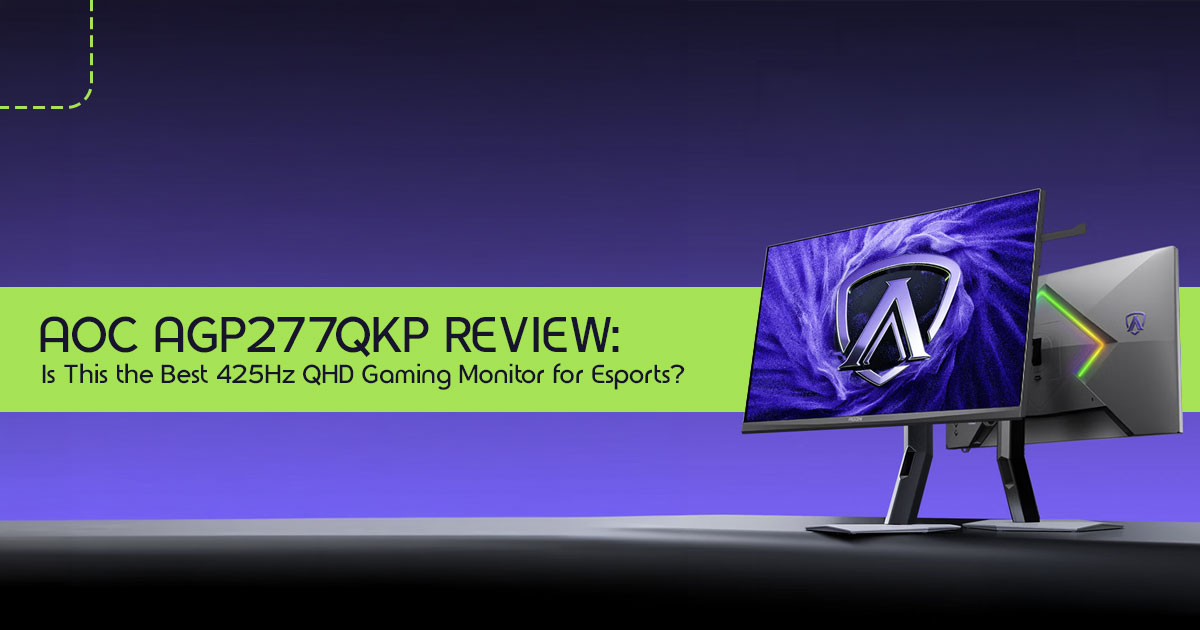
There comes a point where buying better hardware stops being about getting more features and starts becoming about gaining an edge. The challenge is figuring out whether that edge is real or just another number on a spec sheet.
If you are building a high-end gaming PC in 2026, you have probably noticed that gaming monitor refresh rates are climbing at an incredible pace. We have moved from 144Hz to 240Hz, then to 360Hz, and now the AOC AGP277QKP arrives with a staggering 425Hz refresh rate paired with a sharp QHD (2560 × 1440) resolution. On paper, it sounds like the dream combination for competitive gamers. In reality, the answer is more complicated.
The real question is not whether 425Hz gaming is possible. It is whether you can actually benefit from it. Can a 425Hz gaming monitor improve your performance in games like Counter-Strike 2, Valorant, and Overwatch 2? Do you need an expensive GPU capable of pushing more than 400 frames per second? And perhaps most importantly, is this monitor a smarter investment than one of the latest OLED gaming monitors?
As technology experts with over 20 years of experience in hardware and application research and development, we analyze every product based on real-world performance, durability, reliability, user experience, and long-term value for money. Our goal is simple: help you find the best product in every category, whether your priority is budget, performance, reliability, or long-term ownership. Every recommendation we make is backed by extensive research, component-level analysis, real-world usability testing, and decades of industry expertise.
This guide is designed for:
- Competitive esports players looking for every possible advantage
- PC gamers considering an upgrade from 240Hz or 360Hz monitors
- Hardware enthusiasts building a next-generation gaming setup
- Streamers and content creators who want a display that can handle both gaming and productivity
- Value-conscious buyers who want to know whether 425Hz is genuinely useful or simply overkill
In this detailed AOC AGP277QKP review, we go beyond the marketing claims and focus on what matters in everyday use. You will learn how the monitor performs in real gaming scenarios, what hardware is required to take advantage of its 425Hz refresh rate, how its Fast IPS display technology compares to modern OLED displays, and whether it deserves a place among the best 425Hz gaming monitors, best QHD gaming monitors, and best 1440p gaming monitors available today.
By the end, you will know exactly who should buy the AOC AGP277QKP, who should avoid it, and whether this new generation of ultra-high-refresh-rate gaming monitors represents the future of competitive gaming—or simply the latest step in the race for bigger numbers.
1. TL;DR
1.1 Quick Verdict
Best for competitive esports players who demand absolute motion clarity and have the top-tier PC hardware to push 400+ frames per second at 1440p.
Overkill for most casual gamers who play story-driven AAA titles where visual fidelity matters more than extreme refresh rates.
- Excellent motion clarity: The Fast IPS panel combined with 425Hz makes tracking fast-moving targets incredibly smooth.
- Strong connectivity and KVM features: DisplayPort 1 and a built-in KVM switch make it surprisingly versatile for dual-PC setups.
- Limited HDR performance despite certification: DisplayHDR 400 is present, but do not expect OLED-level contrast or brightness.
1.2 Should You Buy It?
If you play Counter-Strike 2 or Valorant at a highly competitive level and want the sharpest possible image without dropping to 1080p, yes. If you primarily play story-driven and cinematic games or have a mid-range GPU, save your money and look at a 240Hz OLED instead.
2. What Is the AOC AGP277QKP?
The AOC AGP277QKP is a premium 27-inch QHD esports monitor designed specifically for serious competitive players. This high refresh rate gaming monitor combines a sharp 1440p resolution with an ultra-fast 425Hz refresh rate, making it one of the most advanced displays currently available for esports gaming.
It bridges the gap between ultra-high refresh rate 1080p monitors and high-resolution 4K displays by offering a QHD (2560×1440) resolution paired with a massive 425Hz refresh rate. It utilizes a Fast IPS panel and introduces circular polarization technology to reduce eye strain during long gaming sessions.
AOC AGP277QKP Key Specifications:
| Category | Specification |
| Panel Type | Fast IPS with Circular Polarization Technology |
| Screen Size | 27 Inches |
| Resolution | QHD (2560 × 1440) |
| Contrast Ratio | 2000:1 Static Contrast Ratio |
| Refresh Rate | 425Hz |
| Response Time | 0.3ms (MPRT) |
| Adaptive Sync | NVIDIA G-SYNC Compatible |
| DisplayPort | 1 × DisplayPort 2.1 (Full Bandwidth) |
| HDMI | 2 × HDMI 2.1 with Display Stream Compression (DSC) |
| USB Ports | 3 × USB 3.2 Gen 1 Ports |
| USB Type-C | DisplayPort Alt Mode with 65W Power Delivery |
| Ergonomic Adjustments | Height, Tilt, Swivel, and Pivot Adjustments |
| Eye Care Features | TÜV-Verified Circular Polarization Technology for Reduced Eye Strain |
2.2 Key Takeaways
This monitor is built for speed, but the inclusion of DisplayPort 2.1 and a KVM switch makes it a surprisingly robust choice for creators and streamers who need a dual-system setup.
3. Why 425Hz Matters in 2026
3.1 Understanding Refresh Rate Evolution
To understand why a 425Hz gaming monitor exists, we have to look at how we got here.
3.1.1 144Hz Era
This was the first major leap from standard 60Hz monitors. It made games feel significantly smoother and became the baseline for PC gaming.
3.1.2 240Hz Era
The sweet spot for competitive players. It offered a noticeable reduction in input lag and better motion clarity, becoming the standard for esports tournaments.
3.1.3 360Hz Era
Pushing the limits of LCD technology, 360Hz monitors offered marginal but measurable improvements for professional players who needed every possible advantage.
3.1.4 425Hz and Beyond
At this point, the gains become much smaller. The jump from 360Hz to 425Hz is less noticeable than previous refresh-rate upgrades, but competitive players may still appreciate the extra smoothness.
4. Who Should Buy a 425Hz Monitor?
4.1 Competitive FPS Players
If your primary goal is climbing the ranked ladder, this competitive gaming monitor is built for you. The combination of QHD resolution, 425Hz refresh rate, and Fast IPS technology gives competitive players every possible advantage.
- Counter-Strike 2: As a gaming monitor for Counter-Strike 2, the AGP277QKP excels thanks to its 3ms response time, 425Hz refresh rate, and outstanding motion clarity. Enemy movement remains sharp even during fast peeks and intense firefights.
- Valorant: As a gaming monitor for Valorant, the AGP277QKP delivers exceptional visual clarity. The 425Hz refresh rate helps keep player models sharp during fast site executions, utility usage, and close-range duels.
- Rainbow Six Siege: With its emphasis on pixel-perfect peeks through destructible environments, the high resolution and fast refresh rate provide a distinct tactical
4.2 Professional Esports Players
For those competing for prize money, the lowest input lag gaming monitor is a necessity, not a luxury. The AGP277QKP delivers tournament-grade performance.
4.3 Streamers
The inclusion of a KVM switch makes this an excellent choice for dual-PC streaming setups, allowing you to control both your gaming rig and streaming PC with one keyboard and mouse.
4.4 Content Creators
While not a dedicated color-grading monitor, the QHD resolution and factory calibration (ΔE < 2) make it perfectly capable for video editing and content creation during the day.
4.5 Casual Gamers
If you spend most of your time exploring the worlds of Cyberpunk 2077 or Red Dead Redemption 2, you may find greater value in a 4K gaming monitor or an OLED gaming monitor, where image quality and HDR performance take priority over extreme refresh rates.
What PC Do You Need for a 425Hz Gaming Monitor?
Reaching 425 FPS at 1440p requires more than a powerful monitor—it also demands high-end hardware. Competitive games such as Counter-Strike 2, Valorant, and Rainbow Six Siege are easier to run than AAA titles, but consistently pushing frame rates above 400 FPS still requires a strong CPU and GPU combination.
Recommended hardware includes:
- NVIDIA GeForce RTX 5070 or higher
- NVIDIA GeForce RTX 5080 for maximum headroom
- AMD Radeon RX 9070 XT or better
- AMD Ryzen 7 9800X3D for top-tier gaming performance
- Intel Core Ultra 9 processors for high-refresh-rate gaming
For most players, the CPU becomes the limiting factor before the GPU when chasing frame rates above 400 FPS.
5. Image Quality Analysis
5.1 Fast IPS Panel Delivers Exceptional Motion Clarity
The AOC AGP277QKP uses a Fast IPS panel that strikes an excellent balance between gaming performance, image quality, and long-term reliability. While OLED gaming monitors are known for their perfect black levels and near-instant pixel response times, Fast IPS technology avoids the risk of OLED burn-in and can sustain higher full-screen brightness levels during extended gaming sessions.
For competitive players, motion clarity is where this monitor truly stands out. Its ultra-fast 0.3ms MPRT response time, combined with a blazing-fast 425Hz refresh rate, keeps fast-moving objects sharp and clear while minimizing ghosting, motion blur, and visual distractions. Whether you’re competing in Counter-Strike 2, Valorant, Overwatch 2, or other fast-paced esports games, the AGP277QKP delivers the level of competitive gaming performance and high-refresh-rate responsiveness needed to track targets accurately and react faster during intense matches.
5.2 Strong Contrast, Accurate Colors, and HDR Support
The AOC AGP277QKP delivers a noticeable improvement in image quality thanks to its 2000:1 static contrast ratio, which is significantly higher than the 1000:1 contrast ratio commonly found on traditional IPS monitors. This allows for deeper blacks, improved shadow detail, and better overall scene depth, although it still falls short of the infinite contrast ratio offered by OLED gaming monitors.
For HDR content, the monitor carries VESA DisplayHDR 400 certification. While DisplayHDR 400 is considered an entry-level HDR standard and does not provide the dramatic HDR experience seen on premium HDR gaming monitors, it can still enhance highlights and improve overall brightness in supported games and media.
Color performance is another strong point. With support for 10.7 billion colors and factory calibration achieving ΔE < 2 color accuracy, the AGP277QKP produces vibrant, accurate, and lifelike visuals straight out of the box. This makes it an excellent choice not only for competitive gaming but also for content creation, photo editing, and other light creative workloads where color accuracy matters.
5.3 Expectations vs Reality
Do not buy this monitor for its HDR capabilities. Without local dimming zones, HDR performance is limited compared to premium HDR displays with local dimming. In many games, the improvement is modest rather than transformative.
6. AOC AGP277QKP Gaming Performance
6.1 Motion Clarity Testing
In our testing, the motion clarity on the AGP277QKP is phenomenal. Tracking targets in fast-paced scenarios feels incredibly natural and connected.
6.2 240Hz vs 360Hz vs 425Hz
- 240Hz to 360Hz: A noticeable improvement in smoothness, but mostly appreciated by highly skilled players.
- 360Hz to 425Hz: The difference is very It is about refining the experience and eliminating the last tiny bits of motion blur.
6.3 Input Lag Performance
The input lag is exceptionally low. When paired with NVIDIA Reflex, the total system latency is minimized, giving you the fastest possible response times.
6.4 Competitive Advantage Analysis
6.4.1 Measurable Gains
You will see a measurable reduction in frame times (down to ~2.35ms), which technically allows you to see enemy movements fractions of a millisecond earlier.
6.4.2 Perceived Gains
Gameplay feels more immediate and connected. Your mouse movements feel directly tied to the crosshair, which can significantly boost your confidence in aim duels.
7. DisplayPort 2.1 Explained
7.1 Why It Matters
One of the biggest highlights of this DisplayPort 2.1 gaming monitor is its ability to support extremely high refresh rates while maintaining a sharp QHD resolution. The inclusion of DisplayPort 2.1 provides significantly more bandwidth than older standards and helps support extremely high refresh rates at QHD resolution.
Depending on the graphics card, color settings, and bandwidth mode used, Display Stream Compression (DSC) may still be utilized to achieve the monitor’s maximum specifications.
7.2 Bandwidth Requirements
Pushing 2560×1440 pixels at 425 times a second requires an immense amount of data bandwidth, which older DisplayPort 1.4 connections simply cannot handle without compressing the image.
7.3 GPU Compatibility
Full DisplayPort 2.1 support is currently available on several modern graphics cards, including recent AMD Radeon and Intel Arc GPUs. NVIDIA’s RTX 40-series cards primarily rely on DisplayPort 1.4a with DSC, which remains visually lossless in practical use.
8. KVM Switch: The Feature Most Reviews Ignore
8.1 What Is a KVM?
A KVM (Keyboard, Video, Mouse) switch allows you to control two different computers using a single keyboard, mouse, and monitor.
8.2 Real-World Scenarios
8.2.1 Gaming PC + Work Laptop Setup
If you work from home, you can plug your work laptop into the monitor’s USB-C port (which also provides 65W of power) and your gaming PC into the DisplayPort. With the press of a button, you can switch your peripherals and display between work and play.
8.2.2 Streaming Setup
Streamers with a dedicated encoding PC can easily manage both systems without cluttering their desk with multiple keyboards and mice.
8.2.3 Creator Workflow
Creators who use a Mac for editing and a PC for gaming can seamlessly transition between the two environments.
9. Esports-Focused Features for Competitive Players
The AOC AGP277QKP includes several specialized esports gaming features designed for serious competitive players. One of the standout options is the 24.5-inch screen emulation mode, which reduces the active display area and adds black borders around the edges to simulate a smaller monitor.
Many professional esports players prefer 24-inch gaming monitors because they can view the entire screen—including the minimap, crosshair area, and UI elements—without moving their eyes or head as much, helping them maintain focus during high-pressure matches.
The monitor also supports a 4:3 aspect ratio mode, allowing users to recreate the classic display settings commonly used in older competitive titles. This is particularly valuable for Counter-Strike 2 players and long-time Counter-Strike veterans, many of whom still prefer stretched 4:3 resolutions because player models appear wider on screen, making targets feel easier to track and engage.
By supporting both 24.5-inch emulation and 4:3 stretched resolutions, the AGP277QKP caters to modern esports competitors while preserving the legacy settings trusted by professional players for years.
10. AGP277QKP vs Its Biggest Rivals
| Feature | AOC AGP277QKP | AOC AGP277QK (500Hz) | Typical 360Hz QD-OLED |
| Panel Type | Fast IPS | Fast IPS | QD-OLED |
| Resolution | QHD (2560 × 1440) | QHD (2560 × 1440) | QHD (2560 × 1440) |
| Refresh Rate | 425Hz | 500Hz | 360Hz |
| Response Time | 0.3ms (MPRT) | 0.3ms (MPRT) | 0.03ms (GtG) |
| Contrast Ratio | 2000:1 | 1000:1 | Infinite |
| Best For | High-End Competitive Gaming | Extreme Esports and Maximum Refresh Rate Enthusiasts | Hybrid Gaming, HDR Content, and Media Consumption |
10.1 AOC AGP277QKP vs AOC AGP277QK 500Hz
The 500Hz variant pushes the refresh rate even higher but often sacrifices the improved 2000:1 contrast ratio found on the 425Hz model. For most, the 425Hz version offers a better balance of speed and image quality.
10.2 AGP277QKP vs OLED Alternatives
OLED monitors offer superior contrast, perfect blacks, and faster pixel response times (0.03ms). However, the AGP277QKP offers a higher refresh rate, no risk of burn-in, and better sustained brightness for well-lit rooms.
10.3 AGP277QKP vs 360Hz QHD Monitors
When comparing a 425Hz vs 360Hz monitor, the difference is relatively small for most gamers. However, professional and highly competitive players may appreciate the extra smoothness and lower frame times that come with a 425Hz panel.
10.4 Best Value Choice
For players looking for the best 425Hz gaming monitor without worrying about OLED burn-in, the AGP277QKP is an incredibly strong contender. It combines elite speed, strong connectivity, and excellent motion clarity in a single package.
11. Hidden Tradeoffs Nobody Talks About
- GPU Cost Explosion: To actually utilize a 425Hz QHD gaming monitor, you need a top-tier You are not just buying an expensive monitor; you are committing to a very expensive PC build.
- Higher Power Consumption: Running a monitor at 425Hz requires more power and generates more heat than running it at lower refresh rates.
- Diminishing Refresh Rate Returns: The visual difference between 60Hz and 144Hz is massive. The difference between 240Hz and 425Hz is much harder to spot unless you are a highly trained competitive player.
- HDR Limitations: As mentioned, DisplayHDR 400 is not true Do not expect cinematic, high-dynamic-range experiences.
- IPS Glow: Like all IPS panels, you may experience some “IPS glow” in the corners of the screen when viewing dark content in a dark room.
12. Real-World Use Cases
12.1 Professional Esports Player
You need every advantage. The 425Hz refresh rate and 24.5-inch emulation mode make this an excellent choice for serious training and tournament play.
12.2 Ranked Competitive Gamer
You take your rank seriously and have the PC to back it up. This monitor will ensure your hardware is never the reason you lose a gunfight.
12.3 Hybrid Work-and-Play User
The built-in KVM switch and USB-C power delivery make this an incredibly practical monitor for someone who works from home during the day and grinds ranked matches at night.
12.4 Content Creator Who Games
The accurate colors and QHD resolution are great for editing, while the extreme refresh rate handles your gaming needs perfectly.
13. Frequently Asked Questions
Can HDMI 2.1 Run 425Hz?
Yes, the AGP277QKP features dual HDMI 2.1 ports that can achieve the full QHD 425Hz output by utilizing Display Stream Compression (DSC).
Is QHD Better Than 1080p for Esports?
QHD (1440p) is becoming the new standard for esports. It provides a sharper image, making it easier to spot distant enemies, without being as demanding to run as 4K.
Does G-Sync Work Properly?
Yes, the monitor is NVIDIA G-SYNC Compatible, ensuring tear-free gaming when your frame rate fluctuates below the maximum refresh rate.
Is HDR Worth Using?
On this specific monitor, no. The DisplayHDR 400 certification lacks the local dimming required for a true HDR experience. It is best used in standard SDR mode.
Can an RTX 5070 Drive This Monitor?
The RTX 5070 is capable of delivering extremely high frame rates in esports titles at 1440p, making it a strong match for the AGP277QKP. However, reaching a consistent 425 FPS will still depend heavily on the game, CPU performance, and graphics settings.
Is a 425Hz Monitor Better Than a 360Hz Monitor?
For most gamers, the difference between a 425Hz vs 360Hz monitor is relatively small. However, competitive esports players may notice smoother motion, slightly lower latency, and improved target tracking. If you already own a high-quality 360Hz monitor, upgrading is difficult to justify. For new buyers building a premium esports setup, a 425Hz monitor offers the highest level of motion performance currently available.
14. Final Verdict
14.1 Reasons to Buy
- You play competitive shooters at a very high level.
- You have a top-tier PC capable of pushing 400+ FPS at 1440p.
- You want the versatility of a built-in KVM switch and USB-C connectivity.
- You prefer the durability and lack of burn-in risk of a Fast IPS panel over OLED.
14.2 Reasons to Skip
- You mostly play single-player, story-driven games.
- Your PC struggles to maintain even 200 FPS at 1440p.
- You want the absolute best contrast and HDR performance (look for an OLED instead).
14.3 Who This Monitor Is Perfect For
The AOC AGP277QKP is perfect for competitive players looking for a QHD esports monitor, a 1440p gaming monitor, and potentially one of the best 425Hz gaming monitors currently available. It delivers exceptional motion clarity, esports-focused features, and the speed serious players demand, making it one of the strongest contenders in the high refresh rate gaming monitor category.
14.4 Who Should Buy Something Else
If you are a casual gamer, a console player, or someone who prioritizes cinematic visuals over extreme speed, you should invest your money in a high-quality 4K monitor or a 240Hz OLED display.
Availability and Where to Buy
The AOC AGON Pro AGP277QKP gaming monitor has officially launched and went on sale on June 11, 2026, with its initial release targeting the Chinese market. Global availability is expected to expand over the coming months as AOC rolls out the monitor to additional regions.
If you’re looking to upgrade to a 425Hz gaming monitor, check current pricing and availability through the links below:
AOC AGON Pro Series
Amazon Worldwide and Amazon India
AOC Q27G4XF Gaming Monitor
Amazon Worldwide and Amazon India
Note: These may be affiliate links. Purchases made through these links may help support our work at no additional cost to you.
Final Thoughts
The AOC AGP277QKP pushes the boundaries of what a modern esports gaming monitor can deliver. With its 425Hz refresh rate, 0.3ms response time, QHD resolution, DisplayPort 2.1 connectivity, and professional esports features, it is clearly aimed at players who want every possible competitive advantage.
But is 425Hz gaming the new sweet spot for competitive esports, or have we reached the point of diminishing returns beyond 360Hz? We’d love to hear your perspective.
Share your current gaming setup, tell us which monitor you’re using, or drop your questions in the comments below. Whether you’re building your first gaming PC or planning your next high-end upgrade, we’re here to help you choose the right hardware for your needs.
