
Introduction
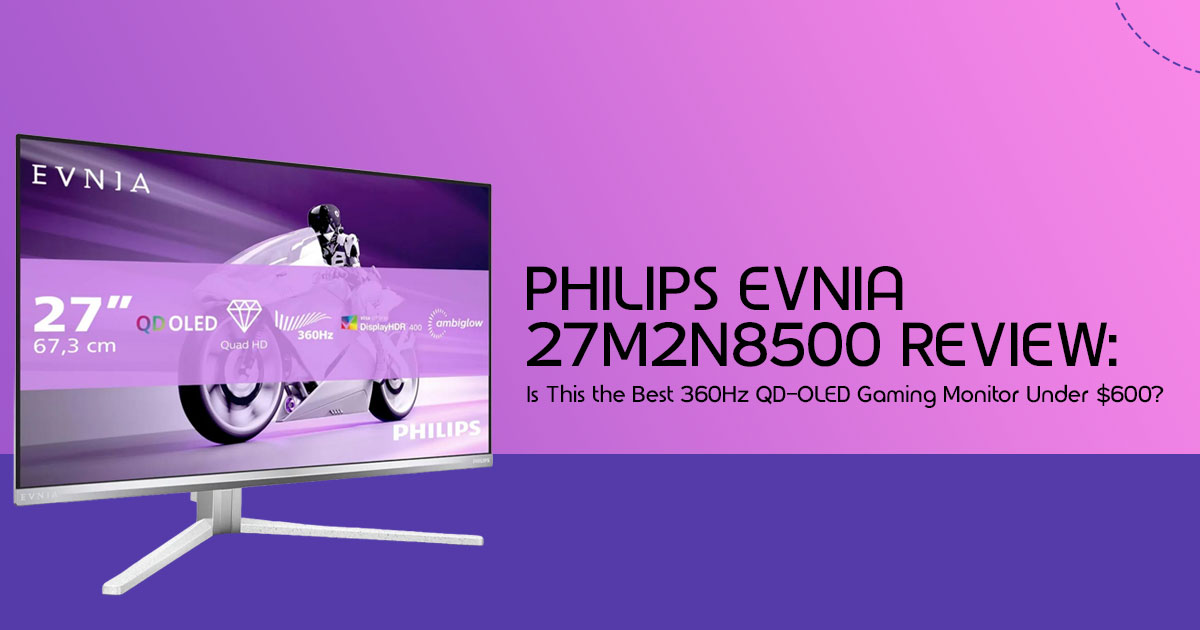
If you’ve been waiting for the OLED monitor premium to finally come down before upgrading your gaming setup, this might be the moment you’ve been hoping for. The Philips Evnia 27M2N8500, a 27-inch 1440p Gaming Monitor with a blazing-fast 360Hz refresh rate and Samsung QD-OLED Panel, has dropped to around $589.99 in the US and approximately £500 in the UK. That price puts one of the most desirable OLED Gaming Monitors within reach of gamers who previously couldn’t justify spending $800 or more on a premium display.
At first glance, it looks like an easy recommendation. You get a QD-OLED panel, an ultra-fast 360Hz refresh rate, near-instant response times, rich colors, deep blacks, and a level of motion clarity that competitive gamers spend years chasing. Yet a lower price often raises an important question: what’s the catch?
That’s exactly where most deal articles stop—and where this guide begins.
The real question isn’t whether this monitor is cheaper than before. The real question is whether it offers the best value among today’s OLED gaming monitors, or if spending a little more on a rival could save you from future regrets. For some buyers, this could be the perfect upgrade. For others, there may be better options depending on how they game, the hardware they already own, and what they expect from a monitor over the next several years.
As technology experts with over 20 years of experience in hardware and application research and development, we evaluate products based on real-world performance, durability, reliability, and long-term value for money. Our goal is to help readers find the best products in every category, whether they prioritize budget, performance, gaming experience, productivity, or long-term ownership.
Whether you’re a competitive esports player looking for a high-performance Esports Monitor, a PC enthusiast building a high-refresh-rate setup, a console gamer considering OLED for the first time, or simply someone searching for the best value upgrade, our recommendations are built on extensive research, component analysis, real-world usability testing, and industry expertise.
In this guide, we’ll look beyond the marketing claims and spec sheet. We’ll examine how the Philips Evnia 27M2N8500 performs in actual games, compare it against major rivals, discuss potential drawbacks such as OLED burn-in concerns, and determine whether this record-low price truly makes it one of the best QD-OLED gaming monitor deals available today.
Because getting a great discount feels good—but buying the right monitor feels even better.
Current Deal Snapshot
Let’s look at the numbers that matter right now.
- Current Sale Price: ~$589.99 / £500
- Regular Price: ~$800 – $900
- Discount Percentage: Roughly 30% off MSRP
- Historical Low Confirmation: Based on available pricing data, this appears to be one of the lowest recorded prices for the Philips Evnia 27M2N8500.
Quick Verdict: At under $600, the Philips Evnia 27M2N8500 stands out as one of the strongest contenders for the Best Gaming Monitor Under $600. It combines the speed of a top-tier Esports Monitor, the image quality of a premium OLED Gaming Monitor, and the responsiveness serious gamers look for in a Low Input Lag Monitor.
Who Should Care About This Deal?
If you play fast-paced games like Valorant, CS2, or Apex Legends and you’re still using an older IPS or TN display, this upgrade can feel transformative. This Competitive Gaming Monitor is built for players who value responsiveness, smooth motion, and every possible edge in online matches.
Quick Answer: Is the Philips Evnia 27M2N8500 Worth Buying at This Price?
Yes. It uses the same Samsung QD-OLED Panel found in several more expensive competitors. That means you’re getting premium display technology without paying a premium price.
Overview
- Current Sale Price: ~$589.99 / £500
- Regular Price: ~$800+
- Total Savings: Over $200
- Lowest Price Ever?: Yes.
- Best Use Case: Competitive esports and immersive HDR gaming.
- Main Drawback: Factory colors are a bit too warm; no USB-C port.
- Buy Now or Wait?: Buy now if you’ve been waiting for a premium 360Hz Gaming Monitor at a more accessible price. Deals on high-end QD-OLED displays don’t appear this often.
Why This Deal Is Different From Previous OLED Monitor Discounts
Usually, when you see an OLED gaming monitor go on sale, it’s an older 240Hz model or a panel with lower brightness. This is a current-gen, top-tier 360Hz panel hitting a price we usually see for much slower screens.
Historical Price Timeline
- Launch MSRP: $800+
- Previous sale lows: $699
- Current all-time low: $589.99 / £500
Price Trend Analysis
- Prime Day trends: Might match this, but unlikely to beat it by much.
- Black Friday trends: This is likely the “floor” for 2026.
- OLED market price compression: Manufacturers are finally competing on price, which is great for us.
What Happens If You Wait? You might save another $20 or $30 if you wait until the end of the year, but you’ll spend months playing on a slower screen. In our opinion, the time you’d lose isn’t worth the small extra saving.
Technical Specifications at a Glance
| Feature | Specification |
| Panel Type | QD-OLED (Quantum Dot OLED) |
| Resolution | 2560 × 1440 (QHD) |
| Refresh Rate | Up to 360Hz |
| Response Time | 0.03ms GtG (Gray-to-Gray) |
| HDR | VESA DisplayHDR True Black 400 certified with HDR highlights reaching up to approximately 1,000 nits in supported content. |
| Connectivity | 2× HDMI 2.1, 1× DisplayPort 1.4 |
| Special Feature | 3-Sided Ambiglow Lighting for immersive ambient illumination that extends colors beyond the display. |
On paper, the specifications are impressive. In practice, what makes this monitor stand out is the combination of a Samsung QD-OLED Panel, a 360Hz refresh rate, and excellent HDR performance. Many competing displays offer one or two of these features, but very few deliver all three at this price point.
What Real Gamers Actually Gain From 360Hz
Let’s be real: can you actually tell the difference?
Scenario 1: Competitive FPS Players
Games: Counter-Strike 2, Valorant, Apex Legends
Expected advantages:
- Lower motion blur: Because OLED pixels turn on and off almost instantly, there is zero “ghosting.” At 360Hz, the image stays perfectly sharp even when you’re flicking your mouse across the pad.
- Faster target tracking: The screen updates every 7 milliseconds. This makes tracking a moving enemy feel like they are “stuck” to your crosshair.
- Reduced input latency: As a Low Input Lag Monitor, the Evnia feels incredibly responsive. Your mouse movements, key presses, and on-screen actions feel closely connected, which is exactly what competitive players want.
Scenario 2: Story-Driven AAA Gaming
Games: Cyberpunk 2077, Alan Wake 2, Black Myth: Wukong
Benefits:
- HDR immersion: In dark games, the blacks are actually black, not a glowing Neon lights in a dark alley will genuinely make you squint.
- OLED contrast: The depth of the image is something no IPS or VA panel can It makes games look more “3D” and lifelike.
QD-OLED vs IPS: Is the Upgrade Worth Hundreds of Dollars?
If you already have a decent 1440p IPS monitor, is this worth the $600?
- Motion Clarity: OLED clearly has the advantage in motion clarity and response time. Once you’ve experienced a fast OLED display, it can be difficult to go back to a traditional IPS panel.
- Color Performance: QD-OLED colors are more vibrant and Red looks redder, and greens look more natural.
- HDR Comparison: Most IPS monitors struggle to deliver meaningful HDR. This HDR Gaming Monitor produces deeper blacks, brighter highlights, and far better contrast, making games and movies feel more immersive.
- Competitive Gaming: The lower input lag and instant response give you a genuine, measurable advantage in ranked play.
- Productivity: Text clarity is generally good, though some users may notice slight color fringing around small text due to the QD-OLED subpixel layout.
Philips Evnia vs Its Biggest Rivals
One reason this deal has attracted attention is that the Evnia shares the same Samsung QD-OLED Panel technology found in several monitors that cost significantly more. That means buyers aren’t sacrificing panel quality to get the lower price.
Here is how it compares:
| Monitor | Price (Approx.) | Main Advantage |
| Philips Evnia 27M2N8500 | ~US$590 | Outstanding value with a 360Hz QD-OLED panel, making it one of the strongest contenders for the best gaming monitor under US$600. |
| Alienware AW2725DF | US$750+ | Excellent factory color calibration, premium build quality, and Dell’s highly regarded warranty support. |
| MSI MPG 271QRX | US$800+ | Features a 90W USB-C Power Delivery port and an integrated KVM switch, making it ideal for creators and multi-device setups. |
| Samsung Odyssey OLED G6 | US$700+ | Matte anti-glare coating helps reduce reflections, making it a great choice for brightly lit rooms. |
Which Monitor Wins For:
- Pure esports: The Evnia performs among the fastest 360Hz QD-OLED monitors currently available.
- Mixed gaming: Alienware (more accurate colors out of the box).
- HDR gaming: HDR performance is excellent across all of these monitors, though brightness tuning and color calibration can vary slightly between brands.
- Value for money: The Evnia, easily.
Who Should Buy This Monitor Today?
Buy If You:
- Play competitive shooters and want every edge you can get.
- Want an OLED gaming monitor without spending $800 or more.
- Have a high-end GPU that can actually hit 300+ FPS.
- Want a cool white-themed setup with the Ambiglow lighting.
Who Should Skip This Deal?
Skip If You:
- Mostly play at 60 FPS (you’re paying for speed you won’t use).
- Use your monitor for office work 8 hours a day (risk of burn-in).
- Have an older GPU that can’t handle 1440p.
- Need 4K resolution for professional video work.
What We Didn’t Like
No monitor is perfect, and the Philips Evnia 27M2N8500 has a few compromises worth knowing about before you buy.
- There is no USB-C connectivity for modern laptops.
- It lacks a built-in KVM switch found on some competing models.
- Color tuning out of the box is slightly warmer than some rivals.
- Ambiglow lighting is fun, but not everyone will use it regularly.
- To fully enjoy a 360Hz Gaming Monitor, you’ll need a powerful graphics card capable of delivering very high frame rates.
The Hidden Costs Buyers Forget
Don’t forget these extras:
- GPU Upgrade Requirements: You need a powerful gaming PC to consistently reach 360 FPS in competitive games.
- OLED Maintenance: You have to let the monitor do its “pixel cleaning” when you’re not using it.
- Burn-In Prevention Habits: Using features like auto-hide taskbar, dark mode, and screen savers can help reduce long-term wear on OLED pixels.
- Desk Space: The stand is a bit wide, so make sure your desk has room.
Can Your PC Actually Use 360Hz?
Running a 1440p Gaming Monitor at 360Hz is demanding, especially in modern games. Your graphics card plays a huge role in whether you can fully benefit from what this display offers.
Recommended GPUs
- RTX 4070 Ti Super / RX 7900 XT: The minimum we’d suggest for a good experience.
- RTX 4080 Super / RTX 5070: The sweet spot for 1440p.
- RTX 4090 / RTX 5080: If you want to max out every single game.
Recommended CPUs
High refresh rates need a fast CPU. We recommend at least a Ryzen 7 7800X3D or an i7-14700K.
Can Console Gamers Use This Monitor?
Many buyers assume a monitor like this is only for PC gaming, but that’s not entirely true.
PlayStation 5
- Supports 1440p resolution.
- Supports up to 120Hz gameplay in supported titles.
- HDR support works well for story-driven games.
Xbox Series X
- Supports 1440p gaming.
- Supports Variable Refresh Rate (VRR).
- Supports HDR gaming.
While console players won’t fully benefit from the 360Hz refresh rate, they can still enjoy the outstanding image quality, fast response times, and contrast offered by this OLED Gaming Monitor.
Philips Ambiglow Explained: Gimmick or Useful Feature?
Ambiglow is a set of LEDs on the back that project light onto your wall based on what’s on the screen.
- Does it work? Yes, it makes the screen feel bigger and reduces eye strain in dark
- Is it a gimmick? A little bit, but once you use it, going back to a “dark” monitor feels
- When to turn it off: If you are in a super-competitive match, you might find the shifting lights distracting.
OLED Burn-In: The Truth for 2026 Buyers
We know everyone is scared of burn-in. Here is the reality:
- Modern protection: This monitor has built-in features to shift pixels and refresh the panel automatically.
- Real-world risk: For typical gaming and mixed-use scenarios, the risk of burn-in is relatively low when the monitor’s built-in protection features are enabled.
- Safe habits: Don’t leave the same static image on the screen for 10 hours Use a screensaver.
Common Buying Mistakes
- Buying 360Hz without the GPU power: Don’t buy this if you’re running an old GTX
- Using the wrong cable: Make sure you use the included DisplayPort cable to get the full 360Hz.
- Ignoring the care features: Don’t unplug the monitor from the wall; it needs power to run its maintenance cycles.
Best Alternatives If This Deal Ends
- Under $500: Look for a 240Hz IPS You lose the OLED “pop” but keep the speed.
- Under $700: The AOC Agon PRO (240Hz OLED) is a solid backup.
- Best Ultrawide: The Alienware AW3423DWF is still the king of ultrawides if you prefer a wider view.
Final Verdict: Is This the Best OLED Gaming Monitor Deal Available Today?
Yes. For gamers searching for a premium 1440p Gaming Monitor, a responsive Low Input Lag Monitor, or potentially the Best Gaming Monitor Under $600, the Philips Evnia 27M2N8500 is an easy recommendation. It delivers flagship-level gaming performance without the flagship-level price.
Pros:
- Unbeatable price for 360Hz OLED.
- Insane motion clarity and zero lag.
- Beautiful HDR and true blacks.
Cons:
- Needs a little color tweaking out of the box.
- No USB-C or KVM for laptop users.
Overall Value Score: 9.5/10
Purchase Recommendation
If you’ve been waiting for OLED prices to become more reasonable, this deal is difficult to ignore. The Philips Evnia 27M2N8500 delivers the speed of a premium 360Hz Gaming Monitor, the image quality of a flagship OLED Gaming Monitor, and the value that many gamers have been waiting for.
Check the Current Price on Amazon Here
What do you think? Is 360Hz overkill, or are you ready to make the jump to OLED? Let us know in the comments, and we’ll help you out with any setup questions!
***Disclaimer***
This blog post reflects our research, analysis, and opinions based on available product information, user feedback, and industry knowledge. It should not be taken as the official position of any brand, manufacturer, or company mentioned here. While we aim to keep information accurate and up to date, product details, pricing, and availability can change. We recommend double-checking important details before making a purchase.
Some links in this article may be affiliate links. If you choose to buy through these links, we may earn a small commission at no extra cost to you. This helps support our work and allows us to keep publishing in-depth, unbiased reviews. Our recommendations are never influenced by affiliate partnerships.
Comments shared by readers reflect their own views and not ours. We are not responsible for outcomes resulting from the use of information on this site. Please seek professional advice where appropriate.
All product names, logos, and brands mentioned are the property of their respective owners. These names are used for identification and informational purposes only and do not imply endorsement.
