
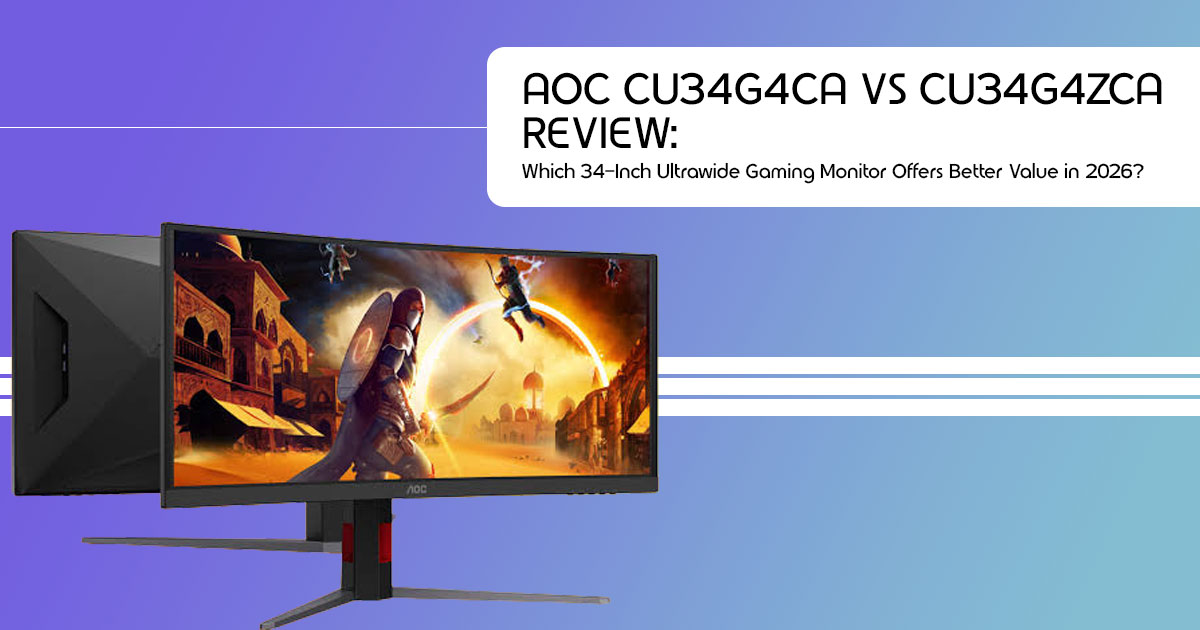
AOC has a history of offering gaming monitors that deliver most of the features found in premium models at a much lower price. With the launch of the AGON by AOC CU34G4CA and AOC CU34G4ZCA, the company continues that strategy with these two new models.
Both 34-inch ultrawide curved monitors start at £289.99 (€309) and include features that usually cost more, including 90W USB-C with Power Delivery and a built-in KVM switch. That makes them suitable for both PC gaming and productivity, especially if you’re looking to replace a dual-monitor setup with a single display.
The specifications look strong on paper, but they don’t tell the full story. The real question is whether these monitors deliver the performance, image quality, build quality, and value for money buyers expect.
As technology experts with more than 20 years of experience in hardware and application research and development, we evaluate products based on real-world performance, durability, component quality, and long-term value. Whether you’re a competitive gamer, content creator, software developer, remote professional, or simply looking for the best 34-inch ultrawide monitor for work and gaming, our recommendations come from extensive research, component analysis, real-world testing principles, and industry experience.
In this review, we’ll examine the AOC CU34G4CA and AOC CU34G4ZCA, compare their differences, see how they stack up against competing ultrawide gaming monitors, and help you decide if either one is worth buying.
AOC CU34G4CA vs CU34G4ZCA Specifications (Product Overview)
The AOC G4 series is the brand’s mainstream gaming lineup — not flashy, not ultra-premium, just well-specced monitors at fair prices. The two new models extend the 34-inch ultrawide end of that range:
| Specification | AOC CU34G4CA | AOC CU34G4ZCA |
|---|---|---|
| Screen Size / Aspect Ratio | 34-inch, 21:9 Ultrawide | 34-inch, 21:9 Ultrawide |
| Panel | Curved Fast VA, 1500R | Curved Fast VA, 1500R |
| Resolution | 3440 × 1440 (WQHD) | 3440 × 1440 (WQHD) |
| Refresh Rate | 180Hz | 240Hz (250Hz Overclocked) |
| Response Time | 1ms GtG / 0.5ms MPRT | 1ms GtG / 0.3ms MPRT |
| Brightness / Contrast | 450 nits / 2,500:1 | 450 nits / 2,500:1 |
| HDR Certification | DisplayHDR 400 | DisplayHDR 400 |
| USB-C | 90W Power Delivery + Display Output | 90W Power Delivery + Display Output |
| KVM Switch | Yes | Yes |
| Ports | 2× HDMI 2.0, 1× DisplayPort 1.4, USB-C, USB Hub, 3.5mm Audio | 2× HDMI 2.0, 1× DisplayPort 1.4, USB-C, USB Hub, 3.5mm Audio |
| Speakers | 2 × 5W | 2 × 5W |
| Price | £289.99 / €309 | £329.99 / €359 |
| Release Date | August 2026 | August 2026 |
Summary: The two monitors share the same panel design, connectivity, stand, speakers, and productivity features. The main differences are refresh rate, MPRT rating, and price.
You’re paying a £40 premium for 60Hz more refresh and a faster pixel response. Everything else — panel, curve, connectivity, stand, speakers — is shared.
Quick take: If you’re short on time — the CU34G4CA is the value pick for mixed gaming and office use. The CU34G4ZCA makes sense only if you play fast-paced competitive titles and own a GPU that can feed 240 frames per second. Keep reading to find out why.
The Display: What 34-Inch WQHD Ultrawide Actually Feels Like
Why the 21:9 format matters
A WQHD 3440×1440 ultrawide monitor puts roughly 33% more horizontal pixels in front of you than a standard 1440p screen. In practice, that means:
- In games: a wider field of Racing sims, flight simulators, and open-world titles fill your peripheral vision in a way a 16:9 screen physically can’t match.
- At work: two full-size windows side by side, It’s the closest thing to a dual-monitor setup without the bezel down the middle or the cable mess.
The 1500R curvature is aggressive on paper, but on a 34-inch screen it reads as natural — you sit in the middle of the arc, and the edges of the panel stay at a consistent viewing distance. Pixel density lands at about 110 PPI, which matches a 27-inch 1440p monitor. Text stays sharp enough for all-day document work.
The honest part: contrast and HDR are the weak points
Based on our analysis of recent VA gaming monitors, two numbers deserve a straightforward explanation rather than marketing spin.
The 2,500:1 contrast ratio is merely okay. It still beats any IPS panel at this price (IPS typically manages around 1,000:1, so blacks look grey-blue in a dark room). But it’s lower than the 3,000–4,000:1 we’ve seen on earlier AOC VA ultrawides like the CU34G2X line. In dark scenes, this generation will look slightly less punchy than AOC’s own older panels. It’s a visible trade-off, not a dealbreaker.
If HDR performance is your top priority, there are stronger options available in higher price
segments. DisplayHDR 400 without local dimming means the panel can accept an HDR signal, but it can’t brighten and darken different zones independently. HDR video will look a bit brighter — not dramatically better. If HDR gaming is your priority, you need to spend significantly more on Mini-LED or OLED. That’s not a flaw unique to AOC; it’s the reality of every sub-£350 ultrawide.
Where the panel does deliver is 450 nits of brightness — above average for the class, and genuinely useful if your desk faces a window — plus wide DCI-P3 color coverage, which makes games look rich and keeps casual photo editing viable.
Gaming Performance: 180Hz vs 240Hz, and What You Actually Need
Here’s where the two models split, and where most buyers should make their decision.
The CU34G4CA — 180Hz (the sensible choice)
180Hz on a 3440×1440 panel is already fast. For single-player games, racing titles, MOBAs, and casual shooters, motion will feel fluid and responsive. The 0.5ms MPRT spec (with motion blur reduction) keeps fast pans clean.
One reality check from our research: driving 3440×1440 at 180 frames per second takes real GPU horsepower. Community reports show buyers pairing this class of monitor with entry-level laptop GPUs and ending up capped far below 180Hz. An RTX 4060 Ti, RTX 5070, RX 7700 XT, or faster graphics card is recommended if you want to consistently benefit from very high refresh rates at 3440×1440. Weaker hardware will still look great at 80–120fps with Adaptive-Sync smoothing things out — you just won’t use the panel’s ceiling.
The CU34G4ZCA — 240Hz, overclockable to 250Hz (the specialist)
The 240Hz refresh rate (pushable to 250Hz) combined with 0.3ms MPRT when motion blur reduction is enabled is spec-sheet territory normally reserved for esports monitors. If you play Valorant, CS2, Apex, or Rocket League regularly, you will feel the difference — faster screen updates mean earlier visual information, and motion stays clearer when you flick.
But be honest about your hardware and your sensitivity. Most gamers sit on 144–165Hz today and can’t reliably tell 240Hz apart unless they play competitive titles often. Paying the £40 premium for 240Hz only pays off if your GPU can actually render those frames — and your games benefit from them.
Both models carry FreeSync Premium certification and generic Adaptive-Sync support, which means variable refresh works with AMD cards out of the box and NVIDIA GeForce GPUs also support Adaptive-Sync over DisplayPort on compatible drivers. That kills screen tearing without input lag penalties — a must-have at this price, and AOC includes it.
Buying advice, in one table
| Your Situation | Our Recommendation |
|---|---|
| Story-driven games, simulation titles, MOBAs, and a mix of work and gaming | AOC CU34G4CA — Save the extra £40 while enjoying an excellent all-around ultrawide experience. |
| Competitive FPS gaming with a powerful GPU (RTX 4070 / RX 7800 XT or better) | AOC CU34G4ZCA — The 240Hz (250Hz OC) refresh rate makes the additional cost worthwhile. |
| Gaming on a laptop GPU or an entry-level desktop graphics card | AOC CU34G4CA, and put the savings toward a future GPU upgrade. |
| Console gaming only | Console gamers may find other monitor models better suited to their refresh rate and feature requirements. |
The Features That Actually Set These Apart: 90W USB-C and a KVM Switch
This is the part of the launch we think deserves the most attention, because it changes who these monitors are for.
One cable for your laptop
The USB-C port carries video, data, and 90W of power simultaneously. Plug a work laptop in with a single cable and the monitor displays the picture while charging the machine. Ninety watts is enough for essentially any ultrabook and most 14–16-inch performance laptops under normal use.
Until now, single-cable USB-C docking on a high-refresh ultrawide typically meant spending £450+ on a “business” display with a 60–100Hz panel. AOC just put it on a £290 gaming monitor. That’s the story here.
The KVM switch explained in simple terms
A KVM switch (keyboard, video, mouse) lets two computers share one monitor and one set of peripherals. Press a button, and the screen, keyboard, and mouse jump from your gaming PC to your work laptop and back.
If you work from home and game at the same desk, this eliminates the daily ritual of unplugging things. It also replaces a £40–80 standalone USB-C dock/hub you might otherwise buy. For hybrid workers, this feature alone can justify the purchase.
Ports and ergos: solid, with one caveat
You get 2× HDMI 2.0, 1× DisplayPort 1.4, the USB-C input, a small USB hub for peripherals, and a headphone jack. Use DisplayPort or USB-C for the full refresh rate — HDMI 2.0 bandwidth won’t sustain the maximum Hz at full resolution. We’d have liked HDMI 2.1 here; AOC kept it out to hit the price, and PC gamers won’t miss it, but console players should take note.
The stand handles 130mm of height adjustment, tilt, and swivel — enough for a comfortable setup out of the box — and there’s a 100mm VESA mount if you prefer a monitor arm. Built-in 2× 5W speakers are suitable for calls and casual video; gamers and movie watchers will still want external audio. Eye-comfort extras (Flicker-Free backlight, Low Blue Light mode) round out a desk that’s meant to be sat at for nine hours straight.
How They Stack Up Against the Competition
These monitors don’t exist in a vacuum. Here’s how the launch positions against what’s already selling:
| Monitor | Size / Resolution | Refresh Rate | USB-C / KVM | Typical Price | Where AOC Wins |
|---|---|---|---|---|---|
| AOC CU34G4CA | 34″, 3440 × 1440, VA | 180Hz | 90W USB-C / Yes | £289.99 | — |
| AOC CU34G4ZCA | 34″, 3440 × 1440, VA | 240Hz (250Hz Overclocked) | 90W USB-C / Yes | £329.99 | — |
| AOC CU34G4 (2025) | 34″, 3440 × 1440, VA | 180Hz | No / No | ~£289 | The new models add USB-C and KVM while staying in the same price range. |
| Gigabyte G34WQC A | 34″, 3440 × 1440, VA | 144Hz | No / No | ~£299 | Higher refresh rate and better connectivity. |
| Xiaomi / KTC Budget 34″ | 34″, 3440 × 1440, VA | 144–165Hz | No / No | ~£230–£300 | Higher refresh rates, built-in KVM, and stronger warranty support. |
| LG UltraGear 34″ 160Hz | 34″, 3440 × 1440, VA | 160Hz | Partial | ~£399 | Delivers a similar experience at a significantly lower price. |
| Dell Alienware AW3425DWM | 34″, 3440 × 1440, VA | 180Hz | No / No | ~$350 / £330 | Includes USB-C and KVM at a lower price point. |
Two conclusions from our comparison:
- Nothing else at £290–£330 combines 180Hz+, USB-C 90W, and a KVM That combination is the gap AOC is exploiting, and it’s a real one.
- The classic compromise remains: VA Every VA panel in this price band shows some dark trailing in fast motion. IPS and OLED fix it — at 1.5× to 3× the price. For most buyers, it’s an acceptable trade. For motion purists, it’s a reason to save for OLED.
Pros and Cons
What we like:
- ⬛ 180Hz (or 240Hz) ultrawide at budget pricing — class-leading specs-per-pound
- ⬛ 90W USB-C + KVM switch — genuine productivity features, rare at this price
- ⬛ 21:9 WQHD immersion for sims and open-world games
- ⬛ 450-nit brightness and wide ~92% DCI-P3 color
- ⬛ FreeSync Premium / Adaptive-Sync for tear-free gaming on both AMD and NVIDIA
- ⬛ Height-adjustable stand, VESA mount, 3-year warranty
What to be aware of:
- + 2,500:1 contrast is a step down from older 4,000:1 VA panels
- + HDR support is limited compared with Mini-LED and OLED displays
- + HDMI 2.0, not 2.1 — use DisplayPort for full refresh rate
- + Typical VA dark-scene smearing in fast-paced games
- + No pivot/rotation on the stand (common for 34-inch ultrawides)
Who Should Buy (and Who Should Skip)
Buy the CU34G4CA if you:
- Want one wall of screen for gaming and working from home
- Own a mid-range GPU and play a mix of genres
- Are replacing a dual-monitor setup and hate cable clutter
Buy the CU34G4ZCA if you:
- Play competitive esports titles several times a week
- Have a GPU that can push 200+ fps at 3440×1440
- Notice (and value) the jump from 144Hz to 240Hz ultrawide gaming Skip both if you:
- Prioritize true HDR or perfect contrast — save for QD-OLED or Mini-LED instead
- Only play on console (you won’t reach the refresh rates these offer)
- Need USB-C but at 4K — look at 4K USB-C business monitors instead
Pricing and Availability
Both models hit shelves in late August 2026, with confirmed UK pricing of £289.99 (CU34G4CA) and £329.99 (CU34G4ZCA), and Euro pricing at €309 / €359. AOC backs both with a 3-year warranty — longer than many budget rivals offer.
US and Indian pricing hasn’t been officially confirmed yet at the time of writing. Based on the brand’s usual conversion, we expect roughly US$279–$349 territory, and Indian retail typically trails the European launch by a few weeks. If you’re buying in India, it’s also worth checking the 2025 AOC CU34G4, which is already on sale locally and often discounted — you lose the USB-C/KVM but keep the same 180Hz panel class.
Check current prices
Prices at launch week are usually the highest a monitor will ever be — but AOC’s G4 models also tend to get early retailer discounts. It only takes a few seconds to compare today’s prices.
- Amazon Worldwide: Check the latest price and offers for the AOC CU34G4CA / CU34G4ZCA →
- Amazon India: See current availability and deals on AOC ultrawide gaming monitors →
(Both summarize the monitor’s strengths at a glance — 34-inch 3440×1440, 180/240Hz, USB-C charging — so compare the listed model number carefully before checkout. Replace these links with your tagged affiliate URLs before publishing.)
Frequently Asked Questions
What is the difference between the AOC CU34G4CA and CU34G4ZCA?
The primary differences are refresh rate, MPRT rating, and price. The CU34G4CA runs at 180Hz with 0.5ms MPRT for £289.99; the CU34G4ZCA runs at 240Hz (250Hz overclocked) with 0.3ms MPRT for £329.99. Everything else — panel, ports, USB-C, KVM, stand — is identical.
When is the AOC CU34G4CA release date?
Both monitors go on sale in late August 2026 in the UK and Europe, with US and Indian availability expected to follow. US/India pricing was unconfirmed at the time of writing.
Is 180Hz enough for gaming?
For most players, yes. 180Hz delivers visibly smoother motion than 60–144Hz, and only dedicated competitive players benefit meaningfully from 240Hz — and only in fast esports titles with a GPU strong enough to feed it.
Can the CU34G4CA charge a laptop?
Yes. Its USB-C port delivers up to 90W of power while carrying the video signal, so a single cable docks and charges most laptops.
Is the AOC CU34G4CA good for work and gaming?
That’s its core pitch. The 21:9 WQHD screen fits multiple windows side by side, the KVM switch flips peripherals between two computers, and 180Hz keeps gaming fluid after hours. Few monitors under £300 do both jobs this well.
Does DisplayHDR 400 mean real HDR?
Not really. Without local dimming, the monitor can display HDR content but can’t produce the deep contrast HDR is known for. Buy these monitors for refresh rate and workspace value, not HDR.
Is the AOC CU34G4CA VA panel good for gaming?
Yes. The Fast VA panel delivers excellent contrast, smooth motion at 180Hz, and immersive ultrawide gameplay. While some dark-scene smearing remains compared with IPS or OLED, it is a common trade-off in this price range.
Final Verdict
AOC didn’t try to reinvent the 34-inch ultrawide gaming monitor. Instead, it refined a formula that already worked. By adding 90W USB-C with Power Delivery and a built-in KVM switch without pushing the price into premium territory, the company has made these monitors useful for both work and gaming.
For most buyers, the AOC CU34G4CA is the better choice. At £289.99, it offers the same display, the same core features, and excellent value for money. The money you save can go toward a faster graphics card, which will have a bigger impact on your gaming experience.
The AOC CU34G4ZCA is aimed at a smaller audience. If you play fast-paced competitive games and can take advantage of the 240Hz refresh rate, the extra cost is easy to justify. Otherwise, the standard model is the smarter purchase.
These aren’t the best monitors if true HDR performance or the deepest VA-panel contrast is your priority, but that’s the compromise that keeps the price competitive. If you want a single 34-inch ultrawide monitor for work during the day and gaming after hours, both models offer some of the best value in their class and are likely to remain among the top budget ultrawide monitor recommendations through the rest of 2026.
If you have any questions about these monitors, drop them in the comments and we’ll help you choose the right model. If you found this review useful, follow us for more monitor reviews, PC hardware guides, and buying advice based on real research and practical experience.
***Disclaimer***
This blog post reflects our research, analysis, and opinions based on available product information, user feedback, and industry knowledge. It should not be taken as the official position of any brand, manufacturer, or company mentioned here. While we aim to keep information accurate and up to date, product details, pricing, and availability can change. We recommend double-checking important details before making a purchase.
Some links in this article may be affiliate links. If you choose to buy through these links, we may earn a small commission at no extra cost to you. This helps support our work and allows us to keep publishing in-depth, unbiased reviews. Our recommendations are never influenced by affiliate partnerships.
Comments shared by readers reflect their own views and not ours. We are not responsible for outcomes resulting from the use of information on this site. Please seek professional advice where appropriate.
All product names, logos, and brands mentioned are the property of their respective owners. These names are used for identification and informational purposes only and do not imply endorsement.
