
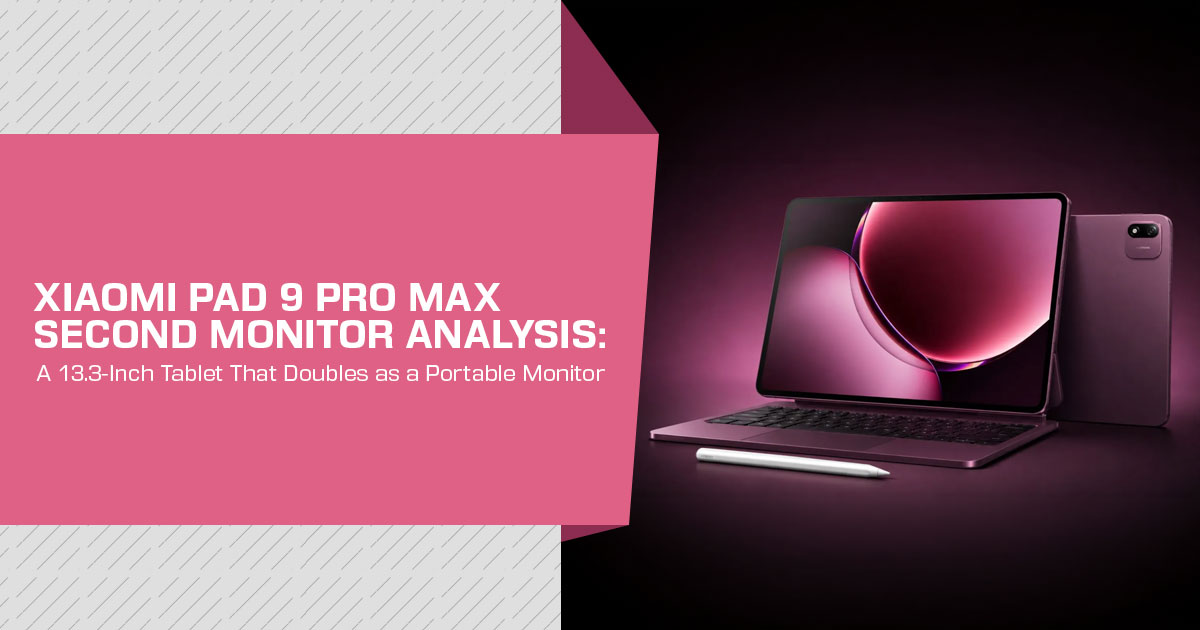
What if your Android tablet could become a monitor for your PC, a screen for your gaming handheld, and a drawing display for your stylus? That is the unusual trick behind the Xiaomi Pad 9 Pro Max, and it could be the feature that makes this tablet far more useful than a typical Android slate.
Most Android tablets can send video out to another display, but very few can receive video through USB-C. Xiaomi has confirmed that the Xiaomi Pad 9 Pro Max supports video input, allowing its large 13.3-inch display to work as an external screen. For PC users, gamers, artists, students, and content creators, that opens up uses that most tablets simply cannot offer.
The appeal is easy to understand. Instead of buying a separate portable monitor, you could use the tablet’s own screen when you need a second display. Connect a gaming handheld and you get a larger screen. Pair it with a stylus and it can double as a drawing surface. Connect a computer and it can become an extra workspace. That flexibility could be the real reason to consider the Xiaomi Pad 9 Pro Max.
But an interesting feature alone does not make a good tablet. Performance, display quality, battery life, software, connectivity, build quality, pricing, and long-term usability still matter. The key question is whether Xiaomi has built a tablet that is genuinely useful every day or simply one with an impressive specification that looks good on paper.
As technology experts with over 20 years of experience in hardware and application research and development, we look at products from a practical point of view. We consider real-world performance, durability, usability, and value for money rather than judging a device by specifications alone. For the Xiaomi Pad 9 Pro Max, our analysis is aimed at PC users, gamers, artists, content creators, students, professionals, and buyers looking for a versatile tablet that can also replace a portable monitor in certain situations. Our recommendations are based on extensive research, component analysis, real-world usability, and industry expertise to help you decide whether a product is worth your money for performance, reliability, budget, and long-term use.
One important note before we continue: we did not purchase or personally test the Xiaomi Pad 9 Pro Max. This analysis is based on Xiaomi’s official specifications, company demonstrations, and early launch-week reports on pricing and benchmark results. Where a performance figure or claim comes directly from Xiaomi rather than an independent test, we clearly identify it so you know what has been officially claimed and what has been independently reported.
Key takeaways
- The Xiaomi Pad 9 Pro Max accepts USB-C video input (DP-in), so it works as a second monitor without extra apps, capture cards, or dongles.
- The monitor mode covers three distinct uses: a second screen for a PC, a pen display for creative work, and a larger screen for handheld consoles.
- The display is a 3-inch, 3.4K (3408 × 2272), 144Hz panel with a 3:2 aspect ratio.
- Prices start at CNY 4,799 in Global availability has not been confirmed.
- Native video input is uncommon on Android tablets, which makes this a meaningful differentiator — but it is a China-only launch for now.
Product Overview: What Is the Xiaomi Pad 9 Pro Max?
The Xiaomi Pad 9 Pro Max is the company’s largest tablet to date and the flagship of its 2026 tablet lineup. It is also the first tablet built around the in-house Xring O3 processor, and it ships with HyperOS 4, which adds a desktop-style interface.
What separates it from other large tablets is the port. Xiaomi describes the USB-C connection as “full-featured,” and the confirmed capability that matters is video input. In practice, the tablet can switch from running Android to functioning as a display for a compatible device connected through USB-C.
Xiaomi Pad 9 Pro Max specifications
| Specification | Xiaomi Pad 9 Pro Max |
|---|---|
| Display | 13.3-inch IPS LCD, 3408 × 2272 resolution, 144Hz refresh rate, 3:2 aspect ratio, up to 1,000 nits brightness, ΔE ≈ 0.47 |
| Display Variants | Standard glossy display or Soft Light nano-textured matte version with an anti-glare finish |
| Processor | Xiaomi Xring O3, 3nm, 10-core CPU with clock speeds up to 4.35GHz |
| GPU | 16-core G2-Ultra NX |
| RAM | 8GB / 12GB / 16GB, with LPDDR6 memory on higher configurations |
| Storage | 256GB / 512GB / 1TB |
| Battery | 12,000mAh |
| Charging | 120W wired charging, 27W reverse wired charging, and 45W pogo-pin reverse charging |
| Rear Camera | 50MP with optical image stabilization (OIS) |
| Front Camera | 32MP |
| Audio | 8-speaker system with 6 microphones |
| Connectivity | Wi-Fi 7, Bluetooth, and full-featured USB-C with video input |
| Software | Android 17 with HyperOS 4, supporting up to six apps on screen |
| Dimensions | 296.2 × 203.08 × 5.67mm |
| Weight | 645g (standard edition) / 653g (Soft Light matte edition) |
| Colors | Black, Silver, and Red |
The specification sheet is strong on paper, but the numbers only matter in the context of how the tablet is used. The sections below cover that.
Key Features: How the Second-Monitor Mode Works
The headline feature is the one Xiaomi showed off most in the days before launch. A tablet as a second monitor is not a new idea, but the way the Pad 9 Pro Max does it is different from the usual approach.
DP-in versus DisplayPort Alt Mode
Most tablets that connect to external screens use DisplayPort Alt Mode, which is video output. The tablet’s own processor runs the apps, and the connected monitor just shows the picture.
DP-in is the reverse. The tablet receives a video signal from a connected computer, and the computer does the work while the tablet acts as the display. This needs dedicated input hardware inside the tablet, which is why so few Android tablets offer it.
The practical difference for a buyer is straightforward. With video output, the tablet is still a tablet. With video input, the tablet becomes a monitor — using a direct wired connection rather than wireless streaming or a third-party app.
Three ways to use the Pad 9 Pro Max as a monitor
Xiaomi’s official demonstrations focused on three use cases:
- Second screen for a PC or laptop. Connect over USB-C and the 13.3-inch panel becomes extended desktop space. Xiaomi has not published a latency figure for wired mode, but a direct video connection is wired rather than wireless, so it does not depend on Wi-Fi or a streaming app.
- Pen display for drawing and editing. With the Xiaomi Focus Pen Pro and a TourBox controller, the tablet works as a drawing surface while the connected computer runs the heavy software. Touch and stylus input remain active in this mode.
- External display for gaming Devices that output DisplayPort over USB-C can push their picture to the tablet. Xiaomi positions this as a travel solution — a bigger screen without carrying a monitor or a TV.
The same USB-C port serves all three, which is the practical appeal. A separate portable monitor is one more thing to pack; a tablet you already carry is not.
Real-World Performance
Performance is the part to approach with caution, because everything below comes from Xiaomi’s claims and early benchmark reports rather than independent testing.
An early Geekbench listing for the Xring O3 recorded 13,220 points in multi-core testing. Xiaomi says the chip’s CPU and GPU performance approaches Apple’s M5, while its GPU can deliver up to 85% higher performance than the previous Xring O1. These are early results and manufacturer claims, not a substitute for long-term independent testing.
Those are promising figures if they hold. They are also the manufacturer’s framing. Independent, sustained testing — gaming, video editing, thermal behavior over an hour — will determine whether the comparison to the M5 is realistic. Until that testing exists, the sensible position is to treat the numbers as unverified.
For the second-monitor role specifically, the processor matters less than the port. When the tablet is receiving video, the connected computer does the rendering. What matters for that use case is the display quality and the input handling, not the chip.
Design and Build Quality
The Pad 9 Pro Max measures 296.2 × 203.08 × 5.67 mm and weighs 645 grams in the standard version, or 653 grams in the matte edition. That puts it in the same size class as a 13-inch laptop screen rather than a compact tablet.
A metal unibody, a racetrack-style camera module, and Xring branding on the rear are the design cues Xiaomi confirmed. Color options are Black, Silver, and Red, with the anti-glare matte “Soft Light” finish offered only in Red.
The takeaway for buyers is practical: this is a large device. The 13.3-inch screen is the entire point, but the trade-off is that it will not be the easiest tablet to hold one-handed or slip into a small bag. Xiaomi’s own pitch — that the size is justified because the tablet replaces a portable monitor — is the strongest argument for accepting the footprint.
Display: The 13.3-Inch 3.4K 144Hz Panel
The screen is the feature that everything else hangs on. It is a 13.3-inch LCD with 3408 × 2272 resolution, a 144Hz refresh rate, and a 3:2 aspect ratio. Xiaomi states peak brightness reaches 1,000 nits and color accuracy is around Delta E (ΔE) 0.47.
The 3:2 ratio is worth explaining, because it is a deliberate productivity choice. Most tablets use wider shapes such as 16:10, which suit video. A 3:2 panel is closer to the shape of a sheet of paper or a laptop display, which adds vertical room for documents, spreadsheets, and web pages. For someone using the tablet as a second monitor for work, that extra height is more useful than a wider letterbox.
The 144Hz refresh rate matters in two places: general scrolling feels smoother, and the panel can show a fast-moving game feed when connected to a handheld. In monitor mode, launch reporting indicates the tablet accepts up to 3.4K at 120Hz over the connection.
The matte “Soft Light” variant is the one to consider for work near windows or bright lights. A nano-textured finish reduces glare, at the cost of slightly less punch in blacks compared with a glossy panel. Neither is objectively better; the choice depends on where the tablet will be used.
Performance: The Xring O3 Processor
The Xring O3 is Xiaomi’s in-house flagship silicon. It is a 10-core, all-large-core design built on a 3nm process, with two cores at 4.35 GHz, four at 3.68 GHz, and four at 3.15 GHz, paired with a 16-core G2-Ultra NX GPU, Arm’s new-generation graphics hardware.
What this means for a buyer, in plain terms: the top configurations pair the chip with up to 16 GB of LPDDR6 memory, and Xiaomi claims the combination approaches desktop-class performance. That matters for multitasking on the tablet itself, and for heavy creative work done through the pen-display mode, where the connected PC does most of the rendering.
The honest caveat is availability of evidence. Benchmarks look strong, but the device has been on the market for days, in one country. A buying decision made today rests on Xiaomi’s claims plus early numbers, not on months of real-world use.
Battery Life and 120W Charging
The battery is 12,000 mAh, with 120W wired charging. Xiaomi also lists 27W reverse wired charging and 45W pogo-pin reverse charging.
Xiaomi has not published a rated screen-on time, so a specific battery-life claim would be invented rather than measured. What can be said factually is that a 12,000 mAh cell is large for a tablet, and 120W charging should refill it quickly when a compatible charger is used.
One realistic consideration for the monitor use case: when the tablet is receiving video, it is running its screen while the connected device does the computing. The tablet still drains its own battery in that mode. The reverse-charging options suggest the battery is also meant to top up accessories, which is a small but practical touch for travel.
Connectivity and Ports
Connectivity centers on the full-featured USB-C port, which carries the video input that defines the device. Wireless connectivity includes Wi-Fi 7 and Bluetooth.
For the gaming use case, the requirement is specific: the source device must output DisplayPort 1.2 or newer. A handheld such as the Steam Deck, which outputs video over USB-C, meets that bar.
Audio from the connected device plays through the tablet’s eight speakers.
The camera setup — a 50 MP rear camera with optical image stabilization (OIS) and a 32 MP front camera — is competent but not the reason to buy this tablet. The six-microphone array is aimed at conference calls and long-range voice pickup, which fits the productivity positioning.
Software: HyperOS 4 and Multitasking
The Pad 9 Pro Max runs Android 17 with HyperOS 4. The software side includes a PC-style interface for select apps, a desktop-like browser, improved file tools, and support for up to six apps on screen at once.
It is worth separating the software from the monitor feature, because the two do not depend on each other. When the tablet is used as a second monitor, the connected computer’s operating system controls the display — HyperOS 4 is not involved in that mode. HyperOS 4 matters for the hours when the tablet is working on its own.
Strengths and Limitations
| Strengths | Limitations |
|---|---|
| Native USB-C video input enables direct use as an external monitor. | China-only launch so far, with global availability yet to be confirmed. |
| Combines a full-featured tablet and portable monitor in a single device. | No official latency figure has been published for wired monitor mode. |
| Large 13.3-inch 3.4K display with a smooth 144Hz refresh rate. | At 645 g, it is relatively large and heavy for prolonged handheld use. |
| Massive 12,000 mAh battery paired with fast 120W charging. | Performance claims have not yet been validated through independent testing. |
| Touch and stylus functionality remain available while the device is operating in monitor mode. | The keyboard is sold separately for CNY 1,099, increasing the total cost of a productivity setup. |
| Starting price is considerably lower than the listed prices of premium alternatives such as the 13-inch iPad Pro and Galaxy Tab S11 Ultra. | No official battery-life estimates have been published. |
Comparison: Xiaomi Pad 9 Pro Max vs iPad Pro vs Galaxy Tab S11 Ultra
The most direct competitors are the large-screen flagships from Apple and Samsung. The comparison below uses approximate US list prices at the time of writing; regional pricing and exchange rates change the picture, and the Xiaomi figures are China pricing converted to USD.
| Feature | Xiaomi Pad 9 Pro Max | iPad Pro 13-inch (M5) | Galaxy Tab S11 Ultra |
|---|---|---|---|
| Screen Size | 13.3-inch | 13-inch | 14.6-inch |
| Battery Capacity | 12,000 mAh | ~10,290 mAh | ~11,600 mAh |
| Second-Screen Method | Native USB-C video input (DP-in) | Sidecar software integration (requires a compatible Mac) | Second Screen feature (requires a compatible Windows PC) |
| Approx. Starting Price | ~US$675–715 | ~US$1,499 | ~US$1,199 |
The price gap is the headline. At roughly $675 to $715 for the base model, the Xiaomi undercuts the other two flagships by a wide margin while carrying the largest battery of the three.
A detail worth keeping in mind when comparing the second-screen features: the iPad’s option requires a Mac, and Samsung’s requires a Windows PC running the Second Screen app. The Pad 9 Pro Max’s wired input is designed for devices that can output DisplayPort over USB-C, which is broader in practice — though compatibility still depends on the source device, cable, and the tablet’s supported input modes.
The comparison is not one-sided. Apple’s ecosystem, app library, and long software-support track record remain advantages, and Samsung’s tablet benefits from years of refinement and broad availability. The Xiaomi Pad 9 Pro Max vs iPad Pro question, in particular, hinges on whether a lower price and the second-monitor feature outweigh a less proven platform. That is a judgment call, not a spec-sheet victory.
Tablet as a Second Monitor vs a Dedicated Portable Monitor
A separate question for buyers is whether to buy this tablet at all, or simply get a portable monitor. Both paths reach the same result — a second screen next to a laptop — through different trade-offs.
| Factor | Dedicated Portable Monitor | Pad 9 Pro Max as a Second Monitor |
|---|---|---|
| Extra Device to Carry | Yes | No — the tablet itself doubles as the second display |
| Power Source | Often draws power from the laptop or requires a separate power adapter | Uses its own 12,000mAh battery |
| Touch & Stylus Input | Rare on conventional portable monitors | Yes — touch and stylus input remain available in monitor mode |
| Standalone Use | None — functions only as an external display | Full Android tablet functionality when not being used as a second monitor |
| Wired Latency | Not independently measured | Not independently measured |
| Typical Price | Approximately $150–$400 for good-quality panels | Approximately $675–$715+, but the price includes a complete Android tablet rather than only a display |
The honest answer depends on what a buyer already owns. Someone who owns a recent tablet can usually get occasional second-screen use from software such as Samsung Second Screen, Apple Sidecar, or Duet Display — with more lag and setup friction, but at no extra cost. Someone buying hardware specifically for the purpose faces a real choice, and the tablet only wins if the standalone Android side is genuinely useful to them.
This feature is not without precedent. Lenovo’s Yoga Tab 13 in 2021 accepted video through a micro-HDMI port, so the concept has existed. Xiaomi’s approach is different in that it uses the tablet’s USB-C port for direct video input, but the broader idea of using a tablet as an external display is not new.
Who Should Buy the Xiaomi Pad 9 Pro Max?
This tablet makes the most sense for a specific set of people, and a poor fit for others.
Consider it if you:
- Work on a laptop while traveling and want a second screen without carrying a separate portable monitor.
- Do digital art or photo editing and want a pen display with touch and stylus input.
- Game on a Steam Deck-style handheld and want a larger wired screen on the road.
- Want a large-screen Android tablet for noticeably less than an iPad Pro or Galaxy Tab S11 Ultra.
- Are in China, or willing to wait and watch for a global release.
Skip it if you:
- Need a device available today outside China
- Only want a light tablet for reading and streaming — a smaller model is more portable.
- Already own a good tablet and only occasionally need a second screen — software options will do.
- Want verified long-term performance; independent testing is still thin.
Pricing and Availability
Official China pricing was announced at the September 7, 2026 launch. CNY figures are exact; USD figures are approximate conversions at the time of writing and depend on the exchange rate.
| Configuration | Price (CNY) | Approx. USD |
|---|---|---|
| 8 GB + 256 GB | ¥4,799 | ~$675–715 |
| 12 GB + 256 GB | ¥5,299 | ~$790 |
| 16 GB + 256 GB | ¥5,799 | ~$864 |
| 12 GB + 512 GB | ¥6,099 | ~$909 |
| 16 GB + 512 GB | ¥6,599 | ~$983 |
| 16 GB + 512 GB Soft Light (Matte) | ¥6,899 | ~$1,028 |
| 16 GB + 1 TB Soft Light (Matte) | ¥7,899 | ~$1,177 |
The floating magnetic keyboard is a separate purchase at CNY 1,099 (~$164).
The most important pricing caveat: international availability has not been announced. A reader outside China cannot currently buy this tablet at retail, and there is no confirmed timeline for a global release. Buyers who import one should factor in import costs and the lack of local warranty coverage.
Frequently Asked Questions
Can the Xiaomi Pad 9 Pro Max be used as a second monitor?
Yes. Xiaomi confirmed that the USB-C port accepts video input, so the tablet can act as a second monitor for a computer, a drawing surface, or a display for a compatible handheld.
Do you need extra software or a capture card?
No. The monitor mode is native to the device through its USB-C port. This differs from software routes such as Samsung Second Screen, Apple Sidecar, or Duet Display, which stream over a connection.
Does the touchscreen work in monitor mode?
Yes. Xiaomi’s demonstrations show touch and the Focus Pen Pro remaining active while the tablet receives video, which is what enables the drawing-tablet workflow.
Can it work as a screen for a Steam Deck or other handheld?
If the handheld outputs DisplayPort 1.2 or newer over USB-C, it should work, with audio through the tablet’s speakers. Xiaomi lists that requirement explicitly.
What is the difference between DP-in and DisplayPort Alt Mode?
DisplayPort Alt Mode is video out — the tablet sends its screen to a monitor. DP-in is video in — the tablet receives a signal and becomes the display. The Pad 9 Pro Max’s confirmed capability is the input side, which is the less common one.
Is the Xiaomi Pad 9 Pro Max available globally?
Not yet. It launched in China on September 7, 2026, and Xiaomi has not confirmed international pricing or a release date.
How much does the Xiaomi Pad 9 Pro Max cost?
From CNY 4,799 (~$675–715) for 8 GB + 256 GB, up to CNY 7,899 (~$1,177) for the 16 GB + 1 TB Soft Light edition.
Final Verdict
The Xiaomi Pad 9 Pro Max is a large tablet with one clearly useful idea at its core: a screen that is not limited to running Android. The ability to work as a second monitor, a pen display, and a handheld gaming screen — through one cable, with no software in the way — is the kind of feature that can change how a tablet fits into a daily setup.
The trade-offs are equally clear. It is a China-only launch with no confirmed global date, the performance claims are not yet independently verified, and a device this size is not a casual couch tablet.
For the right buyer — a traveling laptop user, a digital artist, or a handheld gamer who wants one device to cover several roles — it is, in our assessment, among the more interesting tablet launches of 2026. For everyone else, the sensible move is to wait for global availability and independent reviews before spending.
Where to Buy
The Pad 9 Pro Max is currently sold in China, and global availability has not been confirmed. When it does reach your region, the pages below are the ones to watch — we recommend checking current availability and price rather than assuming a listing exists yet.
Amazon US
If the Xiaomi Pad 9 Pro Max becomes available through US retail, this is the page to check for current pricing and offers. Its standout points — the 13.3-inch 3.4K 144Hz display, native second-monitor mode, and 12,000 mAh battery with 120W charging — make it worth tracking against the iPad Pro and Galaxy Tab S11 Ultra.
Check the latest price and availability on Amazon US →
Amazon India
Indian buyers should watch this page for an official launch and local warranty coverage rather than importing. If the tablet launches in India, this page is worth checking for local pricing, availability, and warranty coverage.
Check the latest price and offers on Amazon India →
What do you think about the Xiaomi Pad 9 Pro Max? Would you actually use its video input feature to connect a PC, gaming handheld, or another device, or would you still prefer a dedicated monitor? Let us know in the comments.
If you found this analysis useful, follow us for more honest, research-based coverage of the latest phones, tablets, PCs, gaming devices, and hardware. And if you have any questions about the Xiaomi Pad 9 Pro Max, its specifications, features, or whether it is worth buying, ask us in the comments. We’ll be happy to help.
***Disclaimer***
This blog post reflects our research, analysis, and opinions based on available product information, user feedback, and industry knowledge. It should not be taken as the official position of any brand, manufacturer, or company mentioned here. We make every effort to keep this guide accurate, but product specifications, pricing, and availability may change after publication. We recommend double-checking important details before making a purchase.
Some links in this article may be affiliate links. If you choose to buy through these links, we may earn a small commission at no extra cost to you. This helps support our work and allows us to keep publishing in-depth, unbiased reviews. Affiliate partnerships never influence our recommendations.
Opinions expressed by readers are their own and do not necessarily reflect ours. We are not responsible for outcomes resulting from the use of information on this site. Please seek professional advice where appropriate.
All product names, logos, and brands mentioned are the property of their respective owners. These names are used for identification and informational purposes only and do not imply endorsement.
