
Introduction
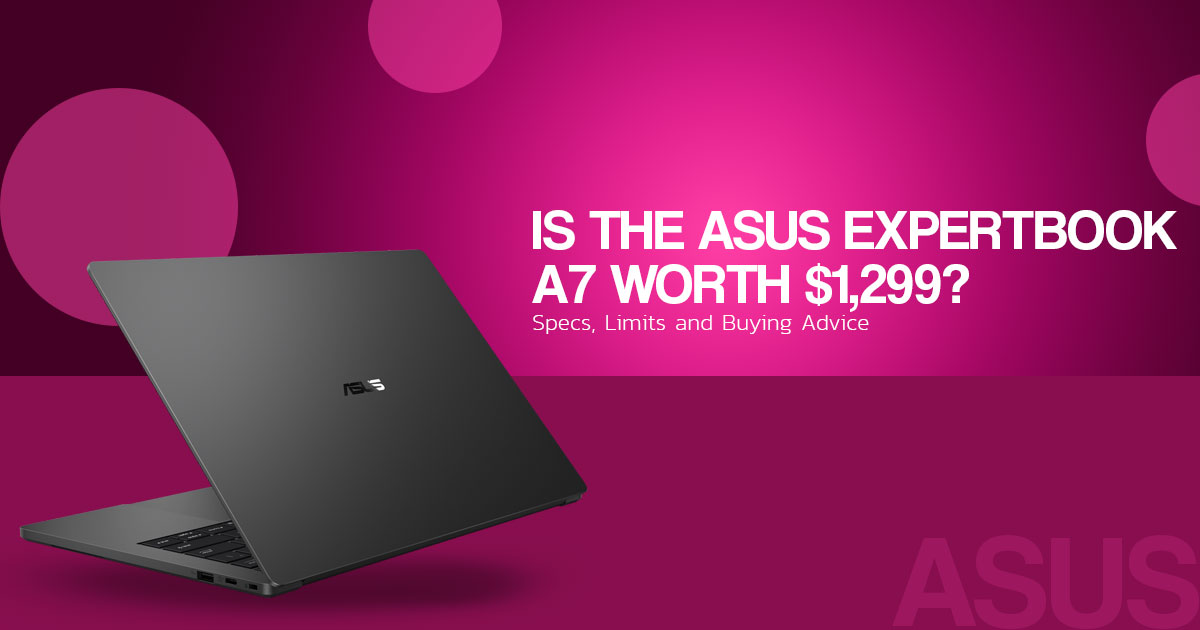
The ASUS ExpertBook A7 (14″ Intel), model A7406CMA, is a business laptop with a 14-inch OLED display, an aluminum chassis, and a commercial warranty. ASUS lists the starting price at US$1,299.99 on its US store for the configuration with an Intel Core 5 320 processor and Windows 11 Home.
For business owners, office professionals, and remote workers, the key questions are how well this laptop meets everyday work needs, what features the base configuration includes, and whether it offers good value for money. This ASUS ExpertBook A7 review examines its specifications, features, limitations, and suitability for business use.
As technology experts with over 20 years of experience in hardware and application research and development, we deeply analyze each product based on real-world performance, durability, and value for money. Our goal is to help you find the best product in every category—budget, performance, reliability, and long-term usage. Our recommendations are based on extensive research, component analysis, real-world usability, and industry expertise.
Two Models Under One Name
ASUS sells two variants of the ExpertBook A7:
- ASUS ExpertBook A7 (14″ Intel), model A7406CMA: Intel Core 5 320 or Intel Core 7 350.
- ASUS ExpertBook A7 (14″ AMD): AMD Ryzen AI 5 330 or AMD Ryzen AI 7 345.
- ASUS describes this model as a Copilot+ PC. Its US announcement says the lineup will expand in January 2027, while ASUS’s Canadian announcement gives Q1 2027 for Canada.
Availability and pricing vary by market, so the rest of this article covers the Intel model. Source: AMD press release
Key Specifications: ASUS ExpertBook A7 (14″ Intel)
| Specification | Detail |
| Processor | Intel Core 7 350 (up to 4.8 GHz, 6 cores/6 threads) or Intel Core 5 320 (up to 4.6 GHz, 6 cores/6 threads) |
| NPU | Intel AI Boost NPU |
| Graphics | Intel Graphics (integrated) |
| Memory | 16GB LPDDR5X, onboard. ASUS’s US launch configurations list 16GB; its global tech specs also list an 8GB variant. |
| Storage | 512GB M.2 2230 NVMe PCIe 4.0 SSD. ASUS’s global tech specs also list a 256GB PCIe 3.0 SSD. |
| Display | 14.0-inch OLED, WQXGA+ (2880 × 1800), 16:10, 120Hz, 500 nits, 100% DCI-P3, Pantone Validated, VESA DisplayHDR True Black 600. Glossy or anti-glare, depending on configuration. |
| Battery | 65Wh, 4-cell Li-ion |
| Dimensions | 31.11 × 21.49 cm; 1.00 to 1.18 cm thick |
| Weight | Starting at 1.20 kg (2.65 lb), according to ASUS’s US technical specifications |
| Wireless | Wi-Fi 6E (802.11ax), tri-band 2×2; Bluetooth 5.4 |
| Ports | 2× USB 3.2 Gen 2 Type-C (support display and power delivery), 1× USB 3.2 Gen 1 Type-A, 1× HDMI 2.1 TMDS, 1× 3.5mm combo audio jack, Kensington Nano security slot |
| Operating system | Windows 11 Home or Windows 11 Pro. ASUS recommends Windows 11 Pro for business use. |
| Durability | US MIL-STD-810H listed by ASUS |
| Warranty (US) | 3-year manufacturer warranty: 1 year of pickup/return service with accidental damage protection, plus 2 years of pickup/return service, per the ASUS US store |
Pricing
Prices below apply only to the market named. ASUS announced US availability from October 14, 2026, and its US store now lists the laptop for purchase. Stock and delivery dates may change.
United States (USD), ASUS US store:
| Processor | Operating system | Price (USD) | Basis |
| Intel Core 5 320 | Windows 11 Home | $1,299.99 | Starting price, as listed |
| Intel Core 7 350 | Windows 11 Home | $1,399.99 | Calculated: starting price plus the listed $100 Core 7 upgrade |
| Intel Core 5 320 | Windows 11 Pro | $1,499.99 | Calculated: starting price plus the listed $200 Windows 11 Pro upgrade |
| Intel Core 7 350 | Windows 11 Pro | $1,599.99 | Calculated: starting price plus both listed upgrades |
The calculated prices match the upgrade amounts ASUS lists on its store page. Confirm the final price on the ASUS Store before you buy.
Canada (CAD), ASUS Canada launch: C$2,299 for the Intel Core 5 320 and C$2,499 for the Intel Core 7 350, both with Windows 11 Pro (Yahoo Finance, reprinting ASUS’s release).
These are not comparable to the US prices because the operating system differs. We did not verify Indian pricing or availability.
Build, Display, and Keyboard
According to ASUS, the chassis is CNC-milled from a single block of 6000-series aluminum. ASUS says the top cover and keyboard frame use 98% post-industrial recycled (PIR) aluminum. Its Canadian release says the design is intended to reduce flex and deformation, but we have not tested that claim.
ASUS’s US technical specifications list a starting weight of 1.20 kg (2.65 lb) for the Intel model. Its US launch sheet gives 2.82 lb (about 1.28 kg) for the configuration tested, so the actual weight depends on the configuration.
The display uses a 16:10 aspect ratio, which gives more vertical space than a 16:9 panel of the same width. ASUS lists a 120Hz refresh rate and 500-nit brightness. Its claims of 100% DCI-P3 coverage and Pantone validation have not been independently measured here. OLED panels can use less power when displaying dark content, but we did not measure the effect on this model.
The keyboard has 1.0 mm of key travel and is listed as spill-resistant. The touchpad has a glass surface with haptic feedback. If you type for long periods, try the keyboard before buying: its 1.0 mm key travel is shallower than the 1.5 mm Lenovo lists for the ThinkPad X1 Carbon Gen 13 (see the comparison below).
Memory, Storage, and Power
The Intel model uses onboard LPDDR5X memory; Ubergizmo reports that it cannot be upgraded. The US launch configurations listed by ASUS have 16GB of RAM. ASUS’s global specifications also list an 8GB variant, but memory is soldered to the board in all configurations. The 16GB limit may be restrictive for workloads that need more memory. Source: Ubergizmo
ASUS claims up to 26 hours of local Full HD video playback. Its test note says the result came from an ASUS lab test of the Core 7 350 configuration with 16GB of RAM, a 512GB SSD, 50% display brightness, and 50% volume using wired earphones. This is a controlled video-playback test, not a mixed office-work test, so battery life will vary with workload, settings, and usage.
Charging uses a 65W USB Type-C adapter. ASUS lists a required charging power of 55W to 65W and says the laptop restores up to 50% of its capacity in 30 minutes.
Ports and Connectivity
The Intel model has two USB 3.2 Gen 2 Type-C ports, each supporting data transfer at up to 10 Gbps, display output, and power delivery. ASUS does not list Thunderbolt or USB4 for this Intel model. The AMD model lists two USB4 Type-C ports, so check the exact model’s port list if you need USB4 or Thunderbolt docking.
The Intel model also has one USB 3.2 Gen 1 Type-A port and one HDMI 2.1 TMDS port, so it can connect to a projector or a legacy USB accessory without an adapter.
Security and Software
ASUS lists the ExpertGuardian security suite, including compliance with NIST SP 800-193 and NIST SP 800-155. The laptop also has TPM 2.0, a fingerprint sensor built into the power button, and a Kensington Nano security slot. ASUS’s October 2026 US announcement says the ExpertBook A7 receives five years of BIOS and driver security updates.
Built-in software includes MyASUS and MyExpert, which ASUS lists with File Search.
Comparison: Two Alternatives
We compared the Intel model with two products in the same category. Each competitor is listed with its exact model name and data source. We did not compare prices for Lenovo because we could not verify a current US price for the same configuration.
| Specification | ASUS ExpertBook A7 (14-inch Intel), A7406CMA |
Lenovo ThinkPad X1 Carbon Gen 13 (2025) | Apple MacBook Air 13-inch (M5, 2026) |
| Display | 14-inch OLED, 2880 × 1800, 120Hz | 14-inch 2.8K OLED (2880 × 1800, 120Hz) or WUXGA (1920 × 1200) LCD, per Lenovo | 13.6-inch Liquid Retina, 2560 × 1664, 500 nits, IPS |
| Thickness | 1.00 to 1.18 cm | 8.08 to 14.37 mm (front/rear), 16.95 mm maximum, for OLED models | 0.44 in (1.13 cm) |
| Weight | From 1.20 kg (2.65 lb) | From 1,006 g, for U- and H-series processor models | 2.7 lb (about 1.2 kg) |
| Keyboard key travel | 1.0 mm | 1.5 mm | Not verified |
| Maximum memory | 16GB | Up to 64GB, U- and H-series models only | Up to 32GB |
| Ports | 2× USB 3.2 Gen 2 Type-C, 1× USB 3.2 Gen 1 Type-A, 1× HDMI 2.1 TMDS, 3.5mm combo jack | 2× Thunderbolt 4, 2× USB-A, 1× HDMI 2.1 TMDS | 2× Thunderbolt 4 (USB-C), MagSafe 3, 3.5mm headphone jack; no HDMI or USB-A |
| US starting price | $1,299.99 (Core 5 320, Windows 11 Home) | Not verified | $1,099 (13-inch, 16GB/512GB) |
The Lenovo figures apply to the ThinkPad X1 Carbon Gen 13, and the OLED panel is an option, not the base display. The 64GB maximum applies only to U- and H-series processor models, so check the processor on any configuration you consider.
Who Each Option Fits
- The Intel model suits buyers who want an OLED display, an aluminum chassis, and built-in HDMI and USB-A ports, and whose work fits within 16GB of memory.
- The ThinkPad X1 Carbon Gen 13 suits buyers who need more memory than 16GB, Thunderbolt 4 ports, or the 1.5 mm keyboard travel Lenovo lists.
- The MacBook Air 13-inch (M5) suits buyers who want a macOS laptop and do not need HDMI or USB-A. It has no OLED option in the sources we reviewed.
- The AMD model is worth checking for buyers who need its listed 50 NPU TOPS and USB4 ports, once availability in their market is confirmed.
Conclusion
Based on ASUS’s published specifications, the Intel model combines an OLED display, an aluminum chassis, HDMI, and a three-year US manufacturer warranty. The Core 5 320 configuration with Windows 11 Home starts at US$1,299.99. Its main limits are soldered memory capped at 16GB, no listed Thunderbolt or USB4 ports, and battery-life figures based on ASUS’s own lab test. Whether it is the right purchase depends on your workload and priorities. Before buying, confirm the configuration, price, and availability on the ASUS US store or the ASUS global product page.
Thinking of buying the ASUS ExpertBook A7? Tell us what you want to know in the comments. Ask about performance, battery life, display quality, build quality, memory limits, warranty coverage, or how it compares with another laptop you are considering.
Follow us for more laptop reviews, product comparisons, and practical buying advice.
Disclaimer

This article is based on our research, analysis, available product information, user feedback, and industry knowledge. It is not an official statement from any brand or manufacturer mentioned in the article.

Product specifications, prices, software features, and availability can change. We do our best to keep the information up to date, but please check the latest details with the manufacturer or retailer before making a purchase.

Some links in this article may be affiliate links. If you buy something through one of these links, we may earn a small commission at no extra cost to you. These commissions help support the site and our work. They do not affect how we assess or discuss products. Comments and opinions shared by readers belong to the people who post them and do not necessarily represent our views. Information on this site is provided for general purposes, and we cannot guarantee a particular result from using it. Where professional advice is needed, consult a qualified professional.

All product names, logos, and trademarks belong to their respective owners. We use them only to identify the products and companies discussed and do not imply endorsement or affiliation.
