
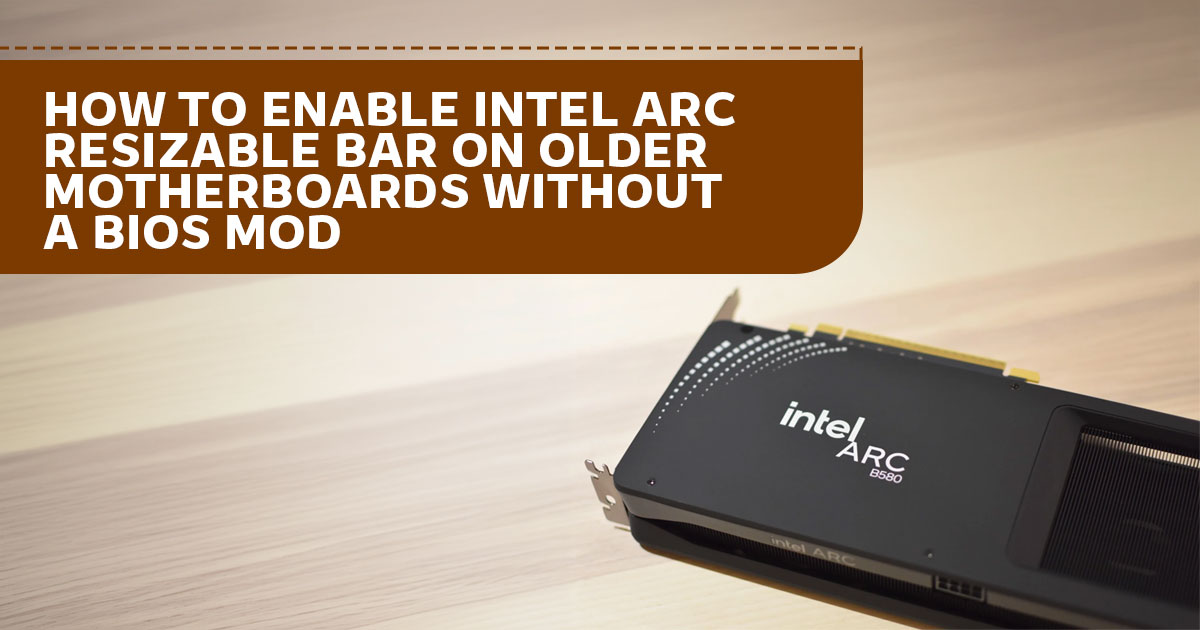
Running a legacy desktop or Intel Xeon workstation on Debian or Ubuntu? Learn how the arc-rebar Linux utility can expose the full VRAM aperture of an Intel Arc B580 on compatible systems—without flashing motherboard UEFI firmware.
Introduction
Upgrading the graphics card in an older desktop or server workstation can expose a platform limitation. Intel Arc discrete GPUs benefit from PCIe Resizable BAR (Base Address Register) for optimal performance. On some older motherboards without working Resizable BAR firmware support, the GPU may remain limited to a 256 MiB CPU-visible BAR2 window. The exact behavior depends on the board, firmware, PCIe topology, available 64-bit MMIO space, operating system, and driver; it is not true of every pre-2020 system.
A Linux boot utility called arc-rebar (version 1.0.3 by developer Rod Burlamaqui) offers an alternative for compatible Debian and Ubuntu systems. Rather than patching motherboard ROM images or modifying Intel’s graphics driver, arc-rebar reconfigures the PCIe BAR aperture from initramfs during startup. The project is source-available and free for personal, non-commercial use under its custom license; commercial or enterprise use and code modifications require separate written licensing. Read the project’s license, disclaimer, and compatibility checks before use.
This article evaluates the published project documentation, diagnostic output, and benchmark logs. The performance figures below are the developer’s reported results, not independent tests conducted for this article.
For hobbyists, homelab builders, and personal workstation users running Debian or Ubuntu, arc-rebar may offer another option for upgrading an older system. The motherboard must support Above 4G Decoding, provide sufficient 64-bit MMIO space, and expose a compatible, unshared PCIe root-port topology. In the developer’s tested configuration, the utility allowed an Intel Arc B580 to expose a 16 GiB BAR2 window for its 12 GB GDDR6 memory. Below, we explain the reported PCIe resource conflict, summarize the developer’s test results, compare alternative GPUs, and outline the compatibility checks to complete before trying this approach.
| Technical Problem Solved | Platform Cost Avoided | No BIOS Flashing |
|---|---|---|
| May avoid a platform upgrade on compatible systems; actual savings depend on local parts prices. | No verified replacement-cost estimate is provided; compare local motherboard, CPU, and RAM prices before deciding. | No motherboard firmware flash is required, but PCIe re-enumeration can hang some systems. Read the project disclaimer first. |
Product & Utility Overview: Intel Arc B580 Graphics and arc-rebar
Launched in December 2024 on Intel’s Xe2 (Battlemage) architecture, Intel Arc B580 Graphics has 20 Xe-cores, 160 Intel Xe Matrix Extensions (XMX) engines, and 12 GB of GDDR6 memory on a 192-bit interface. That capacity can offer more headroom than 8 GB cards for some 1440p workloads, Vulkan compute tasks, and local large language model (LLM) experiments, although results depend on the application and settings.
Intel says Resizable BAR should be enabled for optimal performance with Intel Arc discrete graphics. In small-BAR configurations, the host-visible BAR2 window may be limited to 256 MiB rather than mapping the full VRAM aperture at once; this does not mean the GPU has only 256 MiB of physical memory.
According to the project’s documentation, arc-rebar targets Linux distributions using initramfs-tools, including Debian 12/13 and Ubuntu 22.04 or newer. During boot, the script adjusts the GPU’s Resizable BAR control register, removes and rescans the compatible PCIe root port, and allows Linux’s xe DRM driver to bind with an expanded 16 GiB BAR2 address window. Check the current README and release notes for supported versions before installing.
Official Documentation & Primary Sources
| Resource | Link |
|---|---|
| Software Repository | GitHub – RodBurlamaqui/Intel-ARC-Rebar (v1.0.3) ↗ |
| Companion Media Driver Patch | GitHub – Intel-ARC-B580-vaapi-sigbus-fix ↗ |
| Official GPU Specifications | Intel Arc B580 Graphics (Intel ARK SKU 241598) ↗ |
| Official ReBAR Support Guide | Intel Support Article 000090831 ↗ |
Why Older Motherboards Fail to Resize Intel Arc BARs—and How arc-rebar Fixes It
Based on the developer’s root-cause analysis and Linux kernel PCI logs, missing BIOS menus are only half of the issue on legacy platforms. Even when a recent Linux kernel attempts to enlarge the GPU BAR and 64-bit address space is available, this integrated-switch layout can block the standard resize path.
1. The Integrated PCIe Switch 8 MiB BAR0 Pinning Conflict
Unlike GPUs that wire their endpoint directly to the motherboard slot, Intel Arc discrete graphics cards incorporate an on-card PCIe switch (pcieport). The upstream port of this integrated switch requests its own 8 MiB memory allocation (BAR0).
The project’s root-cause notes describe a Linux kernel quirk for this integrated-bridge behavior, proposed in 2025 for PCI device IDs 0x4fa0, 0x4fa1, and 0xe2ff. The project README says the patch was not merged as of Linux kernel 7.1; that is the project’s stated status at the time of its documentation, not a guarantee about later kernel releases. Check current upstream kernel sources before relying on this claim.
|
BEFORE: Default Legacy Boot (-ENOSPC) Root Port Prefetchable Window: 264 MiB
Card Switch Upstream BAR0: 8 MiB — PINNED — owned by
Intel Arc GPU BAR2: Stuck at 256 MiB — Requests 16 GiB → Fails ( OpenCL saxpy: 15.4 GB/s | 4K Vulkan blur: Stalls |
▼ arc-rebar:
unbind xe → write ECAP_REBAR ctl → remove root port → rescan (pci=realloc)
|
|
AFTER: arc-rebar initramfs RescanB
64-Bit MMIO Above 4 GB ( Switch Upstream BAR0: 8 MiB — Reallocated Intel Arc GPU BAR2: 16 GiB (16,384 MiB) — Provides an aperture large enough to map the 12 GB physical GDDR6 VRAM OpenCL saxpy: 388–392 GB/s | 4K Vulkan: 39–50 FPS |
Figure 1: Why the integrated PCIe switch’s 8 MiB BAR0 blocks standard Linux BAR resizing on legacy firmware, and how arc-rebar reallocates both windows from scratch.
1. Early-Boot Root-Port Re-Enumeration via initramfs-tools
The arc-rebar script performs a release-and-reallocate sequence from userspace inside initramfs (scripts/init-premount/arc-rebar). In the developer’s documented Debian/Ubuntu setup, the xe driver probes first and may log its initial -ENOSPC and Small BAR device messages before the script runs. The project then attempts the following sequence:
- Verifies safety conditions (confirming the GPU sits on an unshared root port without external switches or Thunderbolt bridges, and checking /proc/iomem for sufficient 64-bit MMIO space above 4 GB).
- Unbinds xe (and snd_hda_intel if bound) from the
- Writes the target aperture size to the GPU’s ECAP_REBAR control register using
- Removes the parent PCIe root port via sysfs (/sys/bus/pci/devices/<rootport>/remove), dropping both the GPU and the integrated switch’s 8 MiB BAR0 from the kernel’s resource tree.
- Triggers a bus rescan (/sys/bus/pci/rescan) with the pci=realloc kernel parameter active, allowing Linux to allocate a fresh prefetchable window accommodating both BAR0 and the full 16 GiB BAR2 aperture before udev re-binds xe.
Kernel Boot Log (dmesg) — Supermicro X9DRH-7TF + Intel Arc B580 Limited Edition Graphics Card · Debian 13 · Kernel 7.1.8
|
KEY TAKEAWAY: PCIe Resizable BAR sizes use supported power-of-two apertures; there is no 12 GB BAR size. In the documented setup, Intel Arc B580 uses a 16 GiB (16,384 MiB) BAR2 window, which is large enough to map its 12 GB of physical GDDR6 VRAM. The 16 GiB aperture is address space, not additional VRAM.
Documented Performance: Legacy Xeon Test Bench & Reported Benchmarks
We did not conduct independent hardware benchmark testing for this article. The results below are drawn from the developer’s published test commands, logs, and diagnostic output in the RodBurlamaqui/Intel-ARC-Rebar repository (including docs/TESTS.md and docs/ROOT-CAUSE.md). Treat them as results from that specific test system, not a guarantee for every motherboard, kernel, or workload. The developer validated arc-rebar v1.0.3 on a dual-socket enterprise server platform from the 2013–2015 era:- Motherboard: Supermicro X9DRH-7TF (Intel C602 chipset, LGA 2011, PCIe 0 expansion slots, AMI BIOS 3.2 dated 2015 with Above 4G Decoding enabled and 63 GB of free MMIO space above 4 GB, no native Resizable BAR support)
- Processors: Dual Intel Xeon E5-2670 v2 (Ivy Bridge-EP, 10 cores / 20 threads per socket)
- Graphics Card: Intel Arc B580 Limited Edition Graphics Card (12 GB GDDR6; tested with GPU FWCODE 21.1137 and the September 2026 LVFS update 21.1182, according to the project report)
- Operating System & Driver: Debian 13 (“Trixie”), Linux kernel 1.8, mainline xe DRM driver
| Metric / Workload | Before arc-rebar (256 MiB Small BAR) | After arc-rebar (16 GiB BAR2 Window) | Practical Impact |
|---|---|---|---|
| CPU-Visible VRAM (BAR2) | 256 MiB | 16 GiB (16,384 MiB) window large enough to map all 12 GB VRAM | Removed the 256 MiB host-visible limit in the developer’s tested configuration |
Vulkan Memory Heaps (vulkaninfo)
|
11.68 GiB device-only + 256 MiB host-visible heap | Single unified 11.93 GiB host-visible device-local heap | Gives Vulkan compute and rendering tasks direct heap visibility |
Largest Single OpenCL Allocation (ocl_test)
|
256 MiB (320 MiB fails with CL_OUT_OF_RESOURCES)
|
1 GiB (1,024 MiB, matching the OpenCL runtime cap) | Allowed a 1 GiB allocation in the reported test; results depend on the OpenCL runtime and workload |
| OpenCL saxpy VRAM Compute Throughput | 15.4 GB/s (reported as 15 GB/s in summary) | 388–392 GB/s | Restores ~86% of the card's 456 GB/s theoretical GDDR6 bandwidth |
4K FFmpeg Vulkan Gaussian Blur (gblur_vulkan)
|
Stalls (0 frames completed) | 39–50 FPS | Enables heavy 4K Vulkan video filtering that previously stalled |
1080p VA-API H.264 Encode (h264_vaapi)
|
149 FPS | 149 FPS | The developer reported 149 FPS before and after; this was not a gain from arc-rebar |
| Boot Time Overhead & dmesg Status | Standard boot; small-BAR state | About 6.5 seconds from xe unbind to script completion in the cited log; not a measured whole-system boot-time increase | The logged fix sequence completes and xe re-probes with the larger aperture on the tested system; results may vary |
OpenCL saxpy GDDR6 VRAM Throughput Comparison
Default Legacy State (256 MiB Small BAR — OpenCL saxpy) — 15.4 GB/s (3.4% of peak)
With arc-rebar Active (16 GiB BAR2 — OpenCL saxpy) — 392 GB/s (86.0% of peak)
Intel Arc B580 Graphics Theoretical GDDR6 Peak (192-bit @ 19 Gbps) — 456 GB/s (100% reference)
Hardware Specifications and Staged Linux Setup
Physical, Display, and Power Specifications
When fitting Intel Arc B580 Graphics into an older ATX tower or rackmount chassis, verify variant-specific dimensions and power connectors rather than relying solely on reference specs:
- Display Outputs: Up to 4 displays supported. The Intel Arc B580 Limited Edition Graphics Card provides 1x HDMI 2.1 and 3x DisplayPort 2.1 outputs (primary port up to UHBR 13.5; two ports up to UHBR 10). Custom ASRock partner cards (ASRock Intel Arc B580 Challenger 12GB OC and ASRock Intel Arc B580 Steel Legend 12GB OC) specify 1x HDMI 2.1a alongside the same 3x DisplayPort 2.1 configuration.
- Media Engines: Dual Multi-Format Codec Engines provide hardware encode and decode for AV1, 265 (HEVC), H.264, and VP9.
- Power & PSU Sizing: Intel rates reference Total Board Power (TBP) at 190 W with a single 8-pin PCIe connector and a 600 W minimum Partner models differ: ASRock recommends a 650 W PSU on both the single-8-pin ASRock Intel Arc B580 Challenger 12GB OC and the dual-8-pin ASRock Intel Arc B580 Steel Legend 12GB OC.
- Chassis & 4U Rack Clearance: The Intel Arc B580 Limited Edition Graphics Card measures 272 x 115 mm (2-slot), fitting standard PCIe height envelopes comfortably. By contrast, the ASRock Intel Arc B580 Challenger 12GB OC (249 x 132 x 41 mm, 2-slot) and ASRock Intel Arc B580 Steel Legend 12GB OC (298 x 131 x 51 mm, 2.6-slot) use taller PCBs; builders using 4U server chassis should measure top-lid clearance for top-mounted 8-pin PCIe power cables before ordering tall partner cards.
Staged Installation & Diagnostic Safety Workflow
PCIe root-port removal and rescanning can hang some older chipsets, and the project explicitly warns that behavior on untested hardware cannot be guaranteed. It describes two installation paths: a single-reboot path (Path A) and a cautious two-reboot live-test path (Path B). The live test is best attempted over SSH because it can blank the local display for roughly 10 seconds; back up important data and read the project’s disclaimer first.
STAGE 1 — Read-Only Pre-Check
sudo arc-rebar diagnose
Inspects your PCIe topology, checks whether the integrated switch’s 8 MiB BAR0 is pinning the root-port window, measures /proc/iomem space above 4 GB, and outputs “YES: pinned window, all safety checks pass” if compatible.
STAGE 2 — Optional Cautious Live Test (Path B via SSH)
Run sudo arc-rebar prepare (which adds pci=realloc to /etc/default/grub and saves /etc/default/grub.arc-rebar.bak), reboot once, confirm pci=realloc in /proc/cmdline, and run sudo arc-rebar live-test over SSH.
This attempts the resize once in the running session without installing the persistent boot hook.
If the system hangs, a power cycle may restore operation, but recovery is not guaranteed on every hardware configuration; use this path only after reading the project’s disclaimer and preparing a recovery plan.
STAGE 3 — Persistent Boot Hook & Verification
sudo arc-rebar install & sudo arc-rebar verify
Runs pre-checks, prompts you to type ACCEPT for the license and disclaimer, backs up /boot/initrd.img-<kernel>.arc-rebar.bak, installs the initramfs-tools hook, and verifies the rebuilt image.
After rebooting, sudo arc-rebar verify checks BAR2 = 16384 MiB, PCIe DevSta/AER error counters, and Vulkan heap size.
The project documents rollback if BAR2 is not assigned after rescan, but that rollback does not cover every possible chipset hang. Appending norebar at the GRUB menu bypasses the script on a boot if needed.
Note on Debian 13 VA-API Stability: The project reports that an unpatched intel-media-driver build could trigger a SIGBUS crash during vaInitialize on small-BAR systems. This is a separate media-driver issue, not a performance limitation caused by the 256 MiB BAR itself. The companion Intel-ARC-B580-vaapi-sigbus-fix package is intended to address that reported driver bug. arc-rebar does not fix the VA-API crash on its own, so check the companion project’s instructions and keep the patch installed if your setup is affected or may boot with norebar.
Interpreting Bandwidth vs. Physical PCIe Link Speed
It is important not to confuse the 388–392 GB/s OpenCL saxpy result with CPU-to-GPU PCIe transfer speed. Intel Arc B580 Graphics uses a PCI Express 4.0 x8 host interface; when installed in a PCIe 3.0 slot on a board like the Supermicro X9DRH-7TF, the physical link negotiates at PCI Express 3.0 x8 (7.88 GB/s theoretical unidirectional maximum; measured at 2,201 MB/s in a four-stream 4K hwupload test). Note also that querying the GPU endpoint directly in lspci displays a virtual 2.5 GT/s x1 internal link—to read actual physical link speed, check the card’s integrated switch upstream port (sudo arc-rebar diag pcie-link-truth).
What the jump from 15.4 GB/s to 388–392 GB/s reflects is on-card GDDR6 compute throughput: when stuck in 256 MiB small-BAR mode, OpenCL/Vulkan buffer management degrades sharply, whereas exposing the full 16 GiB BAR2 aperture allows compute kernels to execute at near-native GDDR6 memory speed.
Comparisons: arc-rebar vs. ReBarUEFI and Competing Budget GPUs
Before arc-rebar, enabling Resizable BAR on some unsupported motherboards could require injecting a custom UEFI DXE driver with the ReBarUEFI project (xCuri0/ReBarUEFI) or using other platform-specific workarounds. Firmware modification carries its own risks and is not appropriate for every board.
Method Comparison: arc-rebar vs. ReBarUEFI
| Feature / Requirement | arc-rebar (v1.0.3) | ReBarUEFI (xCuri0/ReBarUEFI) |
|---|---|---|
| Mechanism |
Userspace initramfs-tools script (setpci + sysfs root-port remove/rescan + pci=realloc)
|
Extracting motherboard UEFI ROM, injecting ReBarDxe.ffs DXE module, flashing BIOS, and setting NVRAM via ReBarState
|
| Firmware Brick Risk |
Does not modify motherboard SPI flash ROM. A hang during PCIe rescan is possible; rebooting or using norebar may not recover every system.
|
Requires modifying and flashing motherboard firmware; recovery risk varies by board and available backup/recovery method. |
| Operating System Support |
Linux distributions using initramfs-tools (Debian 12/13, Ubuntu 22.04+) with xe driver
|
Once flashed, ReBAR is enabled at firmware level; actual compatibility still depends on the motherboard, GPU, and firmware configuration |
| GPU & Multi-Card Scope |
Targets the Intel Arc integrated PCIe-switch layout; hardware-tested by the author on one Arc B580. The script selects one GPU per boot; rebar.dev= can specify the target device, not enable multi-GPU operation.
|
Designed for compatible AMD, Intel, and NVIDIA GPUs; support depends on the specific card and firmware |
| License | Free for personal, non-commercial use; separate commercial license required for business/enterprise use | MIT License (open-source) |
| Reversal Process |
Run sudo arc-rebar uninstall (or sudo apt purge arc-rebar) and optionally restore /etc/default/grub.arc-rebar.bak
|
Requires reflashing the original unmodified UEFI BIOS image |
Legacy-System GPU Comparison: Specifications and Launch Prices
| GPU Model | Architecture & Host Link | VRAM & Memory Bus | Legacy Motherboard Behavior | Launch Pricing / Current-Price Note | Target Workload |
|---|---|---|---|---|---|
| Intel Arc B580 Graphics | Intel Xe2 (Battlemage), PCIe 4.0 x8 (runs PCIe 3.0 x8 on Gen3 slots) |
12 GB GDDR6, 192-bit (456 GB/s) |
On some older platforms without native ReBAR, may be limited to a 256 MiB BAR; arc-rebar applies only to compatible Debian/Ubuntu setups, while ReBarUEFI requires firmware modification | $249 USD launch RCP; check current US listings and stock on publication date | Personal Linux workstations, 12 GB VRAM for compatible Vulkan/compute workloads, and AV1 media workflows |
| AMD Radeon RX 7600 | AMD RDNA 3, PCIe 4.0 x8 (runs PCIe 3.0 x8 on Gen3 slots) |
8 GB GDDR6, 128-bit (288 GB/s + 32 MB Infinity Cache) |
Resizable BAR can affect performance, but the size of the impact depends on the game and settings; the card also uses an x8 PCIe interface and has 8 GB VRAM | $269 USD launch SEP; check current US listings and stock on publication date | 1080p gaming where 8 GB VRAM is sufficient |
| NVIDIA GeForce RTX 3060 (12 GB) | NVIDIA Ampere (GA106), PCIe 4.0 x16 (runs full PCIe 3.0 x16 on Gen3 slots) |
12 GB GDDR6, 192-bit (360 GB/s) |
May be worth considering for older Windows systems where firmware modification is not an option; performance varies by workload. The 12 GB model uses a full x16 interface. | $329 USD launch MSRP; check current US listings and stock on publication date | Legacy Windows systems, CUDA-dependent workloads, and users who prefer a full x16 PCIe link |
Note: Confirm before buying that an NVIDIA GeForce RTX 3060 (12 GB) listing is the 12 GB, 192-bit model rather than the separate NVIDIA GeForce RTX 3060 (8 GB) 128-bit variant.
Comparison Takeaway:
Intel Arc B580 and AMD Radeon RX 7600 both use an electrically x8 PCIe interface, so each negotiates a PCIe 3.0 x8 link in a compatible Gen3 slot. The 12 GB NVIDIA GeForce RTX 3060 uses a PCIe 4.0 x16 interface and can negotiate PCIe 3.0 x16 on a Gen3 slot.
For a compatible personal Debian or Ubuntu system, arc-rebar may make the B580’s full VRAM aperture usable for workloads that were constrained in small-BAR mode. The B580 has 50% more VRAM than the 8 GB RX 7600; its rated GDDR6 bandwidth is 456 GB/s, compared with 288 GB/s for the RX 7600 and 360 GB/s for the RTX 3060 12 GB.
Intel lists two multi-format codec engines and AV1 encode/decode support; describe this as two codec engines rather than assuming two simultaneous AV1 encoders. The RTX 3060’s Ampere generation supports AV1 decoding but not hardware AV1 encoding.
Pros, Cons, and Buyer Fit
PROS (STRENGTHS)
- Full 12 GB VRAM Addressability Without BIOS Flashing — In the developer’s tested setup, expands BAR2 from 256 MiB to a 16 GiB window during boot without touching motherboard SPI flash memory.
- Substantial Compute Recovery in One Test — OpenCL saxpy throughput rose from 15.4 GB/s to 388–392 GB/s, and a 4K Vulkan filter ran at 39–50 FPS on the tested 2015 server hardware.
- Recovery Options — Includes read-only diagnostics, an optional SSH live test, a documented rollback attempt if BAR2 is not assigned after rescan, and a
norebarGRUB boot flag. These do not guarantee recovery from every chipset hang. - Modern Media & Compute Hardware — Can bring 12 GB GDDR6, Intel XMX AI engines, and two multi-format codec engines with AV1 encode/decode support to a compatible older platform.
CONS (LIMITATIONS)
- Debian/Ubuntu (initramfs-tools) Only — Does not work on Windows 10/11, and porting to dracut or mkinitcpio distros requires prior author approval under the license.
- Strict Topology & BIOS Prerequisites — Requires Above 4G Decoding, sufficient 64-bit MMIO space, and a compatible unshared PCIe root-port topology; external switches, risers, and Thunderbolt paths are outside the documented supported topology.
- Personal-Use License & Single-GPU Scope — Free only for private, non-commercial use (commercial/enterprise use requires paid licensing), and v1.0.3 processes one GPU per boot.
- Author Testing Focused on Battlemage — Developer hardware validation in v1.0.3 covered Intel Arc B580 Graphics; while community users have reported BAR2 expansion on Intel Arc A750/A770, Alchemist cards were not officially tested by the developer.
Who Should Consider This Setup?
- Personal Linux Homelab & Legacy Workstation Owners: Individual hobbyists running older Intel Xeon boards (such as Supermicro X9/X10 platforms) or pre-2020 desktop motherboards on Debian or Ubuntu—with Above 4G Decoding enabled—who want 12 GB of VRAM for local LLM inference, Vulkan compute, or Jellyfin/Plex AV1 transcoding.
- Modern PC Builders: Systems with native BIOS Resizable BAR support may not need arc-rebar. Even with an Intel 10th Gen Core or AMD Ryzen 3000-series (or newer) CPU, confirm that your specific motherboard, BIOS version, GPU, and operating-system configuration support and enable Resizable BAR before expecting the B580 to run optimally.
Who Should Look Elsewhere?
- Windows Users on Legacy Motherboards: If you use Windows 10 or Windows 11 on a motherboard without native Resizable BAR and do not want to modify the firmware, do not assume that changing GPUs will eliminate performance trade-offs. Compare independent benchmarks for your specific games or applications on a similar CPU, motherboard, and PCIe configuration before choosing a card.
- Commercial or Multi-GPU Server Deployments: Businesses require a separate commercial license to use arc-rebar, and multi-GPU servers face the single-card-per-boot design of v1.0.3.
Pricing Context & Partner Model Guide (October 2026)
Launch prices are manufacturer-announced reference points, not current street prices. Retail prices and stock change by seller and region; verify live listings immediately before publication or purchase. No independently captured, date-stamped India-wide price sample is included here, so this article does not claim 12-month Indian median prices.
- United States (USD): Intel announced a $249 Recommended Customer Price for the Intel Arc B580 Limited Edition Graphics Card at launch in December 2024. Partner-card launch prices varied by model. Current prices can change quickly with stock and seller; check current in-stock listings from major retailers and compare the exact card variant, shipping, and return Avoid treating marketplace listings as representative of the wider market.
- India (INR): Prices for Intel Arc B580 partner cards vary by retailer, import channel, availability, and warranty coverage. Check current listings at specialist PC retailers and Amazon India on the day you publish or buy. Do not rely on an undated price snapshot or a claimed 12-month median unless you have a saved, reproducible dataset with dates, seller names, stock status, and a clear calculation method.
| Model Variant (Part Number) | Cooling & Dimensions | Graphics Clock / Power / PSU | Recommended Chassis / Workload Fit | Check Current Listings |
|---|---|---|---|---|
| Intel Arc B580 Limited Edition Graphics Card (31P06HB0BA) |
Dual-fan, 2-slot (272 × 115 mm, 779 g); 1 × HDMI 2.1, 3 × DP 2.1 |
2670 MHz / 190 W TBP (1 × 8-pin) / 600 W min. PSU | Standard ATX cases and height-constrained 4U server chassis (verify seller markup vs. partner cards) | |
| ASRock Intel Arc B580 Challenger 12GB OC (B580 CL 12GO) |
Dual-fan, 2-slot (249 × 132 × 41 mm, 720 g); 1 × HDMI 2.1a, 3 × DP 2.1 |
2740 MHz / 190 W class (1 × 8-pin) / 650 W rec. PSU | Shorter mid-tower ATX builds needing a two-slot card and a single 8-pin power cable |
Frequently Asked Questions
▾ How do I enable Resizable BAR on Intel Arc B580 Graphics without a BIOS mod? On personal Linux systems running Debian 12/13 or Ubuntu 22.04+ (with initramfs-tools and Linux kernel 6.12 or newer recommended), you can install the arc-rebar .deb package from the RodBurlamaqui/Intel-ARC-Rebar GitHub repository. Provided that 4G Decoding is enabled in your BIOS and the GPU sits on an unshared PCIe root port, arc-rebar adds pci=realloc to GRUB and uses an initramfs script to program the GPU’s Resizable BAR register and rescan the root port on every boot. |
◗ Why do Intel Arc GPUs get stuck at a 256 MiB BAR on older Linux motherboards? Intel Arc discrete graphics cards contain an integrated PCIe switch whose upstream port claims an 8 MiB BAR0 allocation. Legacy motherboard firmware places this 8 MiB resource inside the same prefetchable root-port window as the GPU’s 256 MiB VRAM BAR2. When the Linux xe driver asks the kernel to enlarge BAR2, the kernel refuses to release the window because the bridge’s 8 MiB BAR0 is still assigned inside it, failing with -ENOSPC. |
◗ Does arc-rebar work on Windows 10 or Windows 11, and is it open-source? No. arc-rebar is a Linux-only utility that relies on initramfs-tools, setpci, sysfs PCIe root-port re-enumeration, and the Linux xe driver. Windows users on unsupported motherboards would need a different approach, such as a firmware-level modification with ReBarUEFI. The arc-rebar source code is viewable on GitHub, but the project uses a proprietary license: personal use is free, while commercial or enterprise use and modifications require separate written permission or licensing. |
◗ Does small-BAR mode break Intel Arc hardware video encoding (VA-API)? The arc-rebar project’s benchmark notes say VA-API media encoding/decoding worked before and after the BAR change; the reported 149 FPS result should not be interpreted as a performance gain from arc-rebar. Separately, the project reports a Debian 13 intel-media-driver userspace bug that could trigger a SIGBUS crash during vaInitialize on some small-BAR setups. arc-rebar does not fix that crash itself. Check whether the companion Intel-ARC-B580-vaapi-sigbus-fix package applies to your system and follow its instructions. |
FINAL VERDICT
For owners of older PCs and Intel Xeon workstations, Intel Arc B580 can be an attractive 12 GB GPU option, but systems without native Resizable BAR support may encounter small-BAR limitations in some workloads.
For compatible personal, non-commercial Debian and Ubuntu setups, arc-rebar provides a boot-time workaround that the developer tested on a Supermicro X9DRH-7TF with an Intel Arc B580. In that reported test, OpenCL saxpy throughput rose from 15.4 GB/s to 388–392 GB/s and a 4K Vulkan filter completed at 39–50 FPS instead of stalling. These are developer-reported results from one configuration, not a guarantee for all hardware.
The tool does not modify motherboard firmware, but PCIe root-port re-enumeration can still hang untested systems, and its recovery mechanisms are not universal guarantees. Confirm compatibility, read the project’s license and disclaimer, and compare current local GPU prices before deciding whether this is a better option than a platform upgrade.
Have questions about running an Intel Arc B580 on an older workstation? Leave a comment below with your motherboard model, CPU, or Linux setup, and we’ll help you work through the compatibility questions. If you’ve tried arc-rebar yourself, share your results and help other readers learn from your experience.
Follow us for more hardware reviews, Linux guides, GPU comparisons, and practical buying advice to help you get more from your existing PC.
***Disclaimer***
This article is based on our research, analysis, available product information, user feedback, and industry knowledge. It is not an official statement from any brand or manufacturer mentioned in the article. Product specifications, prices, software features, and availability can change. We do our best to keep the information up to date, but please check the latest details with the manufacturer or retailer before making a purchase.
Some links in this article may be affiliate links. If you buy something through one of these links, we may earn a small commission at no extra cost to you. These commissions help support the site and our work. They do not affect how we assess or discuss products. Comments and opinions shared by readers belong to the people who post them and do not necessarily represent our views. Information on this site is provided for general purposes, and we cannot guarantee a particular result from using it. Where professional advice is needed, consult a qualified professional.
All product names, logos, and trademarks belong to their respective owners. We use them only to identify the products and companies discussed and do not imply endorsement or affiliation.