
Introduction
Most people hit a wall when upgrading their setup: better graphics demand a more expensive GPU, and even then, performance doesn’t always keep up—especially on ultrawide displays. That’s where the LG UltraGear 39GX950B steps in with a different idea. Instead of relying only on your GPU, it brings AI upscaling monitor technology into the display itself.
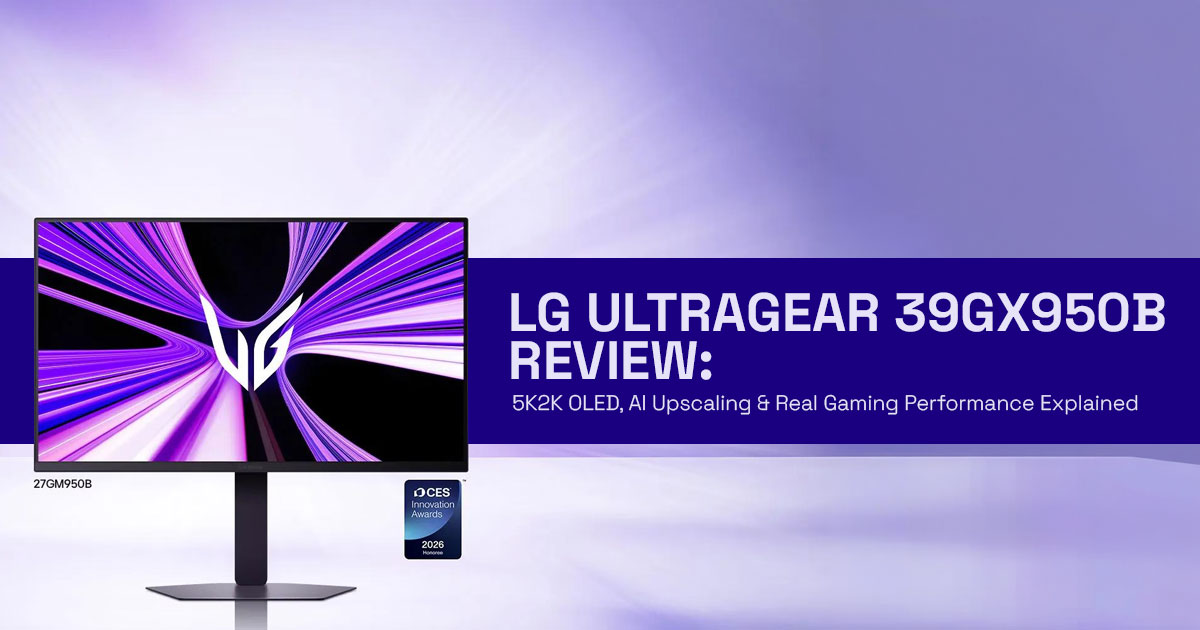
This is a 39-inch ultrawide OLED monitor with a 5K2K resolution (5120×2160) and 1500R curve. It’s built for both gaming and productivity.
But the real question is simple: can a monitor actually reduce your dependence on GPU power?
More importantly—does it actually work, or is it just marketing?
That’s what this review is here to answer. Not just specs, but how it feels to use, where it shines, and where it falls short.
Why this review is Essential
Most reviews stop at listing features. But when you’re spending this much on a premium ultrawide OLED monitor, what matters is real-world performance, not just numbers.
Customer feedback and user reviews often reveal what spec sheets don’t—things like long- term OLED burn-in risk, actual gaming performance at 5K2K, and whether AI upscaling genuinely improves your experience. And that’s where many buyers get stuck: too much hype, not enough clarity.
This review focuses on:
- How the LG UltraGear 39GX950B performs in everyday use
- Whether AI upscaling vs GPU rendering makes a real difference
- If this 5K2K OLED gaming monitor is worth the investment
As technology experts with over 20 years of experience in hardware and application research and development, we deeply analyze each product based on real-world performance,
durability, and value for money. Our goal is to help you find the best product in every category—budget, performance, reliability, and long-term usage.
This guide is for:
- Gamers looking for immersive ultrawide gaming
- Creators needing color accuracy and workspace
- Professionals replacing dual-monitor setups
- Buyers confused between OLED vs QD-OLED vs Mini LED
Our recommendations are based on extensive research, component-level analysis, real- world usability, and industry expertise—so you can make a confident decision.
What you will learn from this review
By the end of this comprehensive analysis, you will gain a thorough understanding of:
- The decoded core specifications of the LG UltraGear 39GX950B, including its 5K2K OLED panel and 1500R curvature.
- The innovative Display Intelligence Stack framework, explaining how AI processing shifts performance from the GPU to the display.
- A detailed comparison of AI upscaling versus traditional technologies like DLSS and native rendering.
- Real-world use cases for competitive gamers, cinematic enthusiasts, productivity users, and creative professionals.
- The often-overlooked tradeoffs, such as OLED burn-in risk and GPU bottlenecks at native 5K2K
- A clear verdict on whether this ultrawide OLED monitor is the right investment for your specific needs.
- Insights into the future of monitors and the increasing role of AI-assisted
We aim to fill the gaps left by other reviews, providing unique insights and a balanced perspective that truly informs your purchasing decisions.
Quick Summary
- The LG UltraGear 39GX950B introduces AI upscaling inside the monitor, reducing some GPU load
- You still need a good GPU, but this helps mid-range systems perform better
- Strong for immersive gaming, multitasking, and creative workflows
- Tradeoffs include OLED burn-in risk and lower brightness vs Mini LED
- Best for users who want a future-ready ultrawide OLED monitor without constant GPU upgrades
If you’re tired of chasing GPU upgrades, this monitor takes a different approach—and that’s exactly why it’s worth a closer look.
1. The Core Specs—Decoded (Not Just Listed)
Beyond the flashy headlines, the true essence of the LG UltraGear 39GX950B lies in its meticulously engineered specifications. This isn’t merely a collection of numbers; each feature is designed to redefine your visual experience. Let’s break down what these core specs truly mean for you.
1.1. 5K2K Resolution: More Than Just Pixels
The 5K2K OLED gaming monitor runs at 5120 × 2160 resolution, giving you much more horizontal space than standard 4K. While it might sound like a simple upgrade from 4K, it’s more accurately described as a stretched 4K experience, offering significantly more horizontal screen real estate. This expansive canvas is particularly beneficial for productivity users, allowing for multiple windows side-by-side without compromise, and for cinematic
gamers, providing an unparalleled immersive field of view. It’s a resolution that demands attention, pushing the boundaries of visual fidelity.
1.2. 1500R Curve: Immersion Meets Practicality
The 1500R curvature of the LG UltraGear 39GX950B is a crucial design choice that balances immersion with ergonomic comfort. Unlike more aggressive curves, the 1500R is designed to wrap the image around your peripheral vision without introducing distortion, making it ideal for both gaming and extended work sessions. This gentle curve is a thoughtful consideration, ensuring that the vastness of the ultrawide OLED monitor 2026 feels natural and encompassing, rather than overwhelming.
1.3. Dual-Mode Refresh: Fidelity vs. Speed Tradeoff
One of the most innovative features of this AI upscaling monitor is its dual-mode refresh rate. While it offers a native 165Hz refresh rate at full 5K2K resolution, it can also achieve an astonishing 330Hz at a lower 2560 x 1080 resolution. This provides users with a critical choice: prioritize ultimate visual fidelity for single-player, graphically intensive titles, or opt for lightning-fast responsiveness in competitive gaming scenarios where every millisecond counts. This flexibility underscores LG’s understanding of diverse user needs, allowing you to tailor your experience on the fly.
2. The “On-Device AI” Model (Original Framework)
The LG UltraGear 39GX950B introduces a paradigm shift in display technology, moving beyond passive pixel output to an active, intelligent processing unit. At the heart of this evolution is the proprietary Display Intelligence Stack, a new framework that redefines how monitors interact with visual data. This innovative architecture fundamentally alters the traditional relationship between the GPU and the display, pushing us to rely less on GPU power.
2.1. The Display Intelligence Stack: A New Paradigm
The Display Intelligence Stack is comprised of three distinct, yet interconnected, layers that work in concert to optimize visual output:
2.1.1. Input Layer
This initial layer is responsible for receiving the raw video signal from the source, whether it’s a gaming PC, console, or streaming device. It handles various source resolutions, from 1080p and 1440p to native 4K, acting as the gateway for visual data into the monitor’s internal processing system.
2.1.2. AI Processing Layer
This is where the magic of the AI upscaling monitor truly happens.
The AI Processing Layer leverages advanced algorithms to perform several critical functions:
- Upscaling: Intelligently enhancing lower-resolution inputs to fill the monitor’s native 5K2K OLED panel, minimizing blur and artifacting often associated with traditional scaling methods.
- Scene Optimization: Dynamically analyzing content in real-time to adjust parameters like contrast, color saturation, and sharpness, ensuring optimal visual presentation for different types of media, from fast-paced games to cinematic
- Audio Separation: This monitor is built mainly for Any audio improvements depend on your source device or speakers.
2.1.3. Output Layer
Finally, the Output Layer takes the AI-processed visual data and renders it on the LG UltraGear 39GX950B‘s stunning 5K2K OLED panel. This layer ensures that the enhanced images are displayed with the perfect blacks and vibrant colors characteristic of OLED technology, delivering the final, optimized visual experience to the user.
2.2. Insight: Shifting Performance from GPU to Display Processor
The profound insight offered by the Display Intelligence Stack is its ability to offload significant processing tasks from the graphics card to the monitor’s internal display processor. This shift is particularly impactful for users who may not have the latest high-end GPUs, as the monitor itself intelligently enhances the visual output. This helps reduce reliance on GPU power for high-resolution gaming, where the display actively contributes to the rendering pipeline, rather than passively receiving instructions. It’s a testament to the evolving intelligence embedded within modern display technology, making the LG UltraGear 39GX950B a truly forward-thinking ultrawide OLED monitor in 2026.
3. AI Upscaling vs DLSS vs Native Rendering
The LG UltraGear 39GX950B introduces a compelling new variable into the ongoing debate over image reconstruction and rendering techniques. With its built-in AI upscaling monitor capabilities, it challenges established software solutions like NVIDIA’s DLSS and the gold standard of native rendering. Understanding the nuances of these three approaches is crucial for maximizing your visual experience and hardware investment.
3.1. The Battle for Pixels: A Comparative Analysis
To truly grasp the impact of the Display Intelligence Stack, we must compare it directly against its primary competitors. The following table outlines the key differences between the monitor’s onboard AI upscaling, GPU-driven DLSS, and traditional native rendering.
| Feature | AI Monitor Upscaling | DLSS | Native Rendering |
|---|---|---|---|
| Runs On | Monitor (built-in processor) | GPU (NVIDIA RTX) | GPU |
| Latency | Near-zero (manufacturer claim) | Low | None (baseline) |
| Image Quality | Variable (depends on algorithm) | High (AI-enhanced) | Best (true native detail) |
| Hardware Requirement | No additional hardware required | RTX GPU required | High-performance GPU needed |
3.2. When AI Upscaling Actually Makes Sense
The true value of the LG UltraGear 39GX950B‘s AI upscaling emerges in scenarios where your GPU struggles to maintain playable framerates at the demanding 5K2K resolution. If you’re running an older or mid-range graphics card, the monitor’s ability to intelligently upscale a 1440p or even 1080p signal can be a game-changer.
It effectively provides a significant visual upgrade without the immediate need for a costly GPU replacement, helping reduce the load on your GPU and making high-resolution gaming more manageable for many users. This is particularly beneficial for console gamers or those using laptops with limited graphical horsepower.
3.3. When It Fails: The Limits of On-Device Processing
However, it’s essential to acknowledge the limitations of on-device AI upscaling. The technology is heavily dependent on the quality of the input signal. If you feed the monitor a heavily compressed or exceptionally low-resolution image, the AI algorithms may struggle to reconstruct missing detail accurately, leading to artifacting, blurring, or an overly processed look.
In these instances, the consistency and refined algorithms of DLSS, or the raw clarity of native rendering, will undoubtedly provide a superior visual experience. The ultrawide OLED monitor 2026 is intelligent, but it cannot create detail from nothing.
4. Real-World Use Cases (Layered Intent)
The LG UltraGear 39GX950B is not a one-size-fits-all display; its diverse feature set caters to a spectrum of users, each with unique demands and priorities. Understanding how this 5K2K OLED gaming monitor integrates into various real-world scenarios reveals its true versatility and appeal. We explore how different user personas can leverage the monitor’s capabilities to enhance their digital experiences.
4.1. Competitive Gamer: Prioritizing Speed
For the competitive gamer, every millisecond matters. While the LG UltraGear 39GX950B offers a stunning 5K2K OLED experience, the competitive edge often lies in raw speed. This persona will likely utilize the monitor’s dual-mode refresh rate to its fullest, opting for the blistering 330Hz refresh rate at a lower 2560 x 1080 resolution. This sacrifice in visual fidelity for unparalleled responsiveness ensures that input lag is minimized, providing a crucial advantage in fast-paced esports titles. The focus here is on the fluidity of motion and immediate feedback, making the AI upscaling monitor a tool for victory rather than just immersion.
4.2. Cinematic Gamer: Embracing Immersion
In stark contrast, the cinematic gamer seeks the ultimate immersive experience. For this user, the full 5K2K OLED gaming monitor resolution is paramount. They will revel in the expansive 21:9 aspect ratio, which fills their peripheral vision and draws them deeper into richly detailed game worlds.
The vibrant colors, infinite contrast, and deep blacks inherent to Tandem OLED technology create a breathtaking visual spectacle, making every explosion, every landscape, and every character come alive. The LG UltraGear 39GX950B becomes a portal to unparalleled digital escapism, where the story and visual grandeur take precedence over competitive metrics.
4.3. Productivity User: The Multitasking Maestro
The ultrawide OLED monitor is a dream come true for productivity users. Its vast horizontal real estate effectively replaces traditional dual-monitor setups, providing a seamless and uncluttered workspace. Imagine editing a complex video timeline, managing multiple code windows, or analyzing extensive spreadsheets without the distraction of bezels.
The 5K2K resolution ensures crisp text and ample room for applications, while the 1500R curve gently wraps the content around the user, reducing neck strain and enhancing focus. This monitor transforms a cluttered desk into a streamlined command center, boosting efficiency and comfort.
4.4. Creator: Precision and Vibrancy
For graphic designers, video editors, and other creative professionals, color accuracy and visual fidelity are non-negotiable. The LG UltraGear 39GX950B excels in this domain, offering exceptional color reproduction and infinite contrast ratios that Tandem OLED technology is renowned for. Critical color grading, detailed image manipulation, and precise video editing all benefit from the monitor’s ability to display true blacks and vibrant, accurate colors.
The expansive screen also provides ample space for toolbars and timelines, streamlining creative workflows and allowing artists to see their work with unprecedented clarity and depth.
5. Tradeoffs Nobody Talks About
While the LG UltraGear 39GX950B presents a compelling vision for the future of displays, it’s crucial to approach its capabilities with a balanced perspective. Like any cutting-edge technology, it comes with inherent tradeoffs that are often overlooked in the initial excitement. Acknowledging these limitations is key to making an informed decision about whether this 5K2K OLED gaming monitor is truly the right fit for your needs.
5.1. OLED Burn-in Risk: A Lingering Concern
Despite advancements in Tandem OLED technology, the specter of OLED burn-in risk
remains a valid concern, particularly for users who engage in long-term static UI usage. Elements like operating system taskbars, persistent game HUDs, or static application interfaces can, over extended periods, leave a faint but permanent impression on the screen.
While LG has implemented various mitigation technologies, such as pixel shifting and logo brightness adjustment, users who spend hours daily with static elements on their screen should be aware of this potential issue. This is a critical consideration for productivity users or those who frequently use applications with unchanging interfaces.
5.2. Brightness vs. Mini LED: A Matter of Preference
When it comes to peak brightness, OLED technology, while offering unparalleled contrast and perfect blacks, generally cannot match the sheer luminosity of high-end Mini LED displays. For users who primarily work or game in brightly lit environments, or those who prefer an exceptionally bright image, the LG UltraGear 39GX950B might feel comparatively dimmer.
This isn’t a flaw, but rather a characteristic of the technology. The choice between OLED and Mini LED often boils down to a personal preference for either infinite contrast and perfect blacks (OLED) or blinding peak brightness (Mini LED).
5.3. GPU Bottleneck at Native 5K2K: The Reality Check
Despite the promise of AI upscaling monitor technology and the idea of reducing reliance on GPU power, the reality is that driving a native 5K2K resolution at high refresh rates still places a significant demand on your graphics card.
Even with the monitor’s intelligent processing, a powerful GPU is essential to achieve optimal framerates in demanding titles without relying heavily on upscaling. Users expecting to run the latest AAA games at max settings in native 5K2K without a top-tier GPU (e.g., RTX 4080/4090 or future generations) may find themselves facing a GPU bottleneck, leading to a less-than-ideal experience.
5.4. Ultrawide Compatibility Issues: Not All Apps Are Equal
The expansive 21:9 aspect ratio of the ultrawide OLED monitor offers incredible immersion and productivity benefits, but it’s not universally supported. Some older games, niche applications, or even certain streaming services may not properly scale to the ultrawide format, resulting in black bars on the sides or stretched interfaces.
While the situation has improved significantly over the years, it’s still a factor to consider, especially if your workflow or gaming library includes titles known for poor ultrawide support. This requires a degree of adaptability and sometimes community-driven fixes to ensure a seamless experience.
6. Performance Reality Check
While the LG UltraGear 39GX950B promises a revolutionary experience, it’s vital to set realistic expectations regarding its performance, especially when paired with various graphics cards. The idea sounds great, but the reality of driving a 5K2K OLED gaming monitor still hinges significantly on your system’s graphical horsepower. 5K2K resolution is demanding— even with AI upscaling.
6.1. Expected GPU Pairings: Matching Power to Pixels
To truly unlock the potential of this ultrawide OLED monitor, careful consideration must be given to your GPU.
Here’s a breakdown of what to expect with different tiers of graphics cards:
- RTX 4070 (and similar mid-range GPUs): Expect significant struggles at native 5K2K resolution in modern AAA titles. While the monitor’s AI upscaling can help, you’ll likely need to rely heavily on it or drastically reduce in-game settings to achieve playable framerates. This pairing is best suited for less demanding games or productivity tasks.
- RTX 4080/4090 (and similar high-end GPUs): These cards offer a much more usable experience at native 5K2K. You can expect to play many modern games at high settings, potentially leveraging DLSS or the monitor’s AI upscaling for an extra boost in framerates. This is the sweet spot for a balanced high-fidelity and high- performance experience.
- Consoles (PS5, Xbox Series X): Consoles don’t natively output Instead, they render at lower resolutions, which are then scaled to fit the 5K2K display. Expect games to run at lower internal resolutions, relying on the console’s or the monitor’s upscaling to fill the screen. The experience will be visually impressive due to the OLED panel, but native 5K2K gaming at high framerates is not their strong suit.
6.2. FPS Expectations (Estimated Ranges)
To provide a clearer picture, here are estimated FPS ranges for demanding AAA titles at 5K2K resolution with various GPU tiers, assuming a mix of high to ultra settings:
| GPU Tier | Native 5K2K (Estimated FPS) | With Upscaling (Estimated FPS) |
|---|---|---|
| RTX 4070 | 30–45 FPS | 50–70 FPS |
| RTX 4080 | 50–70 FPS | 80–100 FPS |
| RTX 4090 | 70–90 FPS | 100–120+ FPS |
Note: These are estimated ranges based on high to ultra settings. Ray tracing is disabled unless stated. Actual performance will vary by game and system.
This section highlights that while the LG UltraGear 39GX950B is an incredibly advanced display, it still benefits immensely from a powerful graphics card to deliver the uncompromised high-refresh-rate 5K2K experience that many users desire. The AI upscaling monitor acts as a powerful assistant, but not a complete replacement for raw GPU power.
7. Desk Setup & Ergonomics
The sheer size and curvature of the LG UltraGear 39GX950B necessitate careful consideration of your desk setup and ergonomic practices. This ultrawide OLED monitor is a commanding presence, and optimizing its placement is crucial for both comfort and maximizing its immersive potential.
7.1. 39” + 1500R: The Ideal Viewing Distance
The combination of a 39-inch screen size and a 1500R curvature is designed to create an optimal viewing experience. For most users, an ideal viewing distance of approximately 2.5 to 3 feet (75 to 90 cm) is recommended. This distance allows the curve to naturally encompass your field of vision, reducing eye strain and enhancing immersion, particularly in gaming and cinematic content. Sitting too close can lead to eye fatigue and make it difficult to take in the entire screen at once, while sitting too far diminishes the benefits of the ultrawide format.
7.2. Compared to Other Setups
To put the LG UltraGear 39GX950B into perspective, let’s compare its ergonomic footprint and viewing experience to other common monitor configurations:
| Feature | LG UltraGear 39GX950B | Dual 27” Setup | 49” Super Ultrawide |
|---|---|---|---|
| Screen Size | 39-inch | Two 27-inch monitors | 49-inch |
| Aspect Ratio | 21:9 | 32:9 (combined) | 32:9 |
| Curvature | 1500R | Flat | 1000R–1800R |
| Desk Space | Moderate | High (two stands) | Very high |
| Bezels | Minimal | Visible center gap | Minimal |
| Immersion | High | Moderate | Very high |
| Neck Strain | Low | Moderate | Low (with proper positioning) |
7.3. Space Requirements: Planning Your Workspace
Before investing in this 5K2K OLED gaming monitor, it’s imperative to measure your desk space. The monitor, even without its stand, requires a significant footprint. Ensure you have adequate depth to maintain the recommended viewing distance and sufficient width to accommodate the display comfortably. Consider the monitor’s dimensions, including the stand, and compare them to your available desk area. A cluttered or undersized desk can quickly negate the ergonomic benefits and immersive qualities of the LG UltraGear 39GX950B.
7.4. Mounting vs. Stand Usage: Customizing Your Setup
The included stand for the LG UltraGear 39GX950B is typically robust and offers a good range of adjustability. However, for optimal ergonomics and to reclaim valuable desk space, many users opt for a VESA-compatible monitor arm.
A high-quality monitor arm allows for greater flexibility in positioning the display, including height, tilt, swivel, and pivot adjustments. This can be particularly beneficial for achieving the perfect eye-level alignment and reducing strain during long sessions, further enhancing the comfort of using this advanced AI upscaling monitor.
8. OLED vs QD-OLED vs Mini LED (Comparison Layer)
The display market is a vibrant ecosystem of competing technologies, each vying for supremacy in terms of visual fidelity, brightness, and longevity. The LG UltraGear 39GX950B, with its Tandem OLED technology, stands as a formidable contender. To fully appreciate its position, it’s essential to understand how it stacks up against other leading display technologies: QD-OLED and Mini LED.
8.1. The Display Technology Landscape: A Head-to-Head
Choosing the right display technology often comes down to prioritizing certain visual characteristics.
Here’s a comparative overview of OLED, QD-OLED, and Mini LED, highlighting their strengths and weaknesses:
| Feature | OLED (LG UltraGear 39GX950B) | QD-OLED | Mini LED |
|---|---|---|---|
| Black Levels | Perfect blacks (self-emissive) | Perfect blacks (self-emissive) | Very good (local dimming) |
| Contrast | Infinite | Infinite | Very high |
| Brightness | Good (can be limited) | Better (quantum dots enhance brightness) | Excellent (high peak brightness) |
| Color Volume | Excellent | Superior (wider color gamut) | Very good |
| Burn-in Risk | Present (mitigated with protection features) | Present (mitigated with protection features) | Virtually none |
| Viewing Angles | Excellent | Excellent | Good (may vary by panel) |
8.2. Where LG Stands: A Strategic Position
Here’s the short version—where the LG UltraGear 39GX950B fits in today’s display market:
- Tandem OLED advantage
Uses dual-layer OLED tech to boost brightness and improve panel lifespan compared to traditional WOLED. - Balanced performance play
Delivers deep blacks and strong contrast with better brightness—closing the gap with QD-OLED without overdoing it. - Vs QD-OLED (Samsung)
Slightly behind in peak brightness and color volume, but focuses more on durability and consistent performance. - Vs Mini LED
Not as bright, but avoids blooming issues and offers true pixel-level lighting control for cleaner visuals. - Clear niche positioning
A premium 5K2K ultrawide OLED monitor built for immersive gaming, creative work, and smarter display processing (AI upscaling). - Bottom line
It’s not chasing extremes—it’s aiming for a well-rounded, future-ready ultrawide experience.
9. Should You Actually Buy This?
The LG UltraGear 39GX950B is undeniably a groundbreaking piece of technology, pushing the boundaries of what a monitor can achieve. However, its premium features and innovative approach mean it won’t be the ideal choice for everyone. This section provides a clear, concise guide to help you determine if this 5K2K OLED gaming monitor aligns with your specific needs and expectations.
9.1. ✔️ Buy If:
- You crave immersive ultrawide gaming: If your primary goal is to dive deep into expansive game worlds with unparalleled visual fidelity, the LG UltraGear 39GX950B Its 5K2K OLED panel, 1500R curve, and vibrant colors create an experience that few other monitors can match. The ultrawide OLED monitor form factor is a game-changer for immersion.
- You want to future-proof your setup without constant GPU upgrades: The monitor’s AI upscaling monitor capabilities and the Display Intelligence Stack offer a glimpse into a future where the display itself contributes significantly to performance. If you’re looking to extend the life of your current GPU or are wary of frequent, costly upgrades, this monitor provides a compelling alternative to achieve higher visual quality.
- You are a hybrid user (gaming and productivity): The combination of a stunning gaming experience and a vast, ergonomic workspace for productivity makes this monitor incredibly versatile. It effectively replaces a dual-monitor setup, offering a seamless and highly efficient environment for both work and play.
- You prioritize contrast and color accuracy: The Tandem OLED technology ensures perfect blacks and exceptional color reproduction, making it ideal for content consumption, creative work, and any scenario where visual accuracy is paramount.
9.2. ❌ Skip If:
- You need extreme brightness for brightly lit environments: While the LG UltraGear 39GX950B offers good brightness, it won’t reach the peak luminosity of some high-end Mini LED displays. If you work or game in a room flooded with natural light, or simply prefer an exceptionally bright image, you might find it
- You do static UI work all day: The inherent OLED burn-in risk, though mitigated, remains a consideration for users who spend prolonged periods with static elements on their screen (e.g., programmers, stock traders, graphic designers with fixed toolbars). While modern OLEDs are robust, constant static content can still pose a long-term risk.
- You have a tight budget: This is a premium, cutting-edge monitor, and its price reflects If you’re building a budget-conscious setup, there are many excellent, more affordable alternatives that offer a great gaming or productivity experience without the advanced AI features and 5K2K OLED panel.
- You primarily play older or unsupported games: While ultrawide support has improved, some older titles or niche applications may not scale correctly, leading to black bars or a stretched If your game library consists mainly of such titles, the ultrawide aspect ratio might be more of a hindrance than a benefit.
10. Frequently Asked Questions (FAQ)
If you’re scanning for quick answers before deciding on an ultrawide OLED monitor, this section keeps things simple. These short, clear responses are built for both real readers and
AI-driven search results—so you get exactly what you need about the LG UltraGear 39GX950B without digging through specs.
10.1. What is 5K2K resolution?
- What is 5K2K resolution?
- 5K2K resolution (5120 × 2160) is an ultrawide format that gives you more horizontal space than 4K, ideal for multitasking and immersive gaming.
- On monitors like the LG UltraGear 39GX950B, it feels like a stretched 4K display— perfect for timelines, split windows, and wide field-of-view gameplay.
10.2. Does AI upscaling replace GPU?
- Does AI upscaling replace a GPU for gaming?
- No—AI upscaling monitor technology improves visuals and reduces GPU load, but it doesn’t replace a dedicated graphics card.
- You still need a strong GPU for native 5K2K gaming, while AI upscaling helps mid-range setups perform better.
10.3. Is 1500R curve good for productivity?
- Is a 1500R curved monitor good for productivity work?
- Yes, a 1500R curve gently wraps the screen around your vision, reducing eye strain and head movement during long sessions.
- On a 39-inch ultrawide OLED monitor, it makes multitasking feel more natural and comfortable.
10.4. Is OLED safe for long-term use?
- Is OLED safe for long-term use and daily work?
- Modern OLED monitors use burn-in protection like pixel shifting and refresh cycles, making them safe for most users.
- With mixed usage (not static screens all day), OLED burn-in risk is low and manageable over time
11. Real-World Scenarios
To truly illustrate the impact and versatility of the LG UltraGear 39GX950B, let’s explore specific real-world scenarios where its unique features shine. These examples highlight how the 5K2K OLED gaming monitor translates its technical prowess into tangible benefits for diverse users.
11.1. Editing a 4K Video Timeline on 5K2K
Imagine a professional video editor working on a complex 4K project. On a standard 16:9 monitor, the timeline often feels cramped, requiring constant zooming and scrolling. With the LG UltraGear 39GX950B‘s expansive 5K2K resolution, the entire 4K video timeline can be laid out with ample space for preview windows, effects panels, and audio tracks.
This significantly streamlines the editing workflow, reduces visual clutter, and allows for a more comprehensive overview of the project, enhancing efficiency and creative flow. The vibrant colors and deep blacks of the Tandem OLED technology also ensure accurate color grading and a true representation of the final output.
11.2. Playing Cyberpunk with AI Upscaling vs. Native
Consider a gamer diving into a graphically demanding title like Cyberpunk 2077. If they possess a mid-range GPU, achieving smooth framerates at native 5K2K might be challenging. This is where the AI upscaling monitor truly proves its worth. By enabling the monitor’s AI upscaling, the game can be rendered at a lower internal resolution (e.g., 1440p) and intelligently upscaled to the monitor’s native 5K2K OLED panel.
The result is a noticeable boost in framerates, providing a smoother, more enjoyable gaming experience, often with visual quality surprisingly close to native, especially when compared to traditional scaling methods. This scenario vividly demonstrates the monitor’s contribution to GPU-free gaming performance.
11.3. Running Dual Inputs (PiP/PbP Multitasking)
For users who frequently juggle multiple tasks from different sources, the Picture-in-Picture (PiP) or Picture-by-Picture (PbP) functionality of the LG UltraGear 39GX950B is invaluable. Envision a developer coding on their main PC while simultaneously monitoring server logs from a secondary mini-PC or laptop displayed in a separate window on the same screen.
Or a streamer playing a game from their console while keeping an eye on chat and stream analytics from their PC. The vast ultrawide OLED monitor canvas makes these multitasking scenarios not just possible, but highly efficient and comfortable, eliminating the need for multiple physical monitors and their associated clutter.
12. Pros & Cons
Pros
- Stunning 5K2K OLED visuals
- AI upscaling reduces GPU load
- Great for gaming + productivity
Cons
- Expensive
- OLED burn-in risk
- Needs strong GPU for native resolution
13. Conclusion
The LG UltraGear 39GX950B isn’t just another spec upgrade—it changes how a monitor fits into your setup. With a 5K2K OLED panel, AI upscaling monitor tech, and smarter on-screen processing, it shifts some of the pressure away from your GPU—and that matters, especially if you’re tired of chasing upgrades every year.
What stands out is the balance. You get deep OLED contrast, a wide ultrawide workspace, and features that actually help in day-to-day use—whether that’s gaming, editing, or just managing multiple windows without a second screen. It feels less like a luxury add-on and more like a practical step forward.
But it’s not for everyone. If you work in a bright room and want maximum brightness, or you keep static apps open all day, this might not be the best fit. And if your GPU is mid-range, you’ll still need to rely on upscaling to get smooth performance at full resolution.
For the right user, though, this monitor makes a lot of sense:
- You want immersive ultrawide gaming without constantly upgrading your GPU
- You need a single display for both work and play
- You care about image quality, contrast, and screen space more than peak brightness If that sounds like you, this is a strong long-term pick.
Ready to Upgrade Your Setup?
If the LG UltraGear 39GX950B feels like the kind of upgrade you’ve been waiting for, it’s worth keeping an eye on availability.
And if you need something similar right now, there are a few solid LG UltraGear OLED alternatives already on the market:
- LG 45GX950A-B UltraGear OLED — Larger 45-inch 5K2K OLED, dual-mode refresh, built for full immersion
- LG 39GX90SA-W UltraGear OLED — More accessible WQHD ultrawide, high refresh rate, strong all-rounder
- LG 34GX90SA-W UltraGear OLED — Compact ultrawide option with 240Hz OLED performance
- Amazon India (45GX950A-B lineup)
These give you flexibility depending on your budget, desk space, and performance needs— without waiting for the latest flagship.
At the end of the day, this comes down to how you use your screen. If you want something that feels modern, handles both work and gaming well, and doesn’t force you into constant hardware upgrades, the LG UltraGear 39GX950B is a smart move.
***Disclaimer***
This blog post reflects our own research, testing, and personal opinions. It should not be taken as the official position of any brand, manufacturer, or company mentioned here. While we aim to keep information accurate and up to date, product details, pricing, and availability can change. We recommend double-checking important details before making a purchase.
Some links in this article may be affiliate links. If you choose to buy through these links, we may earn a small commission at no extra cost to you. This helps support our work and allows us to keep publishing in-depth, unbiased reviews. Our recommendations are never influenced by affiliate partnerships.
Comments shared by readers reflect their own views and not ours. Always verify important details before making a purchase. Please seek professional advice where appropriate.
All product names, logos, and brands mentioned are the property of their respective owners. These names are used for identification and informational purposes only and do not imply endorsement.
