
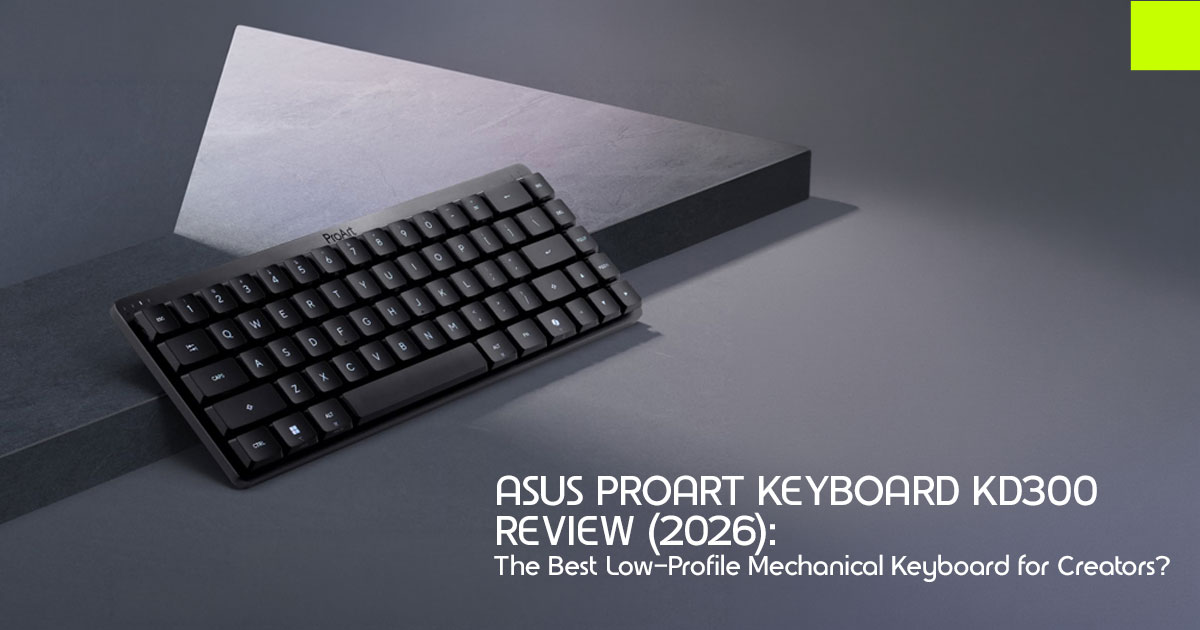
Choosing the right keyboard for creative work isn’t just about typing. Desk space, shortcut-heavy workflows, and switching between multiple devices all matter. That’s where the ASUS ProArt Keyboard KD300 aims to stand out.
The ASUS ProArt Keyboard KD300 is a 65% low-profile mechanical keyboard built for people who spend hours editing, designing, writing, coding, or switching between multiple computers. It focuses on productivity instead of gaming features, with multi-device connectivity, a physical PC/Mac switch, and software designed to work with Adobe Creative Cloud applications.
If you’re a designer, video editor, photographer, 3D artist, content creator, developer, or hybrid professional, this review will help you decide whether the KD300 is worth its price or if another keyboard is a better fit.
We have more than 20 years of experience in hardware and application research and development. Every product we review is evaluated for real-world performance, build quality, usability, durability, and long-term value. Our recommendations come from official specifications, component analysis, published reviews, and practical research—not marketing claims. We do not claim private laboratory testing of this keyboard.
In this review, we’ll cover what the ASUS ProArt Keyboard KD300 does well, where it falls short, who should buy it, and how it compares with the keyboards most buyers consider before making a purchase.
Quick takeaway: If you want a low-profile mechanical keyboard with multi-device support, a dedicated PC/Mac switch, and Adobe-focused productivity features, the ASUS ProArt Keyboard KD300 is one of the strongest options available in 2026. If you want hot-swappable switches, QMK/VIA support, or deep customization, you’ll find better alternatives elsewhere.
Who this guide is for
This article is for you if you:
- Edit video or design for hours and care about wrist comfort and desk space
- Jump between a Windows desktop and a MacBook (or a tablet)
- Want mechanical key feel without a gamer chassis
- Prefer honest trade-offs over “best keyboard ever” hype
It is less useful if you only want a pure enthusiast custom board (QMK/VIA, dozens of switch options). We cover those paths in the comparison section.
What is the ASUS ProArt Keyboard KD300?
The ASUS ProArt Keyboard KD300 is a compact wireless mechanical keyboard in ASUS’s ProArt line—the family built for creators rather than esports.
In plain terms:
| Feature | What It Means for You |
|---|---|
| 65% Layout | A compact design that’s smaller than TKL and full-size keyboards while still retaining dedicated arrow and navigation keys. |
| Low-Profile Mechanical | Shorter key travel than traditional mechanical keyboards, delivering a laptop-like feel with satisfying mechanical feedback. |
| Optical Switches (ASUS RX Red) | Fast optical actuation with a smooth linear keystroke, making rapid shortcuts and repetitive editing tasks effortless. |
| Tri-Mode Connectivity | Connect via USB, Bluetooth, or 2.4GHz wireless for maximum flexibility across multiple devices. |
| Creator-Focused Features | 🏆 Includes a Touch Panel, Gear Link web software, Adobe shortcut showcards, and a dedicated PC/Mac hardware toggle for creative workflows. |
Official dimensions are approximately 305.6 × 109.0 × 26.8 mm and about 600 g. That is small enough to free space for a drawing tablet, heavy enough to stay planted while you type.
Why ASUS Built the ProArt KD300: Most mechanical keyboards still look and market like gaming gear. Most “office” keyboards feel mushy. The ProArt KD300 tries to sit in the middle—professional look, mechanical response, creator software.
How we evaluated a keyboard for creators
Before features, decide what “good” means for creative work—not for ranked FPS play. We weighted these criteria:
- Desk footprint — Does it leave room for a tablet or console?
- Typing comfort over long sessions — Low profile, tilt options, dampening
- Multi-device reality — Desktop + laptop + tablet without drama
- Shortcut and media control — Macros, touch/gesture control, app profiles
- Battery performance — Can you forget the charger for weeks or months?
- Software friction — Web app vs heavy desktop suite
- Honest limits — Hot-swap, firmware openness, layout missing keys
- Price band — Roughly the mid-premium tier (~$100–$160 class, region dependent)
That framework is how we judge whether the ASUS ProArt Keyboard KD300 is the best low profile mechanical keyboard for creators for a specific buyer—not for everyone on Earth.
Design and build: made for a clean creative desk
Compact 65% layout with navigation keys
A 65% low profile keyboard cuts the number pad and trims bulk, but the ProArt KD300 keeps
dedicated arrow keys and navigation keys. For timeline scrubbing, layer moves, and text edits, that matters more than a full F-row you rarely touch without a function layer anyway.
- Buyer impact: More mouse Closer shoulder posture. Easier dual-device desk (keyboard + drawing tablet side by side).
Aluminum top cover and ProArt styling
The board uses a premium aluminum top cover in Black Aerolite. The point is not “looks expensive in a photo.” The point is a calm, studio-friendly surface that does not scream gaming when a client is on video call.
- Buyer impact: Fits photography studios, edit bays, and design offices where RGB light shows feel out of place.
Tilt options for posture
ASUS lists two kickstand angles—about 4.5° and 8°—so you can flatten or raise the board.
- Buyer impact: Small angle changes reduce wrist extension for people who type six to ten hours a day. Not a medical device—just practical ergonomics.
Sound dampening inside the case
Dual layers of silicone foam are built in to cut hollow “ping” and echo common on compact boards.
- Buyer impact: More pleasant in open offices and late-night edit Still a mechanical keyboard—not silent like a scissor-switch office board.
Typing feel: low-profile optical switches explained simply
What “low-profile optical” means
Standard mechanical switches sit taller and travel farther. Low profile shortens that travel so your fingers move less—often less fatigue on long days.
The ProArt KD300 uses ASUS RX Red Low-Profile optical switches. Optical switches trigger with light rather than a traditional metal contact leaf. In practice, creators care about three numbers ASUS publishes:
- ~1.0 mm actuation — the key registers early; shortcuts feel snappy
- Roughly 40–55 gf linear feel — smooth press, no tactile bump
- Gasket mount — a softer, less harsh bottom-out than a rigid plate-only board
Buyer impact:
- Good for: Rapid shortcut work in Premiere, Photoshop, Figma; users coming from laptop keyboards
- Not ideal for: People who love deep, heavy, tactile “thock” and want to swap switches every month
Important limitation: not hot-swappable
Published reviews and product positioning are clear: you do not get hot-swap sockets or a buffet of stock switch options. You buy into ASUS’s linear optical low-profile setup.
- Buyer impact: If switch collecting is half the hobby, look at NuPhy or Keychron If you want a finished tool that works out of the box, this is fine.
Connectivity: a real multi device keyboard for PC and Mac
Creators rarely live on one machine. The ASUS ProArt Keyboard KD300 is designed for people who regularly switch between Windows PCs, Macs, tablets, and laptops.
Tri-mode: USB, Bluetooth, 2.4 GHz
You can connect by:
- USB (wired, stable, charging)
- Bluetooth (phones, tablets, laptops)
- 4 GHz wireless dongle (low-latency desktop link)
Official pairing support goes up to five devices (you work on one active connection at a time). RF range is listed around 10 m.
Polling rates (official):
| Mode | Polling Rate | Practical Meaning |
|---|---|---|
| USB | ✅ 1000Hz | Delivers the lowest latency and a highly responsive desktop-class typing experience. |
| 2.4GHz RF | 🏆 1000Hz | Offers desktop-grade wireless performance and is the best mode for your primary editing workstation. |
| Bluetooth | 133Hz | Ideal for typing and most creative applications, but not designed for competitive esports gaming. |
- Buyer impact: Use 4 GHz on the main workstation. Use Bluetooth for the MacBook and tablet. Switch between devices without constantly reconnecting cables.
Physical PC/Mac switch
A dedicated PC/Mac toggle remaps layout conventions without digging through software every time you switch ecosystems.
- Buyer impact: Hybrid freelancers and studios with mixed fleets save friction every single
Magnetic dongle storage
The 2.4 GHz dongle parks in a magnetic slot on the board.
- Buyer impact: Fewer lost dongles when the keyboard travels between home studio and
Touch panel: media control without a clutter of extra keys
Instead of a thick strip of dedicated media keys, the ProArt KD300 puts a capacitive touch panel on the board for volume, playback, and lighting—plus custom actions through software.
- Why creators care: Volume rides and playback toggles happen constantly in video and audio work. A swipe can beat hunting an Fn-layer combo—once you build the muscle memory.
- Caveats from public reviews: Some reviewers note a learning curve and occasional accidental brushes near the corner of the board. Treat the touch strip as a productivity feature you configure, not magic.
- Buyer impact: High value if you stay keyboard-centric while Lower value if you already run a Stream Deck, TourBox, or Loupedeck beside you.
Software: Gear Link and Adobe-oriented shortcuts
Customization runs through ASUS Gear Link, a web-based interface—no mandatory bloated install just to start mapping keys (a real plus versus older heavy peripheral suites).
What Gear Link is for:
- Profiles for different jobs (edit / design / write)
- Key remaps and macros
- Lighting control
- Touch panel behavior
- AI hot keys with ten preset Adobe shortcut showcards for smoother creative workflows (availability can depend on app/region per ASUS notes)
When people search Gear Link Adobe, this is the payoff: less time building every shortcut from zero, more time shipping work.
Buyer impact:
- Strong fit: Adobe-heavy designers and editors who want presets plus macros
- Weaker fit: Firmware tinkerers who insist on QMK/VIA/ZMK only
Trust note: Some third-party write-ups mix up older ASUS gaming software names with Gear Link. For the ProArt KD300, treat Gear Link as the official control layer.
Battery life: the headline number and the real caveat
ASUS rates a 4000 mAh pack at:
- Up to 16 months in 4 GHz mode with RGB off
- Up to about 100 days with full-brightness lighting (2.4 GHz, white light in ASUS testing notes)
- Lower figures on Bluetooth with lighting on or off (ASUS footnotes list shorter Bluetooth endurance)
Few wireless mechanical keyboards offer battery life measured in months instead of weeks. Lighting is the tax. If you run full RGB all day, expect weeks—not seasons—between charges. Battery status is also shown on the top number-row lighting (including a low-battery red warning).
Buyer impact: Turn effects down or off for “set and forget” wireless. Charge over USB-C when needed; wired mode still works while charging.
Specs at a glance (official-oriented)
| Spec | Detail | Why It Matters |
|---|---|---|
| Model | ASUS ProArt Keyboard KD300 | Designed specifically for creative professionals. |
| Layout | 65% | Saves desk space while retaining arrow and navigation keys. |
| Profile | Low-Profile Mechanical | Reduces finger travel for greater comfort during long work sessions. |
| Switches | ASUS RX Red Low-Profile Optical | Fast, linear optical switches that are not hot-swappable. |
| Mount | Gasket Mount | Provides a softer, more comfortable typing experience. |
| Connectivity | USB, Bluetooth, and 2.4GHz Wireless | Offers true multi-device flexibility across different workflows. |
| Device Pairing | Up to 5 Devices | Easily switch between desktop, laptop, tablet, and more. |
| OS Switch | Dedicated PC / Mac Hardware Toggle | Perfect for creators working across multiple operating systems. |
| Software | Gear Link (Web-Based) | Supports macros, RGB lighting, and Adobe Showcards. |
| Battery | 4,000mAh; Up to 16 Months (Usage Dependent) | Reduces charging interruptions during daily use. |
| Size / Weight | 305.6 × 109.0 × 26.8mm / ~600.4g | Compact footprint with a stable typing feel. |
| Polling Rate | 1,000Hz (USB/2.4GHz), 133Hz (Bluetooth) | Choose the optimal mode for productivity or responsiveness. |
| OS Support | Windows 11 and Recent macOS Versions (See ASUS Compatibility List) | Verify compatibility with your operating system before purchasing. |
Pros and cons
Pros
- True creator positioning—not a recolored gaming board
- Excellent multi-device story with PC/Mac hardware switch
- Touch panel + Gear Link macros suit shortcut-heavy apps
- Strong official battery claims when lighting stays off
- Compact 65% footprint with navigation keys
- Aluminum top and quiet-leaning foam for studio desks
- Optical low-profile switches favor speed and lighter travel
Cons
- No hot-swap switches
- No QMK / VIA-style open firmware for deep tinkerers
- Linear Red-only feel—no stock tactile/clicky choice
- 65% still means Fn layers for some keys (no numpad)
- Touch panel needs setup and has a learning curve
- Color options are limited in many markets (Black Aerolite)
- Bluetooth polling is far below the 4 GHz mode
ProArt KD300 vs popular alternatives
Here is how the ASUS ProArt Keyboard KD300 stacks up against boards creators usually shortlist.
| Feature | ProArt KD300 | NuPhy Air75 Class | Keychron Low-Profile (K3/K7 Class) | Logitech MX Keys Mini |
|---|---|---|---|---|
| Best For | 🏆 Multi-device creators, ProArt & Adobe workflows | Hot-swappable typing enthusiasts and Mac users | Great value with extensive customization | Quiet everyday productivity |
| Layout | 65% | Typically 75% | 65%–75% Variants | Compact / Mini |
| Switches | ✅ Optical Low-Profile Linear | Low-profile mechanical, often hot-swappable | Low-profile mechanical, often hot-swappable | Scissor-switch / membrane-style feel |
| Creator Features | 🏆 Touch Panel, Gear Link & Adobe Showcards | Strong enthusiast community and accessories | VIA/QMK support on many models | Logi Options+ software with quiet keys |
| Multi-Device Support | ✅ Up to 5 Devices + Dedicated PC/Mac Switch | Strong multi-device support | Strong multi-device support | Typically supports 3 devices |
| Trade-Off | Less enthusiast-level customization | Lacks ProArt-focused creator software | Fewer dedicated creator controls | Not a mechanical keyboard |
When to pick each
- Choose the ProArt KD300 if you want a finished keyboard for video editors and designers who live in multi-machine, Adobe-adjacent workflows and care about desk aesthetics.
- Choose NuPhy / Keychron if switch swapping and open remapping are non-negotiable.
- Choose MX Keys Mini if silence and soft scissor keys beat mechanical feedback.
- Add Loupedeck / TourBox / Stream Deck if you need a second control surface—not a typing keyboard replacement.
Real-world fit: who should buy the ProArt KD300?
Strong match
- Video editors who want a compact keyboard for video editors with macros and media gestures
- Designers who need a mechanical keyboard for designers that still looks client-safe
- Hybrid workers who need a multi device keyboard PC Mac setup every day
- Creators who value battery longevity over RGB showpieces
- Anyone leaving a full-size board to reclaim desk space for a tablet or camera
Weak match
- Enthusiasts who rebuild keyboards for fun
- Competitive gamers chasing the highest wireless polling tricks and rapid-trigger features
- Buyers who need a numpad all day (accounting, heavy spreadsheet work)
- People who hate learning a new compact layout
Should You Buy It?
Buy the ProArt KD300 as a daily productivity tool—a daily typer with multi-device control—not as a customizable hobby chassis.
Pricing and value
Launch coverage in early 2026 put the board near the ~$145 / CNY 999 class depending on region. Street prices move with promotions and local taxes.
Value test:
- You pay a premium for the touch panel, ProArt design, Gear Link creator tools, and long battery life.
- You do not pay for hot-swap or open firmware—so do not expect those.
- If those creator extras match your day, the price is If you only need “any slim mechanical,” cheaper Keychron-class options may be enough.
Always compare the live cart total (keyboard + any dongle/adapter needs) rather than a single launch headline.
FAQ: questions buyers actually ask
Is the ASUS ProArt KD300 good for video editing?
Yes for many editors who want a compact daily keyboard with macros, multi-device switching, and media control. It is not a dedicated jog-wheel console like a Blackmagic or Loupedeck unit. Think of it as your primary keyboard, not a replacement for a dedicated editing console.
Does it work well as a keyboard for designers?
Yes—especially if desk space, clean looks, and Adobe-oriented shortcuts matter. Designers who need extreme layout customization may still prefer VIA-compatible boards.
How long does the battery last?
ASUS claims up to 16 months (2.4 GHz, lighting off) and much less with bright RGB. Treat lighting as the main variable.
Is it hot-swappable?
No. Plan to live with the stock low-profile optical linear switches.
Can one board handle Windows and Mac?
Yes. The hardware PC/Mac switch plus multi-device pairing is one of the strongest reasons to buy this model.
Is this the best low profile mechanical keyboard for creators?
It is one of the best low-profile mechanical keyboards for creators if your priority is multi-device productivity and ProArt software features. It is not universal “best” for hot-swap fans or silent-scissor fans.
Is the ProArt KD300 a gaming keyboard?
No. It shares some switch technology DNA with ASUS’s broader peripheral work, but the product is positioned for creators under ProArt—not ROG gaming branding.
Final verdict
The ASUS ProArt Keyboard KD300 solves a real problem: creators need a low profile mechanical keyboard that respects desk space, switches across machines, and supports shortcut-heavy apps without looking like a tournament stage.
Buy it if you want:
- A 65% low profile keyboard with navigation keys
- Reliable multi-device support for Windows and Mac
- Touch control + Gear Link Adobe shortcut tools
- Long wireless endurance when RGB stays off
- A clean, studio-friendly design for real studios
Skip it if you want hot-swap experiments, open firmware, or the quietest non-mechanical keys money can buy.
For the right workflow, the ASUS ProArt Keyboard KD300 is a practical tool that delivers exactly what it promises. Check live pricing, confirm OS support for your machines, and match the board to your workflow—not to a generic “top 10 gaming keyboards” list.
Where to Buy: Check Current Prices
Prices and availability can change quickly, so it’s worth checking the latest offers before making a purchase.
Official ASUS Store
The best place to verify the latest specifications, regional availability, and authorized retailers is the official ASUS product page.
View ASUS ProArt Keyboard KD300 on the official ASUS website
B&H Photo
The ASUS ProArt Keyboard KD300 is currently available through B&H Photo, one of ASUS’s major authorized retailers in the US.
View ASUS ProArt Keyboard KD300 on B&H Photo
Current Availability
While the ASUS ProArt Keyboard KD300 launched in the US with an official MSRP of $164.99, it is currently stocked primarily through major authorized retailers such as B&H Photo and Best Buy, rather than through a direct Amazon listing.
Current status:
- Official US launch price: $164.99
- Amazon US: No active direct Prime listing at the time of writing
- Amazon India: Not currently available through an official Amazon listing
- Best sources: Official ASUS Store, B&H Photo, and other authorized ASUS retailers
Before purchasing, compare the current price, shipping costs, warranty coverage, and seller reputation to ensure you’re getting the best value.
Before you click buy — 30-second checklist
- You are fine without hot-swap switches
- You want multi-device + PC/Mac flexibility
- A 65% layout works for your software shortcuts
- You prefer creator styling over gaming RGB culture
- You will use 4 GHz on your main PC for best wireless feel
If you checked most of these boxes, the ASUS ProArt Keyboard KD300 is worth adding to your shortlist.
Have questions about the KD300 or trying to decide between two keyboards? Leave a comment below and we’ll help you choose the right one for your workflow.
If you found this review useful, follow us for more hands-on buying guides, detailed hardware reviews, and practical recommendations that help you spend your money wisely.
***Disclaimer***
This blog post reflects our research, analysis, and opinions based on available product information, user feedback, and industry knowledge. It should not be taken as the official position of any brand, manufacturer, or company mentioned here. While we aim to keep information accurate and up to date, product details, pricing, and availability can change. We recommend double-checking important details before making a purchase.
Some links in this article may be affiliate links. If you choose to buy through these links, we may earn a small commission at no extra cost to you. This helps support our work and allows us to keep publishing in-depth, unbiased reviews. Our recommendations are never influenced by affiliate partnerships.
Comments shared by readers reflect their own views and not ours. We are not responsible for outcomes resulting from the use of information on this site. Please seek professional advice where appropriate.
All product names, logos, and brands mentioned are the property of their respective owners. These names are used for identification and informational purposes only and do not imply endorsement.
