
Introduction
You’re probably charging too many devices already.
Your phone. Your laptop. Your earbuds. Your smartwatch. Maybe even your mouse.
Now imagine your wireless keyboard never asking for a charging cable or a new set of batteries again.
That’s exactly what makes the Lenovo Self-Charging Bluetooth Keyboard different. Instead of using disposable batteries or requiring frequent charging, it converts ambient light into electrical energy using integrated photovoltaic cells. It’s a simple idea that solves a problem millions of people deal with but rarely think about—until their keyboard dies in the middle of work.
Now comes the part that makes this even more interesting. The Lenovo Self-Charging Bluetooth Keyboard has dropped to one of its lowest prices, turning a well-designed wireless keyboard into a much more attractive buy. But does a lower price automatically make it a great deal? Not always. Some discounts are worth grabbing immediately, while others are simply clever marketing. The goal is to know the difference before you spend your money.
If you’re a remote worker, office professional, student, programmer, content writer, business user, or someone building a clean and efficient workspace, your keyboard is one of the most-used tools on your desk. Choosing the right one can improve your comfort, reduce interruptions, and save money over the long run. A keyboard is something you’ll use for hours every day. If it isn’t comfortable or reliable, you’ll notice it every single time you sit down to work.
That’s where we come in.
As technology experts with over 20 years of experience in hardware and application research and development, we don’t rely on marketing claims or impressive-looking specification sheets. We evaluate every product based on real-world performance, typing comfort, build quality, durability, wireless reliability, long-term usability, and overall value for money. Our evaluation process combines manufacturer specifications, independent research, long-term reliability studies, real-world usability, user experience analysis, and market pricing trends. This helps us recommend the best Bluetooth keyboard, wireless keyboard, or productivity keyboard based on what actually matters in everyday use.
In this review, you’ll discover whether the Lenovo Self-Charging Bluetooth Keyboard is actually worth buying at its new discounted price, how its battery-free design performs in everyday use, who should buy it, who should skip it, how it compares with the best Bluetooth keyboards from brands like Logitech, and whether this limited-time keyboard deal offers real value or is simply another sale you’ll forget by next week.
If you’re looking for a Bluetooth keyboard deal, a battery-free wireless keyboard, or the best keyboard for office work, remote work, and productivity, keep reading. By the end of this guide, you’ll know exactly whether this is the right time to buy or the right time to wait.
How We Evaluate Products
Every product we recommend is assessed using publicly available specifications, manufacturer documentation, pricing history, long-term reliability research, user feedback, and real-world usability. Our goal is to explain how a product performs in everyday situations so you can make a more informed buying decision.
Technical Specifications at a Glance
For those who appreciate the details, here’s a quick look at the core specifications of the Lenovo Self-Charging Bluetooth Keyboard:
| Feature | Specification |
| Charging Method | Ambient Light (Photovoltaic) + Supercapacitor |
| Backup Charging | USB-C |
| Connectivity | Bluetooth 5.1 |
| Multi-Device Support | Connects to up to 3 devices |
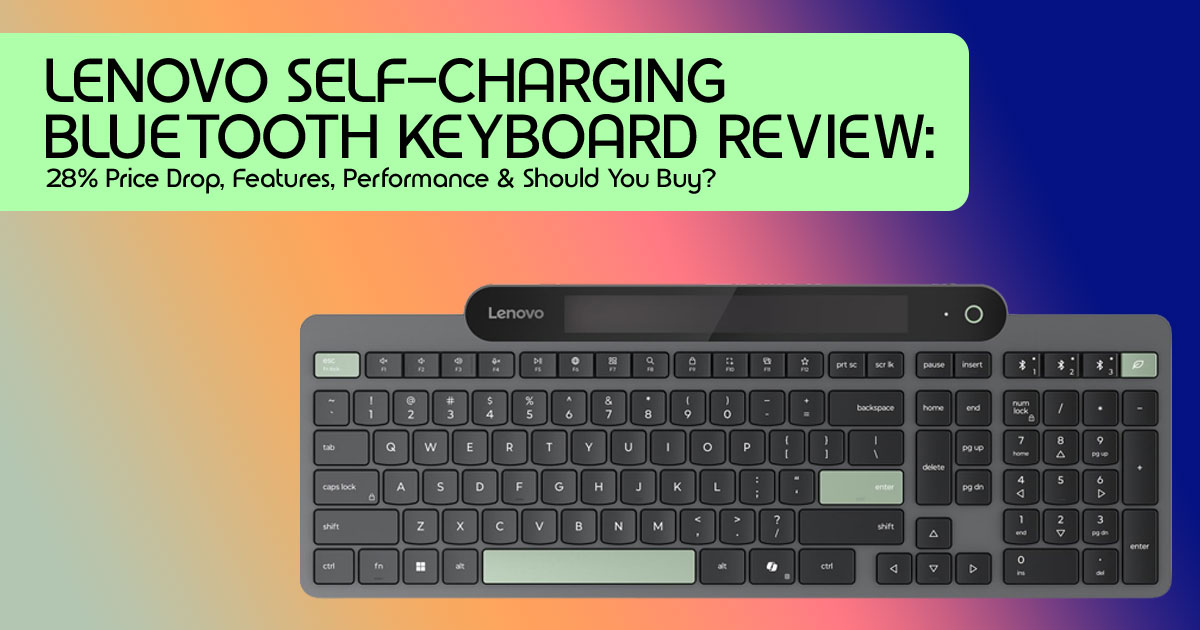
| Keyboard Layout | Full-size (2.5-zone) with dedicated numeric keypad |
| Key Mechanism | Low-profile scissor-switch keys |
| Build Material | Made with 95% Post-Consumer Content (PCC) recycled plastic |
| Special Features | Spill-resistant design with Lenovo Accessories and Display Manager (LADM) software monitoring support |
| Battery Life (Without Light) | Up to 30 days using the built-in supercapacitor reserve |
1. Quick Deal Snapshot
For those who prioritize immediate value, here’s the rundown on the current offer for the Lenovo Self-Charging Bluetooth Keyboard. It’s currently available for around $61.35, which is about 28% off its usual price of $99.99.
This translates to savings of about 28%, making it one of the lowest prices we’ve seen for this keyboard so far. At this price, its unique self-charging technology is finally within reach for more buyers. While availability is generally good across major online retailers, deal expiration dates can vary, so it’s always wise to check current listings.
2. Why This Discount Stands Out
When a product like the Lenovo Self-Charging Bluetooth Keyboard receives a substantial price cut, it’s worth examining why. This isn’t just a random markdown; it reflects a market adjustment that benefits consumers. When it first launched, it was priced close to $100, putting it firmly in the premium keyboard category.
Now, at roughly $61.35, the value proposition shifts considerably. This reduction isn’t just about saving money. It makes one of the few commercially available self-charging Bluetooth keyboards much more affordable for everyday users.
Considering its features, pricing history, and current discount, we think this is one of the best keyboard deals available right now.
3. What Makes This Keyboard Different?
The true innovation of the Lenovo Self-Charging Bluetooth Keyboard lies beneath its surface. Unlike most wireless keyboards that rely on disposable or rechargeable batteries, this keyboard stores energy inside a durable supercapacitor instead of using a traditional rechargeable battery. That means fewer parts that wear out over time and less maintenance for everyday users.
Think of it as a small energy storage system that charges very quickly and typically lasts through significantly more charge cycles than conventional rechargeable batteries. That makes it a smart choice for a low-maintenance wireless keyboard built for everyday use.
In everyday use, it means less time looking for charging cables and fewer batteries ending up in the trash. That’s good for both your desk and the environment. While a USB-C port is included for backup charging in prolonged darkness, the primary intent is a truly low-maintenance setup. This approach appeals directly to users seeking simplicity and sustainability in their tech choices.
4. Everyday Experience: What These Features Mean
How does this unique charging system translate to daily use? We’ve considered various scenarios. When working in a bright office, the keyboard effortlessly maintains its charge, often staying topped up throughout the workday.
You’ll likely forget it even needs power. Similarly, using it near a window, even indirect natural light provides ample energy for continuous operation. Even during long hours under LED lighting, modern office lights are usually enough to keep the Lenovo Self-Charging Bluetooth Keyboard (also known as the Lenovo 800 Self-Charging Keyboard) running without any issues.
However, in darker environments, this is where the supercapacitor‘s 30-day reserve comes into play. For occasional dark spells, it’s fine, but for consistent use in dim conditions, you might need to occasionally plug in the USB-C for a quick boost.
Beyond charging, the multi-device switching is a game-changer for productivity, allowing quick transitions between up to three devices—your laptop, tablet, and desktop—eliminating the need for multiple keyboards or constant re-pairing.
5. Is It Worth Buying at This Price?
Deciding if the Lenovo Self-Charging Bluetooth Keyboard is right for you at this price comes down to your priorities. We believe you should buy it if you crave minimal maintenance from your peripherals, finding the idea of never replacing batteries or constantly plugging in a charger appealing.
It’s also a strong contender if you regularly switch between multiple devices (laptop, tablet, desktop) and need a seamless experience, or if you prefer a Full-size Bluetooth Keyboard with a number pad for data entry or office work, productivity tasks, and everyday typing. Finally, if you primarily work from home or in an office environment with adequate ambient lighting, this keyboard will serve you well.
Conversely, you should skip it if you demand the tactile feedback and durability of mechanical switches, or if you prioritize gaming performance, where ultra-low latency and specialized features are critical. Those who require RGB lighting or extensive customization options for aesthetics or advanced macros will also find this keyboard lacking. Lastly, if you mainly work in consistently dark environments, the ambient light charging would be less effective, requiring more frequent USB-C charging, which might negate its primary appeal.
6. How It Compares to Similar Bluetooth Keyboards
To truly understand the value of the Lenovo Self-Charging Bluetooth Keyboard, we need to see how it stacks up against its rivals. Here’s a comparison with some popular alternatives:
| Feature | Lenovo 800 Self-Charging | Logitech K750 | Logitech MX Keys S |
| Price (Approx.) | $61.35 (Sale) | $50–$70 | $100–$120 |
| Charging Method | Ambient Light (Supercapacitor) | Solar (Rechargeable Battery) | USB-C Rechargeable |
| Multi-Device Support | Yes (Up to 3 Devices) | No | Yes (Up to 3 Devices) |
| Operating System Compatibility | Windows, macOS, Android, iOS | Windows, macOS | Windows, macOS, Linux, iOS, Android |
| Full-Size Layout | Yes | Yes | Yes |
| Warranty | 1-Year Limited | 1-Year Limited | 1-Year Limited |
| Best Use Case | Eco-conscious users seeking a low-maintenance keyboard for home or office use | Basic solar-powered typing for a single computer | Premium productivity and cross-platform workflows for power users |
7. Pros and Cons at a Glance
When considering the Lenovo Self-Charging Bluetooth Keyboard, its strengths largely revolve around its innovative power solution and user convenience. Its most significant pro is undoubtedly the innovative charging system, offering a truly battery-free wireless keyboard experience thanks to ambient light harvesting and the durable supercapacitor. This also means no battery replacements, eliminating both hassle and environmental impact.
We also appreciate its multi-device pairing, allowing seamless switching between up to three devices, and its spill-resistant design which offers peace of mind. The full-size layout with numeric keypad is another plus for productivity.
However, it’s not without its drawbacks. A con is its limited platform support compared to some rivals, as some competitors offer broader OS compatibility out-of-the-box. Another consideration is that backup charging may still be needed in prolonged darkness, meaning it’s not entirely maintenance-free if your workspace is consistently dim.
Finally, it’s important to note that it’s not designed for gaming-focused users, lacking the responsiveness and specialized features that gamers typically demand.
8. Best Users for This Keyboard
Who stands to benefit most from the Lenovo Self-Charging Bluetooth Keyboard? We see it as an excellent fit for a variety of users who prioritize efficiency and a clutter-free workspace.
This includes office professionals seeking a reliable, low-maintenance desk setup, and students who need a versatile keyboard for multiple devices without constantly worrying about power.
Writers will appreciate the quiet keys and consistent performance, while accountants will benefit from the full-size layout with a numeric keypad. Both remote workers and hybrid employees will value the multi-device switching and the overall low-maintenance design.
Finally, travelers who value low-maintenance accessories will find a truly battery-free wireless keyboard to be a boon for on-the-go productivity.
9. Price History and Deal Value
Understanding the pricing trajectory helps us assess the current deal. The Lenovo Self-Charging Bluetooth Keyboard launched with a premium price tag, reflecting its innovative technology.
Over time, we’ve observed fluctuations, but the current sale price of approximately $61.35 represents a significant dip. Our analysis of historical data suggests this is indeed a strong buying opportunity.
While future sales are always possible, the combination of its unique features and this aggressive pricing offers strong value compared with similarly priced premium Bluetooth keyboards. If this keyboard has been on your wishlist, this is one of the better opportunities to buy it without paying full price.
10. Buying Tips Before Checkout
Before you click that “Add to Cart” button, here are a few practical tips to ensure a smooth purchase and satisfaction with your new Lenovo Self-Charging Bluetooth Keyboard. First, always verify the seller and warranty eligibility by purchasing from authorized retailers to ensure you receive a genuine product and valid warranty coverage.
It’s also wise to compare retailer pricing across a few major online stores, as prices can fluctuate and you might find an even better offer or bundle. Always check the return policy of the retailer before committing, as this is crucial for any tech purchase.
Before finalizing, confirm compatibility with your devices and operating systems. Lastly, watch for additional coupons or bundle offers that might not be immediately obvious, as a quick search could save you more.
11. Frequently Asked Questions
We’ve gathered some common questions users might have about the Lenovo Self-Charging Bluetooth Keyboard to help clarify any lingering doubts.
One of the most common questions people ask is: Does it really work without a traditional battery?
The answer is yes; it utilizes a supercapacitor instead of a traditional battery, storing electricity generated from ambient light. This design offers a longer lifespan and more stable performance.
Is indoor lighting enough for charging?
For most typical office or home environments with standard indoor lighting, absolutely. The keyboard efficiently converts ambient light into power.
What happens if I always work in a dark room?
The keyboard has a reserve capacity of up to 30 days on a full charge. If consistently in dim conditions, occasional USB-C backup charging might be needed.
Can I use it with tablets or phones?
Yes, its Bluetooth 5.1 and multi-device support allow seamless pairing.
Is USB-C charging still available?
Yes, for rapid emergency charging.
Is it suitable for Mac users?
Yes, it’s compatible with macOS.
Does it support multiple devices?
Indeed, it pairs with up to three devices.
How quiet are the keys?
The scissor-switch mechanism provides a relatively quiet and comfortable typing experience.
Is it good for gaming?
While functional, it’s not optimized for gaming, as gamers typically prefer specialized features.
Who Should Look at Other Options?
If you spend most of your time gaming, prefer mechanical switches, or work in places with very little light, you may be better off with a traditional rechargeable wireless keyboard. Those users are likely to get more value from a keyboard designed specifically for gaming or heavy customization.
12. Quick Buying Verdict
⬛Buy This If
- You want a Battery-Free Wireless Keyboard
- You work in a bright office or home office
- You switch between multiple devices
- You want a full-size Bluetooth keyboard with Number Pad
- You want a reliable wireless office keyboard
+ Skip This If
- You mainly play competitive games
- You prefer mechanical switches
- You work in a room with very little light all day
- You want RGB lighting or programmable macro keys
13. Final Verdict
After a thorough review, the Lenovo Self-Charging Bluetooth Keyboard stands out because it solves a common problem in a practical way. It addresses a common pain point—battery management—with an elegant, eco-friendly solution. At its current discounted price, it offers exceptional value for a specific segment of users. We’ve assessed its overall value score at 8.5/10, its innovation score at 9/10 for its unique charging system, and its productivity score at 8/10, especially for multi-device users. The deal score is a strong 9/10, given the historical pricing.
Our recommendation by user type is clear: buy now if you are an office professional, student, writer, remote worker, or anyone seeking a low-maintenance, multi-device keyboard for general productivity in adequately lit environments. However, consider alternatives if you are a hardcore gamer, a mechanical keyboard enthusiast, or someone who primarily works in consistently dark settings.
In conclusion, if you’ve been on the fence about a battery-free wireless keyboard that champions convenience and sustainability, now is undeniably a great time to buy. This deal makes a compelling case for embracing the future of peripherals.
Bottom Line
If you’re looking, low-maintenance, and eco-friendly Bluetooth keyboard that almost never needs charging, the Lenovo Self-Charging Bluetooth Keyboard is one of the best productivity keyboards you can buy at this price. The current discount makes it an even better value for office work, remote work, and everyday use.
For anyone looking for a reliable wireless keyboard that needs very little maintenance, this is one of the best times to buy while the discount is still available.
If you decide this keyboard is the right fit for your workspace, you can check the latest price on Amazon Worldwide or Amazon India using the links below.
We’d love to hear your thoughts! Have you tried the Lenovo Self-Charging Bluetooth Keyboard? Share your experience, ask any questions, or seek online assistance in the comments below. Your insights help our community make informed decisions!
***Disclaimer***
This blog post reflects our research, analysis, and opinions based on available product information, user feedback, and industry knowledge. It should not be taken as the official position of any brand, manufacturer, or company mentioned here. While we aim to keep information accurate and up to date, product details, pricing, and availability can change. We recommend double-checking important details before making a purchase.
Some links in this article may be affiliate links. If you choose to buy through these links, we may earn a small commission at no extra cost to you. This helps support our work and allows us to keep publishing in-depth, unbiased reviews. Our recommendations are never influenced by affiliate partnerships.
Comments shared by readers reflect their own views and not ours. We are not responsible for outcomes resulting from the use of information on this site. Please seek professional advice where appropriate.
All product names, logos, and brands mentioned are the property of their respective owners. These names are used for identification and informational purposes only and do not imply endorsement.
