
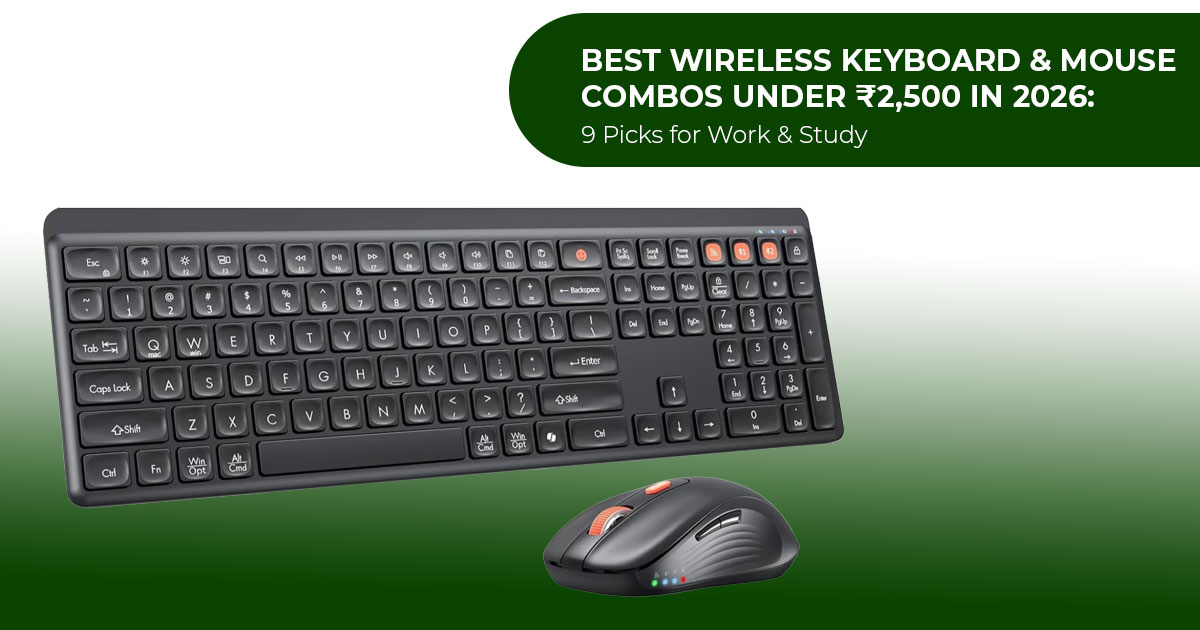
A wireless keyboard and mouse combo gives you a cleaner desk without the hassle of separate cables. Most sets connect through a 2.4GHz USB receiver, Bluetooth, or both. For everyday work, studying, browsing, and home-office use, a good combo can cover everything you need without costing much.
For this guide, we looked at nine wireless keyboard and mouse combos under ₹2,500 available in India in 2026 from Logitech, Dell, Acer, Portronics, and Amkette. They are aimed at students, office users, work-from-home professionals, and anyone building a simple wireless desk setup.
One thing stood out during our price check: you do not need to spend the full ₹2,500. When we checked Amazon.in prices in mid-August 2026, all nine models were available for under ₹1,500. Eight were priced between ₹899 and ₹1,400 at the time of our check. So, if you are shopping on a budget, there are plenty of options below the ₹2,500 mark.
For this comparison, we did not physically test the products. We used manufacturer specifications, official retailer listings, price-history data, and an independent hands-on review of the Amkette by Business Standard. When specifications differed between sources, we used the manufacturer’s published figures.
With over 20 years of experience in hardware and application research and development, we assess products based on the things that matter in daily use: typing comfort, mouse usability, wireless connectivity, battery life, build quality, features, reliability, and price. The aim is to help you choose the best wireless keyboard and mouse combo for your budget and how you plan to use it, rather than simply picking the model with the longest list of features.
Quick answer: which wireless keyboard and mouse combo under ₹2,500 should you buy?
On the criteria we weight in this list — layout, battery life, connectivity, warranty, and price — the Dell KM3322W is the strongest all-round pick for everyday work and study: a full-size spill-resistant keyboard, a 36-month keyboard battery, a 3-year advance-exchange warranty, and a street price around ₹1,258. If you specifically want Bluetooth and rechargeable batteries in the same budget, the Acer ZenKeys Duo (around ₹₹1,044–₹1,399 depending on the offer) is the alternative to consider.
A faster way to choose:
- You type at a desk most of the day → Dell Full-size layout, number pad, 36-month keyboard battery.
- You switch between a laptop and a tablet (or desktop) → Amkette Wi-Key Mini 2 or Acer ZenKeys Duo. Multi-device switching is the point of both.
- You want the lowest possible price → Acer Nano Pad (around ₹899) or Portronics Key2 Combo (around ₹999).
- Desk space is tight → Logitech MK215 or Logitech MK240 Nano
- You game occasionally → read the gaming section before assuming any combo below is the right tool for that.
Prices in this category move during Amazon sale events — the gaps between MRP and street price in this list run from 33% to 68%. Treat every number below as “checked in mid-August 2026” and verify the live price before ordering.
All 9 wireless keyboard and mouse combos under ₹2,500, compared
The table below pulls the key facts into one place so you can scan trade-offs quickly. Prices are Amazon.in selling prices from our check; MRP is the listed maximum retail price.
| Combo | Price (Aug 2026) | Connectivity | Keyboard | Power | Mouse DPI | Range | Warranty |
|---|---|---|---|---|---|---|---|
| Dell KM3322W | ₹1,258 | 2.4 GHz wireless | Full-size with number pad and spill-resistant design | 2× AAA; up to 36 months | 1,000 DPI | 10 m | 3 years (Advance Exchange) |
| Logitech MK215 | ₹1,195 | 2.4 GHz wireless | Compact layout without a number pad | Alkaline batteries included; keyboard up to 24 months | ~1,000 DPI | 10 m | 1 year† |
| Logitech MK240 Nano | ₹1,363 | 2.4 GHz wireless | Compact, 12 function keys, spill-resistant | 2× AAA; up to 24 months | 1,000 DPI | 10 m | 1 year† |
| Acer ZenKeys Duo | ₹1,044 Typical range: ₹1,259–₹1,399 |
2.4 GHz + Bluetooth | 99-key layout with quiet scissor switches | Rechargeable 500mAh ×2, USB-C | 800 / 1,200 / 1,600 DPI | 10 m | 1 year |
| Portronics Key2 Combo | ₹999 | 2.4 GHz wireless | Tenkeyless layout with quiet scissor keys | 2× AA (keyboard) + 1× AA (mouse) | 1,500 DPI | Up to 15 m for keyboard, per manual | 1 year |
| Acer Nano Pad | ₹899 | Bluetooth only | 78-key ultra-slim layout | Rechargeable; up to 150 hours continuous use per listing | Up to 1,200 DPI per listing | 10 m | 1 year |
| Acer CUTEO | ₹1,438 | 2.4 GHz wireless | 98-key layout with retro round keycaps | 2× AA batteries included, per Amazon.in listing | 1,200 DPI (fixed) | 10 m | 1 year |
| Portronics Key11 Combo | ₹1,299 | 2.4 GHz + Bluetooth 5.3 | 104-key full-size layout with gradient keys and quiet operation | Rechargeable 500mAh, USB-C | Not specified | Not specified | 1 year |
| Amkette Wi-Key Mini 2 | ₹1,279 | 2× Bluetooth + 2.4 GHz (3-in-1) | Compact scissor keyboard with dual-OS layout | 2× AAA (keyboard) + 1× AA (mouse) | Up to 3,200 DPI | Not specified | 1 year† |
† Warranty terms for Logitech and Amkette vary by listing and seller; the 1-year figure is what the typical Amazon.in listing shows — confirm at checkout.
A few reading notes, stated plainly:
- MRP is not the price you The Portronics Key11 Combo carries a ₹3,999 MRP but sold at ₹1,299 when we checked — a 68% gap. This is normal in the category, and it is why “under ₹2,500” is a comfortable ceiling rather than a target.
- DPI numbers are not comparable across Some are adjustable (800→3,200), some are fixed (1,200), and one (Key11) is not specified. Read the DPI section of the buying guide before weighing that column.
- Where the manufacturer did not publish a figure (Key11 and Amkette ranges), we wrote “Not specified” rather than estimate.
The 9 best wireless keyboard and mouse combos under ₹2,500 (2026)
Dell KM3322W — best for full-time desk work
On the spec sheet, the Dell KM3322W Wireless Keyboard and Mouse Combo covers the widest range of office needs in this list: a full-size keyboard with a number pad, spill-resistant and anti-fade keys, a 1,000 DPI optical mouse, and a 2.4 GHz connection with 128-bit AES encryption.
Specs at a glance
- Full-size layout with number pad; adjustable tilt (two positions); plunger-type membrane keys
- Keyboard battery: 2× AAA, up to 36 months; mouse: 1× AA, up to 18 months
- 1,000 DPI optical mouse, 3 buttons, ambidextrous
- 4 GHz nano receiver, up to 10 m range
- Works with Windows 7/8.1/10/11, macOS, Chrome OS, Linux x, and Android
- 3-year Advanced Exchange warranty (next-business-day replacement, per Dell)
What this means for you. Dell rates the keyboard battery for up to 36 months, although actual battery life will depend on usage. The 3-year Advanced Exchange warranty gives it stronger warranty coverage than the other models in this list.
Who it’s for: anyone at a desktop for several hours a day — documents, spreadsheets, study.
Who should skip it: people who want Bluetooth, or who need to move the set between rooms and devices. It is a fixed-desktop product, and it shows.
Check the current price on Amazon.in
Logitech MK215 — best compact option on a strict budget
The Logitech MK215 Wireless Keyboard and Mouse Combo keeps appearing in Indian buying guides from 2023 to 2026, and the spec sheet explains why. It is a compact 2.4 GHz combo: a smaller keyboard without a number pad, quiet low-profile keys, and a small ambidextrous optical mouse.
Specs at a glance
- Compact keyboard, no number pad; membrane, low-profile keys
- Keyboard battery: up to 24 months; mouse: up to 5 months
- Optical mouse, commonly listed at 1,000 DPI
- 4 GHz, up to 10 m range; designed for Windows (basic function on other OSes)
What this means for you. The appeal is simple: one nano receiver, plug in, and type. If you want a deskset with little setup, that matters. The trade-off is the mouse battery: plan on replacing it roughly once a year. The compact layout also means no number pad, a real limitation if you work in spreadsheets daily.
Who it’s for: small desks, study setups, and buyers who want a low-maintenance Logitech set.
Who should skip it: number-pad users, and anyone who wants Bluetooth or multi-device switching.
Check the current price on Amazon.in
Logitech MK240 Nano — the compact Logitech with more keys
The Logitech MK240 Nano Wireless Keyboard and Mouse Set is the MK215’s compact rival at a small premium: it keeps a full row of 12 function keys, adds a spill-resistant construction, and has an adjustable stand. The black-and-chartreuse colourway is also more distinctive than the standard all-black office set.
Specs at a glance
- Compact keyboard (28.8 × 9 × 2.1 cm, 312 g), 12 function keys, no number pad, spill-resistant, adjustable height
- Keyboard battery: 2× AAA, up to 24 months per Logitech’s official spec sheet (some retailers claim 36; we use the official document)
- Mouse: optical, max 1,000 DPI, 3 buttons, 2× AAA, up to 12 months, 53 g
- 4 GHz nano receiver, up to 10 m; Windows, ChromeOS, Linux (some listings add macOS)
What this means for you. The MK240 Nano makes the most sense if the MK215’s layout is missing keys you actually use. For roughly ₹170 more (₹1,363 vs ₹1,195 when we checked), you keep the function keys, gain spill resistance, and get an adjustable stand. The spill-resistant design is intended to help with minor spills, but it should not be treated as waterproof.
Who it’s for: small desks where you still use F-keys (macros, system shortcuts), and people who want the extra bit of build reassurance.
Who should skip it: if the colourway does not suit your setup — it is polarising — or if you want a full-size layout.
Check the current price on Amazon.in
Acer ZenKeys Duo — best rechargeable, dual-mode combo
The Acer ZenKeys Duo Wireless Keyboard & Mouse Combo combines rechargeable batteries in both devices, 2.4 GHz plus Bluetooth connectivity, quiet scissor keys, and a 3-million-keystroke keyboard rating at the lower end of the price range.
Specs at a glance
- 99-key keyboard, silent scissor keys, no number pad
- 4 GHz + Bluetooth dual-mode; up to 10 m; Windows, macOS, Linux (via dongle)
- Mouse: optical, 3-level DPI (800/1,200/1,600), 3 buttons plus a DPI switch, 69 g
- Both devices rechargeable (3.7 V 500 mAh Li-Po), USB-C charging
- 248 g keyboard (320 × 125 × 20 mm); MRP ₹2,000
What this means for you. This is the pick for a deskset that has to keep up with changing devices. The rechargeable batteries remove the need to keep buying disposable cells, and the dual-mode connection lets the same keyboard and mouse attach to a desktop over 2.4 GHz and to a laptop or tablet over Bluetooth. The 99-key layout fits a near-full key set into a smaller footprint; the number pad is what is left out.
Who it’s for: people moving between a PC and a laptop, and anyone who dislikes replacing batteries.
Who should skip it: number-pad users, and anyone who wants a longer warranty story — Acer’s is a standard one-year.
Check the current price on Amazon.in
Portronics Key2 Combo — best value under ₹1,000
At around ₹999, the Portronics Key2 Combo is the least expensive item in this list, and it is not a bare-bones one. It uses a tenkeyless scissor-switch keyboard with multimedia keys, and its mouse carries a 1,500 DPI optical sensor — higher than several sets that cost more.
Specs at a glance
- Tenkeyless keyboard (no number pad), scissor switches, multimedia function keys, quiet typing
- Keyboard 5 cm thin, 336 g, rated for 10 million+ keystrokes, auto-sleep after ~3 minutes idle
- Mouse: 1,500 DPI optical (per Portronics’ spec and manual; one third-party listing says 1,200 — we use the manufacturer figure), rated for 3 million+ clicks
- 4 GHz, single USB receiver; up to 15 m per the official manual; Windows-centric
- 2× AA (keyboard) + 1× AA (mouse); 12-month warranty
What this means for you. This is the first combo to consider if your priority is a low price, quiet typing and a basic 2.4GHz wireless setup. The main caveats are no Bluetooth, no number pad, and a primarily Windows-focused design.
Who it’s for: first-time wireless buyers, shared offices, and study desks on a tight budget.
Who should skip it: multi-device households and anyone who wants a full-size layout.
Check the current price on Amazon.in
Acer Nano Pad — best for tablets and small bags
The Acer Nano Pad Rechargeable Bluetooth Keyboard & Mouse Combo is built around one idea: a keyboard you can actually carry. At 78 keys and roughly 261 g in an ultra-slim shell, it is closer to a laptop keyboard than a desktop one, and it pairs with a matching thin mouse over Bluetooth only (no USB dongle).
Specs at a glance
- 78-key scissor-keyboard, ultra-slim (33 × 17 × 4 cm), anti-slip back mat, media hotkeys
- Bluetooth connection, up to 10 m; tablets, phones, laptops, desktops; Android, Windows, iOS
- Both devices carry built-in rechargeable lithium batteries; the listing claims up to 150 hours of continuous use, auto-sleep around 15 minutes
- Mouse: 3-level adjustable DPI (up to 1,200 per the listing title; the listing body lists 800/1,200/1,600)
- 1-year warranty; black, green, blue, purple
What this means for you. This is the right pick if the set is meant for a tablet-and-laptop routine rather than a fixed desktop. Bluetooth-only is a feature here, not a bug — there is no dongle to lose when the set moves between bags. The 78-key layout is the main limitation: no dedicated function-key row, no number pad, and long typing sessions at a fixed desk may feel cramped compared with a full-size board.
Who it’s for: tablet-first users, students, and people who type in more than one place.
Who should skip it: anyone whose primary machine is a desktop with a full-size workflow.
Check the current price on Amazon.in
Acer CUTEO — best for design-focused buyers
Most wireless desksets in this price band look interchangeable. The Acer CUTEO 2.4GHz Wireless Keyboard & Mouse Combo is the exception: retro round keycaps in a typewriter style, with integrated multimedia keys on a 98-key board. It is a 2.4 GHz set aimed at home and study desks where appearance matters.
Specs at a glance
- 98-key keyboard, retro round keycaps, membrane, integrated multimedia keys
- 4 GHz, one USB receiver drives both devices, up to 10 m; Windows and macOS (per retailer listings)
- Mouse: optical, fixed 1,200 DPI
- 2× AA batteries (included, per the in listing); keyboard rated for 10M clicks, mouse 3M (per Acer’s store); 690 g
- White, blue, pink, black; 1-year warranty
What this means for you. The CUTEO’s main differentiator is its design. Its specification includes a fixed 1,200 DPI mouse, replaceable AA batteries, and no Bluetooth, which is typical for this price range. The round keycaps may also take a little time to get used to.
Who it’s for: home-office aesthetics, gifts, and small desks that should look intentional.
Who should skip it: anyone who wants performance-per-rupee as the primary criterion.
Check the current price on Amazon.in
Portronics Key11 Combo — best colourful rechargeable full-size set
The Portronics Key11 Combo brings the rechargeable, dual-mode formula to a full-size 104-key layout, with gradient-style keys, USB-C fast charging, and Bluetooth 5.3 alongside 2.4 GHz. It had the largest gap between listed MRP and our checked price: ₹3,999 MRP versus around ₹1,299 (68% off at the time of checking).
Specs at a glance
- 104-key full-size keyboard, gradient keys, quiet typing, multimedia shortcut keys
- Bluetooth 3 + 2.4 GHz dual-mode, USB receiver included; Windows, macOS, Android, iOS
- Rechargeable 500 mAh battery, USB-C fast charging, auto sleep
- 650 g; grey, blue, green, purple; 1-year warranty
What this means for you. This is the pick for people who want a full-size keyboard and dual-mode connectivity without giving either up. The number pad is there, the batteries are internal, and it works across Windows, macOS, Android, and iOS. At 650 g it is heavy for a wireless set (only the CUTEO’s 690 g outweighs it), the gradient styling is a taste question, and the manufacturer does not publish the mouse’s DPI, which we would have liked to see.
Who it’s for: full-size layout users who want Bluetooth, 2.4GHz wireless and USB-C charging at a relatively low price.
Who should skip it: people who prefer a plain black desk (the gradient keys are loud, on purpose).
Check the current price on Amazon.in
Amkette Wi-Key Mini 2 — best for multiple devices
The Amkette Wi-Key Mini 2 is the only combo in this list built around switching. Keyboard and mouse each support two Bluetooth connections plus a 2.4 GHz dongle — three devices at once — with one-click switching between them. The keyboard uses laptop-style scissor keys and a dual OS layout (Windows and Mac key legends), and the mouse carries an S201 sensor with up to 3,200 DPI and a dedicated adjustment button.
Specs at a glance
- 3-in-1 connectivity: 2× Bluetooth + 1× 4 GHz (keyboard and mouse), one-click device switching
- Compact scissor-key keyboard (285 × 117 × 17 mm, 259 g), dual Win/mac layout, Fn Lock to swap Function and Multimedia roles, “AI access” key per the listing
- Mouse: up to 3,200 DPI (800/1,200/1,600/3,200), silent switches, metal scroll wheel, 57 g
- Works with Windows, macOS, Android, iOS, Linux, Google TV/Fire TV
- 2× AAA (keyboard) + 1× AA (mouse)
What this means for you. The specifications make it the most connected combo in this list, and Business Standard’s hands-on review found the Mac/Windows switching useful. The review also noted that the command and option keys behaved correctly and that switching between macOS and Windows was smooth. Its caveat was the mouse’s flat, compact shape, which the reviewer found less comfortable for extended use.
Who it’s for: laptop + tablet + desktop households, and Mac/Windows switchers on a budget.
Who should skip it: single-desktop users (the extra connectivity will go unused), and people whose mouse sits on their hand for hours.
Check the current price on Amazon.in
Best wireless combo for work from home
For a work-from-home (WFH) setup, the important things are layout comfort, typing noise, and how often the set interrupts you with battery changes or pairing issues.
By those measures, the Dell KM3322W matches the most WFH criteria in this list — full-size layout with number pad, the longest published keyboard battery life here (36 months), and the longest warranty. If your WFH desk doubles as a family desk and noise matters (shared rooms, calls in the evening), the quiet-typing sets — Portronics Key2 Combo, Portronics Key11 Combo, and Acer ZenKeys Duo — are worth considering, since the manufacturers market them as quiet or silent.
One practical note: if your WFH machine is a laptop with limited USB ports, a Bluetooth option (ZenKeys Duo, Key11, Nano Pad, or Amkette) keeps the receiver out of the port fight.
Best for laptop, tablet, and multi-device users
If the set will move between machines, two questions decide the choice: which connection, and how many devices.
Bluetooth or 2.4 GHz: which should you choose?
For a single desktop, a 2.4 GHz USB receiver is usually the simpler choice; Bluetooth earns its place when you have tablets, ultrathin laptops, or more than one device. The 2.4 GHz route needs a USB port for the nano receiver but tends to be “plug and forget” — no pairing steps, no profile switching. Bluetooth saves the USB port and works with devices that support Bluetooth, but it requires pairing and connection behaviour can vary by device. A common recommendation in user communities: if you own both a desktop and a laptop, buy dual-mode and keep 2.4 GHz as the desktop default.
What “dual-mode” (Bluetooth + 2.4 GHz) actually gets you
Three of the nine offer dual-mode connectivity — the Acer ZenKeys Duo, Portronics Key11 Combo, and Amkette Wi-Key Mini 2 (which adds a second Bluetooth channel) — letting the same keyboard and mouse serve a desktop over the dongle and a laptop or tablet over Bluetooth. In practice, that covers a setup common among users who have a desktop, laptop and tablet. If you use one machine, the extra connectivity will go unused.
The Acer Nano Pad is the pure-Bluetooth member of this group — the right call for its tablet-first audience, but it will not work at all if your primary device is a desktop without Bluetooth.
Best rechargeable wireless keyboard and mouse combo
Three of the nine sets — Acer ZenKeys Duo, Acer Nano Pad, and Portronics Key11 Combo — ship with internal rechargeable batteries and USB-C charging. For a desktop-and-laptop setup, the decision narrows to two dual-mode options: Acer ZenKeys Duo and Portronics Key11 Combo. The Acer Nano Pad is the rechargeable choice for a tablet-first setup.
- Acer ZenKeys Duo (~₹1,044–1,399): 99-key, dual-mode, the more feature-complete of the two rechargeable options here.
- Portronics Key11 Combo (~₹1,299): full-size 104-key board, Bluetooth 3, and the list’s most colourful build.
If you want the rechargeable experience on a tablet, the Acer Nano Pad at around ₹899 is the least expensive way in.
Rechargeable vs battery-powered: which is better for you?
Neither is objectively better, and the “right” answer depends on a single habit. Rechargeable sets (500 mAh internal cells, USB-C) remove the need to keep buying disposable batteries, but they add a charging routine — and if the cell eventually degrades, the fix is a repair or a replacement rather than a simple battery swap. Battery-powered sets (the Logitechs, Dell, CUTEO, Key2, Amkette) run for 5–36 months on alkaline cells you can replace in about 30 seconds; the trade-off is occasional shopping. If a deskset has died on you because nobody changed its batteries, go rechargeable. If you keep a drawer of cells and think nothing of it, a 24–36-month keyboard battery can be practical for many users.
The gaming reality check: can you game on a wireless combo under ₹2,500?
Honest answer, in one line: for casual gaming — browser games, Minecraft, BGMI at low settings — these combos are generally adequate; none of them is designed for competitive play.
Here is why the gap exists, in terms you can verify:
- 2.4 GHz wireless can provide low latency, but the actual performance depends on the receiver and device implementation. These are office-focused implementations, and none of the nine publishes a polling-rate figure.
- Every keyboard here is membrane or scissor — fine for typing, but not designed around the response characteristics and features typically associated with competitive gaming keyboards.
- No gaming-grade No RGB, no anti-ghosting claims, no programmable buttons, no wrist rests.
- Mouse DPI figures vary across this tier, but a higher number does not by itself make a mouse better for gaming; sensor quality and tracking speed matter more for competitive play.
Based on their membrane or scissor keyboards, office-focused mice and lack of gaming features, we would not recommend any of these for competitive gaming. They are fine for casual play. The examples below are included only to show what gaming-focused products offer at a similar price; they are not part of the nine-product comparison:
| Gaming-Focused Examples Under ₹2,500 | Approx. Price (Aug 2026) | What You Get |
|---|---|---|
| Ant Esports WKM22 (wireless, per the listing) | ~₹1,299–₹1,355 | A TKL gaming keyboard and mouse combo from a budget-focused esports peripherals brand. |
| EvoFox Warhammer 2 | ~₹1,249 | An affordable mechanical-feel gaming keyboard and mouse combo aimed at entry-level gaming setups. |
| Cooler Master Devastator 3 | ~₹2,500 | A wired full-size gaming keyboard and mouse combo with a mouse offering four DPI levels. |
A reasonable hybrid, if the budget allows: an office wireless combo for the 9-to-5 and a dedicated gaming mouse for the evenings.
On a tighter budget: best picks under ₹2,000 and under ₹1,500
Because every combo in this article sold under ₹1,500 at our August 2026 check, a wireless keyboard and mouse combo under ₹2,000 and a keyboard and mouse combo under ₹1,500 are effectively the same shopping trip. For completeness, here is the shortlist if you want to spend as little as possible:
- Acer Nano Pad — ~₹899. The least expensive rechargeable set in the list; tablet-
- Portronics Key2 Combo — ~₹999. The least expensive 4 GHz set in the list; quiet typing, 1,500 DPI mouse.
- Acer ZenKeys Duo — ~₹1,044 (when the discount holds). Dual-mode + rechargeable at a budget price.
- Logitech MK215 — ~₹1,195. The long-selling Logitech compact set.
- Amkette Wi-Key Mini 2 — ~₹1,279. Multi-device switching at a budget price.
All five were under ₹1,300 at the time of our check.
Buying guide: 6 things that actually matter in this price range
1. Layout: full-size, tenkeyless, or compact?
- Full-size (typically around 104–105 keys, with a number pad): Dell KM3322W, Portronics Key11 Combo. For spreadsheet and data-entry work, the number pad is not a luxury.
- Compact layouts: Portronics Key2 Combo, Acer ZenKeys They keep the main typing keys while dropping the number pad, saving desk space.
- Compact layouts: Logitech MK215, MK240 Nano, Acer Nano Pad, Amkette Wi-Key Mini Space-savers for small desks and bags; the adaptation cost is real, especially without a function row.
Rule of thumb: choose the layout that matches the majority of what you do at that desk.
2. Connectivity: 2.4 GHz, Bluetooth, or dual-mode
Covered in depth above, in one line: single desktop → 2.4 GHz; laptop/tablet-heavy → Bluetooth; mixed household → dual-mode.
3. Power: rechargeable or replaceable
Covered above, in one line: rechargeable removes battery purchases; replaceable batteries remove charging routines. Neither is a quality signal.
4. Mouse DPI: what the number does and does not tell you
DPI (dots per inch) is the mouse’s cursor-speed setting. For office work, 1,000–1,600 DPI is enough for most users. A higher maximum DPI does not automatically mean a better mouse; tracking quality, sensor implementation and your own pointer settings also matter. The bigger differentiator in this tier is multi-level DPI on the mouse itself (the Amkette, ZenKeys Duo, and Nano Pad mice have it; the Dell and Logitech mice do not) — that lets one mouse serve both a big-monitor work session and a laptop.
5. Typing noise
If the desk is shared, prioritise the sets explicitly built around quiet typing: Portronics Key2 Combo, Portronics Key11 Combo, Acer ZenKeys Duo (silent scissor keys), Logitech MK215 (quiet low-profile keys). The manufacturers describe these models as quiet, silent or noiseless. Actual typing noise will depend on the keyboard design, key force and how you type.
6. Warranty and what it actually covers
The warranty column is where this list separates. Dell’s 3-year Advanced Exchange (next-business-day replacement) is a different tier of coverage than the standard 1-year manufacturer warranty on the rest. A deskset can develop faults such as a failed receiver or mouse button, which is where warranty coverage can be useful. Logitech and Amkette terms vary by listing, so confirm the warranty line at checkout.
Head-to-head: Logitech MK215 vs Logitech MK240 Nano vs Dell KM3322W
These three come up most often in our research, so here is the direct comparison:
| Feature | Logitech MK215 | Logitech MK240 Nano | Dell KM3322W |
|---|---|---|---|
| Layout | Compact, no number pad | Compact layout with 12 function keys | Full-size layout with number pad |
| Spill Resistance | Not stated | Yes | Yes — spill-resistant with anti-fade keys |
| Keyboard Battery Life | Up to 24 months | Up to 24 months (official specification) | Up to 36 months |
| Mouse DPI | ~1,000 DPI | 1,000 DPI | 1,000 DPI |
| Warranty (Typical Listing) | 1 year† | 1 year† | 3 years with advance exchange |
| Street Price (Aug 2026) | ~₹1,195 | ~₹1,363 | ~₹1,258 |
MK215 vs MK240 Nano: the Nano costs roughly ₹170 more and buys you 12 function keys, spill resistance, and an adjustable stand. If you use F-keys or shortcuts, that is a reasonable premium; if you do not, the MK215 does the job at a lower price.
MK215 vs Dell KM3322W: this is a layout decision wearing a brand label. Compact and Logitech’s plug-and-forget simplicity → MK215. Full-size number pad, longer keyboard battery, and a 3-year advance-exchange warranty → Dell. Most buyers in this comparison are choosing where they sit (a small desk around a laptop vs a fixed desktop), not a brand preference.
One adjacent mention: the Logitech MK270r — a full-size Logitech combo with dedicated multimedia keys — is a common “which Logitech to get” answer for buyers who can stretch a little past the compact models’ price.
Frequently asked questions
Which is the best wireless keyboard and mouse combo under ₹2,500?
The Dell KM3322W for most buyers: full-size spill-resistant keyboard, 36-month keyboard battery, 3-year advance-exchange warranty, and a street price near ₹1,258. The Acer ZenKeys Duo is the alternative if you specifically want Bluetooth and rechargeable batteries in the same budget.
Which is the best keyboard and mouse combo in India for 2026?
Among wireless combos under ₹2,500, the Dell KM3322W and Logitech MK215/MK240 cover most use cases in this price band, while the Acer ZenKeys Duo is the strongest fit if you want rechargeable batteries and dual-mode connectivity. Below ₹1,000, the Portronics Key2 Combo and Acer Nano Pad are the value picks.
Is a wireless keyboard and mouse combo better than a wired one?
For office and study use, wireless is often more convenient because it reduces cable clutter. Wired still has advantages for users who want a connection without batteries or who prioritise gaming latency.
Bluetooth or 2.4 GHz: which should you choose?
Desktop-first: 2.4 GHz — simpler, no pairing, one USB port. Tablets and ultrathin laptops: Bluetooth — no dongle needed. Both machines at home: dual-mode (ZenKeys Duo, Key11, Amkette Wi-Key Mini 2), using 2.4 GHz as the default.
Are rechargeable keyboard and mouse combos better?
More convenient if you dislike battery replacement — Acer ZenKeys Duo, Portronics Key11 Combo, and Acer Nano Pad all charge over USB-C. Battery-powered sets remain fully practical: the Dell’s keyboard is rated for 36 months on alkalines. Decide by habit, not by which sounds more modern.
How long does a wireless keyboard and mouse combo battery last?
It varies by design and usage. In this list: Dell keyboard up to 36 months (mouse ~18 months); Logitech MK215/MK240 keyboards up to 24 months (mice 5–12 months); battery runtime varies by model and usage; the Nano Pad listing claims up to 150 hours of continuous use. Real-world life depends on duty cycle, so treat these as upper bounds.
Which combo is best for gaming under ₹2,500?
None of the nine wireless combos is aimed at competitive gaming; all are generally adequate for casual play. If gaming is a primary use, look at gaming-focused combos — Ant Esports WKM22 (~₹1,300), EvoFox Warhammer 2 (~₹1,249) — and keep a wireless set for work.
Which combo is best for a laptop or tablet?
Acer Nano Pad for tablets (78-key ultra-slim, Bluetooth only, ~₹899) and Amkette Wi-Key Mini 2 for multi-device switching (3-in-1, dual-OS layout, ~₹1,279). For a laptop-plus-desktop mix, the dual-mode Acer ZenKeys Duo covers both.
Are budget keyboard and mouse combos worth buying?
Yes, with expectations set: at ₹899–1,438 you get dependable connectivity, acceptable build, and 1-year warranties — which is what this category is. What you do not get at this price is gaming performance, premium typing feel, or multi-year support terms (Dell is the exception). On the evidence in this article, the sets listed are solid value for their intended use.
Is the Logitech MK240 Nano good for everyday use?
Yes, for compact desks: spill-resistant, 12 function keys, 24-month keyboard battery, 10 m range. The main caveats are the no-number-pad layout and the chartreuse accent, which suits some setups and not others.
Do you need a number pad in a wireless combo?
Only if you enter numbers regularly — spreadsheets, accounting, data work. That points to the Dell KM3322W or Portronics Key11 Combo (full-size). If your numbers work is occasional, a tenkeyless (Key2, ZenKeys Duo) keeps the layout smaller without losing letters or F-keys.
What DPI do you need in a keyboard and mouse combo under ₹2,500?
For office and casual use, 1,000–1,600 DPI is enough for most users in this price band. Adjustable DPI (Amkette up to 3,200, ZenKeys Duo up to 1,600, Nano Pad up to 1,200) is worth having if your setup includes a large monitor or a laptop. Do not let the DPI number override layout, connectivity, and battery, which affect you daily.
Final verdict: which wireless combo under ₹2,500 should you buy?
In one line each:
- Dell KM3322W — the pick for a fixed desktop: full-size, spill-resistant, 36-month keyboard battery, 3-year advance-exchange warranty.
- Acer ZenKeys Duo — the most feature-complete modern set here: rechargeable, Bluetooth + 4 GHz, quiet, at a budget street price.
- Logitech MK215 — the compact option for buyers who want a simple 4GHz setup.
- Logitech MK240 Nano — the compact Logitech with 12 function keys and spill resistance, at a small premium.
- Portronics Key2 Combo — the sub-₹1,000 answer with quiet typing and a 1,500 DPI
- Acer Nano Pad — the pick that lives in a bag, not on a
- Acer CUTEO — the design-focused option, with retro round keycaps and a 98-key
- Portronics Key11 Combo — full-size + rechargeable + Bluetooth 3, with the largest gap between listed MRP and our checked price (68% off MRP at check time).
- Amkette Wi-Key Mini 2 — the multi-device specialist, with positive hands-on feedback for Mac and Windows switching.
For a single desktop and a long working day, start with the Dell KM3322W. If you use several devices and want rechargeable batteries, the ZenKeys Duo is the better fit.
Where to buy
Amazon India
All nine combos are listed on Amazon.in, where our prices were checked in mid-August 2026. Because this category discounts heavily during sale events, we recommend checking the live price — and the warranty line — before ordering.
- Dell KM3322W — Check price and current offer
- Logitech MK215 — Check price and current offer
- Logitech MK240 Nano — Check price and current offer
- Acer ZenKeys Duo — Check price and current offer
- Portronics Key2 Combo — Check price and current offer
- Acer Nano Pad — Check price and current offer
- Acer CUTEO — Check price and current offer
- Portronics Key11 Combo — Check price and current offer
- Amkette Wi-Key Mini 2 — Check price and current offer
Amazon US
At the time of our check, two of the nine — the Dell KM3322W and Logitech MK215 — were available in the United States; the Dell lists at $24.99 on Dell’s US site at the time of writing. For a full-size US option, the Logitech MK270 is the closest Logitech equivalent. The remaining seven SKUs (Logitech MK240 Nano, Acer ZenKeys Duo, Nano Pad, CUTEO, Portronics Key2/Key11, Amkette Wi-Key Mini 2) are Indian-market products and are not standard on Amazon US. The closest US equivalents at a similar price: Logitech MK345, Amazon Basics wireless combos (including a rechargeable full-size option), and — for gaming — the Redragon S101 (~$30).
Have a question about any of the combos? Leave a comment below and tell us what you are looking for. We will be happy to help you compare the options or clear up any doubts. And if you find our product reviews, comparisons, and buying guides useful, follow us for more
***Disclaimer***
This blog post reflects our research, analysis, and opinions based on available product information, user feedback, and industry knowledge. It should not be taken as the official position of any brand, manufacturer, or company mentioned here. We make every effort to keep this guide accurate, but product specifications, pricing, and availability may change after publication. We recommend double-checking important details before making a purchase.
Some links in this article may be affiliate links. If you choose to buy through these links, we may earn a small commission at no extra cost to you. This helps support our work and allows us to keep publishing in-depth, unbiased reviews. Affiliate partnerships never influence our recommendations.
Opinions expressed by readers are their own and do not necessarily reflect ours. We are not responsible for outcomes resulting from the use of information on this site. Please seek professional advice where appropriate.
All product names, logos, and brands mentioned are the property of their respective owners. These names are used for identification and informational purposes only and do not imply endorsement.
