
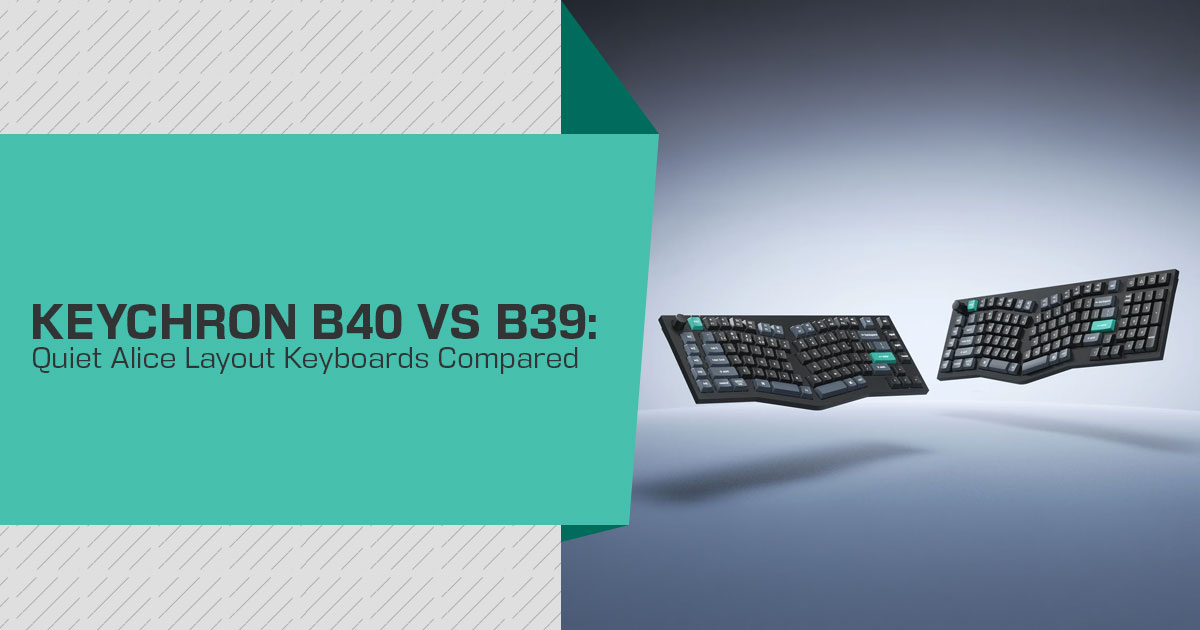
When the Keychron B40 and B39 launched in late August 2026, they brought something different to the ergonomic keyboard market. Both use an Alice layout with a scissor-switch design instead of traditional mechanical switches. The result is a pair of keyboards aimed at people who want a quieter and more comfortable typing experience without moving to a high-end ergonomic setup.
The B40 and B39 are mainly for office workers, writers, programmers, students, researchers, and anyone who spends several hours a day typing. The angled layout is designed to give your hands a more natural position, while the scissor mechanism keeps the keyboard slim and quiet.
As technology experts with over 20 years of experience in hardware and application research and development, we assess products on performance, durability, usability, and value for money. For these keyboards, we looked at the layout, switch mechanism, build, connectivity, typing design, and long-term value. Our recommendations are based on extensive research, component analysis, real-world usability, and industry expertise.
We have not tested the B40 or B39 hands-on. This article is based on Keychron’s official specifications, launch information, available coverage, and comparison with other ergonomic and scissor-switch keyboards. So, where we discuss the expected typing experience or long-term use, those points are based on the design and available evidence rather than personal testing.
The main question is simple: do the B40 and B39 offer enough comfort and practicality to make them a better choice than a conventional office keyboard?
What Are the Keychron B40 and B39?
Two wireless office keyboards from Keychron’s B-series, with the main difference being their size and layout:
- The Keychron B40 is a 75% Alice layout It drops the number pad, so it is compact and leaves more room for a mouse.
- The Keychron B39 is a 96% Alice layout board with a dedicated number pad, aimed at people who enter a lot of numbers.
Both use low-noise scissor switches, five programmable macro keys (M1–M5), a customizable control knob, and tri-mode connectivity over 2.4 GHz, Bluetooth 5.2, and USB-C. Both are designed for quiet office typing.
Quick specifications
| Specification | Keychron B40 | Keychron B39 |
|---|---|---|
| Layout | 75% Alice layout without a number pad | 96% Alice layout with an integrated number pad |
| Switch Type | Low-noise scissor switches | Low-noise scissor switches |
| Switch Compatibility | Fixed switches; not hot-swappable | Fixed switches; not hot-swappable |
| Programmable Keys | M1–M5 | M1–M5 |
| Control Knob | Customizable | Customizable |
| Wireless Connectivity | 2.4 GHz wireless + Bluetooth 5.2 | 2.4 GHz wireless + Bluetooth 5.2 |
| Wired Connectivity | USB-C | USB-C |
| Bluetooth Pairing | Up to 3 devices | Up to 3 devices |
| 2.4 GHz Polling Rate | Up to 1,000 Hz | Up to 1,000 Hz |
| Bluetooth Polling Rate | Up to 125 Hz | Up to 125 Hz |
| Battery Capacity | 800 mAh | 800 mAh |
| Battery Life (2.4 GHz) | Up to 330 hours | Up to 500 hours |
| Weight | 595 g | 680 g |
| Chassis Material | ABS plastic | ABS plastic |
| Backlighting | None | None |
| Supported Operating Systems | macOS, Windows, Linux | macOS, Windows, Linux |
| Color | Deep Black | Deep Black |
| Price | $49.99 | $54.99 |
Why the Alice Layout Was Chosen Here
The Alice layout is the main feature that sets these two keyboards apart. On a regular flat keyboard, our hands drift slightly outward toward the little finger side. Over a long session, that can build tension in the wrist and forearm — a pattern ergonomists call ulnar deviation. An Alice layout divides the main typing area into two inward-angled sections, placing the hands in a different position from a conventional straight keyboard. This changes the hand position without requiring the full adjustment of a fully split or column-staggered board.
A few honest points to keep in mind before deciding:
- An Alice layout changes the position of the hands and It is less adaptable than a true split or tented keyboard, which gives users more control over the position of each half.
- It is a compromise rather than a cure. Some users may find the layout more comfortable, but it is not a treatment for wrist or arm problems.
- Because the halves stay fixed to one chassis, an Alice keyboard is not adjustable to every body shape the way a two-piece split board can be.
Design and Build Quality
The Keychron B40 and B39 use ABS plastic for the chassis and keycaps. That keeps the boards light and helps explain their lower prices.
The positives:
- At 595 g (B40) and 680 g (B39), both are light enough to move between desks or carry in a bag without fuss.
- The plastic body keeps weight and cost down, although it does not have the rigidity or feel of an aluminum case.
- Neither model has backlighting, which removes a common source of battery drain.
The trade-offs:
- ABS is not as rigid or premium-feeling as an aluminum Under firm typing there can be a bit more flex than on a metal board.
- There is no RGB or white In a dark room, the lettering will not be visible without external light.
- The switches are fixed and not hot-swappable, so you cannot change the switch type after purchase.
For a well-lit desk, the lack of backlighting may not matter. If you often type in a dark room, it is a clear limitation.
Typing Feel and Noise Levels
The headline feature is the switch type. Both models use low-noise scissor switches. Scissor switches differ from mechanical switches in how they press down: a pair of interlocking plastic arms stabilizes each keycap so the travel stays straight and consistent, and the sound is lower and more muffled than a mechanical click.
Keychron says the B40‘s scissor keys are about 59% taller than standard scissor keycaps. Independent launch coverage reports roughly 3.5 mm of total travel for both models. That should give the B40 and B39 a deeper feel than a typical laptop-style keyboard, but that is an expectation based on the design rather than a hands-on finding.
This is a meaningful difference for a few groups:
- People who work in an open-plan office and do not want to disturb colleagues.
- Anyone who joins voice calls or records audio while typing.
- Users who find the sound of most mechanical boards distracting or tiring.
Because the switches are fixed, the typing feel cannot be changed by installing another switch type. That will suit office users who want a simple, consistent keyboard, but it will not appeal to people who enjoy customizing switches.
Layout Options: 75% vs 96%
Choosing between two sizes is really a choice about what kind of work happens at the desk. Keychron B40 (75%):
- Compact footprint that frees up mouse space.
- Lighter and easier to carry.
- A good fit for writing, coding, and everyday browsing.
- The number pad is absent, so heavy numeric entry becomes slower.
Keychron B39 (96%):
- Adds a full number pad next to the navigation cluster.
- Better for accounting, spreadsheets, forms, and data entry.
- Takes more desk width and weighs more.
- The B39 combines an Alice-style layout with a dedicated number pad, an uncommon combination in this price range.
A simple rule: choose the B40 if typing prose or code dominates, and the B39 if numbers dominate. If desk space is tight and a number pad is rarely used, the B40 keeps the workspace cleaner.
Programmable Macro Keys and the Control Knob
Both boards carry a column of five programmable macro keys labelled M1–M5 along the left edge, plus a customizable control knob that sits in the top corner.
The macro column is useful for people who repeat the same actions all day — launching an app, inserting text, running a shortcut, or triggering a command sequence. The knob gives a physical control for volume, scrolling, zooming, or other functions you assign.
Five dedicated macro keys and a customizable knob are useful additions for a productivity keyboard, especially at this price.
Connectivity and Multi-Device Use
Tri-mode connectivity is one of the main practical advantages over a basic wired office keyboard.
- The 4 GHz connection uses the included USB receiver and supports polling up to 1,000 Hz, compared with 125 Hz over Bluetooth.
- Bluetooth 2 allows pairing up to three devices at once, which suits switching between a laptop, a desktop, and a tablet.
- USB-C provides a wired connection and lets you charge the keyboard while using it.
A physical system switch supports Mac and Windows modes, while the keyboard is also compatible with Linux. The boards also have LED indicators for status functions.
The practical result is that one keyboard can cover a multi-device setup and can be charged while connected over USB-C.
Battery Life
Battery figures need care because older and current product listings show different numbers.
Keychron’s current product pages show different battery figures. The B40 product page lists up to 330 hours in 2.4 GHz mode, while the B39 product page lists up to 500 hours. Other Keychron listings show different figures, so these current individual product-page figures are used in this article.
Software and Remapping
Customization runs through the Keychron Launcher, the brand’s web-based configuration tool. According to Keychron, the AI-enabled Keychron Launcher can guide users to the appropriate settings and configurations through natural-language instructions.
The Launcher runs in a browser and handles key remapping, macros, shortcuts, and knob assignments. Keychron says it works through supported browsers without a separate desktop installation.
How the B40 and B39 Compare With Other Options
To make an informed purchase, it helps to see these against what else is available. We have grouped the close alternatives.
Versus budget mechanical Alice keyboards
Boards like the Akko ACR Pro Alice Plus, Epomaker Alice 66, Ajazz AKS068, and RK Royal Kludge A70 offer Alice layouts with mechanical switches at similar or slightly higher prices. They generally offer more switch customization and may include backlighting, but their typing feel, noise level, weight, and height vary by model.
- Choose a mechanical Alice board if switch feel, hot-swap, or RGB matter.
- Choose the B40 or B39 if silence, a slim profile, and simplicity matter more.
Versus non-ergonomic scissor keyboards
The most direct comparison is a mainstream scissor switch keyboard like the Logitech MX Keys or the lower-cost Keychron B-series (B1 Pro, B33, B35). Those are quiet and slim but use a standard straight row layout.
- The B40 and B39 add the inward Alice angle, which is the ergonomic difference.
- They give up the MX Keys’ premium build and backlighting but add the angled layout and a lower price.
Versus true split keyboards
For people with strong shoulder and upper-back symptoms, a true split board — Kinesis Freestyle2, ZSA Moonlander, Kinesis Advantage360 — is more adaptable. Those usually require more adjustment to the typing layout and tend to cost considerably more.
- The B40 and B39 are for those who want some ergonomic relief without a big adjustment or a large outlay.
Pros and Cons
Pros
- Quiet scissor switch keyboard experience, suitable for shared spaces
- True Alice layout keyboard shape at an entry-level price
- Tri-mode connectivity with a 1,000 Hz 4 GHz path
- Five programmable macro keys and a customizable control knob
- Up to 330 hours on the B40 and 500 hours on the B39 in 4 GHz mode
- Works across macOS, Windows, and Linux
- Number pad option available in the B39
Cons
- Not hot-swappable; the switches are fixed
- No backlighting
- ABS plastic chassis and keycaps rather than metal
- Typing feel cannot be tuned after purchase
- The Alice layout changes hand and wrist position but is not a substitute for a fully split or tented keyboard.
- Long-term scissor-switch durability cannot be judged from the available specifications alone
Who Should Buy the Keychron B40 or B39?
These are a good fit when the following apply:
- The main task is typing all day rather than high-end gaming or enthusiast customization.
- The desk is in a shared or quiet space, or audio is recorded while typing.
- There is a preference for a quiet keyboard for the office without the bulk of a mechanical board.
- Enough value is placed on a compact space (B40) or a number pad (B39) to pick between the two.
- Multiple devices are used and one keyboard should cover them.
These are probably not the right choice when:
- Switch hot-swap, RGB backlighting, or a premium chassis are required.
- A fully split or tented keyboard is wanted for shoulder or upper-back symptoms.
- Competitive gaming with low latency is the main purpose.
Pricing
Keychron’s US product pages currently list the B40 at $49.99 and the B39 at $54.99, both in Deep Black. The listings have also shown limited availability, so price and stock should be checked before buying.
The pricing is a strong point. At $49.99 for the B40 and $54.99 for the B39, both sit below many mechanical Alice keyboards. The B39 is also unusual because it combines an Alice-style layout with a dedicated number pad at this price.
Purchase Options
Buy Now — Keychron B40 (75%): Check the current price and availability on the US storefront. Prices and stock levels on this launch model have been moving, so it is worth confirming the latest offer before you decide.
Buy Now — Keychron B39 (96%): For readers shopping, the larger model includes the number pad and is the better fit for spreadsheet work. Look at the current listing for offers and delivery options before purchasing.
Please verify the live price and stock before ordering, since both models have shown intermittent availability.
Frequently Asked Questions
Are the Keychron B40 and B39 hot-swappable?
No. The switches are fixed and not hot-swappable. For a hot-swappable Alice board, the Keychron Q-series (Q8, Q10, or Q13) is the alternative.
Which is quieter, a scissor switch or a mechanical keyboard?
Generally, scissor switches type more quietly with a softer sound than most mechanical switches. They are a good match for a shared office, though a well-damped silent mechanical board can also be fairly quiet.
Do the Keychron B39 and B40 have backlighting?
No. Neither model has backlighting, which can help battery life but is a drawback for typing in the dark. Which model should a spreadsheet user choose?
The Keychron B39, because its 96% Alice layout includes a full number pad. The B40 drops the pad to stay compact.
How long do the Keychron B40 and B39 batteries last?
The current B40 product page lists up to 330 hours in 2.4 GHz mode, while the current B39 product page lists up to 500 hours. Actual battery life depends on usage and connection mode.
Can these keyboards be used across macOS and Windows?
Yes. A hardware switch toggles between macOS and Windows layouts, while Linux is also supported. Up to three devices can be paired over Bluetooth.
Is an Alice keyboard good for wrist pain?
An Alice layout can help reduce wrist and forearm tension without the learning curve of a fully split board, but it is not a cure. Pairing it with good posture gives the best chance of feeling relief.
Final Verdict
The Keychron B40 and B39 target a clear group: office users who want an Alice-style layout without mechanical switches. The low-noise scissor switches, tri-mode connectivity, five macro keys, and customizable knob give both models a practical feature set for everyday work.
The main limitations are the fixed switches, ABS construction, and lack of backlighting. The B40 makes more sense for smaller desks and people who mainly write or code. The B39 is the better choice for spreadsheets and other work that depends on a number pad.
For someone trying an Alice-style ergonomic keyboard for the first time, either model is a reasonable starting point. It is better to view the layout as a way to improve typing posture and comfort, not as a treatment for wrist pain.
Have you used the Keychron B40 or B39? We’d like to hear what you think. Leave a comment with your experience or any questions you have about these keyboards. If you have a doubt we haven’t covered, ask us below and we’ll do our best to answer it.
If you found this comparison useful, follow us for more practical technology reviews, comparisons, and buying guides.
***Disclaimer***
This blog post reflects our research, analysis, and opinions based on available product information, user feedback, and industry knowledge. It should not be taken as the official position of any brand, manufacturer, or company mentioned here. We make every effort to keep this guide accurate, but product specifications, pricing, and availability may change after publication. We recommend double-checking important details before making a purchase.
Some links in this article may be affiliate links. If you choose to buy through these links, we may earn a small commission at no extra cost to you. This helps support our work and allows us to keep publishing in-depth, unbiased reviews. Affiliate partnerships never influence our recommendations.
Opinions expressed by readers are their own and do not necessarily reflect ours. We are not responsible for outcomes resulting from the use of information on this site. Please seek professional advice where appropriate.
All product names, logos, and brands mentioned are the property of their respective owners. These names are used for identification and informational purposes only and do not imply endorsement.
