
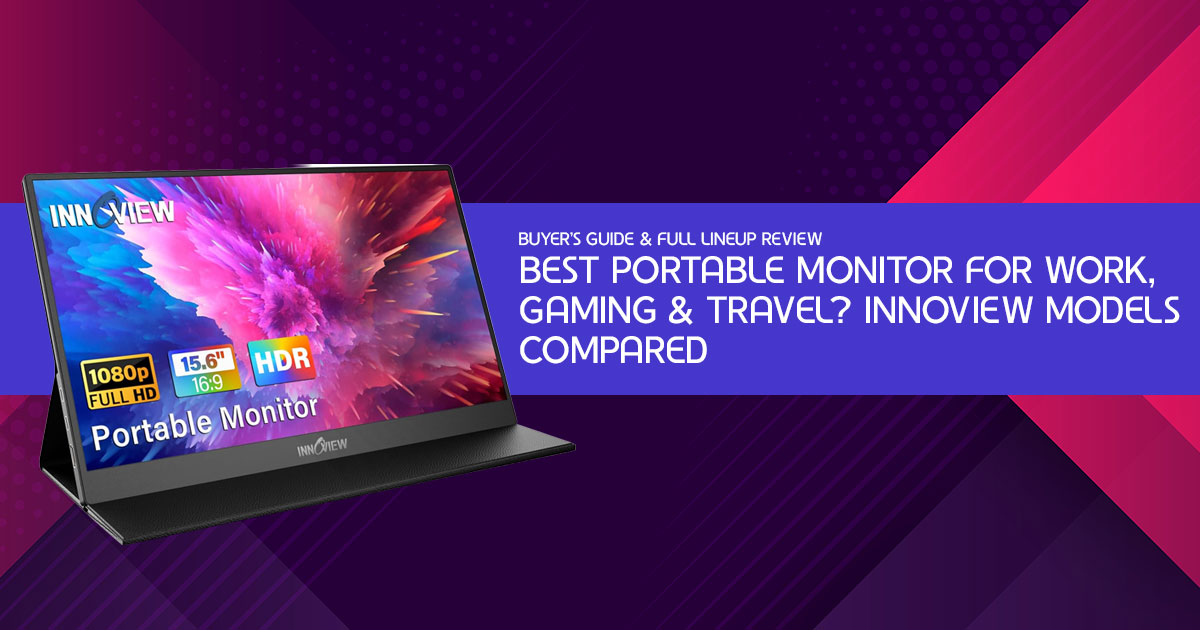
Not every 15.6-inch portable monitor solves the same problem. Some are built for students and office work. Others focus on creative professionals who need sharper visuals or touchscreen control while traveling. InnoView has been making portable monitors since 2007, and their lineup covers all four use cases surprisingly well.
A lot of people buy a portable monitor thinking any 15.6-inch screen will do the job. Then reality hits. The display looks washed out, the stand feels unstable, or the screen simply doesn’t fit the way they work every day.
That’s the frustrating part about shopping for portable displays in 2026. The category is crowded, and most monitors look almost identical online.
InnoView is one of the few brands that has been in this space long before the USB-C portable monitor market became crowded with copycat models and confusing specs. Since 2007, the company has built a reputation around affordable, travel-friendly displays that work across laptops, gaming handhelds, phones, and consoles. And their 15.6-inch portable monitor lineup continues to rank among the best-selling portable monitors on Amazon for a reason.
But here’s what most buyers still get wrong:
The challenge isn’t finding a monitor that works. It’s finding the one that actually fits how you use your devices every day.
Some people need a lightweight second screen for office work and travel. Others are simply trying to find the best portable monitor for laptop setups that feel cramped on a single display. Others want sharper visuals for editing photos, coding, or media creation. And some simply want touchscreen support that works reliably without carrying bulky hardware everywhere.
That’s where real customer feedback matters.
Specs only tell part of the story. A monitor can look great on paper and still disappoint in daily use because of poor brightness, weak build quality, awkward stands, or unreliable connectivity. User reviews reveal the things manufacturers rarely talk about — how the monitor performs during long work sessions, how durable it feels after months of travel, and whether it’s actually worth the money.
Below we break down all four of InnoView’s current 15.6-inch portable monitors: the budget-friendly Classic FHD, the slim No-Bag Stand Edition, the sharp 2K QHD model for creative work, and the 10- point Touchscreen. Real specs, real trade-offs, and a clear recommendation at every price point.
We’ll also show where each model makes compromises, who each one is really built for, and when spending more actually makes sense.
And there’s another reason this comparison matters right now:
Portable monitors have quietly become part of everyday work and travel setups. Remote work, hybrid offices, handheld gaming PCs, USB-C laptops, and mobile creative workflows have pushed them far beyond niche use. The difference between buying the right screen and the wrong one can affect your comfort, productivity, and even how often you actually use it.
As technology experts with over 20 years of experience in hardware and application research and development, we deeply analyze each product based on real-world performance, durability, and value for money. Our goal is to help you find the best product in every category—budget, performance, reliability, and long-term usage. Whether you’re a remote worker, student, gamer, business traveler, content creator, programmer, or someone building a cleaner dual-screen setup, our recommendations are based on extensive research, component analysis, real-world usability, and industry expertise.
So before you spend money on a screen that looks good only in product photos, here’s what you actually need to know about the current InnoView portable monitor lineup — and which one deserves your money.
Why a Portable Monitor Changes Everything
If you’ve ever tried working with a dual screen setup for laptop productivity on a tiny 13-inch display, you already know how quickly one screen starts to feel limiting.
The core appeal of InnoView’s lineup is plug-and-play simplicity. No drivers, no software, no IT department needed. You plug in USB-C (or HDMI), and your laptop immediately has a second screen. Set it up on a hotel desk, a coffee shop table, or your kitchen counter. That’s why so many people now carry a travel monitor for work instead of relying only on a laptop screen.
All four InnoView models share the same 15.6-inch size, IPS panel, 178° viewing angles, and USB- C/HDMI connectivity. What separates them — and what determines which is right for you — is resolution, included accessories, and how interactive the display is.
Model 1: Classic FHD with Protective Case
The original value pick — and still the smartest buy for most people.
This is InnoView’s flagship value model and the most-reviewed portable monitor in the lineup, with nearly 5,000 Amazon ratings. At a street price of $60–$80 (MSRP $89.99), it regularly undercuts nearly every comparable IPS 1080p monitor in the category.
|
[ ★ BEST VALUE PICK ] |
||
| KEY SPECIFICATIONS | STRENGTHS
✓ Cheapest IPS 1080p option at $60–$80 LIMITATIONS ✗ Default color temperature runs cool (7500K) |
|
| Resolution | 1920×1080 FHD | |
| Panel type | IPS, A+ Grade | |
| Refresh rate | 60 Hz | |
| Brightness | ~269 nits | |
| Contrast | 1000:1 | |
| Viewing angle | 178° | |
| Connectivity | Full HDMI + 2× USB-C | |
| Weight | ~1.5 lb | |
| Warranty | 18 months | |
| Street Price: $60–$80 | View on Amazon: Classic FHD |
|
The single biggest practical advantage of this model over many competitors is the full-size HDMI port. Slimmer monitors often use micro- or mini-HDMI, which means you need a separate adapter for your PlayStation, Xbox, or Nintendo Switch. With this InnoView, you just plug in the included cable and go.
Best for: Remote workers, students, budget buyers, and travelers who want an affordable portable gaming monitor for PS5, Xbox, or Nintendo Switch.
Model 2: No-Bag Stand Edition
All the screen, none of the sleeve — for travelers who already have a bag.
This variant strips out the protective sleeve and replaces it with a built-in 90° adjustable metal kickstand integrated directly into the monitor body. It’s thinner and easier to carry without an extra sleeve, and the kickstand means you can prop it at a wide range of angles without needing any accessory at all.
|
[ LEAN TRAVELER PICK ] |
||
| KEY SPECIFICATIONS | STRENGTHS | |
| Resolution Panel type Refresh rate Stand Protective bag Connectivity |
1920×1080 FHD
IPS, HDR 60 Hz 90° integrated Not included Full HDMI + 2× USB-C |
✓ Integrated kickstand — no case needed to stand it up
✓ Wide angle adjustment from near-flat to near-vertical ✓ Slim profile without bulk of protective sleeve ✓ Same IPS sharpness and connectivity as Classic ✓ HDR support on the panel |
| Weight | ~1.5 lb | LIMITATIONS |
| Warranty | 18 months | ✗ No protective sleeve — screen exposed in bag
✗ Same 60 Hz and brightness limitations as Classic ✗ Need to buy a sleeve separately for transit protection |
| Street Price: $75–$90 | View on Amazon: No-Bag Stand Edition |
|
Best for: Minimalist travelers, home-office workers who want flexible desk positioning, and people who already own a quality laptop sleeve.
Model 3: 2K QHD with 100% sRGB
For when FHD isn’t enough — the sharpest, most color-accurate model in the lineup.
This model is for people who care about image quality, not just extra screen space. The jump from 1920×1080 to 2560×1440 at 15.6 inches is immediately visible — text is sharper, icons are crisper, and the overall image has a clarity that feels closer to a Retina display than a typical budget portable monitor.
|
[ SHARP & VIVID PICK ] |
||
| KEY SPECIFICATIONS | STRENGTHS
✓ 2K QHD resolution — visibly sharper than FHD at 15.6″ LIMITATIONS ✗ Higher price than FHD models |
|
| Resolution | 2560×1440 QHD (2K) | |
| Color gamut | 100% sRGB | |
| Panel type | IPS, HDR | |
| Pixel density | ~188 PPI | |
| Connectivity | Standard HDMI + 2× USB-C | |
| Speaker | Built-in | |
| Protective sleeve | Included | |
| Warranty | 18 months | |
| Street Price: $100–$130 | View on Amazon: 2K QHD Model |
|
The 100% sRGB coverage is the real differentiator here. The Classic FHD model covers only around 64– 80% sRGB — workable for documents and productivity, but noticeably flat for photos, design work, or any creative content. This 2K model renders colors the way they’re intended to look.
Best for: Designers, photographers, developers, content creators, and anyone doing color-critical or text- heavy work who wants accuracy and sharpness over raw gaming performance.
Model 4: Touchscreen 1080p — 10-Point Touch
Turn your laptop into a touch-first workstation — anywhere.
This is the most interactive model in the lineup. A 10-point capacitive touchscreen means you can scroll, swipe, zoom, and tap just like you would on a tablet — but at 15.6 inches, with the full capability of a desktop OS behind it. It also ships with an upgraded 1200:1 contrast ratio (versus 1000:1 on the Classic), making images and video noticeably punchier.
| [ TOUCHSCREEN PICK ] InnoView Touchscreen 15.6″ 1080p — 10-Point Touch 10-point touch · 1200:1 contrast · Protective sleeve · Built-in stand |
||
| KEY SPECIFICATIONS | STRENGTHS
✓ 10-point touch — responsive, accurate, genuinely useful LIMITATIONS |
|
| Resolution | 1920×1080 FHD | |
| Touch | 10-point capacitive | |
| Contrast | 1200:1 (upgraded) | |
| OS support | Windows + macOS | |
| Connectivity | HDMI + 2× USB-C | |
| Protective sleeve | Included | |
| Built-in stand | 90° adjustable | |
| Warranty | 18 months | |
| Street Price: $110–$140 | View on Amazon: Touchscreen Model |
|
Best for: Presenters, educators, artists, designers who work with a stylus, and anyone who finds a touchscreen genuinely improves their daily workflow.
All Four Models, Side by Side
Here’s a complete comparison across every key spec and feature to help you make the final call.
| Feature | Classic FHD ★ | No-Bag Stand | 2K QHD | Touchscreen |
| Resolution | 1080p FHD | 1080p FHD | 2K QHD (1440p) | 1080p FHD |
| Color gamut | ~80% sRGB | ~80% sRGB | 100% sRGB | ~90% sRGB |
| Contrast ratio | 1000:1 | 1000:1 | 1000:1 | 1200:1 |
| Touchscreen | No | No | No | 10-point |
| Protective sleeve | Included | Not included | Included | Included |
| Built-in stand | Case-based | 90° integrated | 90° integrated | 90° integrated |
| Built-in speaker | Yes | — | Yes | Yes |
| Full-size HDMI | Yes | Yes | Yes (Standard) | Yes |
| Street price | $60–$80 | $75–$90 | $100–$130 | $110–$140 |
| Best for | Budget, work, gaming | Minimalist travel | Creative, design | Touch interaction |
Pick by Personality
Remote worker on a budget: → Classic FHD. Maximum screen real estate, minimum spend.
Frequent business traveler: → No-Bag Stand. Slim, self-supporting, no accessories to lose.
Designer / developer / photographer: → 2K QHD. Color accuracy and resolution that actually matters.
Presenter / educator / artist: → Touchscreen. Annotate, swipe, pinch — right on screen.
Console gamer (PS5, Xbox, Switch): → Classic FHD. Full-size HDMI, no adapter, just plug in and play.
Student doing research: → Classic FHD or 2K. References on one screen, essay on the other.
Common Questions, Answered
Are these the best portable monitors for MacBook users?
Yes. All four models connect to MacBook Air and Pro via USB-C using the included cable. The Touchscreen model works best on Windows systems. macOS supports display output normally, but touchscreen functionality may be limited depending on the application and connection method. You may need an adapter for older Macs with only USB-A ports.
Do they work with iPhone or Android phones?
Android phones that support DisplayPort over USB-C (such as Samsung DeX) work directly. iPhones require a USB-C to Lightning adapter. Not all Android phones support video output — check your phone’s spec sheet first.
What if my screen flickers or restarts?
This typically means your device’s USB-C port isn’t supplying enough power. InnoView recommends using a 15W+ power adapter. Connect a power cable alongside the signal cable, or use a powered USB-C hub. InnoView’s customer support (contact info on the back of the monitor) resolves this quickly for most users under their 30-day return and 18-month warranty.
Is 60Hz enough for gaming?
For single-player games, casual play, and most console titles — yes, 60Hz is the standard and works fine. For competitive FPS games where frame rate matters, look at InnoView’s 16″ 180Hz model instead. All four models reviewed here are 60Hz.
Do I need a power brick?
None of these models include a power brick. If your laptop can supply 15W+ through USB-C, one cable handles everything. Otherwise, plug in any standard USB-C charger above 15W alongside the signal cable.
Final Verdict & Our Recommendation
OUR RECOMMENDATION
For the vast majority of people — remote workers, students, casual gamers, and travelers — the Classic FHD model at $60–$80 is the right answer. It’s the best value proposition in portable monitors at any price, and the full-size HDMI port alone saves you an adapter purchase compared to competing models.
If you spend significant time on design, photo editing, or coding, the 2K QHD model’s 100% sRGB and sharper resolution justify the extra $30–$50 every single workday. And if a touchscreen genuinely improves how you work, the touch response feels fast, accurate, and genuinely useful in daily work.
| BEST OVERALL Classic FHD with Protective Case — $60–$80 |
BEST FOR CREATIVES 2K QHD 100% sRGB — $100–$130 |
| BEST FOR MINIMALISTS No-Bag Stand Edition — $75–$90 |
BEST TOUCHSCREEN Touchscreen 1080p — $110–$140 |
Quick Purchase Links
All four models, direct to Amazon:
- Classic FHD (Best Value) — $60–$80
- No-Bag Stand Edition — $75–$90
- 2K QHD 100% sRGB — $100–$130
- Touchscreen 1080p — $110–$140
Still unsure which portable monitor fits your setup best? Feel free to reach out with your questions. Whether you’re choosing between models, checking compatibility with your laptop, gaming console, MacBook, or phone, we’re happy to help.
And if this guide helped you, consider following NGXPTech for more honest tech reviews, buying guides, and real-world recommendations.
Sharing this article with friends, coworkers, students, gamers, or anyone building a better work setup also helps support the work we do here.
***Disclaimer***
This blog post reflects our own research, testing, and personal opinions. It should not be taken as the official position of any brand, manufacturer, or company mentioned here. While we aim to keep information accurate and up to date, product details, pricing, and availability can change.
We recommend double-checking important details before making a purchase.
Some links in this article may be affiliate links. If you choose to buy through these links, we may earn a small commission at no extra cost to you. This helps support our work and allows us to keep publishing in-depth, unbiased reviews. Our recommendations are never influenced by affiliate partnerships.
Comments shared by readers reflect their own views and not ours. We are not responsible for outcomes resulting from the use of information on this site. Please seek professional advice where appropriate.
All product names, logos, and brands mentioned are the property of their respective owners. These names are used for identification and informational purposes only and do not imply endorsement.
