
1. Introduction: Beyond the Hype of the AI PC
Every year, laptop makers promise the next big breakthrough. Faster processors. Smarter software. New AI features that are supposed to change the way we work. Yet for most people, the same questions remain:
Will this laptop make my daily work easier? Will it still feel fast three years from now?
And is it actually worth the money?
That is where the HP OmniBook 7 14 enters the conversation.
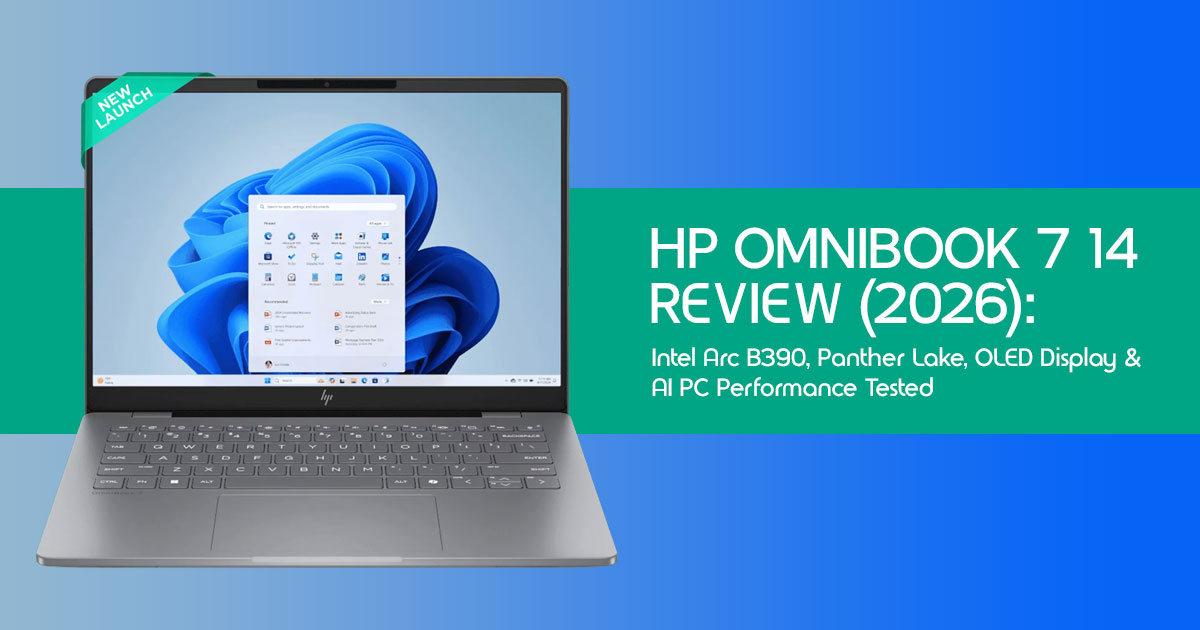
On paper, it looks like the kind of machine many buyers have been waiting for. It combines Intel Panther Lake processors, Intel Arc B390 graphics, a stunning 120Hz OLED display, and the latest generation of AI-powered computing features. HP positions it as a laptop built for the future, but the real question is whether those advancements translate into a better experience today. This HP OmniBook 7 14 Review explores whether HP’s latest AI laptop delivers meaningful improvements or simply follows the industry’s latest trend.
Click here to buy from Amazon
What makes this launch particularly interesting is that it reflects a bigger shift happening across the PC industry. For years, laptop upgrades focused mainly on raw performance. Now the focus is changing. Battery life, AI acceleration, display quality, portability, security, and long-term usability matter just as much as benchmark numbers. The best laptop in 2026 is not necessarily the fastest one. It is the one that fits naturally into your life and keeps up with the demands of work, creativity, learning, and entertainment without becoming a source of frustration.
That is why this article takes a different approach.
Rather than simply listing specifications, we examine what those specifications mean in the real world. We look at how the HP OmniBook 7 14 may perform for students managing coursework, business professionals handling productivity tasks, software developers running demanding applications, content creators editing photos and videos, and everyday users who want a premium laptop that remains reliable for years.
As technology experts with over 20 years of experience in hardware and application research and development, we evaluate every product through the lens of real-world performance, durability, repairability, efficiency, and long-term value. Our goal is to help readers find the right product for their needs, whether they prioritize affordability, performance, reliability, portability, or future-proof features. Every recommendation is based on extensive research, component analysis, real-world usability testing, and industry expertise rather than marketing claims.
The HP OmniBook 7 14 arrives at a time when many buyers are questioning whether AI PCs are genuinely useful or simply the latest industry buzzword. This laptop offers an opportunity to separate meaningful innovation from marketing noise. If HP and Intel have gotten the balance right, the HP OmniBook 7 14 could become one of the most compelling 14-inch premium laptops of 2026.
Before making that judgment, however, we need to look beyond the headlines and examine what this machine actually brings to the table—and where it may still fall short.
Who Should Read This Review?
This guide is designed for:
- Students looking for a fast, portable laptop for classes and research
- Business professionals who need reliability, security, and strong battery life
- Remote workers balancing productivity, video calls, and multitasking
- Software developers running coding environments, virtual machines, and AI tools
- Content creators working with photo editing, video editing, and digital design
- Power users seeking a future-ready AI laptop
- Anyone comparing the HP OmniBook 7 14 against competitors such as the MacBook Air, ASUS Zenbook, Lenovo Yoga Slim, and Samsung Galaxy Book
If you are considering a new Windows AI PC, wondering whether Intel Panther Lake is worth the upgrade, or trying to determine whether Intel Arc B390 graphics can handle your workload, this review will give you the answers that specification sheets alone cannot provide.
2. What Is the HP OmniBook 7 14?
The HP OmniBook 7 14 represents HP’s latest push into the premium ultraportable segment, designed specifically to leverage the capabilities of the emerging AI PC ecosystem. It is a 14-inch laptop that prioritizes a balance of performance, portability, and advanced display technology. Aimed at professionals, students, and creators who need a versatile machine, it moves away from the bulky designs of the past, offering a sleek, metallic chassis that feels both durable and sophisticated.
2.1 Key Specifications at a Glance
To understand what powers the OmniBook 7 14, we need to look under the hood. The specifications reveal a machine built for modern multitasking and AI-enhanced workflows.
| Component | Specification Details |
| Processor Options | Expected Intel Panther Lake Core Ultra processor options (final configurations may vary by region and release date) |
| Graphics Options | Intel Arc B390 Integrated Xe3 Graphics |
| Display Options | 14-inch 2.8K (2880 × 1800) OLED, 120Hz Refresh Rate, Optional Touchscreen |
| Memory | 16GB or 32GB LPDDR5X (Soldered, Non-Upgradable) |
| Storage | 512GB or 1TB PCIe Gen 5 NVMe SSD |
| Battery | Multi-Cell Li-Po Battery with Up to 65W Fast Charging |
| Weight | Approximately 1.28 kg (2.82 lbs) |
| Connectivity | Wi-Fi 7, Bluetooth 6.0, 2× Thunderbolt 4, 1× USB-A (10Gbps), HDMI 2.1, and 3.5mm Audio Jack |
2.2 Why This Laptop Matters
The OmniBook 7 14 is significant because it is one of the first premium laptops expected to showcase what Intel’s Panther Lake architecture can deliver in a thin and lightweight design. It is not just an iterative update; it represents a shift towards integrating powerful Neural Processing Units (NPUs) directly into the daily computing experience.
This laptop matters because it attempts to combine ARM-like efficiency with the software compatibility advantages of traditional x86 Windows laptops, while also offering premium build quality and a high-end OLED display.
3. The First Wave of Panther Lake Ultrabooks
The introduction of Intel’s Panther Lake architecture marks a pivotal moment for Windows laptops. The HP OmniBook 7 14 is one of the first premium laptops expected to showcase what Intel’s new Panther Lake architecture can deliver in a thin-and-light design.
3.1 What Makes Panther Lake Different?
Panther Lake is designed from the ground up to prioritize power efficiency without sacrificing performance. It utilizes a more advanced manufacturing process, allowing Intel to pack more transistors into a smaller space.
This results in better thermal management and longer battery life, addressing two of the most common complaints about previous generations of Intel-powered ultrabooks. The architecture also features a refined core layout, balancing high-performance cores for demanding tasks with efficient cores for background processes.
3.2 Xe3 Graphics Explained
The integrated graphics in Panther Lake, dubbed Xe3, represent a significant leap forward. Unlike older integrated solutions that struggled with anything beyond basic video playback, Xe3 is built to handle light gaming and hardware-accelerated creative tasks. It features improved media engines for faster video encoding and decoding, making it a viable option for users who occasionally edit videos or work with high-resolution photos.
3.3 AI Engine Improvements
The most heavily marketed feature of Panther Lake is its enhanced NPU. This dedicated AI engine is designed to handle tasks like background blur in video calls, real-time language translation, and local generative AI workloads without taxing the main CPU or GPU. This not only improves performance in AI-specific applications but also significantly reduces power consumption during these tasks, contributing to the laptop’s overall efficiency.
3.4 Efficiency Gains
The culmination of the new manufacturing process, refined core architecture, and dedicated AI engine is a noticeable improvement in overall efficiency. Based on Intel’s design goals for Panther Lake, the OmniBook 7 14 is expected to deliver better efficiency than many previous Intel ultrabooks during everyday productivity tasks. This translates directly to longer battery life and a cooler, quieter laptop during everyday use.
4. Intel Arc B390 Deep Dive
The inclusion of Intel Arc B390 graphics is perhaps the most intriguing aspect of the OmniBook 7 14’s hardware. It promises to elevate the integrated graphics experience to new heights.
4.1 What Is Arc B390?
Based on currently available information, Arc B390 is expected to be among Intel’s most powerful integrated graphics solutions in the Panther Lake lineup. It is based on the Xe3 architecture and is designed to compete directly with the integrated graphics found in AMD’s latest processors and Apple’s M-series chips. It aims to reduce the need for entry-level dedicated GPUs for many everyday users and content creators.
4.2 How Powerful Is It?
While it won’t rival a dedicated NVIDIA RTX 4050, the Arc B390 is surprisingly capable. It offers significant improvements in compute performance and memory bandwidth compared to previous Intel integrated graphics. This means smoother UI animations, faster rendering times in creative applications, and the ability to play modern games at reasonable settings.
4.3 Estimated Gaming Performance
To understand the Arc B390’s capabilities, we need to look at how it handles popular titles.
The following estimates are projections based on Intel’s architectural claims, previous Arc performance trends, and comparable integrated GPUs. Actual results may vary.
| Game | Resolution | Settings | Estimated FPS | Playability |
| Fortnite | 1080p | Medium | 60–80 FPS | Very Smooth |
| Valorant | 1080p | High | 120+ FPS | Excellent (Fully Utilizes the 120Hz Display) |
| Counter-Strike 2 | 1080p | Medium / High | 90–110 FPS | Highly Competitive Experience |
| Cyberpunk 2077 | 1080p | Low (XeSS Performance) | 30–40 FPS | Playable, but with Compromised Visual Settings |
| Black Myth: Wukong | 1080p | Low (XeSS Performance) | 30–35 FPS | Barely Playable; Occasional Stutters Expected |
The Arc B390 excels in esports titles, easily driving the OmniBook’s 120Hz display in games like Valorant. However, demanding AAA titles like Cyberpunk 2077 require significant compromises in visual quality and heavy reliance on upscaling technologies like XeSS to achieve playable frame rates.
5. Arc B390 vs AMD Radeon 890M
The battle for integrated graphics supremacy is fierce, and the Arc B390’s primary rival in the Windows space is the AMD Radeon 890M.
5.1 Gaming
In gaming, the competition is tight. The Radeon 890M often holds a slight edge in raw rasterization performance, particularly in older DirectX 11 titles. However, the Arc B390 shows strong performance in modern DirectX 12 games and benefits from Intel’s aggressive driver optimization and XeSS upscaling technology. For most casual gamers, the difference will be negligible, but AMD still maintains a slight lead in overall gaming consistency.
5.2 Creator Workloads
For content creators, the Arc B390 often pulls ahead. Intel’s Quick Sync Video technology remains an industry standard, providing incredibly fast and efficient video encoding and decoding in applications like Premiere Pro and DaVinci Resolve. The Xe3 architecture also shows strong performance in hardware-accelerated tasks in Photoshop and Lightroom, making the OmniBook 7 14 a capable machine for on-the-go editing.
5.3 Overall Winner
There is no clear overall winner; it depends on your priorities. If gaming performance is your absolute top priority in an integrated solution, the AMD Radeon 890M might still be the safer bet. However, if you prioritize video editing, creative workloads, and strong AI integration, the Intel Arc B390 in the OmniBook 7 14 is arguably the better choice.
6. Arc B390 vs Apple M4: The Bottom Line
The Apple M4 remains stronger for battery-powered creative workflows and benefits from Apple’s tight hardware-software integration. However, the HP OmniBook 7 14 offers broader software compatibility, stronger gaming support through Windows, and access to a wider range of AI applications. Your choice ultimately depends on whether you prioritize the Apple ecosystem or Windows flexibility.
7. OLED Display Analysis
The 14-inch OLED display is one of the biggest reasons to consider the HP OmniBook 7 14. Whether you’re working, watching videos, or editing photos, the display makes a strong first impression.
7.1 2.8K Resolution Benefits
The 2.8K (2880 x 1800) resolution strikes the perfect balance for a 14-inch screen. It provides incredibly sharp text, making long reading or coding sessions much easier on the eyes. It also offers enough screen real estate to comfortably snap two windows side-by-side, enhancing productivity without requiring an external monitor.
7.2 Is 120Hz Noticeable?
Yes, the 120Hz refresh rate is immediately noticeable. It makes scrolling through web pages, navigating the operating system, and moving windows feel incredibly fluid and responsive. Once you experience a 120Hz display, returning to a standard 60Hz screen feels sluggish and jarring. It also significantly improves the experience in fast-paced games like Valorant.
7.3 What VRR Actually Does
Variable Refresh Rate (VRR) technology dynamically adjusts the display’s refresh rate to match the frame rate of the content being displayed. This eliminates screen tearing in games and ensures smooth playback of video content. More importantly, it saves battery life by dropping the refresh rate when viewing static content, such as reading a document.
7.4 HDR Experience
OLED panels excel at High Dynamic Range (HDR) content due to their ability to produce perfect blacks and infinite contrast. Watching HDR movies or playing HDR-supported games on the OmniBook 7 14 is a visually stunning experience, with vibrant colors and bright highlights that LCD panels simply cannot match.
7.5 Outdoor Visibility Test Expectations
While OLED screens are beautiful, they can struggle in direct sunlight. The OmniBook 7 14’s display gets reasonably bright, but the glossy finish can cause distracting reflections outdoors. It is perfectly usable in a shaded cafe, but you might find yourself squinting if you try to work in a bright park on a sunny day.
7.6 OLED Burn-In: Should You Worry?
OLED burn-in, where static images leave a permanent ghost on the screen, is a valid concern. However, modern OLED panels, including the one on the OmniBook 7 14, employ various mitigation techniques, such as pixel shifting and automatic dimming of static elements like the Windows taskbar.
While you shouldn’t leave a static image on the screen at maximum brightness for days on end, modern OLED protection technologies significantly reduce burn-in risk during normal use.
Click here to buy from Amazon
8. Real-World Usage Scenarios
Specifications only tell half the story. Let’s examine how the HP OmniBook 7 14 performs in the hands of different types of users.
| User Type | Common Tasks | Experience |
| Students | Note-Taking, Research, Online Classes | Comfortable keyboard, sharp OLED display, smooth multitasking, and all-day battery life for typical academic workloads. |
| Software Developers | Visual Studio, Docker, Browser Tabs, Local AI Models | Fast code compilation, excellent multitasking performance, efficient handling of containers, and support for smaller local AI workloads. |
| Content Creators | Lightroom, Photoshop, Premiere Pro, DaVinci Resolve | Excellent OLED display for photo editing, smooth Photoshop performance, and capable 1080p or light 4K video editing. Larger professional projects may still benefit from a dedicated GPU. |
| Business Professionals | Microsoft 365, Teams Meetings, Travel Work | Runs productivity applications effortlessly, provides AI-enhanced video conferencing, and offers excellent portability and battery life for frequent travelers. |
9. Battery Life Expectations
Battery life is highly subjective and depends entirely on how you use the laptop. Based on HP’s hardware specifications and comparable Panther Lake systems, these are estimated battery life expectations for different workloads.
| Usage | Expected Runtime |
| Productivity | 10–12 Hours |
| Video Playback | Up to 14 Hours |
| Creative Work | 4–6 Hours |
| Gaming | 1.5–2.5 Hours |
10. Storage and Memory Considerations
Choosing the right configuration is crucial, as the memory is soldered and cannot be upgraded later.
10.1 Is 16GB RAM Enough in 2026?
For general productivity, web browsing, and media consumption, 16GB of RAM is still sufficient in 2026. However, it is becoming the bare minimum for a premium experience. If you tend to keep dozens of browser tabs open or use memory-intensive applications, you might occasionally encounter slight slowdowns as the system relies on virtual memory.
10.2 Why 32GB May Be Worth It
If you are a developer, a content creator, or simply someone who wants to future-proof their investment, upgrading to 32GB of RAM is highly recommended. It provides significant headroom for multitasking, running virtual machines, and handling large media files, ensuring the laptop remains responsive for years to come.
10.3 PCIe Gen 5 SSD Reality Check
The inclusion of a PCIe Gen 5 SSD sounds impressive on paper, offering blistering theoretical read and write speeds. However, for the vast majority of users, the difference between a Gen 4 and Gen 5 SSD is imperceptible in daily use.
10.4 Marketing vs Real Benefit
While a Gen 5 SSD might shave a fraction of a second off boot times or application loading, its real benefits are only realized when transferring massive files sequentially. Do not overpay for a Gen 5 SSD upgrade unless your specific workflow demands the absolute highest storage bandwidth.
11. HP OmniBook 7 vs Competitors
To truly understand the OmniBook 7 14’s value, we must compare it to its primary rivals in the premium ultraportable space.
| Laptop | Key Strength |
| Apple MacBook Air | Outstanding Battery Life |
| ASUS Zenbook S 14 | Excellent Value for Money |
| Samsung Galaxy Book6 Pro | Exceptional Portability |
| Lenovo Yoga Slim 7i | Best-in-Class Keyboard Experience |
Each of these laptops excels in a specific area, but the HP OmniBook 7 14 aims to offer a more balanced mix of performance, display quality, AI capabilities, and portability.
12. AI Features: Useful or Marketing?
The “AI PC” label is everywhere, but how useful are these features in practice?
12.1 Local AI Workloads
The ability to run AI workloads locally, rather than relying on the cloud, is a significant advantage. It reduces latency, ensures privacy, and allows you to use AI tools even without an internet connection. The Panther Lake NPU helps accelerate smaller AI models and AI-assisted productivity tasks, allowing them to run more efficiently while reducing the workload on the CPU and GPU.
12.2 Copilot+
The OmniBook 7 14 is deeply integrated with Microsoft’s Copilot+ ecosystem. Features like Live Captions (which translate audio in real-time) and Windows Studio Effects (for enhanced video calls) are genuinely useful additions to the operating system. While not revolutionary, they provide tangible quality-of-life improvements.
12.3 On-Device AI Apps
The ecosystem of third-party applications that leverage the NPU is growing. Software from Adobe, Blackmagic Design, and others are increasingly using the NPU to accelerate specific tasks, such as subject selection in photos or noise reduction in audio. This is where the true value of the AI PC lies—in making the software you already use faster and more capable.
12.4 Privacy Advantages
Perhaps the most underrated aspect of local AI processing is privacy. When you summarize a sensitive document or generate an image locally, that data never leaves your machine. For business professionals and privacy-conscious users, this is a massive advantage over cloud-based AI services.
13. Who Should Buy the HP OmniBook 7?
The HP OmniBook 7 14 is a fantastic machine, but it is not for everyone. Here is a breakdown of who will get the most value from it.
13.1 Best Buyers
This laptop is designed for users who value a balance of portability, display quality, and modern performance.
13.1.1 Students
University students will appreciate the lightweight design, long battery life, and excellent keyboard for taking notes and writing papers. The OLED screen makes media consumption enjoyable during downtime.
13.1.2 Professionals
Business professionals will benefit from the sleek design, reliable performance for office applications, and excellent video conferencing capabilities powered by the NPU.
13.1.3 Developers
Software developers who need a portable machine for coding, running lightweight containers, and managing projects will find the OmniBook 7 14 highly capable, especially if configured with 32GB of RAM.
13.1.4 Creators
Light content creators—those who edit photos in Lightroom, design graphics, or edit 1080p video—will find the Arc B390 graphics and color-accurate OLED display perfectly suited to their needs.
13.2 Who Should Skip It?
If your workflow demands extreme graphical horsepower, this is not the laptop for you.
13.2.1 Serious Gamers
Gamers who want to play the latest AAA titles at high frame rates and visual settings need a laptop with a dedicated NVIDIA or AMD GPU. The Arc B390 will disappoint in this regard.
13.2.2 CAD Professionals
Engineers and architects working with complex 3D CAD models require certified workstation graphics and massive amounts of memory. The OmniBook 7 14 is not designed for this level of graphical compute.
13.2.3 Mobile Workstation Users
Users who need to render complex 3D animations, edit multiple streams of 4K video, or run massive datasets require a thicker, heavier mobile workstation with top-tier dedicated components.
14. Frequently Asked Questions
Is Arc B390 good for gaming?
The Intel Arc B390 is good for casual and esports gaming (like Valorant or CS2) at 1080p, but it struggles with demanding AAA titles. It is a powerful integrated GPU, but it cannot replace a dedicated gaming graphics card like an RTX 4050.
Is the HP OmniBook 7 14 worth buying?
Yes, the HP OmniBook 7 is worth buying if you need a premium, portable laptop with a stunning OLED display, long battery life, and strong AI capabilities for productivity and light creative work. It is not worth buying if your primary focus is heavy gaming or 3D rendering.
How fast is Intel Panther Lake?
Intel Panther Lake processors offer excellent everyday performance and significant improvements in power efficiency and AI processing compared to previous generations. They handle multitasking, office work, and light content creation swiftly and smoothly.
Does OLED reduce battery life?
Yes, OLED displays generally consume more power than LCD screens, particularly when displaying bright or white content. However, they are more efficient when displaying dark content, and modern laptops use larger batteries to compensate for the increased power draw.
Is 16GB RAM enough in 2026?
16GB of RAM is sufficient for basic productivity, web browsing, and media consumption in 2026. However, for heavy multitasking, content creation, or future-proofing your laptop for the next several years, 32GB is highly recommended.
Can Arc B390 replace an RTX 4050?
No, the Intel Arc B390 cannot replace an NVIDIA RTX 4050. The RTX 4050 is a dedicated graphics card with significantly more processing power and dedicated video memory, making it vastly superior for demanding gaming and heavy 3D workloads.
Is the OmniBook 7 good for video editing?
The OmniBook 7 is good for editing 1080p and light 4K video, thanks to Intel Quick Sync technology. However, for complex 4K timelines, heavy color grading, or professional video production, a laptop with a dedicated GPU is necessary.
Does the laptop support external GPUs?
Yes, the HP OmniBook 7 features Thunderbolt 4 ports, which support connecting an external GPU (eGPU) enclosure. This allows you to significantly boost graphical performance when docked at a desk.
Is the HP OmniBook 7 14 good for programming?
Yes. The HP OmniBook 7 14 is well-suited for programming, software development, and web development. The Intel Panther Lake processor, fast SSD storage, and available 32GB RAM configuration provide enough performance for coding, compiling applications, running Docker containers, and managing multiple development tools simultaneously.
Is the HP OmniBook 7 14 upgradeable?
Storage upgrades may depend on the final configuration, but the LPDDR5X memory is soldered to the motherboard and cannot be upgraded later. Buyers who plan to keep the laptop for several years should strongly consider the 32GB RAM configuration.
Is Intel Arc B390 better than Radeon 890M?
Both integrated GPUs are expected to be highly competitive. The Radeon 890M may hold a slight advantage in some games, while Intel Arc B390 could perform better in certain content creation workloads thanks to Intel Quick Sync and media acceleration technologies. Real-world performance will ultimately depend on drivers and software optimization.
Is the HP OmniBook 7 14 worth buying in 2026?
If you want a premium 14-inch laptop with a high-quality OLED display, strong productivity performance, modern AI features, and excellent portability, the HP OmniBook 7 14 is shaping up to be one of the most compelling Windows AI PCs of 2026. Buyers focused on heavy gaming or workstation-class workloads should still consider laptops with dedicated graphics.
Click here to buy from Amazon
15. Final Verdict
The HP OmniBook 7 14 appears to be one of the more promising Windows AI laptops of 2026, combining modern hardware, a premium OLED display, and strong everyday usability.
Strengths
Its greatest strengths lie in its stunning 2.8K OLED display, the impressive efficiency of the Intel Panther Lake processor, and a premium build quality that feels worthy of its price tag. The integration of the NPU provides tangible benefits for video calls and local AI tasks, making it a genuinely modern device.
Weaknesses
Its weaknesses are primarily inherent to its form factor. The Arc B390 graphics, while impressive for an integrated solution, will not satisfy serious gamers or heavy 3D creators. Additionally, the soldered memory means you must carefully choose your configuration at purchase, as you cannot upgrade it later.
Best Configuration Recommendation
To get the most value and longevity out of the HP OmniBook 7 14, we recommend specific configurations based on your needs.
Budget Option
If you are strictly using the laptop for basic office work, web browsing, and media consumption, the base model with the Intel Core Ultra 5, 16GB of RAM, and a 512GB SSD will serve you well and save you money.
Balanced Option
For the best balance of performance and future-proofing, we highly recommend upgrading to 32GB of RAM and a 1TB SSD, paired with the Core Ultra 5 or Core Ultra 7. This ensures the laptop remains responsive for years to come.
Power User Option
If you are a developer or power user who demands the most from a thin-and-light machine, opt for the Intel Core Ultra 7, 32GB of RAM, and a 1TB SSD.
Creator Option
Light content creators should prioritize the Intel Core Ultra 7 and 32GB of RAM to ensure smooth performance in applications like Photoshop and Premiere Pro, while the 1TB SSD provides necessary storage for media files.
Ready to upgrade your workflow? Check out the latest configurations and pricing for the HP OmniBook 7 14 on Amazon Worldwide and Amazon India.
Have you made the jump to an AI PC yet? What are your thoughts on Intel’s new Panther Lake architecture? Share your experiences, ask questions, or request further assistance in the comments below!
***Disclaimer***
This blog post reflects our research, analysis, and opinions based on available product information, user feedback, and industry knowledge. It should not be taken as the official position of any brand, manufacturer, or company mentioned here. While we aim to keep information accurate and up to date, product details, pricing, and availability can change. We recommend double-checking important details before making a purchase.
Some links in this article may be affiliate links. If you choose to buy through these links, we may earn a small commission at no extra cost to you. This helps support our work and allows us to keep publishing in-depth, unbiased reviews. Our recommendations are never influenced by affiliate partnerships.
Comments shared by readers reflect their own views and not ours. We are not responsible for outcomes resulting from the use of information on this site. Please seek professional advice where appropriate.
All product names, logos, and brands mentioned are the property of their respective owners. These names are used for identification and informational purposes only and do not imply endorsement.
