
1. Introduction
For years, people assumed a powerful computer had to be big.
A large tower under the desk. Multiple cooling fans. A heavy machine that’s difficult to move.
That idea is quickly becoming outdated.
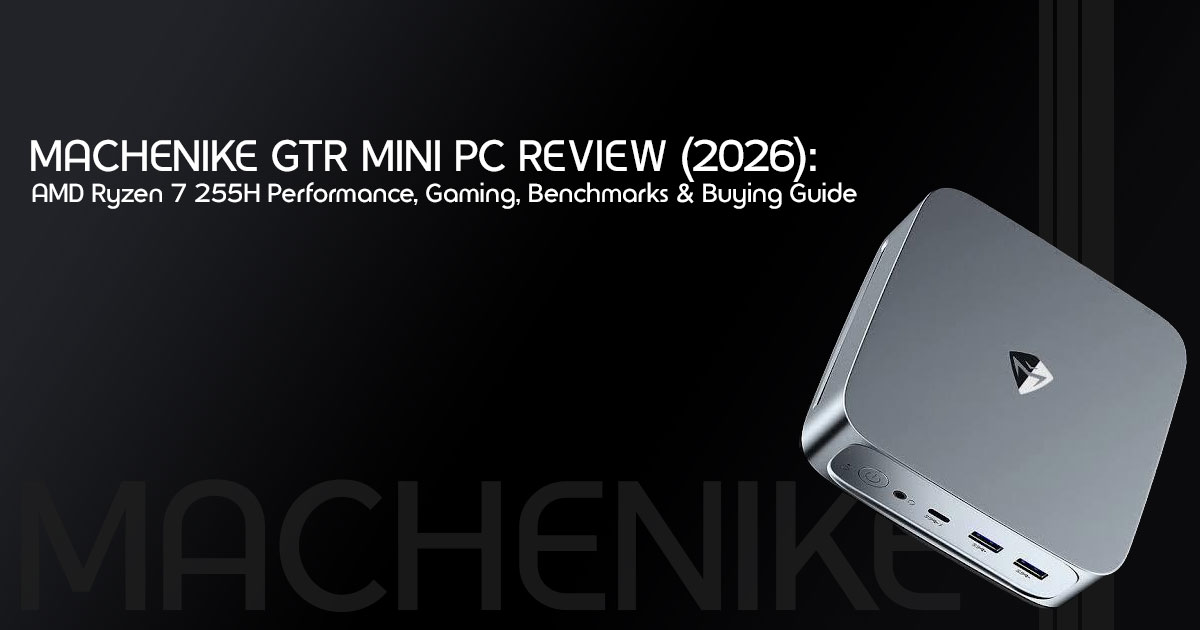
The Machenike GTR Mini PC is about the size of a hardcover book, yet it’s built around the AMD Ryzen 7 255H and Radeon 780M graphics—hardware capable of handling work, coding, content creation, and even casual gaming.
But here’s the question that actually matters:
Can a compact PC really replace a traditional desktop, or is it simply another product that looks impressive on paper?
That’s exactly what this review answers.
Instead of repeating a specification sheet, we’ll focus on what it’s actually like to own and use this machine every day. We’ll look at its real-world performance, upgrade options, cooling, noise levels, power efficiency, and whether it’s a smart purchase for the years ahead.
As technology experts with over 20 years of experience in hardware and application research and development, we evaluate products the same way experienced buyers do. We don’t judge a computer by processor names alone. We examine performance, durability, upgradeability, component quality, thermal design, and long-term value for money.
Whether you’re a student, office professional, software developer, content creator, business owner, IT professional, home office user, or someone looking to replace an aging desktop with a modern mini PC, this guide is designed to help you make a confident buying decision based on research, practical analysis, and industry experience.
If you’re wondering whether the Machenike GTR Mini PC deserves a place on your desk—or whether another mini PC offers better value—you’ll find the answer before you reach the end of this guide.
Whether you’re replacing an aging desktop or buying your first Mini PC, this review will help you decide if the Machenike GTR Mini PC is the right choice for your needs.
Quick Verdict
What Is the Machenike GTR Mini PC?
The Machenike GTR Mini PC is a 0.74-liter compact desktop powered by the AMD Ryzen 7 255H processor and Radeon 780M integrated graphics. Despite its small size, it’s built to handle demanding everyday workloads, including multitasking, office productivity, programming, photo editing, light video editing, and 1080p gaming.
Simply put, it aims to give you desktop performance without giving up half your desk.
Who Should Buy It?
This mini PC makes the most sense for people who need a fast computer every day but don’t need a bulky tower.
It’s an excellent fit for:
- Students who need a reliable computer for studying, research, and programming.
- Office professionals working with multiple applications throughout the day.
- Software developers running IDEs, virtual machines, and Docker containers.
- Content creators editing photos and producing light-to-moderate video projects.
- Business owners looking for compact yet capable office systems.
- Home theater enthusiasts building a clean entertainment setup.
- Casual gamers who enjoy esports titles and many modern games at 1080p.
Biggest Strengths
- Strong multi-core performance keeps demanding workloads smooth, even when multiple applications are running.
- Radeon 780M graphics deliver solid 1080p gaming without requiring a dedicated graphics card.
- USB4, multiple display outputs, and modern connectivity make it easy to build a flexible workstation.
- Dual DDR5 RAM slots and dual PCIe 2 SSD slots give you room to upgrade instead of replacing the entire system later.
- Its compact design saves desk space, uses less power, and fits almost anywhere.
Biggest Weaknesses
- The cooling fan becomes noticeable during long rendering sessions or sustained heavy workloads.
- The Ryzen 7 255H doesn’t include a dedicated AI NPU, so users running local AI models won’t get the hardware acceleration found on newer Ryzen AI chips.
- While the Radeon 780M is one of the strongest integrated GPUs available, it isn’t designed for 4K AAA gaming or professional GPU-intensive workloads.
Overall Recommendation
The Machenike GTR Mini PC proves that you don’t need a large desktop tower to get serious work done.
If your day revolves around productivity, coding, multitasking, content creation, or everyday computing, this machine offers an impressive balance of performance, upgradeability, efficiency, and value for money.
However, if your work depends on high-end AI processing, professional 3D rendering, or playing the latest AAA games at maximum settings, you’ll be better served by a desktop with a dedicated graphics card or a newer Ryzen AI platform.
For everyone else, the Machenike GTR Mini PC is a compact computer that delivers far more than its size suggests—and that’s exactly what makes it worth paying attention to in 2026.
2. What Is the Machenike GTR Mini PC?
2.1 Product overview
The Machenike GTR Mini PC is a high-performance desktop replacement that packs laptop-grade hardware into a tiny, desk-friendly chassis. Measuring just 0.74 liters in volume, it utilizes the AMD Ryzen 7 255H processor. While the AMD Ryzen 7 255H may sound like a completely new processor, it shares many of its specifications and the same Zen 4 architecture as the Ryzen 7 8745H. In everyday use, the two processors deliver very similar performance.
2.2 Who is this for?
This machine is built for people who want the power of a mid-range desktop without sacrificing desk space. It appeals to remote workers, software developers, digital artists doing light photo editing, and casual gamers who want a clean, minimalist setup.
2.3 Why Mini PCs are becoming popular
Gone are the days when you needed a massive, heat-generating tower just to open a few Excel spreadsheets and browse the web. Modern processors like the AMD Ryzen 7 255H have become powerful enough to handle most everyday work while using much less power than older desktop CPUs. Mini PCs offer a clutter-free aesthetic, consume significantly less electricity, and are easy to mount behind a monitor or tuck away on a shelf.
2.4 Where this model fits in the market
The Machenike GTR sits comfortably in the premium mid-range segment. It competes directly with popular models from Beelink and Minisforum. While it doesn’t have the absolute latest AI-focused silicon, it provides a very strong price-to-performance ratio for users who care more about raw CPU speed and integrated graphics than niche AI features.
3. Specifications at a Glance
Here is exactly what we are getting inside the box:
| Component | Specification |
| CPU | AMD Ryzen 7 255H (8 Cores, 16 Threads, up to 4.9 GHz) |
| GPU | AMD Radeon 780M Integrated Graphics (12 Compute Units, up to 2.6 GHz) |
| Memory | Up to 64GB DDR5-5600 via Dual SO-DIMM slots |
| Storage | Dual PCIe 4.0 M.2 NVMe SSD slots |
| Networking | 2.5 Gigabit Ethernet (2.5GbE) |
| Ports | USB4, USB-A 3.2, HDMI, DisplayPort, and 3.5mm Audio Jack |
| Wireless | Wi-Fi 6 and Bluetooth 5.3 |
| Chassis Volume | 0.74L Compact Mini PC |
| Weight | Approximately 1.5 lbs (≈680g, varies slightly by configuration) |
| Power Adapter | External AC Power Adapter (typically 100W–120W) |
4. What Does the Ryzen 7 255H Actually Offer?
4.1 Zen architecture
The Ryzen 7 255H is built on AMD’s highly efficient Zen 4 architecture. This means it benefits from significant improvements in instructions per clock (IPC) compared to older Zen 3 chips, resulting in snappier everyday performance and better power efficiency.
4.2 Core layout
With 8 physical cores and 16 threads, this processor is a multitasking powerhouse. We can easily run a video call, have dozens of browser tabs open, and compile code simultaneously without the system breaking a sweat.
4.3 AI improvements
One important difference is that, while the Ryzen 7 255H is part of the Hawk Point family, its dedicated Neural Processing Unit (NPU) is disabled. This means it relies on the CPU and GPU for AI tasks. It can still run local AI models, but it won’t be as efficient as chips with active NPUs like the Ryzen 9 8945HS.
4.4 Efficiency
Built on a 4nm manufacturing process, the Ryzen 7 255H is incredibly power-efficient. It operates within a 35W to 54W power envelope, which keeps electricity costs low while delivering performance that rivals older desktop processors that consumed twice as much power.
4.5 Integrated graphics
One of the biggest highlights is the Radeon 780M integrated graphics. With 12 Compute Units based on the RDNA 3 architecture, it is currently one of the best integrated graphics solutions on the market, capable of handling modern games at reasonable settings.
4.6 Expected lifespan
Given the 8-core architecture and DDR5 support, this Mini PC should easily remain fast and relevant for the next 4 to 5 years for general productivity and media consumption.
5. Real-World Performance
5.1 Office Productivity
For most office users, the Machenike GTR Mini PC offers more performance than they’ll ever need. Everyday tasks feel fast, responsive, and smooth.
- Microsoft Excel handles large spreadsheets, complex formulas, and macros smoothly, even when multiple files are open.
- Microsoft Word runs smoothly, even with large documents that include images, tables, and detailed formatting.
- PowerPoint: Smooth transitions and quick rendering of media-heavy presentations.
- Video calls in Microsoft Teams and Zoom run smoothly, including screen sharing and background effects on supported configurations.
5.2 Content Creation
It is a capable machine for hobbyists and entry-level professionals.
- Photoshop: Very responsive for standard photo editing and graphic design.
- Lightroom: Batch exporting RAW files is surprisingly fast thanks to the 8 cores.
- Premiere Pro: We can comfortably edit 1080p and basic 4K timelines, though heavy color grading or complex effects will slow it down.
- DaVinci Resolve: Similar to Premiere, it works well for basic cuts, but the lack of dedicated VRAM limits heavy node-based compositing.
5.3 Programming
For software developers, the Machenike GTR Mini PC has more than enough processing power for everyday coding, testing, and multitasking.
- VS Code: Opens instantly; extensions run smoothly.
- Docker: Running multiple containers is smooth, especially with 32GB or more of DDR5 RAM.
- Android Studio: Emulators load quickly, and build times are respectable.
- Visual Studio: Compiling large C# or C++ projects is fast and efficient.
5.4 AI Workloads
Without an NPU, AI performance is decent but not class-leading.
- Local language models: The system can comfortably run smaller open-weight language models in the 7B to 8B parameter range through applications such as LM Studio or Ollama, although response times won’t match systems with dedicated GPUs.
- Stable Diffusion: It can generate images locally, although rendering times are noticeably longer than systems equipped with a dedicated graphics card.
- Ollama: Good for basic text generation and coding assistance.
- AI coding assistants: Tools like GitHub Copilot run perfectly since they rely on cloud processing.
6. Gaming Performance Expectations
The Radeon 780M is impressive, but it is still integrated graphics. Here’s a general idea of the gaming performance you can expect.
| Game | 720p (Low/Medium) | 1080p (Low) | 1080p (Medium) |
| Valorant | 200+ FPS | 160+ FPS | 120+ FPS |
| Counter-Strike 2 (CS2) | 180+ FPS | 120+ FPS | 90+ FPS |
| Fortnite | 120+ FPS | 90+ FPS | 60+ FPS |
| Grand Theft Auto V (GTA V) | 100+ FPS | 80+ FPS | 60+ FPS |
| Cyberpunk 2077 | 50+ FPS | 35+ FPS | Not Recommended |
| Forza Horizon 5 | 80+ FPS | 60+ FPS | 45+ FPS |
Note: These frame rates are estimated using dual-channel DDR5 memory. Actual gaming performance depends on memory configuration, BIOS settings, cooling, graphics settings, game updates, and driver versions.
7. Display Support Explained
7.1 Number of monitors
The Machenike GTR Mini PC can support up to four displays, depending on the specific hardware configuration and available display outputs.
7.2 USB-C display output
USB4 typically supports DisplayPort Alt Mode, allowing compatible monitors to connect through a single cable.
7.3 HDMI & DisplayPort
It includes standard HDMI and DisplayPort outputs, ensuring compatibility with almost any modern monitor or TV.
7.4 Refresh rate & 4K support
It supports 4K display output, although the maximum refresh rate depends on the display interface, monitor, cable, and overall system configuration.
Higher refresh rates at 1080p and 1440p are supported when the monitor, cable, and display interface support those modes.
7.5 Productivity setup examples
- The Coder: Two 27-inch 4K monitors (one vertical, one horizontal).
- The Trader: Three 1080p monitors for charting and news feeds.
- The Minimalist: A single 34-inch ultrawide monitor connected via a single USB-C cable.
8. Connectivity Breakdown
Let’s cut through the jargon. What can we actually connect to this thing?
- USB4 Port: USB4 is one of the most versatile ports on the We can connect a high-speed external SSD, a portable monitor, or even an external graphics card (eGPU) if we want to boost gaming performance later.
- USB-A 2: Perfect for fast external hard drives, webcams, or high-end audio interfaces.
- HDMI & DisplayPort: Plug these directly into your monitors or
- 5G Ethernet: Provides a wired internet connection that is 2.5 times faster than standard Gigabit Ethernet—great for NAS users or gigabit internet plans.
- 5mm Audio: Plug in your standard headphones or desktop speakers.
9. Mini PC Upgrade Guide
One of the best things about the Machenike GTR is that it isn’t a sealed box.
- RAM slots: It features two standard DDR5 SO-DIMM If we buy the 16GB version, we can easily swap them out later.
- Maximum capacity: It supports up to 64GB of RAM, which is plenty for heavy virtualization or massive video projects.
- SSD installation: There are two PCIe 0 M.2 slots. Adding a second drive for extra storage takes about five minutes and a small Phillips screwdriver.
- Future upgrades: While we cannot upgrade the CPU or GPU (they are soldered to the board), upgrading the RAM and storage will keep the system feeling fast for years.
10. Cooling and Noise Expectations
Packing this much power into a 0.74L box comes with thermal challenges.
- Airflow: The chassis is designed with vents to pull in cool air and exhaust heat out the back.
- Fan curve: During light tasks like web browsing or typing in Word, the fan is practically silent.
- Sustained load: When gaming, rendering video, or running heavy updates, the fan spins up significantly. It produces a noticeable “whoosh” sound that might annoy users who prefer a very quiet workspace.
- Office environment: In a typical office with ambient noise, we likely won’t notice In a quiet bedroom at night, we definitely will.
11. Power Consumption and Efficiency
Mini PCs are incredibly energy-efficient compared to traditional desktops.
| Usage Scenario | Estimated Power Draw |
| Idle (Desktop) | 8W–12W |
| 4K Video Playback (YouTube) | 15W–20W |
| 1080p Gaming | 45W–60W |
| Heavy Rendering (100% CPU Load) | 55W–65W |
Electricity costs vary depending on where you live and your local energy rates. Even so, the Machenike GTR Mini PC uses much less power than a traditional desktop, making it an energy-efficient option for everyday computing.
12. Who Should Buy the Machenike GTR?
- Students: Perfect for dorm It handles all coursework, research, and light gaming without taking up valuable desk space.
- Developers: The 8-core CPU and expandable RAM make it an excellent, affordable coding machine for running local servers and Docker containers.
- Designers: Great for web design, UI/UX work, and standard photo editing.
- Office workers: A noticeable upgrade over many older office desktops and laptops, with faster multitasking and quicker application loading.
- Small businesses: Cost-effective, easy to deploy, and takes up zero space at a reception desk or cubicle.
- Home theater users: A great choice for a living room media center. It handles 4K video playback smoothly and works well as a compact media center for streaming, local media libraries, and retro game emulation for many classic console generations.
- Casual gamers: If we play esports titles (Valorant, CS2) or older games, this will serve us perfectly well.
13. Who Should Skip It?
We are better off choosing something else if we fall into these categories:
- Gaming desktop: If we want to play Cyberpunk 2077 or Alan Wake 2 at high settings with ray tracing, we need a full-sized desktop with a dedicated Nvidia or AMD graphics card.
- Gaming laptop: If we need portability and a built-in screen, buy a This Mini PC requires a separate monitor, keyboard, and mouse.
- Workstation: If our job involves heavy 3D rendering (Blender, Maya) or complex AI model training, we need a machine with a dedicated GPU and massive amounts of VRAM.
- Intel Mini PC: If our specific workflow relies heavily on Intel Quick Sync for video encoding or specific Intel-optimized software, look at mini PCs with Core Ultra processors.
14. Machenike GTR vs Competitors
How does the Machenike GTR Mini PC compare with some of the best Mini PCs available today?
| Feature | Machenike GTR (Ryzen 7 255H) |
Beelink SER9 Pro | GEEKOM A8 Mini PC |
| Processor | AMD Ryzen 7 255H | AMD Ryzen AI 9 HX 370 (Configuration may vary) |
AMD Ryzen 9 8945HS (Configuration may vary) |
| Graphics | AMD Radeon 780M | AMD Radeon 890M | AMD Radeon 780M |
| CPU Performance | Strong for productivity, programming, and multitasking | Outstanding for demanding workloads and AI-assisted applications | Excellent for productivity and creative workloads |
| Gaming Performance | Very good for 1080p gaming | Excellent integrated graphics performance | Very good for 1080p gaming |
| AI Capabilities | No dedicated NPU | Built-in Ryzen AI NPU for supported AI workloads | Built-in Ryzen AI NPU for supported AI features |
| Memory & Storage | Dual DDR5 SO-DIMM slots and dual PCIe 4.0 M.2 SSD slots | Upgradeable DDR5 RAM and PCIe 4.0 SSD | Upgradeable DDR5 RAM and PCIe 4.0 SSD |
| Connectivity | USB4, HDMI, DisplayPort, 2.5GbE, Wi-Fi 6 | USB4, HDMI, DisplayPort, 2.5GbE, Wi-Fi 6E | USB4, HDMI, USB-C, 2.5GbE, Wi-Fi 6E |
| Noise Levels | Noticeable under sustained heavy workloads | Generally quiet during everyday use | Quiet during everyday workloads |
| Best For | Developers, office professionals, students, and budget-conscious power users | Professionals, AI workloads, creators, and users seeking AMD’s latest platform | Home offices, creators, business users, and everyday productivity |
| Overall Value | Excellent balance of performance and price | Highest performance, but also the most expensive option | Premium features with an excellent balance of performance and reliability |
Our Verdict
- Choose the Machenike GTR if you’re looking for the best balance of performance, upgradeability, and value for money.
- Choose the Beelink SER9 Pro if you want the latest AMD Ryzen AI platform, stronger integrated graphics, and better support for AI-assisted workloads.
- Choose the GEEKOM A8 if you prefer a polished, premium mini PC for productivity, content creation, and business use.
Note: Hardware specifications may vary depending on the region and configuration. Always check the product listing before purchasing.
15. Common Buyer Mistakes
- Buying insufficient RAM: Do not buy the 8GB version if it Windows 11 and modern browsers need 16GB minimum. If we plan to game, the integrated GPU shares system RAM, so 32GB is the sweet spot.
- Ignoring cooling: Don’t shove this PC into a closed drawer or a tight, unventilated cabinet. It needs to breathe.
- Underestimating storage needs: Modern games are A 512GB drive will fill up fast. Plan to add a second SSD if we download a lot of media.
- Expecting AAA gaming: It is a powerful integrated GPU, but it is not an RTX Manage expectations for modern, graphically intense games.
- Using slow external drives: If we need external storage, use the USB4 or USB 2 ports with a fast NVMe enclosure, not an old spinning hard drive.
16. Frequently Asked Questions
Can the Machenike GTR replace a desktop?
For most users, yes. Unless we need a dedicated graphics card for high-end gaming or heavy 3D rendering, this Mini PC offers the same everyday performance as a full-sized desktop.
Can it edit 4K videos?
Yes, it can handle basic 4K video editing in Premiere Pro or DaVinci Resolve. However, if we use heavy effects or complex color grading, the lack of a dedicated GPU will cause slowdowns.
Does it support Linux?
Yes. AMD processors and graphics generally have excellent open-source driver support, making this a great machine for Ubuntu, Mint, or other Linux distributions.
Can I upgrade the SSD?
Absolutely. It features two PCIe 4.0 M.2 slots, allowing us to easily add more storage or replace the existing drive.
Does it support three monitors?
Yes, it can support up to four monitors using the HDMI, DisplayPort, and USB-C/USB4 ports.
Is it good for programming?
It is excellent for programming. The 8-core processor and support for up to 64GB of RAM make it ideal for running IDEs, compiling code, and managing Docker containers.
Can it run Docker?
Yes, very well. The multi-core CPU and expandable memory allow us to run multiple Docker containers simultaneously without system lag.
Is it suitable for Plex?
Yes. It works well as a Plex Media Server for most home users, although the number of simultaneous transcodes depends on the video format and playback requirements.
Is it good for students?
It is highly recommended for students. It saves desk space, handles all academic software, and is affordable compared to similarly specced laptops.
How long should it last?
For general office work, web browsing, and media consumption, this machine should easily last 4 to 5 years before feeling sluggish.
Does the Machenike GTR support an external GPU (eGPU)?
Yes. Since the USB4 port supports high-speed data transfer, the Machenike GTR Mini PC can work with compatible external GPU (eGPU) enclosures. While an eGPU won’t match the performance of a desktop graphics card connected directly through PCIe, it can provide a noticeable boost for gaming, video editing, and GPU-intensive workloads.
17. Pros and Cons
Pros:
- Strong multi-core CPU performance for everyday productivity, programming, and content creation.
- Radeon 780M graphics handle casual and esports gaming well.
- Excellent port selection, including USB4.
- Highly upgradeable RAM and storage.
- Very space-efficient and power-efficient.
Cons:
- Fan noise can be distracting under heavy workloads.
- Lacks an active NPU for hardware-accelerated AI tasks.
- Not capable of high-end AAA gaming.
- Requires you to provide your own monitor, keyboard, and mouse.
18. Final Buying Recommendation
The Machenike GTR Mini PC powered by the Ryzen 7 255H shows just how capable modern compact computers have become. It delivers strong performance for office work, content creation, and software development, while taking up only a fraction of the space of a traditional desktop.
Check the latest price on the official site here.
Best for productivity:
If you need a responsive computer for office work, online classes, web browsing, spreadsheets, or multitasking, this mini PC is an excellent choice. Its compact footprint also makes it ideal for clean and organized workspaces.
Best for developers:
With its 8-core processor, fast DDR5 memory, and upgradeable storage, the Machenike GTR is well-suited for programming, running virtual machines, Docker containers, and handling demanding development environments.
Best for creators:
For photographers, graphic designers, and content creators, the system offers enough power for applications like Adobe Photoshop, Lightroom, and light-to-moderate video editing.
While it isn’t designed as a professional workstation, it provides impressive performance for its size and price.
Not recommended for high-end gamers:
If your primary goal is playing the latest AAA games at ultra settings with high frame rates, you’ll get better value from a desktop or gaming laptop equipped with a dedicated graphics card.
Overall, if you want a compact desktop PC that delivers strong everyday performance, good upgrade options, and modern connectivity, the Machenike GTR Mini PC is well worth considering in 2026.
Best Alternatives You Can Buy on Amazon US
If the Machenike GTR isn’t available in your region or you’d like to compare similar options before making a purchase, these mini PCs are worth considering:
- Beelink SER9 Pro – A premium AMD-powered mini PC known for its strong multi-core performance, quiet operation, and excellent upgrade options. It’s a great choice for developers, professionals, and power users.
- GEEKOM A8 Mini PC – Designed for productivity and content creation, the GEEKOM A8 offers modern AMD hardware, multiple display support, fast connectivity, and a compact premium build.
Before making your final decision, compare pricing, available RAM and storage configurations, warranty coverage, and upgrade options to ensure you’re getting the model that best matches your workload and budget.
Have you switched to a mini PC, or are you still using a traditional desktop tower? Share your experience in the comments below. If you have any questions about whether the Machenike GTR Mini PC is the right fit for your workflow, feel free to ask—we’d be happy to help.
***Disclaimer***
This blog post reflects our research, analysis, and opinions based on available product information, user feedback, and industry knowledge. It should not be taken as the official position of any brand, manufacturer, or company mentioned here. While we aim to keep information accurate and up to date, product details, pricing, and availability can change. We recommend double-checking important details before making a purchase.
Some links in this article may be affiliate links. If you choose to buy through these links, we may earn a small commission at no extra cost to you. This helps support our work and allows us to keep publishing in-depth, unbiased reviews. Our recommendations are never influenced by affiliate partnerships.
Comments shared by readers reflect their own views and not ours. We are not responsible for outcomes resulting from the use of information on this site. Please seek professional advice where appropriate.
All product names, logos, and brands mentioned are the property of their respective owners. These names are used for identification and informational purposes only and do not imply endorsement.
