
A keyboard and mouse are easy to overlook when building a PC setup. Most people spend more time comparing a monitor or processor and then pick a keyboard and mouse based on price. That can be a mistake if you use them for work, study, browsing, or long hours at a desk.
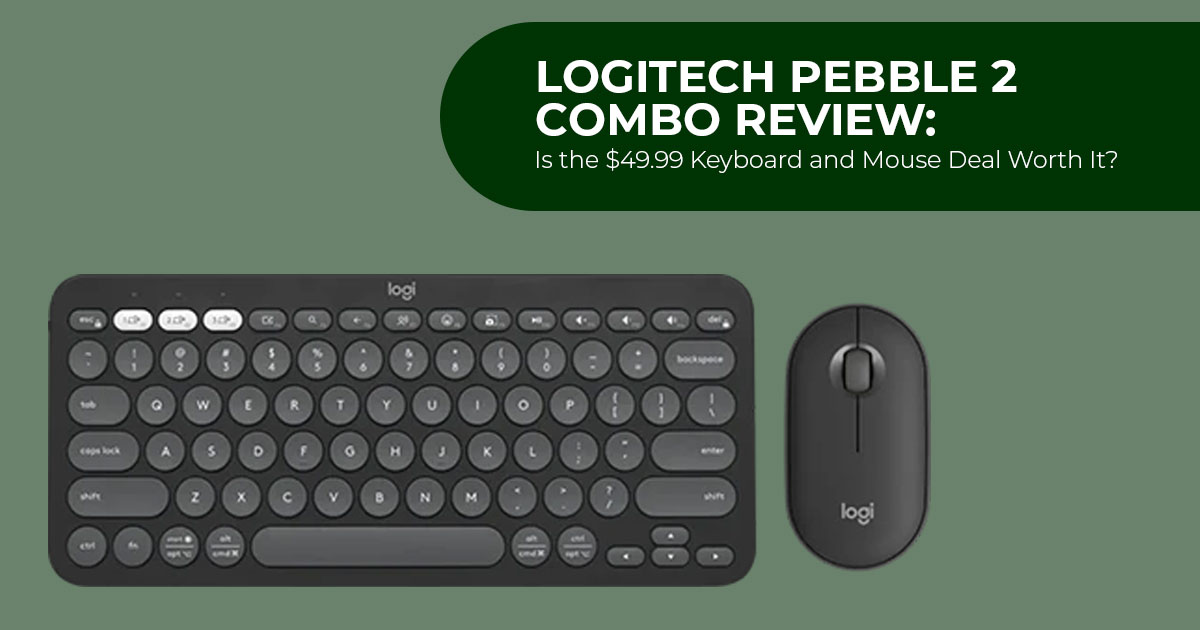
The Logitech Pebble 2 Combo targets people who want a compact wireless keyboard and mouse without spending much. It is aimed at students, office workers, remote workers, and everyday PC users who want a simple setup with a small footprint.
At the time of our price check, the combo was listed at $49.99 on Amazon US, down from its $59.99 list price. Logitech’s US store listed it at $59.99. Amazon’s 17% discount reflects the difference between $49.99 and $59.99 after rounding.
We have not physically tested this bundle. Our assessment is based on Logitech’s official specifications, retailer listings, published reviews of the individual keyboard and mouse, and owner reports. When figures differed between sources, we used Logitech’s specifications as the reference.
With more than 20 years of experience in hardware and application research and development, we assess products based on performance, durability, usability, and value for money. For the Logitech Pebble 2 Combo, that means looking at what matters in daily use: comfort, connectivity, battery life, build quality, features, and long-term value.
Check the current price of the Logitech Pebble 2 Combo on Amazon US and Amazon India→
Logitech Pebble 2 Combo Price and Availability
Here is how the Logitech Pebble 2 Combo price stands across the two markets this article covers.
| Market | Price Type | Listed Price | Reference Price | Stated Discount |
|---|---|---|---|---|
| Amazon US | Current sale price | $49.99 | $59.99 list price | ~17% |
| Logitech.com (US) | Current listed price | $59.99 | $59.99 list price | 0% |
| Amazon India | Current sale price | ₹4,595 | ₹5,995 M.R.P. | ~23% |
In the US, Amazon’s listing includes Black, Tonal Rose, and Tonal White at the reduced price, while Logitech’s store lists Tonal Graphite at $59.99. The Amazon listing does not show an end date for the promotion, and color availability can change independently of price.
Price history suggests that $49.99 is a recurring sale price rather than an unusually low price. If you want the bundle now, it is a reasonable price; buyers who are not in a hurry may find a similar discount later.
What the Bundle Includes: Pebble Keys 2 K380s and Pebble Mouse 2 M350s
The Logitech Pebble 2 Combo pairs two products that Logitech also sells separately, in matching colors:
- Logitech Pebble Keys 2 K380s — the compact wireless Bluetooth keyboard
- Logitech Pebble Mouse 2 M350s — the slim wireless mouse with silent clicks Both products are also sold separately, making it easy to compare the bundle’s
Verified specifications
| Specification | Pebble Keys 2 K380s | Pebble Mouse 2 M350s |
|---|---|---|
| Dimensions | 279 × 124 × 16 mm | 106.7 × 58.7 × 26.62 mm |
| Weight | 415 g with batteries | 76 g with battery |
| Power Source | 2× AAA alkaline batteries, pre-installed | 1× AA battery, pre-installed |
| Stated Battery Life | Up to 36 months | Up to 24 months |
| Wireless | Bluetooth Low Energy, Logi Bolt | Bluetooth Low Energy, Logi Bolt |
| Paired Devices | Up to 3 devices via Easy-Switch | Up to 3 devices |
| Input Mechanism | Scooped, round, low-profile keys | Optical sensor |
| Click Technology | — | Silent Touch Technology |
| Sensor Range | — | 400–4,000 DPI, adjustable |
| Buttons | — | 3 buttons, symmetrical shell |
| Backlight | None | — |
| Number Pad | None | — |
| Customization | 10 customizable Fn keys via Logi Options+ | Customizable middle button via Logi Options+ |
| Current US Price | $39.99 | $24.99 |
There is some confusion around the DPI figure. Some comparison sites list this mouse at 1,000 DPI. That specification belongs to the discontinued M350, not the M350s in this bundle. Logitech’s product documentation states an adjustable 400–4,000 DPI range, and reviews of the newer unit also distinguish the M350s from the older M350 by its updated sensor specification.
How Quiet Is the Pebble 2 Combo?
Quiet operation is one of the main reasons to consider this combo, but the keyboard and mouse achieve it in different ways.
Logitech describes the keyboard as having quiet, low-profile keys with a laptop-like typing feel and says the M350s produces over 90% less click noise than the M185. The Silent Touch claim applies only to the mouse, not the keyboard.
The Pebble Keys 2 K380s is quiet because of its low-profile key design with short travel, similar to a laptop keyboard. The mouse uses Silent Touch Technology, while the keyboard relies on its low-profile key design for quieter typing.
Published reviews of the M350s describe the clicks as very quiet while retaining a tactile feel. Because we did not test the mouse ourselves, we treat these observations as reviewer feedback rather than our own testing.
Published reviews describe the keyboard as quiet but not silent. One review noted that the space bar is louder than the surrounding keys, while another found the overall noise level suitable for a shared office. These are reviewer observations, not results from our own testing.
For buyers: for video calls, shared rooms, or typing while someone sleeps nearby, the lower noise level should be useful. If noise is your main concern, the mouse is quieter than the keyboard.
Multi-Device Easy-Switch and Compatibility
Both units support Bluetooth, and the combo also includes a Logi Bolt USB receiver. Logitech’s product page confirms the receiver is part of the bundle. The standalone Pebble Mouse 2 M350s is sold without the receiver, while the combo includes one.
The Easy-Switch function is the practical highlight. You can pair up to three devices and move between them with a single key press.
Logitech lists the Pebble 2 Combo as compatible with Windows, macOS, iPadOS, iOS, Android, ChromeOS and Linux. The combo also includes a Logi Bolt USB receiver for compatible devices.
In practical terms, one keyboard and mouse can serve a work laptop, a personal desktop, and a tablet without having to pair them again each time.
This is not a gaming-focused keyboard and mouse. If fast-paced gaming is your priority, a dedicated gaming keyboard and mouse would be a better choice.
View the latest Logitech Pebble 2 Combo offers on Amazon US and Amazon India→
Battery Life and Materials
Battery endurance is a genuine strength, and it follows directly from a design choice some buyers will dislike.
The keyboard runs on two AAA batteries rated at up to 36 months. The mouse uses one AA battery rated at up to 24 months. Both come pre-installed. The keyboard also has an auto-sleep power-saving mode and an on/off switch.
Logitech’s battery figures are estimates based on typical use, but they still mean you should rarely need to replace the batteries.
There is no rechargeable battery or USB-C port. Some buyers prefer replaceable batteries because a flat battery can be replaced in seconds. Others may prefer USB-C charging and view replaceable alkaline batteries as a drawback.
On materials, Logitech states the combo range uses more than 45% recycled plastic, with the figure varying by color. Documentation for the Pebble Keys 2 K380s specifies a minimum of 49% post-consumer recycled content, rising to 64% on Tonal Graphite. These percentages exclude the printed wiring assembly and packaging.
Does the Combo Cost Less Than Buying Separately?
This is the clearest financial argument for the bundle, based on Logitech’s own standalone pricing.
| Purchase Route | US Price | Total |
|---|---|---|
| Pebble Keys 2 K380s alone | $39.99 | — |
| Pebble Mouse 2 M350s alone | $24.99 | — |
| Both purchased separately at current Logitech US prices | — | $64.98 |
| Pebble 2 Combo at Amazon sale price | — | $49.99 |
| Difference / Savings | — | $14.99 |
Standalone prices fluctuate, and each unit goes on sale independently. The Pebble Keys 2 K380s has been tracked as low as around $32.99 on its own during past promotions.
Practical takeaway: at Amazon’s $49.99 sale price, the bundle is cheaper than buying both products separately. If you only need one, buy that unit separately. The individual products offer the same core features, but the combo includes the Logi Bolt receiver.
Limitations of the Logitech Pebble 2 Combo
These are the main constraints reported in published reviews and owner reports, and they explain why some buyers may prefer a different product.
Round keycaps require adjustment. The circular keys are the design signature and they divide opinion. Reviewers noted the keycaps are small and demand precise finger placement. Several described a real adjustment period, and at least one owner said they did not fully adapt after moving from square keycaps.
No backlight. There is no key illumination, and no illumination option exists in the software. For anyone who works in dim conditions without touch-typing confidently, this is a daily limitation.
No number pad. Logitech describes the layout as minimalist. It retains the function row and arrow keys but omits the numeric keypad. A full-size keyboard is a better choice for frequent number entry.
Fixed typing angle. There are no adjustable feet and the 16 mm profile sits low and flat. Reviewers who prefer a raised angle flagged this, and it cannot be changed without propping the keyboard up manually.
The mouse has a flat profile. At 26.62 mm tall with a symmetrical shell, the Pebble Mouse 2 M350s is not a sculpted ergonomic design. Some reviewers found its flat shape more suitable for travel and secondary setups than long sessions at a fixed desk. The symmetrical shape does make it usable left-handed, which sculpted mice generally are not.
Some chassis flex is possible. The keyboard weighs 415 g with batteries. One published review noted some deck flex and described the build as feeling somewhat inexpensive, while still considering it sturdy overall. This is a reviewer observation rather than a result from our own testing.
One long-term durability report is worth noting. One owner reported that the left mouse button developed misclicks and double-clicks after roughly two years of heavy use. This is a single owner report, not an established pattern or a result from our own testing, but it is worth noting for buyers concerned about long-term durability.
How the Pebble 2 Combo Compares to Other Logitech Combos
The Pebble 2 Combo competes with several Logitech sets that make different trade-offs. Prices are Logitech’s own US listings at the time of writing and change with ongoing promotions.
| Model | Listed US Price | Layout | Connection | Multi-Device | Distinguishing Characteristic |
|---|---|---|---|---|---|
| Logitech Pebble 2 Combo | $59.99 | Compact, no numpad | Bluetooth + Logi Bolt | Up to 3 devices | Slim profile with a Silent Touch mouse |
| Logitech POP Icon Combo | $69.99 | Compact with extra navigation keys | Bluetooth + receiver | Up to 3 devices | Larger keycaps and additional shortcut/navigation keys |
| Logitech MK295 Silent Wireless Combo | $34.99 | Full-size with numpad | 2.4GHz receiver only | No | Low-cost full-size option with numpad and quiet operation |
| Logitech MK270 Wireless Combo | $29.99 | Full-size with numpad | 2.4GHz receiver only | No | Lowest-priced option in this comparison |
| Logitech Wave Keys MK670 Combo | $89.99 | Full-size with cushioned palm rest | 2.4GHz + Bluetooth | Yes | Ergonomic shaping and wrist support for longer work sessions |
Pebble 2 Combo compared with POP Icon Combo
The two combos make different trade-offs. The Pebble 2 Combo is slimmer and lighter, which may suit people who carry their peripherals. The POP Icon Combo uses larger keycaps and adds Home, End, Page Up, and Page Down keys, which some owners found useful for navigating documents and web pages.
One owner who had used both products described the difference as a matter of use case rather than overall quality. In that user’s experience, the POP Icon scroll wheel felt faster and quieter, while the Pebble 2 keyboard was preferable for its slimmer, lighter design. The same user valued the POP Icon’s extra keys more when portability was not a priority. Some owners with medium or large hands also preferred the POP Icon’s larger keycaps.
We should be clear that these points come from owner reports rather than manufacturer specifications or independent testing.
Pebble 2 Combo compared with MK295 Silent Wireless Combo
These suit different desks. At Amazon’s $49.99 sale price, the MK295 is $15 cheaper, is full-size, and includes a number pad. What it does not offer is Bluetooth or multi-device switching
— it uses a single 2.4GHz receiver and connects to one machine at a time.
If you work at one desk with one computer and want a numpad, the MK295 is the more sensible purchase and costs less. If you move between a laptop, tablet, and desktop, the Pebble 2 Combo is built for that and the MK295 is not.
Who the Logitech Pebble 2 Combo Suits
This bundle is a reasonable fit if you:
- Work in a shared office, co-working space, or a home with people nearby and want to reduce click and key noise
- Move between two or three devices and want one keyboard and mouse across all of them
- Have a small desk or prefer a minimal setup
- Travel or commute with peripherals and need something slim and light
- Use a mix of platforms, particularly Windows, macOS, iPadOS, or Android
- Prefer long replaceable-battery life over recharging
- Are left-handed, since the mouse uses a symmetrical shell
- Are a student buying a first proper keyboard and mouse on a limited budget
Consider a different product if you:
- Need a number pad for accounting, data entry, or spreadsheet work
- Type in low light and depend on a backlight
- Find the round keycaps uncomfortable or difficult to adapt to
- Want a sculpted ergonomic mouse for long sessions at a fixed desk
- Play fast-paced games and want gaming-focused keyboard and mouse performance
- Prefer USB-C rechargeable peripherals
- Want an adjustable typing angle
Frequently Asked Questions
Is the Logitech Pebble 2 Combo worth buying at Amazon’s $49.99 sale price?
At Amazon’s $49.99 sale price, it costs $14.99 less than buying the Pebble Keys 2 K380s ($39.99) and Pebble Mouse 2 M350s ($24.99) separately from Logitech. For buyers wanting a quiet, slim, multi-device set who do not need a number pad or backlight, that is a reasonable saving. Buyers needing a number pad should consider a full-size alternative.
How long does the Pebble 2 Combo battery last?
Logitech states up to 36 months for the keyboard on two AAA batteries and up to 24 months for the mouse on one AA battery, with batteries pre-installed. These are estimates for typical use and vary with conditions.
Does the Pebble Keys 2 K380s have a backlight?
No. The keyboard has no backlighting and no illumination setting in Logi Options+. Buyers who type in dim conditions should account for this.
Does the Pebble 2 Combo have a number pad?
No. Logitech describes the layout as minimalist. It keeps the function row and arrow keys but omits the numeric keypad. The full-size Logitech MK295 Silent Wireless Combo or MK270 Wireless Combo are better suited to frequent number entry.
Is the Pebble Mouse 2 M350s genuinely silent?
Logitech states the mouse produces over 90% less click noise compared with the Logitech M185 through Silent Touch Technology. Reviewers describe the clicks as very quiet while remaining tactile. “Quiet” is more accurate than “silent,” but the reduction is substantial. This claim applies to the mouse only, not the keyboard.
Does the Pebble 2 Combo work with iPad, Mac, and Chromebook?
Logitech lists the Pebble 2 Combo as compatible with Windows, macOS, iPadOS, iOS, Android, ChromeOS and Linux. The combo also includes a Logi Bolt USB receiver. A separate Logitech Pebble 2 Combo for Mac variant is also sold, with its own pricing.
Can it connect to more than one device at a time?
It pairs with up to three devices and switches between them using Easy-Switch.
Is the Logi Bolt receiver included?
Logitech’s official combo page states the Logi Bolt receiver is included with the bundle. The standalone Pebble Mouse 2 M350s documentation states its receiver is sold separately, so buyers who want a receiver should note the difference between the bundle and individual units.
Are the round keycaps difficult to type on?
Published reviews and owner reports describe an adjustment period with the round keycaps. The keys are small and circular, so they can require more precise finger placement than standard square keycaps. The experience varies from person to person.
Final Assessment
The Logitech Pebble 2 Combo is a focused product rather than a general-purpose one. It handles a specific set of requirements well: quiet operation, a slim and portable form, clean switching across three devices, and multi-year battery life from included cells. At Amazon’s $49.99 sale price, it costs $14.99 less than buying the two components separately at their current Logitech US prices.
The limitations are clear: no number pad, no backlight, a fixed low typing angle, small round keycaps, and a flat mouse shell that reviewers often find better suited to travel than long sessions at a fixed desk.
Based on the available specifications, published testing, and owner feedback, buyers who move between devices and care about noise are likely to find this a sensible purchase at $49.99. If you work at one desk, enter a lot of numbers, or want a sculpted ergonomic mouse, another type of combo may suit you better.
The price history suggests that $49.99 is a recurring sale price, so buyers who are not in a hurry may find similar pricing again.
Where to Buy the Logitech Pebble 2 Combo
Amazon US
The Logitech Pebble 2 Combo is listed at $49.99 on Amazon US, reduced from $59.99, with Black, Tonal Rose, and Tonal White shown on the listing at the time of our price check. The set includes three-device Easy-Switch, a Logi Bolt receiver, and pre-installed batteries rated for up to 36 and 24 months. Amazon has not stated how long the reduction runs, so check the live listing before ordering.
Check the current price and available colors on Amazon US →
Amazon India
In India, the bundle is listed at ₹4,595 against an M.R.P. of ₹5,995. The hardware is the same Pebble Keys 2 K380s and Pebble Mouse 2 M350s pairing, with Bluetooth and Logi Bolt connectivity. Indian listings show additional color options including Graphite, Blue, Rose, Sand, and White, though availability varies by seller and color choice can affect the price.
View the latest Logitech Pebble 2 Combo offers on Amazon India →
Have you used the Logitech Pebble 2 Combo? Share your experience in the comments, especially if you have been using it for work or study.
If you found this review useful, follow us for more practical tech reviews, comparisons, and buying guides. And if you have any questions about the Pebble 2 Combo or want us to cover a specific feature, leave a comment—we’d be happy to help.
***Disclaimer***
This blog post reflects our research, analysis, and opinions based on available product information, user feedback, and industry knowledge. It should not be taken as the official position of any brand, manufacturer, or company mentioned here. We make every effort to keep this guide accurate, but product specifications, pricing, and availability may change after publication. We recommend double-checking important details before making a purchase.
Some links in this article may be affiliate links. If you choose to buy through these links, we may earn a small commission at no extra cost to you. This helps support our work and allows us to keep publishing in-depth, unbiased reviews. Affiliate partnerships never influence our recommendations.
Opinions expressed by readers are their own and do not necessarily reflect ours. We are not responsible for outcomes resulting from the use of information on this site. Please seek professional advice where appropriate.
All product names, logos, and brands mentioned are the property of their respective owners. These names are used for identification and informational purposes only and do not imply endorsement.
