
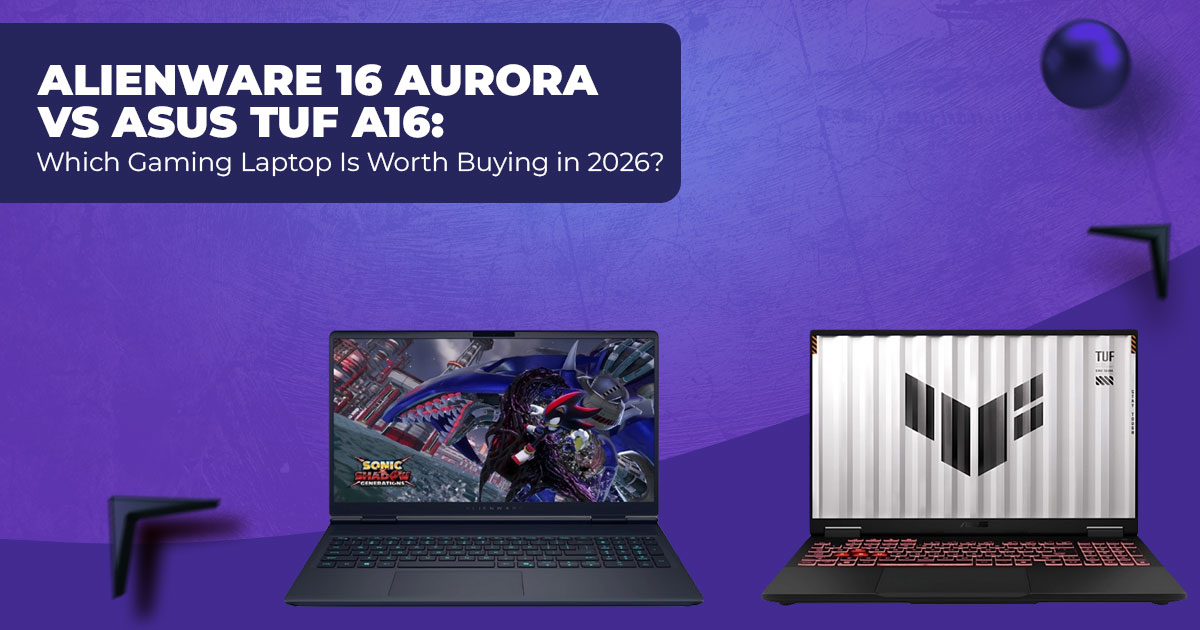
If you’re choosing between the Alienware 16 Aurora and the ASUS TUF A16, the decision comes down to how you’ll actually use the laptop. Alienware feels more refined, runs cooler, and costs less. ASUS delivers stronger gaming performance and a faster, brighter screen. One favors comfort and balance. The other favors raw power.
Buy Alienware 16 Aurora on Amazon | Buy ASUS TUF A16 on Amazon
1. Introduction – What This Comparison Covers
Most people don’t buy a 16-inch gaming laptop just to play games anymore. You carry it to class. You work on it. You edit photos or videos late at night. And then you game to unwind. That’s why choosing the wrong laptop hurts—not immediately, but every single day after.
The Alienware 16 Aurora and the ASUS TUF A16 sit right in that tough middle ground where expectations are high, and budgets are tight. Both promise strong performance without crossing the ₹2 lakh mark. Both look good on paper. But they feel very different once you live with them.
This comparison is written for everyday gamers in India—students juggling deadlines and gaming sessions, young professionals who need one machine for work and play, and buyers who want value without compromise. We’re not here to chase numbers. We’re here to answer the questions people actually ask after buying: Does it stay cool? Can I get through the day without a charger? Does it still feel good after months of use?
As technology experts with over 20 years of experience in hardware and application research and development, we test products the way real people use them. We look at real-world performance, durability, and value for money, not marketing claims. For students, gamers, creators, and working professionals in India, our recommendations come from hands-on analysis, component knowledge, and long-term usability—not hype.
If you’re spending over a lakh on a laptop, the details matter. And that’s where this guide helps.
1.1 Who This Guide Is For
This guide is for anyone shopping for a gaming laptop in the ₹1,30,000 to ₹1,50,000 range and trying to decide between Alienware vs ASUS. Maybe you want smooth gaming but also need the laptop for classes or work. Maybe you care about heat, noise, and comfort just as much as FPS.
If you’re asking which brand delivers a better day-to-day experience for Indian buyers, this comparison was written with you in mind.
1.2 The Main Choice You’re Facing
At its core, the choice is simple.
Do you go with the Alienware 16 Aurora, which costs less, feels more polished, and handles heat better during long sessions? Or do you spend more on the ASUS TUF A16, which pushes higher frame rates, offers a 165Hz display, and leans harder into gaming performance?
Neither option is wrong. But one will suit your habits better than the other.
1.3 What We Cover
This comparison focuses on what you notice after weeks of use:
- Real gaming performance, not lab results
- Battery life during a normal day, not ideal conditions
- Cooling and fan behavior during long sessions
- Clear guidance based on gaming, productivity, and travel needs
2. Why This Review Is Essential Right Now
In 2026, prices for these models have finally settled. The Alienware 16 Aurora price in India often sits around ₹1,29,990, while the ASUS TUF A16 price in India stays closer to ₹1,49,990 on Amazon India and other major stores.
Both laptops ship with next-generation GPUs like the RTX 5060 and RTX 5070, yet their differences become clear only in everyday use. Things like playing at QHD+ resolution for hours, moving between classes or meetings, or keeping temperatures under control during long gaming nights.
Many reviews push settings to the limit. Most users don’t. This guide looks at how people actually use their laptops in India, where power outlets aren’t always nearby, and long sessions are common.
3. What You’ll Learn From This Comparison
By the end of this guide, you’ll understand:
- How Intel Core Ultra 7 240H vs AMD Ryzen 9 8940HX perform in daily use
- Whether 120Hz or 165Hz matters for your style of gaming
- Real FPS numbers in current popular games
- How Alienware Cryo-tech cooling compares to standard designs
- Battery life differences that affect students and travellers
- Upgrade paths and long-term value
- Which laptop fits competitive gaming, content creation, or mixed daily use
If you’re spending serious money, small trade-offs add up. This comparison helps you spot them before you commit.
4. Technical Specifications at a Glance
| Feature | Alienware 16 Aurora | ASUS TUF A16 |
| Processor | Intel Core Ultra 7 240H | AMD Ryzen 9 8940HX |
| Graphics | RTX 5060 (80W TGP) | RTX 5070 (115W TGP) |
| Display | 16″ QHD+ (2560×1600), 120Hz,
~300 nits |
16″ QHD+ (2560×1600), 165Hz,
~400 nits |
| RAM (typical) | 16–32GB DDR5 (upgradable) | 16–32GB DDR5 (upgradable
slots) |
| Storage | 1TB NVMe SSD (upgradable) | 1–2TB NVMe SSD (two slots) |
| Battery | ~80Wh | 90Wh |
| Weight | ~2.6 kg | ~2.3 kg |
| Features | Cryo-tech cooling, G-Sync, and
aluminum touches |
MUX Switch, durable chassis |
Note: Specs may vary slightly by region and conffguration
- Key Takeaway: The ASUS TUF A16 pulls ahead on raw graphics power and screen smoothness, while the Alienware 16 Aurora offers better value and premium touches at its lower price.
5. Design & Build Quality of Gaming Laptops: Alienware 16 Aurora vs ASUS TUF A16
When you carry a 16-inch gaming laptop every day, design and build quality stop being cosmetic. They affect comfort, durability, and how confident you feel using the machine in public spaces like classrooms or offices.
The Alienware 16 Aurora uses an aluminum unibody palm rest, which gives it a solid, premium feel the moment you place your hands on it. The finish looks clean and professional, making it easy to use in college or work settings without standing out as a flashy gaming device. The keyboard offers good key travel, and the chassis shows minimal flex, even when typing hard or gaming for long hours.
The ASUS TUF A16 gaming laptop takes a different route. It uses a military-grade plastic chassis with a metal lid, focusing on toughness over luxury. The body feels lighter in the bag and better suited for frequent travel or daily commuting. If your laptop gets opened and closed several times a day or carried between classes, this durability matters. Both keyboards are comfortable for extended typing or gaming sessions, but the Alienware trackpad is larger and smoother, which helps during everyday tasks.
Key Takeaway:
Choose the Alienware 16 Aurora if you care about premium build quality, comfort, and a more refined typing experience. Choose the ASUS TUF A16 if you want a durable gaming laptop that can handle regular travel and rougher handling.
6. Display Comparison for Gaming and Daily Use: QHD+ 120Hz vs 165Hz
A laptop display affects more than gaming. It shapes how comfortable the laptop feels for studying, browsing, and content consumption.
Both laptops feature QHD+ displays, which means text looks sharp and games show better detail than standard Full HD panels. The difference lies in refresh rate and brightness.
The ASUS TUF A16 display runs at 165Hz with around 400 nits brightness, which makes motion smoother in fast-paced games and scrolling feel more responsive. The higher brightness also helps when working near windows or in brighter rooms. Colors look lively, making it a better option for photo editing, video editing, and media consumption.
The Alienware 16 Aurora display uses a 120Hz panel with roughly 300 nits brightness. It performs well for indoor gaming and everyday work, but in very dark and fast scenes, some users may notice slight ghosting. The panel supports NVIDIA G-Sync, which helps prevent screen tearing during gaming when plugged in.
Key Takeaway:
If you play competitive games, care about smoother motion, or work with visuals, the ASUS TUF A16’s 165Hz QHD+ display is the better choice. The Alienware 16 Aurora still offers a solid screen for casual gaming and daily use, especially indoors.
7. Gaming Performance and Productivity: RTX 5060 vs RTX 5070 at QHD+
Performance is where these two laptops separate clearly, and the reason comes down to GPU power limits and processor strength.
The ASUS TUF A16 runs its RTX 5070 GPU at 115W TGP, which gives it a noticeable edge in demanding games. At QHD+ resolution, it delivers around 15–25% higher frame rates compared to the Alienware. The AMD Ryzen 9 8940HX also performs strongly in multi-core tasks like video editing, 3D rendering, and multitasking, making this laptop better suited for creators who game.
The Alienware 16 Aurora gaming laptop uses an RTX 5060 at 80W TGP. While it delivers lower peak performance, it still handles modern games well, especially with DLSS enabled. The Intel Core Ultra 7 240H focuses on efficiency, which helps with thermals and battery life during mixed workloads.
Real-World Gaming FPS (QHD+, High/Ultra Settings, DLSS Quality)
- Cyberpunk 2077 (Ray Tracing On)
Alienware: ~65–75 FPS | TUF: ~85–100 FPS - Black Myth: Wukong
Alienware: ~75–85 FPS | TUF: ~95–110 FPS - Valorant / CS2 (Competitive Settings)
Both: ~250–350 FPS
TUF feels smoother due to the 165Hz refresh rate
FPS ffgures vary based on game version, in-game settings, driver updates, and background tasks.
Key Takeaway:
If you want the best performance gaming laptop for high-FPS gaming or content creation, the ASUS TUF A16 clearly leads. The Alienware 16 Aurora still delivers strong gaming performance for most players and offers better value at a lower price.
8. Thermals & Fan Noise in Gaming Laptops: Long Sessions Without Overheating
Thermals decide whether a gaming laptop feels comfortable or exhausting after an hour. High temperatures affect performance, fan noise, and long-term reliability—especially during extended gaming or rendering sessions.
The Alienware 16 Aurora gaming laptop benefits from Cryo-tech cooling, which focuses on steady airflow and controlled fan curves. During long gaming sessions, CPU and GPU temperatures stay around 70–80°C, even under sustained load. In balanced mode, the fans remain controlled and less distracting, making it easier to game late at night or work in shared spaces without constant noise.
The ASUS TUF A16 gaming laptop pushes more power through its RTX 5070 at 115W, and that extra performance shows up in heat. Under heavy gaming loads, temperatures often reach 85– 95°C, and the fans become clearly audible in performance mode. This is expected for a high- power setup. Simple steps like lifting the rear, switching power profiles, or using a cooling pad help manage both heat and noise.
Key Takeaway:
If you care about quiet gaming performance and stable temperatures during long sessions, the Alienware 16 Aurora delivers the best cooling system in this comparison. The ASUS TUF A16 trades silence for higher performance.
Buy Alienware 16 Aurora on Amazon | Buy ASUS TUF A16 on Amazon
9. Battery Life of Gaming Laptops: College, Travel, and Daily Use
Battery life matters more than most people expect, especially if the laptop needs to last through classes, meetings, or travel.
The ASUS TUF A16 battery life stands out thanks to the efficient AMD Ryzen processor and a
larger battery capacity. In mixed use—web browsing, video streaming, document work—you can expect 7–9 hours on a full charge. Light gaming while unplugged typically lasts 1.5–2 hours, which is reasonable for a high-performance gaming laptop.
The Alienware 16 Aurora battery life lands closer to 5–7 hours under similar conditions. That’s still usable for short college days or work sessions, but you’ll reach for the charger sooner. This gap becomes noticeable if you move around often or rely on battery power for long stretches.
Key Takeaway:
For students and frequent travellers, the ASUS TUF A16 offers clearly better battery life for daily use. The Alienware 16 Aurora is fine if you’re mostly plugged in.
10. Ports, Connectivity, and Upgrade Options: Long-Term Usability
Ports and upgradeability decide how well a laptop ages over time. Both models do well here, but there are small differences that matter.
Both the Alienware 16 Aurora and ASUS TUF A16 offer modern connectivity, including USB-C / Thunderbolt support, HDMI 2.1, and Ethernet—all useful for gaming monitors, fast storage, and wired networking. Wireless connectivity is solid on both, with stable Wi-Fi performance for online gaming and streaming.
The ASUS TUF A16 adds a MUX Switch, which allows the system to bypass integrated graphics and connect the GPU directly to the display. This improves gaming performance, especially at higher frame rates. It also offers easier upgrades, with two M.2 SSD slots and standard RAM modules, making future storage or memory upgrades straightforward.
The Alienware 16 Aurora supports RAM and storage upgrades in most configurations, but internal access can be more limited depending on the variant. It’s upgrade-friendly, but not as flexible as the TUF.
Key Takeaway:
If you care about future upgrades and maximum GPU performance, the ASUS TUF A16
has the advantage. The Alienware 16 Aurora still covers the basics well for most users.
11. Value & Pricing: What You’re Really Paying For (India vs US)
At this price range, the question isn’t “Which is cheaper?”
It’s “What will I still be happy using six months from now?”
11.1 Alienware 16 Aurora — The Smarter Buy for Most People
- India: ~₹1,29,990
- US: ~$1,499–$1,599
This is where the Alienware 16 Aurora shines. At these prices, it feels like you’re getting more than you paid for. The build feels premium, the cooling stays calm, and performance is strong enough for modern games without turning the laptop into a noisy heater.
If you’re buying with your own money and want something that feels good every day—typing, studying, working, gaming—this model makes sense. You’re not paying extra for performance you won’t always use.
Who this price makes sense for:
People who want a balanced gaming laptop that doesn’t feel cheap, doesn’t scream “gamer,” and doesn’t demand compromises in comfort.
11.2 ASUS TUF A16 — Pay More, Get More (If You’ll Use It)
- India: ~₹1,49,990
- US: ~$1,699–$1,799
The ASUS TUF A16 costs more, and it earns that price only if you actually push it. The stronger GPU, faster display, and longer battery life show their value when you game often, play competitive titles, or do creative work like editing and rendering.
If your laptop is more than a casual gaming machine—if it’s your main workhorse—the extra spend starts to make sense. If not, you may be paying for headroom you never touch.
Who this price makes sense for:
Buyers who want higher frame rates, smoother visuals, and longer unplugged use, and are okay with more fan noise to get there.
Clear Call
- Buy the Alienware 16 Aurora if you want the best value in both India and the US and care about comfort, cooling, and price.
- Buy the ASUS TUF A16 if performance matters more than noise, and your workload actually benefits from it.
If you’re unsure, default to Alienware. Most people are happier that way.
12. Best Use Cases: Choose This, Skip That
This is where you should be able to decide in under a minute.
Choose the ASUS TUF A16 if…
- You play competitive games and want the smoothest possible experience
- You edit videos, render projects, or multitask heavily
- You need longer battery life for full college or workdays
- You’re okay with louder fans under load
This is the laptop I’d pick if gaming performance and productivity were my top priorities and I didn’t mind paying extra.
Choose the Alienware 16 Aurora if…
- You want a premium-feeling laptop without crossing ₹1.5 lakh / $1,600
- You game regularly but not obsessively
- You care about quiet operation and better cooling
- You want something that feels good to use every single day
This is the one I’d buy with my own money if I wanted balance and long-term comfort.
Skip Both If…
- You only play lightweight games and don’t need a 16-inch machine
- Portability matters more than performanceIn that case, a lighter 14-inch or thin-and-light gaming laptop may suit you better.
Final Verdict (Short and Honest)
- Best value overall (India & US): Alienware 16 Aurora
- Best performance and battery life: ASUS TUF A16
If you’re still torn, here’s the simplest rule:
–− If you’re asking, “Is the extra performance worth it?”—it probably isn’t. Go Alienware.
–− If you already know you’ll use that extra power—go TUF and don’t look back.
Once you’ve matched the laptop to how you actually live and game, the next step is simple: pick the configuration that fits your budget and move on with confidence.
13. Clearing Common Doubts About Alienware 16 Aurora vs ASUS TUF A16
Before making a final call, most buyers want clear answers to the same few questions. This section addresses those doubts directly, using real-world use cases instead of spec talk. If you’re searching for a quick, honest verdict on the Alienware 16 Aurora vs ASUS TUF A16 gaming laptop comparison, these answers should help you decide with confidence.
Q. Which is the better gaming laptop overall?
- For most users, the ASUS TUF A16 gaming laptop comes out ahead because it offers higher gaming performance and a faster 165Hz QHD+ display. That said, the Alienware 16 Aurora makes more sense for buyers who care about value, quieter cooling, and a premium build at a lower price.
Q. Alienware 16 Aurora vs ASUS TUF A16 — which is better for gaming?
- If gaming performance is your top priority, the ASUS TUF A16 is the stronger choice. Its RTX 5070 GPU running at 115W TGP delivers higher FPS in demanding modern games, especially at QHD+ resolution. The Alienware still performs well, but the TUF holds the advantage in raw gaming power.
Q. Is the extra ₹20,000 worth paying for the ASUS TUF A16 in India?
- The extra cost is worth it if you play demanding AAA games, want higher frame rates, or need longer battery life for college or workdays. If you mostly play at medium to high settings, value cooler and quieter operation, and want better overall comfort, the Alienware 16 Aurora offers better value for money.
Buy Alienware 16 Aurora on Amazon | Buy ASUS TUF A16 on Amazon
14. Frequently Asked Questions About Alienware 16 Aurora vs ASUS TUF A16
These are the most common questions buyers search for when comparing the Alienware 16 Aurora and the ASUS TUF A16 gaming laptops. The answers below focus on real-world use, not marketing claims, so you can decide faster and with fewer doubts.
Q. Intel vs AMD gaming laptop — which performs better in this comparison?
- In this matchup, the AMD Ryzen 9 8940HX in the ASUS TUF A16 performs better in multi- core tasks like video editing, rendering, and heavy multitasking. The Intel Core Ultra 7 240H in the Alienware 16 Aurora is more power-efficient, which helps with cooler operation and better performance during lighter, everyday workloads.
Q. Does the 80W vs 115W GPU TGP make a real difference in gaming?
- Yes. The higher 115W TGP on the ASUS TUF A16 results in around 15–25% higher frame rates, especially in ray-traced and GPU-heavy games. The Alienware’s 80W GPU still performs well, but targets balanced performance rather than peak numbers.
Q. Which gaming laptop has better build quality?
- The Alienware 16 Aurora feels more premium thanks to its aluminum palm rest and refined finish. The ASUS TUF A16 focuses on durability, using a tougher chassis designed to handle daily travel and rougher handling. One feels upscale, the other feels rugged.
Q. Is Alienware Cryo-tech cooling actually better in real use?
- Yes. Alienware Cryo-tech cooling keeps temperatures lower and fan noise more controlled during long gaming sessions. This makes the Alienware more comfortable for extended play, especially in quieter environments.
Q. What is the best 16-inch gaming laptop with RTX 5070 right now?
- In this comparison, the ASUS TUF A16 stands out as one of the best 16-inch gaming laptops with RTX 5070, thanks to its higher GPU power limit, 165Hz QHD+ display, and strong overall performance.
- If you’re still deciding, the simplest rule is this:
Choose ASUS TUF A16 for maximum performance and battery life. - Choose Alienware 16 Aurora for better value, comfort, and quieter
15. Final Verdict: Which One Should You Actually Buy?
If your priority is gaming performance, smoother visuals, and a laptop that will still feel capable a few years from now, the ASUS TUF A16 is the safer choice for most buyers in India and the US. It costs more, but that extra spend shows up in stronger graphics power, a faster display, and better battery life. These are things you notice every day, not just in benchmark charts.
That said, it isn’t the right option for everyone.
If budget matters—and for many buyers it does—the Alienware 16 Aurora offers a better balance. It feels more premium, runs cooler, stays quieter, and still handles modern games well.
When it’s available around ₹1,29,990 in India or close to $1,500 in the US, it delivers strong value without cutting corners.
Our Clear Recommendation
- Choose the ASUS TUF A16 if gaming performance, display smoothness, and battery life matter most, and you’re comfortable paying extra for that edge.
- Choose the Alienware 16 Aurora if you want reliable gaming performance, better cooling, and a more refined feel while spending less.
If we were buying with our own money, we’d choose the ASUS TUF A16 for heavy gaming and long-term use. We’d pick the Alienware 16 Aurora if we wanted comfort, quiet operation, and better value.
Where to Buy (Current Listings)
Alienware 16 Aurora
- Amazon Worldwide: Alienware 16 Aurora Gaming Laptop (Intel Core Ultra 7 240H, RTX 5050, 120Hz)
- Amazon India: Alienware 16 Aurora (Intel Core Ultra 7 240H, RTX 5060, 120Hz, Cryo Chamber Cooling)
ASUS TUF A16
- Amazon Worldwide: ASUS TUF Gaming A16 (2025), Ryzen AI 9 HX 370, RTX 4070, 165Hz
- Amazon India: ASUS TUF A16 (Ryzen 7 7445HS, RTX 4050, 144Hz)
If you’re still unsure, it comes down to one question:
Do you want more power, or better balance?
Once you answer that honestly, the decision becomes clear.
If you’ve used either of these laptops, we’d love to hear how they’ve worked out for you. Real experiences help others make better choices.
If this guide helped you, feel free to share it with a friend, classmate, or colleague who’s looking for a gaming laptop right now. It might save them a lot of time—and money.
And if you’re still unsure or want advice based on the games you play or the work you do, leave a comment below. We’re happy to help you ffgure out what ffts your needs best.
***Disclaimer***
This blog post reflects our own research, testing, and personal opinions. It should not be taken as the official position of any brand, manufacturer, or company mentioned here. While we aim to keep information accurate and up to date, product details, pricing, and availability can change. We recommend double-checking important details before making a purchase.
Some links in this article may be affiliate links. If you choose to buy through these links, we may earn a small commission at no extra cost to you. This helps support our work and allows us to keep publishing in-depth, unbiased reviews. Our recommendations are never influenced by affiliate partnerships.
Comments shared by readers reflect their own views and not ours. We are not responsible for outcomes resulting from the use of information on this site. Please seek professional advice where appropriate.
All product names, logos, and brands mentioned are the property of their respective owners. These names are used for identification and informational purposes only and do not imply endorsement.
