
Best suited for: developers, writers, traders
Key strength: 3:2 aspect ratio + vertical space (less scrolling, more work visible)
Biggest drawback: niche use, not ideal for media or gaming
Verdict: worth it only if your work is text-heavy
1. Introduction
If you’re checking the BenQ RD280UG price in India and wondering whether it’s actually a good programming monitor, you’re in the right place. Most people looking at this monitor have one problem—too much scrolling, not enough screen space for real work.
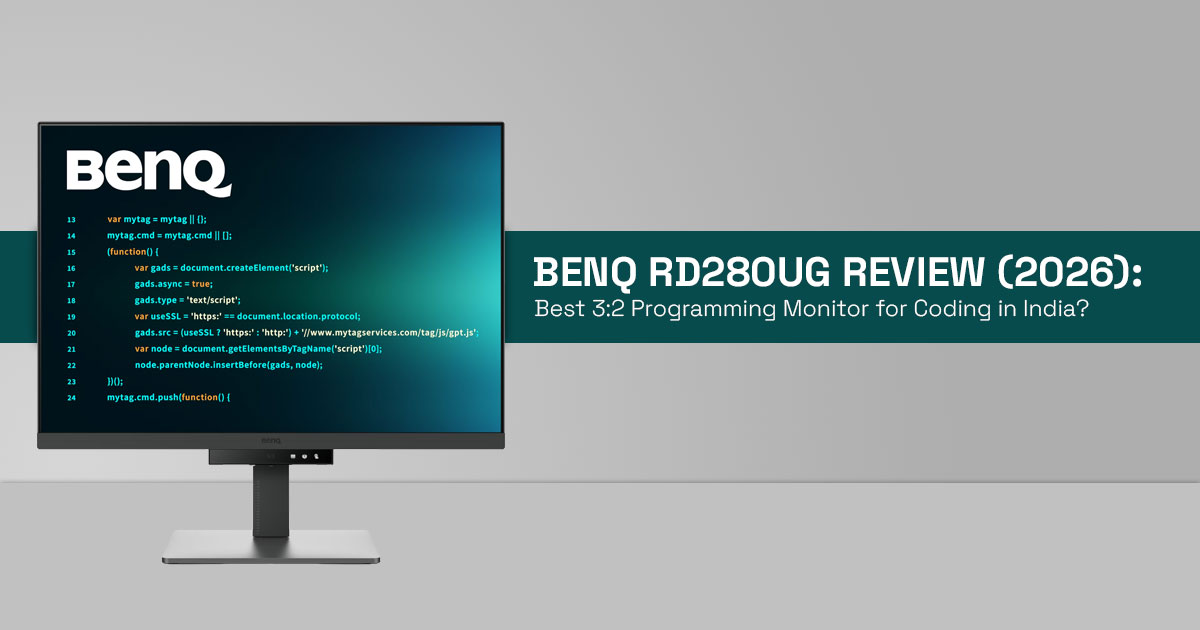
The BenQ RD280UG is designed to fix that. With a 3:2 aspect ratio, 4K+ resolution (3840×2560), and a 120Hz refresh rate, it focuses on productivity instead of entertainment. That means more lines of code, clearer text, and smoother scrolling during long sessions.
But specs alone don’t answer the real questions.
- Is the BenQ RD280UG good for programming in daily use?
- Does a 120Hz coding monitor actually make work easier?
- And is it worth spending ₹64,990 in India?
This review explains all of that in a simple, practical way.
If you already know this is the kind of programming monitor you’re looking for, you can quickly check the latest pricing and availability here:
Technical Specifications at a Glance
- Screen: 2-inch IPS Nano Matte panel
- Resolution: 4K+ resolution 3840×2560
- Aspect ratio: 3:2 aspect ratio
- Refresh rate: 120Hz refresh rate
- Contrast: 2000:1
- Brightness: 350 nits (400 nits peak)
- Connectivity: USB-C with 90W charging, HDMI 1, DisplayPort
- Special features: MoonHalo backlight, Paper mode display, KVM switch, low blue light, flicker-free display
- Price in India: ₹64,990 (March 2026)
Why This Review Is Essential
Most articles covering the BenQ RD280UG features focus on specifications and launch details. That helps at a surface level, but it doesn’t answer whether this coding monitor fits your actual workflow.
This review goes further by focusing on real usage.
- How the 3:2 aspect ratio monitor affects coding and reading
- Whether the BenQ RD280UG 120Hz display feels smoother in daily work
- If features like Paper mode and low blue light reduce eye strain over long hours
If you’re trying to decide whether to buy or skip this monitor, this is where you’ll get clarity.
What You Will Learn From This Review
By the end, you’ll clearly understand:
- The complete BenQ RD280UG specifications in simple terms
- How the 3:2 aspect ratio improves vertical productivity
- Whether the 120Hz refresh rate matters for programming
- If the eye care technology actually helps reduce fatigue
- How useful USB-C 90W power delivery and KVM switch are in real setups
- Whether the BenQ RD280UG monitor is worth buying in India
Why Real Reviews Matter
A spec sheet won’t tell you how a monitor performs after hours of continuous use. What matters is how it behaves in real conditions.
- Does the nano matte panel handle glare during daytime use?
- Is Paper mode display comfortable for long reading sessions?
- Does 120Hz make scrolling through code noticeably smoother?
These are the details that shape everyday experience.
Our Testing Approach
As technology experts with over 20 years of experience in hardware and application research and development, we deeply analyze each product based on real-world performance, durability, and value for money. Our goal is to help you find the best product in every category—budget, performance, reliability, and long-term usage.
Whether you are a software developer, programmer, data analyst, trader, or someone who spends long hours reading and writing, our recommendations are based on extensive research, component analysis, real-world usability, and industry expertise.
What Makes This Review Worth Your Time
This review is built to answer one simple question:
Is the BenQ RD280UG the right monitor for your work setup?
You’ll get clear answers, practical insights, and honest trade-offs—so you can decide with confidence.
2. What Makes the BenQ RD280UG Different? (BenQ RD280UG Features Explained)
The BenQ RD280UG 28 inch 4K+ monitor stands out because of its 3:2 aspect ratio, which gives more vertical space than a standard 16:9 monitor. For coding and reading, this means you see more lines at once and scroll less.
It also includes a 120Hz refresh rate, which is rare in a programming monitor. Scrolling through long code files feels smoother, and text remains sharper while scrolling.
Other practical features add to daily comfort:
- Nano matte panel reduces glare from indoor lighting
- Paper mode display makes text easier to read for long sessions
- MoonHalo backlight adds soft ambient lighting behind the screen
For Indian developers working long hours, these small details improve focus over time.
The BenQ RD280UG programming monitor also includes a KVM switch, so you can control two systems with one keyboard and mouse. The USB-C with 90W power delivery allows a single cable setup—charging your laptop while handling display and data. This keeps the desk clean and simple.
3. Vertical Productivity Index (VPI): Why 3:2 Aspect Ratio Improves Coding
To measure real productivity, we use a simple model:
VPI = (Vertical Pixels × Usable Workspace Efficiency) ÷ Scrolling Frequency
The BenQ RD280UG scores high because the 3:2 aspect ratio monitor matches how code and documents are structured—vertical and continuous.
- Ultrawide monitors (21:9) offer more width but still require frequent vertical scrolling
- Standard 16:9 monitors sit in the middle
- 3:2 monitors reduce scrolling and keep more content visible
The key idea is simple:
less scrolling = better focus and faster work
4. BenQ RD280UG Real-World Use Cases: Developers, Writers, Traders
For Developers and Coders
The BenQ RD280UG coding monitor shows more lines of code at once. This helps in debugging and reduces context switching. Many developers notice faster workflow within a day.
For Writers and Researchers
Reading long documents or PDFs feels more natural. The 3:2 aspect ratio reduces the need to scroll or zoom.
For Traders and Analysts
Vertical charts and large spreadsheets fit better on screen, making data tracking easier.
Where It Falls Short
- Not ideal for gaming; many games show black bars
- Not suited for video editing; timelines need wider screens
- Media consumption feels better on 16:9 or ultrawide monitors
If your work includes a lot of video content, this may not be the best fft.
If your daily work matches these use cases—coding, writing, or data-heavy tasks—it makes sense to check current deals and availability before deciding:
5. 3:2 vs 16:9 vs Ultrawide: Best Monitor for Coding Comparison
| Feature | 3:2 (BenQ RD280UG) | 16:9 Monitor | Ultrawide 21:9 |
| Coding / Programming | ★ ★ ★ ★ ★ | ★★★ | ★★★★ |
| Multitasking | ★ ★ ★ ★ | ★★★ | ★★★★★ |
| Media / Video | ★ ★ | ★★ ★ ★ ★ | ★★★★★ |
| Eye Comfort (Long Use) | High | Medium | Medium-High |
| Desk Fit (India setups) | Moderate height | Standard | Wide footprint |
The 3:2 aspect ratio monitor is built for work. It focuses on vertical productivity, not entertainment.
How These Star Ratings Are Calculated
The ratings are based on how each monitor type performs in real daily use, not just specs. We considered:
- Vertical screen space: How much content (code, documents, data) you can see without scrolling
- Workflow efficiency: How easily you can multitask or stay focused
- Use-case fit: Whether the screen shape suits coding, media, or mixed usage
- Eye comfort: How comfortable the screen feels during long sessions
- Practical setup: Desk space, viewing angles, and usability in typical Indian setups Each category is scored from 1 to 5 stars based on these factors.
6. Does BenQ RD280UG Reduce Eye Strain? (Eye Care Features Explained)
The BenQ RD280UG eye care features are designed for long work sessions:
- Nano matte panel reduces reflections from bright indoor lights
- Paper mode display softens contrast for reading
- MoonHalo backlight creates balanced lighting behind the screen
- Low blue light and flicker-free display reduce strain
For late-night work, these features help reduce eye fatigue. But posture, lighting, and breaks still matter.
7. Is 120Hz Useful for Coding? (120Hz Coding Monitor Explained)
A 120Hz refresh rate monitor is often linked to gaming, but it also improves daily work.
On the BenQ RD280UG 120Hz display:
- Scrolling feels smoother in long code files
- Cursor movement appears cleaner
- Reduces visual strain during long coding sessions
It is not essential, but once used, it is hard to go back to 60Hz.
8. Productivity Features That Matter (BenQ RD280UG Connectivity and Workflow)
- KVM switch: Control two systems with one setup
- USB-C 90W power delivery: One cable for display, data, and charging
- Daisy chain support: Connect multiple monitors (best on Windows, limited on Mac) These features improve workflow and reduce desk clutter, especially in compact home
9. BenQ RD280UG Trade-Offs: What You Should Know Before Buying
- The 3:2 aspect ratio takes time to adjust
- Video content shows side black bars
- Paper mode display reduces color accuracy (not ideal for designers)
- At ₹64,990, the BenQ RD280UG price in India is on the higher side It works best for focused work, not mixed use.
10. Common Buying Mistakes (BenQ RD280UG Monitor Guide)
- Buying it as a gaming monitor
- Ignoring desk height for a taller screen
- Not checking laptop support for 4K+ resolution 3840×2560
- Expecting it to replace ultrawide for all tasks Understanding these avoids disappointment.
11. Setup Guide for BenQ RD280UG (Best Productivity Setup)
- Position the top of the screen slightly above eye level
- Use MoonHalo backlight in low-light conditions
- Connect via USB-C 90W for a clean setup
- Pair with a good keyboard and ergonomic chair Setup is simple and takes only a few minutes.
Key Takeaways: BenQ RD280UG for Programming
- 3:2 aspect ratio benefits for coding are clear: less scrolling, better focus
- 120Hz refresh rate and eye care features improve long work sessions
- Best used as a dedicated programming monitor for developers and coders
If your work is text-heavy, the BenQ RD280UG monitor fits well. If you need one screen for everything, you may want to consider other options.
12. Frequently Asked Questions (BenQ RD280UG Programming Monitor FAQ)
If you’re searching for the BenQ RD280UG price in India, comparing it with other coding monitors, or trying to decide if it fits your workflow, these quick answers will help. Each one targets real questions that developers, writers, and professionals ask before buying.
Q. Is BenQ RD280UG good for programming?
- Yes. The BenQ RD280UG programming monitor is built for coding, with a 3:2 aspect ratio that shows more lines and reduces scrolling.
Q. Is the 3:2 aspect ratio better for coding than 16:9?
- Yes. A 3:2 aspect ratio monitor for coding gives more vertical space than 16:9, so you read and write code with fewer scroll breaks.
Q. Is 120Hz useful for coding monitors?
- Yes. A 120Hz coding monitor like the BenQ RD280UG 120Hz display makes scrolling smoother and reduces small eye fatigue during long sessions.
Q. Does BenQ RD280UG support USB-C charging?
- Yes. It supports USB-C with 90W power delivery, allowing a single-cable setup for display, data, and laptop charging.
Q. Can BenQ RD280UG be used for gaming?
- It can, but it’s not ideal. The 3:2 aspect ratio monitor may show black bars, and most games are optimized for 16:9 or ultrawide screens.
13. Alternatives You Should Consider
| Monitor | Aspect Ratio | Refresh Rate | Best For | Price Range (India) |
| BenQ RD280UG | 3:2 | 120Hz | Coding & text
work |
₹ 64,990 |
| LG DualUp | 16:18 | 60Hz | Extreme vertical stacking | ₹55,000–65,000 |
| Dell UltraSharp 4K | 16:9 | 60-120Hz | Balanced office
use |
₹45,000–60,000 |
| ASUS ProArt | 16:9 | 60Hz | Design work | ₹60,000+ |
- Takeaway: Compared to ultrawide monitors and standard 16:9 displays, the BenQ RD280UG is designed for vertical productivity and long coding sessions.
14. Final Verdict: Should You Buy the BenQ RD280UG Programming Monitor?
The BenQ RD280UG is a focused tool. It’s built for people who spend most of their day reading, writing, or working with structured data. If you’re a developer, programmer, writer, or analyst, the 3:2 aspect ratio, 4K+ resolution (3840×2560), and 120Hz refresh rate come together in a way that actually improves how you work.
You see more content at once. You scroll less. Your eyes feel less strained during long sessions, thanks to features like the Nano Matte panel, Paper mode display, and MoonHalo backlight.
These small improvements add up over time.
But this isn’t a one-size-fits-all monitor. If your usage includes gaming, video editing, or a lot of media consumption, the 3:2 aspect ratio monitor may feel limiting. And at ₹64,990, the BenQ RD280UG price in India makes sense only if you’ll use its strengths every day.
If your work is text-heavy and you want a cleaner, more efficient setup, this monitor is worth considering.
Check current pricing and availability:
If you’ve used a 3:2 aspect ratio monitor for coding, share your experience. And if you’re unsure whether the BenQ RD280UG programming monitor ffts your setup, drop your questions—we’ll help you ffgure it out.
***Disclaimer***
This blog post reflects our own research, testing, and personal opinions. It should not be taken as the official position of any brand, manufacturer, or company mentioned here. While we aim to keep information accurate and up to date, product details, pricing, and availability can change. We recommend double-checking important details before making a purchase.
Some links in this article may be affiliate links. If you choose to buy through these links, we may earn a small commission at no extra cost to you. This helps support our work and allows us to keep publishing in-depth, unbiased reviews. Our recommendations are never influenced by affiliate partnerships.
Comments shared by readers reflect their own views and not ours. We are not responsible for outcomes resulting from the use of information on this site. Please seek professional advice where appropriate.
All product names, logos, and brands mentioned are the property of their respective owners. These names are used for identification and informational purposes only and do not imply endorsement.
