
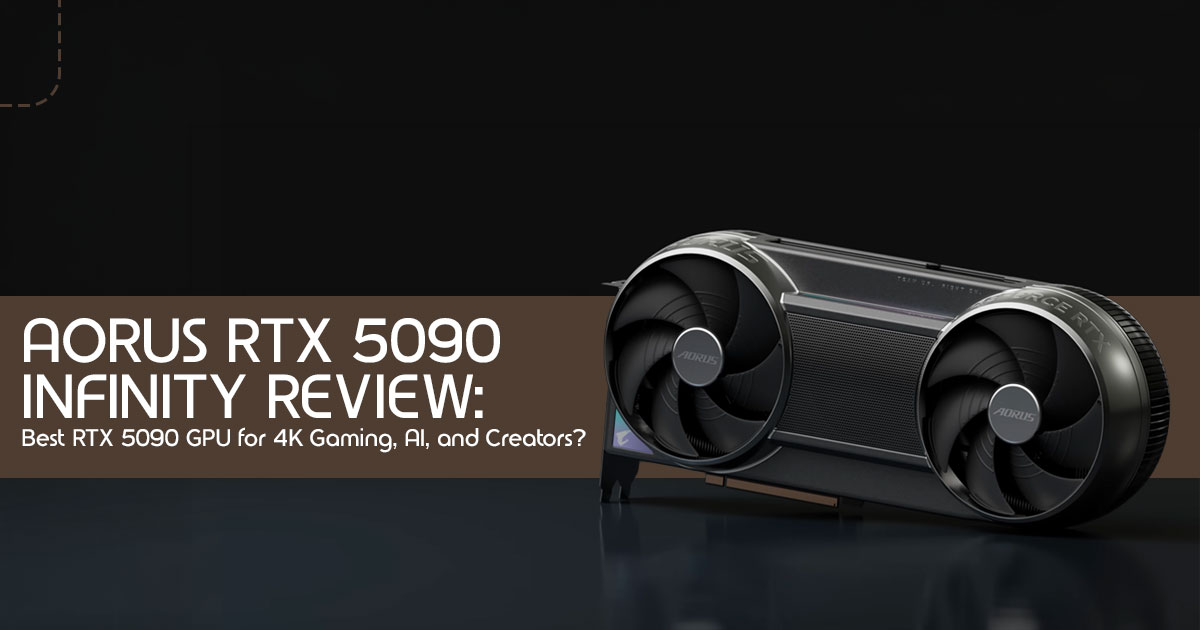
⚡ QUICK VERDICT

The AORUS RTX 5090 Infinity is one of the most capable consumer GPUs ever released. It is the definitive choice for 4K Ultra gaming, AI workloads, and professional content creation. For casual or 1440p gamers, or RTX 4090 owners without demanding creative workflows, the value case is harder to make. Read on for the complete picture.
Modern flagship graphics cards now pull more power than some full gaming PCs from a few years ago. And for many buyers spending premium money on an RTX 5090 GPU, the biggest fear is simple: Will this actually feel worth the upgrade after the excitement wears off?
In this AORUS RTX 5090 Infinity review, we look at what it is actually like to live with NVIDIA’s latest flagship GPU. The card enters the market as one of the most powerful and premium custom RTX 5090 models ever released. Built for 4K Ultra gaming, AI workloads, ray tracing, and professional content creation, it pushes performance far beyond what most gamers actually need. But raw power alone does not automatically make a graphics card the right buy.
That is where real-world analysis matters more than marketing claims.
Customer reviews, long-term ownership feedback, thermal behavior, noise levels, power efficiency, and day- to-day usability often reveal things specification sheets never explain. A GPU can look incredible on paper yet create problems with heat, airflow, PSU requirements, or value for money once it is inside an actual gaming setup.
As technology experts with over 20 years of experience in hardware and application research and development, we deeply analyze each product based on real-world performance, durability, and value for money. Our goal is to help you find the best product in every category—budget, performance, reliability, and long-term usage. Whether you are a competitive gamer, content creator, AI enthusiast, streamer, 3D artist, or PC enthusiast building a high-end workstation, our recommendations are based on extensive research, component analysis, real-world usability, and industry expertise.
And there is another side to this conversation that many reviews ignore: modern flagship GPUs are no longer designed only for gaming. Cards like the RTX 5090 are increasingly becoming hybrid tools for gaming, AI acceleration, rendering, machine learning, and professional creative workloads. That changes how buyers should evaluate performance, pricing, cooling, and long-term value.
Summary
- The AORUS RTX 5090 Infinity is currently one of the most powerful consumer GPUs available.
- It excels in 4K gaming, ray tracing, AI workloads, 3D rendering, and heavy creator tasks.
- The premium cooling design helps maintain higher sustained performance under load.
- Power consumption, heat output, GPU size, and pricing are serious considerations before buying.
- For RTX 4090 owners, the upgrade makes the most sense for AI, rendering, or demanding production workflows rather than standard gaming alone.
- For casual gamers or most 1440p gaming setups, this GPU is excessive and difficult to justify from a value perspective.
- Readers looking for the best balance of performance, thermals, reliability, and long-term usability should keep reading before making a purchase decision.
Technical Specifications at a Glance
Before diving into real-world performance and practical value, here is a precise summary of what this card delivers on paper — the foundation everything else builds on.
| Feature | AORUS RTX 5090 Infinity |
| GPU Architecture | NVIDIA Blackwell |
| Memory | 32 GB GDDR7 |
| Boost Clock | 2730 MHz (factory overclocked) |
| Reference Boost Clock | Reference-level RTX 5090 boost clocks |
| Memory Interface | 512-bit |
| Power Connector | 12V-2×6 |
| Recommended PSU | 1000W – 1200W |
| Cooling Design | Advanced Vapor Chamber, Triple Fan |
| DLSS Support | DLSS 4 (Multi-Frame Generation) |
| Ray Tracing | Yes — Blackwell RT Cores (evolved) |
| Slot Footprint | 3.5 – 4 slot (large form factor) |
| Target Resolution | 4K Ultra / 8K / AI Workloads |
Introduction: Beyond the Hype — Understanding Flagship GPUs in 2026
Flagship GPUs are no longer simple gaming upgrades. Cards like the RTX 5090 are now built for 4K gaming, AI workloads, rendering, and professional creative work all at once. The AORUS RTX 5090 Infinity is designed for buyers who want top-tier gaming, AI, and creator performance in a single GPU. In a market saturated with technical jargon and marketing spin, this analysis cuts through the noise and delivers insights that actually matter to real buyers.
This review is not just about listing specifications. It is an honest examination of the real ownership experience: what that higher clock speed means for your favorite games, how it impacts creative workflows, and — perhaps most importantly — what the hidden considerations are before making such a significant investment. This review focuses on how the card actually feels to own and use every day — not just benchmark numbers.
What You Will Learn in This Review

→ The unique design and cooling philosophy behind the AORUS RTX 5090 Infinity
→ How the Blackwell architecture and DLSS 4 fundamentally change high-end GPU performance
→ Real-world gaming expectations across 1440p, 4K, and 8K
→ The often-overlooked hidden costs of RTX 5090 ownership — power, thermals, physical size
→ Creator and AI performance benefits: Blender rendering, 4K/8K video editing, local LLMs
→ A direct comparison of the AORUS Infinity against other premium RTX 5090 cards
→ Honest guidance on whether RTX 4090 owners should upgrade
→ Practical advice on pricing, availability, and scalping realities
→ Who should — and who should not — buy this card
1. What Makes the AORUS RTX 5090 Infinity Different? Beyond the Spec Sheet
When evaluating a flagship GPU, it is easy to get lost in raw numbers. But the AORUS RTX 5090 Infinity aims to be more than just another high-end GPU. It positions itself as one of the best RTX 5090 graphics card options for buyers who care about cooling, sustained performance, and premium build quality.
The headline figure is a factory boost clock of 2730 MHz — noticeably higher than standard reference-level RTX 5090 boost behavior. But the more important question for any buyer is: do higher boost clocks actually matter in real gaming scenarios? Many cards spike to peak speeds momentarily. The true test of a premium design is its ability to sustain those clocks under heavy load, preventing thermal throttling and ensuring consistent frame delivery session after session. The AORUS Infinity’s advanced cooling is engineered precisely for this — stable, sustained performance rather than impressive-looking peak numbers.
2. RTX 5090 Architecture Explained in Plain English: The Blackwell Advantage
NVIDIA’s Blackwell architecture is not a refresh — it’s a fundamental re-engineering designed to push the boundaries of gaming, content creation, and AI workloads. Here is what it actually means for the person using this card day to day.
GDDR7 Memory — Bandwidth That Changes the Game
The introduction of GDDR7 memory significantly boosts memory bandwidth, enabling faster data transfer and handling of larger textures and more complex scenes. This is directly felt in 4K and 8K gaming, and in demanding AI applications where memory speed is the primary bottleneck.
DLSS 4 — The Real Performance Multiplier
DLSS 4 goes beyond traditional upscaling by combining AI-assisted rendering and Multi-Frame Generation technologies. It is a performance multiplier that leverages AI to render lower-resolution frames and upscale them to higher resolutions with exceptional fidelity. For buyers, this means you can run the most demanding titles at maximum settings with visuals that rival — and often exceed — native rendering, while maintaining smooth frame rates. This is where RTX 5090 DLSS 4 performance starts making a real difference, especially in demanding ray-traced games.
Ray Tracing Evolution and AI-Assisted Rendering
The Blackwell architecture advances ray tracing — the simulation of physical light behavior — delivering more realistic lighting, reflections, and shadows. Combined with AI-assisted rendering techniques embedded throughout the pipeline, the result is a tangible improvement in visual immersion. For creators, it translates to faster render times and more fluid interaction with complex 3D scenes.
3. Real-World Gaming Expectations: Where This GPU Actually Makes Sense
The raw RTX 5090 gaming performance is undeniably impressive, but understanding where that power actually matters is the difference between a smart purchase and an expensive mistake. Here is an honest breakdown across resolutions and gaming styles.
1440p Gaming: Overkill or Future-Proof?
At 1440p, this card makes the resolution almost effortless. Exceptionally high frame rates are achievable even in graphically intensive titles with ray tracing enabled. The honest assessment: for most 1440p users, this is overkill. The card has more performance headroom than most gamers will realistically use anytime soon. If 1440p is your ceiling today, better value exists elsewhere.
4K Ultra Gaming: Where the RTX 5090 Really Shines
This is where the AORUS RTX 5090 Infinity truly earns its price tag. At 4K Ultra, expect to max out nearly every graphical setting — including demanding ray tracing scenarios — while maintaining smooth, playable frame rates. With DLSS 4 further boosting performance, modern games look incredible without sacrificing smooth performance. If your goal is maximum visual quality with high frame rates, the AORUS Infinity easily makes a case for being the best GPU for 4K gaming currently available.
8K Gaming: Marketing Feature vs. Practical Reality
The RTX 5090 is technically capable of 8K gaming, but it is important to distinguish between a marketing feature and practical reality. Achieving consistently high frame rates at 8K — particularly with ray tracing
— still requires meaningful compromises in graphical settings or heavy reliance on DLSS. 8K gaming is possible in select titles, but most games still require DLSS, frame generation, or reduced settings for a consistently smooth experience.
Competitive Gaming: CPU Bottlenecks and Frame Pacing
For competitive gaming, the RTX 5090 can deliver extraordinarily high frame rates. However, at 1080p or even 1440p, CPU bottlenecks become the real limiter — your processor, not the GPU, determines your ceiling. Beyond raw frame count, frame pacing — consistent, tear-free frame delivery — matters more in competitive scenarios than peak averages. Ensure your CPU is balanced for this card before pulling the trigger.
4. The Hidden Cost of RTX 5090 Ownership: What Buyers Rarely Think About
Investing in the AORUS RTX 5090 Infinity extends well beyond the GPU’s price tag. Several hidden costs of RTX 5090 ownership catch buyers off guard. Understanding them upfront prevents expensive surprises and ensures your system is genuinely ready for this hardware.
Power Demands and PSU Considerations
One of the biggest talking points around the card is RTX 5090 power consumption. This is a very high-power GPU built for demanding workloads and high refresh 4K gaming. A robust PSU in the 1000W to 1200W range is required, accounting not just for steady-state draw but for power spikes — brief moments where the GPU pulls significantly more than its rated TDP.
An inadequate PSU leads to instability, shutdowns, or worse. Additionally, the 12V-2×6 connector is critical: use a PSU with a native 12V-2×6 port (or a high-quality adapter) and ensure it is fully seated. Connector-related failures have been a documented issue with previous high-end cards and remain worth taking seriously.
Thermal Management and Case Requirements
The RTX 5090’s thermal output is substantial. Proper case airflow is not optional — it is mandatory. A cramped case with poor ventilation leads to higher GPU temperatures, thermal throttling, reduced sustained performance, and increased noise. Consider whether your current case has sufficient space and fan mounts. This card can noticeably warm up smaller rooms during long gaming or rendering sessions.
Physical Size, Weight, and GPU Sag
These cards are large and heavy. The GPU weight and sag can put real stress on your motherboard’s PCIe slot over time. A GPU support bracket is strongly recommended to prevent long-term mechanical damage. Verify your case has adequate clearance for the card’s length and width before purchasing — this is a step many skip until the card arrives and does not fit.
✅ Pre-Purchase Checklist

✔ PSU meets 1000W+ requirement and has a native 12V-2x6 connector
✔ PC case has sufficient clearance for length and width
✔ Adequate case fans and airflow path are in place
✔ GPU support bracket is sourced to prevent sag
✔ Monitor is capable of leveraging the card's power (4K high refresh recommended)
5. Cooling and Thermals: The Most Important Premium Feature
When buyers talk about RTX 5090 temperature levels and long gaming sessions, cooling quickly becomes one of the biggest deciding factors. Strong RTX 5090 cooling performance matters far more than small benchmark gains on paper. This is why the AORUS Infinity’s cooling architecture is arguably its most important differentiator.
Advanced Cooling Technologies
The AORUS Infinity employs large vapor chambers for efficient heat transfer directly from the GPU die, paired with a meticulously engineered fin stack and triple-fan design. The fan behavior is calibrated to balance aggressive cooling against acceptable noise levels — fans that spin up purposefully, not reactively.
VRM Cooling and Sustained Performance
Effective cooling extends beyond the GPU core itself. VRM (Voltage Regulator Module) cooling is equally vital — VRMs deliver power to the GPU, and overheated VRMs throttle performance even when the core temperature is acceptable. The AORUS Infinity’s design accounts for this holistically, ensuring all critical components maintain safe operating temperatures. The direct benefit: sustained boost clocks during prolonged gaming or AI workloads, rather than the periodic performance dips caused by thermal throttling.
Noise vs. Performance Trade-offs
There is always a balance. Aggressive fan curves keep temperatures low but increase noise. For many buyers reading an RTX 5090 review, long-term thermals and sustained cooling matter more than small benchmark differences. Understanding these noise vs. performance trade-offs is part of honest premium ownership. The goal is to provide enough cooling headroom that the card operates at its peak potential without becoming an acoustic distraction.
6. Creator and AI Performance: Unlocking Potential Beyond Gaming
Gaming often dominates GPU discussions, but cards like this are increasingly being treated as the best GPU for AI workloads by creators, researchers, and local AI enthusiasts. The combination of Blackwell architecture and 32 GB GDDR7 VRAM gives the card outstanding RTX 5090 creator performance across rendering, video editing, Unreal Engine workflows, and AI-assisted production tasks.
Accelerating Creative Workflows
For creative professionals, time directly equals money. The RTX 5090 delivers measurable acceleration across:
- Blender Rendering: Complex 3D scenes render significantly faster, enabling faster iteration and more ambitious projects. Increased CUDA cores and improved architecture directly reduce final output times.
- Unreal Engine Workflows: Smoother viewport performance, faster light baking, and quicker shader compilation streamline the entire development pipeline.
- 4K/8K Video Editing: High-resolution footage handling becomes fluid — faster scrubbing, real-time effects, and quicker exports even with multiple layers and complex color grading.
AI and Machine Learning Performance
The RTX 5090 was clearly designed with AI workloads in mind. Dedicated Tensor Cores within the Blackwell architecture provide substantial workload acceleration for deep learning and inference tasks.
- AI Image Generation (Stable Diffusion and similar local AI workflows): Generation times drop from minutes to seconds on complex prompts at high resolution.
- Local LLM Usage: Running large language models locally becomes much more The 32 GB VRAM is critical here — it allows loading larger models directly onto the GPU without system RAM overflow.
- Model Training and Inference: Researchers and developers gain meaningful throughput improvements for iterating on ML models.
Who Benefits Most from 32 GB VRAM?
- High-resolution texture artists working with sets exceeding 24 GB
- 3D modelers handling extremely complex scenes with millions of polygons
- Video editors managing multiple streams of 8K footage
- AI/ML researchers training larger models or running concurrent inference tasks
- Local LLM enthusiasts loading and experimenting with the largest available language models
7. AORUS RTX 5090 Infinity vs. Other Premium RTX 5090 Cards
All RTX 5090 cards share the same NVIDIA silicon, but differences in board design, cooling, and factory overclocks meaningfully impact the ownership experience. Here is how the AORUS Infinity stacks up against its closest competition.
| Feature | AORUS RTX 5090 Infinity | ASUS ROG Astral | MSI Suprim | Founders Edition | Gigabyte Gaming OC |
| Cooling | Vapor Chamber + Triple Fan | Robust Air/Hybrid | High-End Air | Reference Design | Custom Air |
| Noise Profile | Optimized — quiet under load | Varies by model | Excellent | Moderate | Good |
| Physical Size | 3.5 – 4 slot, large | Very large | Large | Standard 3-slot | Large |
| Power Delivery | Premium VRM components | High-end VRM | Excellent VRM | Solid | Good |
| Factory OC | 2730 MHz boost | Varies | Moderate | None (2407 MHz) | Moderate |
| Design Identity | Distinctive, premium | Aggressive, gamer | Elegant, minimalist | Iconic, sleek | Functional, clean |
| RGB | Extensive, customizable | Advanced Aura Sync | Subtle | Minimal | Moderate |
| Value Position | Premium tier, feature-rich | High-end, often pricier | Strong perf/price | Baseline premium | Best perf/price balance |
The AORUS Infinity stands out for its strong cooling performance and quieter operation during heavy workloads. For those who prioritize silent flagship cooling and a distinctive premium aesthetic, it is the most compelling option. The Gigabyte Gaming OC and Founders Edition remain strong for value-focused buyers who want the same GPU silicon with fewer premium add-ons.
8. Does Factory Overclocking Still Matter? An Honest Assessment
The factory overclock of 2730 MHz on the AORUS Infinity is real, measurable, and consistent. But does it translate to a meaningful real-world difference compared to a standard RTX 5090 running at 2407 MHz?
In most RTX 5090 benchmark tests, a factory overclock of this magnitude typically delivers a modest 2–4% performance uplift in GPU-limited scenarios. At 4K with demanding ray tracing, that can translate to a few additional frames per second — perceptible to some, invisible to others. For AI and professional workloads, the higher clock speeds compound with architectural improvements and can yield slightly faster render and inference times.
The more significant value of the AORUS Infinity’s factory overclock is what it implies: a card that has been binned for quality silicon, validated to sustain higher clocks under real-world conditions. For enthusiasts who prefer not to manually overclock, this represents a reliable, out-of-box performance premium. Expert users who prefer full manual control may find their own tuning reaches similar or better results — but then, the AORUS’s build quality provides excellent headroom for that too.
9. RTX 5090 vs RTX 4090: Should Current Owners Upgrade?
The RTX 4090 was, and remains, a formidable GPU. The decision to move to the RTX 5090 requires an honest assessment of what you actually gain — and whether those gains justify the cost.
Gaming Users
For 4K Ultra gaming with ray tracing and high refresh rate targets, the RTX 5090 offers a noticeable — though not revolutionary — improvement. DLSS 4 and Blackwell advancements provide smoother frame generation in the most demanding titles. For 1440p or 4K without heavy ray tracing, the RTX 4090 remains exceptional. The performance delta does not justify the upgrade for most gaming-only users.
Creators and AI Users
This is where the upgrade becomes genuinely compelling. Users pushing Blender, Unreal Engine, or 4K/8K video editing will see substantial time savings from increased CUDA cores, improved architecture, and especially 32 GB VRAM vs. the 4090’s 24 GB. For AI users running local LLMs or Stable Diffusion, the expanded VRAM and Tensor Core improvements can be noticeable — enabling larger models and faster iteration in ways the 4090 cannot match.
Enthusiasts and Competitive Players
Enthusiasts who want the absolute latest for its own sake will find the RTX 5090 satisfying. For competitive players, CPU bottlenecks will often be the limiting factor before the GPU becomes the constraint — meaning the upgrade impact depends heavily on system balance.
RTX 4090 → RTX 5090: Key Takeaway

Upgrade if you are a creator or AI user with memory-intensive workflows that demand 32 GB VRAM or benefit from Tensor Core improvements. Hold off if your primary workload is gaming at 1440p or 4K without heavy ray tracing — the RTX 4090 continues to deliver exceptional value.
10. Pros and Cons — The Complete Picture
| ✓ PROS | ✗ CONS |
| ✓ Best-in-class sustained cooling and thermal stability | ✗ Extremely high purchase price — luxury-tier cost |
| ✓ 32 GB GDDR7 VRAM — especially useful for AI workloads and professional creative work | ✗ Requires 1000W+ PSU — adds system upgrade cost |
| ✓ Factory overclock validated for consistent sustained performance | ✗ Large physical footprint — case compatibility is critical |
| ✓ DLSS 4 and Multi-Frame Generation are genuine multipliers | ✗ GPU weight requires support bracket to prevent sag |
| ✓ Excellent for 4K Ultra gaming at high refresh rates | ✗ Overkill for 1440p gaming or non-creative workflows |
| ✓ Premium build quality with strong VRM design | ✗ RTX 4090 owners face marginal gaming-only gains |
| ✓ Distinctive aesthetic with extensive, customizable RGB | ✗ Subject to scalping and supply scarcity at launch |
| ✓ Future-proof for next-gen titles and AI workloads | ✗ 12V-2×6 connector demands careful installation |
11. Expected Pricing, Availability, and Scalping Reality
Acquiring the AORUS RTX 5090 Infinity requires understanding the real market dynamics, not just the MSRP. Flagship GPU launches are rarely straightforward purchasing experiences.
Pricing and Supply Dynamics
The AORUS Infinity sits at the very top tier of GPU market pricing, commanding a premium above the Founders Edition due to its custom design and enhanced feature set. New-generation flagship launches are historically accompanied by supply shortages and elevated launch demand — conditions that sustain inflated prices for weeks or months post-launch. Regional pricing inflation adds further variability depending on your geographic market.
Scalping and Practical Buying Advice
Like most flagship GPU launches, early stock shortages and reseller pricing are likely during the first few weeks. Buyers who need the card immediately for professional work should be prepared to pay above MSRP early. Those without time-critical needs will benefit from waiting 60–90 days post-launch as supply stabilizes and secondary market prices normalize. Signals of price stabilization include consistent stock availability across major retailers and secondary market prices converging toward MSRP. Following reputable tech outlets and community stock trackers makes a real difference in timing a smart purchase.
12. Who Should Buy the AORUS RTX 5090 Infinity?
After examining every dimension of this card, the most valuable question is: is this the right GPU for you specifically? Here is the definitive breakdown.
✔ BUY THIS IF:
- Silent flagship cooling is a priority: You want premium thermals and quiet operation even at peak load — the Infinity’s cooling design is purpose-built for this.
- You run intensive AI workloads: AI image generation, local LLM usage, Blender rendering, or ML research — 32 GB VRAM and Tensor Core advantages are especially valuable.
- You game at 4K high refresh: Your target is uncompromised 4K Ultra with ray tracing at high frame rates. This card was designed for exactly this use case.
- You create professionally: 4K/8K video editing, complex 3D workflows, or Unreal Engine development — this card accelerates workflows that directly impact productivity and earnings.
✗ SKIP THIS IF:
- You game primarily at 1440p: The RTX 5090’s power is largely untapped at this Significantly better value exists in the mid-to-high GPU segment.
- You already own an RTX 4090 and mainly game: The performance uplift for gaming-only use cases does not justify the cost of this upgrade.
- Your PSU or case cannot support it: If you’d need to also upgrade your PSU (1000W+) and possibly your case, factor that into your total cost assessment.
- Value-per-dollar matters to you: If cost efficiency is a priority, other GPUs in the RTX 5090 lineup — or even the RTX 4090 — offer better performance-to-cost ratios.
What Still Needs Independent Testing
Even though the early outlook for the AORUS RTX 5090 Infinity is extremely promising, there are still a few areas that need deeper long-term testing before anyone can make final conclusions about the card.
These include:
- Real-world RTX 5090 temperature measurements during extended gaming sessions
- Sustained fan noise levels measured in dB under heavy load
- Measured RTX 5090 power consumption across gaming and creator workloads
- Input latency impact when using DLSS 4 Multi-Frame Generation
- Long-term thermal paste durability and cooling consistency
- Blender and Unreal Engine creator benchmark scaling over extended workloads
- Regional pricing stability and long-term stock availability
These details matter because flagship GPUs are long-term investments. Real ownership experience is often very different from launch-day excitement and marketing claims.
Conclusion: Beyond the Hype, Into Reality
The AORUS RTX 5090 Infinity is a marvel of engineering and represents the pinnacle of current consumer GPU technology. Its extreme power, premium cooling design, factory overclock, and 32 GB GDDR7 VRAM deliver a genuine leap forward — but only for users whose workloads can leverage it.
For 4K high refresh rate gamers, professional creators, and AI users pushing the limits of local hardware, this card offers an unparalleled experience that justifies its position at the top of the market. For everyone else
— particularly RTX 4090 owners or those gaming at 1440p — the significant investment does not produce a proportionally meaningful return.
Final Verdict: Raw power matters less than whether your setup, games, and workflow can actually use it. The AORUS RTX 5090 Infinity is an exceptional product — its true value is unlocked only when matched with specific, demanding use cases. For the right user, it is unrivaled. For others, it is a testament to what is technically possible, harder to justify if value matters more than absolute performance.
Frequently Asked Questions (FAQ)
Is the RTX 5090 worth it for gaming?
For 4K Ultra gaming with ray tracing and high refresh rates, yes — it delivers exceptional performance. Buyers searching for the best RTX 5090 graphics card should also pay close attention to cooling quality, power delivery, and long-term thermals, not just raw FPS numbers.
For lower resolutions or moderate settings, the RTX 5090 is often more GPU power than most gamers actually need.
What is the difference between RTX 5090 and RTX 4090?
The RTX 5090 introduces the Blackwell architecture, GDDR7 memory, DLSS 4, and significantly more VRAM (32 GB vs. 24 GB). Gains are most pronounced in AI workloads and professional creative tasks; gaming-only improvements are real but smaller in proportional terms.
How much power does the RTX 5090 need?
A 1000W to 1200W PSU is recommended, with a native 12V-2×6 power connector. Factor in power spikes and ensure full connector seating to avoid instability.
Can the RTX 5090 run 8K gaming?
Technically yes, but with significant caveats. 8K gaming often requires graphical setting compromises or heavy DLSS reliance to maintain playable frame rates. It is best understood as an aspirational capability rather than a practical daily use case.
Is the AORUS RTX 5090 Infinity good for AI?
Absolutely. With 32 GB VRAM and enhanced Tensor Core performance, it is one of the most capable consumer cards available for AI image generation, local LLM usage, and ML workloads.
What should I verify before buying?
PSU wattage and connector compatibility, case clearance for physical dimensions, adequate case airflow, GPU sag support, and whether your monitor resolution and refresh rate can actually leverage the card’s capabilities.
Final Buying Advice
If your setup and workload can actually take advantage of this level of GPU power, the AORUS RTX 5090 Infinity is one of the strongest flagship options currently available.
→ Explore the AORUS RTX 5090 Infinity on Amazon Worldwide and Amazon India
***Disclaimer***
This blog post reflects our research, analysis, and opinions based on available product information, user feedback, and industry knowledge. It should not be taken as the official position of any brand, manufacturer, or company mentioned here. While we aim to keep information accurate and up to date, product details, pricing, and availability can change. We recommend double-checking important details before making a purchase.
Some links in this article may be affiliate links. If you choose to buy through these links, we may earn a small commission at no extra cost to you. This helps support our work and allows us to keep publishing in- depth, unbiased reviews. Our recommendations are never influenced by affiliate partnerships.
Comments shared by readers reflect their own views and not ours. We are not responsible for outcomes resulting from the use of information on this site. Please seek professional advice where appropriate.
All product names, logos, and brands mentioned are the property of their respective owners. These names are used for identification and informational purposes only and do not imply endorsement.
