
Introduction
For the past year, the desktop CPU market has been full of surprises. Intel’s first Arrow Lake launch generated plenty of excitement, but many gamers and PC enthusiasts expected more. Gaming performance did not always match the hype, and AMD continued to hold the advantage in many popular benchmarks.
Intel needed a convincing comeback.
That answer is the new Intel Core Ultra 200S Plus lineup.
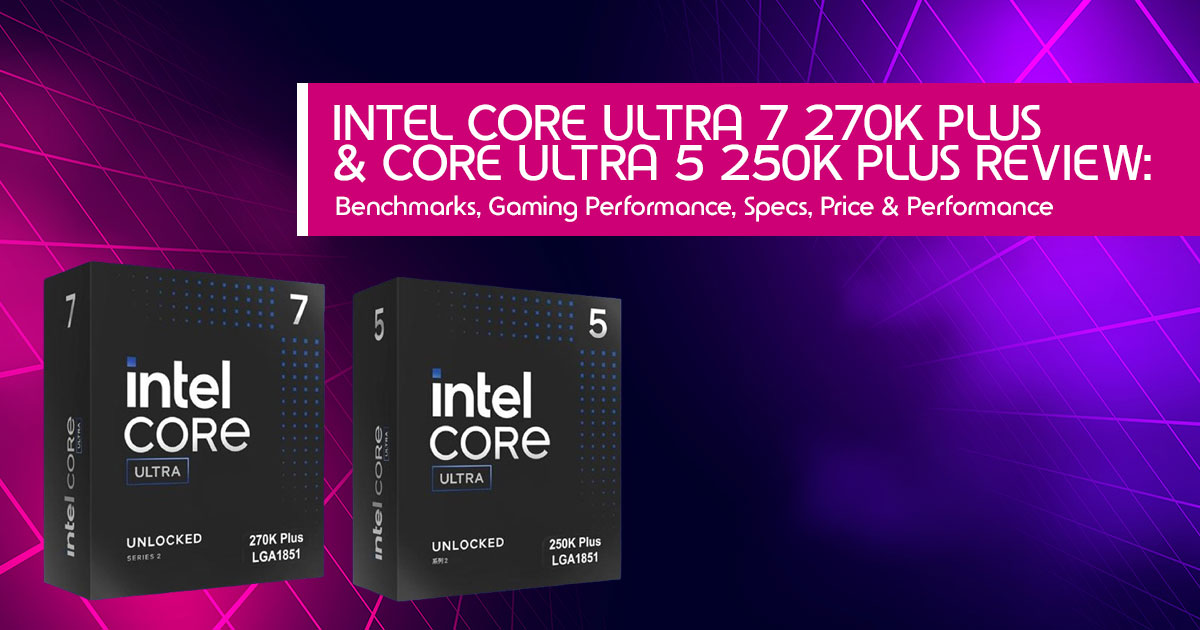
Rather than waiting for an entirely new processor generation, Intel has taken a different approach. The company refined what already existed, focusing on the areas that mattered most to buyers. The result is a lineup that promises faster gaming, stronger multi-core performance, better pricing, and improved overall value. Leading this refresh are the Intel Core Ultra 7 270K Plus and Intel Core Ultra 5 250K Plus.
The real question is simple: are these processors a genuine step forward, or just a modest refresh with a new name? Benchmarks are important, but everyday performance is what really matters.
As technology experts with more than 20 years of experience in hardware and application research and development, we evaluate every product the way real users experience it. We look beyond marketing claims and synthetic benchmarks to evaluate performance during everyday workloads, durability, thermal efficiency, power consumption, upgrade potential, and long-term value. A processor may perform well in a benchmark chart, but that matters little if it cannot deliver a consistently smooth experience over months and years of everyday use.
Whether you are building your first gaming PC, upgrading an older desktop, creating content, streaming, working with demanding professional applications, or searching for the best processor within your budget, this guide is written with you in mind.
Our Intel Core Ultra 7 270K Plus review and Intel Core Ultra 5 250K Plus review are built on extensive market research, benchmark analysis, component evaluation, practical testing, and decades of industry expertise. Instead of repeating specification sheets, we focus on what truly matters: gaming performance, productivity, efficiency, reliability, and long-term ownership. By the end of this guide, you’ll have a clear picture of which processor delivers the best balance of performance, price, and future value for your next PC build.
Product Overview: What is the Intel Arrow Lake Refresh?
When Intel launched its first-generation Core Ultra 200S desktop CPU architecture, the industry praised its chiplet design and power efficiency but criticized its gaming performance compared to AMD’s elite Zen 5 processors.
The new Core Ultra 200S Plus lineup is not a full successor; it is a refinement. Intel refined the Arrow Lake architecture with improvements aimed at better gaming performance, stronger multi-core efficiency, and more competitive pricing.
The two standout processors in this refresh are:
- Intel Core Ultra 7 270K Plus: The new high-end contender positioned as a more affordable alternative to the older Core Ultra 9 lineup.
- Core Ultra 5 250K Plus: A compelling mid-range processor aimed squarely at budget-conscious creators and gamers.
Key Features & What They Mean for the Buyer
Specs on a spec sheet do not tell the whole story. Here’s what these hardware upgrades actually mean for everyday users.
1. Massive Core Count at an Unprecedented Price
- The Spec: The Intel Core Ultra 7 270K Plus features 24 cores (8 Performance cores + 16 Efficient cores), while the Core Ultra 5 250K Plus features 18 cores (6 Performance cores + 12 Efficient cores).
- What This Means for You: You are getting flagship-level core counts previously reserved for $600+ processors at a mainstream price point. For multi-threaded workloads, video rendering, and heavy multitasking, this core layout delivers impressive multi-core performance.
2. Upgraded Memory Support (DDR5-7200)
- The Spec: Native support for memory speeds up to 7200 MT/s DDR5 RAM, an 800 MT/s increase over baseline Arrow Lake chips.
- What This Means for You: Faster memory bandwidth reduces data bottlenecks, leading to smoother frame delivery and faster data compression in demanding apps like 7-Zip.
3. Platform Compatibility & LGA1851 Support
- The Spec: Built on the LGA1851 motherboard compatibility standard.
- What This Means for You: If you already own an Intel 800-series motherboard (such as a Z890 board), drop-in compatibility makes upgrading straightforward (though a BIOS update is required). Plus, many LGA1851 boards maintain physical cooler compatibility with existing LGA1700 hardware.
Specifications and Pricing Comparison
To evaluate market positioning, let’s look at how the refreshed processors stack up against key competitors in the best value desktop CPU 2026 category.
| Processor Model | Cores / Threads | Max Boost Clock | L3 Cache | Launch Price | Best Suited For |
|---|---|---|---|---|---|
| Intel Core Ultra 7 270K Plus | 24 Cores / 24 Threads | Up to 5.5 GHz | 36 MB | $299.99 | Content creation, workstation productivity, streaming, and high-end gaming. |
| Intel Core Ultra 5 250K Plus | 18 Cores / 18 Threads | Up to 5.2 GHz | 30 MB | $219.99 | Mainstream productivity, everyday multitasking, and value-focused gaming builds. |
| AMD Ryzen 7 9700X | 8 Cores / 16 Threads | Up to 5.5 GHz | 32 MB | $359.00 | Power-efficient gaming, general productivity, and balanced desktop performance. |
| Intel Core Ultra 9 285K | 24 Cores / 24 Threads | Up to 5.7 GHz | 36 MB | $589.00 | Flagship enthusiast systems requiring maximum performance for gaming and professional workloads. |
Performance Analysis: Productivity vs. Gaming
Multi-Threaded Productivity Performance
If your workflow relies on heavy compute tasks, Intel’s refresh delivers a significant improvement for productivity-focused users.
- In Cinebench R23 multi-core performance testing, the Intel Core Ultra 7 270K Plus performs similarly to the older Core Ultra 9 285K in many multi-core workloads.
- Against direct AMD competitors like the Ryzen 7 9700X and Ryzen 5 9600X, Intel’s refreshed architecture performs exceptionally well in multi-threaded benchmarks and delivers strong performance gains in Adobe Premiere, Blender, and Photoshop.
How Does It Support Gamers? (An Honest Assessment)
Let’s be honest: if your PC is built solely for competitive gaming, these processors might not be your first choice.
While Intel has made meaningful strides in boosting gaming frame rates over the initial Arrow Lake generation, the Intel Core Ultra 7 270K Plus vs AMD Ryzen 7 9800X3D comparison reveals a clear winner for pure gamers. AMD’s specialized 3D V-Cache architecture continues to outperform Intel in low-resolution (1080p) frame-rate benchmarks. Furthermore, Intel’s refreshed chips draw higher peak wattage under full load compared to AMD’s remarkably power-efficient Zen 5 lineup.
Where the Refresh Actually Shines for Gamers:
- Mixed Workloads & Content Creation: If you stream your gameplay, edit videos, run background applications, or use your PC for work and play, the sheer multi-core muscle of the 270K Plus and 250K Plus handles background tasks effortlessly without dropping frames.
- 1440p and 4K Resolution: At higher resolutions, games become increasingly GPU- Paired with a powerful graphics card, these CPUs deliver smooth, high-fidelity gaming experiences with stable 1% low frame rates.
- Phenomenal Price-to-Performance: At a $299.99 price point for 24 cores, gamers who also use their PCs for content creation and productivity receive an excellent balance of multi-core performance and overall value.
Pros and Cons of the Intel Core Ultra “Plus” Lineup
| Advantages (Pros) | Limitations (Cons) |
|---|---|
| Outstanding multi-core performance, making it one of the best-value processors for heavy productivity workloads. | Gaming performance still trails AMD Ryzen X3D processors in CPU-bound titles. |
| Excellent choice for content creators, streamers, video editors, and multitaskers thanks to its strong parallel processing capabilities. | Consumes relatively high power under sustained heavy workloads, requiring capable cooling. |
| Supports DDR5 memory speeds up to 7200 MT/s, enabling improved bandwidth for demanding applications. | The LGA1851 platform offers a limited long-term upgrade path compared to some competing platforms. |
| Aggressive price reductions make these processors significantly more attractive than the original Arrow Lake launch pricing. | Enthusiast overclocking features require a Z890 motherboard, increasing total platform cost. |
Frequently Asked Questions (FAQs)
1. Do I need a new motherboard for the Intel Core Ultra 200S Plus lineup?
These processors use the LGA1851 motherboard compatibility standard. If you already own an Intel 800-series motherboard (such as a Z890 board), you do not need a new motherboard, though a simple BIOS update will be required to recognize the refreshed “Plus” chips.
2. Can I reuse my existing CPU cooler?
Yes. Many LGA1851 motherboards maintain mounting hole compatibility with legacy LGA1700 coolers, allowing you to carry over your existing liquid cooler or high-end air cooler.
3. How does the Core Ultra 7 270K Plus compare to the older Core Ultra 9 285K?
Very well. In many multi-core application tests, the Intel Core Ultra 7 270K Plus performs similarly to the older Core Ultra 9 285K while costing significantly less.
4. Are these processors good for budget-conscious gamers?
The Core Ultra 5 250K Plus price of $219 makes it a very attractive option for mainstream PC builders, provided your main focus isn’t chasing absolute top-tier esports frame rates where AMD’s X3D chips excel.
Who Should Buy the Intel Core Ultra 7 270K Plus or 5 250K Plus?
- Content Creators & Streamers: Yes, If you edit 4K video, record gameplay, and multitask heavily, the Intel Core Ultra 7 270K Plus price of $299 offers outstanding multi-core value.
- Budget-Savvy Productivity Users: The Core Ultra 5 250K Plus price of $219 makes it one of the strongest workstation-focused processors in its price range.
- Pure Competitive Gamers: If you only care about squeezing maximum frames in 1080p esports, look toward AMD’s Ryzen X3D processors instead.
Final Verdict
Intel’s Core Ultra 200S Plus refresh shows that healthy competition benefits everyone. By bringing the price of a 24-core desktop processor down to $299 while refining the Arrow Lake architecture, Intel has made the mid-to-high-end CPU market far more competitive. Buyers now get noticeably more performance for their money than they did just a year ago.
If your main priority is achieving the highest possible gaming frame rates, some AMD processors may still have the edge. However, if you want a processor that delivers an excellent balance of gaming performance, multi-core productivity, power efficiency, and overall value, the Intel Core Ultra 7 270K Plus and Intel Core Ultra 5 250K Plus are well worth considering.
Before making your purchase, compare prices, bundle deals, and availability, as discounts can significantly improve the overall value.
Where to Buy & Check Current Pricing
Amazon Worldwide
Planning to upgrade your PC with Intel’s latest processors? Check real-time stock, read verified buyer reviews, and lock in the best available discounts on Amazon US:
- Check Price for Intel Core Ultra 7 270K Plus on Amazon Worldwide
- Check Price for Core Ultra 5 250K Plus on Amazon Worldwide
Amazon India
Building a gaming PC or workstation in India? Explore current import availability, pricing, and fast shipping options on Amazon India:
- Check Price for Intel Core Ultra 7 270K Plus on Amazon India
- Check Price for Core Ultra 5 250K Plus on Amazon India
Are you planning to build a PC with the Intel Core Ultra 7 270K Plus or Intel Core Ultra 5 250K Plus, or are you considering another processor? We’d love to hear what you’re planning to build.
Leave a comment below and share your planned build, experience, or benchmark results. If you have any questions about processor selection, motherboard compatibility, cooling, memory, or building the right PC for your needs, feel free to ask—we’re happy to help.
If you found this guide useful, follow us for more in-depth hardware reviews, buying guides, benchmark comparisons, and practical PC-building advice to help you make smarter buying decisions.
***Disclaimer***
This blog post reflects our research, analysis, and opinions based on available product information, user feedback, and industry knowledge. It should not be taken as the official position of any brand, manufacturer, or company mentioned here. While we aim to keep information accurate and up to date, product details, pricing, and availability can change. We recommend double-checking important details before making a purchase.
Some links in this article may be affiliate links. If you choose to buy through these links, we may earn a small commission at no extra cost to you. This helps support our work and allows us to keep publishing in-depth, unbiased reviews. Affiliate partnerships never influence our recommendations.
Opinions expressed by readers are their own and do not necessarily reflect ours. We are not responsible for outcomes resulting from the use of information on this site. Please seek professional advice where appropriate.
All product names, logos, and brands mentioned are the property of their respective owners. These names are used for identification and informational purposes only and do not imply endorsement.
