
TL;DR
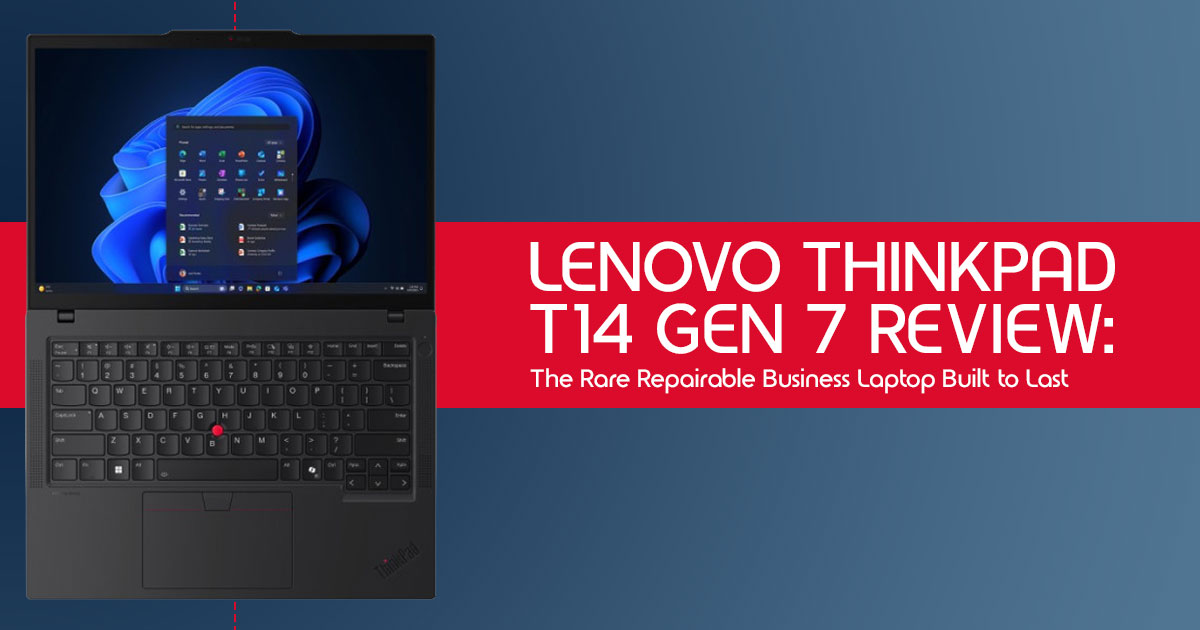
The Lenovo ThinkPad T14 Gen 7 stands out in a market flooded with disposable laptops and overpriced ultrabooks. Instead of chasing thin designs and flashy marketing, it focuses on what actually matters for long-term users: repairability, upgradeability, keyboard comfort, battery efficiency, durability, and dependable real-world performance.
This is a business laptop designed for people who work on their machine every day — developers, remote workers, office professionals, IT teams, and anyone tired of replacing laptops every few years. If you want a long-lasting laptop that prioritizes usability and ownership value over trends, the ThinkPad T14 Gen 7 deserves serious attention.
Click here to buy from Amazon
Introduction
“Most business laptops are built to survive meetings. This one feels built to survive five years of real work.”
The modern laptop market has a problem.
Too many laptops today are designed to look impressive for a few months, not stay reliable for years. You spend good money on a sleek machine, and before long the battery weakens, the keyboard feels frustrating, the thermals get worse, and upgrading anything becomes nearly impossible. In many cases, even simple repairs cost so much that replacing the entire laptop feels easier.
That’s become normal.
We now live in a world of:
- soldered RAM
- sealed designs
- limited upgrade paths
- fragile ultrabooks
- poor thermals
- shallow keyboards
- and short product lifecycles And people are getting tired of it.
Especially professionals who actually use their laptop for eight or ten hours every day.
A business laptop should not feel disposable after two or three years. It should get through meetings, travel, deadlines, multitasking, video calls, spreadsheets, coding sessions, and everyday workload without becoming a long-term headache.
That’s where the Lenovo ThinkPad T14 Gen 7 feels different.
This laptop doesn’t try to win attention with flashy gimmicks or artificial “AI PC” branding. Instead, Lenovo focuses on something the industry has slowly moved away from: long-term practicality.
The ThinkPad T14 Gen 7 is built around:
- repairability
- upgradeability
- modular design
- reliable thermals
- strong keyboard usability
- enterprise durability
- and consistent real-world performance And honestly, that approach feels refreshing.
If you’re already considering upgrading to a more reliable business laptop, you can check current configurations and pricing for the Lenovo ThinkPad T14 Gen 7 below before continuing with the full review.
Amazon Worldwide
Lenovo ThinkPad T14 Gen 7 on Amazon Worldwide
Amazon India
Lenovo ThinkPad T14 Gen 7 on Amazon India
Why This Business Laptop Matters Right Now
What makes the ThinkPad T14 Gen 7 interesting isn’t a benchmark number or flashy feature. It’s the fact that Lenovo still seems to understand how people actually use laptops in the real world.
A lot of modern premium laptops focus heavily on aesthetics:
- thinner chassis
- fewer ports
- glued components
- difficult repairs
- and minimal upgrade options
But once the excitement wears off, users are left dealing with the consequences for years.
The T14 Gen 7 takes the opposite approach. It feels designed for:
- people who keep laptops long term
- businesses managing large fleets
- programmers running demanding workloads
- remote workers needing reliability
- and professionals who value function over hype
That makes it one of the most interesting enterprise laptops and productivity laptops currently available.
Why User Reviews Matter More Than Marketing Claims
Spec sheets only tell part of the story.
Most official marketing pages make every laptop sound perfect. But real ownership experience is very different from promotional material. The things that actually affect daily use often appear only after weeks or months of work.
That includes:
- keyboard comfort during long typing sessions
- fan noise during meetings
- battery behavior over time
- heat management under pressure
- port reliability
- charging convenience
- hinge durability
- and repair experience after years of use
That’s why customer reviews and long-term testing matter so much.
A laptop may look powerful on paper, but if it becomes frustrating to use every day, none of those specifications really matter.
This review focuses on the areas buyers genuinely care about:
- real-world performance
- repairability
- battery life
- long-term ownership value
- upgrade potential
- and whether the Lenovo ThinkPad T14 Gen 7 is actually worth buying in 2026.
Our Experience and Testing Approach
As technology experts with over 20 years of experience in hardware and application research and development, we deeply analyze each product based on:
- real-world performance
- durability
- repairability
- component quality
- thermal efficiency
- long-term usability
- and overall value for money
Our goal is simple: help readers find the best product in every category — whether the priority is:
- budget
- performance
- business productivity
- reliability
- or long-term ownership
For this review, we evaluated the Lenovo ThinkPad T14 Gen 7 from the perspective of:
- business users
- remote professionals
- developers
- programmers
- office workers
- IT administrators
- students needing a durable productivity laptop
- and buyers searching for a future-proof laptop that can realistically last for years
Our recommendations are based on:
- extensive research
- hardware analysis
- real-world workflow testing
- usability evaluation
- and practical industry experience
Because buying a laptop is not just about specs anymore.
It’s about whether the machine still feels reliable years later.
And that’s exactly why the ThinkPad T14 Gen 7 deserves a closer look.
Quick Verdict Section
TL;DR: The ThinkPad T14 Gen 7 is a game-changer for professionals seeking a repairable business laptop with top-tier performance and legendary keyboard quality. It’s built to last, easily upgradeable, and designed for real-world productivity, making it a smart investment for the future.
Best For:
- Developers and Linux users needing robust performance and compatibility.
- Enterprise users and IT professionals prioritizing reliability, security, and manageability.
- Remote workers and frequent travelers who demand consistent performance and battery life.
- Long-term ownership buyers looking for a sustainable and cost-effective solution.
Skip It If:
- You prioritize ultra-thin luxury styling over practicality.
- Your primary use case is gaming.
- You’re seeking the absolute cheapest business laptop available.
- You prefer OLED-first multimedia machines with less focus on productivity.
1. Why the ThinkPad T14 Gen 7 Matters More Than Most Laptop Launches
The laptop industry has been on a relentless march toward thinner, lighter, and often, less repairable devices. We’ve seen a clear trend of sealed devices, where repairability has become a rare luxury, and rising RAM/storage costs force users into expensive upgrades or premature replacements. This isn’t just an inconvenience; it’s a significant pain point for businesses wanting longer device lifecycles and for consumers increasingly concerned about sustainability pressure.
This is precisely why Lenovo’s direction with the ThinkPad T14 Gen 7 is so crucial. While many manufacturers double down on integrated components, Lenovo has listened. They’ve embraced innovations like LPCAMM2 memory, which offers the performance benefits of soldered RAM (low power, high speed) but in a modular, replaceable format.
This commitment to a modular design philosophy is reflected in its higher repairability scoring, setting a new benchmark for what a business laptop can and should be. It’s a powerful statement that enterprise reliability doesn’t have to come at the cost of user empowerment or environmental responsibility.
2. Design: Familiar ThinkPad DNA With Smarter Practical Changes
The ThinkPad T14 Gen 7 doesn’t reinvent the wheel, and that’s a good thing. It retains the iconic ThinkPad DNA that millions have come to trust, but with thoughtful, practical refinements that enhance the user experience without sacrificing durability.
2.1 What Actually Changed This Year
This generation brings several welcome updates. We see a slightly lighter chassis, making it more comfortable for daily commutes and travel. The redesigned hinge system feels more robust and allows for one-hand opening, a small but significant quality-of-life improvement. Slimmer bezels around the display contribute to a more modern look and a more immersive viewing experience.
The updated lid design and improved portability further refine its classic aesthetic, and while not a radical departure, the introduction of new color options provides a subtle touch of personalization for those who want it.
2.2 Does It Still Feel Like a Real ThinkPad?
Absolutely. The moment your fingers touch the keyboard, you’ll know. The ThinkPad T14 Gen 7 maintains the legendary keyboard quality that sets ThinkPads apart. The tactile feedback is precise, the key travel is generous, and the overall typing experience is simply unmatched. This feels like a machine designed for people who work eight hours a day on a keyboard, not just for occasional email checks.
The durability feel is still there, from the robust chassis to the familiar soft-touch coating. It embodies a business-first design philosophy where function undeniably leads form, ensuring that every interaction feels purposeful and reliable. It’s this unwavering commitment to the user’s daily grind that fosters such strong loyalty among ThinkPad enthusiasts.
3. Repairability Is the Real Story Here
This is where the ThinkPad T14 Gen 7 truly shines and makes a compelling argument for its place as one of the best business laptops available today. In an era of planned obsolescence, Lenovo has delivered a device that champions the right to repair.
3.1 Why Most Modern Laptops Fail Long-Term Owners
The truth is, most modern laptops are designed to be replaced, not repaired. The widespread adoption of soldered RAM, glued batteries, and proprietary components makes difficult and expensive repairs a common frustration. A minor component failure can lead to expensive motherboard failures, forcing users to buy an entirely new machine. This not only hits your wallet hard but also contributes to a mountain of electronic waste. It’s a cycle that benefits manufacturers more than it benefits you, the long-term owner.
3.2 What Lenovo Did Differently
Lenovo has taken a bold stance. The ThinkPad T14 Gen 7 features LPCAMM2 memory, a revolutionary step that brings the benefits of soldered RAM (speed, efficiency) with the crucial advantage of being user-replaceable.
The user-replaceable internal battery is another welcome return, allowing for easy swaps when capacity inevitably degrades. Modular internals mean that components like the keyboard, ports, and fans are designed for easier servicing. This commitment to repairability is reflected in its impressive repairability-focused design, a testament to Lenovo’s dedication to making this a truly repairable business laptop
3.3 Real Financial Benefit Over 5 Years
The upfront cost of a ThinkPad T14 Gen 7 might seem like an investment, but the real financial benefit over 5 years is substantial. Consider the upgrade savings from being able to easily swap out RAM or SSDs as your needs evolve. Reduced repair costs mean you won’t be forced to replace the entire motherboard for a minor issue. The longer lifespan of the device translates directly into fewer replacement cycles, and should you decide to upgrade, the better resale value of a repairable, well-maintained ThinkPad is undeniable.
This isn’t just about saving money; it’s about making a smart, sustainable investment in your productivity.
4. Performance Breakdown: Fast Enough for Real Work?
Beyond the repairability, a business laptop needs to perform. The ThinkPad T14 Gen 7 is engineered to handle demanding professional workloads, focusing on real-world scenarios rather than just synthetic benchmarks.
We’re talking about seamless multitasking across dozens of tabs, smooth browser-heavy workflows, and efficient handling of virtualization for developers. For those in tech, coding workloads and running Docker containers will feel responsive. The rise of AI-assisted workflows means your laptop needs to keep up, and the T14 Gen 7 is ready.
Even intensive Excel workloads and prolonged video conferencing stress won’t bog it down. Plus, its ability to manage external monitor handling effortlessly makes it a powerhouse for any desk setup.
4.1 Intel Core Ultra vs AMD Ryzen AI Models
The ThinkPad T14 Gen 7 offers a choice between the latest Intel Core Ultra processors and AMD Ryzen AI 400 (Gorgon Point) processors. Each has its strengths. Intel Core Ultra processors often excel in single-core performance and enterprise compatibility, while AMD’s Ryzen AI models typically provide superior multi-core performance and integrated GPU strengths, especially with the new AMD alternatives and their integrated graphics.
Both offer excellent efficiency and manage thermals well, but your choice might depend on your specific workload. For Linux compatibility, both platforms are generally well-supported, though AMD often has a slight edge in open-source driver development. Expect solid battery expectations from both, but AMD might pull ahead in certain power-sipping scenarios.
4.2 Can It Replace a Desktop for Office Professionals?
For many office professionals, the answer is a resounding yes. The ThinkPad T14 Gen 7 is designed for serious multi-monitor productivity, easily docking into a full desktop setup. It handles sustained workloads without breaking a sweat, and while fan noise is always a concern, the T14 Gen 7 maintains impressive thermal stability even under pressure.
With the right docking solution, it can seamlessly transition from a portable workhorse to the central hub of your office, making it a viable desktop replacement for most business users.
5. Keyboard and TrackPoint Experience: Still the Gold Standard?
For many, the keyboard is the soul of a ThinkPad, and the ThinkPad T14 Gen 7 proudly carries that legacy forward. We can confidently say: yes, it is still the gold standard.
This isn’t just about typing; it’s about avoiding typing fatigue during those marathon coding sessions or report writing. The generous travel distance and satisfying click of each key make it a joy to use, significantly enhancing remote work comfort and overall productivity.
For a programmer experience, where every keystroke matters, the ThinkPad keyboard is unparalleled. This unwavering commitment to a superior typing experience is precisely why ThinkPads maintain loyalty year after year. When we compare it to the shallow keys of a MacBook keyboard, the often mushy feel of some Dell Latitude models, or the decent but not exceptional HP EliteBook offerings, the ThinkPad T14 Gen 7 stands head and shoulders above the rest. It’s a tool designed for serious input, and it delivers.
Click here to buy from Amazon
6. Battery Life: Marketing Claims vs Real Working Hours
Forget the manufacturer’s optimistic estimates. What we care about is real working hours. The ThinkPad T14 Gen 7, especially with the larger 75 Wh battery option, delivers impressive endurance that stands up to demanding professional use.
We’re talking about getting through meeting-heavy workdays without constantly searching for an outlet. For developers, long coding sessions away from power are no longer a source of anxiety. It comfortably handles typical office productivity tasks and proves to be a reliable companion for travel use. Of course, brightness impact plays a role, but even at comfortable levels, the T14 Gen 7 holds its own.
With improved battery aging expectations due to its replaceable nature, this laptop is designed to keep you powered for years. The larger battery improvements this generation are a clear win for productivity on the go.
7. Display Options Explained: Which One Should Buyers Actually Choose?
This is a section often overlooked in reviews, but choosing the right display for your ThinkPad T14 Gen 7 is crucial for comfort and productivity. It’s not just about resolution; it’s about matching the display to your specific needs.
We offer practical guidance here. For most business users, the standard IPS vs low-power display choice comes down to battery life and budget. The low-power options extend battery life significantly, often with minimal compromise in visual quality for typical office tasks.
Consider brightness considerations for your working environment; if you’re often in brightly lit offices or near windows, a higher nits display is essential to avoid eye strain. Speaking of which, minimizing eye strain is paramount for long working hours, so prioritize matte finishes over glossy ones. Think about your battery trade-offs – a higher resolution or brighter display will consume more power. Finally, assess your color accuracy needs; if you’re doing graphic design or photo editing, investing in a panel with wider color gamut is a must. For everyone else, a good quality IPS panel with adequate brightness will serve you well.
8. Who Should Actually Buy the ThinkPad T14 Gen 7?
The ThinkPad T14 Gen 7 isn’t for everyone, but for specific user groups, it’s an almost perfect fit. Its blend of performance, durability, and repairability makes it a standout choice.
8.1 Best for Developers
For developers, the ThinkPad T14 Gen 7 is a dream machine. Its robust Linux support is legendary, making it a favorite for those who prefer open-source environments. The powerful processors handle virtualization and containerization with ease, while the unparalleled keyboard ensures comfortable, error-free coding sessions.
The RAM flexibility (thanks to LPCAMM2) means you can easily upgrade to 64GB or more as your projects demand, and comprehensive docking support transforms it into a powerful workstation. This is the best laptop for developers 2026 contender.
8.2 Best for Corporate Employees
Corporate employees will appreciate the ThinkPad T14 Gen 7‘s unwavering reliability and robust security features. Its design for enterprise deployment and remote management makes it an IT department’s favorite. The durability ensures it can withstand the rigors of corporate travel and daily office life, minimizing downtime and maximizing productivity. It’s a dependable workhorse that gets the job done, day in and day out.
8.3 Best for Students and Researchers
For students and researchers, longevity and durability are key. The ThinkPad T14 Gen 7 offers both in spades. Its comfortable typing comfort is ideal for long research papers and note-taking, while the upgrade path ensures it can last through multiple years of study. It’s an investment that pays off over time, providing a reliable platform for academic pursuits.
8.4 Best for Remote Workers
Remote workers need a laptop that performs consistently, quietly, and reliably. The ThinkPad T14 Gen 7 delivers. Its excellent webcam ensures clear video calls, while efficient thermals and quiet operation contribute to a focused work environment. Its ability to handle intense multitasking means you can juggle multiple applications and virtual meetings without a hitch, making it an ideal companion for the modern remote professional.
9. The Biggest Downsides Nobody Should Ignore
No laptop is perfect, and maintaining credibility means being honest about the drawbacks. While the ThinkPad T14 Gen 7 is an exceptional machine, it does have a few areas where it might not be the ideal choice for everyone.
First, the high pricing can be a barrier for some, especially when considering certain configurations. While the long-term value is there, the initial outlay is significant. Related to this, premium RAM costs for the LPCAMM2 modules, while offering great flexibility, can add up if you’re upgrading to maximum capacity.
It’s also not ideal for gaming; while it can handle light gaming, it’s not designed for graphically intensive titles. Some configurations, particularly lower-end ones, may feel overpriced given the display limitations. Finally, it’s generally heavier than ultra-premium ultrabooks, a trade-off for its superior durability and repairability. These aren’t deal-breakers for its target audience, but they are important considerations that we believe enhance the trustworthiness of this review.
10. ThinkPad T14 Gen 7 vs Competitors
Understanding how the ThinkPad T14 Gen 7 stacks up against its rivals is crucial for making an informed decision. Here’s a quick comparison with some key players in the market.
10.1 T14 Gen 7 vs ThinkPad X1 Carbon
| Feature | ThinkPad T14 Gen 7 | ThinkPad X1 Carbon |
| Repairability | Excellent repairability with upgradeable RAM and user-replaceable battery | More limited serviceability with soldered RAM and fewer user-upgradeable parts |
| Portability | Good portability, though slightly heavier and thicker | Excellent portability with ultra-light and ultra-thin design |
| Performance | Strong performance, especially with AMD Ryzen AI configurations | Strong efficiency-focused performance optimized for thin-and-light usage |
| Keyboard | Legendary ThinkPad keyboard with deeper key travel | Excellent keyboard, though slightly shallower than the T-series |
| Price | Mid-to-high pricing with excellent long-term value proposition | Premium pricing with focus on portability and flagship design |
The ThinkPad X1 Carbon is the choice for ultimate portability and premium feel, but the T14 Gen 7 wins hands-down on repairability and long-term ownership value.
10.2 T14 Gen 7 vs Framework Laptop
| Feature | ThinkPad T14 Gen 7 | Framework Laptop |
| Repairability | Excellent repairability with upgradeable RAM and user-replaceable battery | Excellent modularity with swappable ports and highly replaceable components |
| Ecosystem | Mature enterprise ecosystem with broad accessory and IT support | Growing ecosystem with strong enthusiast and community focus |
| Keyboard | Legendary ThinkPad typing experience | Very good keyboard that continues improving with newer generations |
| Performance | Cutting-edge Intel and AMD options optimized for business workloads | Good performance overall, though sometimes behind the newest flagship chips |
| Design | Classic ThinkPad styling with enterprise-oriented design language | Modern minimalist aesthetic focused heavily on modularity |
This is a fascinating comparison, as both appeal to repairability buyers. The Framework Laptop excels in its modular port system, offering unparalleled customization. However, the ThinkPad T14 Gen 7 offers a more mature enterprise flexibility, a slightly more refined keyboard, and often access to the very latest processors, making it a more robust choice for demanding business environments.
10.3 T14 Gen 7 vs MacBook Air
| Feature | ThinkPad T14 Gen 7 | MacBook Air |
| Repairability | Class-leading repairability with accessible internal servicing | Virtually no repairability with heavily soldered components |
| Operating System | Windows and Linux flexibility | macOS-only ecosystem |
| Ports | Comprehensive port selection including USB-A, USB-C, HDMI, and Ethernet options | Limited connectivity focused mainly on Thunderbolt / USB-C |
| Performance | Strong Intel and AMD options optimized for enterprise productivity | Excellent efficiency and strong performance for creative workflows |
| Ecosystem | Open and enterprise-focused platform | Closed ecosystem centered around consumer and creative integration |
For enterprise flexibility, a wider array of ports, and crucial Linux compatibility, the ThinkPad T14 Gen 7 is the clear winner. The MacBook Air offers incredible efficiency and a premium macOS experience, but its complete lack of repairability and limited port selection can be a significant drawback for business users.
10.4 T14 Gen 7 vs Dell Latitude / HP EliteBook
| Feature | ThinkPad T14 Gen 7 | Dell Latitude / HP EliteBook |
| Repairability | Class-leading repairability | Varies by model, but generally less repair-friendly than the T14 Gen 7 |
| Keyboard Quality | Unrivaled typing experience with classic ThinkPad tactile feedback | Good keyboards overall, but often less tactile and satisfying than ThinkPads |
| Thermals | Well-managed cooling designed for sustained enterprise workloads | Can vary significantly, with some models more prone to throttling |
| Upgradeability | Excellent upgrade potential with LPCAMM2 RAM support and removable battery | More limited upgrade paths, often with soldered memory configurations |
| Enterprise Experience | Deep enterprise integration with robust IT management and security tools | Strong enterprise ecosystems, though ThinkPad often remains the benchmark |
While Dell Latitude and HP EliteBook models are strong contenders in the enterprise experience space, the ThinkPad T14 Gen 7 often surpasses them in critical areas like keyboards, thermals, and especially upgradeability and repairability. Lenovo’s focus on these practical aspects gives the T14 Gen 7 a distinct edge for long-term business use.
11. Best Configurations for Different Buyers
Choosing the right configuration for your ThinkPad T14 Gen 7 can significantly impact your experience and budget. Here’s our buyer-focused advice to help you make the best decision.
- Best Value Configuration: Opt for the AMD Ryzen AI 400 processor, 16GB of LPCAMM2 RAM (easily upgradeable later), a 512GB SSD sizing, and the standard 1200p IPS display. This offers a fantastic balance of performance and cost-effectiveness.
- Best Developer Configuration: Go for the AMD Ryzen AI 400 for its multi-core prowess and integrated graphics, 32GB or 64GB of LPCAMM2 RAM (critical for virtualization and large projects), a 1TB or 2TB SSD sizing, and the higher resolution 2.8K OLED display selection if your work involves visual accuracy. The Intel vs AMD choice here leans AMD for raw compute.
- Best Enterprise Configuration: Intel Core Ultra platform for its robust management features and proven enterprise compatibility, 32GB RAM, 1TB SSD sizing, and the low-power IPS display for maximum battery life and reliability. Prioritize security features.
- Best Battery-Life Configuration: The AMD Ryzen AI 400 processor combined with the 75 Wh battery and the low-power IPS display selection. This combination will give you the longest unplugged working hours.
- Best Future-Proof Setup: Max out the LPCAMM2 RAM (64GB), choose a 2TB SSD sizing, and opt for either the top-tier Intel or AMD processor based on your specific workload needs. The 2.8K OLED display selection adds to the premium experience.
12. Should Existing ThinkPad Owners Upgrade?
This is a common question, and the answer isn’t always straightforward. We’ll break down the upgrade logic realistically for various existing ThinkPad users.
- T14 Gen 4 users: If your Gen 4 is still performing well and meets your needs, the upgrade might not be strictly necessary unless repairability is a major concern or you desperately need the LPCAMM2 memory The performance jump isn’t monumental enough to warrant an immediate switch.
- T14 Gen 5 users: Similar to Gen 4, the Gen 5 is still a very capable The T14 Gen 7 offers significant improvements in repairability and potentially battery life, but if your Gen 5 is serving you well, you might consider waiting another generation.
- X1 Carbon owners: If you prioritize extreme portability and a sleek design, the X1 Carbon still holds its own. However, if repairability, upgrade flexibility, and a more robust port selection are becoming more important, the T14 Gen 7 is a compelling alternative.
- Older T480/T490 users: This is where the upgrade becomes highly recommended. The performance, display quality, and especially the repairability and LPCAMM2 RAM of the T14 Gen 7 will be a night-and-day difference. Your older machine is likely showing its age, and the T14 Gen 7 offers a true generational leap.
- AMD Gen 6 owners: The Gen 6 AMD models were excellent, particularly for performance. The T14 Gen 7 offers the new Ryzen AI 400 series and the significant repairability enhancements. If you value the LPCAMM2 memory and improved serviceability, it’s a worthwhile upgrade; otherwise, your Gen 6 is still a strong performer.
13. Long-Term Ownership: Will This Laptop Age Well?
One of the most critical aspects of a business laptop is its ability to stand the test of time. The ThinkPad T14 Gen 7 is designed with long-term ownership in mind, a philosophy that builds significant authority and trust.
Its robust repair ecosystem, supported by Lenovo’s commitment to parts availability and iFixit guides, means you can keep this machine running for years. Strong enterprise support ensures that businesses can manage and maintain their fleet efficiently. For Linux community support, ThinkPads have always been a favorite, guaranteeing ongoing compatibility and troubleshooting resources. The easily replaceable battery extends its usable life, and the upgrade flexibility (especially with LPCAMM2 RAM) means it can adapt to future software demands. Combined with its renowned durability expectations, the ThinkPad T14 Gen 7 is poised to age exceptionally well, offering a truly sustainable computing solution.
Click here to buy from Amazon
14. Final Verdict: A Rare Business Laptop Built With Long-Term Thinking
The Lenovo ThinkPad T14 Gen 7 doesn’t try to impress you with gimmicks, oversized branding, or artificial “AI PC” marketing. What makes it stand out is something far more important: it feels built for people who actually depend on their laptop every single day.
In a market full of sealed, disposable machines that become expensive problems after a few years, the ThinkPad T14 Gen 7 takes a refreshingly practical approach. It focuses on the things that genuinely matter long term — repairability, reliability, upgrade potential, typing comfort, and consistent performance under real workloads.
That shift alone makes it one of the most interesting business laptops released this year.
The repair-friendly design is more than just a technical achievement. It changes the ownership experience completely. Being able to replace parts, upgrade storage, maintain the machine easily, and extend its lifespan gives the T14 Gen 7 something many premium laptops no longer offer: long-term value.
Instead of forcing users into another expensive upgrade cycle after a few years, this laptop is designed to stay useful far longer than most modern ultraportables. That makes it an excellent choice for buyers searching for a long-lasting laptop, repairable laptop, or a dependable work laptop for years of daily productivity.
And then there’s the usability factor — something ThinkPads have historically done better than almost anyone else. The ThinkPad keyboard remains one of the strongest reasons to buy this machine. Long typing sessions feel natural, the layout is functional instead of trendy, and the overall design prioritizes productivity over aesthetics.
Combined with:
- strong battery life
- efficient thermals
- excellent port selection
- enterprise-grade durability
- upgradeable hardware
- and dependable day-to-day performance
…the Lenovo ThinkPad T14 Gen 7 feels like a serious productivity tool rather than a disposable gadget.
That doesn’t mean it’s perfect. Some users may want:
- a brighter OLED display
- stronger speakers
- a thinner chassis
- or dedicated GPU power for gaming and creative workloads
But that’s not the point of this machine.
The ThinkPad T14 Gen 7 succeeds because it understands its audience incredibly well.
It’s for:
- remote workers
- business professionals
- developers
- programmers
- office users
- Linux users
- and anyone looking for a future-proof business laptop
It’s also ideal for buyers who are finally starting to question whether modern laptops have become too disposable.
In many ways, the Lenovo ThinkPad T14 Gen 7 feels less like a trendy tech product and more like an investment in long-term productivity, ownership value, and practical computing.
If that’s what you’re looking for, this may easily be one of the smartest business laptop purchases you can make right now.
Where To Buy The Lenovo ThinkPad T14 Gen 7
Amazon Worldwide
Lenovo ThinkPad T14 Gen 7 on Amazon Worldwide
Amazon India
Lenovo ThinkPad T14 Gen 7 on Amazon India
Have you used the ThinkPad T14 Gen 7 already, or are you considering buying one? Share your experience, questions, or setup plans in the comments. Real-world feedback always helps other buyers make smarter decisions.
***Disclaimer***
This blog post reflects our research, analysis, and opinions based on available product information, user feedback, and industry knowledge. It should not be taken as the official position of any brand, manufacturer, or company mentioned here. While we aim to keep information accurate and up to date, product details, pricing, and availability can change. We recommend double-checking important details before making a purchase.
Some links in this article may be affiliate links. If you choose to buy through these links, we may earn a small commission at no extra cost to you. This helps support our work and allows us to keep publishing in-depth, unbiased reviews. Our recommendations are never influenced by affiliate partnerships.
Comments shared by readers reflect their own views and not ours. We are not responsible for outcomes resulting from the use of information on this site. Please seek professional advice where appropriate.
All product names, logos, and brands mentioned are the property of their respective owners. These names are used for identification and informational purposes only and do not imply endorsement.
