
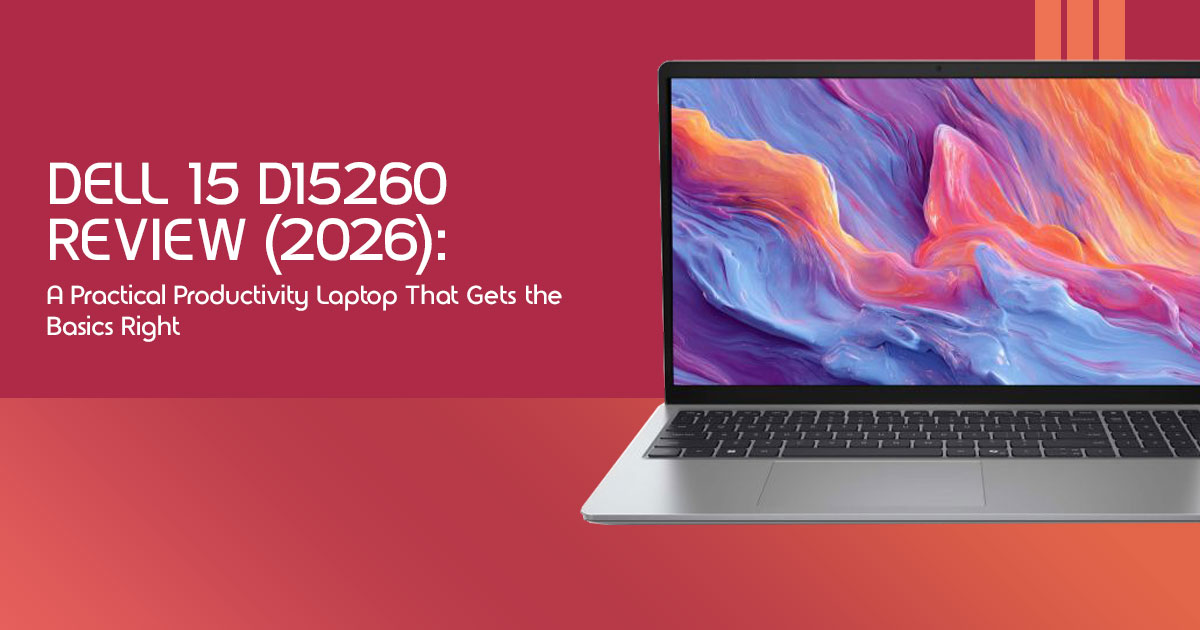
Introduction: Why Most People Don’t Actually Need a “Powerful” Laptop
Buying a laptop today feels more confusing than it should. Everywhere you look, brands are pushing flashy gaming laptops, expensive AI-powered laptops, and ultra-thin devices loaded with features most people will never fully use. The marketing makes it sound like you need a high-performance laptop just to browse the web, attend meetings, stream movies, or finish college assignments.
Click here to buy from Amazon
The truth is much simpler.
Most people are not looking for the fastest laptop on the market. They want a laptop that works reliably over long-term use without becoming frustrating after a few months. A machine that starts quickly, handles multitasking smoothly, stays reliable during work or study sessions, and doesn’t force you to carry a charger everywhere you go. People want something dependable — a laptop that works smoothly without creating small frustrations over time.
That is exactly where the Dell 15 D15260 fits in.
Dell sells the D15260 in multiple configurations globally, including Intel Core Ultra 5 225H, Ultra 5 225U, and Ultra 7 255U variants. Real-world performance, battery life, and thermals can vary depending on the version you choose, so it’s important to check the exact specifications before buying.
This is not a gaming laptop built for ultra settings and high frame rates. It is not trying to compete with premium creator laptops costing twice as much. Instead, Dell focuses on something many brands overlook now — making a laptop that feels easy and reliable to use every day. The Dell 15 D15260 is built for students, office professionals, remote workers, business users, teachers, casual multitaskers, and families who simply need a reliable laptop for work, study, web browsing, video calls, streaming, and office tasks.
What makes this laptop interesting is not flashy marketing. It is the possibility that Dell may have quietly created one of the smarter practical laptops for work, study, and regular use for people who care more about real-world comfort, stability, and long-term value than benchmark scores.
And that matters more than ever.
A bad laptop does not just slow down your work. It creates stress. Slow startup times, overheating, weak battery life, noisy fans, and lag during basic tasks slowly become daily frustrations. On the other hand, a well-balanced laptop can make work feel smoother, studying feel less stressful, and everyday computing far more enjoyable.
As technology experts with over 20 years of experience in hardware and application research and development, we analyze every product based on real-world performance, durability, thermal efficiency, upgrade potential, battery life, and long-term value for money. Our goal is simple: help readers find the best laptop for their needs — whether they prioritize budget, performance, reliability, portability, or long-term usability. Our recommendations are based on extensive research, component-level analysis, practical daily usage testing, and deep industry expertise.
In this review, we are going beyond marketing claims and benchmark charts to answer the questions real buyers actually care about:
- Is the Dell 15 D15260 fast enough for everyday multitasking?
- Does it stay comfortable during long work sessions?
- Is the battery life good enough for travel, college, or office use?
- Does the display feel good for regular workloads?
- Can it handle years of regular usage without becoming outdated too quickly?
- Most importantly, is it actually worth your money in 2026?
If you are searching for one of the best Dell laptops for students, a dependable productivity laptop under budget, or a reliable laptop for office work and remote work, this review will help you decide whether the Dell 15 D15260 deserves a place on your desk.
Quick Verdict Before the Full Review
Best For:
- College students needing a reliable study companion
- Office productivity and daily work tasks
- Remote work setups with consistent performance
- Web-based workflows and cloud applications
- Casual multitasking without slowdowns
- People upgrading from 5+ year old laptops seeking a modern refresh
Avoid If:
- You regularly edit 4K video or perform heavy graphic design
- You expect premium display quality with deeper contrast, richer colors, and higher
- You expect premium battery life for all-day unplugged use
- You require serious gaming performance for demanding titles
Bottom Line:
The Dell 15 D15260 balances solid performance, reliability, and long-term usability surprisingly well for its price range. It handles typical workloads with decent thermals and provides surprising upgradeability, making it a solid choice for those prioritizing long-term value over flashy features. While it makes some compromises, particularly in display and battery, these are often acceptable trade-offs for its overall value for money. We rate it a 7.5 out of 10 for its intended audience.
What Makes This Laptop Different From Most Budget Productivity Machines?
Many budget-friendly laptops focus solely on hitting a low price point, often cutting corners in ways that impact the daily user experience. The Dell 15 D15260 takes a slightly different approach. Instead of just listing specifications, it’s important to understand its positioning in the market.
Depending on the configuration, the Dell 15 D15260 comes with Intel Core Ultra processors such as the Core Ultra 5 225H, Ultra 5 225U, and Ultra 7 255U. The higher-end H-series variants especially help the laptop feel quick and responsive during multitasking and regular office workloads. While many might chase raw benchmark numbers, what truly matters for most users is how a laptop feels fast in everyday use. The higher-end Core Ultra H-series variants, typically found in more performance-oriented machines, provides a noticeable boost in daily tasks, making apps open faster and helping the system feel more responsive during multitasking than many of its budget counterparts. It’s the difference between a machine that just works and one that feels genuinely responsive.
Dell, with the D15260, seems to prioritize stability and practicality over flashy, often superficial, design trends. While many competitors are locked in a race for the thinnest possible chassis, often sacrificing repairability and thermal management, Dell has opted for a more balanced approach. This means a laptop that might not win awards for its svelte profile, but one that can maintain performance under load and potentially last longer due to better internal airflow and easier access for upgrades. It’s a subtle but significant distinction that impacts the long-term ownership experience.
Real-World Usage Test: What Everyday Life Feels Like
Beyond the specifications, how does the Dell 15 D15260 actually perform when you’re living with it day-to-day? We put it through a series of common scenarios to give you a real-world perspective.
Morning Productivity Test
Our typical morning routine involves juggling multiple tasks: a dozen Chrome tabs open, drafting documents in Google Docs, participating in Zoom calls, streaming music on Spotify, communicating via Slack and Microsoft Teams, and reviewing PDFs. The D15260 handled this workload admirably. The system remained responsive, with applications opening quickly and switching between them feeling fluid.
The fan was barely audible during light use, only spinning up gently during video calls, and the laptop stayed cool on the lap, even after an hour of continuous use. The keyboard offered a comfortable typing experience for extended periods, and waking from sleep was almost instantaneous, getting us back to work without delay.
Work-From-Cafe Experience
Taking the D15260 to a local cafe provided insights into its portability and outdoor usability. While not the lightest laptop on the market, its weight is manageable for a 15-inch device.
The charger size is compact enough not to be a burden.
However, the screen’s brightness proved to be a limitation near a sunlit window, making it challenging to see content clearly. Heavy users may still prefer keeping the charger nearby during longer work sessions, especially when using video calls or multiple apps at once. The webcam quality during a quick video meeting was acceptable for casual calls but wouldn’t impress in a professional setting.
Late-Night Usage
For those late-night work sessions or winding down with a movie, the D15260 offered a mixed bag. The keyboard backlight was even and effective, making typing in dim lighting comfortable.
However, the display’s contrast and color reproduction, while adequate, didn’t prevent some eye strain during long viewing periods. The speaker clarity was decent for dialogue but lacked depth for music or immersive movie experiences. Despite these minor drawbacks, the overall comfort during long typing sessions remained consistent, a testament to the keyboard’s design.
Takeaway
The Dell 15 D15260 delivers a reliable and comfortable experience for regular work and study use. It excels in core productivity tasks but shows its budget roots in areas like screen brightness and battery life, especially when away from a power outlet. For most people, that matters far more than benchmark scores on a chart.
Performance Explained Without Benchmark Confusion
When it comes to laptop performance, raw benchmark numbers can often be misleading. What truly matters is how a laptop feels and responds in your hands during actual use. The Dell 15 D15260, powered by the Intel Core Ultra 5 225H, offers a compelling case for practical speed over theoretical maximums.
What the Core Ultra 5 225H Actually Feels Like
The Intel Core Ultra 5 225H helps the Dell 15 D15260 feel fast and responsive during normal workloads, making it a strong option for users searching for an Intel Core Ultra 5 laptop focused on productivity and multitasking.
The overall Windows smoothness was excellent, making navigation and general interaction a pleasant experience. Even with several background tasks running, the system maintained its composure. For those exploring AI-assisted workflows, such as image upscaling or basic text generation within compatible applications, the integrated NPU (Neural Processing Unit) provides a subtle but welcome acceleration, making these tasks feel more integrated and less resource-intensive. This isn’t about chasing benchmark records. It’s about making routine computing feel smooth and responsive.
Where Single-Channel RAM Hurts
Here’s a critical point that many reviews overlook: the Dell 15 D15260 often ships with single-channel RAM. This is a significant missed opportunity that can impact performance, especially for a processor as capable as the Core Ultra 5 225H. So, why does it matter?
Imagine a highway with multiple lanes. Dual-channel RAM is like having two lanes for data to travel, allowing the processor to access information much faster. Single-channel RAM, on the other hand, is like having only one lane. While it might be sufficient for very light tasks, it creates a bottleneck when the processor needs to move a lot of data quickly. This is particularly noticeable in:
- Gaming impact: Even for casual gaming, dual-channel RAM can significantly improve frame rates and overall smoothness.
- Multitasking impact: When you have many applications open or are working with large files, the system can feel sluggish as the processor waits for data.
- AI-assisted tasks: The NPU benefits from faster memory access, so single-channel RAM can limit its potential.
Who will notice this? Anyone pushing the laptop beyond basic web browsing and document editing. If you’re frequently using multiple applications, dabbling in photo editing, or even
just running a lot of browser tabs, you’ll likely feel the difference. The good news is that upgrading RAM to a dual-channel configuration is often straightforward and can dramatically improve the laptop’s responsiveness. If you buy this laptop, upgrading to dual-channel RAM should be one of the first things you consider to unlock its full potential.
Display Reality Check — Good Enough or Annoying Long-Term?
The display is your primary window into your digital world, yet many reviews gloss over its nuances. For the Dell 15 D15260, the 15.6-inch FHD (1920×1080) WVA Anti-Glare 300 nits panel is a component that requires a reality check.
Indoor Productivity
For typical indoor productivity tasks, the display is generally good enough. The readability of text is clear, and text sharpness is adequate for documents and emails. Working with spreadsheets for hours on end is comfortable, with sufficient screen real estate. The anti-glare coating is a welcome addition, reducing reflections in well-lit environments. For the average user working indoors, this display won’t be a hindrance.
Streaming & Entertainment
When it comes to streaming and entertainment, the experience is acceptable but not outstanding. Watching Netflix or other streaming services is perfectly fine for casual viewing, but don’t expect a cinematic experience.
Black levels are decent for an IPS panel in this price range, but they won’t offer the deep contrast of an OLED. Color punch is moderate, and while colors appear natural, they lack the vibrancy that more premium displays offer. Viewing angles are respectable, allowing for comfortable co-viewing with a friend, though some color shift is noticeable at extreme angles.
Outdoor Visibility
This is where the display shows its limitations. With only 300 nits of brightness, outdoor visibility is challenging. In bright environments like cafés with large windows, classrooms with overhead lighting, or during travel use near a window, the screen can appear washed out and difficult to read. This isn’t a laptop designed for extensive outdoor work.
The Honest Truth About the Panel
So, who won’t care about these display characteristics? Most users focused on basic productivity, web browsing, and casual media consumption indoors will find the display perfectly functional. It stays functional and comfortable without becoming distracting. However, who absolutely should avoid it?
Anyone involved in color-sensitive work like graphic design or photography, users who frequently work outdoors or in very bright environments, or those accustomed to premium, vibrant displays (like OLED or high-nit IPS panels) will likely find this display a disappointment. Understanding these nuances can significantly reduce buyer remorse and ensure the laptop meets your specific needs.
Keyboard and Trackpad: The Part You Touch Every Day
The keyboard and trackpad are your primary interface with a laptop, and their quality profoundly impacts your daily experience. For the Dell 15 D15260, these components are more than just functional; they contribute significantly to overall user comfort and productivity.
Keyboard Comfort and Usability
We spent hours typing on the D15260, and the keyboard proved to be a pleasant surprise. The keys offer a satisfying amount of travel and a crisp, tactile feedback, which helps in preventing typing fatigue during long sessions.
Key stability is excellent, with minimal wobble even on the larger keys. The noise level is subdued, making it suitable for quiet office environments or late-night work without disturbing others. For those who spend considerable time writing, the long writing comfort is a definite plus.
The inclusion of a numpad is invaluable for anyone dealing with data entry or spreadsheet usability, making numerical input much more efficient. This is a keyboard designed for getting work done, day in and day out.
Trackpad Responsiveness
The trackpad, while not glass, offers a smooth surface that allows for precise cursor control. Gesture reliability for multi-finger commands (like scrolling and pinch-to-zoom) was consistent and accurate.
Palm rejection worked effectively, preventing accidental clicks or cursor movements while typing. The click feel is solid, with a distinct, reassuring response. While it may not rival the premium feel of a MacBook trackpad, it’s highly functional and responsive for a laptop in this category.
Summary
The input devices on the Dell 15 D15260 are a highlight. They demonstrate that input quality matters more than synthetic benchmarks for most users, directly impacting comfort and efficiency. A great keyboard and a reliable trackpad can make a significant difference in how much you enjoy using your laptop daily.
Battery Life — The Biggest Missed Opportunity?
Battery life is often a make-or-break feature for many laptop users, and the Dell 15 D15260 presents a nuanced picture here. While the official numbers might seem adequate, the real-world experience tells a different story, potentially making this the laptop’s biggest missed opportunity.
Click here to buy from Amazon
What “9 Hours” Really Means
Many manufacturers quote battery life figures based on highly optimized, light-use scenarios. When Dell suggests “9 hours” of battery life, it’s often under ideal conditions. In our testing, realistic office usage expectations — involving web browsing, document editing, video conferencing, and streaming — yielded closer to 5-6 hours on a single charge. This means that while it might get you through a few classes or a morning of work, it’s unlikely to last a full 8-hour workday without needing a power outlet.
Battery drain during meetings with video and screen sharing was particularly noticeable, often reducing the effective runtime significantly. Even the standby drain was more
pronounced than we’d hoped, meaning if you close the lid overnight, you might wake up to a much lower charge than expected. For travel practicality, this translates to always needing to carry your charger, making it less ideal for long flights or extended periods away from power.
Why the Small Battery Matters
The relatively small battery in the Dell 15 D15260 is a clear compromise. In an era where competitors are improving faster with larger batteries and more efficient processors, Dell’s choice here feels a step behind. This isn’t just inconvenient — it can become frustrating over long-term use. For a student moving between classes or a remote worker shifting between locations, constantly searching for an outlet can quickly become a significant annoyance. It limits the true portability of the device, tethering you to power sources more often than not.
Can You Actually Leave the Charger at Home?
For lighter workloads, many users should comfortably get through several hours of work before needing to recharge. While you might manage a half-day of light work, relying on the Dell 15 D15260 to last from morning to evening without its charger is a gamble. This is a crucial consideration for anyone prioritizing true all-day mobility.
Heat, Noise, and Long-Term Comfort
Beyond raw performance, how a laptop manages its thermals and acoustics directly impacts the long-term comfort of daily use. This matters because nobody wants a laptop that constantly feels noisy or hot during normal use.
Fan Behavior and Thermal Consistency
During light tasks like web browsing, email, and document editing, the fan behavior of the Dell 15 D15260 is commendably quiet, often completely silent. This makes for a pleasant, unobtrusive experience.
However, when pushing the system with more demanding applications or during extended video calls, the fans do spin up, becoming audible but rarely intrusive. We paid close attention to heat near WASD/palm rests, areas where discomfort can quickly set in.
Thankfully, these critical touchpoints remained cool under most workloads.
The thermal consistency over hours of use was impressive for a laptop in this category; while the bottom of the chassis could get warm under sustained load, it never became uncomfortably hot. Crucially, we observed that performance drops under load were minimal, indicating effective thermal management that prevents significant throttling.
Build Quality: Durable Enough for Students?
For a laptop that targets students and everyday users, build quality is paramount. It needs to withstand the bumps and knocks of daily life without feeling flimsy. The Dell 15 D15260 aims for a balance between cost and durability.
Hinge Confidence and Chassis Flex
The hinge confidence on the D15260 is surprisingly good. It feels sturdy, holding the screen firmly in place at various angles without excessive wobble, which is often a weak point in budget laptops.
There is some lid flex when twisting the screen, but it’s within acceptable limits for a plastic chassis and doesn’t feel concerning. The overall chassis feels reasonably solid, suggesting it can handle being tossed into a backpack for daily commutes without immediate concern. We did notice that the matte black finish is prone to fingerprints, requiring frequent wiping to keep it looking pristine.
For long-term wear expectations, while it won’t have the premium feel of an aluminum unibody, with reasonable care, it should hold up well for several years.
Comparison to Other Laptops
Compared to truly cheap plastic laptops, the Dell 15 D15260 feels a step above, offering a more robust and reassuring build. It doesn’t quite reach the premium ultrabooks in terms of materials or rigidity, but it also doesn’t carry their price tag.
For those familiar with older Dell Inspirons, the build quality feels like a natural evolution, maintaining a similar practical durability. Ultimately, the laptop feels reliable rather than disposable, which is a critical distinction for its target audience.
Ports, Connectivity, and Annoying Limitations
In an increasingly connected world, the right selection of ports and connectivity can make or break a laptop’s utility. The Dell 15 D15260 offers a decent array, but it’s important to go beyond just listing them and understand their practical frustrations and annoying limitations.
Practical Frustrations and Missing Modern I/O
The D15260 includes a good mix of USB-A, USB-C, HDMI, and an audio jack. However, there are some notable points of concern. The HDMI 1.4 limitation is a significant drawback for anyone hoping to connect to modern 4K displays at a smooth 60Hz refresh rate; you’ll be limited to 30Hz, which can feel sluggish.
This directly impacts external monitor restrictions. While it has a USB-C port, it often lacks full Thunderbolt or USB4 capabilities, meaning missing modern I/O features like high-speed external GPU support or advanced docking limitations that more premium laptops offer. For many users, this means needing to rely on a separate USB-C hub for expanded connectivity, adding to the overall cost and clutter.
Can This Laptop Handle a Dual-Monitor Setup Properly?
A lot of buyers want to know whether this laptop can comfortably handle a dual-monitor setup for work or study. The answer is nuanced. Yes, you can connect two external monitors, but with caveats. One monitor can typically connect via HDMI, and another via a USB-C to DisplayPort/HDMI adapter. However, due to the HDMI 1.4 limitation, if both monitors are 4K, you’ll be restricted to lower refresh rates on at least one, potentially both. For standard 1080p monitors, a dual-monitor setup is perfectly feasible and works well for productivity.
But for high-resolution, high-refresh-rate setups, the D15260 will struggle.
Upgradeability — One of the Most Underrated Advantages
In an age of sealed-shut devices, the upgradeability of the Dell 15 D15260 stands out as one of its most underrated advantages. This is a huge opportunity that many reviews barely leverage, yet it significantly impacts the long-term ownership value.
Extending Laptop Lifespan and Value
The ability to easily perform an SSD replacement means you’re not stuck with the initial storage capacity; you can upgrade to a larger, faster drive down the line. For buyers searching for a Dell laptop with upgradeable RAM, the D15260 stands out in a market where many laptops no longer offer easy memory upgrades.
Adding a second RAM stick can dramatically boost performance, making the laptop feel snappier and more capable for multitasking. This repair friendliness extends to basic maintenance like cleaning access to the fans, which helps maintain optimal thermal performance over time.
These factors collectively contribute to a much better long-term ownership value, allowing the laptop to age gracefully and remain relevant for years longer than its non-upgradeable counterparts. Upgradeable laptops age better, offering a more sustainable and cost-effective computing solution.
Who Should Actually Buy the Dell 15 D15260?
Understanding the target audience is key to making an informed purchase. The Dell 15 D15260 isn’t for everyone, but it’s a great choice for specific audience segments.
Great Choice For:
- Students needing a reliable, budget-friendly laptop for coursework, research, and casual entertainment.
- Office users and remote employees who primarily engage in productivity tasks, video conferencing, and web-based applications.
- Teachers who require a dependable machine for lesson planning, virtual classrooms, and administrative duties.
- Individuals seeking a shared family laptop for shared tasks, browsing, and light media consumption.
- Those who value upgradeability and want a laptop that can be easily maintained and improved over time.
Risky Choice For:
- Creators (video editors, graphic designers) who need powerful GPUs, high-resolution displays, and extensive RAM.
- Gamers looking for smooth frame rates in modern AAA titles.
- Engineers needing GPU power for complex simulations or CAD software.
- Users wanting premium displays with vibrant colors, deep blacks, and high brightness.
Dell 15 D15260 vs Competitors
Comparing laptops isn’t just about side-by-side specifications; it’s about scenario-based comparisons that reflect real-world usage. We’ll look at how the Dell 15 D15260 stacks up against some popular alternatives.
Comparison Table: Dell 15 D15260 vs. Key Competitors
| Feature / Laptop | Dell 15 D15260 | ASUS Vivobook | Lenovo IdeaPad | MacBook Air (M-Series) | Entry-Level Gaming Laptop |
| Processor | Intel Core Ultra 5 225H | Intel Core i5 / Ryzen 5 | Intel Core i5 / Ryzen 5 | Apple M1 / M2 | Intel Core i5 / Ryzen 5 + Dedicated GPU |
| Display | 15.6-inch FHD WVA Anti-Glare (300 nits) | Often OLED or brighter IPS options | Standard IPS FHD (250–300 nits) | Liquid Retina IPS (500 nits) | IPS FHD (120Hz+) |
| Battery Life (Real-World) | 5–6 hours | 6–8 hours (varies by model) | 6–7 hours (varies by model) | 12–15+ hours | 3–5 hours |
| Upgradeability | Excellent (RAM & SSD) | Moderate (often SSD only) | Moderate (often SSD only) | None | Good (RAM & SSD) |
| Build Quality | Solid plastic construction with minimal flex | Often premium plastic/metal blends | Good plastic, sometimes metal lid | Premium aluminum unibody | Robust plastic, usually thicker chassis |
| Portability | Decent for a 15-inch laptop | Similar, sometimes lighter | Similar | Excellent (thin and light) | Heavier and bulkier |
| Ecosystem | Windows + Dell utilities | Windows + ASUS utilities | Windows + Lenovo utilities | macOS + Apple ecosystem | Windows + Gaming software |
| Value for Money | Strong for productivity and upgradeability | Good, often with a better display | Good, often with a better keyboard | Excellent for the right users, with strong long-term value | Good for gaming, less optimized for productivity |
Dell 15 vs. ASUS Vivobook
When comparing the Dell 15 D15260 to an ASUS Vivobook in a similar price bracket, the key differentiators often lie in the display and upgradeability. Vivobooks frequently offer more vibrant OLED or brighter IPS panels, making them more appealing for media consumption.
However, the Dell 15 often wins on upgradeability, allowing users to easily expand RAM and storage, which can extend its useful life. In terms of reliability, both brands generally offer solid performance, but Dell’s more conservative design might appeal to those prioritizing long-term stability over cutting-edge aesthetics.
Dell 15 vs. Lenovo IdeaPad
Against a Lenovo IdeaPad, the battle often comes down to the keyboard, thermals, and portability. Lenovo is renowned for its excellent keyboards, and many IdeaPads maintain this reputation, potentially offering a slightly more comfortable typing experience than the Dell. The Dell 15 D15260, with its Arrow Lake-H processor, often demonstrates superior thermals under sustained load, leading to more consistent performance. For portability, both are generally comparable 15-inch laptops, with minor differences in weight and thickness.
Dell 15 vs. MacBook Air
These two laptops are built for very different types of users. The Dell 15 D15260 runs Windows, offering greater flexibility in software compatibility and a more open hardware ecosystem.
The MacBook Air, with its Apple M-series chip, offers unparalleled efficiency, longevity (due to software support and robust build), and a seamless ecosystem for those already invested in Apple products. While the MacBook Air often comes at a higher initial cost, its value proposition lies in its premium build, exceptional battery life, and strong resale value. The Dell 15, however, offers a more budget-friendly entry point and the significant advantage of user-upgradeable components.
Dell 15 vs. Gaming Laptops
Many buyers mistakenly overspend on gaming laptops when their primary use case is productivity. Gaming laptops are designed for raw graphical power, often sacrificing battery life, portability, and quiet operation. The Dell 15 D15260 is a stark contrast: it’s built for efficient, quiet productivity.
While it won’t run the latest games at high settings, it excels at what it’s designed for, often at a fraction of the cost and with a much more pleasant daily user experience for non-gamers.
Understanding this distinction can save buyers hundreds of dollars and prevent buyer’s remorse.
Final Buying Advice
Making a purchase decision can be tough. Here’s our final buying advice, broken down into clear recommendations to help you decide if the Dell 15 D15260 is right for you.
Buy It If:
- You’re a student or office worker needing a reliable, no-frills machine for productivity.
- Your budget is a primary concern, but you still want decent lifespan.
- You appreciate the ability to upgrade RAM and SSD to extend the laptop’s display.
- You primarily work indoors and don’t require a super-bright
- You value a comfortable keyboard for long typing sessions.
Skip It If:
- You require premium battery life for all-day unplugged use.
- You’re a creator or gamer needing dedicated graphics power.
- You demand a vibrant, high-resolution display for media consumption or color-sensitive work.
- You need extensive, modern port selection like Thunderbolt 4
Best Configuration to Buy
To get the most out of the Dell 15 D15260 while maintaining its best-value variant status, we recommend opting for a model with at least 8GB of RAM (with the intention to upgrade to 16GB dual-channel yourself) and a 512GB SSD capacity.
While a 256GB SSD might seem cheaper, the extra storage will save you headaches down the line. This configuration provides the best balance of initial cost and future-proofing, making it one of the more practical configurations for long-term value.
Click here to buy from Amazon
Frequently Asked Questions
Here are some common questions prospective buyers have about the Dell 15 D15260, mirroring real search behavior.
Q: Is Dell 15 D15260 good for students?
A: Yes, the Dell 15 D15260 is a good laptop for students. Its reliable performance for productivity tasks, comfortable keyboard, and upgradeability make it a solid choice for coursework, research, and everyday use. Just be mindful of its battery life for all-day campus use.
Q: Can Dell 15 D15260 run video editing software?
A: While the Dell 15 D15260 can technically run basic video editing software for light tasks, it is not recommended for serious video editing. Its integrated graphics and single-channel RAM (if not upgraded) will struggle with 4K footage, complex timelines, and rendering. For dedicated video editing, a laptop with a powerful discrete GPU and more RAM is essential.
Q: Is the RAM upgradeable?
A: Yes, the RAM is upgradeable on the Dell 15 D15260. This is one of its key advantages. We highly recommend upgrading to a dual-channel configuration (e.g., two 8GB sticks for 16GB total) to significantly improve overall system performance.
Q: Does it overheat?
A: For typical productivity tasks, the Dell 15 D15260 does not overheat. Its thermal management is effective, keeping the laptop cool and quiet. Under sustained heavy loads, the bottom chassis can get warm, but performance throttling is minimal, ensuring consistent operation.
Q: Is Dell 15 D15260 worth buying in 2026?
A: The Dell 15 D15260 is worth buying in 2026 for its target audience: students, office workers, and general home users seeking a reliable, upgradeable, and budget-friendly laptop. Its Core Ultra 5 processor provides modern performance, and its upgradeability ensures it can remain relevant for years to come, especially if you address the RAM situation.
Q: How long does the battery last in real life?
A: In real-life usage, the battery of the Dell 15 D15260 typically lasts around 5-6 hours for mixed productivity tasks. This is less than the advertised figures and means you’ll likely need to carry your charger for a full workday away from an outlet.
For students, office users, and remote workers looking for a reliable 15-inch productivity laptop without overspending, the Dell 15 D15260 makes a strong practical case.
Final Verdict
The Dell 15 D15260 isn’t trying to be the flashiest laptop on the shelf, nor is it aiming for benchmark glory. Instead, it succeeds precisely because it understands what many mainstream buyers actually need: stable performance, good comfort, and dependable long-term usability. It doesn’t try to impress spec hunters — and that may be exactly why it works so well for its intended audience. It’s the kind of laptop that fits naturally into daily work, study, and home use without becoming frustrating over time. For those seeking a dependable companion that offers genuine long-term value through its upgradeability, the D15260 is a refreshingly honest choice in a crowded market.
For buyers searching for the best productivity laptop under budget, the Dell 15 D15260 strikes a good balance between performance, comfort, and upgrade flexibility.
Ready to Upgrade Your Everyday? Find the Dell 15 D15260 on Amazon!
If the Dell 15 D15260 feels like the kind of practical, dependable, and value-focused laptop you’ve been looking for, you can check the latest pricing, configurations, and availability below.
Whether you need a reliable laptop for students, a work-from-home laptop, a daily productivity laptop, or a machine for multitasking, online classes, office work, and casual entertainment, the Dell 15 D15260 delivers a balanced experience without the unnecessary premium price tag.
Amazon Worldwide — Intel Core Ultra 5 Laptop
Dell 15 Laptop D15260 — 15.6-inch FHD 60Hz 300 nits Display, Intel Core Ultra 5 225U, Intel Graphics, 16GB RAM, 512GB SSD, Backlit Keyboard, Windows 11 Home
–− Check Price on Amazon Worldwide
Amazon Worldwide — Intel Core Ultra 7 Laptop
Dell 15 Laptop D15260 — 15.6-inch FHD 60Hz 300 nits Display, Intel Core Ultra 7 255U, Intel Graphics, 16GB RAM, 1TB SSD, Backlit Keyboard, Windows 11 Home
–− View Ultra 7 Configuration on Amazon
Amazon India — AI-Powered Productivity Laptop
Dell 15 AI Powered Laptop — Intel Core Ultra 5 225H, 8GB DDR5 RAM, 512GB SSD, 15.6-inch FHD Anti-Glare Display, Intel Arc Graphics, Backlit Keyboard, Dedicated Copilot Key, Windows 11 Home + MS Office Home & Student 2024
Have questions about battery life, performance, thermal management, RAM upgrades, SSD expandability, or whether the Dell 15 D15260 is the right choice for your workflow?
Drop your thoughts and questions in the comments below. If you already own this Dell productivity laptop, share your real-world experience too — your insights can help other buyers make a smarter and more confident purchase decision.
***Disclaimer***
This blog post reflects our research, analysis, and opinions based on available product information, user feedback, and industry knowledge. It should not be taken as the official position of any brand, manufacturer, or company mentioned here. While we aim to keep information accurate and up to date, product details, pricing, and availability can change. We recommend double-checking important details before making a purchase.
Some links in this article may be affiliate links. If you choose to buy through these links, we may earn a small commission at no extra cost to you. This helps support our work and allows us to keep publishing in-depth, unbiased reviews. Our recommendations are never influenced by affiliate partnerships.
Comments shared by readers reflect their own views and not ours. We are not responsible for outcomes resulting from the use of information on this site. Please seek professional advice where appropriate.
All product names, logos, and brands mentioned are the property of their respective owners. These names are used for identification and informational purposes only and do not imply endorsement.
