
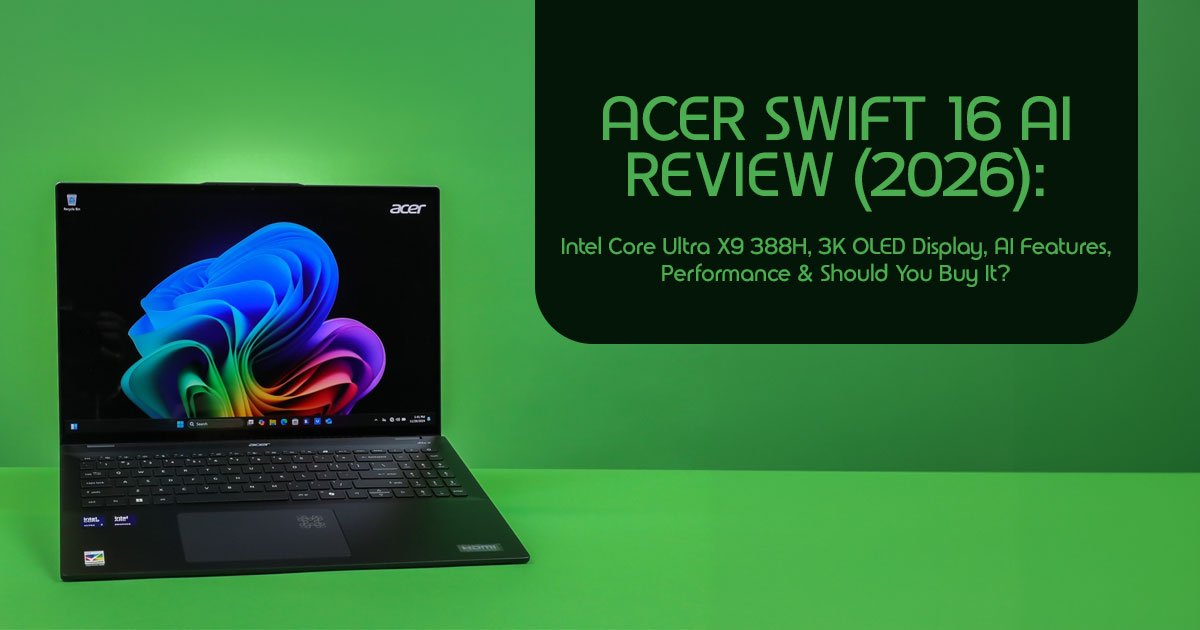
1. Acer Swift 16 AI Review: Quick Verdict
Buying a premium laptop today isn’t just about choosing the fastest processor or the brightest display. It’s about investing in a device that will stay fast, reliable, and relevant for years. With AI-powered laptops becoming the new standard, the real question is no longer “Does it have AI?”—it’s “Will those AI features actually improve the way you work, create, and study?”
That’s exactly where the Acer Swift 16 AI aims to stand out. Powered by the Intel Core Ultra X9 388H and a brilliant 3K OLED Display, the Acer Swift 16 AI is built for people who want one laptop that can handle work, creativity, and entertainment without slowing down. It combines fast performance, Intel AI Boost, excellent visuals, and the portability you’d expect from a modern Windows AI PC. But does it justify its premium price, and is it the right choice over competing models from other leading brands?
Click here to buy from Amazon
As technology experts with over 20 years of experience in hardware and application research and development, we evaluate every product beyond the marketing claims. Our reviews focus on real-world performance, build quality, long-term reliability, repairability, thermal efficiency, battery life, and overall value for money. Whether you’re looking for the best budget laptop, a high-performance workstation, a dependable business machine, or a future-ready AI laptop, our recommendations are built on extensive research, component-level analysis, practical usability, and industry expertise—not just specification sheets.
The Acer Swift 16 AI is particularly well suited for professionals, content creators, software developers, students, business users, and remote workers who need a lightweight laptop capable of handling multitasking, creative applications, productivity software, and everyday AI-powered workflows such as Microsoft Copilot, Adobe Photoshop AI tools, Visual Studio, DaVinci Resolve, and other productivity or creative applications.
After carefully analyzing its hardware, features, market positioning, and expected real-world performance, we believe the Acer Swift 16 AI is one of the most promising premium Windows laptops in its category. Its biggest strengths include the powerful Intel Core Ultra X9 388H, an immersive OLED display, fast storage, and practical on-device AI capabilities that can genuinely improve everyday productivity. There are a few compromises, including an oversized trackpad that may not suit everyone and the usual long-term considerations associated with OLED displays, but neither significantly detracts from the overall experience.
If you’re searching for a premium AI laptop that balances performance, portability, display quality, and long-term value, this review will help you understand where the Acer Swift 16 AI excels, where it falls short, and whether it’s the right investment for your specific needs before you spend your money.
2. Why This Launch Matters in 2026
The year 2026 marks a pivotal moment in personal computing, with AI PCs no longer a futuristic concept but a tangible reality. The industry is rapidly shifting towards devices that integrate powerful neural processing units (NPUs) directly into their silicon, fundamentally changing how we interact with our machines. This isn’t just about faster processing; it’s about smarter, more intuitive experiences.
A few years ago, buyers mostly compared laptops by processor speed, battery life, and weight. Today, people also expect built-in AI features, faster content creation, smarter video calls, and better multitasking. That’s why devices like the Acer Swift 16 AI are becoming much more relevant than traditional ultrabooks.
The Acer Swift 16 AI positions itself squarely in this new era, aiming to deliver cutting-edge AI performance and a top-tier user experience at a price point that challenges many of its rivals. It represents a significant step forward in making advanced AI capabilities accessible to a broader audience, moving beyond marketing claims to deliver practical everyday benefits.
3. At-a-Glance Specifications
To give you a clear picture of what the Acer Swift 16 AI brings to the table, here’s a quick overview of its core specifications. These aren’t just numbers; they represent the foundation of its performance and user experience.
| Component | Specification |
| CPU | Intel Core Ultra X9 388H (16 cores, up to 5.10GHz) |
| GPU | Integrated Intel Arc B390 Graphics (12 Xe3 cores) |
| NPU | Intel AI Boost (Up to 50 TOPS) |
| Display | 16-inch 3K (3072 × 1920) OLED Touchscreen, 120Hz refresh rate, 100% DCI-P3 color gamut |
| Memory | 32GB LPDDR5X (Soldered) |
| Storage | 1TB PCIe Gen4 NVMe SSD |
| Ports | 2 × USB-C (Thunderbolt 4), 2 × USB-A 3.2, HDMI 2.1, 3.5mm audio combo jack |
| Battery | 70Wh Lithium-Ion battery with fast charging support |
| Wireless | Wi-Fi 7 and Bluetooth 5.4 |
| Weight | Approximately 3.4 lbs (1.54kg) |
| Dimensions | 14.0 × 9.6 × 0.59 inches |
Specifications tell only part of the story. The real value of any laptop comes from how well those components work together in everyday use, which is exactly what we’ll explore next.
4. What the Core Ultra X9 388H Actually Brings
At the heart of the Acer Swift 16 AI lies the Intel Core Ultra X9 388H processor, a true game-changer for on-device AI capabilities. This isn’t just a routine processor upgrade. It represents one of Intel’s biggest architectural improvements in recent years, especially for AI-powered laptops. The 388H is built on Intel’s latest Panther Lake architecture, which integrates a powerful Neural Processing Unit (NPU) directly into the chip. This NPU is designed specifically to handle AI workloads efficiently, offloading tasks from the CPU and GPU, leading to better performance and power efficiency for AI-driven applications.
On paper, the processor delivers up to 50 NPU TOPS (Tera Operations Per Second), meaning it can execute 50 trillion operations per second for AI tasks. This translates to tangible benefits: faster AI-powered photo and video editing, more responsive real-time language translation, and enhanced features in applications like Windows Studio Effects.
Compared to previous Intel generations, the Core Ultra X9 388H offers substantial gains in multi-threaded performance and a noticeable boost in integrated graphics, thanks to its 12 Xe3 GPU cores. This means smoother gaming at moderate settings and accelerated creative workflows without needing a dedicated graphics card.
However, it’s worth noting that while Intel has made impressive strides, competitors like Apple, with their M-series chips, and AMD, with their Ryzen AI processors, still hold advantages in certain areas.
Apple’s integrated ecosystem and optimized software often yield superior power efficiency and sustained performance for creative tasks, while AMD’s integrated graphics have historically been very strong. The Intel Core Ultra X9 388H is designed to close much of that performance gap while bringing stronger Intel AI Boost capabilities to Windows users.
5. OLED Experience Beyond the Marketing
The 16-inch 3K OLED display on the Acer Swift 16 AI is, without exaggeration, a showstopper. While marketing often hypes up display technologies, based on its specifications, this 3K OLED Display is expected to deliver an excellent viewing experience for both work and entertainment.
With OLED, each pixel emits its own light, resulting in perfect blacks and an infinite contrast ratio. This means colors pop with incredible vibrancy and accuracy, making it especially well suited for color-sensitive work such as graphic design, photo editing, and video production.
On paper, the panel offers the kind of rich, accurate colors that photographers, designers, and video editors typically look for in a premium display.
HDR playback is another area where OLED excels. High Dynamic Range content looks breathtaking, with bright highlights and deep shadows rendered with stunning detail.
Watching HDR-supported content or playing compatible games on this display is a truly immersive experience.
The contrast is one of OLED’s biggest strengths. OLED panels also tend to emit less blue light than traditional LCD displays, which may help reduce eye strain during long working sessions.
One common concern with OLED technology is burn-in. While modern OLED panels are far more resilient than earlier generations, it’s still a consideration, especially for users who keep static elements on their screen for extended periods. For most users, with varied content consumption and proper care (like using screen savers and dark modes), burn-in is unlikely to be an issue.
For creative work, the precision and color fidelity make this display an excellent tool. Designers and content creators will appreciate the ability to see their work rendered with such accuracy. Outdoor usability is decent, thanks to the high brightness, but direct sunlight can still make reflections an issue, a common challenge for glossy screens.
6. Expected Performance for Different Types of Users
The Acer Swift 16 AI isn’t just a collection of impressive specs; it’s a machine designed to empower various user types in their daily tasks. Here’s how it performs in real-world scenarios:
- Office Professionals: For those juggling multiple applications, video conferences, and extensive document work, the Core Ultra X9 388H provides a snappy, responsive experience. Multitasking feels smooth, and built-in features such as Microsoft Copilot, Windows Studio Effects, AI meeting enhancements, document summarization, and background noise removal help make everyday work more
- Students: From research papers to coding projects and multimedia presentations, this laptop handles it all. The vibrant OLED screen makes studying engaging, and the robust performance ensures that even demanding academic software runs smoothly. Its portability also makes it easy to carry between classes.
- Developers: While not a dedicated workstation, the Swift 16 AI offers ample power for most development Compiling code, running virtual machines, and working with complex IDEs are well within its capabilities. The NPU can even accelerate certain development tools like Visual Studio, Docker, WSL, virtual machines, and emerging local AI frameworks.
- Content Creators: This is where the Acer Swift 16 AI truly shines. The powerful processor and vibrant OLED display make applications like Adobe Photoshop, Adobe Premiere Pro, Lightroom, and DaVinci Resolve feel fast and responsive for editing photos and videos. Tasks like 4K video rendering, applying complex filters, and working with large image files are significantly faster than on previous-generation ultrabooks. The color accuracy of the screen is a huge asset for ensuring your creative vision translates accurately.
- Designers: Graphic designers will appreciate the precise color reproduction and deep blacks of the OLED panel. Working with design software like Adobe Photoshop or Illustrator feels fluid and responsive, allowing for intricate detail work and accurate color grading.
- Business Travelers: The balance of performance and portability makes this an excellent companion for those constantly on the go. The solid battery life and robust build quality ensure it can withstand the rigors of travel, while the powerful internals mean you’re not compromising on productivity.
- Casual Gamers: While not a gaming laptop, the integrated Intel Xe3 graphics are surprisingly capable for casual gaming. Titles like Valorant, Fortnite, or Minecraft will run smoothly at moderate settings and Don’t expect to play the latest AAA titles at max settings, but for unwinding with lighter games, it performs admirably. It’s a pleasant bonus for an ultrabook focused on productivity and AI.
7. AI Features That Matter Today
One of the biggest reasons people are considering the Acer Swift 16 AI is its built-in Intel AI Boost engine. But beyond the marketing, what does it actually do in everyday use? It’s easy to get lost in the buzzwords, so let’s focus on the practical, on-device AI features that genuinely enhance the user experience right now.
The integration of the NPU in the Core Ultra X9 388H enables on-device AI workflows that are faster, more secure, and less reliant on cloud connectivity. This means tasks that previously required sending data to a server can now be processed locally, ensuring privacy and reducing latency.
For productivity enhancements, this translates to smarter, more intuitive software interactions. For example, Microsoft Copilot can summarize long documents, Adobe Photoshop can remove backgrounds in seconds, and Windows Studio Effects can improve video calls without putting extra load on the processor.
In the field of photo and video editing acceleration, the NPU truly shines. Tasks like subject selection, background removal, and noise reduction in applications like Adobe Photoshop or Premiere Pro are significantly faster and more accurate. The AI can intelligently analyze images and apply complex edits in a fraction of the time it would take a traditional CPU.
For voice and meeting features, the Swift 16 AI leverages Windows Studio Effects to provide high-quality background blur, automatic framing, and advanced noise cancellation during video calls. These features run seamlessly in the background, ensuring you look and sound your best without taxing the main processor.
When comparing practical benefits versus marketing claims, it’s important to be realistic. While the AI capabilities are impressive, they aren’t magic. They’re designed to speed up everyday tasks rather than replace the work you do.
However, they do provide tangible, time-saving enhancements to existing workflows. The key is that these features are becoming more integrated and less intrusive, working quietly in the background to make your computing experience smoother and more efficient. The Acer Swift 16 AI is well-equipped to handle these tasks today and is positioned to take advantage of future AI software developments.
Click here to buy from Amazon
8. Everyday Usability
Beyond the specs and the AI features, a laptop’s true value lies in its everyday usability. How does the Acer Swift 16 AI feel to use day in and day out?
The keyboard and typing comfort are generally solid. The keys offer decent travel and a satisfying tactile response, making long typing sessions comfortable. The layout is standard, and the backlighting is even and adjustable. However, the trackpad experience is a point of contention. As noted in some early reviews, the trackpad is unusually large. While a large trackpad can be great for gestures, it can also lead to accidental palm touches while typing, which can be frustrating. It’s something to be aware of, especially if you have smaller hands or tend to rest your palms heavily on the deck.
Based on Acer’s specifications, the webcam includes features designed for clear video calls, especially when paired with Windows Studio Effects. The speaker performance is adequate for an ultrabook. They get reasonably loud and offer clear audio for calls and casual media consumption, but they lack the deep bass and rich soundstage you might find in larger, multimedia-focused laptops.
The port layout is practical, offering a good mix of modern and legacy connections, including USB-C (with Thunderbolt support), USB-A, and HDMI. This reduces the need for dongles, which is always a plus. Wireless connectivity is robust, with support for the latest Wi-Fi standards, ensuring fast and stable internet connections. Finally, the build quality and portability are commendable.
Despite its 16-inch screen, the laptop feels sturdy and well-constructed, yet it remains relatively lightweight and easy to carry, making it a viable option for commuters and travelers.
9. Battery Life Expectations
Battery life is a crucial factor for any ultrabook, and the Acer Swift 16 AI offers a mixed bag depending on your usage. Acer advertises long battery life, but actual results will depend on your workload, screen brightness, background apps, and how often you use AI-powered features.
For light productivity tasks—such as web browsing, word processing, and checking emails—you can expect solid endurance. The laptop can comfortably get you through a full workday on a single charge, often pushing past the 10-hour mark. However, when you introduce mixed workloads that involve more demanding applications, video conferencing, or heavy multitasking, the battery life naturally takes a hit.
Video streaming is surprisingly efficient, especially if you’re watching content that takes advantage of the OLED display’s deep blacks. You can easily binge-watch several movies on a long flight. But when it comes to creative applications—like video editing, 3D rendering, or heavy photo manipulation—the powerful Core Ultra X9 388H and the vibrant OLED screen draw significant power. In these scenarios, you’ll likely need to reach for the charger after a few hours of intensive work.
Speaking of charging, the charging speed and travel convenience are excellent. The included charger is relatively compact, and the laptop supports fast charging, allowing you to quickly top up the battery when you’re short on time. This makes it a reliable companion for those who are frequently on the move and need a quick power boost between meetings or flights.
10. Thermal Performance and Noise
Packing a powerful processor like the Core Ultra X9 388H into a thin-and-light chassis presents significant thermal challenges. How does the Acer Swift 16 AI handle the heat?
Like most thin-and-light laptops, the Acer Swift 16 AI is designed to balance performance with cooling efficiency. During everyday tasks such as web browsing and office work, the cooling system is expected to keep temperatures under control. Like most thin-and-light laptops, heavier workloads such as video rendering or gaming will generate more heat.
The cooling profile appears well-balanced based on available information. During light use, the fans are virtually silent, providing a distraction-free environment. When the system is pushed, the fans spin up to dissipate the heat. While they are audible, the noise is generally a low hum rather than a high-pitched whine, making it tolerable even in quiet environments.
In terms of sustained performance, the Swift 16 AI does a commendable job of maintaining its speed during extended workloads. However, like most ultrabooks, it will eventually throttle its performance slightly to prevent overheating if pushed to its absolute limits for prolonged periods. These are the inherent thin-and-light trade-offs. You get incredible portability and a stunning display, but you sacrifice the robust cooling systems found in thicker, heavier workstations. For most users, this balance is perfectly acceptable, but power users who require sustained maximum performance might need to look elsewhere.
11. How It Compares to the Competition
The premium ultrabook market is fiercely competitive. Let’s see how the Acer Swift 16 AI stacks up against its main rivals.
Against Premium Windows Ultrabooks
When compared to other premium Windows ultrabooks, such as the Samsung Galaxy Book 6 Ultra, the Swift 16 AI offers a compelling value proposition. It often packs the same or similar high-end processors (like the Core Ultra X7 or X9) but at a significantly lower price point. The OLED display on the Acer is on par with the best in the industry, offering stunning visuals. However, competitors might offer slightly better build materials or more refined trackpads. The Acer wins on value, delivering top-tier performance and a gorgeous screen without the premium markup often associated with other brands.
Against MacBook Alternatives
Comparing the Swift 16 AI to Apple’s MacBook Pro line, particularly the M4 or M5 models, is a study in different philosophies.
| Feature | Acer Swift 16 AI (Core Ultra X9 388H) | Apple MacBook Pro 16 (M5 Pro) |
| Processor | Intel Core Ultra X9 388H | Apple M5 Pro |
| Display | 16-inch 3K OLED touchscreen with vibrant colors and deep contrast | 16.2-inch Liquid Retina XDR (Mini-LED) with exceptional HDR brightness |
| Operating System | Windows 11 | macOS |
| AI Capabilities | Dedicated NPU delivering up to 50 TOPS for on-device AI workloads and Copilot+ PC features | Integrated Apple Neural Engine optimized for Apple Intelligence and machine learning tasks |
| Battery Life | Good all-day endurance, depending on workload and display brightness | Outstanding battery life, among the best in the premium laptop category |
| Price | More affordable with excellent value for creators and professionals | Premium pricing with a strong focus on performance and ecosystem integration |
Strengths and compromises: The MacBook Pro excels in sustained performance, battery life, and build quality, thanks to Apple’s tightly integrated ecosystem. The Mini-LED display is incredibly bright and accurate.
However, it comes with a steep price tag and lacks a touchscreen. The Acer Swift 16 AI offers a vibrant OLED touchscreen, strong AI capabilities, and excellent performance for Windows users, all at a more accessible price.
The choice often comes down to OS preference and budget. If you need the absolute best battery life and sustained performance for creative tasks, the MacBook is hard to beat. If you prefer Windows, want an OLED touchscreen, and are looking for better value, the Acer is a fantastic alternative.
12. Is the Price Justified?
At a starting price of around $1,899 for the Core Ultra X9 388H configuration, the Acer Swift 16 AI sits firmly in the premium laptop category. But does it offer enough value to justify the cost?
The value proposition is actually quite strong. You are getting a top-tier processor with advanced AI capabilities, a stunning 16-inch 3K OLED touchscreen, and a generous amount of RAM and storage (often 32GB and 1TB, respectively). These are features that support the premium price. The OLED display alone is a significant cost driver, and the inclusion of the latest Intel silicon ensures the machine is future-proofed for upcoming AI software developments.
However, there are areas where competitors may offer better value. If you don’t need the absolute latest processor or the OLED display, you can find capable Windows ultrabooks for less. Additionally, if battery life is your absolute top priority, Apple’s MacBook Air or Pro models, while potentially more expensive upfront, offer superior endurance. But for those who want a powerful, AI-ready Windows machine with a gorgeous screen, the Swift 16 AI offers a compelling package that undercuts some of its direct Windows competitors.
13. Who Should Buy It?
The Acer Swift 16 AI is a versatile machine, but it’s particularly well-suited for specific types of users:
- Professionals: The strong performance, excellent webcam, and AI-enhanced productivity features make it a great choice for business users who need a reliable and powerful machine for daily tasks and video conferencing.
- Creators: The stunning OLED display with its high color accuracy is a massive draw for photo and video editors. The powerful processor ensures smooth performance in creative applications.
- Remote Workers: The combination of portability, a great screen, and solid communication features makes it ideal for those working from home or
- Frequent Travelers: Its relatively lightweight design and good battery life for light tasks make it a solid companion for business trips.
- Students: It offers the power needed for demanding coursework and a great screen for entertainment, though the price might be a stretch for some student budgets.
- Developers: The robust processor and ample RAM make it capable of handling most development environments and compiling tasks.
14. Who Should Skip It?
While impressive, the Acer Swift 16 AI isn’t for everyone. You should probably look elsewhere if you fall into these categories:
- Gamers needing discrete graphics: While the integrated Xe3 graphics are good for casual gaming, they cannot compete with a dedicated GPU. If you want to play the latest AAA titles at high settings, you need a dedicated gaming laptop.
- Budget-conscious buyers: At nearly $1,900, this is a premium If you only need a laptop for basic web browsing and word processing, there are much cheaper options available that will serve you well.
- Users with upgradeability requirements: Like most modern ultrabooks, the RAM is likely soldered to the motherboard, meaning you can’t upgrade it If you prefer to tinker and upgrade your components, this isn’t the machine for you.
- Those waiting for independent reviews: If you are hesitant about first-generation AI PCs or want to see long-term reliability data, it might be wise to wait for more comprehensive, long-term reviews before making a purchase.
15. Recommended Configurations
When purchasing the Acer Swift 16 AI, choosing the right configuration is crucial for long-term satisfaction.
- Ideal RAM capacity: We strongly recommend choosing the configuration with 32GB LPDDR5X RAM, a 1TB PCIe Gen4 SSD, Thunderbolt 4, and Wi-Fi 7. This combination offers the best balance of performance, future-proofing, and long-term value for most buyers.
- Storage recommendations: A 1TB SSD is the sweet It provides ample space for applications, projects, and media files without the need to constantly rely on external drives. If you work with massive video files, you might consider 2TB, but 1TB is sufficient for most users.
- Display options: The 16-inch 3K OLED touchscreen is the standout feature of this laptop. It’s highly recommended for the superior visual experience it provides.
- Which configuration offers the best long-term value: The configuration featuring the Intel Core Ultra X9 388H, 32GB of RAM, and a 1TB SSD offers the best balance of performance and longevity. It’s powerful enough to handle demanding tasks today and has the headroom to remain relevant as AI software becomes more prevalent.
16. Buying Checklist Before You Order
Before you click the “buy” button, run through this quick checklist to ensure you’re making the right decision:
- Verify regional specifications: Laptop specifications can vary by Ensure the model you are ordering has the exact processor, RAM, and display you expect.
- Confirm warranty coverage: Check the standard warranty terms and consider purchasing extended coverage, especially for a premium device.
- Check RAM and SSD configurations: Double-check that you are selecting the configuration that meets your long-term needs, as upgrading later may not be possible.
- Assess upgrade options: Confirm whether the storage is user-upgradable (often it is, even if the RAM isn’t) in case you need more space in the future.
- Compare pricing across retailers: Prices can Check multiple reputable retailers to ensure you are getting the best deal.
- Confirm whether the model is certified as a Copilot+ PC if you specifically want Microsoft’s latest AI experiences.
Click here to buy from Amazon
17. Frequently Asked Questions
Is it suitable for programming?
Yes, the powerful processor and ample RAM make it highly suitable for most programming tasks, including compiling code and running virtual environments.
Can it handle video editing?
Absolutely. The Core Ultra X9 388H and the color-accurate OLED display make it an excellent machine for video editing, especially for 4K content.
Is Intel Arc enough for casual gaming?
Yes, the integrated Intel Xe3 graphics are surprisingly capable and can handle casual and e-sports titles at moderate settings smoothly.
Does OLED increase battery drain?
It can, especially when displaying bright, white content. However, using dark mode and managing screen brightness can significantly mitigate this drain.
Can RAM or SSD be upgraded?
Typically, in thin-and-light ultrabooks like this, the RAM is soldered and cannot be upgraded. The SSD is often upgradable, but you should verify this for the specific model before purchasing.
Is it a good MacBook alternative?
Yes, it’s a strong alternative for users who prefer Windows, want an OLED touchscreen, and are looking for a better price-to-performance ratio, though it may not match the MacBook’s battery life.
18. Final Recommendation
The Acer Swift 16 AI gets the fundamentals right. It combines a beautiful 3K OLED Display, fast Intel Core Ultra X9 388H performance, Intel AI Boost, Thunderbolt 4, Wi-Fi 7, and a lightweight design into a laptop that’s built for both today’s workloads and the next generation of Windows experiences.
Like most thin-and-light laptops, the Acer Swift 16 AI is designed to balance performance with cooling efficiency. During everyday tasks such as web browsing and office work, the cooling system is expected to keep temperatures under control. Under heavier workloads such as video rendering or gaming, higher temperatures and increased fan activity are normal for a laptop of this size.
The Acer Swift 16 AI is an excellent choice for creative professionals, developers, business users, students, and anyone looking for a premium AI laptop with a stunning OLED display, strong everyday performance, and future-ready AI hardware that should remain relevant for years to come.
Should You Buy It Now?
If you’re shopping for a premium Windows ultrabook with an outstanding OLED touchscreen, powerful Intel Core Ultra performance, and built-in AI features, the Acer Swift 16 AI is an easy recommendation. It delivers an impressive balance of portability, productivity, and premium features while remaining competitive with other high-end Windows laptops in the same price segment.
However, if battery life is your top priority or you’d prefer to see more long-term reliability and thermal performance data, waiting for additional independent reviews and extended user feedback may be worthwhile before making your final decision.
Overall, the Acer Swift 16 AI successfully combines elegant design, powerful Intel Core Ultra X9 388H performance, a beautiful OLED display, and practical AI-powered productivity features into a premium package. For professionals, creators, and power users seeking a capable AI-ready laptop, it stands out as one of the most promising Windows ultrabooks currently available.
Where to Buy
- Amazon Worldwide: Acer Swift 16 AI
- Amazon India: Acer Swift 16 AI Laptop (16-inch OLED, Core Ultra 7, 16GB RAM, 2TB SSD)
Prices may change over time, so it’s worth checking today’s latest deals before purchasing.
We hope this guide helped you decide whether the Acer Swift 16 AI is the right AI laptop for your needs.
If you have any questions about this laptop, need help choosing between different Windows laptops, or would like personalized buying advice, feel free to leave a comment below. We personally read every comment and are happy to offer free guidance to help you make the best purchasing decision.
If you enjoy in-depth laptop reviews, technology news, buying guides, and honest product recommendations, don’t forget to follow us for the latest updates. Your support helps us continue creating detailed, unbiased content that makes your buying decisions easier.
***Disclaimer***
This blog post reflects our research, analysis, and opinions based on available product information, user feedback, and industry knowledge. It should not be taken as the official position of any brand, manufacturer, or company mentioned here. While we aim to keep information accurate and up to date, product details, pricing, and availability can change. We recommend double-checking important details before making a purchase.
Some links in this article may be affiliate links. If you choose to buy through these links, we may earn a small commission at no extra cost to you. This helps support our work and allows us to keep publishing in-depth, unbiased reviews. Our recommendations are never influenced by affiliate partnerships.
Comments shared by readers reflect their own views and not ours. We are not responsible for outcomes resulting from the use of information on this site. Please seek professional advice where appropriate.
All product names, logos, and brands mentioned are the property of their respective owners. These names are used for identification and informational purposes only and do not imply endorsement.
