
Introduction
Most laptop reviews focus on benchmark scores, design, or the latest features. Those matter, but they rarely answer the question professionals actually care about:
Will this laptop still be reliable after years of daily work?
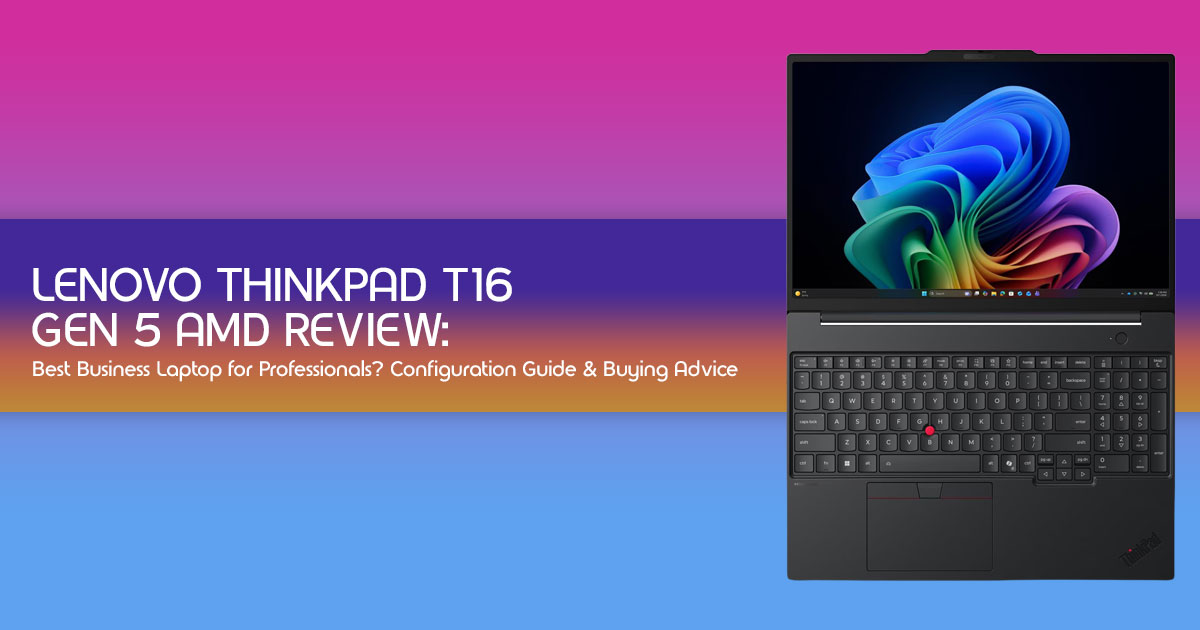
The Lenovo ThinkPad T16 Gen 5 AMD is built with a different goal. Instead of chasing the thinnest design or the highest benchmark numbers, it focuses on what businesses need most—reliability,
security, upgradeability, long battery life, and consistent performance.
As technology experts with over 20 years of experience in hardware and application research and development, we evaluate every product based on real-world performance, durability, repairability, and overall value for money. Our recommendations are backed by extensive research, component-level analysis, real-world usability, and industry expertise, helping readers choose the right product for their needs instead of simply buying the newest one.
This review is written for business professionals, software developers, IT administrators, engineers, remote workers, and business travelers who need a laptop that can handle demanding workloads every day without becoming a problem a few years later.
In this Lenovo ThinkPad T16 Gen 5 AMD review, we’ll examine its performance, display, keyboard, battery life, upgrade options, security features, and overall long-term value to help you decide whether it’s worth your investment or if another business laptop would better suit your workflow.
Why Lenovo Built This Laptop
Where It Fits in the ThinkPad Lineup
The ThinkPad lineup is divided into tiers:
| ThinkPad Series | Primary Purpose | Price Range |
| ThinkPad X1 Carbon | Ultra-premium business laptop for executives and frequent travelers | High |
| ThinkPad T Series | Mainstream business workhorse with the best balance of performance, durability, and features | Mid to Mid-High |
| ThinkPad E Series | Budget-friendly entry point for small businesses and professionals | Low to Mid |
| ThinkPad L Series | Designed for large-scale enterprise deployments with a focus on value and manageability | Low to Mid |
The T16 Gen 5 sits in the mainstream business tier. It borrows build quality principles from the X1 series but keeps pricing accessible for IT departments ordering in bulk and professionals buying individually.
The “16” in the name refers to its 16-inch display, giving users roughly 15% more vertical workspace than a traditional 15.6-inch laptop. That difference matters when working in spreadsheets, IDEs, or document comparison views.
How It Differs From Consumer Laptops
Consumer laptops focus on aesthetics, speaker quality, and entertainment features. The ThinkPad T16 Gen 5 AMD focuses on:
- Keyboard durability rated for millions of keystrokes
- Enterprise-grade security at the chip level
- Manageability features for IT departments
- Tested durability against drops, vibrations, humidity, and temperature extremes
- Consistent performance under sustained workloads without aggressive throttling
This laptop prioritizes long-term reliability and productivity over ultra-thin styling or entertainment-focused features.
Who Lenovo Is Targeting
- Mid-level to senior professionals in corporate environments
- Government and defense contractors needing AMD Ryzen PRO security
- Developers who want dependable enterprise-grade hardware with strong Linux compatibility
- IT departments standardizing on a single platform
- Small business owners who need one laptop that handles everything
Understanding the Specifications in Simple Terms
AMD Ryzen Pro Processors Explained
The ThinkPad T16 Gen 5 AMD uses AMD Ryzen PRO 7040 Series Mobile Processors. Here is what that actually means in plain terms:
| Processor | Cores / Threads | Best For |
| AMD Ryzen 5 PRO 7540U | 6 Cores / 12 Threads | Everyday office productivity, web browsing, video conferencing, and light multitasking. |
| AMD Ryzen 7 PRO 7840U | 8 Cores / 16 Threads | Software development, virtual machines, content creation, and demanding multitasking workloads. |
The “Pro” designation is not just marketing. AMD Ryzen PRO processors include:
- AMD Memory Guard — full memory encryption to protect against physical attacks.
- AMD Secure Processor — hardware-level root of trust.
- AMD PRO Manageability — remote management for IT teams using the DASH protocol.
- Microsoft Pluton security processor integration.
For individual buyers, the practical difference is better security and longer enterprise support cycles. For IT departments, it means centralized fleet management and compliance with corporate security policies.
The Ryzen 7 PRO 7840U is the configuration we recommend for most professional buyers. The two extra cores make a noticeable difference when running multiple applications, browser tabs, and background processes simultaneously.
What a 500-Nit IPS Display Actually Means
Display brightness is measured in nits. Here is a practical reference:
| Display Brightness | Real-World Experience |
| 250 nits | Comfortable in dimly lit rooms but can struggle with glare near bright windows. |
| 300 nits | Suitable for typical office environments with adequate indoor visibility. |
| 400 nits | Provides excellent visibility in most indoor environments and handles moderate ambient light well. |
| 500 nits | Easy to view in bright offices and remains usable outdoors under indirect sunlight. |
The 500-nit IPS panel on this ThinkPad means:
- Readable next to large windows without cranking brightness to maximum
- Usable in outdoor settings during travel
- Better color accuracy than lower-brightness TN panels
- Wide viewing angles for sharing the screen during meetings
Not every configuration ships with the 500-nit display. Some base models include a 300-nit panel. We strongly recommend selecting the 500-nit option during configuration. The difference is immediately noticeable in daily use.
The display resolution is 1920 x 1200 (WUXGA), which provides a 16:10 aspect ratio. That extra vertical space compared to traditional 16:9 panels means less scrolling in documents, more visible code lines, and better spreadsheet visibility.
Memory and Storage Options
| Component | Available Options | Recommended Choice |
| RAM | 16GB / 32GB / 64GB | 32GB is ideal for most professionals, while 16GB is the practical minimum. |
| SSD | 256GB / 512GB / 1TB / 2TB | Choose at least 512GB; 1TB offers the best balance for long-term use. |
| SSD Slots | Dual M.2 NVMe slots | Supports easy future storage expansion without replacing the primary SSD. |
RAM is partially soldered and partially socketed in most configurations. This means one module is fixed and one can be upgraded. Checking the specific configuration before purchase is essential.
Storage uses PCIe Gen 4 NVMe SSDs, which deliver fast boot times, quick application launches, and responsive file operations.
Battery Choices
Two battery options are available:
| Battery Option | Capacity | Expected Battery Life |
| 52.5Wh | Standard | Approximately 6–8 hours of light productivity, web browsing, and office work. |
| 86Wh | Extended | Approximately 10–14 hours of light use, making it the recommended option for frequent travelers and all-day productivity. |
The 86 Wh battery adds a small amount of weight but significantly improves real-world battery life.
For business travelers and remote workers, it reduces charging interruptions and keeps the laptop running longer throughout the workday.
We recommend the 86 Wh battery for anyone who works away from a desk regularly.
Ports and Connectivity for Modern Work
| Port | Quantity | Primary Use |
| USB-C (USB4) | 2 | Charging, USB-C docking stations, high-speed data transfer, and external display output. |
| USB-A 3.2 | 2 | Connect legacy peripherals such as keyboards, mice, flash drives, and external storage. |
| HDMI 2.1 | 1 | Direct connection to external monitors, TVs, and projectors. |
| 3.5 mm Audio Jack | 1 | Supports wired headphones, headsets, and microphones. |
| MicroSD Card Slot | 1 | Quick storage expansion and convenient file transfers from compatible devices. |
| Ethernet (Optional) | 1 | Reliable wired networking for enterprise environments and faster, more stable connections. |
| Wi-Fi 6E | Standard | High-speed wireless connectivity with improved performance in crowded networks. |
This port selection eliminates the need for dongles in most work scenarios. Two USB4 ports support Thunderbolt-class docking stations, dual external monitors, and high-speed data transfer.
The optional Ethernet port is worth selecting for IT professionals and anyone working in environments where wired connectivity is preferred.
Which Configuration Should You Buy?
Best Value Configuration
| Component | Recommended Selection |
| Processor | AMD Ryzen 5 PRO 7540U |
| Memory | 16GB RAM |
| Storage | 512GB NVMe SSD |
| Display | 500-nit IPS display |
| Battery | 52.5Wh battery |
This handles office work, browsing, document management, and light multitasking comfortably. Upgrade the RAM later if needed.
Best for Developers
| Component | Recommended Selection |
| Processor | AMD Ryzen 7 PRO 7840U |
| Memory | 32GB RAM |
| Storage | 1TB NVMe SSD |
| Display | 500-nit IPS display |
| Battery | 86Wh battery |
The extra cores handle compilation, containers, and IDE workloads. The 1 TB SSD accommodates project files, repositories, and development tools.
Best for Office Professionals
| Component | Recommended Selection |
| Processor | AMD Ryzen 5 PRO 7540U |
| Memory | 16GB RAM |
| Storage | 512GB NVMe SSD |
| Display | 500-nit IPS display |
| Battery | 86Wh battery |
Office professionals need battery life and display brightness more than raw processing power. This configuration optimizes for daily usability.
Best for Engineering Workloads
| Component | Recommended Selection |
| Processor | AMD Ryzen 7 PRO 7840U |
| Memory | 64GB RAM |
| Storage | 2TB NVMe SSD |
| Display | 500-nit IPS display |
| Battery | 86Wh battery |
Engineers running MATLAB, ANSYS simulations, CAD software, and large datasets need maximum RAM and storage. This is the ceiling configuration.
Best for IT Administrators
| Component | Recommended Selection |
| Processor | AMD Ryzen 7 PRO 7840U |
| Memory | 32GB RAM |
| Storage | 512GB NVMe SSD |
| Display | 500-nit IPS display |
| Battery | 52.5Wh battery |
IT administrators benefit from the AMD Ryzen PRO manageability features, strong multi-core performance for running VMs, and reliable build quality.
Real-World Performance Expectations
Everyday Office Work
Microsoft Office, Google Workspace, email, web browsing with dozens of tabs — all handled without hesitation. Even the base Ryzen 5 configuration manages this comfortably.
Programming and Software Development
Visual Studio Code, JetBrains IDEs, terminal-heavy workflows — the Ryzen 7 configuration handles these efficiently. Compilation times are competitive with Intel alternatives in this class.
Virtual Machines and Docker
Running two to three virtual machines simultaneously is practical with 32 GB RAM. Docker containers launch and operate smoothly. The Ryzen 7 processor handles context switching between host and guest environments without noticeable lag.
Creative Workloads
Adobe Photoshop and Lightroom work well for photo editing. Premiere Pro handles 1080p editing adequately but struggles with complex 4K timelines due to integrated graphics. This is not a content creation powerhouse. It is adequate for occasional creative tasks.
Light AI-Assisted Productivity
Local AI tools like Ollama running smaller models work on the Ryzen 7 configuration. Do not expect large language model performance. But for AI-assisted coding suggestions, text summarization, and basic local inference, it performs reliably.
Living With the Laptop Every Day
Keyboard and Typing Comfort
The ThinkPad keyboard remains one of the best in the industry. Key travel is approximately 1.5mm with a crisp actuation point. For writers, programmers, and professionals who type extensively, this keyboard reduces fatigue over long sessions.
TrackPoint and Touchpad
The red TrackPoint nub is a ThinkPad signature. It allows cursor control without moving hands from the home row. The touchpad is responsive and supports precision drivers on Windows. Both input methods work reliably.
Display in Bright Environments
The 500-nit display performs well near windows and in bright meeting rooms. Outdoor usability is reasonable though direct sunlight still causes reflections on any glossy or semi-matte panel.
Noise and Thermals
Under light workloads, the laptop stays silent. Under sustained loads like compilation or VM operation, fan noise is present but not distracting. Thermals are managed well — keyboard surface stays comfortable during typical professional tasks.
Portability and Travel
At roughly 1.8 kg (4 lbs) with the standard battery, this is not ultrabook-light. But for a 16-inch business laptop, the weight is reasonable. The 86 Wh battery adds roughly 200 grams but extends travel endurance significantly.
Business Features That Matter
AMD PRO Technologies
- AMD Memory Guard: Encrypts system memory automatically
- AMD Secure Processor: Hardware root of trust
- AMD PRO Manageability: DASH-based remote management
Security Features
- Fingerprint reader integrated into power button
- IR camera for Windows Hello face authentication
- TPM 0 for BitLocker and enterprise encryption
- dTPM and fTPM options
- Optional smart card reader
Enterprise Management
IT departments can deploy, configure, and manage these laptops remotely. AMD DASH protocol provides out-of-band management capabilities similar to Intel vPro.
Video Conferencing Experience
- 1080p webcam with privacy shutter
- Dual microphones with noise cancellation
- Optimized for Microsoft Teams and Zoom
How It Compares With Other 16-Inch Business Laptops
ThinkPad T16 Gen 5 AMD vs Intel Version
| Factor | AMD Version | Intel Version |
| Multi-Core Performance | Stronger | Moderate |
| Battery Life | Better | Slightly shorter |
| Integrated Graphics | AMD Radeon (stronger iGPU performance) | Intel Iris Xe |
| Enterprise Management | AMD DASH | Intel vPro (more mature ecosystem) |
| Price | Slightly lower | Slightly higher |
The AMD version wins on performance-per-watt and battery life. The Intel version wins if your organization specifically requires Intel vPro infrastructure.
ThinkPad T16 vs ThinkBook 16
| Factor | ThinkPad T16 Gen 5 | ThinkBook 16 |
| Build Quality | MIL-STD-810H certified business-grade chassis | Consumer-grade construction |
| Keyboard | Legendary ThinkPad keyboard | Good, but not on the same level |
| Security Features | Enterprise-grade security and management features | Basic consumer-focused security |
| Price | Higher | Lower |
| Target User | Business professionals and enterprise users | Students, freelancers, and small businesses |
If budget is limited and enterprise security is not required, the ThinkBook 16 saves money. For professionals, the ThinkPad T16 justifies the premium.
ThinkPad T16 vs Dell Pro 16 (Latitude 7640)
| Factor | Lenovo ThinkPad T16 Gen 5 AMD | Dell Pro 16 |
| Keyboard | ThinkPad advantage with industry-leading typing experience | Good keyboard |
| Display Options | Up to 500-nit display available | Comparable display options |
| Repairability | Strong serviceability and upgrade options | Good repairability |
| Price | Competitive | Competitive |
Both are excellent enterprise business laptops. Keyboard preference and existing vendor relationships usually decide this comparison.
ThinkPad T16 vs HP ProBook 460
| Factor | Lenovo ThinkPad T16 Gen 5 AMD | HP ProBook 460 |
| Build Quality | Superior business-class chassis with MIL-STD durability | Adequate for everyday business use |
| Display Brightness | Up to 500 nits | Typically 300 nits |
| Port Selection | More comprehensive connectivity options | Adequate selection for most users |
| Price | Higher | Lower |
The HP ProBook 460 works for budget-constrained purchases. The ThinkPad T16 is the better long-term investment.
Accessories Worth Buying Together
| Accessory | Why It Matters | Estimated Price |
| USB-C Docking Station | Creates a clean single-cable workstation with support for multiple monitors, networking, and peripherals. | $150–$250 |
| External 27-inch Monitor | Provides a larger workspace for multitasking, spreadsheets, coding, and content creation. | $200–$400 |
| Additional M.2 NVMe SSD | Adds fast extra storage without replacing the primary system drive. | $50–$120 |
| Laptop Sleeve (16-inch) | Protects the laptop from scratches and minor impacts during travel. | $25–$50 |
| Wireless Mouse | Offers a more ergonomic and comfortable alternative to the trackpad during extended work sessions. | $30–$70 |
| 65W USB-C Travel Charger | A lighter, more portable charger that’s easier to carry than the bundled power adapter. | $30–$50 |
Pros and Cons at a Glance
| Pros | Cons |
| Bright 500-nit display option | No dedicated GPU option |
| AMD Ryzen Pro security and enterprise features | Heavier than most 14-inch business laptops |
| Legendary ThinkPad keyboard and typing experience | Base configuration benefits from memory and storage upgrades |
| Dual M.2 SSD slots for storage expansion | Priced higher than comparable consumer laptops |
| Optional 86Wh battery for extended runtime | Some configurations feature soldered RAM |
| MIL-STD-810H durability certification | Integrated graphics limit demanding creative workloads |
| Excellent selection of modern ports | — |
| Strong Linux compatibility | — |
| Good long-term repairability and serviceability | — |
Common Questions Buyers Ask
Is AMD Ryzen PRO worth paying for?
For enterprise users, yes. The built-in AMD Memory Guard and Secure Processor add real security value. For individual buyers, the performance benefits alone justify it.
Is 16 GB enough?
For basic office work, yes. For development, VMs, or heavy multitasking, 32 GB is recommended.
Can the RAM be upgraded later?
In most configurations, one SODIMM slot is accessible. Verify your specific model before purchase.
Is it good for Linux?
Yes. ThinkPads have strong Linux compatibility. Ubuntu, Fedora, and most distributions run well on AMD Ryzen hardware. Community support is extensive.
Can it replace a desktop?
With a USB-C dock and external monitor, yes. The Ryzen 7 configuration handles typical desktop replacement scenarios comfortably.
Is it suitable for students?
For graduate students, MBA programs, and engineering students, absolutely. For undergraduates on tight budgets, the ThinkBook 16 or ThinkPad E Series may offer better value.
Does it support multiple external displays?
Yes. Two USB4 ports support dual external monitors through a compatible dock or direct USB-C to DisplayPort connections.
How long should it receive software support?
Lenovo typically provides driver and BIOS updates for three to five years. AMD provides long-term processor support. Windows update support extends further.
Final Buying Advice
Who Should Buy Now
- Professionals whose current laptop is three or more years old
- Developers needing a reliable AMD Ryzen workstation
- IT departments standardizing on AMD Ryzen PRO platforms
- Business travelers who need all-day battery life
- Anyone currently frustrated by dim displays
Who Should Wait for Discounts
- Buyers who can wait for Lenovo seasonal sales (typically 15–30% off)
- Users whose current laptop still functions adequately
- Those watching for back-to-school or Black Friday promotions
Who Should Consider an Alternative
- Users needing dedicated GPU power → ThinkPad P16s Gen 3
- Users prioritizing ultra-portability → ThinkPad T14s Gen 5
- Budget-conscious buyers → ThinkBook 16 Gen 7
Recommended Configuration by Budget
| Budget | Recommended Configuration |
| Under $1,000 | AMD Ryzen 5 processor, 16GB RAM, 512GB SSD, 500-nit display, and 52.5Wh battery. |
| $1,000–$1,400 | AMD Ryzen 7 processor, 32GB RAM, 1TB SSD, 500-nit display, and 86Wh battery. |
| $1,400+ | AMD Ryzen 7 processor, 64GB RAM, 2TB SSD, 500-nit display, and 86Wh battery for demanding professional workloads. |
Final Verdict
The Lenovo ThinkPad T16 Gen 5 AMD is not the most exciting laptop released this year. It prioritizes reliability over flashy design. Its design focuses on practicality, durability, and long-term usability rather than aesthetics.
What it will do is show up every single day, handle whatever work is thrown at it, keep data secure, last through a full work day on battery, and remain serviceable for years.
That is what a professional tool is supposed to do.
For anyone whose livelihood depends on a reliable computer, this is one of the safest choices available.
If you’ve decided this configuration matches your workflow, check today’s pricing below. Business laptop discounts change frequently, especially during seasonal sales.
Buy Now – Amazon Purchase Links
🇺🇸 Buy Lenovo ThinkPad T16 Gen 5 AMD on Amazon Worldwide
🇮🇳 Buy Lenovo ThinkPad T16 Gen 5 AMD on Amazon India
Have Questions?
Buying a business laptop isn’t always straightforward. Your workload, budget, software requirements, and upgrade plans all matter, and the right choice can be different for every person.
If you’re unsure whether the Lenovo ThinkPad T16 Gen 5 AMD is the right fit, leave a comment below. Whether you need help choosing the right configuration, comparing it with another laptop, checking compatibility with your workflow, or finding the best value for your budget, I’ll be happy to help.
We’re happy to offer free, unbiased guidance based on your specific requirements—no sales pitch, just practical advice to help you make the right decision.
If this review helped you, consider sharing it with someone who is looking for a dependable business laptop.
***Disclaimer***
This blog post reflects our research, analysis, and opinions based on available product information, user feedback, and industry knowledge. It should not be taken as the official position of any brand, manufacturer, or company mentioned here. While we aim to keep information accurate and up to date, product details, pricing, and availability can change. We recommend double-checking important details before making a purchase.
Some links in this article may be affiliate links. If you choose to buy through these links, we may earn a small commission at no extra cost to you. This helps support our work and allows us to keep publishing in-depth, unbiased reviews. Our recommendations are never influenced by affiliate partnerships.
Comments shared by readers reflect their own views and not ours. We are not responsible for outcomes resulting from the use of information on this site. Please seek professional advice where appropriate.
All product names, logos, and brands mentioned are the property of their respective owners. These names are used for identification and informational purposes only and do not imply endorsement.
