
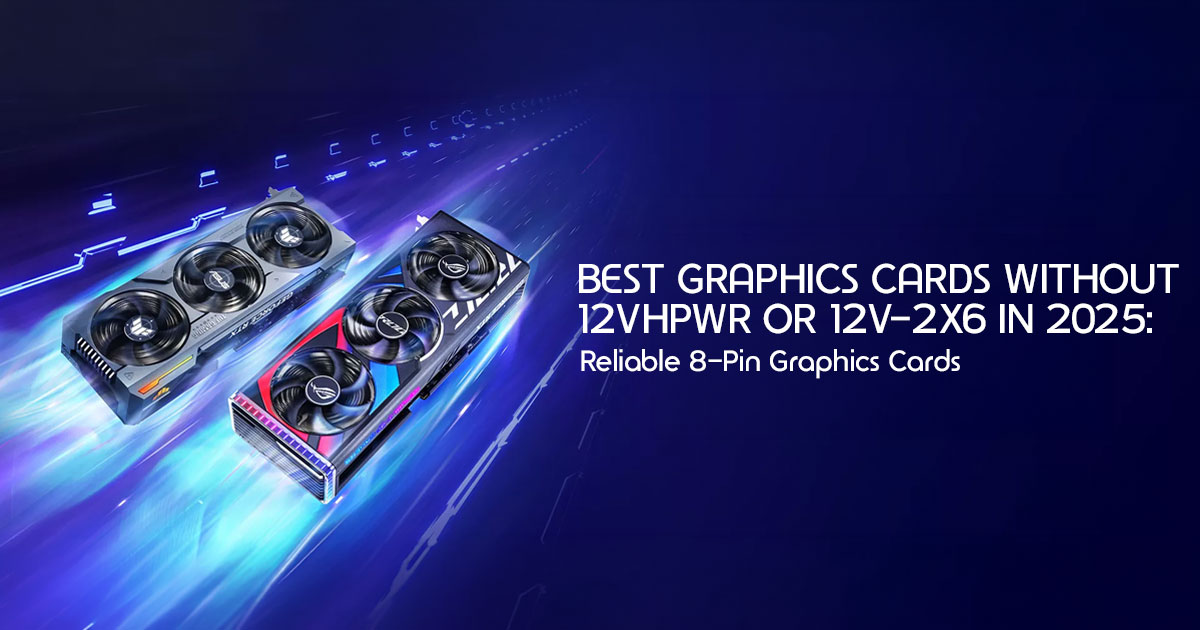
The 12VHPWR and 12V-2×6 power connectors have become one of the most discussed topics in the PC hardware community. Although the newer 12V-2×6 connector improves on the original design, many builders still prefer a graphics card that uses standard 8-pin PCIe power connectors.
If you’re one of them, this guide is for you.
We compared the latest graphics cards that use standard PCIe power connectors, looking at gaming performance, power consumption, cooling, VRAM, build quality, and overall value to help you choose the right one.
With more than 20 years of experience in hardware and application research and development, we evaluate every product based on performance, reliability, build quality, thermal performance, power efficiency, and value for money. Our recommendations come from technical research, component analysis, hardware reviews, engineering insights, and practical usability—not marketing claims.
Whether you’re building a new gaming PC, upgrading your current system, or choosing a GPU for creative work, you’ll find the best options that avoid the 12VHPWR and 12V-2×6 connectors, along with the advantages and trade-offs of each model.
Why Are Builders Avoiding the 12VHPWR and 12V-2×6 Connector?
Before jumping into the recommendations, it’s worth understanding why this matters.
The Short Version of a Long Problem
When NVIDIA launched the RTX 4090 in late 2022, it came bundled with the 16-pin 12VHPWR connector. This connector was designed to deliver up to 600W of power through a single compact plug — replacing the older multi-8-pin approach.
The problem? Reports of melting connectors started surfacing almost immediately after launch. The damage was serious enough that some users lost entire cards. Independent engineers and hardware
analysts including Gamers Nexus and Igor’s Lab conducted detailed investigations and found that improper seating, transient power spikes, and connector pin design issues were all contributing factors.
NVIDIA responded with the 12V-2×6 connector, which added sense pins and updated the pin design to be more forgiving of partial insertions. Most RTX 50-series cards now use this updated connector.
Is it fixed? Mostly. Is it perfect? The community isn’t fully convinced yet.
Why Some Buyers Just Want to Avoid It Entirely
Here’s the thing — for many builders, the risk isn’t just technical. It’s psychological.
When you spend $700 to $1,200+ on a GPU, the last thing you want is to wonder whether your connector is fully seated correctly every time your PC boots. Some builders simply prefer the tried-and-tested 8-pin PCIe connector approach that has worked reliably for over a decade.
That’s a completely valid position. And fortunately, there are excellent high-performance GPUs without 12VHPWR or 12V-2×6 available in 2025 — especially from AMD and even from Intel’s Arc lineup.
What to Look for When Buying a GPU Without 12VHPWR
Before we get into specific cards, here’s a quick framework for evaluating your options.
| Factor | What to Look For |
|---|---|
| Power Connector Type | Standard 8-pin PCIe, dual 8-pin, or triple 8-pin connectors for maximum compatibility. |
| TDP / Power Draw | Ensure your power supply has enough wattage and headroom for the GPU. |
| VRAM | 16GB or more is recommended for modern 2025 gaming and AI workloads. |
| Performance Target | Choose a GPU that matches your intended resolution: 1080p, 1440p, or 4K. |
| Software Ecosystem | Compare AMD and NVIDIA features, including driver support, FSR, DLSS, and creator software compatibility. |
| Value Per Dollar | Select the GPU that offers the best performance for your budget. |
Best Graphics Cards Without 12V-2×6 or 12VHPWR in 2025
1. AMD Radeon RX 7900 XTX — Best Overall 8-Pin Graphics Card
The RX 7900 XTX is one of the most powerful GPUs you can buy in 2025 that completely skips the 12VHPWR connector. AMD chose to stick with dual 8-pin PCIe connectors on this card, and for connector-cautious builders, that decision alone makes it worth serious consideration.
Performance at a Glance
The RX 7900 XTX is built on AMD’s RDNA 3 architecture and features:
- 24GB of GDDR6 memory on a wide 384-bit bus
- Strong 4K gaming performance that competes directly with the RTX 4080 Super in rasterization
- Excellent performance for content creators working in Premiere Pro, DaVinci Resolve, and Blender
- Solid compute and AI workload headroom thanks to its memory bandwidth
In raw rasterization at 4K, the RX 7900 XTX trades blows with NVIDIA’s high-end offerings. Ray tracing performance still trails NVIDIA’s high-end graphics cards, but in traditional rasterization workloads, the RX 7900 XTX remains highly competitive.
Why It Stands Out in This Category
The RX 7900 XTX uses two standard 8-pin PCIe power connectors, so if your power supply already includes matching PCIe cables, installation is straightforward and doesn’t require a 12VHPWR adapter.
| Specification | Detail |
|---|---|
| Architecture | RDNA 3 |
| GPU Die | Navi 31 |
| VRAM | 24GB GDDR6 |
| Memory Bus | 384-bit |
| TDP | 355W |
| Power Connector | 2× 8-pin PCIe |
| Target Resolution | 4K / 1440p Ultra Gaming |
Strengths
- 24GB VRAM provides plenty of headroom for modern games, AI workloads, and professional applications.
- Uses proven 8-pin PCIe power connectors with no adapter required
- Exceptional memory bandwidth for the price
- FSR 3 support with frame generation for boosted frame rates
- Strong open-source driver support on Linux
Limitations
- Ray tracing performance trails RTX 4080 Super noticeably
- DLSS is NVIDIA exclusive — FSR is the alternative, which is good but not quite identical
- AIB variants vary in size and cooling quality
- Power draw is on the higher side at 355W
Who Should Buy This
Builders looking for the most powerful GPU you can buy without a 12V-2×6 connector who prioritize raw gaming performance, large VRAM pools, and traditional rasterization workloads.
2. AMD Radeon RX 7900 XT — Best Value High-End GPU Without 12VHPWR
If the XTX feels like more GPU than you need, the RX 7900 XT offers outstanding performance at a more accessible price point — and it also uses standard 8-pin connectors.
What the RX 7900 XT Offers
Built on the same RDNA 3 Navi 31 die as the XTX, the RX 7900 XT features:
- 20GB GDDR6 VRAM on a 320-bit bus
- Strong 1440p Ultra performance with 4K capability
- Lower TDP than the XTX at around 300W
The performance difference between the XT and XTX is roughly 8–12% depending on the workload. But the price gap is often significantly wider, which makes the RX 7900 XT one of the best value propositions in the enthusiast GPU space.
| Specification | Detail |
|---|---|
| Architecture | RDNA 3 |
| GPU Die | Navi 31 (Cut-Down Variant) |
| VRAM | 20GB GDDR6 |
| Memory Bus | 320-bit |
| TDP | ~300W |
| Power Connector | 2× 8-pin PCIe |
| Target Resolution | 1440p Ultra / 4K Gaming |
Strengths
- 20GB VRAM — more than most competing NVIDIA options at similar prices
- Quieter and cooler than XTX in most AIB configurations
- Standard 8-pin connectors — zero adapter risk
- Excellent price-to-performance ratio in 2025
Limitations
- Narrower memory bus than XTX (320-bit vs 384-bit)
- Still trails NVIDIA in ray tracing
- Some AIB models have mediocre cooling — check specific model reviews before buying
Who Should Buy This
Budget-conscious high-end builders who want a powerful GPU without 12VHPWR and are targeting 1440p or light 4K gaming.
3. AMD Radeon RX 7800 XT — Best 1440p GPU Without Any Connector Concerns
The RX 7800 XT is one of the most celebrated midrange releases in recent memory — and it uses a single 8-pin plus one 6-pin PCIe connector, keeping power delivery completely conventional.
Why the RX 7800 XT Earns Its Place Here
At 1440p, the RX 7800 XT punches well above its price bracket. With 16GB of GDDR6 VRAM, it also has more memory headroom than several more expensive cards in NVIDIA’s lineup.
This is a card that most 1440p gamers can comfortably buy, knowing:
- It won’t need an adapter
- It has enough VRAM for demanding titles in 2025 and beyond
- It fits comfortably in mid-range PSUs
| Specification | Detail |
|---|---|
| Architecture | RDNA 3 |
| GPU Die | Navi 32 (Further Cut) |
| VRAM | 12GB GDDR6 |
| Memory Bus | 192-bit |
| TDP | ~245W |
| Power Connector | 1× 8-pin PCIe |
| Target Resolution | 1080p / 1440p (Medium Settings) |
Strengths
- 16GB VRAM at a midrange price — exceptional for the segment
- Uses proven 8-pin and 6-pin PCIe power connectors with no proprietary connector
- Great driver support and consistent performance
- Strong price-to-performance at 1440p
Limitations
- Not suited for high-refresh 4K gaming
- Memory bus width limits memory bandwidth compared to higher-end cards
Who Should Buy This
The RX 7800 XT is ideal for 1440p gamers who want a reliable, well-rounded card with plenty of VRAM and zero connector concerns.
4. AMD Radeon RX 7700 XT — Best Budget-Conscious Option Without 12VHPWR
For builders on a tighter budget who still want to avoid 12VHPWR or 12V-2×6 connectors, the RX 7700 XT is worth considering. It delivers solid 1080p and light 1440p gaming with 12GB of GDDR6 VRAM.
| Specification | Detail |
|---|---|
| Architecture | RDNA 3 |
| GPU Die | Navi 32 (Further Cut) |
| VRAM | 12GB GDDR6 |
| Memory Bus | 192-bit |
| TDP | ~245W |
| Power Connector | 1× 8-pin PCIe |
| Target Resolution | 1080p / 1440p (Medium Settings) |
Strengths
- Single 8-pin PCIe power connector that’s simple, proven, and widely supported
- Good for 1080p high refresh rate gaming
- Efficient for its performance class
- Lower power draw means smaller PSU requirements
Limitations
- 12GB VRAM is becoming a tighter fit for some modern titles
- Limited 4K capability
- Not competitive with higher-tier options
Who Should Buy This
Entry-level to midrange builders who want a reliable graphics card for 1080p or light 1440p gaming without using a 12VHPWR or 12V-2×6 connector.
5. NVIDIA GeForce RTX 3090 — Best NVIDIA Option Without a 12VHPWR Connector
Here’s a nuanced recommendation. NVIDIA’s RTX 30-series cards never used the 12VHPWR connector — they launched before it existed. If you specifically want NVIDIA features such as DLSS, NVIDIA Reflex, and strong ray tracing performance while avoiding newer 12VHPWR-based graphics cards, the RTX 3090 remains a solid option on the used market.
The RTX 3090 uses three standard 8-pin PCIe power connectors. The RTX 3090 Ti was NVIDIA’s first consumer GPU to introduce the 16-pin 12VHPWR connector, which later became standard across the RTX 40 series. If your goal is to avoid the 12VHPWR connector entirely, the RTX 3090 is the better choice.
Key Considerations for the RTX 3090 Series
- 24GB GDDR6X VRAM — still among the highest available on a consumer GPU
- Strong CUDA performance for AI, machine learning, and rendering
- DLSS 3 is not supported — only DLSS x. DLSS Frame Generation requires 40-series or newer
- These are now used/refurbished market cards — check seller reputation carefully
- Power efficiency trails newer architectures notably
| Specification | NVIDIA GeForce RTX 3090 |
|---|---|
| VRAM | 24GB GDDR6X |
| Memory Bus | 384-bit |
| TDP | 350W |
| Power Connector | 3× 8-pin PCIe |
| DLSS Support | DLSS 2.x |
Who Should Buy This
CUDA-dependent professionals or content creators who need NVIDIA’s ecosystem and want to avoid the 12VHPWR entirely. Not recommended as a pure gaming purchase given the newer alternatives available.
6. Intel Arc B580 — Best Budget Pick Without Any New Connector Standard
Don’t overlook Intel’s Arc B580. This card launched in late 2024 and uses a single 8-pin PCIe connector, making it one of the simplest power connector designs available in its class.
| Specification | Detail |
|---|---|
| Architecture | Intel Battlemage (Xe2) |
| VRAM | 12GB GDDR6 |
| Memory Bus | 192-bit |
| TDP | ~190W |
| Power Connector | 1× 8-pin PCIe |
| Target Resolution | 1080p / 1440p Gaming |
Strengths
- Single 8-pin PCIe connector with a simple, well-established design
- XeSS upscaling is surprisingly strong and works across many titles
- Excellent rasterization performance for the price
- Low power draw for a dedicated GPU
Limitations
- Driver maturity still trails AMD and NVIDIA — some games have issues
- Limited AIB availability
- Less community testing data compared to AMD or NVIDIA
Who Should Buy This
Value-focused builders who want a capable 1080p to 1440p card without VHPWR concerns and don’t mind Intel’s growing pains on the software side.
Head-to-Head Comparison — Best GPUs Without 12V-2×6 or 12VHPWR
| GPU | VRAM | TDP | Power Connector | Target Resolution | Best For |
|---|---|---|---|---|---|
| AMD Radeon RX 7900 XTX | 24GB | 355W | 2× 8-pin PCIe | 4K / 1440p Ultra | Best overall 8-pin GPU. |
| AMD Radeon RX 7900 XT | 20GB | ~300W | 2× 8-pin PCIe | 1440p / 4K | Best value high-end GPU. |
| AMD Radeon RX 7800 XT | 16GB | ~263W | 8-pin + 6-pin PCIe | 1440p | Best mid-range GPU for 1440p gaming. |
| AMD Radeon RX 7700 XT | 12GB | ~245W | 1× 8-pin PCIe | 1080p / 1440p | Best budget-friendly 8-pin GPU. |
| NVIDIA GeForce RTX 3090 | 24GB | 350W | 3× 8-pin PCIe | 4K (DLSS 2.x) | CUDA workloads and NVIDIA-focused professionals. |
| Intel Arc B580 | 12GB | ~190W | 1× 8-pin PCIe | 1080p / 1440p | Excellent budget gaming performance. |
Is the 12V-2×6 Connector Actually Safe Now?
This is a fair question worth addressing directly.
The 12V-2×6 is technically safer than the original 12VHPWR. The new design added mechanical improvements, better sense pins, and tighter tolerances that address the partial-insertion problem that caused most of the early failures.
However, here’s what still concerns experienced builders:
- Transient power spikes can still exceed the connector’s rated capacity on some high-TDP RTX 50-series cards
- Cable quality matters enormously — a cheap CableMod or third-party cable using the 12V-2×6 can still introduce risk
- The track record is still short — the 12V-2×6 hasn’t existed long enough to have the decades of reliability data that 8-pin connectors have
So while the connector is improved, the 8-pin PCIe ecosystem remains the more proven and lower-risk approach for builders who prioritize long-term reliability.
What About RDNA 4 and RTX 50-Series?
This is an important consideration for 2025 buyers.
AMD’s RDNA 4 cards — the RX 9070 and RX 9070 XT — have launched and do not use the 12V-2×6 connector. They use standard 8-pin PCIe connectors, which is great news for connector-cautious builders who want AMD’s latest architecture.
NVIDIA’s RTX 50-series (Blackwell) uses the 12V-2×6 connector across the board. If NVIDIA’s latest features like DLSS 4 and Frame Generation Multi-Frame matter to you, you’ll need to accept the new connector standard or buy RTX 30-series on the used market.
| Generation | Brand | Power Connector |
|---|---|---|
| RDNA 4 (Radeon RX 9070 Series) | AMD | ✅ Standard 8-pin PCIe |
| RDNA 3 (Radeon RX 7000 Series) | AMD | ✅ Standard 8-pin PCIe |
| Blackwell (GeForce RTX 50 Series) | NVIDIA | 12V-2×6 |
| Ada Lovelace (GeForce RTX 40 Series) | NVIDIA | 12VHPWR / 12V-2×6 |
| Ampere (GeForce RTX 30 Series) | NVIDIA | ✅ Standard 8-pin PCIe |
Practical Buying Advice — Which GPU Should You Actually Choose?
Here’s our clear, no-nonsense recommendation framework:
Choose the RX 7900 XTX if:
- You want the most powerful GPU available without any VHPWR connector
- You game at 4K or plan to
- You need large VRAM for creative work or AI
Choose the RX 7900 XT if:
- You want high-end performance at a better price
- Your primary target is 1440p with 4K capability
- You want more VRAM than NVIDIA offers at comparable prices
Choose the RX 7800 XT if:
- Your main target is 1440p gaming
- You want a well-rounded card with 16GB VRAM
- You’re building around a midrange budget
Choose the RX 7700 XT if:
- You’re building a budget-friendly system for 1080p or light 1440p
- Connector simplicity is a top priority
- Power efficiency matters for your build
Choose the RTX 3090 if:
- You need NVIDIA’s CUDA ecosystem
- You prioritize VRAM for professional workflows
- You’re comfortable buying used/refurbished hardware
Choose the Arc B580 if:
- Budget is tight and you prefer a standard 8-pin PCIe power connector
- You’re building a capable 1080p to 1440p system
- You’re willing to deal with Intel’s driver ecosystem
Frequently Asked Questions
Q: Will AMD RDNA 4 cards use 8-pin connectors?
Yes. The RX 9070 and RX 9070 XT both use standard 8-pin PCIe connectors — not 12V-2×6. This makes them excellent options for buyers who want AMD’s latest architecture without the new connector standard.
Q: Is the 12VHPWR connector banned or recalled?
No. It has not been formally recalled. NVIDIA issued a revised version (12V-2×6) and updated their manufacturing guidelines. Some early damaged cards were replaced under warranty.
Q: Can you use an adapter to avoid the 12V-2×6 connector?
Technically yes — some third-party adapters exist. But most hardware experts advise against using adapters with high-TDP cards because the adapter itself can become a failure point under load.
Q: Why do many builders prefer AMD’s power connector design in 2025?
From a power connector perspective, AMD’s current graphics cards continue to use standard 8-pin PCIe connectors. Many builders prefer this long-established design over the newer 12VHPWR and 12V-2×6 connectors.
Pros and Cons Summary
AMD Radeon RX 7900 XTX
| Pros | Cons |
|---|---|
| Delivers the best performance among GPUs without a 12VHPWR or 12V-2×6 connector. | Ray tracing performance trails comparable NVIDIA GPUs. |
| 24GB of VRAM with a wide 384-bit memory bus. | 355W TDP results in higher power consumption. |
| Uses reliable dual 8-pin PCIe power connectors. | AIB model pricing varies significantly between brands. |
| Excellent gaming performance at both 1440p and 4K resolutions. | DLSS support is not available. |
AMD Radeon RX 7800 XT
| Pros | Cons |
|---|---|
| 16GB of VRAM at a competitive mid-range price. | Not ideal for demanding 4K gaming. |
| Uses standard 8-pin + 6-pin PCIe power connectors. | Narrower memory bus than some competitors. |
| Excellent 1440p gaming performance. | Faces strong competition in the mid-range GPU segment. |
| Outstanding overall value for gamers and creators. | — |
Final Verdict — The Safest High-Performance GPU Choices in 2025
If you want to avoid the 12V-2×6 and 12VHPWR connector entirely, AMD offers the strongest selection of graphics cards in this category for 2025.
Among high-end graphics cards that use standard 8-pin PCIe power connectors, the RX 7900 XTX remains one of the strongest options available. It delivers excellent gaming performance, 24GB of VRAM, and proven power delivery without requiring a 12VHPWR or 12V-2×6 connector.
If you’re working with a smaller budget, the RX 7900 XT and RX 7800 XT both deliver strong value with the same proven 8-pin PCIe power connector design.
And if you’re watching the 2025 market closely, AMD’s RDNA 4 lineup, including the RX 9070 series, is also worth considering. It brings next-generation architecture with the same standard 8-pin PCIe power connectors — making it a natural evolution for builders who want modern performance without moving to the newer 12VHPWR or 12V-2×6 connector standard.
- The bottom line: you don’t have to compromise on performance to avoid the 12V-2×6 connector. The options above prove that clearly.
Where to Buy — Current Pricing and Availability
Buy on Amazon Worldwide
AMD Radeon RX 7900 XTX — Check Current Price on Amazon Worldwide
AMD Radeon RX 7900 XT — Check Current Price on Amazon Worldwide
AMD Radeon RX 7800 XT — Check Current Price on Amazon Worldwide
AMD Radeon RX 7700 XT — Check Current Price on Amazon Worldwide
Intel Arc B580 — Check Current Price on Amazon Worldwide
Prices change frequently. Always check Amazon for the latest deals, bundle offers, and availability before making a final decision.
Buy on Amazon India
AMD Radeon RX 7900 XTX — Check Current Price on Amazon India
AMD Radeon RX 7900 XT — Check Current Price on Amazon India
AMD Radeon RX 7800 XT — Check Current Price on Amazon India
AMD Radeon RX 7700 XT — Check Current Price on Amazon India
Intel Arc B580 — Check Current Price on Amazon India
Availability and pricing in India varies by region. Check Amazon India for the most accurate current listings and import pricing.
Have a Question?
Planning a new PC build or choosing between these GPUs? Leave a comment below and we’ll help you find the right option for your budget and needs.
If you found this guide useful, follow us for more in-depth GPU reviews, PC hardware buying guides, and practical advice that helps you make smarter buying decisions.
***Disclaimer***
This blog post reflects our research, analysis, and opinions based on available product information, user feedback, and industry knowledge. It should not be taken as the official position of any brand,
manufacturer, or company mentioned here. While we aim to keep information accurate and up to date, product details, pricing, and availability can change. We recommend double-checking important details before making a purchase.
Some links in this article may be affiliate links. If you choose to buy through these links, we may earn a small commission at no extra cost to you. This helps support our work and allows us to keep publishing in-depth, unbiased reviews. Our recommendations are never influenced by affiliate partnerships.
Comments shared by readers reflect their own views and not ours. We are not responsible for outcomes resulting from the use of information on this site. Please seek professional advice where appropriate.
All product names, logos, and brands mentioned are the property of their respective owners. These names are used for identification and informational purposes only and do not imply endorsement.
