
Laptop specifications can be misleading when you look only at the retailer’s product page. A configuration advertised by a major marketplace may not match the configuration shown in the manufacturer’s official documentation, particularly when a laptop is sold in different regions or with several memory, storage and display options.
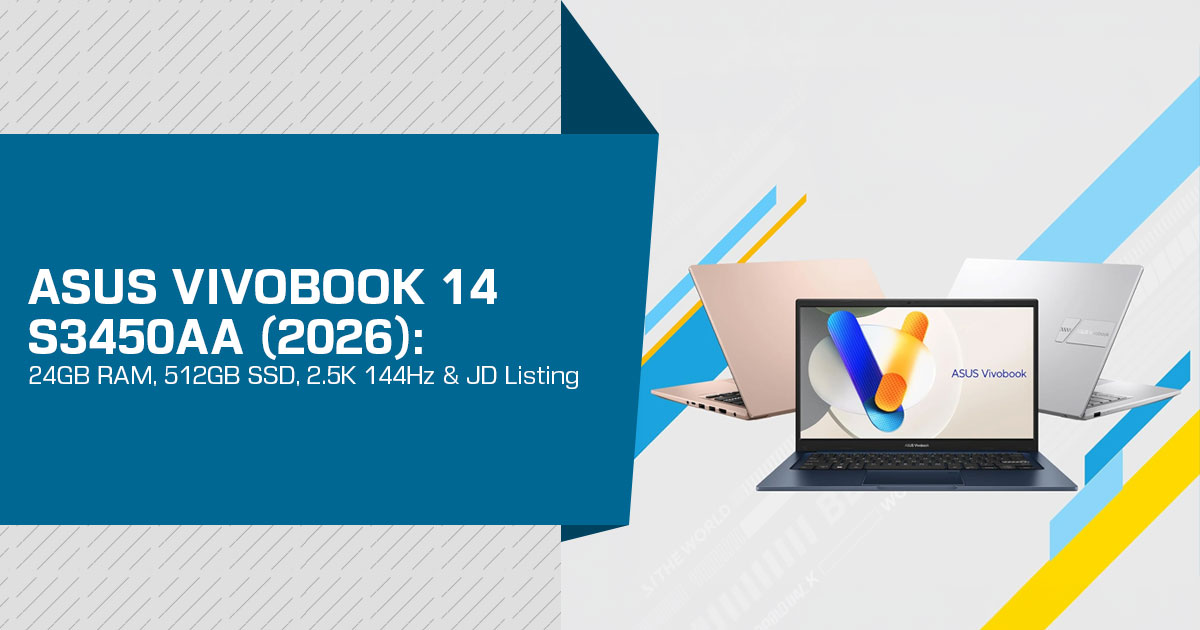
At our 10 September 2026 check, JD advertised an Intel Core Ultra 5 325, 24GB RAM, 512GB SSD and a 2.5K 144Hz display for the selected silver configuration, shown as “Ultra5 325, Silver, 24G 512G 2.5K 144Hz” under item 100410908634. A separate 5 September 2026 Notebookcheck report, citing ASUS China, also identifies a China-market Vivobook 14 configuration with the same 24GB/512GB/2.5K 144Hz combination.
The important distinction is that ASUS’s general China technical-specification page for S3450AA lists 16GB or 32GB onboard LPDDR5X memory and a 1TB NVMe PCIe 4.0 SSD as configuration-dependent options. Separately, Notebookcheck reports that ASUS’s China store offers a 24GB/512GB configuration of the Vivobook 14 (S3450A). The two sources therefore describe different published configurations rather than proving that the 24GB JD listing conflicts with ASUS.
At our 10 September 2026 check, we verified the JD advertisement and also found independent reporting that attributes the 24GB/512GB/2.5K 144Hz configuration to ASUS’s China store. What we could not establish is the complete ASUS factory part number for JD item 100410908634. That missing identifier is the remaining reason to treat the JD unit as configuration-specific rather than assume every detail from the general S3450AA reference page applies to it.
The evidence does not prove that JD’s listing is inaccurate. Instead, it shows that ASUS publishes a general S3450AA specification page with configuration-dependent options, while the China market also has a separately reported 24GB/512GB retail configuration. For the JD item, the unresolved point is the exact factory part number and the complete configuration attached to that seller listing.
Before ordering, confirm the exact model/part number, RAM implementation, SSD capacity, display panel, Windows edition/language, supplied adapter and warranty eligibility with the seller. A few minutes of verification can prevent an expensive surprise after delivery.
Who is this laptop for?
This analysis is aimed at students, professionals, business users, programmers, content creators, frequent travellers and everyday users who want a thin and portable laptop without giving up performance or display quality. It is also relevant to buyers comparing the ASUS Vivobook 14 against other 14-inch laptops with high-refresh-rate displays, particularly those looking for a machine that can remain useful for several years.
As technology experts with more than 20 years of experience in hardware and application research and development, we do not judge a laptop simply by counting its specifications. We look at what those specifications mean when the machine is actually being used.
Our assessment considers real-world performance, component quality, build and durability, thermal behaviour, upgrade limitations, display quality, battery life, everyday usability and value for money. We also consider the needs of different buyers, because the laptop that makes sense for a student or office worker may not be the right choice for a developer or creator.
Our recommendations are based on extensive research, component analysis, real-world usability and industry experience. The goal is straightforward: help you spend your money wisely and choose a laptop that will continue to serve you well long after the specifications on the product page stop looking impressive.
In this analysis, we examine the ASUS Vivobook 14 S3450AA. Notebookcheck refers to the reported China configuration as S3450A; ASUS’s official China specification page uses S3450AA. We cover its advertised 24GB RAM, 512GB storage and 2.5K 144Hz display, the differences between JD’s listing and ASUS’s general published reference specifications, and what those differences mean for an actual buyer. Most importantly, we look at whether this configuration offers the performance, reliability and long-term value buyers should expect from a modern ASUS laptop.
S3450AA specifications confirmed in ASUS documentation
The following table describes ASUS’s general S3450AA model reference, including configuration-dependent options. It is not a complete specification sheet for JD item 100410908634. ASUS’s China page lists 16GB/32GB memory and 1TB storage as its documented options, while a separate Notebookcheck report, citing ASUS China, identifies a 24GB/512GB retail configuration. Intel independently confirms the processor’s exact core arrangement and NPU rating.
| Component | ASUS-Listed Specification |
|---|---|
| Processor | Intel Core Ultra 5 Processor 325; 4 Performance-cores + 4 Low Power Efficient-cores; 8 threads; up to 4.5GHz |
| Graphics & NPU | Intel Graphics; NPU peak throughput of up to 47 TOPS at INT8 precision |
| Display | 14-inch IPS; 2560 × 1600 resolution; 144Hz refresh rate; 400 nits brightness; anti-glare; non-touch |
| Battery | 70Wh battery |
| Dimensions | Approximately 314.1 × 219.6 × 15.9–16.3mm |
| Weight | Approximately 1.25kg |
| Wireless Connectivity | Wi-Fi 6 (802.11ax), dual-band 2×2; Bluetooth 5.2, with ASUS noting that the Bluetooth version may vary depending on the operating system |
| Operating System | Windows 11 Home, as listed on the ASUS China product page; regional editions and language options may vary |
What the 144Hz IPS display means for work
Higher refresh can make supported scrolling and animation appear smoother, but it does not establish pixel response time or gaming frame rates. Higher resolution can improve text definition, while display scaling determines how much content can comfortably fit on the screen.
These benefits matter most when you work on the built-in panel. If you mainly use an external monitor, memory capacity and serviceability may deserve more weight in the purchase decision.
ASUS’s general S3450AA page marks 100% sRGB coverage as optional, while Notebookcheck reports 100% sRGB for the newly reported 24GB/512GB China configuration. Because the exact JD panel has not been tied to a factory part number, confirm the selected panel if color coverage matters. Remember that gamut coverage is not an independent calibration-accuracy measurement.
Intel Core Ultra 5 Processor 325: assess the workload, not just the label
For documents, browsing, calls and spreadsheets, consider application requirements and memory use alongside the processor. Sustained compilation, rendering and gaming require configuration-specific performance evidence; we do not have those measurements for the JD option.
The 47 TOPS figure describes peak NPU throughput, not overall laptop speed. Software must support the relevant hardware for that capability to be useful.
LPDDR5X memory and M.2 SSD expansion
ASUS lists onboard memory and no SO-DIMM slot for its documented S3450AA options, with a 32GB system maximum. The separate 24GB China configuration reported by Notebookcheck should not be assumed to use a different memory layout without matching documentation. Choose the installed capacity for your workload rather than plan around adding a memory module later.
For multitasking, additional RAM helps when applications would otherwise run short of memory. It is not an automatic speed increase for work that already fits within the available capacity.
The manufacturer provides more specific guidance for storage expansion:
- One 2 2242 slot and one M.2 2280 slot, each specified as PCIe 4.0 x4.
- The slot count includes occupied slots; it does not mean both are free.
- ASUS states that only single-sided SSDs are supported because of components near the slots.
Check the drive format, occupancy and service requirements before buying an upgrade. The inspected page does not establish a total storage-capacity ceiling, so no maximum is assumed here.
70Wh battery, USB-C power and everyday connections
ASUS and Notebookcheck report battery specifications for the S3450AA/S3450A family, but a verified runtime test for the exact JD configuration is not established in this guide. Battery capacity measures stored energy, not working time; brightness, applications, wireless use and power settings affect actual runtime.
ASUS lists a configuration-dependent 68W USB-C adapter, rated at 20V and 3.4A. That is an adapter output rating—not a measured charging speed or confirmation of the JD option’s box contents. Check the supplied adapter rather than assume any USB-C phone charger will support the same workload.
ASUS’s connection list specifies Thunderbolt 4, a separate USB 3.2 Gen 1 Type-C port, two USB 3.2 Gen 1 Type-A ports, HDMI 2.1 TMDS and a 3.5mm combo audio jack. Both Type-C connections are specified for display output and power delivery. Check the exact monitor and dock requirements; a connector or version label alone does not establish every supported display mode.
ASUS’s table lists a 1080p FHD camera but does not establish IR facial sign-in on that general specification page. Notebookcheck reports an IR camera for Windows Hello on the newly reported 24GB/512GB China configuration. Keyboard backlighting and Microsoft Office Home 2024 are configuration-dependent, so these details should be checked against the exact JD unit before importing.
S3450AA reference compared with ASUS Vivobook 14 X1407AA-LY029WS
The ASUS Vivobook 14 X1407AA-LY029WS is a relevant comparison because ASUS Store India documents that exact 14-inch SKU with the same processor. The table compares its specifications with the manufacturer’s China-model reference—not with an assumed full specification for the JD offer.
| Specification | S3450AA — ASUS-Listed Options | ASUS Vivobook 14 X1407AA-LY029WS |
|---|---|---|
| Display | 2560 × 1600 IPS, 144Hz, 400 nits | 1920 × 1200 IPS-level, 60Hz, 300 nits |
| Memory | ASUS lists 16GB or 32GB onboard LPDDR5X configurations. | 16GB onboard DDR5 plus one DDR5 SO-DIMM slot, with up to 32GB total memory listed. |
| Factory Storage & M.2 Slots | 1TB NVMe PCIe SSD listed, with two M.2 slots in total. | 512GB NVMe PCIe 4.0 SSD, with one M.2 slot in total. |
| Battery Capacity | 70Wh | 42Wh |
Sources: ASUS China’s model reference and ASUS Store India’s exact SKU specification. The listed options do not establish local stock or a cross-market price comparison.
The higher-resolution panel has approximately 78% more pixels, calculated from the two published resolutions. That is not 78% more usable workspace or a measured image-quality advantage. For memory expansion, the Indian SKU documents a SO-DIMM path. Its single M.2 slot, however, is the total slot count—not an additional spare slot. That distinction matters if you plan to add storage rather than replace the installed drive.
Lenovo ThinkBook 14 G9 IPL: an alternative for memory upgrades
The Lenovo ThinkBook 14 G9 IPL family also includes an Intel Core Ultra 5 Processor 325 option. Lenovo’s official PSREF lists two DDR5 SO-DIMM slots and two M.2 slots, making the family relevant when memory and storage serviceability are priorities.
This is a family-level alternative, not a verified retail-SKU recommendation. Lenovo lists both 1920 × 1200 60Hz IPS panels and a 2880 × 1800 120Hz IPS option. Verify the actual CPU, panel and installed capacity before comparing a seller’s price.
24GB RAM listing: China prices and availability
Notebookcheck’s 5 September 2026 report associates CNY 6,499 with the newly reported 24GB/512GB configuration and describes CNY 6,999 as the regular price. These are China-market figures reported for the configuration sold through ASUS China, not verified current checkout prices for JD item 100410908634 or for ASUS’s separate 16GB/32GB reference configurations.
| Reported Amount | Price Classification | Market & Configuration |
|---|---|---|
| CNY 6,499 | Reported promotional price | China; reported 24GB RAM + 512GB storage configuration |
| CNY 6,999 | Reported regular price | China; same reported 24GB RAM + 512GB storage configuration |
At our 10 September 2026 check, the JD price was masked in the logged-out view, while the page displayed a September 10 sale window. No checkout price or dispatch status was verified, so the reported China-market prices above have not been substituted for the hidden JD price.
This guide does not establish an official US or Indian price for that JD configuration. A currency conversion would not account for seller terms, delivery, applicable import charges or local support.
S3450AA and the new listing: the buying decision
The documented S3450AA family specifications, together with the separately reported 24GB/512GB China configuration, make the model worth considering. They are still not enough to recommend the exact JD unit without confirming its factory part number and supplied configuration.
Before paying, obtain the full manufacturer part number and confirmation of:
- Memory implementation, installed storage and the selected panel.
- Windows edition/language, optional features and supplied adapter.
- Final payable price, seller identity, return location and warranty eligibility.
Where to Buy and Verify the ASUS S3450AA
If you need a fully documented configuration before placing an order, compare an identifiable local SKU rather than rely on a matching product-family name, marketing description or product photograph.
There is another reason this search can be confusing. S3450AA is the ASUS model code used on the company’s official China specification and support pages, while retail listings and third-party reports may use broader names such as Vivobook 14 or Fearless 14, or the shorthand S3450A used by Notebookcheck for the reported China configuration. The exact factory part number is more useful for matching a retailer’s configuration than the family name alone.
That means an Amazon search for S3450AA may return few or no directly matching retail products, even when ASUS VivoBook laptops with similar memory configurations are available. A similar name or 24GB RAM specification does not establish that the laptop is the same S3450AA configuration.
The following links are provided as standard, non-affiliate searches and comparison links. They are not verified listings for JD item 100410908634. Search results may contain different processors, screen specifications, storage capacities or older VivoBook models. We have not used these results to confirm the JD 24GB/512GB/2.5K 144Hz configuration.
S3450AA Search on Amazon US
If the screen, processor and storage configuration suit your work, use the search results to compare current availability and pricing. Before buying, match the complete model number and specification rather than relying on the product title or photographs.
Search Amazon US for ASUS S3450AA
Search for S3450AA on Amazon India
For Indian buyers, compare the final purchase price, seller information, return policy and warranty terms with the exact Indian SKU. Pay particular attention to the invoice model number and ASUS warranty eligibility.
Search Amazon India for ASUS S3450AA
Other 24GB ASUS VivoBook Listings
Because the S3450AA code is not consistently used in retail product titles, we also found ASUS VivoBook listings that explicitly advertise 24GB RAM. These can be useful for comparison, but they should not be treated as equivalent to the JD S3450AA configuration unless the complete specifications match.
Amazon US — ASUS VivoBook Laptop with 24GB RAM
ASUS VivoBook Laptop — 24GB RAM on Amazon US
Amazon US — ASUS Vivobook 14, 14-inch FHD, Intel Core i3-1315U, 24GB RAM
ASUS Vivobook 14 — 24GB RAM on Amazon US
Amazon India — ASUS VivoBook 16X, 24GB RAM, 1TB SSD
ASUS VivoBook 16X — 24GB RAM on Amazon India
Amazon India — ASUS VivoBook S14 S430FA-EB026T
ASUS VivoBook S14 S430FA-EB026T on Amazon India
The Important Point for Buyers
Do not assume that a 24GB ASUS VivoBook found on Amazon is the same laptop as the JD S3450AA. The listings above are useful for price and configuration comparisons, but they represent different retail products unless the processor, RAM type and capacity, SSD, display resolution, refresh rate, chassis and full ASUS model/part number all match.
For the JD unit, the safest approach is to ask the seller for the complete factory model/part number and a detailed specification sheet or invoice description before ordering. That is the most reliable way to determine whether the advertised 24GB RAM, 512GB SSD and 2.5K 144Hz display belong to the exact machine you will receive.
Have a Question About the ASUS Vivobook 14?
If you are still unsure about the ASUS Vivobook 14 S3450AA or the S3450A name used in Notebookcheck’s report, its 24GB RAM configuration, 2.5K 144Hz display, or the difference between the JD listing and ASUS’s published specifications, feel free to ask us in the comments.
Tell us what you think, share your experience, or ask any questions you have before buying. We will do our best to help you make a decision based on the actual hardware and your needs—not just the numbers printed on a product page.
If you found this analysis useful, follow us for more detailed laptop reviews, hardware comparisons and buying advice. And if you know someone who is considering this laptop, share this article with them. It could help them avoid buying the wrong configuration.
***Disclaimer***

This blog post reflects our research, analysis, and opinions based on available product information, user feedback, and industry knowledge. It should not be taken as the official position of any brand, manufacturer, or company mentioned here. We make every effort to keep this guide accurate, but product specifications, pricing, and availability may change after publication. We recommend double-checking important details before making a purchase.

Some links in this article may be affiliate links. If you choose to buy through an affiliate link, we may earn a small commission at no extra cost to you. This helps support our work and allows us to keep publishing in-depth, unbiased reviews. Affiliate partnerships never influence our recommendations.

Opinions expressed by readers are their own and do not necessarily reflect ours. We are not responsible for outcomes resulting from the use of information on this site. Please seek professional advice where appropriate.

All product names, logos, and brands mentioned are the property of their respective owners. These names are used for identification and informational purposes only and do not imply endorsement.
