
Method, naming and pricing note. This article is based on research, not hands-on testing. We did not physically test this product. Conclusions come from DKIAN's product page, retail listings, published independent reviews of this product category, the TechWalls review of a comparable laser-projection keyboard, the 2010 Crump and Logan study of laser-projection typing, and aggregated owner reports. Where sources disagree, the disagreement is identified instead of averaged. We give first-party product information the most weight for specifications, use independent reviews and published research for category performance, and treat owner reports as anecdotal evidence. The external performance evidence is category evidence, not hands-on testing of the DKIAN unit.

DKIAN lists the product as "dkian Wireless Laser keyboard Projection Virtual Bluetooth Laser Keyboard Bluetooth Handheld Laptop Keyboard Compatible with Desktop, Laptop, Tablet, iPad, Mac (Black)". No conventional manufacturer model code is evident. The Flipkart model-number field repeats the product description rather than giving a distinct model code, and the part-number field is blank. This article uses DKIAN Wireless Laser Keyboard for the product and laser projection keyboard for the device category. Other brand names below refer to separate listings that publish the same specification set.

Every price carries its currency and market, and is labelled as brand-site, retail, promotional or historical. Prices and offers were checked in September 2026 and change frequently
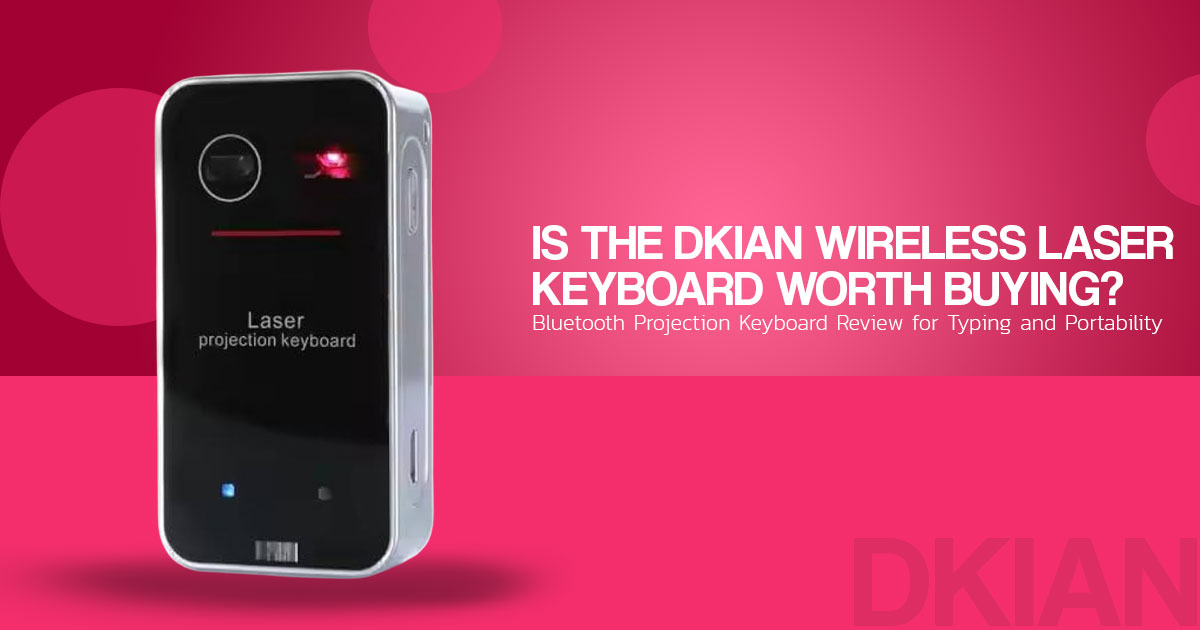
Short answer: The DKIAN Wireless Laser Keyboard is a pocket-sized laser projection keyboard that projects a QWERTY layout onto a flat, matte surface. It connects over Bluetooth 3.0 with the HID profile, or over USB with the supplied cable. Its most useful feature is the multi-touch mouse mode, which reviews of comparable devices often find easier to use than the typing function. Published research on laser-projection keyboards shows a substantial speed and accuracy penalty compared with physical keyboards. In one study, paragraph typing averaged 43 words per minute on a laser keyboard versus 76 words per minute on a regular keyboard. That study was not a test of the DKIAN unit. A reasonable use is short text and cursor control, not sustained typing.
The projected layout is designed to be visible under suitable lighting. Producing text on it is the harder part because users do not get physical key feedback.
DKIAN Wireless Laser Keyboard: What Is It and How Does It Work?
The DKIAN Wireless Laser Keyboard is a portable projection keyboard. Instead of carrying a physical keyboard, it projects a full-size QWERTY keyboard onto a flat surface and uses infrared sensing to detect where you tap.
It works with Android, iOS, Windows, macOS, and Linux and connects as a standard wireless keyboard, so there is no dedicated app to install before you can use it.
The device is listed as supporting a multi-touch mouse mode. Comparable projection-keyboard reviews describe one-finger cursor control, tap-to-click, and two-finger scrolling and dragging, but the DKIAN listing does not document each gesture. For travellers, students, remote workers, and anyone who wants a portable keyboard and mouse, this gives it a second use beyond typing.
Before buying one, though, there are a few things to consider. How accurate is the projected keyboard? How well does it work in everyday use? Which devices does it support? Is the mouse mode actually useful? And who makes the DKIAN Wireless Laser Keyboard?
That question matters because the DKIAN brand information available with the product does not tell the whole story.
We focus on the details that matter when choosing a portable wireless keyboard: typing accuracy, connection reliability, compatibility, portability, build quality, mouse performance, and value for money.
This review covers what the DKIAN Wireless Laser Keyboard is, how it works, its key features and limitations, and what the available listings reveal about the brand.
THE SAME SPECIFICATION SET APPEARS UNDER DIFFERENT NAMES

We found the same published specification set and near-identical description text under at least a dozen listing names, including dkian, MOJO (MOJO-HOME), AGS, MBETA, GANGXUN, ETZIN, DARTLE, HAZARA,

ARKEM, VirtualLaserKeyboard, SHOWME, and eBay listings described as the LK4. The Flipkart listing gives China as the country of origin, and the importer named on the DKIAN listing is "Kian Marketing".

What that means when buying: the same specification set appears under several brand and seller names, so the brand name alone tells you little about the underlying unit. What differs between listings is the asking price, the return window and the after-sales terms. We could not verify that every one of those listings is the identical physical unit, but they publish the same specification set and use the same marketing text, which may indicate white-label supply, but we did not verify the manufacturing source.
CHECKING WHETHER TWO LISTINGS DESCRIBE THE SAME DEVICE
Compare five published points before assuming a higher price buys better hardware:
If most of the five points match, treat the listings as potentially belonging to the same specification class, then compare price, warranty and return terms. This is a comparison method used in this review, not a technical standard.
- A red diode laser with infrared sensing and no physical keys
- Bluetooth 0 with the HID profile, plus USB
- A stated recognition rate of “up to 350 characters per minute”
- A multi-touch mouse mode with tap-to-click and two-finger scroll
- A rechargeable battery, with capacity stated inconsistently between listing sections
How a laser projection keyboard works
The mechanism is simpler than the phrase “intelligent 3D electronic recognition technology” in the listing copy suggests. Three parts run at the same time.
- A laser projects the A red diode laser passes through a diffractive optical element, an optic that splits the beam into the shape of a keyboard. That image is a visual reference for the user. It plays no part in detecting input.
- An infrared plane covers the An invisible infrared layer sits a few millimetres above the surface, parallel to it.
- A sensor reads the interruptions. When a fingertip breaks the infrared layer, the reflection passes an infrared filter onto a CMOS image The firmware converts the position into a keystroke and sends it over Bluetooth or USB.
The listing phrase “3D electronic recognition” describes this two-dimensional projection with infrared triangulation. It does not indicate depth sensing.
WHY THE ADVERTISED DETECTION RATE IS NOT A TYPING SPEED

Listings for this product type advertise a recognition rate of up to 350 characters per minute. That is a sensor specification, not a promise of human typing speed.

Reported typing is a different figure entirely. For broader context, a 2026 IJRASET research prototype using a similar laser-and-infrared architecture reported about 92% detection accuracy at under 100 ms response under controlled lighting. That was a research build tested in controlled conditions, not this retail product, and it does not measure human typing output.

The bigger limit is the lack of tactile feedback. Without physical keys, users have to rely more on visual confirmation.
What this means for a buyer: the absence of tactile feedback is a property of how projection keyboards work, not a fault specific to the DKIAN listing, and it is the reason reported typing speeds sit far below a normal keyboard.
Key features and what they mean in use
| Feature as published | What it does | What it means for the buyer |
| Laser projection of a full-size QWERTY layout | Places a keyboard on a suitable flat surface | Delivers real portability; published layout sizes for this product type vary between listings, and we did not verify projected size |
| Infrared sensing with a CMOS sensor | Detects taps and finger movement | Works best in dimmer indoor light; stronger ambient light can reduce projection visibility and detection reliability |
| Bluetooth 3.0 with HID profile, plus USB | Connects without software installation | Broad device support; published owner reports are less consistent on iOS |
| Multi-touch mouse mode | Cursor movement, tap-to-click, two-finger scroll and drag | A commonly praised feature in reviews of comparable projection keyboards |
| Layout described in one listing as 104 keys | Provides a full-size key arrangement | Some reviews of comparable devices report layout changes that make shortcuts harder |
| Built-in speaker | Emits a beep on each keystroke, and plays audio on some variants | Volume is adjustable with Fn and the arrow keys; some reviews describe the default beep as distracting |
| Auto-sleep | Idle state, waking on movement in the projected area | Extends battery life during mixed use |
| Rechargeable battery with USB charging | Operation without a cable | The weakest documented claim in the listing; see the battery section |
| ABS plastic body | Pocket transport | Light, but it can slide or tip if knocked |
Reported performance in everyday use
The figures in this section are reported by published reviews of this product category and by owners. We did not measure them, and results vary with surface, lighting and typing style.
Typing speed and accuracy
| Reference point | Figure | Source basis |
| Typical physical keyboard | 40–60 words per minute | Common baseline for comparison |
| Projection keyboard of this type | Published category reviews report a large speed drop and higher error rates than physical keyboards; exact results vary by user and device. | Published reviews and owner reports of this category |
Reviews of this product type consistently find that accuracy holds up when typing slowly with two to four fingers and declines at normal touch-typing speed. Independent reviews of comparable devices have also flagged accuracy and non-standard layouts as key limitations.
The practical point is simple: a projection keyboard can take much longer for ordinary writing because every key press lacks physical feedback. Crump and Logan (2010) found that paragraph typing averaged 43 WPM on a laser-projection keyboard versus 76 WPM on a regular keyboard; this was a category study, not a DKIAN test.
No moving keys means no tactile confirmation, which makes conventional touch typing difficult.
Latency and multi-key input
Published reviews of comparable projection keyboards report missed taps, repeated characters and noticeable lag under some conditions.
Comparable reviews also report problems with simultaneous key presses, which can make multi-key shortcuts and fast gaming input unreliable.
Lighting and surface conditions
Many reported problems with projection keyboards are linked to lighting, surface type and the lack of tactile feedback.
| Condition | Reported result |
| Dim indoor room, matte desk | Most reliable conditions |
| Typical office lighting | Workable, with more missed taps |
| Direct sunlight or strong overhead light | Projection is hard to see and detection becomes unreliable |
| Glass or glossy tabletop | Detection becomes unreliable |
| Fabric, bed or uneven surface | Reported as unusable |
| Obstacles within about 5 cm of the device | Interfere with detection |
The exact ambient-light limit is not established for this DKIAN unit. Reports on comparable projection keyboards show that strong light can reduce projection visibility and detection reliability. Listing instructions specify a flat, opaque, matte, non-reflective surface.
Mouse mode
The mouse mode gets more favorable comments than the typing function in reviews of comparable devices. Comparable units have been reported to support cursor control, tap-to-click and two-finger scrolling, which can make this type of device useful with a tablet, TV box or projector. The DKIAN listing confirms mouse mode but does not document every gesture.
Battery and charging
Published battery claims for this product conflict, so the buyer should treat the figure as a range rather than a specification.
| Source | Published claim |
| DKIAN brand product page | 700 mAh NiMH |
| Flipkart “key features” line | 700 mAh NiMH |
| Flipkart specification table, same product page | 1000 mAh |
| MOJO listing (separate badge, same specification class) | 1000 mAh, about 200 minutes of working time |
| Flipkart run-time field | 8 hours |
| Independent review of a comparable projection keyboard (TechWalls) | About 1.5 hours of continuous use |
PLANNING FIGURE

DKIAN's product page states 700 mAh NiMH, which we treat as the primary figure, while the same retail page lists 1000 mAh in its specification table, so capacity is not confirmed either way. For planning purposes, 1.5 to 3 hours of active use is a cautious working range based on comparable products and the available claims. This is not a verified DKIAN runtime. Charging is listed at 4 hours on Flipkart and about 120 minutes on a sibling listing for this product class.
Design, build and portability
- Material: ABS plastic, according to the listing.
- Weight: the in listing states 60 g for the item, while Flipkart lists 0.2 kg, which may be the packaged or shipping weight. We did not verify either figure on a physical unit.
- Dimensions: not published on the DKIAN listings we checked, so no size claim is made here beyond the general description of a pocket-sized device.
- Charging port: the DKIAN listings do not state whether the port is mini-USB or micro-USB. Sibling listings for this product class state that later revisions moved from mini-USB to micro-USB, so the cable supplied with a specific unit should be treated as the reliable indicator.
- Lens care: the laser aperture sits behind a small A marked or dusty lens produces a dimmer, less distinct layout, so carrying it in a pocket with loose keys is worth avoiding.
- Water resistance: none stated.
- Laser class: not published on the listings we checked.
Connectivity and compatibility
The device uses Bluetooth 3.0 with the HID profile, the standard keyboard profile that works without custom software, and it also connects over USB. The listed pairing procedure uses Fn + B to enter pairing mode, followed by selecting the keyboard from the host device’s Bluetooth menu. Volume is adjusted with Fn and the arrow keys.
| Platform | Reported experience |
| Android phones and tablets | Reported as straightforward to pair |
| Windows laptops and desktops | Reported as straightforward, or immediate over USB |
| macOS | Reported as working, with normal text entry |
| iPad and iPhone | Works, but reported as the least consistent of the supported platforms |
| Linux | Reported as working as a standard HID keyboard |
Because the device uses Bluetooth HID, it may also work with other HID-compatible devices, including some TV boxes and game consoles, but compatibility can vary by device. That is where the mouse function may be more useful than the typing function.
Specification summary
| Specification | Position published in this review |
| Product class | Projection keyboard (virtual laser keyboard) |
| Projection | Red diode laser with a diffractive optical element |
| Detection | Infrared plane with CMOS sensor triangulation |
| Recognition rate claimed | Up to 350 characters per minute (recognition-rate claim, not typing speed) |
| Projected layout | Full-size QWERTY; published sizes for this product type vary |
| Keys | Listed as 104 on one retail listing; no function row according to independent reviews of this product type |
| Connectivity | Bluetooth 3.0 with HID profile; USB |
| Systems | Android, iOS, Windows, macOS, Linux |
| Mouse mode | Multi-touch with tap-to-click and two-finger scroll |
| Battery | 700 mAh NiMH per the brand page; 1000 mAh stated in one retail specification table |
| Working figure | About 1.5 to 3 hours of active typing |
| Charging time | 4 hours per Flipkart; about 120 minutes per a sibling listing |
| Extras | Keystroke beep, audio playback on some variants, auto-sleep |
| Body | ABS plastic; weight listed as 60 g by Amazon.in and 0.2 kg by Flipkart |
| Water resistance | None stated |
| Origin | China |
| Warranty | Flipkart does not specify product warranty coverage; DKIAN separately states standard 6- or 12-month warranty coverage |
| Model number | No distinct manufacturer model code; Flipkart repeats the product description |
Two things the listings do not make clear
- Published specifications The clearest example is battery capacity, where one product page states two different figures. A page that also lists an eight-hour run time, a four-hour charge time and a 1000 mAh battery alongside 700 mAh should be read as marketplace copy rather than a datasheet.
- Product-specific warranty coverage is The Flipkart product page we checked does not specify warranty coverage, while DKIAN’s separate warranty page states that its products carry standard 6- or 12-month warranty coverage. The same Flipkart page displays no customer ratings and comes from a seller rated 2.8; the corresponding Amazon.in listing shows a rating of 2.0 from two ratings. Confirm the warranty and return terms before purchase, and keep the packaging until the device has been tested with your own hardware.
Strengths and limitations
| Reported strengths | Reported limitations |
| Small and light enough for pocket carry | Typing speed well below a physical keyboard |
| No software installation needed to connect | No tactile feedback, which makes conventional touch typing difficult |
| Mouse mode is reported to work well on comparable units | Unreliable in bright light and on glass or soft surfaces |
| Full-size QWERTY layout rather than a mini layout | Multi-key shortcuts and fast gaming input can be unreliable |
| Works across Android, Windows, macOS, Linux and iOS | Keystroke beep is loud by default on many reports |
| May work with some HID-compatible TV boxes and consoles | Battery figures conflict between listing sections |
| Suited to occasional use and short text input | Product-specific warranty coverage is unclear; confirm it before purchase |
What the same specification class costs under other names
Prices below are labelled by market and type. Offers and coupon prices are temporary by nature and should not be read as standard pricing.
| Listing | Market | Price as published | Price type |
| MOJO Bluetooth Wireless Laser Projection Virtual Keyboard Portable Full-Size Keypad | US, Amazon | $33.99 with a 15% coupon applied at the time of writing | Promotional retail |
| VirtualLaserKeyboard Laser Keyboard, Virtual Wireless Bluetooth Portable Projection Keyboard for Smart Phone PC Tablet Laptop | US, Amazon | From $46.50 through third-party offers at the time of writing | Retail listed, from-price |
| dkian Wireless Laser keyboard … (Black) | India, DKIAN.com | ₹4,299, against a stated ₹9,999 MRP | Brand-site listed |
| dkian Wireless Laser keyboard … (Black) | India, Flipkart | ₹10,999 MRP; around ₹5,646 listed, with bank offers reducing it to about ₹5,081 at the time of writing | Retail listed, plus temporary offers |
| Dkian Wireless Laser Projection Keyboard – Bluetooth Virtual Keyboard for Smartphone, Tablet, PC & Laptop | India, Amazon.in | ₹4,999–₹5,999 across offers at the time of writing | Retail listed range |
| Generic listings for this product type | US, eBay | About $27 for a used unit to about $56 for a new one, in the listings we reviewed | Retail listed |
| Boutique retail listings for this product type | US | $109.90–$129.90 listed | Retail listed (category context, not verified as the same unit) |
| Wholesale listings for projection keyboards | B2B, Alibaba.com | About $20–$47 per unit at the quantities listed | Wholesale |
The pattern worth noting is that listings publishing the same specification set span a wide price range, from about $34 (US, promotional) to ₹5,646 (India, before offers). A higher price is not evidence of different hardware. We could not verify that every listing above is the identical physical unit, so this is a specification comparison, not a teardown comparison.
Alternatives worth comparing
| Option | Market and price | Verified detail | Trade-off |
| Folding Bluetooth keyboard with touchpad (Samsers KT03) | US; $31.99 sale against $36.99 regular on the brand store; roughly $30–$44 in Amazon listings at the time of writing | Bluetooth 5.1, up to three devices, 560 hours standby per brand specifications | Bulkier than a pocket projector, but usable for sustained typing |
| Logitech Pebble Keys 2 K380s | US; about $34 at the time of writing | Multi-device Bluetooth keyboard; no trackpad | Needs a bag rather than a pocket |
| Serafim KeyBo | US; suggested price $109 in 2021, promoted at $84.99 in 2021; resale listings are lower | 78 keys, 2,000 mAh battery, up to 10 hours claimed, one-year manufacturer warranty | Same category limitations at a higher price |
| Celluon Magic Cube | Discontinued; launch price about $170 in 2011; resale listings around $27–$80 | The line that popularised the consumer category | Legacy hardware; contemporary reviews were critical |
| On-screen keyboard with voice dictation | Free | No hardware required | Tied to one device and needs a quiet environment |
| DKIAN Wireless Laser Keyboard | US and India, prices as above | Pocket size, gesture control, no software needed | Not suitable for sustained typing |
If the objective is to type on a tablet without carrying a laptop, a folding Bluetooth keyboard at around $32– $44 is a more practical option for sustained typing at similar prices. If the objective is cursor control plus occasionally short text on a desk surface, the projection device remains the more compact option.
Who should buy it
A reasonable fit if you:
- mainly need cursor and gesture control for a tablet, TV box or projector
- type short entries such as passwords, URLs and brief replies rather than documents
- work in dim or indoor lighting on a matte, opaque surface
- want a compact device for occasional use and short text input, and accept that portability is the main advantage
- are buying at the lower end of the published range — around $45 or less in the US, or around ₹4,500 or less in India
Probably not for you if you:
- type for more than a minute or two at a time
- rely on keyboard shortcuts, function keys or gaming input
- work in daylight, in brightly lit offices, or on glass, glossy or soft surfaces
- want one device to replace a laptop keyboard
- are being asked for a premium price when product-specific warranty coverage is unclear
Final verdict
The DKIAN Wireless Laser Keyboard matches the core features listed by DKIAN: projection, Bluetooth/USB input and mouse mode. Reviews of comparable devices tend to find the mouse function easier to use than the typing function. Its main advantage is size: it adds basic text input and cursor control without carrying a full keyboard.
The main limitations come from the projection design. Reported typing output stays well below a physical keyboard, bright light and unsuitable surfaces cause unreliable detection, and the published specifications contradict each other on battery capacity. The same published specification set appears under several names, so price and after-sales terms matter when comparing listings.
Buy it as a compact second input device for short text and cursor control. Buy a folding keyboard if the goal is to type.
Frequently asked questions
Is the DKIAN Wireless Laser Keyboard worth buying?
It is reasonable as a secondary input device for short text and cursor control, particularly at around $45 or less in the US or ₹4,500 or less in India. It is not suited to replacing a main keyboard. Published reviews and owner reports of this product category place typing output well below a physical keyboard, and the device needs dimmer indoor light and a matte surface to work reliably.
Can you type fast on a laser projection keyboard?
Published research and reviews of comparable projection keyboards report a large drop in typing speed and accuracy compared with physical keyboards. Crump and Logan (2010), for example, measured 43 words per minute on a laser-projection keyboard versus 76 words per minute on a regular keyboard. That study was not a test of the DKIAN unit. The stated recognition rate of up to 350 characters per minute is a sensor specification, not a human typing-speed figure.
Does a laser keyboard work in daylight?
Direct sunlight and strong overhead lighting can make the projection harder to see and can reduce detection reliability. The safer setup is indoor lighting with a flat, matte, non-reflective surface.
What surface does a virtual laser keyboard need?
A flat, opaque, matte, non-reflective surface, with roughly 5 cm of clear space around the device according to listing instructions. Glass, glossy tabletops, fabric and uneven surfaces interfere with infrared detection.
How long does the battery last?
Published claims range from about 200 minutes to 8 hours, while the same retail page lists both 700 mAh and 1000 mAh. For planning purposes, 1.5 to 3 hours of active use is a cautious working range based on comparable products and the available claims. This is not a verified DKIAN runtime. Charging is listed at 4 hours on one page and about 120 minutes on a sibling listing.
Is the DKIAN Wireless Laser Keyboard the same as the MOJO, AGS or MBETA version?
They are separate listings that publish the same specification set and near-identical description text, which may indicate white-label supply, but we did not verify the manufacturing source. We could not verify that they are the identical physical unit. Because the published specifications match, compare price, warranty and return terms rather than assuming the brand name means different hardware.
Does it work with an iPhone or iPad?
It connects over Bluetooth using the HID profile, but owner reports describe iOS as the least consistent of the supported platforms. Android and Windows pairings are reported as more reliable, and USB is the fallback where a port is available.
Where to buy
Amazon India — the DKIAN badge

The Amazon.in listing for the DKIAN Wireless Laser Keyboard carries Indian pricing and a standard marketplace return process. Its rating currently stands at 2.0 from two ratings, so read the listing terms before ordering.

Check the current price on Amazon India
Flipkart — Indian marketplace alternative

The Flipkart page lists an MRP of ₹10,999 with selling prices and bank offers below that, a 7-day return window, a seller rated 2.8 and no product-specific warranty coverage. DKIAN’s separate warranty page states standard 6- or 12-month warranty coverage, so confirm the coverage that applies to this listing before ordering. Keep the packaging until the device has been checked against your own hardware.

View the product page on Flipkart
Brand store — DKIAN.com

The brand's own product page listed ₹4,299 against a stated ₹9,999 MRP at the time of writing, which sits at the lower end of the range we found for this product.

View the product page on dkian.com
If typing matters more than compactness: a folding Bluetooth keyboard with a touchpad around $32–$44 gives physical keys, longer battery life and a trackpad, with the trade-off that it is larger than a pocket projector.
Prices, ratings and specification claims were checked in September 2026 and change frequently. This article is based on research rather than hands-on testing. Sources include DKIAN’s product page, retail listings, the TechWalls review of a comparable laser-projection keyboard, the published Crump and Logan (2010) study of laser-projection typing, and aggregated owner reports. These external sources are used as category evidence, not as tests of the DKIAN unit.
Have Questions About the DKIAN Wireless Laser Keyboard?
If you’ve used the DKIAN Wireless Laser Keyboard, share your experience in the comments. Tell us how it performs for typing, mouse control, connectivity, and everyday use.
If you’re considering buying one and still have doubts, leave your question below. We’ll try to help you work out whether it fits your needs.
For more honest tech reviews, product research, and buying guides, follow us and stay connected with NGXP Tech.
Disclaimer

This article is based on our research, analysis, available product information, and user feedback. It is not an official statement from any brand or manufacturer mentioned in the article. Product specifications, prices, software features, and availability can change. We do our best to keep the information up to date, but please check the latest details with the manufacturer or retailer before making a purchase.

Some links in this article may be affiliate links. If you buy something through one of these links, we may earn a small commission at no extra cost to you. These commissions help support the site and our work. They do not affect how we assess or discuss products. Comments and opinions shared by readers belong to the people who post them and do not necessarily represent our views. Information on this site is provided for general purposes, and we cannot guarantee a particular result from using it. Where professional advice is needed, consult a qualified professional.

All product names, logos, and trademarks belong to their respective owners. We use them only to identify the products and companies discussed and do not imply endorsement or affiliation.
