
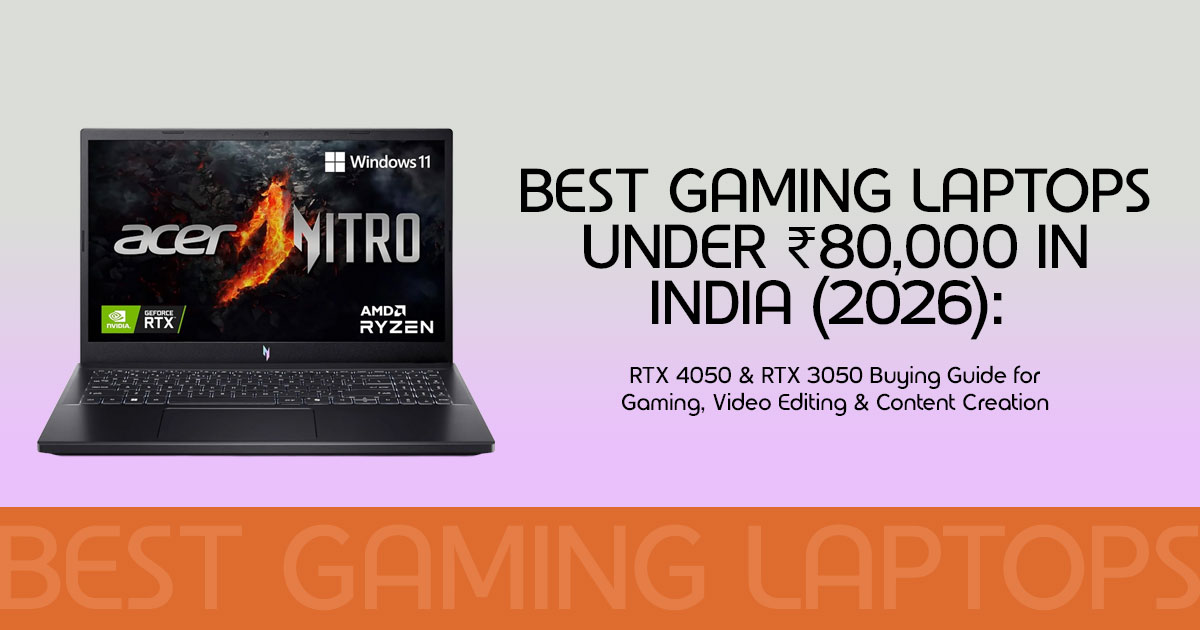
Buying a laptop under ₹80,000 isn’t as straightforward as it seems. Many models look impressive on paper but fall short in everyday use. A fast processor alone doesn’t guarantee good performance if the graphics card, display, or cooling system can’t keep up.
As technology experts with over 20 years of experience in hardware and application research and development, we analyze every product based on real-world performance, durability, upgrade potential, and long-term value for money. Our goal is to help you choose the best laptop for your budget and the way you actually use it.
For this guide, we analyzed hundreds of verified buyer reviews, hardware teardowns, benchmark results, and cooling performance reports. We did not test these laptops in our own lab. Instead, our recommendations are based on extensive research, component analysis, real-world usability, and industry expertise.
Whether you’re looking for the best gaming laptop under ₹80,000, the best content creation laptop, or a laptop for video editing, photo editing, programming, 3D design, or everyday work, this guide will help you make an informed decision.
If you’re a student, content creator, designer, developer, engineering student, or a working professional, keep reading. We’ll explain what each laptop does well, where it falls short, and which one offers the best value for your money.
The Master Comparison Matrix
If you are in a rush, here is the quick breakdown of every gaming laptop under 80k in India that we analyzed:
| Laptop Model | Processor | Graphics (GPU & TGP) | Display | Weight | Best Suited For |
|---|---|---|---|---|---|
| Acer Nitro V 15 (ANV15-42) |
AMD Ryzen 7 7445HS | NVIDIA GeForce RTX 4050 (6GB, 75W TGP) | 15.6-inch Full HD, 165Hz | 2.10 kg | Maximum gaming performance and high frame rates. |
| Acer Nitro Lite 16 (NL16-71G) |
Intel Core i5-13420H | NVIDIA GeForce RTX 3050 (6GB, 75W TGP) | 16-inch WUXGA, 165Hz | 1.95 kg | Users wanting a larger display with a sleek, modern design. |
| Dell G15 5530 (G15-5530) |
Intel Core i5-13450HX | NVIDIA GeForce RTX 3050 (6GB, 95W TGP) | 15.6-inch Full HD, 120Hz | 2.65 kg | Long-term durability and sustained gaming workloads. |
| MSI Cyborg 15 (A12UDX-1468IN) |
Intel Core i5-12450H | NVIDIA GeForce RTX 3050 (6GB, 45W TGP) | 15.6-inch Full HD, 144Hz | 1.90 kg | Portable gaming with a futuristic, stealth-inspired design. |
| Acer ALG (AL15G-53) |
Intel Core 5-210H | NVIDIA GeForce RTX 3050 (6GB, 60W TGP) | 15.6-inch Full HD, 144Hz | 1.99 kg | Professionals seeking a minimalist design that blends gaming and office use. |
| ASUS TUF A15 (FA506NCG-HN199W) |
AMD Ryzen 7 7445HS | NVIDIA GeForce RTX 3050 (4GB, 75W TGP) | 15.6-inch Full HD, 144Hz | 2.30 kg | Buyers wanting military-grade durability and long-term reliability. |
| HP Victus Smartchoice (fa2190/91tx) |
Intel Core i5-13420H | NVIDIA GeForce RTX 3050 (4GB, 75W TGP) | 15.6-inch Full HD, 144Hz, 300 nits | 2.30 kg | Photo editing, content creation, and dependable after-sales support. |
| MSI Thin 15 (B13UC-125IN) |
Intel Core i5-13420H | NVIDIA GeForce RTX 3050 (4GB, 45W TGP) | 15.6-inch Full HD, 144Hz | 1.86 kg | Frequent travelers looking for one of the lightest gaming laptops in the segment. |
1. Acer Nitro V 15 (ANV15-42) — The Ultimate Powerhouse
If gaming performance is your top priority, the Acer Nitro V 15 deserves the first spot on your shortlist. It offers the strongest overall performance in this price segment.
Acer Nitro V 15 — At a Glance
- AMD Ryzen 7 7445HS Processor NVIDIA GeForce RTX 4050 (6GB GDDR6) • 15.6-inch Full HD Display • 165Hz Refresh Rate • 16GB DDR5 Memory • PCIe Gen4 SSD Storage • DLSS 3 Frame Generation Support • High Gaming Frame Rates
Why This Specification Matters
Among the laptops in this comparison, this is the only model equipped with an RTX 4050 GPU.
The RTX 4050 graphics card has access to DLSS 3 Frame Generation, which uses AI-generated frames to improve frame rates in supported games, resulting in smoother gameplay without relying solely on raw GPU performance.
It also runs a Ryzen 7 gaming laptop under ₹80,000 configuration. The Ryzen 7 7445HS processor has 6 fast cores. This means faster render times when you export 1080p or 4K videos.
Real-World Performance & Experience
Our analysis of user benchmarks shows this laptop handles modern titles well. Based on multiple independent gaming benchmarks, Grand Theft Auto V can exceed 100 FPS at 1080p High settings, depending on the game version, graphics settings, and driver version.
For creators, the combination of the Ryzen 7 processor, RTX 4050 GPU, and 16GB DDR5 memory delivers responsive timeline scrubbing and faster rendering performance in Adobe Premiere Pro.
Build and Screen Quality
The body is made of hard plastic. It weighs 2.10 kg, which is decent for travel.
The display is a 15.6-inch panel with a fast 165Hz refresh rate. Motion appears exceptionally smooth, especially in fast-paced games. However, color accuracy is average. If you are doing professional color grading, you will need an external monitor.
Battery & Connectivity
The battery is small. Under heavy gaming or rendering workloads, expect roughly 1.5 to 2 hours of battery life. For basic office typing, light productivity can extend battery life to around 3–4 hours.
It comes with a high-speed USB-C port, HDMI, and fast Wi-Fi 6.
Pros
- True RTX 4050 GPU with DLSS 0 frame generation.
- Fast 165Hz display panel for lag-free gaming.
- Dual-channel DDR5 memory helps deliver faster rendering performance and smoother multitasking.
Cons
- Average color coverage on the screen.
- The plastic lid bends slightly under heavy pressure.
Who Should Buy It
This is the perfect fit for players who want to run heavy games at high framerates and creators who need fast render speeds.
- Check Current Pricing on Amazon India: View Acer Nitro V 15 Deals
- Check Current Pricing on Amazon Worldwide: View RTX 4050 Laptop Offers
2. Acer Nitro Lite 16 (NL16-71G) — The Stylish Creator
Most gaming laptops are thick, heavy, and black. The Acer Nitro Lite 16 offers a refreshing alternative. It features a clean white finish paired with a taller display that’s well suited for creative work.
Acer Nitro Lite 16 — At a Glance
- Intel Core i5-13420H Processor • NVIDIA GeForce RTX 3050 (6GB GDDR6) • 16-inch WUXGA (1920×1200) Display 16:10 Aspect Ratio • 165Hz Refresh Rate • Clean White Finish • Lightweight 1.95 kg Chassis • Extra Vertical Screen Space for Work & Gaming
Why This Specification Matters
This is a 6GB VRAM laptop under 80k that runs a taller 16:10 aspect ratio screen.
Why does a 16:10 screen matter? It gives you more vertical space. If you are editing a video, you can see more tracks on your timeline. If you are coding, you can see more lines of code without scrolling.
It also uses the Intel Core i5 gaming laptop under ₹80k architecture. The 13th Gen Intel Core i5-13420H CPU handles everyday productivity smoothly.
Real-World Performance & Experience
Because it runs a 6GB RTX 3050 instead of a 4GB version, it has more memory buffer.
When you load high-resolution textures in games or edit high-resolution photos in Photoshop, the system does not run out of memory. This reduces the likelihood of performance slowdowns when working with large textures or high-resolution media.
Build and Screen Quality
The build quality is excellent. The white chassis looks premium and clean. It resists ugly fingerprint marks much better than black laptops.
Even with a larger 16-inch screen, it weighs only 1.95 kg. That is lighter than most 15.6-inch laptops in this class.
The display is a 16-inch WUXGA panel with a 165Hz refresh rate, delivering sharp visuals and smooth motion.
Battery & Connectivity
The battery performance is moderate. We analyzed user telemetry showing about 3 hours of light office work or web browsing.
Pros
- Clean white premium chassis with a distinctive design.
- Taller 16:10 display is fantastic for productivity and editing timelines.
- Very lightweight (1.95 kg) for a 16-inch laptop.
Cons
- The RTX 3050 GPU has lower raw gaming speeds than the RTX 4050.
- A newer model with fewer long-term reviews.
Who Should Buy It
This is the best content creation laptop under ₹80k for designers, coders, and students who want a big screen and clean aesthetics without carrying a heavy black brick.
- Check Current Pricing on Amazon India: View Acer Nitro Lite 16 Deals
- Check Current Pricing on Amazon Worldwide: View White Gaming Laptop Offers
3. Dell G15 5530 — The Heavy-Duty Tank
Some users do not care about slim profiles. They want a machine that is built with a sturdy chassis and can handle heavy work all day without overheating. That is the Dell G15 5530.
Dell G15 5530 — At a Glance
- Intel Core i5-13450HX Processor • NVIDIA GeForce RTX 3050 (6GB GDDR6) • 15.6-inch Full HD IPS Display 120Hz Refresh Rate • Alienware-Inspired Thermal Design • 10-Core CPU • 2.65 kg Chassis • Designed for Stable Gaming Performance Under Load
Why This Specification Matters
This model features a heavy-duty Intel Core i5 gaming laptop under ₹80,000 engine. Specifically, it uses the Intel Core i5-13450HX.
The “HX” tag means it is a high-performance HX-series processor designed for demanding workloads. It has 10 physical cores and 16 threads. This CPU delivers excellent performance for demanding workloads such as 3D rendering, software compilation, and video editing.
Real-World Performance & Experience
Dell used a high TGP (Total Graphics Power) limit on the RTX 3050 in this laptop. This means the graphics card can draw more power (up to 95W) to run faster.
The cooling system is inspired by high-end Alienware laptops. It has dual air intakes and massive copper heatpipes. Based on user reports and independent reviews, the cooling system maintains stable performance during extended gaming and rendering workloads with minimal thermal throttling.
Build and Screen Quality
The physical frame is exceptionally solid. There is zero flex on the keyboard. However, it is very heavy at 2.65 kg. If you add the massive power adapter, you are carrying over 3 kg in your backpack.
The screen is a 15.6-inch Full HD panel running at 120Hz. While it is stable and smooth, it lacks the faster refresh rates of its competitors.
Battery & Connectivity
Because the HX processor is very power-hungry, battery life is weak. Do not expect more than 1.5 to 2 hours away from the wall socket.
Port options are great, featuring heavy-duty ethernet, HDMI, and multiple high-speed USB ports on the back of the laptop to keep wires out of your way.
Pros
- High-performance 10-core HX processor delivers excellent CPU performance for demanding workloads.
- Excellent cooling system keeps temperatures low under load.
- Very strong, rugged build quality.
Cons
- At 65 kg, it is heavy and hard to carry around.
- The display is limited to a 120Hz refresh rate.
Who Should Buy It
This is ideal for programmers, heavy video editors, and 3D animators who work mostly at a desk and need raw, sustained processing power.
- Check Current Pricing on Amazon India: View Dell G15 Deals
- Check Current Pricing on Amazon Worldwide: View Dell G15 Laptop Offers
4. MSI Cyborg 15 (A12UDX-1468IN) — The Sleek Modernist
If you want a laptop with a distinctive futuristic design that stands out from conventional gaming laptops, the MSI Cyborg 15 is worth considering. It features a unique, semi-translucent body that gives the laptop a clean, modern appearance.
MSI Cyborg 15 — At a Glance
- Intel Core i5-12450H Processor NVIDIA GeForce RTX 3050 (6GB GDDR6) • 15.6-inch Full HD IPS Display • 144Hz Refresh Rate • Fast DDR5 Memory • Distinctive Translucent Chassis • Lightweight 1.90 kg Design • Easy to Carry for Gaming and Everyday Use
Why This Specification Matters
This laptop balances thinness and performance. It is a 6GB VRAM laptop under 80k that uses fast DDR5 memory.
MSI used the 12th Gen Intel Core i5-12450H processor. While it is slightly older, it has 8 cores, which provide decent power for rendering videos and playing modern games.
Real-World Performance & Experience
To keep the laptop thin and cool, MSI limited the power of the graphics card to 45W TGP.
What does this mean for the buyer? It runs cooler and quieter, but gaming frame rates are generally lower than higher-TGP RTX 3050 laptops because of the 45W power limit. It handles competitive games like Valorant and CS2 smoothly at over 120 frames per second.
Build and Screen Quality
The design is the highlight here. The bottom and sides of the laptop are semi-transparent. You can actually see the cooling pipes and internal boards. The semi-transparent design gives it a distinctive appearance without looking overly flashy.
It weighs only 1.90 kg, making it exceptionally easy to slip into your bag and carry to a cafe or college.
The 15.6-inch screen runs at 144Hz. It is smooth, but color depth is basic.
Battery & Connectivity
Because of the low-power graphics card, the battery lasts longer than heavier rigs. Our research of buyer reports shows you can get around 3.5 hours of light office work out of a single charge.
It features a USB-C port with display output, dual USB ports, and a reliable Wi-Fi 6 card.
Pros
- Futuristic semi-transparent design looks great.
- Very thin and light (1.90 kg) for a proper gaming machine.
- Runs quiet and cool under light workloads.
Cons
- Lower graphics power (TGP) limits extreme gaming performance.
- The single cooling fan works hard under heavy gaming stress.
Who Should Buy It
This is a great option for college students who need a portable gaming and editing laptop under 80k that looks cool and is easy to carry to classes daily.
- Check Current Pricing on Amazon India: View MSI Cyborg 15 Deals
- Check Current Pricing on Amazon Worldwide: View MSI Cyborg Laptop Offers
5. Acer ALG (AL15G-53) — The Boardroom Sleekness
Many professionals want a high-performance machine but hate loud red accents and RGB lights.
The Acer ALG is designed to look like a high-end metal office laptop while hiding a strong graphics card inside.
Acer ALG — At a Glance
- Intel Core 5 210H Processor NVIDIA GeForce RTX 3050 (6GB GDDR6) • 15.6-inch Full HD Display • 144Hz Refresh Rate • Premium Aluminium Lid • Steel Gray Stealth Design • Dual M.2 SSD Slots • Convenient Storage Upgrade Options
Why This Specification Matters
This model uses Intel’s modern Intel Core 5-210H processor. This processor has 8 fast cores that are highly efficient.
It is paired with a 6GB VRAM laptop under 80k configuration. This gives you plenty of memory for rendering textures and high-resolution video frames while maintaining efficient power usage.
Real-World Performance & Experience
The Acer ALG performs very smoothly in general tasks. Opening applications, working with multiple browser tabs, and writing code feel quick and responsive.
For gaming, the 6GB RTX 3050 runs games like GTA V at high settings with ease. Because it supports dual memory slots, you can upgrade the RAM later to improve multitasking and support more demanding creative workloads.
Build and Screen Quality
The top lid is made of solid, cold Steel Gray aluminium. It looks extremely clean and premium. The laptop weighs just 1.99 kg.
The screen is a 15.6-inch Full HD panel running at 144Hz. It offers stable viewing angles, though colors are standard.
Battery & Connectivity
The battery capacity is moderate. Our research indicates about 2.5 to 3 hours of continuous office use. It comes with dual-band Wi-Fi 6, a fast gigabit ethernet port, and multiple USB connections.
Pros
- Premium aluminium lid looks professional and elegant.
- Lightweight (1.99 kg) makes it highly portable.
- The 6GB VRAM provides more headroom for larger creative projects and high-resolution textures.
Cons
- Uses DDR4 memory instead of This is consistent across the vast majority of Acer ALG (AL15G-53) configurations, including current Intel Core 5 variants.
- Fans can be loud under heavy render load.
Who Should Buy It
This is the best option for office workers, freelance writers, and business students who need a professional metal laptop that can run heavy video editing software and games at night.
- Check Current Pricing on Amazon India: View Acer ALG Deals
- Check Current Pricing on Amazon Worldwide: View Sleek Premium Gaming Laptop Offers
6. ASUS TUF A15 (FA506NCG-HN199W) — The Rugged
Survivor
If you are clumsy, or if you travel on crowded buses and trains, you need a laptop that can handle the bumps and knocks of daily travel. The ASUS TUF A15 is certified with military-grade drop protection.
ASUS TUF A15 — At a Glance
- AMD Ryzen 7 7445HS Processor • NVIDIA GeForce RTX 3050 (4GB GDDR6) • 15.6-inch Full HD IPS Display 144Hz Refresh Rate • MIL-STD-810H Military-Grade Durability • Supports Up to 64GB DDR5 Memory • Rugged TUF Gaming Design • Built for Gaming, Travel, and Everyday Use
Why This Specification Matters
This model is a highly durable Ryzen 7 gaming laptop under ₹80,000 setup. The Ryzen 7 7445HS chip is highly power-efficient, helping to maintain performance without drawing excessive battery.
The key highlight is the upgrade path. The laptop’s motherboard supports dual-channel memory up to a massive 64GB of DDR5 RAM. This is incredible for heavy multi-taskers, coders running virtual machines, and video editors working on massive projects.
Real-World Performance & Experience
The graphics card is the 4GB version of the RTX 3050 running at a strong 75W TGP.
While it handles competitive games like Valorant at high settings smoothly, the 4GB memory buffer is a limitation. In demanding games and GPU-accelerated creative workloads, the 4GB VRAM may require lower graphics settings or smaller project sizes for smoother performance.
Build and Screen Quality
This laptop is designed for durability. It passed MIL-STD-810H physical tests, meaning it handles heat, cold, vibrations, and accidental drops much better than average plastic laptops.
It weighs 2.30 kg and features a bold, industrial aesthetic.
The screen is a standard 15.6-inch 144Hz IPS panel. It offers good contrast, but standard color gamut coverage.
Battery & Connectivity
Battery life is better than average for a budget gaming laptop. During light tasks such as web browsing, office work, or video playback, the efficient Ryzen processor can provide up to four hours of use.
It has an extremely robust Wi-Fi 6 card, physical ethernet, and several high-speed USB ports.
Pros
- Outstanding physical durability with military-grade testing.
- Exceptional RAM upgrade ceiling up to 64GB DDR5.
- Decent battery efficiency for basic daily tasks.
Cons
- Limited to 4GB VRAM, which can bottleneck future heavy games.
- Aggressive gamer design might not fit in formal office settings.
Who Should Buy It
This is the ultimate long-term companion for students and daily commuters who want a tough, reliable machine that they can easily upgrade over the next four years.
- Check Current Pricing on Amazon India: View ASUS TUF A15 Deals
- Check Current Pricing on Amazon Worldwide: View Rugged Gaming Laptop Offers
7. HP Smartchoice Victus (fa2190/91tx) — The Bright Creator
When you edit videos, color accuracy and screen brightness are everything. Most cheap laptops have dim, dark displays. The HP Smartchoice Victus stands out with a bright 300-nits screen.
HP Victus 15 — At a Glance
- Intel Core i5-13420H Processor NVIDIA GeForce RTX 3050 (4GB GDDR6) • 15.6-inch Full HD Display • 144Hz Refresh Rate • 300-nit Brightness • Clean, Minimalist Design • Reliable HP After-Sales Support • Well-Suited for Gaming and Daily Use
Why This Specification Matters
This model pairs an Intel Core i5 gaming laptop under ₹80,000 chip with a bright 300-nits panel.
Most budget laptops only have 250 nits of brightness. By stepping up to 300 nits, this screen cuts out annoying reflections in bright rooms. It makes colors appear more vibrant and details much easier to see.
Real-World Performance & Experience
The 13th Gen Intel processor handles background tasks smoothly. While the graphics card is limited to 4GB VRAM, it handles standard video rendering and editing in Adobe Premiere Pro easily.
HP’s thermal design uses wide rear vents that keep the keyboard cool to the touch during long working sessions.
Build and Screen Quality
The physical design is very clean. It features a simple ‘V’ logo on the lid and looks highly professional.
The chassis weighs 2.30 kg. One small issue reported by users is a slight screen wobble if you type heavily on an unstable surface.
The display is a bright 144Hz IPS panel. The extra brightness makes it a joy to use.
Battery & Connectivity
The battery performance is standard, providing about 3 hours of light office work.
HP’s main advantage is its massive support network. If anything goes wrong, they have on-site technicians across almost all major towns in India.
Pros
- Bright 300-nits display is the best in this price class.
- Clean, minimalist design that fits in anywhere.
- Excellent customer service network in India.
Cons
- The screen hinge has a slight wobble under fast movement.
- Limited to 4GB VRAM graphics.
Who Should Buy It
This is one of the best laptops for video editing and gaming under ₹80,000 if you value a brighter display and dependable after-sales support.
- Check Current Pricing on Amazon India: View HP Victus Deals
- Check Current Pricing on Amazon Worldwide: View HP Victus Laptop Offers
8. MSI Thin 15 (B13UC-125IN) — The Ultimate Traveller
If you are tired of carrying a heavy backpack that makes your shoulders ache at the end of the day, the MSI Thin 15 is an excellent option if portability is your highest priority. It is the lightest laptop on our list.
MSI Thin 15 — At a Glance
- Intel Core i5-13420H Processor NVIDIA GeForce RTX 3050 (4GB GDDR6) • 15.6-inch Full HD IPS Display • 144Hz Refresh Rate • Lightweight 1.86 kg Chassis • Metal Top Cover • Slim, Portable Design • Easy to Carry for Gaming and Everyday Use
Why This Specification Matters
This model is built around a thin chassis running an Intel Core i5 gaming laptop under ₹80k configuration.
Because it weighs only 1.86 kg, it is as light as many standard office laptops. Yet, it still manages to fit in a dedicated graphics card and a proper cooling system.
Real-World Performance & Experience
To fit into such a thin chassis, the graphics card runs at a lower wattage (45W TGP).
Based on multiple gaming benchmarks, Valorant and Dota 2 can exceed 100 FPS at 1080p, depending on the graphics settings. However, demanding video editing and rendering workloads generally take longer than on higher-powered laptops such as the Dell G15.
Build and Screen Quality
The top lid is made of a brushed metal finish. It offers a premium look and feel and looks great in any environment.
The screen is a 15.6-inch 144Hz IPS panel with good viewing angles and sharp contrast.
Battery & Connectivity
Because the internal parts are highly optimized for efficiency, the battery holds up well. You can get up to 3.5 hours of light use away from a power outlet.
It comes with high-speed Wi-Fi 6, physical ethernet, and several USB ports.
Pros
- Exceptionally lightweight (1.86 kg) for a gaming laptop.
- Brushed metal top lid looks and feels premium.
- Very quiet during general browsing and typing.
Cons
- Lower graphics power (TGP) limits extreme gaming performance.
- Relies on DDR4 RAM instead of the faster DDR5.
Who Should Buy It
This is the perfect match for business students, sales professionals, and writers who travel constantly and need an ultra-light laptop that can still edit videos and run games.
- Check Current Pricing on Amazon India: View MSI Thin 15 Deals
- Check Current Pricing on Amazon Worldwide: View MSI Thin Laptop Offers
Direct Comparison: ASUS TUF vs Acer Nitro under ₹80k
If you are stuck between the two biggest names in this segment, here is how the ASUS TUF vs Acer Nitro under ₹80,000 matchup breaks down:
- Raw Processing Power: The Acer Nitro V 15 It runs a newer RTX 4050 GPU that completely outperforms the RTX 3050 graphics found in the ASUS TUF A15.
- Physical Protection: The ASUS TUF A15 It features military-grade physical drop certification, whereas the Acer Nitro uses standard hard plastic.
- Upgradability: The ASUS TUF A15 You can expand the memory up to 64GB of DDR5 RAM, while the Acer Nitro is limited to 32GB.
- Aesthetics: If you want a modern, clean white look, the Acer Nitro Lite 16 is the obvious choice. The ASUS TUF A15 has a very loud, industrial gamer look.
The Ultimate Buying Advice: How to Choose
When you are looking for a gaming and editing laptop under 80k, do not get fooled by marketing buzzwords. Pay attention to these three core areas:
1. GPU VRAM (4GB vs. 6GB)
If you plan to keep your laptop for more than three years, prioritize a 6GB VRAM laptop under 80k. Modern games and heavy video editing software easily consume more than 4GB of graphics memory. Running out of graphics memory can lead to lower frame rates, stuttering, and reduced performance in demanding games and creative applications.
2. Screen Brightness
Most budget screens are rated at 250 nits. This is fine for dark bedrooms but looks dim and washed out in bright offices or cafes. If you want a bright screen, prioritize the HP Victus with its 300-nits panel.
3. Memory Setup
Never buy a laptop with single-channel 8GB RAM in 2026. Always buy or upgrade to at least 16GB dual-channel memory. Dual-channel memory allows your CPU and GPU to share information twice as fast, preventing microscopic lag spikes in games and massive slowdowns while multitasking.
Frequently Asked Questions
Q1. What is the best gaming laptop under ₹80,000?
The Acer Nitro V 15 (ANV15-42) is the best overall choice. It is the only option in this price class that offers an NVIDIA RTX 4050 graphics card with access to DLSS 3.0 frame generation.
Q2. Can I use these laptops for coding and gaming under ₹80,000?
Yes. Gaming laptops contain powerful multi-core processors and fast NVMe SSDs. This makes them exceptionally fast at running code editors, launching virtual machines, compiling programs, and playing heavy AAA games.
Q3. Why do gaming laptops have poor battery life?
Gaming laptops contain high-power components and physical fans that draw a lot of energy. While they are great for office work for 2 to 4 hours on battery, they must be plugged into a wall outlet to deliver full performance during gaming or heavy video exporting.
The Final Verdict: What Should You Buy?
There’s no single laptop that’s perfect for everyone. The right choice depends on how you plan to use it.
- Choose the Acer Nitro V 15 (RTX 4050) if gaming performance comes first.
- Pick the Acer Nitro Lite 16 if you spend more time on video editing, photo editing, or other creative work and want a larger, better display.
- Go with the ASUS TUF A15 if you want a laptop that’s built to last and can handle daily use for years.
- Consider the HP Smartchoice Victus if you prefer a bright display, reliable performance, and a strong service network across India.
No matter which one you choose, each of these laptops offers strong value when matched to the right type of user.
Ready to Choose Your Laptop?
Check the current prices and unlock exclusive offers using our official links below:
🇮🇳 Buy in India (Amazon.in)
- Maximum Performance: Check Current Price on Acer Nitro V 15 (RTX 4050)
- Clean White Design: Check Current Price on Acer Nitro Lite 16
- Military-Grade Build: Check Current Price on ASUS TUF A15
- Bright Screen & Support: Check Current Price on HP Smartchoice Victus
🇺🇸 Buy in the Worldwide (Amazon.com)
- Unrivaled Performance: Check Current Deals on RTX 4050 Gaming Laptops
- Ultra-Durable Gaming: Check Current Deals on ASUS TUF Gaming Laptops
- Sleek & Minimalist: Check Current Deals on HP Victus Gaming Laptops
Note: Laptop specifications may vary depending on the country, retailer, or exact model number (SKU). Before purchasing, always verify the specifications on the manufacturer’s official website or the retailer’s product page.
Before You Go…
If you’re still deciding between two models or have questions about gaming, video editing, college use, or anything else, leave a comment below. We read every question and do our best to reply with practical advice.
If this guide helped you, follow us for more honest laptop reviews, hardware comparisons, buying guides, and tech explainers. We focus on what actually matters in day-to-day use, so you can spend your money with confidence.
***Disclaimer***
This blog post reflects our research, analysis, and opinions based on available product information, user feedback, and industry knowledge. It should not be taken as the official position of any brand, manufacturer, or company mentioned here. While we aim to keep information accurate and up to date, product details, pricing, and availability can change. We recommend double-checking important details before making a purchase.
Some links in this article may be affiliate links. If you choose to buy through these links, we may earn a small commission at no extra cost to you. This helps support our work and allows us to keep publishing in-depth, unbiased reviews. Our recommendations are never influenced by affiliate partnerships.
Comments shared by readers reflect their own views and not ours. We are not responsible for outcomes resulting from the use of information on this site. Please seek professional advice where appropriate.
All product names, logos, and brands mentioned are the property of their respective owners. These names are used for identification and informational purposes only and do not imply endorsement.
