
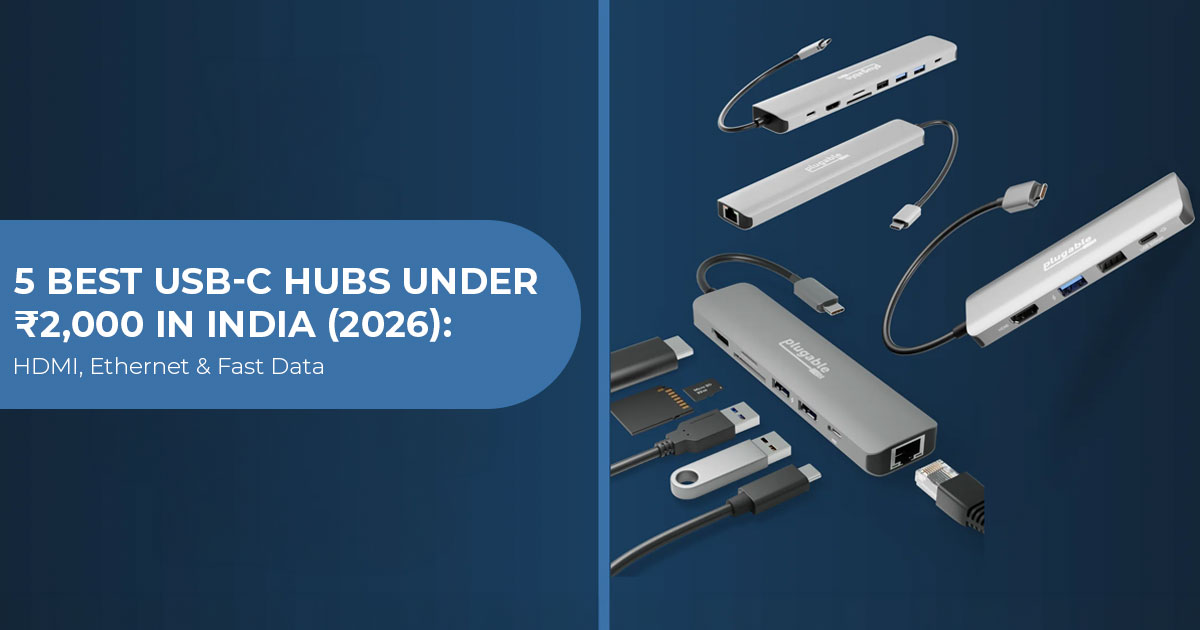
A USB-C port does not always support every USB-C feature. A laptop may use the same port for data transfer, display output, or Power Delivery, but support varies by model. Check what the laptop’s USB-C port supports before buying a hub.
This guide compares five USB-C hubs under ₹2,000 in India using current manufacturer specifications and model-specific India retailer listings. We have not physically tested these hubs, so the comparison is based on published specifications, known limitations, and practical use cases.
With over 20 years of experience in hardware and application research and development, we look beyond the port count. We check build quality, useful ports, data speeds, display support, charging, compatibility, and value for money.
This guide is for students, office users, remote workers, content creators, and laptop users who need extra ports without spending much. If you need HDMI, USB ports, SD or microSD card readers, Ethernet, or USB-C charging, this comparison will help you narrow down the options.
There is no single best hub for everyone. The right choice depends on the ports you need and what your laptop’s USB-C port supports. Our recommendations are based on specification checks, component analysis, practical usability, and industry experience, with a focus on budget, performance, reliability, and long-term use.
- Honeywell Type C Docking Station – 5 in 1 (SKU HC000023/LAP/CDK): a focused HDMI, USB-A and PD layout, but its USB-A speed allocation is disputed across official and retailer pages.
- Portronics Mport 52 (POR 1631, Grey): adds SD, microSD and a dedicated USB-C data port; its current Amazon listing states 60W PD.
- Amkette Type C 8-in-1 Multiport Dock with Ethernet (100M) (SKU 368GR): includes 100Mbps Ethernet and several data connections, but Amkette’s page conflicts on whether 4K output is 30Hz or 60Hz.
- Amazon Basics USB Type-C Hub Dock, 8-in-1 (ASIN B0BT179DV6, Dark Grey): covers common desk connections, though the listing does not state a PD wattage.
- HAMMER 8-in-1 USB-C Hub | 100W PD Charging, 5Gbps Data Transfer, HDMI 4K, Ethernet Port, SD/TF Multiport Adapter (Grey): documents 4K/30Hz and 100Mbps Ethernet, along with USB and card-reader connections.
Research disclosure: This is a specification-based assessment, not a hands-on review. Prices and availability were checked for India on 17 August 2026. Product claims described as “advertised” or “listed” have not been independently measured.
Quick comparison of five USB-C hubs under ₹2,000
| Exact Product & Identifier | India Price Checked 17 Aug 2026 | Verified or Conservatively Resolved Features | Main Caution |
|---|---|---|---|
| Honeywell Type C Docking Station – 5 in 1 SKU: HC000023/LAP/CDK |
₹1,299 Amazon India listed price MRP: ₹4,599 |
4K HDMI, 3× USB-A ports, USB-C PD 3.0 up to 100W | USB-A speed specifications conflict between Honeywell and Amazon. |
| Portronics Mport 52 POR 1631 Grey |
₹699 Amazon India sale price MRP: ₹2,999 |
4K HDMI, 2× USB-A, USB-C data up to 10Gbps, SD, microSD (TF), and PD input | HDMI refresh rate is not stated, while PD wattage is inconsistent across product materials. |
| Amkette Type C 8-in-1 Multiport Dock with Ethernet (100M) SKU: 368GR |
₹899 Amazon India sale price MRP: ₹3,499 |
4K/30Hz used as the conservative mode, 100Mbps Ethernet, USB 3.0 up to 5Gbps, USB 2.0, USB-C data, SD/TF, and PD up to 100W | Amkette also lists 4K/60Hz elsewhere. SD and TF cards cannot operate simultaneously. |
| Amazon Basics USB Type-C Hub Dock – 8-in-1 ASIN: B0BT179DV6 |
₹849 Amazon India sale price MRP: ₹2,999 |
4K/30Hz, 100Mbps Ethernet, USB 3.0/2.0, two USB-C ports, SD/TF, and PD pass-through | PD wattage and the separate functions of the two USB-C ports are unclear. |
| HAMMER 8-in-1 USB-C Hub Official SKU: “8 in 1 Multiport HUB” |
₹699 HAMMER India sale price MRP: ₹2,499 |
4K/30Hz or 2K/60Hz, 100Mbps Ethernet, USB data up to 5Gbps, USB 3.0/2.0, USB-C PD/data, SD/TF, and PD up to 100W | Quoted transfer speeds are manufacturer-advertised maximums, not independently measured results. |
Pricing note: Every amount above is in Indian rupees for the India market. The lower amount is a current listed or sale price—not an official launch price or a permanent standard price.
What to verify before buying a USB-C hub
VESA describes DisplayPort Alt Mode as an optional USB-C capability. It allows a compatible USB-C source to carry video, while USB data and power can share the same connection. A USB-C socket without the required video capability will not produce HDMI output merely because a hub has an HDMI port. See the VESA DisplayPort Alt Mode reference.
USB-IF also warns that USB-C power and performance capabilities vary. The connector shape does not establish the data rate or charging level. Its consumer guidance recommends stating those capabilities separately: USB Type-C naming and packaging guidance.
Before ordering a USB-C hub with HDMI, check the laptop or tablet manual for:
- DisplayPort Alt Mode, USB4 or compatible Thunderbolt video output;
- USB Power Delivery input if the device must charge through the hub;
- the wattage of the original charger;
- the maximum external-display resolution and refresh rate;
- operating-system restrictions on external
These checks tell you whether the hub can actually provide the features you need; “USB-C compatible” alone does not.
Honeywell Type C Docking Station – 5 in 1 (SKU HC000023/LAP/CDK)
Honeywell’s official India page names this product Type C Docking Station – 5 in 1 and identifies it as SKU HC000023/LAP/CDK. That identifier is important because Honeywell sells other five-port docks with different connections.
The documented layout consists of one 4K HDMI port, three USB-A data ports and one USB-C PD 3.0 port rated up to 100W. The official page lists a price of ₹1,749 but marks the product sold out. Its manufacturer-linked Amazon India listing showed a current price of ₹1,299 against an MRP of ₹4,599 at the time of our check.
USB-A specification conflict
The Honeywell product page describes all three USB-A ports as USB 3.0. However, Honeywell’s linked Amazon India listing for ASIN B0DF35RPNX describes one USB 3.0 port and two USB 2.0 ports.
Both pages refer to the same linked product, so this conflict cannot be resolved responsibly from the published material. The safe conclusion is:
- three USB-A ports are present;
- at least one is described as USB 0 by both sources;
- buyers who require three high-speed USB ports should ask the seller to confirm the current package
What the layout means for buyers
This dock is relevant when the setup requires HDMI, three USB-A peripherals and charging input, but not Ethernet or memory-card slots. Honeywell does not state the HDMI refresh rate on the official page, so “4K” should not be interpreted as 4K at 60Hz.
The 100W figure is a supported PD ceiling, not proof that a laptop receives 100W. The charger, cable, host negotiation and the hub’s own consumption affect the delivered power.
Assessment: This model suits a simple monitor-and-peripheral desk. Look elsewhere if you need Ethernet or SD/microSD access, and confirm the USB-A speed ratings if external SSD performance matters.
Check the current Honeywell listing on Amazon India
Portronics Mport 52 (POR 1631, Grey)
The manufacturer’s exact model is Portronics Mport 52, product code POR 1631 in Grey. It is a 7-in-1 USB-C hub with 4K HDMI, two USB-A ports, a dedicated USB-C data port, USB-C PD input, and SD plus microSD (TF) slots.
Portronics advertises the USB-C data port at up to 10Gbps. That number is a signaling-rate claim, not a measured file-copy result. Storage speed will also depend on the host, drive, files and simultaneous activity.
PD and HDMI details need care
The Portronics product page does not state an HDMI refresh rate. It also does not give a PD wattage in the main text, although one official-page image is labelled 100W. The exact Amazon India listing for ASIN B0B24W3DJZ states 60W PD charging.
Because the material conflicts, this guide uses 60W PD as the current retail-listing claim but does not present it as an independently verified output measurement. Buyers should request confirmation if charging wattage determines suitability.
Who is this configuration for?
The port selection suits users who transfer photos or documents from SD or microSD cards and want a separate USB-C data connection. There is no Ethernet port, so it does not replace a wired-network adapter.
Portronics lists a one-year manufacturer warranty. Its own site showed ₹949 and “Coming Soon,” while Amazon India listed it at a ₹699 sale price against an MRP of ₹2,999 during our check.
Assessment: The Portronics Mport 52 suits users who need card readers and a dedicated USB-C data port. It is less suitable if you need wired Ethernet, confirmed 4K/60Hz output, or more than the current 60W retail charging claim.
Check the current Portronics Mport 52 price on Amazon India
Amkette Type C 8-in-1 Multiport Dock with Ethernet (100M) (SKU 368GR)
The manufacturer’s exact name is Amkette Type C 8-in-1 Multiport Dock with Ethernet (100M), SKU 368GR. The “100M” suffix distinguishes it from Amkette’s separate 1,000Mbps Pro model.
Its documented ports are:
- 1 × HDMI;
- 1 × USB-C PD input, advertised up to 100W;
- 1 × USB-C data port at USB 0 speed;
- 1 × USB 0 port, advertised up to 5Gbps;
- 1 × USB 0 port;
- 1 × RJ45 Ethernet port, up to 100Mbps;
- 1 × SD slot;
- 1 × TF
Amkette states that the SD and TF slots cannot operate simultaneously. The official page also lists a 17cm integrated cable, 61g weight, and an aluminium-alloy-plus-ABS enclosure.
Resolving the Amkette HDMI conflict
Amkette’s official page contradicts itself. The key-feature panel and FAQ state 4K at 30Hz, while the specification table states 4K at 60Hz and labels the port HDMI 1.4. Amazon’s title also mentions 60Hz.
Since the official key-feature section and FAQ independently repeat 30Hz, this guide treats 4K at 30Hz as the conservative confirmed mode. Buyers who specifically require a 4K/60Hz USB-C hub should obtain written confirmation from Amkette for SKU 368GR before ordering.
Ethernet terminology correction
The product name and specification table state 100Mbps Ethernet. An Amkette FAQ incorrectly combines “100 Mbps” with “Gigabit Ethernet.” Those are not equivalent: a Gigabit link is nominally 1,000Mbps. This model should be treated as a USB-C hub with 100Mbps Ethernet.
Amkette’s site listed ₹1,099, while the exact Amazon India listing showed a sale price of ₹899 against an MRP of ₹3,499.
Assessment: This configuration covers display, basic wired networking, USB data, charging pass-through, and card access. Its limits—100Mbps Ethernet, non-simultaneous SD/TF use, and the unresolved HDMI refresh-rate conflict—should be clear before purchase.
Check Amkette SKU 368GR on Amazon India
Amazon Basics USB Type-C Hub Dock, 8-in-1 (ASIN B0BT179DV6, Dark Grey)
This comparison covers one exact Amazon Basics variant: Amazon Basics USB Type-C Hub Dock, 8-in-1 HDCP Aluminium Adapter with 4K HDMI & Ethernet Port, 100mbps, Power Delivery, TF/SD Card Reader, Mac & Windows USB-C & 3.0 Devices, ASIN B0BT179DV6, Dark Grey.
The long listing title is included because Amazon Basics also sells other seven- and eight-port hubs. Specifications from those products should not be mixed with this ASIN.
The exact Amazon India listing documents:
- HDMI up to 3840 × 2160 at 30Hz;
- one 100Mbps RJ45 Ethernet port;
- USB 0 and USB 2.0 connections;
- two USB-C ports in the listing’s port summary;
- SD and TF slots;
- PD pass-through;
- an aluminium
The page does not clearly distinguish the separate function of each USB-C port, and it does not state a PD wattage. This guide therefore does not assign one port to high-speed data or claim a specific charging level.
What this means for normal use
The connection mix supports a 4K/30Hz display, basic wired networking, memory cards, and common USB peripherals. If you have a high-refresh 4K monitor, internet above 100Mbps, or a high-power laptop, check these limits before buying.
Amazon India listed the identified variant at a sale price of ₹849 against an MRP of ₹2,999 when checked. That is a regional, changeable sale price—not a permanent product price.
Assessment: This model suits a general desk setup if 4K/30Hz and 100Mbps Ethernet are enough. Verify the USB-C port roles and PD wattage if either matters to your setup.
View Amazon Basics ASIN B0BT179DV6 on Amazon India
HAMMER 8-in-1 USB-C Hub | 100W PD Charging, 5Gbps Data Transfer, HDMI 4K, Ethernet Port, SD/TF Multiport Adapter (Grey)
HAMMER uses the full name above on its official India page and identifies the generic SKU as “8 in 1 Multiport HUB.” The documented connections combine HDMI, Ethernet, USB 3.0, USB 2.0, USB-C PD/data, and SD/TF card readers.
The HAMMER product page advertises:
- HDMI up to 4K/30Hz or 2K/60Hz;
- Ethernet up to 100Mbps;
- USB data up to 5Gbps;
- PD support up to 100W;
- compatibility with supported MacBooks, Windows laptops, iPads, tablets and Type-C
“Up to” is important. These are manufacturer ceilings, not results from our own transfer, network, charging or display tests.
Where this model fits
The confirmed 4K/30Hz and 100Mbps limits make its positioning clearer than listings that say only “4K” or “Ethernet.” It can cover a conventional office setup, but it is not documented as a USB-C hub with Gigabit Ethernet, and it should not be described as one.
HAMMER India listed the Grey model at a sale price of ₹699 against an MRP of ₹2,499. We did not verify an Amazon India price for the exact SKU, so the product price in this article refers to HAMMER’s India store.
Assessment: This model offers HDMI, Ethernet, USB, and card-reader connections. If you need 4K/60Hz or Ethernet above 100Mbps, choose a hub that explicitly confirms those capabilities.
Check the current price on HAMMER India
Direct comparison: which USB-C hub matches each need?
| Requirement | Relevant Exact Model | Evidence-Based Reason | Limitation to Accept |
|---|---|---|---|
| HDMI + Three USB-A Peripherals | Honeywell Type C Docking Station – 5 in 1 HC000023/LAP/CDK |
Three USB-A ports and HDMI connectivity are documented. | USB-A speed allocation information conflicts; there is no Ethernet or card reader. |
| SD / microSD + Dedicated USB-C Data | Portronics Mport 52 POR 1631 |
USB-C data up to 10Gbps plus both SD and microSD card formats are listed. | No Ethernet; HDMI refresh rate is unstated, and published PD specifications conflict. |
| Broad Port Selection + Basic Ethernet | Amkette Type C 8-in-1 Multiport Dock with Ethernet (100M) 368GR |
Documented port selection includes HDMI, 100Mbps Ethernet, USB-A, USB-C, SD and TF. | Treat 4K/30Hz as the conservative video ceiling; SD and TF cards cannot be used simultaneously. |
| General 4K/30Hz Desk Connectivity | Amazon Basics USB Type-C Hub Dock ASIN B0BT179DV6 |
4K/30Hz HDMI, 100Mbps Ethernet, USB connectivity and card-reader support are documented. | PD wattage and the specific roles of the two USB-C ports are unclear. |
| Clearly Stated HDMI & Ethernet Ceilings | HAMMER 8-in-1 USB-C Hub Official “8 in 1 Multiport HUB” SKU |
Advertised specifications explicitly state 4K/30Hz, 2K/60Hz, 100Mbps Ethernet and 5Gbps capabilities. | These figures are advertised maximums, not independently measured real-world results. |
This is a feature-fit comparison, not a laboratory performance test.
Buying advice: what the specifications mean
4K resolution does not reveal refresh rate
A listing that says only “4K” does not tell you the refresh rate. 4K at 30Hz is fine for office work, video, and slides, but 60Hz gives smoother motion and cursor movement. The laptop, hub, cable, and display must all support the requested mode.
USB signaling rate is not file-copy speed
USB-IF identifies USB 3.2 signaling rates of 5Gbps, 10Gbps and 20Gbps, while USB 2.0 high-speed operation is up to 480Mbps. Actual file transfers are lower because of protocol overhead, drive limits and shared resources. See USB-IF’s USB 3.2 overview.
Some product listings still use the older “USB 3.0” name. In current USB-IF terminology, a 5Gbps connection is referred to as USB 5Gbps.
Use faster ports for an SSD or high-speed flash drive. A keyboard or mouse does not need a 5Gbps connection.
A 100W PD label is not 100W at the laptop
A USB-C hub with Power Delivery negotiates power between the charger, cable, hub, and laptop. The hub may use some of the available power, and the laptop accepts only supported charging profiles. Treat “100W PD” as a supported ceiling unless the manufacturer states how much power reaches the laptop.
100Mbps is not Gigabit Ethernet
All Ethernet-equipped models verified in this article are limited to 100Mbps. That may be sufficient for basic office traffic and broadband plans at or below that rate. It can restrict faster internet and local transfers. Buyers needing a NAS or faster fibre connection should search specifically for an explicitly verified USB-C hub with Gigabit Ethernet.
More ports share the same host connection
An eight-port hub does not provide eight independent high-speed links. Video, storage, cards and networking share the host connection’s available bandwidth and power. Without controlled testing, simultaneous full-rate operation should not be assumed.
Pros and limitations of budget USB-C hubs
| Potential Advantage | Corresponding Limitation |
|---|---|
| ✔ One adapter can add display, data, network, and card connections. | ✖ Every function still depends on the capabilities of the host USB-C port. |
| ✔ A USB-C Power Delivery (PD) input can preserve convenient one-cable charging. | ✖ Advertised input wattage may be higher than the actual power delivered to the laptop. |
| ✔ USB 3.x ports can accommodate external SSDs, hard drives, flash drives, and other peripherals. | ✖ The advertised signaling rate does not guarantee equivalent real-world file-transfer speeds. |
| ✔ HDMI output makes it possible to connect an external monitor, TV, or projector. | ✖ Resolution claims may omit the supported refresh rate, which can significantly affect the experience. |
| ✔ Ethernet connectivity provides a wired alternative when Wi-Fi is slow or unstable. | ✖ Some budget hubs are limited to 100Mbps Ethernet rather than faster Gigabit Ethernet. |
Frequently asked questions
Which is the best USB-C hub under ₹2,000 in India?
No model is the strongest for every use. The appropriate choice depends on required ports and verified limits. Portronics Mport 52 prioritizes card readers and USB-C data; Amkette SKU 368GR and the identified Amazon Basics and HAMMER models add 100Mbps Ethernet; Honeywell SKU HC000023/LAP/CDK focuses on HDMI and three USB-A ports.
Do all USB-C ports support HDMI?
No. HDMI through this type of hub requires compatible video output from the host, commonly through DisplayPort Alt Mode, USB4 or supported Thunderbolt functionality. Check the exact laptop or tablet specification.
Can these hubs charge a laptop?
The product listings mention PD support or pass-through, but the charging capability varies by model. Amazon Basics does not state a PD wattage, while the other models publish different PD figures or limits. None of the charging figures in this article were independently measured.
Which model has Gigabit Ethernet?
None of the five exact products is verified with Gigabit Ethernet. The Amkette, Amazon Basics and HAMMER models covered here state 100Mbps. The Honeywell and Portronics models in this comparison do not include Ethernet.
Can SD and microSD cards be used together?
Amkette explicitly states that the SD and TF slots on SKU 368GR cannot work simultaneously. The other product pages do not establish simultaneous card use clearly enough for this article to promise it.
Will these hubs work with a tablet or smartphone?
Some manufacturers list tablets or smartphones, but individual functions depend on the device. The host device must support the required USB functions, provide enough power, and support video output if HDMI is needed.
Why do the product pages disagree?
Retail titles, graphics, FAQs and specification tables can be updated separately. This article reports the important conflicts instead of blending them. Where a conflict remained unresolved, we used the lower confirmed capability or marked the detail as uncertain.
Final assessment
These five USB-C hubs cover different needs, but the specifications are worth checking before you buy.
The Honeywell model provides HDMI, three USB-A ports and PD, although the USB-A generations need seller confirmation. Portronics Mport 52 offers the clearest card reader and dedicated USB-C data arrangement, with 60W shown on its current Amazon listing. Amkette SKU 368GR has the most fully itemized port list, but 4K/30Hz is the prudent assumption because its official page conflicts.
Amazon Basics ASIN B0BT179DV6 clearly states 4K/30Hz and 100Mbps Ethernet but leaves PD wattage and the two USB-C roles unclear. HAMMER documents 4K/30Hz, 2K/60Hz, 100Mbps Ethernet, up to 5Gbps USB data and up to 100W PD, all as manufacturer claims rather than measured results.
Choose by the ports you need, then verify the exact SKU, current seller, HDMI mode, and charging requirement before paying. The exact model matters more than the port count or discount percentage.
Check current prices on Amazon India
The links below point to the exact India ASINs used for verification. Check the seller, variant, price and return terms again because listings can change.
- Honeywell Type C Docking Station – 5 in 1, ASIN B0DF35RPNX
- Portronics Mport 52, ASIN B0B24W3DJZ
- Amkette Type C 8-in-1 Multiport Dock with Ethernet (100M), ASIN B0DMFK3LJ4
- Amazon Basics USB Type-C Hub Dock, 8-in-1, ASIN B0BT179DV6
- Search Amazon India for the exact HAMMER product name
For the HAMMER model, the price quoted in this guide came from HAMMER India, not Amazon India.
Have a question about USB-C hubs or compatibility? Leave a comment below and tell us what laptop and hub you are considering. If something is unclear, ask us—we’ll help you work it out. Follow us for more practical tech reviews, comparisons, and buying guides, and let us know which products you would like us to cover next.
***Disclaimer***
This blog post reflects our research, analysis, and opinions based on available product information, user feedback, and industry knowledge. It should not be taken as the official position of any brand, manufacturer, or company mentioned here. We make every effort to keep this guide accurate, but product specifications, pricing, and availability may change after publication. We recommend double-checking important details before making a purchase.
Some links in this article may be affiliate links. If you choose to buy through these links, we may earn a small commission at no extra cost to you. This helps support our work and allows us to keep publishing in-depth, unbiased reviews. Affiliate partnerships never influence our recommendations.
Opinions expressed by readers are their own and do not necessarily reflect ours. We are not responsible for outcomes resulting from the use of information on this site. Please seek professional advice where appropriate.
All product names, logos, and brands mentioned are the property of their respective owners. These names are used for identification and informational purposes only and do not imply endorsement.
