
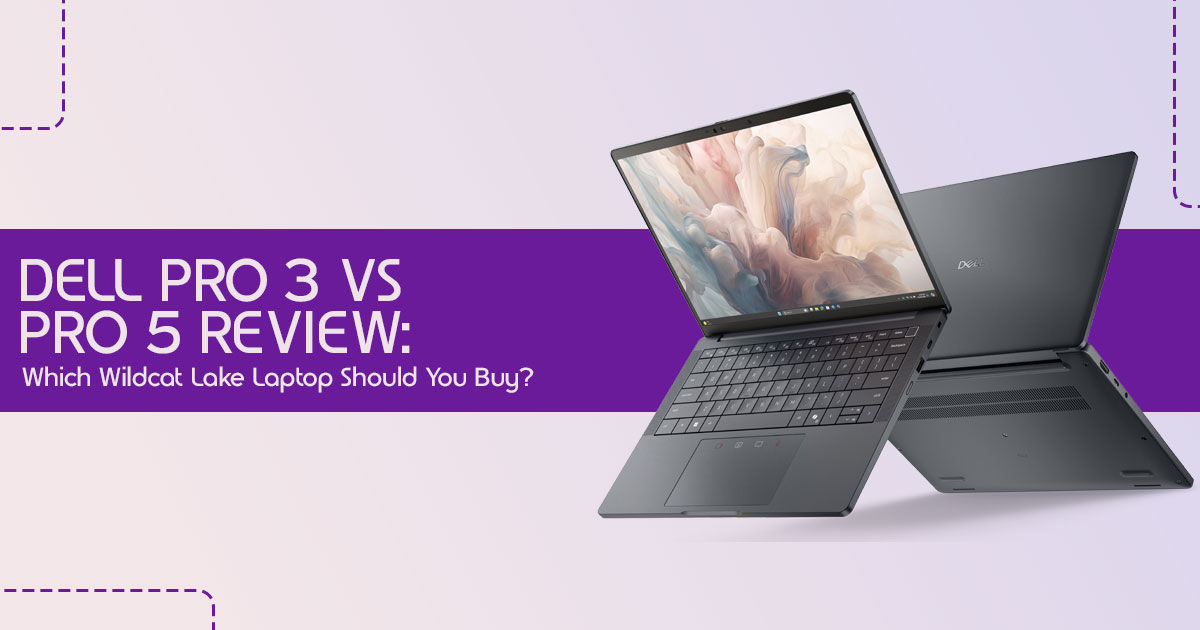
This Dell Pro 3 review and Dell Pro 5 review focuses on real-world performance, battery life, display quality, multitasking, and long-term value.
Dell’s new Wildcat Lake laptops look impressive at first glance. Big memory numbers, high refresh-rate displays, OLED options, Wi-Fi 7, and premium business branding make them sound like the perfect upgrade for work, productivity, and everyday performance. But here’s the problem most buyers face: modern laptops are becoming harder to judge from specifications alone.
Click here to buy from Amazon
A laptop with 48GB RAM does not automatically feel faster in real-world use. A 120Hz display may look smoother, but it can also impact battery life. Even Intel’s latest processor names often create more confusion than clarity. Many people spend premium money expecting a major leap in performance, only to realize later that they paid extra for features they barely use.
That’s exactly why we created this business laptop buying guide.
Instead of repeating marketing claims, we focus on how these Dell Pro laptops actually fit into daily life. Which model makes more sense for business users? Is the Dell Pro 5 genuinely worth the higher price over the Dell Pro 3? Does Intel Wildcat Lake improve productivity performance in noticeable ways, or is this another incremental upgrade hidden behind new branding?
As technology experts with over 20 years of experience in hardware and application research and development, we deeply analyze each product based on real-world performance, durability, and value for money. Our goal is to help you find the best laptop in every category—whether you are a student, business professional, remote worker, developer, creator, or someone planning a long-term laptop investment. Our recommendations are based on extensive research, component analysis, real-world usability, thermal efficiency, upgrade potential, and industry expertise.
This guide is designed for readers who want practical answers before making a purchase
decision. We’ll explain what matters, what doesn’t, where Dell made smart improvements, and where buyers should be careful. More importantly, we’ll help you understand which configuration gives the best long-term value instead of simply chasing the highest specifications.
By the end, you’ll know whether Dell’s new Wildcat Lake laptop lineup deserves a place among the best business laptops of 2026—or if the premium pricing is harder to justify in real-world use.
The Quick Buying Verdict
Buy Dell Pro 3 If:
- You’re looking for the best value laptop that handles everyday tasks with
- Your primary use involves productivity apps like Office, web browsing, virtual meetings, and general business applications.
- Battery life is a top priority, and you don’t need raw power for intensive tasks.
Buy Dell Pro 5 If:
- You desire superior display options, including higher resolutions or OLED panels.
- You frequently multitask heavily with many applications open simultaneously.
- You plan to keep your laptop for an extended period (4–6 years) and need more future-proofing.
Skip Both If:
- You require serious gaming performance or regularly edit large 4K videos.
- Your work demands dedicated graphics for tasks like 3D rendering or complex AI workloads.
What Is Intel Wildcat Lake and Why Is Dell Betting on It?
Intel’s Wildcat Lake isn’t just another processor; it represents a strategic move by Intel to redefine everyday computing, especially for the business and productivity segments.
Introduced in 2026, these processors are part of Intel’s latest Core processor platform, designed to bring on-device AI capabilities, efficient performance, and intelligent power management to a broader range of laptops. Dell, a major player in the business laptop market, is integrating Wildcat Lake into its Pro 3 and Pro 5 series to offer a compelling blend of performance, security, and battery life at competitive price points.
Understanding the New Platform
Wildcat Lake processors are built to handle modern workloads with a focus on efficiency and AI acceleration. They support up to two Thunderbolt 4 ports, Wi-Fi 7 and the latest Bluetooth connectivity standards, along with DDR5 and LPDDR5X memory, and PCIe 4.0 for robust connectivity. Intel built this platform using its newer 18A manufacturing process, helping improve efficiency and battery performance.
Where Wildcat Lake Fits
To understand Wildcat Lake better, it’s helpful to see where it stands in Intel’s evolving processor landscape:
- Compared with Meteor Lake: While Meteor Lake introduced the concept of a tiled architecture with dedicated AI acceleration (NPU), Wildcat Lake refines these AI features for productivity laptops, bringing better efficiency and smarter everyday performance to business users.
- Compared with Lunar Lake: Lunar Lake, often seen in ultra-thin and light laptops, prioritizes extreme power efficiency and integrated AI performance. Wildcat Lake offers a similar focus on efficiency but is positioned for a slightly different segment, balancing power and cost more aggressively.
- Compared with Panther Lake: Panther Lake, the successor to Lunar Lake, aims for even greater AI performance, graphics capabilities, and overall platform intelligence. Dell has also released models with Panther Lake, which often feature advanced memory like LPCAMM2 RAM. Wildcat Lake, in contrast, serves as a more accessible entry point, offering solid performance without the premium features of Panther Lake.
Who It’s Designed For
Wildcat Lake laptops are ideal for users who need reliable, efficient, and secure machines for daily productivity:
- Office users: For tasks like document creation, spreadsheets, and presentations.
- Business professionals: Who require consistent performance for client meetings, data analysis, and general business applications.
- Hybrid workers: Needing portability, long battery life, and robust connectivity for working from various locations.
- Students: Looking for a durable and capable laptop for academic work, research, and online learning.
Who Should Look Elsewhere
While versatile, Wildcat Lake isn’t for everyone:
- Gamers: The integrated graphics are not designed for demanding modern games.
- Content creators: Especially those working with large 4K video editing, 3D rendering, or complex graphic design, as these tasks benefit significantly from dedicated GPUs.
- Engineers with GPU-heavy workloads: Professionals requiring intense computational power for simulations or CAD software will find these laptops underpowered.
Dell Pro 3 vs Dell Pro 5: Which One Should You Choose?
If you’re comparing Dell Pro 3 vs Pro 5, the biggest differences come down to build quality, display options, battery choices, and long-term value. While both are powered by Intel Wildcat Lake processors, they cater to slightly different user needs and budgets. The distinctions lie in their design philosophy, build materials, connectivity options, and the suite of business and security features they offer.
Design Differences
At first glance, both models share a professional aesthetic, but subtle differences emerge upon closer inspection. The Dell Pro 3 series is positioned as the more budget-friendly option, often featuring a more utilitarian design.
The Dell Pro 5 uses more premium materials and features a slimmer, more refined design.
Build Quality
Build quality is a significant differentiator. The Dell Pro 5 series often boasts an all-metal chassis, contributing to a more robust and premium feel. This can be a critical factor for users who frequently travel or need a laptop that can withstand the rigors of daily use.
The Dell Pro 3 series, while still durable, might utilize a mix of materials, making it a solid choice for office-bound users or those who prioritize cost savings over a premium build.
Port Selection
Connectivity is key for productivity. Both the Dell Pro 3 and Dell Pro 5 offer a comprehensive selection of ports, including Thunderbolt 4 and USB-C, ensuring compatibility with a wide range of peripherals and external displays. However, the Dell Pro 5 might offer a slightly more generous or strategically placed array of ports, catering to users with more complex docking or peripheral needs. It’s always wise to check the specific configuration for each model to ensure it meets your connectivity requirements.
Business and Security Features
Dell’s Pro series laptops are designed with business users in mind, meaning they come equipped with features that enhance productivity and security. Both models benefit from
Dell’s enterprise-ready design, offering robust security features and manageability options.
However, the Dell Pro 5 may include advanced security protocols or additional business-centric features that are not present in the Dell Pro 3, such as more sophisticated biometric authentication or remote management capabilities. These features are especially useful for companies managing large numbers of employee laptops.
| Feature | Dell Pro 3 Series | Dell Pro 5 Series |
| Target Audience | Value-conscious professionals, students, remote workers, and everyday business users. | Professionals seeking premium features, stronger durability, and enhanced performance. |
| Build Materials | Durable combination of plastic and metal designed for everyday reliability. | Primarily all-metal chassis with a more premium look and feel. |
| Portability | Good balance between portability, screen size, and affordability. | Often thinner and lighter for its class, offering enhanced mobility. |
| Security | Standard business security features including TPM and optional biometric authentication. | Enhanced security suite with advanced biometric options and enterprise-grade protection. |
| Manageability | Standard IT management and deployment capabilities suitable for small to medium businesses. | Advanced remote management, deployment, and fleet administration features for enterprise environments. |
Display Options Compared
The display is one of the most critical components of any laptop, directly impacting user experience. Dell offers a range of display options for both the Dell Pro 3 and Dell Pro 5 series, catering to different needs and budgets.
Standard IPS Panels
Both series offer standard IPS panels, which provide good viewing angles and color accuracy for everyday tasks. These are typically the most affordable options and are perfectly adequate for general office work, web browsing, and video consumption. They offer a balanced experience without breaking the bank.
120Hz IPS Models
For users seeking a smoother visual experience, especially during scrolling, multitasking, or light creative work, 120Hz IPS displays are available. While not strictly necessary for basic productivity, scrolling, switching apps, and moving around Windows simply feels smoother. It also makes long hours in front of the screen feel a little easier on the eyes.
OLED Upgrades
The Dell Pro 5 series, in particular, offers OLED display upgrades, sometimes even with a 60Hz refresh rate. OLED panels are renowned for their incredible contrast, true blacks, and vibrant colors, making them ideal for creative professionals, media consumption, and anyone who appreciates a visually stunning display. The downside is the higher price and slightly shorter battery life compared to IPS panels.
Which Display Gives the Best Value?
Choosing the best value display depends entirely on your usage. For most business users and students, a standard IPS panel will suffice. If you spend many hours in front of your screen and value a smoother experience, the 120Hz IPS is a worthwhile upgrade. For graphic designers, photographers, or those who consume a lot of high-quality media, the OLED option on the Pro 5 offers an unparalleled visual experience, justifying the premium.
Real-World Performance: What Can These Laptops Actually Handle?
Understanding the raw specifications of a laptop is one thing, but knowing how it translates to your daily workflow is another. The Dell Pro 3 and Dell Pro 5 series, powered by Intel Wildcat Lake processors, are designed for efficiency and reliability in a business context. Here’s what Intel Wildcat Lake performance actually looks like in everyday work, multitasking, office productivity, and light creative workloads.
Everyday Productivity
For the vast majority of users, the Wildcat Lake laptops will excel in everyday productivity tasks. This includes:
- Microsoft Office & Google Workspace: Seamlessly handling documents, spreadsheets, and presentations, even with multiple files open.
- Chrome multitasking: Browsing with numerous tabs, streaming content, and managing emails without noticeable slowdowns.
- Teams & Zoom: Participating in video conferences with clear audio and video, even with other applications running in the background.
For everyday office work, browsing, meetings, and multitasking, these laptops feel fast and dependable. The Intel Wildcat Lake architecture, with its focus on efficient performance, ensures a smooth experience for these common applications.
Professional Workloads
Moving beyond basic productivity, the Dell Pro series can capably handle a range of professional workloads:
- Coding: For developers working with IDEs, compiling code, and running virtual environments, these laptops offer sufficient processing power, especially with higher RAM configurations.
- Data Analysis: Handling moderate datasets in applications like Excel, Python (with appropriate libraries), or R will be well within their For extremely large datasets, you might start to see limitations.
- Business Applications: Running CRM software, project management tools, and other industry-specific applications will generally be a smooth experience.
- Project Management: Managing complex projects with various software tools will be efficient, allowing for effective organization and collaboration.
Creative Work
While not dedicated workstations, these laptops can surprisingly manage some creative tasks, particularly on the Dell Pro 5 with its potentially more powerful CPU options and better display choices:
- Photoshop & Lightroom: Basic photo editing, retouching, and organizing image libraries are For heavy-duty tasks involving large RAW files or complex layers, performance might be adequate but not blazing fast.
- Figma: UI/UX designers can comfortably work on design projects, collaborate, and prototype within Figma.
- Basic Video Editing: For light video editing of 1080p footage, simple cuts, and transitions, these laptops can get the job However, rendering times will be significantly longer compared to machines with dedicated graphics cards.
Where Performance Starts to Break Down
It’s important to be realistic about the limitations of Wildcat Lake laptops. They are not designed for tasks that demand significant graphical horsepower or sustained, intense
computational loads. You’ll start to hit performance ceilings with:
- Large video projects: Especially 4K editing, color grading, and complex effects, which require powerful GPUs and faster processors.
- 3D rendering: Applications like Blender, AutoCAD, or SolidWorks for professional 3D modeling and rendering will struggle without a dedicated graphics card.
- AI workloads: Training complex machine learning models or running advanced AI simulations locally will be slow and inefficient.
- High-end gaming: While casual games might run, modern AAA titles at high settings are beyond the scope of these integrated graphics solutions.
In essence, the Dell Pro 3 and Dell Pro 5 with Wildcat Lake are workhorses for productivity and light creative tasks, but they are not built to replace dedicated workstations or high-end gaming rigs. Understanding this distinction is key to choosing the right tool for your specific needs.
Does Anyone Really Need 48GB RAM?
The option to configure a laptop with up to 48GB of RAM in the new Dell Pro Wildcat Lake series might seem like overkill for many, but for specific user profiles, it can be a genuine productivity booster. It’s easy to get caught up in the numbers, but the real question is whether that much memory translates into tangible benefits for your workflow.
16GB vs 32GB vs 48GB
- 16GB RAM: For most users, 16GB of RAM is the sweet It comfortably handles everyday tasks like web browsing with multiple tabs, office applications, video streaming, and even light photo editing. If your work primarily involves these activities, 16GB will provide a smooth and responsive experience.
- 32GB RAM: This is where things get interesting for power users. 32GB of RAM becomes highly beneficial for professionals who juggle numerous applications simultaneously, run virtual machines, engage in moderate coding, or work with larger datasets. It provides a significant buffer, preventing slowdowns and allowing for seamless transitions between demanding tasks.
- 48GB RAM: The leap to 48GB of RAM is primarily for niche, highly demanding scenarios. This could include advanced data analysis with massive in-memory datasets, complex software development environments with multiple IDEs and emulators, or specific scientific computing tasks. For the average user, the performance difference between 32GB and 48GB will be negligible, and the extra cost might not be justified.
120Hz Displays: Marketing Feature or Genuine Upgrade?
The inclusion of 120Hz displays in Dell’s new Wildcat Lake lineup raises a common question: is this a genuine upgrade for productivity users, or just a marketing gimmick borrowed from the gaming world? For some users, the difference is noticeable right away. For others, it may not matter much.
What Changes in Daily Use
For many, the jump from a standard 60Hz display to a 120Hz display is surprisingly noticeable, even outside of gaming. Here’s where you’ll feel the difference:
- Scrolling: Web pages, documents, and long spreadsheets glide smoothly, reducing the perceived choppiness often associated with 60Hz This can make extended reading and browsing much more comfortable.
- Multitasking: Dragging windows, switching between applications, and navigating your desktop feels significantly more fluid and This subtle improvement contributes to a more pleasant and efficient workflow.
- Touchpad Responsiveness: While not directly tied to the display, the higher refresh rate can make the cursor movement feel more immediate and precise, enhancing the overall responsiveness of your input devices.
- Window Animations: Operating system animations, such as minimizing or maximizing windows, appear much smoother, adding a touch of polish to the user experience.
Battery Trade-Offs
While the benefits of a 120Hz display are clear, they do come with a trade-off: battery life. Driving a display at twice the refresh rate consumes more power. Dell’s implementation of Wildcat Lake processors, designed for efficiency, helps mitigate this, but it’s still a factor to consider.
- 60Hz vs 120Hz: Opting for a 120Hz panel will generally result in slightly shorter battery life compared to an identical 60Hz The difference might not be drastic for light usage, but under sustained workloads, it will be noticeable.
- OLED vs IPS: When considering 120Hz, also factor in the panel technology. OLED displays, while offering superior contrast and colors, can sometimes be more power-hungry than IPS panels, especially when displaying bright However, for dark mode users, OLED can actually be more efficient.
Ultimately, a 120Hz display is a genuine upgrade for those who value a smoother, more responsive visual experience and spend many hours in front of their laptop. It’s not essential for basic tasks, but once you experience it, going back to 60Hz can feel like a downgrade. For those prioritizing every minute of battery life, sticking with a 60Hz option might be the wiser choice.
Click here to buy from Amazon
Dell Pro 3 vs Competitors
This Dell laptop comparison helps you understand where the Pro 3 and Pro 5 stand against competitors like Lenovo, HP, ASUS, and Apple. Understanding how it stacks up against rivals like Lenovo ThinkPad, HP EliteBook, ASUS ExpertBook, and even the MacBook Air is crucial for making an informed purchasing decision. We’ll break down the key differences to help you see where Dell’s offering truly shines and where it might fall short.
Dell Pro 3 vs Lenovo ThinkPad
Lenovo ThinkPads are legendary for their robust build quality, exceptional keyboards, and business-centric features. The Dell Pro 3 aims to offer a compelling alternative, particularly in value and modern connectivity.
| Feature | Dell Pro 3 Series (Wildcat Lake) | Lenovo ThinkPad (Comparable Models) |
| Performance | Strong productivity performance, efficient daily operation, and modern on-device AI capabilities. | Excellent productivity performance with a wider range of CPU and GPU configurations. |
| Build Quality | Durable professional design built for everyday office and remote-work environments. | Legendary durability with MIL-STD testing and a long-standing reputation for reliability. |
| Keyboard | Comfortable and responsive keyboard suitable for extended typing sessions. | Widely regarded as best-in-class, offering exceptional tactile feedback and typing comfort. |
| Value | Often delivers competitive pricing relative to its features and enterprise capabilities. | Premium pricing, but justified by superior build quality, keyboard experience, and business-focused features. |
Dell Pro 3 vs HP EliteBook
HP EliteBooks are known for their strong security features, enterprise management capabilities, and sleek designs. The Dell Pro 3 competes by offering a balanced approach to performance and security, often at a more accessible price point.
| Feature | Dell Pro 3 Series (Wildcat Lake) | HP EliteBook (Comparable Models) |
| Security | Robust enterprise security features including TPM, optional fingerprint reader, and business-grade protection. | Industry-leading security with HP Sure Start, Sure View, advanced biometric authentication, and enterprise safeguards. |
| Enterprise Features | Good manageability, consistent driver support, and reliable deployment options for business environments. | Excellent IT management tools, remote deployment capabilities, and advanced fleet management solutions. |
| Portability | Modern thin-and-light design that remains easy to carry throughout the workday. | Often thinner and lighter with a more premium focus on mobility and travel. |
| Value | Strong value proposition for business users seeking productivity and enterprise features at a competitive price. | Premium pricing justified by advanced security technologies, manageability features, and higher-end configurations. |
Dell Pro 3 vs ASUS ExpertBook
ASUS ExpertBooks often focus on offering a strong feature set and good performance for their price, with an emphasis on battery life and productivity. The Dell Pro 3 aims to match this with its efficient Wildcat Lake processors and solid all-around performance.
| Feature | Dell Pro 3 Series (Wildcat Lake) | ASUS ExpertBook (Comparable Models) |
| Battery Life | Good to excellent, particularly when configured with larger battery options. | Often delivers exceptional battery life, making it attractive for frequent travelers. |
| Pricing | Competitive pricing with a strong focus on value-oriented business buyers. | Generally very competitive with an excellent price-to-performance ratio. |
| Productivity Performance | Reliable and efficient for office applications, multitasking, video conferencing, and daily business workloads. | Strong performance with a focus on responsiveness, multitasking efficiency, and mobile productivity. |
Dell Pro 5 vs MacBook Air
Comparing the Dell Pro 5 with a MacBook Air is a comparison of two different ecosystems and design philosophies. While the MacBook Air is renowned for its efficiency and macOS, the Dell Pro 5 offers the versatility of Windows and Intel’s latest innovations.
| Feature | Dell Pro 5 Series (Wildcat Lake) | Apple MacBook Air (M-Series) |
| Performance | Excellent for Windows productivity, on-device AI workloads, multitasking, and enterprise applications. | Exceptional efficiency, strong single-core performance, and powerful integrated graphics. |
| Battery Life | Very good, especially with the 70Wh battery and efficient Wildcat Lake processors. | Industry-leading battery life with highly optimized power management. |
| Software Ecosystem | Windows OS with broad software compatibility and strong business-focused tools. | macOS ecosystem optimized for Apple devices and creative professional workflows. |
| Long-Term Value | Solid value thanks to enterprise support, serviceability, and upgradeable storage options. | Excellent long-term value due to premium build quality, lengthy software support, and strong resale value. |
Best Configurations for Different Buyers
Choosing the right configuration for your Dell Wildcat Lake laptop can feel like navigating a maze of options. To simplify this, we’ve broken down the ideal setups for various user profiles, balancing performance, features, and cost-effectiveness.
Best Budget Configuration
For those who need a reliable workhorse without breaking the bank, the Dell Pro 3 series is your best bet. Look for a configuration with:
- Processor: Intel Core 3 or Core 5 Wildcat Lake
- RAM: 16GB
- Storage: 256GB or 512GB NVMe SSD
- Display: Standard 60Hz IPS panel
- Battery: 45Wh or 57Wh (depending on how much portability you need)
This setup provides excellent performance for everyday tasks, web browsing, and office applications, offering the best value laptop experience.
Best Business Configuration
Business professionals who require a blend of performance, security, and durability will find the Dell Pro 5 series more appealing. Consider:
- Processor: Intel Core 5 or Core 7 Wildcat Lake
- RAM: 32GB
- Storage: 512GB or 1TB NVMe SSD
- Display: 120Hz IPS panel (for smoother experience) or a 60Hz OLED if visual fidelity is paramount
- Battery: 57Wh or 70Wh (for extended unplugged time)
This configuration ensures robust performance for multitasking, professional applications, and provides the necessary features for enterprise environments.
Best Travel Configuration
Frequent travelers need a laptop that is light, durable, and offers exceptional battery life. The Dell Pro 5 series, with its premium build and larger battery options, is ideal. Opt for:
- Processor: Intel Core 5 Wildcat Lake (balancing power and efficiency)
- RAM: 16GB or 32GB (depending on workload)
- Storage: 512GB NVMe SSD
- Display: 60Hz IPS panel (to maximize battery life)
- Battery: 70Wh (essential for long journeys)
Prioritizing battery life and a robust, yet portable, design makes this the best travel laptop setup.
Best Multitasking Configuration
For users who constantly juggle multiple applications, virtual machines, and demanding software, a high-RAM configuration is key. The Dell Pro 5 series is better suited for this with:
- Processor: Intel Core 7 Wildcat Lake
- RAM: 32GB or 48GB
- Storage: 1TB NVMe SSD (or more, if needed)
- Display: 120Hz IPS or OLED (for visual comfort during intense sessions)
- Battery: 70Wh (to sustain demanding workloads)
This setup handles heavy multitasking much more comfortably, especially if you work with many apps at once.
Best Long-Term Investment
If you plan to keep your laptop for 4-6 years and want it to remain relevant, investing in a slightly higher-end configuration from the Dell Pro 5 series is wise:
- Processor: Intel Core 7 Wildcat Lake
- RAM: 32GB (as a minimum for future-proofing)
- Storage: 1TB NVMe SSD
- Display: 120Hz IPS or OLED
- Battery: 70Wh
While the Wildcat Lake models lack LPCAMM2 memory found in some Panther Lake variants, this configuration still offers a strong foundation for sustained performance and usability over several years.
Who Should Buy These New Dell Wildcat Lake Laptops?
Dell’s new Wildcat Lake laptops, particularly the Pro 3 and Pro 5 series, are designed to cater to a broad spectrum of users who prioritize reliability, efficiency, and a solid feature set for productivity. If your daily tasks align with the following profiles, these machines are definitely worth considering.
Click here to buy from Amazon
Students
For students, these laptops offer an excellent balance of performance, durability, and battery life. They can comfortably handle:
- Research and essay writing: Seamless multitasking with numerous browser tabs and word processing applications.
- Online classes and video conferencing: Reliable performance for virtual learning environments.
- Light creative projects: Basic photo editing or graphic design for assignments.
Their robust build quality also means they can withstand the rigors of campus life and frequent commutes.
Business Users
Business professionals looking for the best laptop for office work will appreciate the balance of battery life, reliability, and everyday performance these systems offer.
They are ideal for:
- Office productivity: Running Microsoft Office, Google Workspace, and other essential business applications with ease.
- Data management: Handling spreadsheets, databases, and business intelligence tools.
- Client presentations: With vibrant display options and reliable connectivity.
The enterprise-grade security features and manageability options also make them a smart choice for corporate deployments.
Remote Workers
If you’re searching for the best laptop for remote work, the Dell Pro series gets a lot right with its strong battery life, portability, and stable connectivity.
Key benefits include:
- Portability: Thin-and-light designs make them easy to move between home and office.
- Long battery life: Especially with the larger battery options, ensuring productivity away from power outlets.
- Reliable connectivity: With Wi-Fi 7 and Thunderbolt 4, staying connected and productive is effortless.
Developers
While not geared for heavy-duty compilation or AI model training, developers working on front-end, web, or lighter back-end projects will find these laptops capable. They are suitable for:
- Coding and debugging: Running IDEs, text editors, and development tools.
- Virtual environments: Managing Docker containers or light virtual machines.
- Collaboration: Seamless integration with team communication and project management software.
Opting for 32GB or 48GB of RAM will significantly enhance the experience for developers.
Executives
Executives require laptops that are professional, secure, and perform flawlessly for presentations, communications, and strategic work. The Dell Pro 5 series, with its premium build, advanced security, and high-resolution display options, is particularly well-suited for this role.
Frequent Travelers
For those constantly on the move, the combination of robust build, extended battery life (especially the 70Wh models), and comprehensive connectivity makes these laptops an excellent choice. They are designed to keep you productive and connected, no matter where your work takes you.
Who Should Avoid Them?
While the Dell Pro Wildcat Lake laptops are strong choices for business productivity, office work, and everyday multitasking, they are not built for heavy GPU-dependent workloads.
Gamers
These laptops use integrated graphics, which are not suitable for modern AAA gaming or high-performance esports titles. Casual games and lighter titles may run fine, but serious gamers should look for laptops with a dedicated NVIDIA GeForce RTX or AMD Radeon GPU.
Video Editors
For 4K video editing, complex timelines, or heavy rendering workloads, these systems may feel limited. Applications like Adobe Premiere Pro and DaVinci Resolve perform better on laptops with dedicated graphics and higher sustained processing power.
3D Designers
Users working with Blender, AutoCAD, Maya, or SolidWorks should consider more powerful workstations. 3D rendering, simulation, and modeling require stronger GPU performance and larger graphics memory.
AI Researchers
While Intel Wildcat Lake processors include AI-focused features for everyday productivity tasks, they are not designed for AI model training, machine learning, or advanced data science workloads. These tasks typically require high-end GPUs or cloud-based AI infrastructure.
In summary, if your work or hobbies involve demanding graphical tasks, intensive computational simulations, or professional-grade content creation, the Dell Pro Wildcat Lake laptops will not meet your needs. They are optimized for productivity and efficiency, not for raw power in specialized, resource-intensive applications.
Frequently Asked Questions
Here are some common questions users have about the new Dell Wildcat Lake laptops, reflecting real search behavior and providing quick, informative answers.
Is Intel Wildcat Lake good?
Intel Wildcat Lake processors are good for their intended purpose: providing efficient, reliable performance for everyday productivity, business applications, and light creative tasks. They offer on-device AI capabilities and strong battery life, making them excellent for professionals, students, and remote workers. However, they are not designed for demanding tasks like high-end gaming, 4K video editing, or 3D rendering, which require dedicated graphics.
Is Dell Pro 3 worth buying?
The Dell Pro 3 is definitely worth buying if you prioritize value, need a dependable laptop for general office work, web browsing, and virtual meetings, and value long battery life over raw power. It offers a solid feature set at a more accessible price point, making it an excellent choice for students and budget-conscious professionals.
Is Dell Pro 5 worth the extra money?
The Dell Pro 5 is worth the extra money if you desire a more premium build quality, superior display options (including 120Hz IPS or OLED), enhanced security features, and slightly more powerful CPU configurations. It’s ideal for heavy multitaskers, professionals who need a more future-proof machine, or those who appreciate a more refined user experience and greater durability.
Should I wait for Panther Lake laptops?
Whether you should wait for Panther Lake laptops depends on your needs. If you require the absolute latest in memory technology (LPCAMM2), maximum AI performance, and are willing to pay a premium for cutting-edge features and future-proofing, then waiting for a Panther Lake model might be beneficial. However, if your budget is tighter and your workload aligns with productivity and light creative tasks, the Wildcat Lake models offer excellent value and performance available now.
Final Verdict
After a thorough examination of Dell’s new Wildcat Lake laptop lineup, it’s clear these machines are a thoughtful response to the evolving needs of modern professionals and students. They balance performance, battery life, and everyday usability surprisingly well.
Biggest Strengths
- Exceptional Value: Especially the Dell Pro 3 series, offering robust performance for everyday tasks at a competitive price point.
- On-Device AI: The Wildcat Lake processors bring practical AI acceleration to daily workflows, enhancing efficiency and responsiveness.
- Strong Battery Life: With larger battery options, these laptops deliver impressive unplugged endurance, crucial for mobile users.
- Modern Connectivity: Wi-Fi 7 and Thunderbolt 4 ensure fast and versatile connections for peripherals and networks.
- Practical Everyday Design: Focus on practical usability, comfortable keyboards, and durable builds for real-world scenarios.
Biggest Weaknesses
- Integrated Graphics Limitations: Not suitable for demanding gaming, 4K video editing, 3D rendering, or heavy AI research.
- No LPCAMM2 Memory: The absence of this advanced memory standard in Wildcat Lake models means less future-proofing and upgradeability compared to some Panther Lake counterparts.
- Performance Ceiling: While excellent for productivity, they won’t replace dedicated workstations for highly specialized, resource-intensive tasks.
Click here to buy from Amazon
Best Value Model
For the vast majority of users seeking a reliable, efficient, and affordable laptop for productivity, the Dell Pro 3 with a Core 5 Wildcat Lake processor, 16GB RAM, 512GB SSD, and a 57Wh battery represents the best value laptop in the lineup. It delivers a fantastic user experience without unnecessary premium features.
Best Premium Configuration
If you demand a more refined experience, enhanced durability, and superior display options, the Dell Pro 5 configured with a Core 7 Wildcat Lake processor, 32GB RAM, 1TB SSD, a 120Hz IPS or OLED display, and a 70Wh battery is the best premium configuration. This setup offers a future-proof machine for heavy multitaskers and professionals who appreciate top-tier features.
Overall Buying Recommendation
Dell’s new Wildcat Lake laptops are strong contenders for anyone searching for the best productivity laptop or best business laptop for professionals, remote work, education, and everyday professional use. For everyday work, meetings, multitasking, and long hours of use, these laptops get most of the important things right. Just be realistic about their integrated graphics capabilities. If your work doesn’t involve heavy graphical demands, these laptops make strong long-term productivity machines.
Ready to Upgrade Your Productivity?
If you’re convinced that a Dell Wildcat Lake laptop is the right fit for your needs, you can explore the latest models and configurations directly on Amazon.
Click the link below to find the perfect Dell Pro 3 or Dell Pro 5 for you and take the next step towards enhanced productivity:
We’d love to hear about your experience! Have you tried one of the new Wildcat Lake models? Share your thoughts, ask any lingering questions, or seek online assistance from our community in the comments section below. Your insights help others make informed decisions!
***Disclaimer***
This blog post reflects our research, analysis, and opinions based on available product information, user feedback, and industry knowledge. It should not be taken as the official
position of any brand, manufacturer, or company mentioned here. While we aim to keep information accurate and up to date, product details, pricing, and availability can change. We recommend double-checking important details before making a purchase.
Some links in this article may be affiliate links. If you choose to buy through these links, we may earn a small commission at no extra cost to you. This helps support our work and allows us to keep publishing in-depth, unbiased reviews. Our recommendations are never influenced by affiliate partnerships.
Comments shared by readers reflect their own views and not ours. We are not responsible for outcomes resulting from the use of information on this site. Please seek professional advice where appropriate.
All product names, logos, and brands mentioned are the property of their respective owners. These names are used for identification and informational purposes only and do not imply endorsement.
