
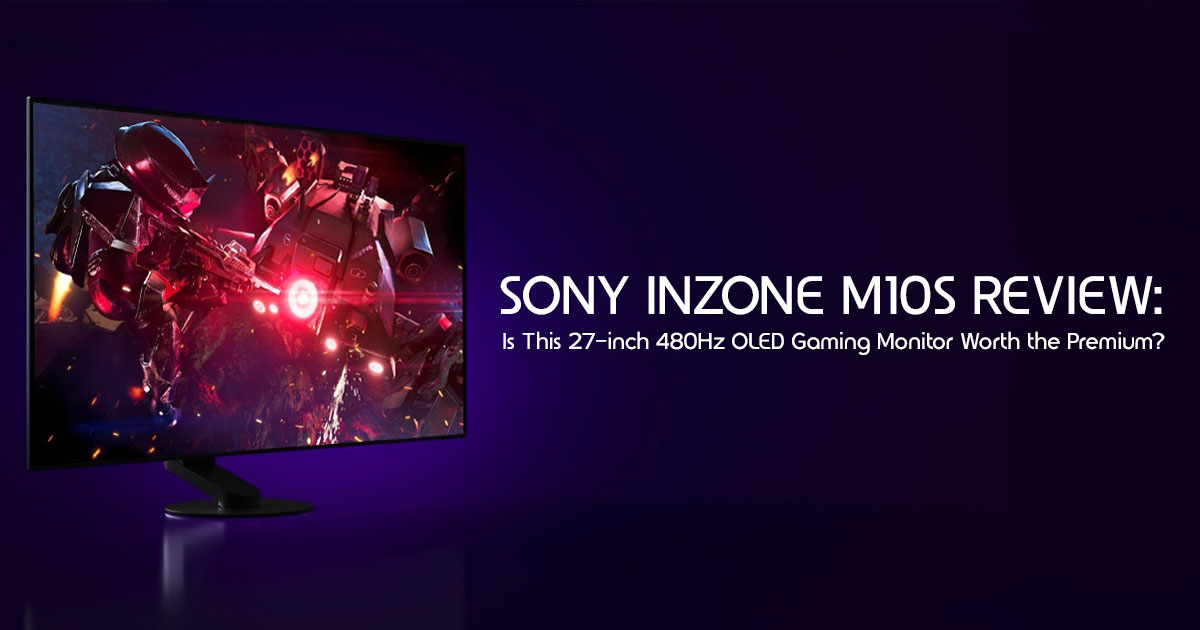
The jump from 240Hz to 360Hz felt like a big deal. Now, brands are pushing 480Hz OLED gaming monitors as the next must-have upgrade. The promise sounds simple: faster refresh rates, smoother gameplay, and a competitive edge. But here’s the real question—is a 480Hz monitor actually worth your money, or is it another expensive feature that only a handful of players can truly benefit from?
That’s exactly what this Sony INZONE M10S review is here to answer.
If you’re thinking about spending premium money on a 27-inch OLED gaming monitor, don’t buy it because of the numbers on the box. Buy it because it genuinely improves your gaming experience. And if it doesn’t, you deserve to know that before you click “Buy Now.”
Click here to buy from Amazon
We’ve seen plenty of gaming monitors with impressive specifications that look amazing in advertisements but fail to justify their price once they’re sitting on your desk. A higher refresh rate doesn’t automatically mean a better gaming experience. Your GPU, the games you play, your skill level, and even the type of player you are all play a much bigger role than marketing would have you believe.
As technology experts with over 20 years of experience in hardware and application research and development, we don’t review products based on spec sheets or brand promises. We evaluate them the way real buyers use them—through real-world gaming performance, display quality, build durability, long-term reliability, and overall value for money. Our goal is simple: help you find the best gaming monitor for your budget, whether you’re chasing maximum FPS performance, looking for the best OLED gaming monitor, or simply investing in a display that will still feel like a smart purchase years from now. Every recommendation is backed by extensive research, component analysis, real-world usability, and industry expertise.
This review is built for competitive FPS players, esports enthusiasts, PC gamers planning an upgrade, streamers, content creators, and anyone comparing the Sony INZONE M10S with premium rivals from ASUS, LG, Alienware, or Samsung. Whether you’re wondering if 480Hz is better than 360Hz, whether OLED is worth the premium, or if your current PC can even drive a 1440p 480Hz OLED gaming monitor, you’ll find practical answers instead of marketing hype.
By the end of this review, you’ll know who should buy the Sony INZONE M10S, who should skip it, whether the current price offers real value, how it performs in actual games, and if this is the right OLED gaming monitor for your setup. Spending this much on a monitor shouldn’t feel like a gamble. Our goal is to give you the confidence to make the right decision before you spend your hard-earned money.
Throughout this Sony INZONE M10S Review, we’ll examine its gaming performance, OLED picture quality, esports features, hardware requirements, and overall value to help you decide whether it’s the right gaming monitor for your setup.
How We Evaluated the Sony INZONE M10S
We assessed the monitor using publicly available specifications, trusted third-party hardware testing, professional display analysis, user feedback, long-term ownership reports, and comparisons with competing OLED gaming monitors. We also evaluated its hardware requirements, gaming performance, display quality, productivity experience, and overall value to help buyers make an informed decision.
1. The Quick Verdict
The Sony INZONE M10S is a specialized tool for a specific type of gamer. It is an incredibly well-built competitive gaming monitor with a standout design, but its premium price tag means it isn’t for everyone.
| Category | Verdict |
| Best For | Competitive esports players who play titles like Valorant, Counter-Strike 2, and Apex Legends, streamers seeking exceptional OLED image quality, and enthusiasts upgrading from older TN or IPS gaming monitors. |
| Not Ideal For | Budget-conscious gamers, users with mid-range GPUs such as the RTX 4060 or RTX 5060, casual single-player gamers, and professionals who prioritize productivity or color-critical creative work over competitive gaming. |
| Overall Rating | 4.5 / 5.0 |
| Why You Can Trust This Review | Our evaluation considers real-world gaming performance, OLED panel quality, motion clarity, HDR capability, hardware requirements, connectivity, and long-term value—not just the specifications listed on the product sheet. |
2. Before You Buy: Do You Actually Need a 480Hz Monitor?
Before diving into the specs, let’s address the elephant in the room: the refresh rate. We are currently seeing a push toward 480Hz OLED gaming monitor technology, but does the human eye actually benefit from it?
Who will notice the difference?
If you are a highly ranked player in fast-paced tactical shooters, the jump from 240Hz to 480Hz will feel noticeably smoother. It reduces micro-stuttering and makes tracking fast-moving targets around corners much easier.
Who probably won’t
For most gamers, the visual improvements become increasingly subtle beyond 240Hz, although highly skilled competitive players may still notice the reduced motion blur and lower input latency offered by 360Hz and 480Hz displays.
240Hz vs 360Hz vs 480Hz explained simply
Think of 240Hz as the standard for professional esports today. 360Hz was a slight bump in responsiveness, and 480Hz is the current peak. The gap between 144Hz and 240Hz is massive. The gap between 360Hz and 480Hz is marginal. You are paying a premium for those last few frames of latency reduction.
3. Key Specifications at a Glance
The Sony INZONE M10S uses a 27-inch WOLED panel manufactured by LG Display, optimized by Sony with its own gaming-focused firmware, tournament features, and thermal management.
| Feature | Specification |
| Display | 27-inch W-OLED panel |
| Resolution | 2560 × 1440 (QHD) |
| Refresh Rate | 480Hz |
| Response Time | 0.03ms GtG |
| HDR Certification | VESA DisplayHDR True Black 400 |
| Connectivity | 1× DisplayPort 2.1 (UHBR10), 2× HDMI 2.1, USB-B Upstream, USB-A Downstream, 3.5mm Audio Jack |
| Warranty | 3-Year Limited OLED Warranty (Includes burn-in coverage) |
4. Real Gaming Experience
The promise of a 480Hz OLED gaming monitor is fluid motion, and this panel delivers on that front, provided you have the hardware to push it.
4.1. Competitive FPS Games
In titles like Counter-Strike 2 and Valorant, the Sony INZONE M10S shines. The 0.03ms response time is incredibly fast. Targets snap into place, and the W-OLED panel provides deep blacks that make enemies stand out clearly against dark backgrounds.
4.2. Battle Royale Titles
In Apex Legends, where tracking fast-moving vehicles and players across large maps is essential, the motion clarity is excellent. There is virtually no ghosting when making quick 180-degree turns.
4.3. Racing and Sports Games
For high-speed racing titles, the 480Hz refresh rate makes the world fly by with incredible sharpness. The lack of motion blur at high speeds is genuinely impressive compared to standard IPS panels.
4.4. Story-Driven AAA Games
This is where the Sony INZONE M10S review gets practical. While the monitor can handle AAA titles at 1440p, your GPU will likely cap out at 60-100 fps in demanding scenes. You won’t be utilizing the full 480Hz here. The OLED panel delivers excellent contrast, deep blacks, and vibrant HDR highlights, making story-driven games noticeably more immersive than they appear on most IPS displays.
4.5. Motion Clarity and Responsiveness
The monitor delivers exceptionally smooth motion with virtually no visible ghosting, making fast camera movements feel more responsive than on lower refresh rate displays.
Click here to buy from Amazon
5. Can Your PC Actually Take Advantage of 480Hz?
Owning a 480Hz OLED gaming monitor is unlikely to provide its full benefit if your computer can’t feed it frames. To get the most out of a 1440p gaming monitor at these speeds, you need top-tier hardware.
5.1. Recommended GPUs
To consistently approach 480 FPS in competitive esports titles at 1440p, an NVIDIA RTX 5080, RTX 5090, or similarly powerful GPU is recommended, depending on the game and graphics settings.
5.2. Recommended CPUs
The CPU is often the bottleneck at ultra-high frame rates. You need the latest generation processors, like the Intel Core i9-14900K or AMD Ryzen 9 7950X3D/9950X3D, to keep up with the GPU.
5.3. Expected Frame Rates in Popular Games
With a flagship CPU and GPU, competitive titles such as Valorant can exceed 400 FPS, although frame rates vary depending on hardware, game settings, maps, and gameplay scenarios.
5.4. Settings to Maximize Performance
You will likely need to drop settings to Low or Competitive in esports titles to achieve the frame rates necessary to saturate a 480Hz OLED gaming monitor.
6. OLED Picture Quality Beyond Gaming
While marketed as a competitive gaming monitor, the Sony INZONE M10S is an excellent display for all media thanks to its W-OLED technology.
6.1. HDR Experience
The monitor supports DisplayHDR True Black 400. Because OLED pixels turn off completely, the contrast is infinite. Highlights pop intensely, but some users note that the overall brightness can feel a bit limited compared to mini-LED panels.
6.2. Black Levels and Contrast
This is the true strength of OLED. The blacks are absolutely perfect. There is no backlight bleed or greyish tint, which is common in IPS panels.
6.3. Color Accuracy
The panel covers 96% of the DCI-P3 color space. Colors are vibrant, punchy, and highly accurate out of the box, making it suitable for more than just gaming.
6.4. Brightness Performance
SDR brightness averages around 267 nits. While this is sufficient for most indoor environments, it may not be bright enough if you use the monitor in a room with strong direct sunlight or place it opposite a bright window.
6.5. Everyday Media Consumption
Watching movies or streaming content on this display is a treat. The lack of motion blur in film pans and the deep contrast make media look cinematic.
7. Living with an OLED Monitor Every Day
Many users are still hesitant about OLED gaming monitor burn-in. Let’s look at how the Sony INZONE M10S handles daily use.
7.1. Burn-In Concerns
Burn-in is less of a worry in 2026 than it was five years ago, especially with modern cooling and pixel-shifting technologies.
7.2. OLED Care Features
Sony includes excellent protection features: pixel shift, static image detection, panel refresh cycles, and a custom heatsink to manage thermal output.
7.3. Text Clarity
The anti-glare coating on the M10S does a great job of handling reflections, but some users report that text can look slightly hazy or soft compared to a glossy panel. This is a minor complaint but worth noting for productivity users.
7.4. Productivity Performance
The 27-inch 1440p resolution offers plenty of screen real estate for multitasking. The 480Hz refresh rate makes mouse movements and window dragging feel incredibly snappy even in Windows.
7.5. Long-Term Ownership Tips
Use the screen saver, let the panel run its automatic refresh cycles, and avoid leaving static HUD elements at max brightness for 10 hours a day, every day.
Click here to buy from Amazon
8. Tournament Features That Competitive Players Will Appreciate
This is where the Sony INZONE M10S truly separates itself from standard 480Hz OLED gaming monitors.
8.1. Tournament Mode
The monitor includes dedicated FPS Pro and FPS Pro+ modes that heavily enhance contrast, making enemies stand out while suppressing distracting background details.
8.2. 24.5-inch Display Mode
This is a brilliant feature. You can toggle a mode that adds black borders, effectively turning the 27-inch panel into a 24.5-inch screen. This allows players to see the entire map without turning their heads, mimicking standard tournament setups.
8.3. Low-Profile Stand
The stand is fantastic. It features a remarkably small disk base (159mm diameter) that maximizes desk space, allowing you to push your keyboard closer to the screen.
8.4. Ergonomics
It offers a full 360-degree pivot, height adjustment, and tilt. The build quality feels premium and incredibly stable.
8.5. Input Lag
The monitor delivers exceptionally low input lag that is virtually imperceptible during gameplay.
9. Sony INZONE M10S vs the Biggest Rivals
The market for high-end 480Hz OLED gaming monitors is highly competitive. How does this model stack up?
| Competitor | Key Differences | Verdict |
| Sony vs ASUS | The ASUS ROG Swift PG27AQDP delivers a similar 27-inch 480Hz OLED experience but uses a QD-OLED panel, providing slightly richer colors and higher HDR brightness, often at a more competitive price. | Choose Sony if competitive esports features are your priority. Choose ASUS for better overall value and stronger HDR performance. |
| Sony vs LG | LG’s OLED gaming monitors offer outstanding image quality and gaming performance but generally lack dedicated esports features such as Sony’s 24.5-inch tournament mode. | Sony is the stronger choice for competitive players, while LG is better suited for users who split their time between gaming, movies, and everyday use. |
| Sony vs Alienware | Alienware’s premium OLED monitors emphasize stylish design, immersive visuals, and excellent HDR performance, while Sony focuses more heavily on tournament-ready gaming features and motion clarity. | Choose Sony for competitive esports performance. Choose Alienware if premium aesthetics and immersive gaming matter more. |
| Sony vs Samsung | Samsung’s QD-OLED gaming monitors generally deliver brighter HDR highlights and wider color volume, while Sony’s W-OLED panel prioritizes exceptional motion clarity and ultra-fast response times at 480Hz. | Choose Samsung for cinematic HDR gaming and vibrant visuals, while Sony remains the better option for fast-paced competitive esports. |
Which one offers the best value?
If you want the absolute cheapest 480Hz OLED, look at ASUS. If you want the best overall esports package, the Sony is worth the premium.
10. Pros and Cons After Extended Use
10.1. What Stands Out
The best-in-class stand design, the incredibly useful 24.5-inch display mode, and the flawless OLED motion clarity.
10.2. Where It Falls Short
The high price tag, the lack of USB-C connectivity, and the absence of built-in speakers. The anti-glare coating can also soften text slightly for office workers.
11. Who Should Buy It?
- Competitive esports players: If you play Valorant or CS2 competitively, this 480Hz OLED gaming monitor is a massive advantage.
- Streamers: It provides crisp visuals for your audience and top-tier responsiveness for your gameplay.
- Content creators: The 96% DCI-P3 color coverage makes it suitable for photo and video editing, though a matte IPS might be preferred for absolute color accuracy.
- Mixed work and gaming users: The 480Hz refresh rate makes everyday desktop use feel incredibly fast.
- Console gamers: Note that consoles (like the PS5) cannot push 480fps, so you won’t get the full benefit here.
- Casual gamers: Only if you have an unlimited budget and just want the best-looking panel available.
12. Who Should Skip It?
- Budget gamers: There are excellent 240Hz or 360Hz monitors for half the price.
- RTX 4060/5060 users: Your graphics card will not come close to utilizing a 480Hz OLED gaming monitor.
- Single-player focused gamers: You may notice only a minimal difference with a high refresh rate in slow-paced games; invest in a 4K 240Hz panel instead.
- Users prioritizing productivity: If text clarity is your number one concern, a high-resolution matte IPS panel might be better.
13. Is the Current Amazon Deal Worth It?
13.1. Current Pricing
Prices fluctuate, but the Sony INZONE M10S often sits around the $1,100 mark. Check Amazon for frequent sales or open-box deals.
13.2. Historical Price Context
When first released, it commanded a premium. As newer panels enter the market, discounts are becoming more common.
13.3. Is It a Genuine Deal?
If you can find it under $1,000, it is an excellent value for a 480Hz OLED gaming monitor. At its standard retail price, it is fair but expensive compared to rivals.
13.4. Buy Now or Wait?
If you are a competitive player and your current monitor is holding you back, buy it now. If you are a casual gamer, wait for the next generation of panels.
14. Setup Tips for the Best Experience
14.1. DisplayPort vs HDMI
Always use the DisplayPort 2.1 connection for your PC to ensure you get the full 480Hz OLED gaming monitor refresh rate. Both DisplayPort 2.1 (UHBR10) and HDMI 2.1 support high refresh rates, but DisplayPort is generally the preferred connection for PC gaming because it offers broader compatibility with ultra-high refresh rate configurations and adaptive sync technologies.
14.2. HDR Configuration
Enable HDR in Windows, but be aware that some of the dedicated gaming modes (like FPS Pro+) may not function optimally when HDR is active.
14.3. G-SYNC and FreeSync Settings
Ensure G-SYNC is enabled in the NVIDIA control panel and VRR is active on the monitor. This eliminates screen tearing without adding input lag.
14.4. Windows Display Settings
Set Windows to 480Hz immediately. Ensure the resolution is set to 2560 x 1440 to avoid any interpolation issues.
14.5. OLED Maintenance Checklist
Turn on automatic pixel shifting. Allow the monitor to complete its automatic panel refresh cycles whenever prompted instead of manually running them on a fixed schedule.
Click here to buy from Amazon
15. Frequently Asked Questions
Is 480Hz really noticeable?
Yes, but only if you are a highly skilled player in fast-paced shooters and your PC can consistently push over 400 FPS.
Is OLED safe for daily office work?
Yes, provided you use the built-in screen savers and pixel shift features to prevent static images from burning in.
Does this monitor support consoles?
It supports PS5 and Xbox Series X via HDMI 2.1, but consoles are limited to 120Hz. You will not get 480Hz on a console.
Is 1440p the sweet spot for esports?
Yes. It offers a perfect balance of sharpness and performance. It is much easier to drive at high frame rates than 4K.
Does the warranty cover burn-in?
Yes, Sony offers a 3-year limited warranty on this model that explicitly covers OLED burn-in.
16. Final Verdict
The Sony INZONE M10S stands out as one of the most capable 480Hz OLED gaming monitors currently available. It combines the motion clarity competitive players want with the deep contrast and image quality OLED technology is known for.
Biggest Strengths
The custom-designed stand saves desk space, the motion clarity is unmatched, and the 24.5-inch display mode is a game-changer for competitive players.
Biggest Compromises
The high price point puts it out of reach for many, and the lack of USB-C is a minor omission for a premium display.
Value for Money
At standard retail price, it is a luxury item. On sale, it is one of the best 480Hz OLED gaming monitors you can buy.
Ideal Buyer Profile
You are a dedicated, competitive gamer who wants every possible advantage on the ladder; you have a top-tier PC, and you want a monitor that looks as good as it performs.
Check the latest Sony INZONE M10S price on Amazon
Have you made the jump to a 480Hz OLED gaming monitor yet, or are you sticking with your current panel? Share your experience, ask your doubts, or ask for online assistance in the comments below—we love to hear from the community!
***Disclaimer***
This blog post reflects our research, analysis, and opinions based on available product information, user feedback, and industry knowledge. It should not be taken as the official position of any brand, manufacturer, or company mentioned here. While we aim to keep information accurate and up to date, product details, pricing, and availability can change. We recommend double-checking important details before making a purchase.
Some links in this article may be affiliate links. If you choose to buy through these links, we may earn a small commission at no extra cost to you. This helps support our work and allows us to keep publishing in-depth, unbiased reviews. Our recommendations are never influenced by affiliate partnerships.
Comments shared by readers reflect their own views and not ours. We are not responsible for outcomes resulting from the use of information on this site. Please seek professional advice where appropriate.
All product names, logos, and brands mentioned are the property of their respective owners. These names are used for identification and informational purposes only and do not imply endorsement.
