
1. Introduction
Many gamers face the same problem when upgrading a display. A 4K monitor delivers sharp detail but often drops speed. A 240Hz gaming monitor feels smooth but loses that crisp resolution. The MSI 4K 240Hz QD-OLED monitor tries to solve that long-standing compromise.
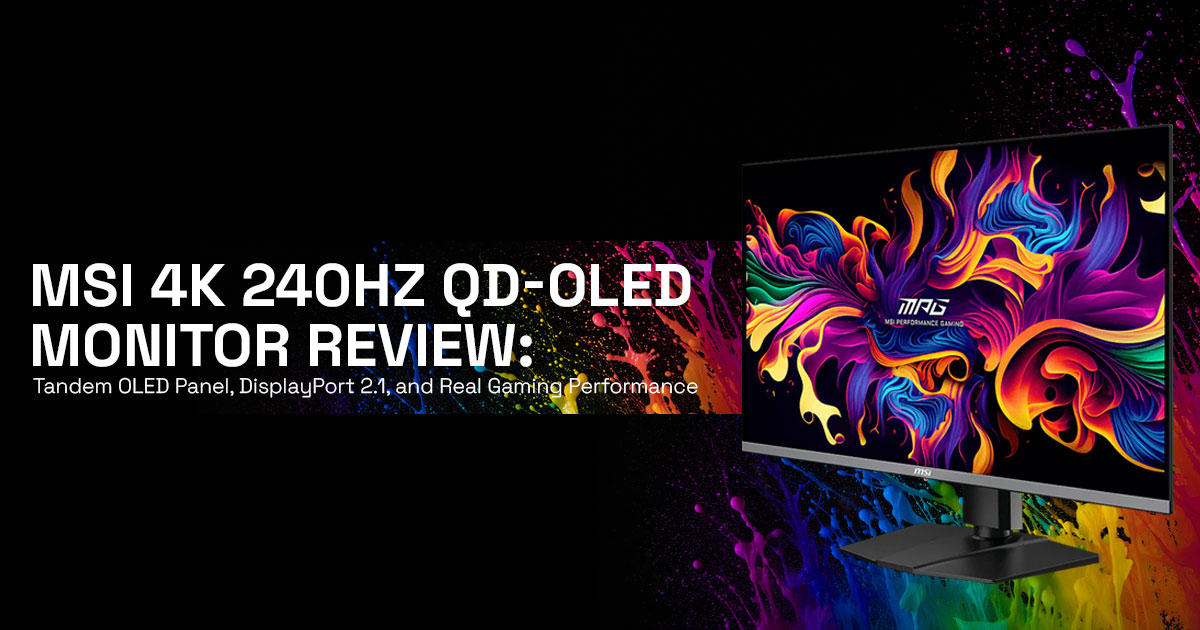
This 32-inch 4K gaming monitor combines a 3840 × 2160 resolution with a 240Hz refresh rate on a tandem QD-OLED panel. The goal is simple: keep images sharp while maintaining fast motion clarity. With DisplayPort 2.1 connectivity, the monitor can push a full uncompressed 4K 240Hz signal, provided the graphics card can handle the workload.
As technology experts with more than 20 years of experience in hardware and application research and development, we study devices from a practical standpoint. Each product goes through careful evaluation focused on real-world performance, durability, and value for money. The goal is to help readers choose the right product in every category—budget, performance, reliability, and long-term use.
Customer feedback also plays a key role. User reviews often reveal how a monitor behaves after months of use, not just during the first few days. Combining technical analysis with real user experience creates a clearer picture of how a product performs on a daily basis.
This review examines the MSI 4K 240Hz QD-OLED gaming monitor in real situations. The focus is on motion clarity, HDR brightness, GPU requirements, color accuracy, and burn-in protection technologies such as the AI care sensor and DarkArmor film.
The display targets a clear group of users:
- Competitive gamers who want a 4K 240Hz OLED gaming monitor with minimal motion blur
- PC enthusiasts building systems with DisplayPort 1 GPUs
- Content creators who work with HDR video and wide color spaces
- High-end PC builders planning a display that stays relevant for several GPU generations
When these needs align, the MSI QD-OLED gaming monitor becomes a strong candidate.
2. Why This Review Is Essential
Many reviews highlight specifications such as 240Hz refresh rate, 0.03 ms response time, and 4K OLED resolution. Those numbers look impressive on paper but do not answer the practical questions buyers ask before spending money.
Common concerns include:
- Is a 240Hz 4K gaming monitor worth it?
- What GPU can run 4K 240Hz gaming?
- Does DisplayPort 1 actually improve picture quality?
- How reliable are OLED monitors for daily use?
These questions matter more than the headline specifications. This review focuses on those real scenarios and explains how the MSI tandem QD-OLED monitor performs when connected to typical gaming systems.
A 4K 240Hz OLED gaming display can deliver excellent motion clarity and contrast, but it relies on the rest of the system. Graphics power, connection bandwidth, and proper setup all influence the final experience.
This guide breaks down those details so readers can understand where the monitor performs well and where expectations should remain realistic.
3. What You Will Learn from This Review
By the end of this guide, readers will understand:
- How tandem QD-OLED panel technology improves brightness and panel efficiency
- Why DisplayPort 1 bandwidth allows full uncompressed 4K 240Hz output
- Which GPUs can realistically drive a 240Hz 4K monitor
- How HDR True Black 500 certification and 99% DCI-P3 color coverage influence image quality
- How to configure the MSI 4K 240Hz QD-OLED monitor for stable performance The review also explains which users benefit most from this type of display.
Competitive gamers gain from the 240Hz refresh rate and low response time.
PC enthusiasts benefit from the DisplayPort 2.1 bandwidth that supports higher refresh rates at full resolution.
Content creators gain access to OLED contrast and wide color accuracy for HDR workflows.
Even for systems that cannot yet reach 240 frames per second at 4K, the 4K 240Hz OLED gaming monitor with DisplayPort 2.1 still serves as a long-term upgrade.
Quick Summary
The MSI 32-inch 4K gaming monitor delivers 3840 × 2160 resolution with a 240Hz refresh rate on a tandem QD-OLED panel. The panel supports a 0.03 ms response time, which keeps fast motion clear in competitive games.
The monitor reaches roughly 1000 nits HDR brightness and covers 99% DCI-P3 color space, which supports accurate HDR content. DisplayPort 2.1 allows the screen to run a full-bandwidth 4K 240Hz signal when connected to compatible graphics cards.
Motion performance is rated at ClearMR 13000, which indicates strong motion clarity in fast scenes. For long-term use, the monitor includes burn-in protection technologies, including an AI care sensor and DarkArmor film.
As a 4K 240Hz OLED gaming monitor with DisplayPort 2.1, it represents a forward-looking display designed for powerful gaming systems and HDR-focused creative work.
If you want to see the MSI MPG 322URX QD-OLED 32-inch 4K 240Hz gaming monitor and check current pricing or availability, you can view the listings below:
Amazon Worldwide | Amazon India
4. Technical Specifications at a Glance
| Feature | Specification |
| Screen Size | 32 inches |
| Resolution | 3840 × 2160 (4K UHD) |
| Refresh Rate | 240 Hz |
| Response Time | 0.03 ms (GtG) |
| Panel Type | Tandem QD-OLED panel |
| Peak Brightness | ~1000 nits HDR brightness |
| Color Coverage | 99% DCI-P3 color gamut |
| HDR Certification | HDR True Black 500 |
| Motion Clarity | ClearMR 13000 certification |
| Ports | DisplayPort 2.1, HDMI 2.1, USB-C with power delivery |
| Burn-in Protection | AI care sensor and DarkArmor film |
These specifications highlight why the MSI QD-OLED gaming monitor draws attention in the 4K OLED gaming display category. It combines high refresh rate performance, OLED contrast, and next-generation connectivity in a display built for modern gaming systems and HDR workflows.
5. Why 4K 240Hz OLED Gaming Monitors Are Suddenly Appearing
The rise of the 4K 240Hz OLED gaming monitor did not happen by accident. Three technology shifts reached maturity at the same time.
First, QD-OLED panel technology improved brightness and durability. Earlier OLED panels delivered deep contrast but struggled with sustained brightness. The newer tandem QD-OLED panel increases efficiency and allows higher peak luminance without stressing the organic layers.
Second, connection standards improved. DisplayPort 2.1 UHBR20 bandwidth can transmit far more data than older interfaces. This allows a 4K 240Hz signal with HDR and 10-bit color without heavy compression.
Third, graphics hardware caught up. Modern GPUs now produce higher frame rates in many games, especially when paired with technologies such as upscaling and frame generation.
Because these three developments aligned, the 240Hz OLED gaming monitor moved from experimental prototypes to real products built for high-end PCs. For gamers and creators, the result is a display that combines high resolution, fast refresh rate, and OLED contrast in one screen.
6. What Is Tandem QD-OLED Panel Technology
A tandem QD-OLED panel uses two OLED emission layers stacked inside each pixel. Traditional OLED panels rely on a single emission layer. That single layer must work harder to reach higher brightness levels.
With tandem OLED display technology, the current powers two layers instead of one. This spreads the workload and increases light output.
Key advantages include:
- Higher peak brightness
- Reduced wear on organic materials
- Improved panel lifespan
The QD-OLED panel technology also uses a Quantum Dot conversion layer. Quantum dots refine the color output of the OLED light source.
This combination produces:
- Deep black levels from OLED pixels
- Richer color saturation from quantum dots
- Better highlight detail in HDR scenes
In real use, this helps both gamers and creators. Competitive players benefit from better visibility in dark areas, while editors gain wider color headroom for HDR video and photo grading.
The Samsung QD-OLED panel inside the MSI tandem QD-OLED monitor also improves thermal efficiency, which helps maintain performance during long gaming sessions.
7. DisplayPort 2.1 Bandwidth Explained for 4K 240Hz Gaming Monitors
DisplayPort 2.1 introduces a major jump in data bandwidth. The UHBR20 mode supports up to 80 Gbps of raw bandwidth.
This capacity allows a display to carry:
- 4K resolution (3840 × 2160)
- 240Hz refresh rate
- 10-bit color depth
- HDR video signals
Older standards, such as DisplayPort 1.4, require Display Stream Compression (DSC) when pushing high resolutions and refresh rates together. Compression usually works well, but it can soften small details in motion.
With DisplayPort 2.1, the MSI DisplayPort 2.1 4K 240Hz monitor can transmit the full signal without compression when the system supports the bandwidth.
This ensures the 4K OLED gaming display receives the image exactly as the graphics card generates it.
7.1 How DisplayPort 2.1 Improves Gaming Monitors
For gaming displays, DisplayPort 2.1 connectivity offers three practical benefits.
- Higher refresh rates at full resolution: A 4K 240Hz OLED gaming monitor requires enormous DisplayPort 2.1 handles that signal without reducing image quality.
- Cleaner motion rendering: Without compression, fast motion retains fine details during quick camera movement.
- Better support for future GPUs: As graphics hardware becomes faster, DisplayPort 1 UHBR20 bandwidth ensures monitors can keep up with higher frame rates.
8. Does DisplayPort 2.1 Support 4K 240Hz Gaming
Yes. DisplayPort 2.1 fully supports 4K resolution at a 240Hz refresh rate without compression.
The 80 Gbps bandwidth provides enough headroom for:
- 4K 240Hz video output
- HDR color data
- 10-bit color depth
While HDMI 2.1 gaming monitors can approach similar performance, they often rely on compression when running the highest resolution and refresh combinations.
For the cleanest signal on a 4K 240Hz OLED gaming monitor with DisplayPort 2.1, this interface remains the preferred option.
9. The 4K 240Hz Gaming Reality Check
A common question appears in gaming communities:
What GPU can run 4K 240Hz gaming?
Even powerful graphics cards struggle to reach 240 frames per second at native 4K in modern AAA titles.
Typical results look like this:
| GPU | Typical 4K FPS |
| RTX 4070 | 60–90 FPS |
| RTX 4080 | 90–140 FPS |
| Flagship GPUs | 200+ FPS in optimized titles |
This means the 4K 240Hz OLED monitor for competitive gaming shines most in:
- Esports games
- Racing simulators
- High-frame-rate competitive shooters
These genres already push higher frame rates, which allows the 240Hz refresh rate gaming monitor to show its full benefit.
9.1 Is 4K 240Hz Gaming Worth It
The answer depends on the system and the games played.
Players who use high-end GPUs and compete in fast shooters gain the most. The 0.03 ms response time gaming monitor reduces motion blur and keeps targets clear during rapid movement.
For slower titles such as story-driven RPGs or strategy games, the difference between 240Hz and 144Hz becomes less noticeable.
Many gamers find the 240Hz OLED gaming monitor worthwhile when they already achieve high frame rates at 4K.
10. The 4-Layer Monitor Value Model for Evaluating Gaming Displays
Instead of focusing on one specification, a premium monitor should be judged through four layers.
- Layer 1 – Panel Quality: This includes contrast ratio, brightness capability, and color volume. The tandem QD-OLED panel technology performs well here.
- Layer 2 – Motion Performance: This combines refresh rate and response time. The 240Hz refresh rate and 0.03 ms pixel response support fast motion clarity.
- Layer 3 – Signal Bandwidth: A monitor must receive the data required for high refresh rates. DisplayPort 2.1 UHBR20 bandwidth keeps the signal clean.
- Layer 4 – Longevity and Protection: Modern OLED monitors include pixel shifting, automatic dimming, and AI burn-in protection sensors.
When all four layers align, a premium 4K OLED gaming display delivers both performance and long-term reliability.
11. Gaming Performance Expectations on a 4K 240Hz OLED Gaming Monitor
Certain game genres benefit the most from high refresh rate OLED displays.
- Competitive shooters: Fast response and 240Hz refresh rate help track moving
- Racing simulators: Smooth frame pacing improves control
- Esports titles: Games designed for high frame rates gain the most from 240Hz displays.
Story-focused games still look impressive on the 4K OLED gaming display, but the frame rate advantage becomes smaller.
If the performance and OLED picture quality discussed above match what you are looking for, you can check the current availability of the MSI MPG 322URX QD-OLED 4K 240Hz gaming monitor here:
Amazon Worldwide | Amazon India
12. QD-OLED Monitors for Content Creation and HDR Workflows
The MSI gaming monitor with 99% DCI-P3 color coverage also suits creative work.
Important features include:
- Wide color gamut for video editing
- True black contrast from OLED pixels
- HDR True Black certification
Editors working with HDR footage benefit from strong highlight detail and deep shadows.
Because of these characteristics, many creators now consider QD-OLED monitors good for content creation, especially when they want a display that handles both editing and gaming.
13. OLED Burn-In Protection Explained
Another frequent concern appears in search queries:
Do OLED gaming monitors suffer burn-in?
Burn-in occurs when static elements remain visible after extremely long exposure times. Modern OLED monitors reduce the risk through several protective features.
The MSI OLED gaming monitor with AI burn-in protection includes:
- Pixel shifting technology
- Automatic dimming of static areas
- Idle screen blanking
- DarkArmor protective film
The tandem OLED panel structure also spreads electrical load across layers, which reduces long-term stress on individual pixels.
In typical gaming and desktop use, burn-in becomes rare when these protection tools remain enabled.
14. Real-World Setup Guide for a 4K 240Hz OLED Gaming Monitor
Setting up the MSI DisplayPort 2.1 4K 240Hz monitor takes only a few steps.
- Connect using a certified DisplayPort 1 cable
- Enable 240Hz refresh rate in the operating system
- Turn on Variable Refresh Rate (VRR)
- Activate HDR mode
- Enable OLED care features
These settings allow the 240Hz OLED gaming monitor to deliver the performance it was designed for.
The USB-C power delivery port can also charge a laptop, which helps reduce desk clutter.
15. Tradeoffs of a 4K 240Hz OLED Gaming Display
Every display category includes strengths and compromises.
Advantages
- Deep OLED contrast
- Instant pixel response
- Clean high-speed 4K motion
Limitations
- Premium price level
- Requires powerful GPU hardware
- Lower brightness than some LCD backlight displays in bright rooms
For serious gamers and creators, the benefits of a 4K OLED gaming display often outweigh these drawbacks.
16. Comparison: MSI 4K 240Hz QD-OLED Monitor vs Other OLED Gaming Monitors
| Monitor | Panel Type | HDR Rating | Main Port | Motion Rating |
| MSI 4K 240Hz QD- OLED monitor | Tandem QD- OLED | HDR True Black 500 | DisplayPort 2.1 | ClearMR 13000 |
| Typical ASUS model | QD-OLED | True Black | DisplayPort 1.4 | Lower |
| Typical Alienware model | QD-OLED | Standard HDR | HDMI 2.1 | Similar |
The DisplayPort 2.1 bandwidth and ClearMR motion rating give the MSI QD-OLED gaming display an advantage in high-frame-rate gaming scenarios.
17. 4K vs 1440p OLED Gaming Monitor Comparison
| Feature | 4K OLED Gaming Monitor (3840 × 2160) | 1440p OLED Gaming Monitor (2560 × 1440) |
| Image Sharpness | Higher pixel density delivers sharper textures, detailed environments, and clearer visuals for games and creative work | Good clarity but less detail than 4K, especially noticeable on larger screens |
| GPU Requirement | Requires high-end GPUs to push high frame rates at 4K resolution | Easier for mid-range GPUs to reach high frame rates |
| Gaming Performance | Frame rates often lower in demanding games unless using upscaling or frame generation | Higher native frame rates are easier to achieve |
| Refresh Rate Utilization | Harder to fully use the 240Hz refresh rate in many AAA titles | High refresh rates are easier to sustain, especially in competitive games |
| Competitive Gaming Advantage | Smooth gameplay, but GPU load may limit frames | Better for esports and competitive shooters due to higher, consistent FPS |
| Content Creation | More screen space and sharper detail for editing photos, videos, and design work | Adequate workspace, but less precision for detailed editing |
| System Longevity | Future-ready display as GPUs become more powerful | May feel limiting as GPUs improve and 4K becomes standard |
| Typical Use Case | Best for high-end PCs, creators, and immersive gaming setups | Best for competitive gamers and mid-range gaming systems |
- Key takeaway:
Choose a 4K OLED gaming monitor if your system already supports high frame rates at 4K or if you prioritize visual detail and workspace. Choose a 1440p OLED gaming monitor if your goal is consistent high FPS and competitive gaming performance with current hardware.
18. Edge Cases Many OLED Monitor Reviews Miss
Certain scenarios receive less attention in most reviews.
- Bright room gaming: Reflections can reduce perceived A small bias light behind the monitor often helps.
- Desktop text clarity: The sub-pixel layout of QD-OLED panels can make small text appear softer at first.
- Console gaming limits: Current PlayStation 5 and Xbox consoles support 120Hz output, not 240Hz.
19. Who Should Buy a 4K 240Hz OLED Gaming Monitor
This type of display suits a specific group of users.
- Competitive gamers: They benefit from a 240Hz refresh rate and instant response time.
- High-end PC builders: Systems with flagship GPUs can take advantage of 4K high- frame-rate output.
- HDR enthusiasts: The OLED contrast and color accuracy improve HDR content viewing and editing.
For office work, casual gaming, or budget builds, a 144Hz or 165Hz monitor often makes more practical sense.
20. Future of OLED Gaming Monitors and DisplayPort 2.1
The next generation of OLED gaming monitors will likely bring several improvements:
- Higher refresh rates beyond 240Hz
- Improved sub-pixel layouts for text clarity
- Brighter OLED panels
- Smarter AI burn-in protection
The combination of tandem OLED panel technology and DisplayPort 2.1 UHBR20 bandwidth forms the foundation for these future displays.
21. Frequently Asked Questions (FAQ) About the MSI 4K 240Hz QD-OLED Monitor
Before buying a 4K 240Hz OLED gaming monitor, most readers want quick answers to practical questions. The section below addresses common search queries about QD-OLED panel technology, DisplayPort 2.1 bandwidth, GPU requirements for 4K 240Hz gaming, and OLED burn-in protection. These short answers help clarify whether a high-refresh-rate 4K gaming monitor fits your system and gaming needs.
Q. What is a tandem QD-OLED panel?
- A tandem QD-OLED panel stacks two OLED emission layers to increase brightness and reduce panel wear while preserving the deep blacks typical of OLED display technology.
Q. Does DisplayPort 2.1 support 4K at 240Hz?
- Yes. DisplayPort 2.1 UHBR20 bandwidth (80 Gbps) supports 4K resolution at 240Hz with HDR and 10-bit color without compression.
Q. Is a 240Hz 4K gaming monitor worth it?
- A 4K 240Hz gaming monitor benefits players with powerful GPUs who play fast shooters or esports titles; others may find 144Hz or 165Hz displays deliver similar enjoyment at a lower cost.
Q. What GPU can run 4K 240Hz gaming?
- Modern flagship GPUs such as RTX 4090-class or newer GPUs paired with upscaling and frame generation come closest to driving 4K 240Hz gaming, while mid-range cards usually require reduced settings.
Q. What is the difference between OLED and QD-OLED monitors?
- QD-OLED monitors combine OLED self-emissive pixels with quantum dot color layers, producing wider color volume and brighter highlights than traditional OLED panels.
Q. Do OLED gaming monitors suffer burn-in?
- Burn-in can occur after long static usage, but modern OLED gaming monitors with AI burn-in protection, pixel shifting, and dimming features keep the risk low in everyday use.
22. Conclusion and Recommendations
The MSI 4K 240Hz QD-OLED monitor shows what modern display hardware can deliver when several technologies mature at the same time. The combination of a tandem QD-OLED panel, DisplayPort 2.1 bandwidth, and a 240Hz refresh rate creates a screen that handles both high detail and fast motion without compromise.
In everyday use, the strengths become clear quickly. The 4K OLED gaming display produces deep blacks, bright highlights, and smooth motion thanks to the 0.03 ms response time and ClearMR motion clarity rating.
This results in three noticeable improvements:
- Cleaner motion during fast camera movement
- Sharper details in high-resolution scenes
- Better contrast between bright highlights and dark areas
For players who spend time in fast shooters, racing titles, or esports games, the difference appears right away. Motion stays sharp, and targets remain easier to track.
This makes the monitor suitable for tasks such as:
- HDR video editing
- Photo color grading
- High-contrast media production
The display also includes protection features designed for long-term use. The AI Care Sensor monitors usage patterns and activates panel protection when needed. The DarkArmor film improves perceived black levels and helps maintain image stability during long sessions.
These features add practical beneffts:
- Reduced OLED burn-in risk
- Stable brightness during long sessions
- Better black depth in dark scenes
This flagship display first appeared at CES 2026, where it drew attention for combining several next-generation technologies in one device.
Key technologies highlighted include:
- Tandem QD-OLED panel technology
- DarkArmor anti-reflection film
- AI Care Sensor burn-in protection
Together, these features place it among the most advanced 4K 240Hz OLED gaming monitors currently available.
That said, the monitor reaches its full potential only when paired with powerful hardware. A system with a modern high-end GPU and DisplayPort 2.1 support unlocks the smooth motion and full-bandwidth signal the panel is designed to deliver.
To take full advantage of the display, a system should include:
- High-performance GPU capable of high 4K frame rates
- DisplayPort 1 compatible graphics card
- Modern gaming CPU and fast memory
For users with mid-range graphics cards or those who mainly play story-driven games, a 144Hz or 165Hz OLED monitor may offer similar enjoyment at a lower cost.
For the right audience, it works as a strong long-term display investment. It delivers the speed required for competitive play while maintaining the deep contrast and color depth OLED technology is known for.
If you want to check current pricing and availability, you can explore the listings below:
Amazon Worldwide – MSI MPG 322URX QD-OLED 32-inch 3840 × 2160 (UHD) Computer Monitor, 240Hz, Adaptive-Sync, HDMI, DisplayPort, VESA Mountable, Tilt, Speaker, 0.03 ms
Amazon India – MSI MPG 322URX QD-OLED 32-inch 3840 × 2160 (UHD) Computer Monitor, 240Hz, Adaptive-Sync, HDMI, DisplayPort, VESA Mountable, Tilt, Speaker, 0.03 ms
Questions about compatibility or setup often come down to the system you already own. Share your GPU model, the games you play most, or your planned PC build in the comments. We read every message and help readers tune their setups so they get the best performance from their hardware.
***Disclaimer***
This blog post reflects our own research, testing, and personal opinions. It should not be taken as the official position of any brand, manufacturer, or company mentioned here. While we aim to keep information accurate and up to date, product details, pricing, and availability can change. We recommend double-checking important details before making a purchase.
Some links in this article may be affiliate links. If you choose to buy through these links, we may earn a small commission at no extra cost to you. This helps support our work and allows us to keep publishing in-depth, unbiased reviews. Our recommendations are never influenced by affiliate partnerships.
Comments shared by readers reflect their own views and not ours. We are not responsible for outcomes resulting from the use of information on this site. Please seek professional advice where appropriate.
All product names, logos, and brands mentioned are the property of their respective owners. These names are used for identification and informational purposes only and do not imply endorsement.
